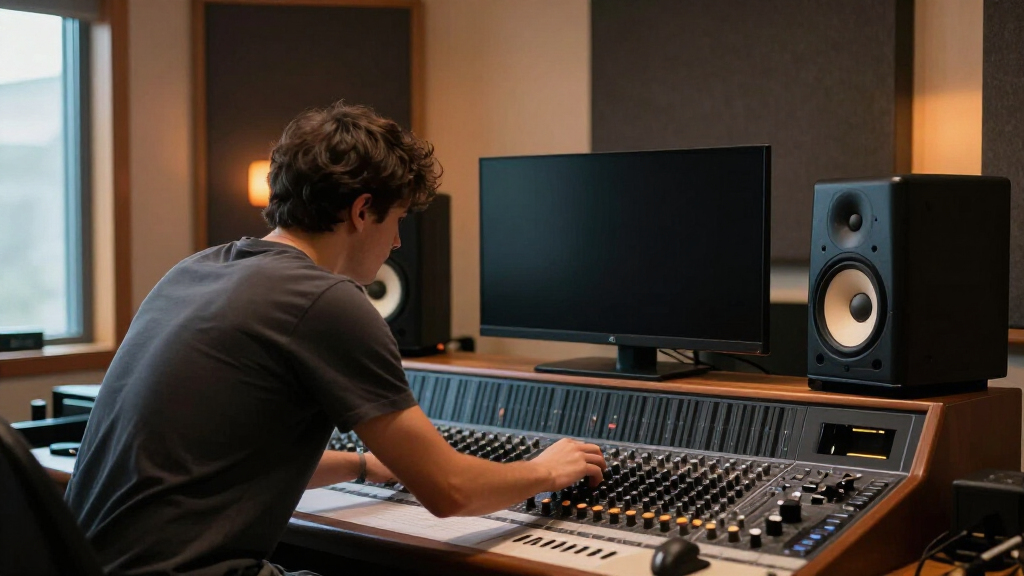
For most home studios, I’d start with the JBL 305P MkII: its 5-inch woofer and room-positioning controls make it a flexible reference point among these picks. The Yamaha HS4 suits buyers who want a compact pair from a familiar studio-monitor line, while the Edifier MR3 adds Bluetooth for a more versatile desk setup. The main tradeoffs are size and bass reach, connection options, and how much control you need to adapt speakers to your room. Smaller models can save space, but they may not reveal low-frequency detail as readily as larger options. Read on for the full comparison and a pick matched to your setup.

Get audio and creator gear delivered free — and shop member deals
- Fast, free delivery on millions of items
- Access to Prime Big Deal Days deals on October 6–7
- Prime Video, Amazon Music and more included
Complete the kit


Key Takeaways
- The JBL 305P MkII leads for flexible monitoring: its 5-inch format and room-positioning controls give it an edge when setup conditions vary.
- Compact monitors are a real space tradeoff: the Eris 3.5, BX3, and CR3.5 are easier to fit on crowded desks, while their smaller woofers limit low-end reach.
- The Edifier MR3 stands apart for mixed-use desks: Bluetooth expands its role beyond wired studio playback, though wireless convenience is not a substitute for a calibrated reference setup.
- Two entries are color variants, not separate acoustic choices: the white and black Ortizan C7 listings, and the white and black Yamaha HS4 listings, should be compared by finish and availability.
- Studio branding alone does not make a speaker a reference monitor: the Edifier R1280T is a powered bookshelf option, so buyers should weigh its listening-oriented fit against the monitoring focus of the other picks.
| PreSonus Eris E4.5 4.5-Inch Two-Way Nearfield Studio Monitors (Pair) |  | Best for Flexible Desktop Setups | Woofer size: 4.5 inches | Amplification: 50 watts total; 25 watts per speaker | Amplifier type: Class AB | VIEW LATEST PRICE | See Our Full Breakdown |
| JBL 305P MkII 5-Inch 2-Way Powered Studio Monitor Pair |  | Best for Stereo Imaging | Quantity: 2 monitors | Woofer: 5 inches | Tweeter: 1 inch | VIEW LATEST PRICE | See Our Full Breakdown |
| Mackie CR3.5 Studio Monitors, Pair, 3.5-Inch Woofers, Tone Knob, Black |  | Best for Tight Desk Spaces | Model: CR3.5 | Quantity: Pair | Woofer size: 3.5 inches | VIEW LATEST PRICE | See Our Full Breakdown |
| Edifier R1280T Powered Bookshelf Speakers |  | Best for Home Listening | Type: Powered bookshelf speakers | Channels: 2.0 | Inputs: 3.5 mm and dual RCA; supports two devices simultaneously | VIEW LATEST PRICE | See Our Full Breakdown |
| M-Audio BX3 3.5-Inch Wired Studio Monitor Speakers (Pair) |  | Best for Desktop Connectivity | Speaker configuration: 1 active speaker and 1 passive speaker | Woofer: 3.5-inch black Kevlar | Tweeter: Natural silk dome | VIEW LATEST PRICE | See Our Full Breakdown |
| Ortizan C7 Powered Studio Monitors, Pair, Bluetooth 5.3, White |  | Best for Flexible Connectivity | Quantity: Pair | Woofer: 3.5-inch carbon fiber | Tweeter: 0.75-inch silk dome | VIEW LATEST PRICE | See Our Full Breakdown |
| Edifier MR3 Powered Studio Monitors with Bluetooth |  | Best for App-Based Sound Shaping | Frequency response: 52 Hz–40 kHz | RMS output: 18 W × 2 | Peak SPL: 92.5 dB | VIEW LATEST PRICE | See Our Full Breakdown |
| Yamaha HS4 Powered Studio Monitors, Black, Pair |  | Best for Room Adjustment | Quantity: Pair | Speaker type: 2-way bass-reflex powered speaker | Woofer: 4.5-inch cone | VIEW LATEST PRICE | See Our Full Breakdown |
| Edifier MR3 Powered Studio Monitor Speakers with Bluetooth, White |  | Best White Pair for Multi-Device Desks | Audio certification: Hi-Res Audio | Frequency response: 52 Hz–40 kHz | Output power: 18 W × 2 RMS | VIEW LATEST PRICE | See Our Full Breakdown |
| Ortizan C7 Powered Studio Monitors, Pair, Bluetooth 5.3, Black |  | Best for USB-Centered Compact Setups | Model: C7 | Quantity: Pair | Bluetooth: 5.3 | VIEW LATEST PRICE | See Our Full Breakdown |
| M-Audio BX4 4.5-Inch Wired Studio Monitor Speakers, Pair |  | Best for Flexible Wired Setups | Speaker configuration: One active speaker and one passive speaker | Woofer: 4.5-inch Kevlar | Tweeter: Silk dome | VIEW LATEST PRICE | See Our Full Breakdown |
| Yamaha HS4 Powered Studio Monitors, White, Pair (HS4 W) |  | Best for Compact Studio Monitoring | Speaker type: Two-way bass-reflex powered speakers | Woofer: 4.5-inch cone | Tweeter: 1-inch dome | VIEW LATEST PRICE | See Our Full Breakdown |
| PreSonus Eris 3.5 Powered Studio Monitors, Stereo Pair |  | Best for Beginners | Type: Powered studio monitors | Quantity: Stereo pair | Amplification: 50 watts built-in | VIEW LATEST PRICE | See Our Full Breakdown |
| studio monitor speaker | Inputs | Tweeter | Woofer |
|---|---|---|---|
| PreSonus Eris E4.5 4.5-Inch Tw | Balanced 1/4-inch TRS, unbalanced RCA, front 1/8-inch TRS stereo auxiliary | 1-inch silk-dome | — |
| JBL 305P MkII 5-Inch 2-Way Pow | Balanced XLR and 1/4-inch TRS | 1 inch | 5 inches |
| Mackie CR3.5 Studio Monitors | — | — | — |
| Edifier R1280T Powered Bookshe | 3.5 mm and dual RCA; supports two devices simultaneously | 13 mm silk dome | — |
| M-Audio BX3 3.5-Inch Wired Stu | 1/4-inch, 1/8-inch, and RCA | Natural silk dome | 3.5-inch black Kevlar |
| Ortizan C7 Powered Studio Moni | USB, RCA, 3.5 mm AUX, 6.35 mm TRS | 0.75-inch silk dome | 3.5-inch carbon fiber |
| Edifier MR3 Powered Studio Mon | TRS, RCA, AUX, Bluetooth | — | — |
| Yamaha HS4 Powered Studio Moni | XLR/TRS combo, RCA, stereo mini | 1-inch dome | 4.5-inch cone |
| Edifier MR3 Powered Studio Mon | Balanced TRS, RCA, AUX | — | — |
| Ortizan C7 Powered Studio Moni | USB, RCA, 3.5 mm AUX, 6.35 mm balanced TRS | 0.75-inch silk dome | — |
| M-Audio BX4 4.5-Inch Wired Stu | 1/4-inch, 1/8-inch, and RCA | Silk dome | 4.5-inch Kevlar |
| Yamaha HS4 Powered Studio Moni | XLR/TRS combo, RCA, and stereo mini | 1-inch dome | 4.5-inch cone |
| PreSonus Eris 3.5 Powered Stud | Balanced TRS, RCA, and front-panel aux | 1-inch silk dome | 3.5-inch woven-composite |
More Details on Our Top Picks
PreSonus Eris E4.5 4.5-Inch Two-Way Nearfield Studio Monitors (Pair)
The PreSonus Eris E4.5 suits a desktop studio that needs more connection choices than a compact pair usually offers. Its 4.5-inch woofers give it a larger driver than the Mackie CR3.5 and M-Audio BX3, which can help with fuller playback, while high- and low-frequency tuning lets me adapt the balance to a room. Balanced TRS, RCA, and a front auxiliary input make it easy to switch between studio gear and everyday devices. The front headphone output is also handy when I need to monitor privately without reaching behind the speakers. The tradeoff is that the E4.5 has no included subwoofer, so buyers who need substantial low-end extension should look beyond this pair; its size also takes more desk space than 3.5-inch alternatives.
Pros:- 4.5-inch woofers offer a larger driver than the Mackie CR3.5 and M-Audio BX3
- TRS, RCA, and front 1/8-inch auxiliary inputs support varied sources
- High- and low-frequency controls allow room-related tonal adjustment
- Front headphone output provides convenient private listening
Cons:- No subwoofer is included for stronger low-frequency extension
- Larger cabinets take more desk space than 3.5-inch options
Best for: Home producers who switch between balanced studio gear, consumer audio, and headphones at a desktop
Not ideal for: Listeners who need deep sub-bass from a standalone pair or have very little desk space
- Woofer size:4.5 inches
- Amplification:50 watts total; 25 watts per speaker
- Amplifier type:Class AB
- Tweeter:1-inch silk-dome
- Inputs:Balanced 1/4-inch TRS, unbalanced RCA, front 1/8-inch TRS stereo auxiliary
- Tuning controls:High- and low-frequency tuning
- Headphone output:Front-panel output with built-in headphone amplifier
- Included quantity:Pair
Our verdict“Choose the Eris E4.5 if flexible connections and room tuning matter more than compact size or deep bass.”
JBL 305P MkII 5-Inch 2-Way Powered Studio Monitor Pair
The JBL 305P MkII stands out for listeners who want to judge placement and panning across a broad listening area. Its Image Control Waveguide is designed to deliver precise imaging and a wide sweet spot, giving it a clear focus that the more connection-oriented PreSonus Eris E4.5 does not emphasize. Each monitor has dual 41-watt Class-D amplifiers and a 5-inch woofer, making this pair the largest-driver option among the five listed here. Boundary EQ and HF Trim let me adjust for placement and room balance. In return, the JBL offers only balanced XLR and TRS inputs, so it is less convenient for casual sources than the Eris E4.5 or Edifier R1280T. Its roughly 11.7-by-7.3-by-9.1-inch cabinet also needs more room than the Mackie CR3.5.
Pros:- Image Control Waveguide is designed for precise imaging and a broad listening sweet spot
- 5-inch woofers are larger than those in the other four listed pairs
- Balanced XLR and TRS inputs suit studio equipment
- Boundary EQ and HF Trim provide placement and high-frequency adjustments
Cons:- Inputs are limited to balanced XLR and 1/4-inch TRS
- Cabinets are larger than the Mackie CR3.5 and M-Audio BX3
- The listed specifications do not include front-panel headphone or auxiliary connections
Best for: Producers and editors who want a wide listening sweet spot and balanced connections for studio equipment
Not ideal for: Desk users needing a very compact speaker or people connecting only consumer devices without balanced outputs
- Quantity:2 monitors
- Woofer:5 inches
- Tweeter:1 inch
- Amplifiers:Dual 41-watt Class-D per monitor
- Inputs:Balanced XLR and 1/4-inch TRS
- Room controls:Boundary EQ and HF Trim
- Dimensions:11.7 x 7.3 x 9.1 inches
- Peak SPL:108 dB
Our verdict“Pick the JBL 305P MkII if stereo imaging and balanced studio inputs matter more than compact dimensions or consumer-device connections.”
Mackie CR3.5 Studio Monitors, Pair, 3.5-Inch Woofers, Tone Knob, Black
The Mackie CR3.5 is the straightforward fit for a small desk where speaker size and placement adjustments count more than a larger woofer. Its 3.5-inch drivers make it more compact in concept than the JBL 305P MkII or PreSonus Eris E4.5, while the Location Switch helps adapt bass response to a wall-side or open placement. The Tone Knob gives me a direct way to change the sound’s voicing, a useful convenience for mixed music and desktop listening. Mackie also includes isolation pads and cables, reducing the need to source basic setup accessories separately. The tradeoff is limited low-frequency authority compared with the JBL’s 5-inch woofer and Eris E4.5’s 4.5-inch drivers. The supplied description also omits power and input details, so I have less information to match it to specific studio gear.
Pros:- Compact 3.5-inch pair is suited to desks and small studios
- Location Switch helps adapt bass for wall-side or open placement
- Tone Knob provides a direct voicing adjustment
- Isolation pads and cables are included
Cons:- Smaller woofers provide less low-frequency capability than the JBL 305P MkII or Eris E4.5
- Supplied product data does not specify power or input connections
Best for: Desk-based creators and casual mix editors who need a compact pair with simple placement and voicing controls
Not ideal for: Producers who need stronger low-frequency monitoring or must confirm specific inputs and power before buying
- Model:CR3.5
- Quantity:Pair
- Woofer size:3.5 inches
- Controls:Tone Knob and Location Switch
- Color:Black
- Included accessories:Isolation pads and cables
Our verdict“Choose the CR3.5 for a compact desktop setup with simple sound and placement controls, provided its limited published connection details fit your needs.”
Edifier R1280T Powered Bookshelf Speakers
The Edifier R1280T makes more sense for a shared home audio setup than for a buyer seeking studio-specific connections or controls. It accepts two devices at once through 3.5 mm and dual RCA inputs, and its remote and side-panel tone controls make everyday playback easy to adjust. Compared with the Mackie CR3.5 and M-Audio BX3, this is the more living-room-oriented option, with a wood-effect finish designed to blend into home decor. That convenience comes with compromises for monitoring: the product data describes a 4-inch full-range driver and bookshelf design, but does not specify balanced inputs or dedicated room tuning like the PreSonus Eris E4.5 and JBL 305P MkII. I would choose it for casual listening alongside a desktop source, not as the most clearly specified tool for critical studio work.
Pros:- Supports two connected devices through 3.5 mm and dual RCA inputs
- Remote volume control simplifies listening from across a room
- Side-panel bass and treble controls allow tonal adjustment
- MDF cabinet has a wood-effect vinyl finish
Cons:- Product data does not list balanced XLR or TRS inputs
- No dedicated room-tuning controls are specified
- Supplied information does not include detailed performance measurements
Best for: Home listeners who want powered speakers for two consumer audio sources and a decor-friendly bookshelf setup
Not ideal for: Studio users who need balanced XLR or TRS connections and dedicated room adjustment for mix decisions
- Type:Powered bookshelf speakers
- Channels:2.0
- Inputs:3.5 mm and dual RCA; supports two devices simultaneously
- Tweeter:13 mm silk dome
- Driver:4-inch full-range
- Controls:Remote volume; side-panel bass and treble
- Cabinet:MDF with wood-effect vinyl finish
Our verdict“Pick the R1280T for flexible home playback and decor-friendly placement, rather than a setup centered on studio monitoring connections.”
M-Audio BX3 3.5-Inch Wired Studio Monitor Speakers (Pair)
The M-Audio BX3 packs a useful range of connections into a small desktop pair. Its 1/4-inch, 1/8-inch, and RCA inputs, plus front auxiliary and headphone connections, make it easier to move between studio gear and everyday devices than the JBL 305P MkII, which lists only balanced XLR and TRS inputs. Rear high- and low-frequency EQ dials add some tonal adjustment, and the included cables, foam feet, and MPC Beats software give a new desktop setup a practical starting point. The two-speaker system uses one active speaker and one passive speaker, so placement depends on the interconnect cable and active speaker position switch. Compared with the larger-driver PreSonus Eris E4.5, the BX3’s 3.5-inch woofers give up some potential low-end output. Its listed 120-watt power figure is not broken down by speaker in the supplied data.
Pros:- 1/4-inch, 1/8-inch, and RCA inputs support studio and consumer sources
- Front auxiliary input and headphone output are easy to reach
- Rear high- and low-frequency EQ dials allow tonal adjustment
- Includes foam feet, cables, and MPC Beats software
Cons:- Wired active-to-passive setup limits placement flexibility
- 3.5-inch woofers are smaller than the Eris E4.5’s 4.5-inch drivers
- Product data does not provide detailed dimensions or a per-speaker power breakdown
Best for: Desktop producers who need multiple connection types, front headphone access, and bundled setup accessories
Not ideal for: Buyers who need wireless placement flexibility, confirmed cabinet dimensions, or stronger low-frequency monitoring
- Speaker configuration:1 active speaker and 1 passive speaker
- Woofer:3.5-inch black Kevlar
- Tweeter:Natural silk dome
- Power:120 W
- Cabinet:MDF with bass reflex design
- Inputs:1/4-inch, 1/8-inch, and RCA
- Front connections:1/8-inch auxiliary input and headphone output
- Included software:MPC Beats
Our verdict“Choose the BX3 if desktop connection variety and bundled accessories matter more than wireless convenience or larger-driver bass.”
Ortizan C7 Powered Studio Monitors, Pair, Bluetooth 5.3, White
The white Ortizan C7 is a good fit for a compact desk where a computer, phone, and audio interface may all need a connection. Its USB input with a 24-bit DAC offers a direct route from a computer, while balanced TRS, RCA, AUX, and Bluetooth 5.3 cover other sources. Compared with the Yamaha HS4, which specifies a larger 4.5-inch woofer and room controls, the C7 gives more connection choices but provides less information about output and frequency response. Its 3.5-inch carbon fiber woofer and silk dome tweeter make it the smaller-driver option here, so buyers seeking stronger low-frequency reach should compare larger monitors. I’d shortlist it for a tidy, multi-device setup, while treating its production accuracy as less documented than its connectivity.
Pros:- USB audio uses a stated 24-bit DAC
- Offers balanced TRS, RCA, AUX, and Bluetooth 5.3
- Front headphone output adds convenient personal monitoring
Cons:- Power output and frequency response are not provided
- 3.5-inch woofer may limit low-frequency output compared with the Yamaha HS4’s 4.5-inch woofer
Best for: Desk-based creators who want USB, balanced TRS, and Bluetooth connections in a white pair of compact monitors
Not ideal for: Producers who need published frequency response and power figures or a larger woofer for more low-end reach
- Quantity:Pair
- Woofer:3.5-inch carbon fiber
- Tweeter:0.75-inch silk dome
- Bluetooth:5.3
- USB audio:24-bit DAC
- Inputs:USB, RCA, 3.5 mm AUX, 6.35 mm TRS
- Output:Front headphone output
- Color:White
Our verdict“Choose the C7 if flexible wired and wireless connections matter more to your compact desk setup than published performance figures.”
Edifier MR3 Powered Studio Monitors with Bluetooth
The black Edifier MR3 is the most adjustable listening option in this group: its Monitor, Music, and Custom modes, plus app-based EQ, let buyers shift between a more work-focused profile and everyday playback. That flexibility sets it apart from the Yamaha HS4, whose listed room and high trim controls are more limited in scope. The MR3 also specifies 18 W RMS per speaker, a 52 Hz–40 kHz response, and a 92.5 dB peak SPL, giving shoppers more performance detail than the Ortizan C7 listings provide. Multipoint Bluetooth and several wired inputs suit a shared desk, though Bluetooth codecs are not stated and wireless listening may not satisfy a strictly wired workflow. I’d favor it for creators who value adjustable sound as much as connection options.
Pros:- Monitor, Music, and Custom modes with app-based EQ
- TRS, RCA, AUX, headphone, and multipoint Bluetooth connectivity
- Publishes response, RMS output, and peak SPL figures
- MDF cabinet is designed to reduce distortion
Cons:- Bluetooth codec support is not specified
- No independent review feedback is provided in the supplied product information
Best for: Home creators who switch between monitoring, casual listening, and multiple Bluetooth devices and want EQ control in an app
Not ideal for: Buyers who require specified Bluetooth codecs or a strictly wired monitoring chain
- Frequency response:52 Hz–40 kHz
- RMS output:18 W × 2
- Peak SPL:92.5 dB
- Drivers:3.5-inch mid-low drivers and 1-inch tweeters
- Inputs:TRS, RCA, AUX, Bluetooth
- Bluetooth:Multipoint
- Sound modes:Music, Monitor, Custom
- Cabinet:MDF
Our verdict“Pick the MR3 if you want one compact pair with app-based EQ and distinct modes for work and everyday listening.”
Yamaha HS4 Powered Studio Monitors, Black, Pair
The Yamaha HS4 earns its place for buyers who want room control and high trim response controls built into a compact two-way monitor. Those adjustments can help tailor the sound to a desk or room, while the included cables and anti-slip pads make setup more straightforward. Its 4.5-inch woofer is larger than the 3.5-inch drivers in the Edifier MR3 and Ortizan C7, a useful difference for listeners seeking a little more driver area in a nearfield setup. The tradeoff is a more modest stated frequency range of 60 Hz–22 kHz at -10 dB, compared with the MR3’s wider published range; neither figure alone settles how a room will sound. I’d choose the HS4 for practical adjustment controls and a familiar wired set of inputs, not for Bluetooth convenience.
Pros:- Room control and high trim response controls support placement adjustments
- 4.5-inch cone woofer is larger than the Edifier MR3 and Ortizan C7 drivers
- XLR/TRS combo, RCA, and stereo mini inputs
- Includes connection cables and anti-slip pads
Cons:- No Bluetooth connectivity is listed
- Published frequency response is 60 Hz–22 kHz at -10 dB
Best for: Home producers setting up nearfield monitors on a desk or in a small room who want physical room and treble controls
Not ideal for: Buyers who want Bluetooth or the widest stated frequency range among these compact options
- Quantity:Pair
- Speaker type:2-way bass-reflex powered speaker
- Woofer:4.5-inch cone
- Tweeter:1-inch dome
- Frequency response:60 Hz–22 kHz (-10 dB)
- Output power:26 W and above
- Inputs:XLR/TRS combo, RCA, stereo mini
- Included accessories:Stereo mini-to-RCA cable, speaker cable, anti-slip pads
Our verdict“Choose the HS4 if physical room and high-frequency adjustment controls matter more than wireless playback or app-based EQ.”
Edifier MR3 Powered Studio Monitor Speakers with Bluetooth, White
This white MR3 combines a restrained desktop look with a feature set that works across editing and casual listening. Its Bluetooth 5.4 multipoint can connect to more than one device, while balanced TRS, RCA, AUX, and app-based EQ give a wired setup room to grow. Compared with the white Ortizan C7, the MR3 lists a frequency response, output power, and peak SPL, which makes its stated performance easier to compare on paper. The C7, by contrast, specifies USB audio with a 24-bit DAC, a connection this MR3 does not list. Both use 3.5-inch woofers, so neither is the clear choice for buyers prioritizing larger drivers. I’d pick the MR3 for an adaptable white desk setup, provided its compact bass reach fits the work.
Pros:- Bluetooth 5.4 multipoint and several wired inputs
- App EQ and selectable Music, Monitor, and Custom modes
- Publishes 52 Hz–40 kHz response, RMS output, and peak SPL
- MDF cabinet is designed to reduce distortion
Cons:- USB audio and a built-in USB DAC are not listed, unlike the Ortizan C7
- 3.5-inch drivers may not suit buyers who need more low-frequency output
Best for: Creators with a white desk setup who switch between a computer and phone and want app EQ plus balanced inputs
Not ideal for: Computer users who specifically need USB audio through a built-in DAC or producers seeking a larger woofer
- Audio certification:Hi-Res Audio
- Frequency response:52 Hz–40 kHz
- Output power:18 W × 2 RMS
- Peak SPL:92.5 dB
- Drivers:3.5-inch mid-low drivers and 1-inch tweeters
- Inputs:Balanced TRS, RCA, AUX
- Wireless:Bluetooth 5.4 with multipoint
- Color:White
Our verdict“The white MR3 suits multi-device desktop listeners who want app-based sound adjustment and can work within a compact monitor’s low-end limits.”
Ortizan C7 Powered Studio Monitors, Pair, Bluetooth 5.3, Black
The black Ortizan C7 is aimed at a computer-centered desk where compact size and flexible source switching matter more than a long list of published acoustic figures. Its USB audio with a 24-bit DAC is a useful distinction from the Edifier MR3, whose listing gives more performance measurements and app-based EQ but does not list USB audio. Balanced TRS, RCA, AUX, and Bluetooth 5.3 add ways to connect an interface, everyday audio gear, or a phone. Like the white C7, this pair uses a 3.5-inch carbon fiber woofer and 0.75-inch silk dome tweeter; unlike the Yamaha HS4, it does not list room controls or a larger woofer. I’d shortlist it for direct computer hookup, while buyers focused on measurable output or response should compare the MR3’s published specifications.
Pros:- USB audio uses a stated 24-bit DAC
- Balanced TRS, RCA, AUX, and Bluetooth 5.3 inputs
- Front headphone output supports quick personal monitoring
Cons:- Power output and frequency response are not provided
- 3.5-inch woofer is smaller than the Yamaha HS4’s 4.5-inch woofer
Best for: Computer-based creators who want USB audio, balanced TRS, and Bluetooth in a black compact pair
Not ideal for: Buyers who need published power and frequency response figures or room adjustment controls
- Model:C7
- Quantity:Pair
- Bluetooth:5.3
- DAC:24-bit
- Mid-bass driver:3.5-inch carbon fiber
- Tweeter:0.75-inch silk dome
- Inputs:USB, RCA, 3.5 mm AUX, 6.35 mm balanced TRS
- Output:Front headphone output
Our verdict“Choose the black C7 if USB connectivity is a priority and you are comfortable choosing without stated power or response figures.”
M-Audio BX4 4.5-Inch Wired Studio Monitor Speakers, Pair
The M-Audio BX4 is a practical fit for a desktop where a computer, phone, or other wired source may take turns providing audio. Its 1/4-inch, 1/8-inch, and RCA inputs cover more connection types than the PreSonus Eris 3.5, while the front headphone jack makes private listening easy without reaching behind the desk. The 4.5-inch Kevlar woofers and rear EQ dials give this pair more scope for shaping playback than a very compact monitor such as the M-Audio BX3. The tradeoff is its speaker arrangement: only one cabinet is active, so the pair depends on a wired connection between speakers and needs access to power at the active unit. Choose it for a versatile wired desktop; skip it if a fully powered, cable-light setup is your priority.
Pros:- 1/4-inch, 1/8-inch, and RCA inputs accommodate varied wired sources
- Front-panel headphone access supports quick private listening
- Rear high- and low-frequency EQ dials allow sound adjustment
- Includes connection cables, foam feet, and MPC Beats software
Cons:- Requires a wired connection between the active and passive speakers
- Only one speaker in the pair is active, which limits placement flexibility
- No wireless connectivity is specified
Best for: Desktop producers and streamers who connect several wired audio sources and want front-panel headphone access.
Not ideal for: Buyers who want wireless playback or two independently powered speakers, since the BX4 pair uses a wired speaker connection and only one active speaker.
- Speaker configuration:One active speaker and one passive speaker
- Woofer:4.5-inch Kevlar
- Tweeter:Silk dome
- Cabinet:MDF with bass reflex design
- Inputs:1/4-inch, 1/8-inch, and RCA
- Controls:High and Low EQ dials; Left and Right Active Speaker Position switch
- Included accessories:Foam feet, speaker interconnect cable, aux cable, 1/8-inch-to-RCA cable, and MPC Beats software
Our verdict“Choose the BX4 if you want a wired desktop monitor pair with broad input options and useful front-panel access.”
Yamaha HS4 Powered Studio Monitors, White, Pair (HS4 W)
The Yamaha HS4 W suits a small production desk where balanced connections and adjustment for the room matter more than a larger woofer. Its XLR/TRS combo inputs accommodate common studio connections, while room control and high trim response settings let you adjust the sound to the placement. That gives it a more studio-focused connection and tuning set than the M-Audio BX4, whose appeal is broader everyday wired-device access. The HS4 is still compact, with 4.5-inch woofers and a stated 60 Hz–22 kHz frequency response, so it cannot replace a subwoofer when deep bass monitoring is needed. I would choose this white pair for a tidy, space-conscious studio setup; buyers seeking wireless playback should look to options such as the Bluetooth-equipped Edifier MR3.
Pros:- Compact two-way powered pair fits space-conscious desks
- XLR/TRS combo, RCA, and stereo mini inputs support varied sources
- Room control and high trim response controls allow sound adjustment
- Includes connection cables and anti-slip pads
Cons:- 4.5-inch woofers and the stated 60 Hz lower response limit restrict deep-bass monitoring
- No wireless connectivity is specified
- Room and trim controls require manual adjustment for the listening space
Best for: Home producers with limited desk space who use XLR/TRS or RCA sources and want room and high-frequency adjustments.
Not ideal for: Bass-focused producers who need extended low-frequency monitoring, or buyers who expect wireless playback.
- Speaker type:Two-way bass-reflex powered speakers
- Woofer:4.5-inch cone
- Tweeter:1-inch dome
- Frequency response:60 Hz–22 kHz (-10 dB)
- Output power:26 W + 26 W
- Inputs:XLR/TRS combo, RCA, and stereo mini
- Included:Stereo mini-to-RCA cable, speaker cable, and anti-slip pads
- Color and quantity:White pair
Our verdict“Pick the HS4 W for compact, wired studio monitoring with room adjustments and balanced inputs.”
PreSonus Eris 3.5 Powered Studio Monitors, Stereo Pair
The PreSonus Eris 3.5 is a straightforward starting point for a beginner who needs a powered stereo pair for a desk shared between music work and everyday listening. Its TRS, RCA, and front-panel aux inputs make it easy to connect studio gear alongside a computer or portable device, and the front headphone jack keeps private listening within reach. High- and low-frequency controls offer some room tuning, though the 3.5-inch woofers and stated 80 Hz–20 kHz range give it less low-end reach on paper than the M-Audio BX4 or Yamaha HS4, both of which use 4.5-inch woofers. That compact size is useful on crowded desks, but it limits bass monitoring. Pick the Eris for an accessible, versatile desktop pair; choose a larger model if low-frequency detail is central to your work.
Pros:- Complete powered stereo pair is ready for desktop use
- Balanced TRS, RCA, and front-panel aux inputs support varied devices
- High- and low-frequency controls allow room-related sound adjustments
- Front headphone jack makes private listening convenient
Cons:- 3.5-inch woofers provide less low-frequency reach than the BX4 and HS4
- Stated frequency range begins at 80 Hz, limiting bass monitoring
- No wireless connectivity is specified
Best for: New home producers and desk listeners who need a compact powered pair with easy connections and headphone access.
Not ideal for: Producers mixing bass-heavy music who need more low-frequency reach than a 3.5-inch woofer and 80 Hz stated lower limit provide.
- Type:Powered studio monitors
- Quantity:Stereo pair
- Amplification:50 watts built-in
- Woofer:3.5-inch woven-composite
- Tweeter:1-inch silk dome
- Frequency range:80 Hz–20 kHz
- Inputs:Balanced TRS, RCA, and front-panel aux
- Controls and headphone jack:High- and low-frequency controls; front-panel headphone jack
Our verdict“Choose the Eris 3.5 for compact, accessible desktop monitoring when easy connections matter more than deep bass.”
How We Picked
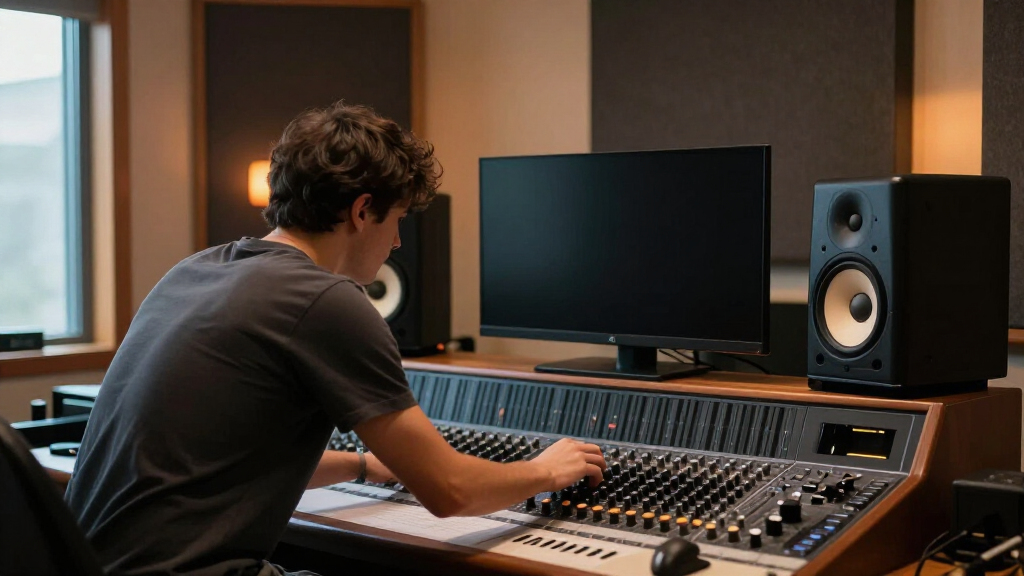
I ranked these studio monitor speakers by how well their design supports nearfield work: usable detail at a desk, practical room and tone controls, connection flexibility, and a size that fits common home setups. I also weighed how easily a buyer can place and connect each pair, since a capable monitor is less useful if it does not suit the room or audio source. Tradeoffs matter: woofer size can affect low-frequency coverage, while Bluetooth and tone controls favor convenience over a strictly wired workflow.
The JBL 305P MkII ranks first for its mix of monitoring focus and placement flexibility. The Yamaha HS4 and Edifier MR3 follow for buyers with different priorities—compact, straightforward monitoring versus added wireless convenience. Smaller Eris, BX, and Mackie models rank lower for buyers who need more bass coverage, but can make better sense on tight desks. I treat duplicate color listings as one model choice and place the R1280T lower because it is presented as a powered bookshelf speaker rather than a dedicated studio monitor.
Factors to Consider When Choosing Studio Monitor Speakers
Choosing a pair starts with the work you do and the room where you do it. I’d settle the following questions before comparing brand names, since they often determine whether a speaker can give you useful feedback.
Match Woofer Size to Your Desk and Listening Distance
A larger woofer can support fuller low-frequency playback, but it does not automatically make a monitor a better fit for every desk. On a small work surface, speakers placed close to your ears may sound boomy if their bass energy interacts with the wall behind them. Compact models can be easier to position, though you may need headphones or another playback system to check deep bass. Measure the space around your screen and note how far the speakers can sit from walls before choosing a size. If your work relies on sub-bass, plan for a broader monitoring setup instead of expecting a small pair to reveal everything.
Treat Room Placement as Part of the Purchase
Even modest home studios can change how a monitor sounds through nearby walls, a bare desk, or an off-center listening position. Place the left and right speakers at similar distances from your ears and form a roughly even-sided triangle with your listening spot. Keep tweeters near ear height, and leave room behind the cabinets if the design uses rear ports. Tone or placement controls can help with small adjustments, but they cannot fix a room with strong reflections or severe bass buildup. Before buying, sketch the desk and walls so you know whether the pair will fit in a workable position.
Check Inputs Against Your Actual Audio Sources
Make a list of everything you plan to connect: an audio interface, computer, turntable preamp, phone, or game console. A speaker pair that fits your desk may still need adapters or a separate switcher if its inputs do not match your sources. Bluetooth is handy for casual playback, but a wired connection is usually the simpler choice when you need repeatable monitoring. Also check whether the pair requires a cable between the speakers and whether that cable can reach across your desk. Choosing around your existing gear can prevent extra boxes and connection changes later.
Decide How Much Monitoring Accuracy Your Work Needs
Editing a podcast, balancing a mix, and listening to music casually place different demands on a speaker. A monitor that is useful for mix decisions should help you hear problems clearly, even if that means playback feels less flattering. For casual listening, tone controls or a more relaxed presentation may be a welcome fit. Buyers who produce bass-heavy music should check mixes on several systems because compact nearfield monitors may not reproduce the lowest notes with authority. Let the work you do set the standard, rather than assuming every product labeled for a studio suits every production task.
Know When to Pay for More Control
Room adjustments and connection flexibility can matter more than a small increase in cabinet size when your desk layout is awkward. If the speakers must sit close to a wall or one side of the desk is constrained, placement options can help you get a more even starting point. If your setup is fixed and your work is basic editing, simpler controls may be enough. Spend on features you can use in your space, not on a specification that sounds impressive but cannot address your main limitation. Keep some room in your setup plan for stands, isolation pads, or cables, which can affect placement as much as the speaker itself.
Plan for the Listening Checks Small Monitors Cannot Replace
One pair of speakers rarely tells the full story of a mix, especially at the low end. Check finished work on headphones, a phone speaker, or a familiar consumer system to catch issues that a desk setup may hide. This is especially useful when choosing compact speakers, where limited low-frequency output can make bass balance harder to judge. Keep playback levels moderate and compare familiar reference tracks at consistent volume so loudness does not distort your judgment. A repeatable checking routine can improve decisions more than jumping between speaker models without a clear test method.
Frequently Asked Questions
Should I choose the JBL 305P MkII or a smaller pair for a cramped desk?
I’d choose the smaller pair if the JBL’s cabinets would force awkward placement or crowd your screen. The 305P MkII is the stronger pick when you have room to position it properly and want its room controls in your setup. Measure desk depth as well as width, since speakers pushed close to a wall can behave differently from those with space behind them. If bass detail matters, avoid picking purely by footprint; consider how you will check low frequencies too. Good placement is part of getting useful monitoring from either size.
Are Bluetooth monitors suitable for mixing, or should I use a cable?
For repeatable mix decisions, I’d connect the speakers by cable whenever the source supports it. Bluetooth on the Edifier MR3 or Ortizan C7 can make switching to phone playback easy, which is useful for casual listening and quick checks. Wireless playback adds a connection step and may behave differently from the wired path in your main production setup. Keep one consistent wired route for editing and mixing, then use Bluetooth as a convenience feature. That way, the wireless option broadens the speaker’s role without becoming your only reference.
Can 3.5-inch studio monitors handle music production without a subwoofer?
They can work for arranging, editing, and many mix decisions, but small woofers provide less low-frequency reach than larger pairs. If your music depends on deep bass, you may miss how the lowest notes sit until you check on headphones or another playback system. A subwoofer can extend the range, but it also adds setup and placement demands in a small room. I’d first learn the speakers with familiar reference tracks and alternate checks before adding one. The right choice depends on your material and how much low end your decisions require.
Are the white and black listings different speaker models?
The white and black Ortizan C7 listings are color variants of the same named model, as are the two Yamaha HS4 listings. I’d choose between them based on the finish that fits your setup and confirm the exact model name and included pair before ordering. The color alone does not indicate a different monitoring role. Use the comparison between model families to decide on sound, controls, and connections first. Then treat finish as the final fit choice.
Can I use powered bookshelf speakers like the Edifier R1280T as studio monitors?
You can use them for desktop playback and basic editing, but the R1280T is listed as a powered bookshelf speaker, while the other picks are positioned more directly for studio monitoring. That difference matters if you need a consistent reference for decisions such as tonal balance and stereo placement. For casual production or a first home setup, it may be a practical option if its inputs match your gear. If mixing accuracy is the priority, compare it carefully with dedicated nearfield models and check your work elsewhere. Do not assume the word “powered” alone means a speaker is designed for the same job.
Conclusion
For the best overall balance in this lineup, I’d pick the JBL 305P MkII, especially if you have enough desk space to position it well. The Edifier MR3 is my value-minded choice for a mixed-use desktop where Bluetooth is useful, while the Yamaha HS4 is the premium-leaning compact option for buyers who want a focused studio-monitor setup in a smaller format. Beginners with limited room can start with the PreSonus Eris 3.5 or M-Audio BX3, then use headphones for low-end checks. For specific needs, choose the Mackie CR3.5 when its tone control suits your workflow, or the R1280T if desktop listening matters more than dedicated monitoring. Pick the pair that fits your room, sources, and actual production decisions.
Fall Picks
fall essentials
As an affiliate, we earn on qualifying purchases.