
The best Razer gaming products depend on what your setup needs most, but the Razer Viper V4 Pro is my best overall pick for players prioritizing a focused, high-performance gaming mouse. The BlackWidow V4 X stands out for mechanical-keyboard features, while the BlackShark V3 X HyperSpeed offers wireless headset convenience. Across this lineup, the main tradeoff is choosing between specialized performance, everyday versatility, and simpler wired or entry-level gear. A feature-rich device can be a poor fit if its shape, controls, or connection style does not suit your routine. Read on for the full breakdown and guidance on matching each pick to your setup.

Get audio and creator gear delivered free — and shop member deals
- Fast, free delivery on millions of items
- Access to Prime Big Deal Days deals on October 6–7
- Prime Video, Amazon Music and more included
Complete the kit


Key Takeaways
- The Viper V4 Pro leads for focused mouse performance, while the Basilisk V3 and Basilisk V3 X favor extra controls and a more versatile shape.
- Wireless does not automatically mean a better fit: the wired Cobra and DeathAdder Essential avoid charging and are simpler choices for straightforward setups.
- Mouse shape and game type split this lineup more than the Razer name unites it: the Naga V2 HyperSpeed targets MMO command access, while the Viper models suit players who prefer a streamlined mouse.
- Keyboard choices hinge on typing feel and controls: the BlackWidow V4 X is mechanical, while the Ornata V3 offers a different, low-profile approach.
- The range extends beyond desk peripherals: the Gigantus V2 XXL, Tartarus V2, and Iskur V2 X address surface area, programmable input, and seating rather than replacing a mouse or keyboard.
| Razer BlackShark V2 X Gaming Headset |  | Best Lightweight Wired Headset | Driver size: 50 mm | Weight: 240 g | Connectivity: 3.5 mm audio jack | VIEW LATEST PRICE | See Our Full Breakdown |
| Razer Viper V3 HyperSpeed Wireless PC Gaming Mouse, 82g, Black |  | Best Wireless Mouse for Battery Endurance | Weight: 82 g | Sensor: Focus Pro 30K optical sensor | Battery life: Up to 280 hours | VIEW LATEST PRICE | See Our Full Breakdown |
| Razer Gigantus V2 XXL Cloth Gaming Mouse Pad, Black |  | Best XXL Desk-Covering Mouse Pad | Size: XXL | Dimensions: 16.14 x 37.01 inches | Thickness: 4 mm | VIEW LATEST PRICE | See Our Full Breakdown |
| Razer Ornata V3 Gaming Keyboard |  | Best Low-Profile Keyboard for Mixed Gaming and Typing | Connectivity: Wired USB | Switch type: Mecha-Membrane (Clicky) | Key layout: QWERTY | VIEW LATEST PRICE | See Our Full Breakdown |
| Razer Cobra Wired Gaming Mouse, Gen-3 Optical Switches, 58g, Black |  | Best Lightweight Wired Mouse | Weight: 58 g | Sensor DPI: 8500 DPI | Switch type: Gen-3 Optical Switches | VIEW LATEST PRICE | See Our Full Breakdown |
| Razer Viper V4 Pro Wireless Esports Gaming Mouse |  | Best for Competitive Esports | Weight: 49 g | Sensor: Focus Pro 50K DPI Optical Sensor Gen-3 | Maximum polling rate: Up to 8000 Hz | VIEW LATEST PRICE | See Our Full Breakdown |
| Razer BlackShark V3 X HyperSpeed Wireless Gaming Headset, Black | 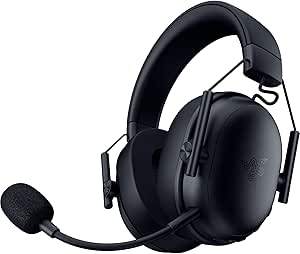 | Best for Multi-Device Wireless Audio | Driver size: 50 mm | Driver model: TriForce Gen-2 | Microphone: Detachable 9.9 mm cardioid | VIEW LATEST PRICE | See Our Full Breakdown |
| Razer DeathAdder Essential Ergonomic Wired Gaming Mouse, Black |  | Best for Straightforward Wired Control | DPI: 6,400 | Sensor type: Optical | Buttons: 5 programmable | VIEW LATEST PRICE | See Our Full Breakdown |
| Razer Iskur V2 X NewGen Ergonomic Gaming Chair, Black/Green |  | Best for Extended Desk Sessions | Color: Black/Green | Upholstery: CoolTouch Gen-2 EPU leather | Lumbar support: Integrated | VIEW LATEST PRICE | See Our Full Breakdown |
| Razer BlackWidow V4 X Mechanical Gaming Keyboard with Yellow Switches |  | Best for Quiet Linear Typing and Macros | Connectivity: Wired | Switch type: Linear Yellow | Actuation point: 1.2 mm | VIEW LATEST PRICE | See Our Full Breakdown |
| Razer Basilisk V3 X HyperSpeed Wireless Gaming Mouse |  | Best for Wireless Ergonomic Control | Connectivity: Razer HyperSpeed wireless and Bluetooth | Controls: 9 customizable controls | Sensor: Razer 5G Advanced 18K optical sensor | VIEW LATEST PRICE | See Our Full Breakdown |
| Razer Tartarus V2 Gaming Keypad, 32 Programmable Keys, Black |  | Best for Extra Programmable Inputs | Key count: 32 programmable keys | Switch type: Mecha-membrane | Directional control: 8-way thumbpad | VIEW LATEST PRICE | See Our Full Breakdown |
| Razer Cobra Pro Wireless Gaming Mouse |  | Best Premium Wireless Mouse | Connectivity: HyperSpeed wireless, Bluetooth, and USB Type-C charging | Customizable controls: 10 | Onboard memory profiles: 5 | VIEW LATEST PRICE | See Our Full Breakdown |
| Razer Basilisk V3 Wired Ergonomic Gaming Mouse |  | Best Wired Ergonomic Mouse | Connectivity: USB wired | Design: Ergonomic with thumb rest | Programmable buttons: 11 | VIEW LATEST PRICE | See Our Full Breakdown |
| Razer Naga V2 HyperSpeed Wireless MMO Gaming Mouse, Black |  | Best for MMO Button Density | Programmable buttons: 19 | Wireless connectivity: 2.4 GHz Razer HyperSpeed wireless and Bluetooth | Battery life: Up to 250 hours on 2.4 GHz; up to 400 hours on Bluetooth | VIEW LATEST PRICE | See Our Full Breakdown |
| Razer gaming product | Connectivity | Color |
|---|---|---|
| Razer BlackShark V2 X Gaming H | 3.5 mm audio jack | Black |
| Razer Viper V3 HyperSpeed Wire | — | — |
| Razer Gigantus V2 XXL Cloth Ga | — | Classic Black |
| Razer Ornata V3 Gaming Keyboar | Wired USB | — |
| Razer Cobra Wired Gaming Mouse | USB (wired) | — |
| Razer Viper V4 Pro Wireless Es | HyperSpeed Wireless; wired USB-C | — |
| Razer BlackShark V3 X HyperSpe | 2.4 GHz wireless, Bluetooth, USB | Black |
| Razer DeathAdder Essential Erg | — | Black |
| Razer Iskur V2 X NewGen Ergono | — | Black/Green |
| Razer BlackWidow V4 X Mechanic | Wired | — |
| Razer Basilisk V3 X HyperSpeed | Razer HyperSpeed wireless and Bluetooth | Black |
| Razer Tartarus V2 Gaming Keypa | — | Black |
| Razer Cobra Pro Wireless Gamin | HyperSpeed wireless, Bluetooth, and USB Type-C charging | Black |
| Razer Basilisk V3 Wired Ergono | USB wired | — |
| Razer Naga V2 HyperSpeed Wirel | — | Black |
More Details on Our Top Picks
Razer BlackShark V2 X Gaming Headset
The BlackShark V2 X is the strongest fit here for players who want a straightforward headset that can move between several gaming platforms. At 240 g, its lightweight build and breathable memory foam cushions are better suited to long sessions than a heavier, feature-heavy setup. The closed-back earcups provide passive noise isolation, while the 50 mm titanium-coated drivers are tuned across highs, mids, and lows for a balanced game-audio presentation. Its 3.5 mm connection also avoids wireless charging and pairing, though it means living with a cable. Compared with the wireless BlackShark V3 X HyperSpeed, this model is simpler and wired, not cordless. The 7.1 surround sound feature is limited to Windows 10 64-bit, and Xbox One may need a separately sold stereo adapter.
Pros:- Lightweight 240 g build with breathable memory foam ear cushions
- Closed-back earcups provide passive noise isolation
- 50 mm titanium-coated drivers are tuned for clear highs, mids, and lows
- 3.5 mm connection supports several listed gaming platforms
Cons:- Software-enabled 7.1 surround sound is limited to Windows 10 64-bit
- Xbox One stereo adapter may be required and is sold separately
- Wired connection limits movement compared with the wireless BlackShark V3 X HyperSpeed
Best for: Players who want a lightweight wired headset that can connect to PC, Mac, PlayStation 4, Xbox One, and Nintendo Switch.
Not ideal for: Gamers who want wireless freedom, or console players who expect the software-enabled 7.1 surround sound feature to work on their platform.
- Driver size:50 mm
- Weight:240 g
- Connectivity:3.5 mm audio jack
- Microphone:Razer HyperClear cardioid
- Surround sound:Software-enabled 7.1 surround sound on Windows 10 64-bit
- Compatibility:PC, Mac, PS4, Xbox One, Nintendo Switch
- Color:Black
Our verdict“Choose the BlackShark V2 X if you want a light, cross-platform wired headset and can do without wireless convenience.”
Razer Viper V3 HyperSpeed Wireless PC Gaming Mouse, 82g, Black
The Viper V3 HyperSpeed is the wireless pick for PC players who want long stretches between battery changes rather than a rechargeable setup. Its Focus Pro 30K optical sensor tracks across a variety of surfaces, including glass, giving it more placement flexibility than a mouse that needs a particular pad. HyperSpeed wireless is designed for low-latency play, while the 82 g weight keeps it light without matching the wired Cobra’s 58 g build. Its defining tradeoff is power: this mouse runs on one AA battery, with up to 280 hours listed, so buyers should expect to keep spare batteries or accept a disposable-cell routine. Compared with the Cobra, it removes cable drag but is heavier and PC-only; listed battery life can also vary with use.
Pros:- 82 g design combines low weight with wireless use
- Focus Pro 30K sensor tracks on a variety of surfaces, including glass
- HyperSpeed wireless is designed for low-latency play
- Up to 280 hours of battery life from one AA battery
Cons:- Requires a disposable AA battery rather than built-in rechargeable power
- Listed battery life is a maximum and can vary with use
- PC compatibility is narrower than the multi-platform BlackShark V2 X
Best for: PC gamers who want a low-latency wireless mouse, broad surface tracking, and long use from a single AA battery.
Not ideal for: Players who prefer a rechargeable mouse, need a wired connection, or want a lighter option such as the 58 g Razer Cobra.
- Weight:82 g
- Sensor:Focus Pro 30K optical sensor
- Battery life:Up to 280 hours
- Battery type:1 AA battery
- Wireless:Razer HyperSpeed low-latency wireless
- Switches:Gen-2 mechanical switches, rated for 60 million clicks
- DPI control:On-mouse button with 5 DPI stages
- Compatibility:PC
Our verdict“Pick the Viper V3 HyperSpeed if long-running wireless PC play matters more than rechargeable power or the Cobra’s lighter wired build.”
Razer Gigantus V2 XXL Cloth Gaming Mouse Pad, Black
The Gigantus V2 XXL earns its place for players who want room to make broad mouse movements without running off the pad. At 37.01 inches wide, it covers a substantial stretch of the desk, a practical advantage for low-sensitivity play or for keeping a keyboard and mouse on one consistent surface. The micro-weave cloth is designed to balance smooth swipes with control, while its 4 mm foam and non-slip rubber base help it stay flat and steady. Unlike the Cobra’s built-in PTFE feet, this pad creates a dedicated surface beneath the mouse, but it takes up far more space than the mouse itself. The main compromise is its footprint: measure your desk before choosing it, and note that the listed option is black.
Pros:- XXL dimensions provide generous room for broad mouse swipes
- Micro-weave cloth supports smooth movement with controlled tracking
- 4 mm high-density foam helps create a cushioned surface
- Non-slip rubber base helps keep the pad stable
Cons:- 37.01 x 16.14-inch footprint needs substantial desk space
- Only the Classic Black color is specified
- Unlike the Cobra’s PTFE mouse feet, this is a separate desk accessory that adds another item to the setup
Best for: Low-sensitivity players and desk setups that need a broad cloth surface for mouse movement and keyboard placement.
Not ideal for: Gamers with a small desk or limited mouse-pad space who cannot accommodate a 37.01-inch-wide XXL mat.
- Size:XXL
- Dimensions:16.14 x 37.01 inches
- Thickness:4 mm
- Weight:2 pounds
- Surface:Micro-weave cloth
- Base:Non-slip rubber foam
- Color:Classic Black
- Warranty:1 year
Our verdict“Choose the Gigantus V2 XXL if you have desk space to spare and want a stable cloth surface for wide mouse movements.”
Razer Ornata V3 Gaming Keyboard
The Ornata V3 suits buyers who want a low-profile keyboard with tactile, clicky feedback but do not need a conventional mechanical switch design. Its mecha-membrane switches blend mechanical-style feedback with a more familiar membrane feel, making it a distinct alternative to the BlackWidow V4 X, which is the lineup’s mechanical-keyboard option. The low-profile layout and included magnetic soft-touch wrist rest are aimed at making extended desk sessions more comfortable, while UV-coated keycaps are designed to resist fading and wear. On the other hand, this is a full-size, wired keyboard with 10-zone RGB rather than per-key lighting. That makes it less suited to buyers who want wireless flexibility or detailed lighting customization, and the listed compatible OS is Windows 10.
Pros:- Low-profile design is suited to extended desk sessions
- Mecha-membrane clicky switches offer tactile feedback with a conventional typing feel
- Magnetic soft-touch wrist rest is included
- UV-coated keycaps are designed to resist fading and wear
Cons:- Wired USB connection limits portability
- 10-zone RGB does not provide per-key lighting
- Listed compatible OS is Windows 10
Best for: Windows 10 players and typists who want a full-size low-profile keyboard with clicky feedback and an included wrist rest.
Not ideal for: Buyers who want wireless portability, per-key RGB customization, or the conventional mechanical switches found on the BlackWidow V4 X.
- Connectivity:Wired USB
- Switch type:Mecha-Membrane (Clicky)
- Key layout:QWERTY
- Number of keys:104
- Backlighting:10-zone RGB
- Dimensions:17.46 x 5.68 x 1.23 inches
- Weight:3.1 lbs
- Compatible OS:Windows 10
Our verdict“Pick the Ornata V3 if you prefer a low-profile, full-size wired keyboard with clicky mecha-membrane feedback over a traditional mechanical design.”
Razer Cobra Wired Gaming Mouse, Gen-3 Optical Switches, 58g, Black
The Razer Cobra is the clearest choice for players who prioritize a light, cable-connected mouse over wireless convenience. Its 58 g weight, PTFE feet, and flexible Speedflex cable are intended to support quick movements with less drag, while Gen-3 optical switches have a listed 0.2 ms actuation time and 90-million-click lifespan. The 8500 DPI sensor includes fine 50 DPI adjustments, offering more control over sensitivity settings than simply choosing a preset. Compared with the Viper V3 HyperSpeed, the Cobra is substantially lighter and avoids batteries, but it cannot offer cordless movement and is less focused on high-sensitivity sensor capability. Chroma RGB with gradient underglow adds visual customization, though it does not improve tracking. Choose it for a responsive wired setup, not for desk mobility.
Pros:- 58 g weight supports quick, low-effort mouse movements
- 8500 DPI sensor supports fine 50 DPI adjustments
- Gen-3 optical switches have a listed 0.2 ms actuation time and 90-million-click lifespan
- PTFE feet and Speedflex cable are designed to reduce movement drag
Cons:- Wired USB connection limits mobility compared with the Viper V3 HyperSpeed
- No built-in battery or cordless operating mode
- 8500 DPI sensor specification is lower than the Viper V3 HyperSpeed’s 30K sensor
Best for: PC players who want a very light wired mouse, fine-grained DPI adjustment, and a flexible cable for fast movement.
Not ideal for: Gamers who need cordless freedom or prefer the Viper V3 HyperSpeed’s wireless connection and 30K optical sensor.
- Weight:58 g
- Sensor DPI:8500 DPI
- Switch type:Gen-3 Optical Switches
- Switch lifespan:90 million clicks
- Actuation time:0.2 ms
- Lighting:Chroma RGB with gradient underglow, 16.8 million colors
- Cable:5.0 m Speedflex cable
- Connectivity:USB (wired)
- Orientation:Ambidextrous
Our verdict“Choose the Cobra if you want a light, responsive wired mouse and would rather avoid battery upkeep than gain wireless freedom.”
Razer Viper V4 Pro Wireless Esports Gaming Mouse
The Viper V4 Pro is the clearest choice here for players who prioritize fast, precise mouse movement over extra controls. At 49 g, it is lighter than the 82 g Razer Viper V3 HyperSpeed, which can make repeated flicks feel less tiring and quick direction changes easier to manage. Its Focus Pro 50K DPI Gen-3 sensor, Gen-4 optical switches, and up-to-8000 Hz polling target high-level responsiveness; USB-C wired mode is available when you prefer a cable. The tradeoff is that the highest polling rate cuts battery life from up to 180 hours at 1000 Hz to 45 hours at 8000 Hz. It also has fewer described convenience features than a multi-button option like the Razer Basilisk V3 X HyperSpeed, so this is a focused esports tool rather than an all-purpose mouse.
Pros:- 49 g design favors quick, low-effort movement
- Up to 8000 Hz polling and HyperSpeed Wireless Gen-2 are aimed at responsive competitive play
- Up to 180 hours of battery life at 1000 Hz
- Gen-4 optical switches are rated for 100 million clicks
Cons:- Battery life falls to up to 45 hours at 8000 Hz
- Premium esports feature set may be excessive for casual play
- Focused design offers less emphasis on extra controls than the Basilisk V3 X HyperSpeed
Best for: Competitive PC or Mac players who want a very light wireless mouse, high polling options, and a simple control layout for fast aiming.
Not ideal for: Players who need many programmable buttons, prefer a heavier ergonomic shape, or want long battery life while running 8000 Hz polling.
- Weight:49 g
- Sensor:Focus Pro 50K DPI Optical Sensor Gen-3
- Maximum polling rate:Up to 8000 Hz
- Battery life:Up to 180 hours at 1000 Hz; up to 45 hours at 8000 Hz
- Switches:Optical Switches Gen-4; rated for 100 million clicks
- Connectivity:HyperSpeed Wireless; wired USB-C
- Compatibility:PC and Mac
- Included accessories:Mouse grip tape, HyperSpeed dongle, USB-A to USB-C cable
Our verdict“Choose the Viper V4 Pro if low weight and high-speed competitive tracking matter more than extra buttons or maximum battery life at peak polling.”
Razer BlackShark V3 X HyperSpeed Wireless Gaming Headset, Black
The BlackShark V3 X HyperSpeed stands out for switching among 2.4 GHz wireless, Bluetooth, and USB, giving it broader connection flexibility than the wired Razer BlackShark V2 X. Its 270 g weight also suits players who want a lighter headset for longer sessions, while the detachable cardioid mic lets you remove the boom when voice chat is not needed. The 50 mm TriForce Gen-2 drivers and 7.1 surround sound are intended to help separate game audio and positional cues, though the supplied details do not establish how its tuning compares with other Razer headsets. The key drawback is missing battery-life information, which makes wireless-session planning difficult. Choose it for connection options and a removable mic, not if a known runtime or a straightforward wired setup matters more.
Pros:- Supports 2.4 GHz wireless, Bluetooth, and USB connections
- 270 g weight is suited to extended gaming sessions
- Detachable 9.9 mm cardioid microphone
- 50 mm TriForce Gen-2 drivers and 7.1 surround sound
Cons:- Battery life is not specified in the supplied product data
- Wireless use adds charging needs compared with the wired BlackShark V2 X
- The provided information does not detail controls or platform-specific surround support
Best for: Players who move between a gaming PC, Bluetooth device, and USB connection and want a lightweight headset with a removable microphone.
Not ideal for: Buyers who need a published battery runtime before choosing a wireless headset, or who want a simple wired-only model like the BlackShark V2 X.
- Driver size:50 mm
- Driver model:TriForce Gen-2
- Microphone:Detachable 9.9 mm cardioid
- Connectivity:2.4 GHz wireless, Bluetooth, USB
- Surround sound:7.1
- Weight:270 g
- Color:Black
Our verdict“Pick this headset if flexible wireless and USB connectivity is more useful to you than a clearly stated battery runtime.”
Razer DeathAdder Essential Ergonomic Wired Gaming Mouse, Black
The DeathAdder Essential is a sensible entry point for gamers who want a familiar wired mouse without paying for the Viper V4 Pro’s esports-focused wireless speed and advanced sensor. Its 6,400 DPI optical sensor, on-the-fly adjustment, and five Synapse-programmable buttons cover everyday gaming and creative work without a crowded control layout. The ergonomic shape and tactile rubberized scroll wheel favor steady, comfortable navigation, while the wired connection avoids battery management. Those choices also define its limits: it lacks the Viper’s lightweight wireless design and high polling options, and its mechanical switches are rated for 10 million clicks rather than the Viper’s 100 million. With no RGB lighting and only five programmable buttons, it is best for buyers who value uncomplicated function over customization or a feature-rich setup.
Pros:- 6,400 DPI optical sensor with on-the-fly adjustment
- Five programmable buttons support basic game and workflow customization
- Ergonomic design and tactile rubberized scroll wheel
- Wired connection needs no battery charging
Cons:- Cable limits movement compared with the Viper V4 Pro and Viper V3 HyperSpeed
- 10-million-click mechanical switch rating is below the Viper V4 Pro’s 100-million-click rating
- No RGB lighting and only five programmable buttons
Best for: Newer PC gamers and everyday users who want an ergonomic, wired mouse with adjustable sensitivity and a few customizable buttons.
Not ideal for: Competitive players seeking very low weight, wireless freedom, or advanced polling, and MMO players who need a larger bank of programmable buttons.
- DPI:6,400
- Sensor type:Optical
- Buttons:5 programmable
- Switch durability:Rated for 10 million clicks
- Scroll wheel:Rubberized with tactile bumps
- Connection:Wired
- Color:Black
Our verdict“Choose the DeathAdder Essential for uncomplicated wired gaming and everyday use, but look to the Viper V4 Pro for lighter competitive play.”
Razer Iskur V2 X NewGen Ergonomic Gaming Chair, Black/Green
The Iskur V2 X NewGen is the roundup’s furniture pick for gamers who want built-in back support rather than another peripheral. Its integrated lumbar support, wide seat, and high-density cold-cured foam are intended to make long gaming or work sessions more accommodating; the 2D armrests and recline up to 152 degrees add options for changing position. Unlike a mouse or keyboard, this chair is a substantial fit decision: the listed recommended height range is 5.3–6.6 ft, with a maximum load of 299 lb, so those limits matter before choosing it. CoolTouch Gen-2 EPU leather supplies the outer surface, but the product information does not establish how it will feel in every room or climate. Compared with the portable BlackShark V3 X headset, this is a major, space-consuming setup choice rather than an easy peripheral upgrade.
Pros:- Integrated lumbar support avoids relying on a separate cushion
- Wide seat supports varied sitting positions
- 2D adjustable armrests and recline up to 152 degrees
- High-density cold-cured foam is designed to resist sagging
Cons:- Recommended height range may not fit every buyer
- Maximum load is 299 lb
- Chair size and fixed upholstery choice demand more setup space and commitment than a peripheral
Best for: Gamers and remote workers within the listed height and load range who want integrated lumbar support, a wide seat, and recline for varied desk positions.
Not ideal for: Buyers outside the 5.3–6.6 ft recommended height range, those above the 299 lb maximum load, or anyone without room for a full-size gaming chair.
- Color:Black/Green
- Upholstery:CoolTouch Gen-2 EPU leather
- Lumbar support:Integrated
- Seat cushion:High-density cold-cured foam
- Armrests:2D adjustable
- Maximum recline:152 degrees
- Recommended user height:5.3–6.6 ft
- Maximum load:299 lb
Our verdict“Choose the Iskur V2 X NewGen if you fit its stated dimensions and want built-in lumbar support for long desk sessions.”
Razer BlackWidow V4 X Mechanical Gaming Keyboard with Yellow Switches
The BlackWidow V4 X suits players who want a full-size mechanical layout with dedicated macro controls, rather than the simpler approach of the Razer Ornata V3. Its Yellow linear switches actuate at 1.2 mm with 45 g of force, while sound-dampening features are intended to keep keystrokes quieter than a more pronounced mechanical feel. Six programmable macro keys give players room for custom commands, and dedicated media controls reduce the need to leave a game or application to manage playback. Per-key Chroma RGB adds individual lighting customization, but the doubleshot ABS keycaps and wired-only connection are practical compromises. It is also explicitly not water resistant, so spills remain a meaningful hazard. This makes the V4 X a feature-focused desk keyboard, not a fit for cable-free or spill-prone setups.
Pros:- Quiet linear Yellow switches with sound-dampening features
- Six programmable macro keys support custom game commands
- Per-key Chroma RGB lighting
- Dedicated media controls and doubleshot ABS keycaps
Cons:- Wired connection restricts desk placement
- Not water resistant
- Full-size 104-key layout takes more desk space than a compact keyboard
Best for: PC or Mac players who want a full-size wired keyboard with quiet linear switches, per-key lighting, media controls, and dedicated macro keys.
Not ideal for: Buyers who need a wireless keyboard, a water-resistant design, or a smaller layout that leaves more room for mouse movement.
- Connectivity:Wired
- Switch type:Linear Yellow
- Actuation point:1.2 mm
- Actuation force:45 g
- Keyboard layout:QWERTY, 104 keys
- Macro keys:6 programmable
- Backlighting:Per-key RGB
- Keycap material:Doubleshot ABS
- Water resistance:Not water resistant
Our verdict“Pick the BlackWidow V4 X if you want quiet linear typing and dedicated macros in a full-size wired keyboard.”
Razer Basilisk V3 X HyperSpeed Wireless Gaming Mouse
The Basilisk V3 X HyperSpeed suits players who want a familiar ergonomic shape and plenty of shortcuts without being tied to a cable. Its nine customizable controls offer room for game commands or macros, while HyperSpeed wireless supports low-latency play and Bluetooth gives you another connection option. Compared with the wired Basilisk V3, this model trades its tilt-wheel features and higher-resolution sensor for wireless flexibility and extended stated battery life. The 18K sensor and Gen-2 mechanical switches cover everyday gaming needs, though players chasing the highest sensor specification in this group may prefer the Cobra Pro and its 30K sensor. Battery life varies with use, and fine-tuning accuracy may call for Windows settings or Razer Synapse.
Pros:- Ergonomic shape supports several grip styles
- Nine customizable controls for commands and macros
- HyperSpeed wireless and Bluetooth connectivity
- Long stated battery life and switches rated for up to 60 million clicks
Cons:- Battery life varies with usage and connection mode
- Further accuracy optimization may require Windows settings or Razer Synapse
- Lacks the Basilisk V3’s dual-mode tilt scroll wheel
Best for: Players who want an ergonomic wireless mouse with programmable shortcuts and the option to switch between a gaming connection and Bluetooth.
Not ideal for: Buyers who prioritize a tilt-scroll wheel, a wired connection, or the highest-resolution sensor listed here.
- Connectivity:Razer HyperSpeed wireless and Bluetooth
- Controls:9 customizable controls
- Sensor:Razer 5G Advanced 18K optical sensor
- Switches:Gen-2 mechanical switches, rated for up to 60 million clicks
- Battery life:Up to 285 hours on HyperSpeed wireless; up to 535 hours on Bluetooth
- Lighting:Razer Chroma RGB, customizable with 16.8 million colors
- Color:Black
Our verdict“Choose the Basilisk V3 X HyperSpeed if you want an ergonomic, shortcut-rich mouse with wireless flexibility more than a tilt wheel or a top-spec sensor.”
Razer Tartarus V2 Gaming Keypad, 32 Programmable Keys, Black
The Tartarus V2 is a dedicated way to add a bank of commands without replacing your main keyboard. Its 32 programmable mecha-membrane keys and 8-way thumbpad suit games with many abilities, as well as creative workflows that benefit from macros. That makes it a different kind of pick from the BlackWidow V4 X: the keypad supplements an existing setup rather than serving as a full keyboard. Razer Hypershift adds remapping options, so the keys can take on different roles, and per-key Chroma lighting helps distinguish commands. The tradeoff is the key feel: mecha-membrane switches have a cushioned, tactile response, not the distinct mechanical feel some players want. It also takes time to map a useful layout, so it is less compelling for players who only need standard keyboard controls.
Pros:- 32 programmable keys support extensive command and macro layouts
- 8-way thumbpad provides directional control
- Razer Hypershift enables remapping and alternate key functions
- Individually backlit keys support customizable Chroma lighting
Cons:- Mecha-membrane switches may disappoint users who prefer fully mechanical keys
- Requires layout setup to make its extra inputs useful
- Adds a separate peripheral rather than replacing a standard keyboard
Best for: MMO players and creative users who want a dedicated, remappable cluster of commands alongside a full keyboard.
Not ideal for: Players seeking a full-size replacement keyboard or a keypad with fully mechanical switches.
- Key count:32 programmable keys
- Switch type:Mecha-membrane
- Directional control:8-way thumbpad
- Macros and remapping:Razer Hypershift
- Lighting:Razer Chroma, 16.8 million colors
- Color:Black
Our verdict“Pick the Tartarus V2 to add a dedicated, customizable command pad to your setup, not as a substitute for a full mechanical keyboard.”
Razer Cobra Pro Wireless Gaming Mouse
The Cobra Pro is the feature-heavy wireless choice here, pairing a Focus Pro 30K sensor with 10 customizable controls and five onboard profiles. Its sensor is specified to track on glass, a useful advantage for players who move between surfaces or want more placement flexibility. Compared with the Basilisk V3 X HyperSpeed, the Cobra Pro brings a higher sensor specification, more lighting zones, and onboard profiles, but the Basilisk offers longer stated battery life on both listed connection modes. The Cobra Pro can last up to 100 hours on HyperSpeed or 170 hours on Bluetooth, so connection choice affects runtime. Its 11 Chroma zones make lighting a more prominent part of the design, though setting up profiles and some features relies on Razer Synapse. This is a better fit for customization than for buyers seeking a simpler mouse.
Pros:- Focus Pro 30K sensor supports tracking on glass
- 10 customizable controls and five onboard profiles
- 11 Chroma RGB lighting zones
- Gen-3 optical switches rated for 90 million clicks
Cons:- Battery life is shorter than the Basilisk V3 X HyperSpeed’s stated maximums
- Profile setup and some features use Razer Synapse
- Bluetooth mode provides the longest stated runtime, rather than HyperSpeed
Best for: Wireless gaming enthusiasts who want onboard profiles, extensive lighting customization, and a high-spec sensor that can track on glass.
Not ideal for: Buyers who want the longest stated battery life in this group or prefer to avoid Razer Synapse for setup.
- Connectivity:HyperSpeed wireless, Bluetooth, and USB Type-C charging
- Customizable controls:10
- Onboard memory profiles:5
- Sensor:Focus Pro 30K optical sensor
- RGB lighting:11 Chroma zones
- Switch lifecycle:Gen-3 optical switches rated for 90 million clicks
- Battery life:Up to 100 hours on HyperSpeed; up to 170 hours on Bluetooth
- Color:Black
Our verdict“Choose the Cobra Pro if sensor capability, onboard profiles, and lighting customization matter more to you than maximizing battery life.”
Razer Basilisk V3 Wired Ergonomic Gaming Mouse
The Basilisk V3 makes the most sense for players who want ergonomic support and lots of controls but do not need wireless freedom. Its 11 programmable buttons and thumb rest give it a more command-focused layout than the simpler wireless Basilisk V3 X HyperSpeed. The standout difference is the dual-mode tilt wheel: switch between tactile scrolling for controlled weapon or menu changes and free-spin scrolling for moving through long lists. A 26,000 DPI Focus+ sensor and second-generation optical switches round out a feature-rich wired setup. The cable means less freedom to reposition the mouse, and customization uses Razer Synapse. Compared with the wireless Cobra Pro, this model offers a scroll-wheel mode switch and wired reliability, while giving up Bluetooth, wireless play, and onboard profiles.
Pros:- Ergonomic shape includes a thumb rest
- 11 programmable buttons support a wide range of commands
- Dual-mode tilt wheel switches between free-spin and tactile scrolling
- 26,000 DPI sensor and Gen 2 optical switches rated for up to 70 million clicks
Cons:- Wired connection limits placement flexibility
- Advanced customization features use Razer Synapse
- Does not offer the wireless modes or onboard profiles found on the Cobra Pro
Best for: Players who favor a thumb-rest shape, numerous programmable inputs, and a versatile scroll wheel over wireless convenience.
Not ideal for: Players who need cable-free movement, Bluetooth connectivity, or onboard profiles for changing setups.
- Connectivity:USB wired
- Design:Ergonomic with thumb rest
- Programmable buttons:11
- Scroll wheel:Dual-mode tilt wheel with free-spin and tactile modes
- Sensor:Focus+ optical sensor, up to 26,000 DPI
- Lighting:11 RGB zones
- Switches:Optical Mouse Switches Gen 2, 0.2 ms actuation, rated for up to 70 million clicks
Our verdict“Choose the Basilisk V3 if a thumb-rest design and flexible tilt wheel matter more than wireless freedom.”
Razer Naga V2 HyperSpeed Wireless MMO Gaming Mouse, Black
When a game asks for more mapped abilities than a standard mouse can comfortably handle, the Naga V2 HyperSpeed answers with 19 programmable buttons. Its HyperScroll wheel switches between free-spin and tactile modes, giving it more scrolling flexibility than the Basilisk V3 X HyperSpeed, while its Focus Pro 30K sensor brings a higher listed resolution. HyperSpeed wireless and Bluetooth provide connection choices, with stated battery life reaching up to 250 hours and 400 hours respectively. That extended runtime uses a replaceable battery rather than the Cobra Pro’s USB Type-C charging, which may suit some setups but not buyers who prefer to recharge internally. The large number of inputs is the main reason to choose it; players who rarely use macros may find the layout more complex than the Basilisk’s nine controls.
Pros:- 19 programmable buttons accommodate many commands and macros
- HyperScroll wheel offers free-spin and tactile modes
- Focus Pro 30K sensor tracks on a variety of surfaces, including glass
- Long stated battery life across HyperSpeed and Bluetooth modes
Cons:- Uses a replaceable battery rather than USB Type-C charging
- Maximum stated battery life depends on Bluetooth use
- Its 19-button layout may be excessive for players with few mapped commands
Best for: MMO and action-RPG players who want many direct-access commands, wireless connectivity, and a scroll wheel with free-spin and tactile modes.
Not ideal for: Players who need only a few shortcuts or strongly prefer a rechargeable mouse over one with a replaceable battery.
- Programmable buttons:19
- Wireless connectivity:2.4 GHz Razer HyperSpeed wireless and Bluetooth
- Battery life:Up to 250 hours on 2.4 GHz; up to 400 hours on Bluetooth
- Sensor:Focus Pro 30K optical sensor
- Scroll technology:Razer HyperScroll, with free-spin and tactile modes
- Switches:Mechanical Mouse Switches Gen 2, rated for up to 60 million clicks
- Color:Black
Our verdict“Pick the Naga V2 HyperSpeed if MMO command access is your priority and a replaceable battery suits your wireless setup.”
How We Picked
I compared the 15 products by the job each one does in a gaming setup, rather than treating every peripheral as a direct competitor. My criteria included input performance, connection type, control layout, comfort-related design, build and maintenance needs, and how easily a product could serve both gaming and everyday use. I also weighed whether a product’s distinctive features solve a real buyer problem: extra mouse buttons matter more for command-heavy games than for a simple setup, and wireless convenience brings charging into the routine.
The ranking favors products with broad usefulness and clear advantages for their intended users, then places more specialized or straightforward alternatives where their tradeoffs are easier to justify. That is why the Viper V4 Pro leads as a focused mouse pick, while the Basilisk, Naga, and Tartarus serve narrower control needs. Wired options remain relevant for buyers who prefer fewer upkeep demands, and the headset, chair, and mouse pad are judged by their role in the whole setup—not by how many gaming features they can claim.
Factors to Consider When Choosing Best Razer Gaming Products
Razer’s lineup spans devices with different jobs, so I would start with the friction point in your current setup rather than buying a matching set. The following choices can help narrow the field before you settle on a specific model.
Choose by game and control demands
Start by listing the inputs you use repeatedly in your main games. An MMO player may benefit from access to many commands on the Naga V2 HyperSpeed or Tartarus V2, while a player who relies on a few precise mouse actions may prefer a simpler Viper or Cobra layout. Extra buttons only help if you can reach and remember them comfortably. Adding controls can also create more setup and customization work. Match the device to the actions you actually repeat, not to the number of programmable inputs on the box.
Treat mouse shape as a fit decision
Specifications cannot tell you whether a mouse will feel natural in your hand, so check its shape, size, and weight against your grip and desk habits. A lightweight, streamlined design and an ergonomic shape serve different preferences even when both are intended for gaming. Buyers often focus on sensor or switch language before considering whether they can reach the side buttons without changing their grip. If possible, compare the outline and dimensions with a mouse you already like. Choosing a shape that feels awkward can outweigh the appeal of extra features.
Weigh wireless convenience against upkeep
A wireless mouse or headset reduces cable clutter and gives more freedom to reposition equipment, but it adds charging and connection management to your routine. Wired choices such as the Cobra, DeathAdder Essential, and BlackShark V2 X avoid battery upkeep and can be simpler to keep ready. Think about whether you play at one desk or move between devices, and whether a cable will interfere with your space. Do not pay for wireless features if you would rather leave a device plugged in. Conversely, a cable-free setup can be worth the added upkeep if desk movement matters to you.
Pick a keyboard by feel and layout, not lighting
Before choosing between the Ornata V3 and BlackWidow V4 X, decide what typing and keypress feel you want from a keyboard. A mechanical model and a low-profile alternative appeal to different preferences, and neither is automatically the better choice for every desk. Also check whether you want dedicated controls or a more straightforward layout. Buyers can overvalue appearance while overlooking noise, key spacing, and how much desk room the board needs. If you type for work as well as play, daily comfort deserves as much attention as gaming features.
Budget for the whole setup, not one headline device
A mouse, headset, keyboard, pad, keypad, and chair solve separate problems, so upgrading all of them at once may not improve the experience as much as addressing the weakest link. A large Gigantus V2 XXL pad needs enough desk area, while the Iskur V2 X is a substantial choice that depends on your room and seating needs. Look at the space each accessory occupies and what it replaces before adding it to your setup. A specialized keypad is less useful if you have no need for another bank of commands. Prioritize the component you interact with most or the discomfort you notice most often.
Frequently Asked Questions
Should I choose the Viper V4 Pro or a Basilisk mouse?
I would choose the Viper V4 Pro if you want a focused, streamlined mouse and do not need a layout centered on extra controls. The Basilisk V3 and Basilisk V3 X make more sense when you prefer an ergonomic shape and added input options. Decide based on grip comfort and the actions you need at your fingertips, rather than assuming one shape suits every player. Also compare the wired Basilisk V3 with the wireless Basilisk V3 X based on your tolerance for charging and cables. If you can, check the dimensions and shape against a mouse you already find comfortable.
Is a wireless Razer headset worth choosing over a wired one?
Wireless makes the most sense if cable freedom matters at your desk or you move around while using your headset. The BlackShark V3 X HyperSpeed fits that preference, while the BlackShark V2 X avoids battery upkeep with a wired connection. Neither connection type automatically gives you better comfort or audio for your needs, so check fit, controls, and device compatibility too. Consider how often you can charge a headset and whether you want to manage another battery. If you usually stay at one station, wired simplicity may be the better match.
Which Razer mouse is the better choice for MMO games?
The Naga V2 HyperSpeed is the clearest fit here for players who want a mouse designed around many game commands. The Tartarus V2 is a different route: it adds a dedicated programmable keypad rather than putting all extra inputs on the mouse. Before choosing, ask whether you want commands under your mouse hand or a separate device for your other hand. More inputs can speed up access only when you have useful actions to assign and can reach them reliably. Players who use few abilities may find a simpler mouse easier to manage.
Do I need a gaming mouse pad if I already have a desk surface?
A dedicated pad can provide a consistent area for mouse movement and protect the desk, but it is not automatically necessary if your current surface works well. The Gigantus V2 XXL is particularly suited to buyers who want a broad cloth area for both mouse movement and a larger portion of the setup. Check its footprint against your desk before choosing an extra-large pad. A tight desk may be better served by a smaller surface, while an uneven or abrasive desk can make a pad more useful. The right choice depends on available space and how your mouse tracks on the surface you already use.
Which Razer products are simplest for a first gaming setup?
For a straightforward start, I would favor products with clear roles and familiar wired connections, such as the DeathAdder Essential, Cobra, BlackShark V2 X, or Ornata V3. This can keep charging and configuration decisions to a minimum while you learn which features you value. A beginner who wants more keyboard customization may prefer the BlackWidow V4 X, while someone who needs wireless freedom can choose a wireless model instead. Avoid buying a keypad or many-button mouse just because it offers more inputs; those features are most useful when you have specific commands to assign. Start with the device that addresses your biggest gap, then add accessories later.
Conclusion
For the best overall balance in this roundup, I recommend the Razer Viper V4 Pro to players seeking a focused gaming mouse. The best value in practical simplicity is the wired Cobra or DeathAdder Essential for buyers who want to avoid wireless upkeep, while the BlackWidow V4 X is my premium keyboard pick for shoppers who want a mechanical board with added controls. Beginners can build a less complicated setup around the BlackShark V2 X and a straightforward wired mouse. For specific needs, choose the Naga V2 HyperSpeed for MMO commands, the Tartarus V2 for a separate programmable keypad, the Gigantus V2 XXL for broad mouse coverage, or the Iskur V2 X when seating is the upgrade your setup needs most.
Fall Picks
fall essentials
As an affiliate, we earn on qualifying purchases.