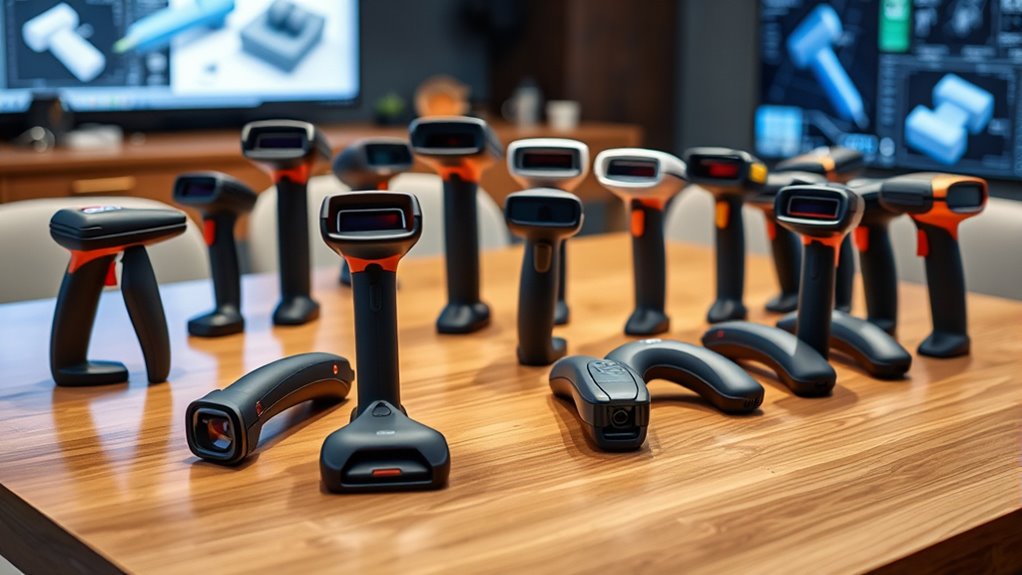
Handheld 3D scanners vary most in how they handle fine detail, different object sizes, and movement during capture. I’d put the Revopoint MetroX Pro forward for buyers who prioritize laser scanning, while the Creality CR-Scan Ferret Pro suits portable wireless capture and the Creality Pika offers blue laser and NIR scanning modes. Those differences matter more than a single headline accuracy figure: surface, lighting, software, and setup can all shape the result. The 13 options here range from compact wireless models to scanners built around laser capture, with different tradeoffs in versatility and workflow. Read on for my ranked picks and a guide to choosing the right handheld scanner for your projects.

Get audio and creator gear delivered free with Prime
- Fast, free delivery on millions of items
- Prime Video, Amazon Music and more included
- Member-only deals all year
Complete the kit


Key Takeaways
- Scanning method sets the shortlist: The MetroX Pro and Creality Pika stand out for laser-based capture, while the Pika adds NIR as another mode.
- Wireless convenience appears across several roles: Ferret Pro, INSPIRE 2, and Otter Lite Wireless prioritize portability, but buyers should check how their chosen device connects and transfers scans.
- Similar names can hide different packages: The Moose Lite and Otter Lite appear in multiple listings, so compare included accessories and exact model details before choosing.
- Fine-detail claims do not settle the decision: Several scanners cite 0.05 mm precision; workflow, object size, surface, and scan cleanup also affect whether a model fits the job.
- There is no single-purpose winner for every object: Medium-format capture, handheld mobility, laser scanning, and broad device compatibility point to different priorities in this lineup.
| Revopoint POP 4 3D Scanner |  | Best for Versatile Scanning | Connection: USB, Wi-Fi 6 | Weight: 286 g | Single-frame accuracy: Up to 0.03 mm | VIEW ON AMAZON | See Our Full Breakdown |
| 3DMakerpro Moose Lite Premium Kit |  | Best for Lightweight Multiplatform Use | Accuracy: 0.05 mm | Resolution: 0.10 mm | Capture rate: 10 fps | VIEW ON AMAZON | See Our Full Breakdown |
| Revopoint MetroX Pro Blue Laser 3D Scanner |  | Best for Fine Detail and Turntable Scanning | Single-frame precision: Up to 0.01 mm | Single-frame accuracy: Up to 0.02 mm | Volumetric accuracy: 0.02 mm + 0.04 mm × L(m) | VIEW ON AMAZON | See Our Full Breakdown |
| Creality CR-Scan Ferret Handheld 3D Scanner |  | Best for Full-Color General Scanning | Connection: Wi-Fi 6 | Accuracy: Up to 0.1 mm | Resolution: 0.16 mm | VIEW ON AMAZON | See Our Full Breakdown |
| Creality CR-Scan Raptor Handheld 3D Scanner |  | Best for Mixed-Size, Marker-Free Scanning | Scanning technologies: Blue laser and NIR infrared | Blue laser speed: Up to 60 fps | NIR speed: Up to 20 fps | VIEW ON AMAZON | See Our Full Breakdown |
| Creality Otter Lite Wireless 3D Scanner, Handheld High Precision 0.05mm for 3D Printing | 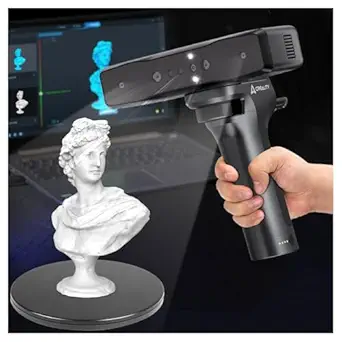 | Best for Wireless Detail | Accuracy: 0.05 mm | Scan volume: 20 mm³ to 2,000 mm³ | Frame rate: 30 fps | VIEW ON AMAZON | See Our Full Breakdown |
| Revopoint INSPIRE 2 Wireless 3D Scanner |  | Best for Mixed Scanning Modes | Scanning modes: Infrared structured light, multi-line laser | Accuracy: Up to 0.05 mm | Precision: Up to 0.03 mm | VIEW ON AMAZON | See Our Full Breakdown |
| 3DMakerpro Fox Handheld Medium-Format 3D Scanner |  | Best for Beginner Hobbyists | Format: Medium-format | Accuracy: 0.07 mm | Resolution: 0.10 mm | VIEW ON AMAZON | See Our Full Breakdown |
| 3DMakerpro Handheld 3D Scanner – 0.05 mm Precision, 10 FPS, Android/iOS/Windows/macOS compatible, Moose Lite Premium |  | Best for Cross-Platform Workflows | Precision: 0.05 mm | Scanning speed: 10 FPS | Compatibility: Android, iOS, Windows, macOS | VIEW ON AMAZON | See Our Full Breakdown |
| Creality CR-Scan Ferret Pro Wireless 3D Scanner |  | Best for Lightweight Portability | Connection: Wi-Fi 6 | Accuracy: Up to 0.1 mm | Color depth: 24 bits per pixel | VIEW ON AMAZON | See Our Full Breakdown |
| Creality Otter Lite Basic 3D Scanner |  | Best for Flexible Object Scanning | Accuracy: 0.05 mm | Scanning speed: Up to 30 fps | Camera system: Quad-camera | VIEW ON AMAZON | See Our Full Breakdown |
| Creality Pika Portable 3D Scanner with Blue Laser and NIR Scanning |  | Best for Fine Detail and Full-Body Scans | Weight: 260 g | Dimensions: 100 × 60 × 35 mm | Scanning modes: 7-line blue laser and NIR structured light | VIEW ON AMAZON | See Our Full Breakdown |
| Creality Otter Lite Wireless 3D Scanner |  | Best for Untethered Scanning | Connectivity: Wi-Fi 6, Pogo Pin | Scanning speed: Up to 30 FPS | Weight: 330 g (0.73 lb) | VIEW ON AMAZON | See Our Full Breakdown |
| 3d scanner handheld | Accuracy | Weight |
|---|---|---|
| Revopoint POP 4 3D Scanner | — | 286 g |
| 3DMakerpro Moose Lite Premium | 0.05 mm | 250 g |
| Revopoint MetroX Pro Blue Lase | — | — |
| Creality CR-Scan Ferret Handhe | Up to 0.1 mm | 10.2 ounces |
| Creality CR-Scan Raptor Handhe | Up to 0.02 mm | — |
| Creality Otter Lite Wireless 3 | 0.05 mm | — |
| Revopoint INSPIRE 2 Wireless 3 | Up to 0.05 mm | 190 g |
| 3DMakerpro Fox Handheld Medium | 0.07 mm | — |
| 3DMakerpro Handheld 3D Scanner | — | — |
| Creality CR-Scan Ferret Pro Wi | Up to 0.1 mm | 105 g |
| Creality Otter Lite Basic 3D S | 0.05 mm | — |
| Creality Pika Portable 3D Scan | — | 260 g |
| Creality Otter Lite Wireless 3 | — | 330 g (0.73 lb) |
More Details on Our Top Picks
Revopoint POP 4 3D Scanner
Five scanning modes give the POP 4 a wider range of jobs than the more focused Moose Lite, from small precision parts to objects as large as 2 m. Its 30-cross blue laser mode is specified for scanning dark and highly reflective surfaces without spray, which can save preparation when those finishes are part of the work. Wi-Fi 6 and a battery grip rated for up to four hours also suit scanning away from a desk, while phone or tablet preview helps monitor coverage.
The tradeoff is the computer setup: the listed Windows requirements include 16 GB RAM and an RTX 3060, and AI segmentation is Windows-only. Revo Scan 6 is included, but Revo Design and Revo Measure cost extra and are Windows-only. Compared with the simpler, lighter Moose Lite, the POP 4 offers more modes and reach but asks more of the buyer’s hardware and software budget.
Pros:- Five modes span small precision parts through objects up to 2 m.
- 30-cross blue laser mode supports dark and reflective surfaces without scanning spray.
- Wi-Fi 6 and a battery grip rated for up to four hours support mobile scanning.
- Revo Scan 6 software is included.
Cons:- Windows requirements specify 16 GB RAM and an NVIDIA RTX 3060 with 8 GB VRAM.
- AI object segmentation is available on Windows only.
- Revo Design and Revo Measure are sold separately and support Windows only.
Best for: Makers and small-part specialists who scan varied materials and object sizes and have a capable Windows PC or supported Apple silicon Mac.
Not ideal for: Buyers who need a low-demand computer setup, Windows-only design tools on macOS, or a scanner focused on straightforward medium-sized objects.
- Connection:USB, Wi-Fi 6
- Weight:286 g
- Single-frame accuracy:Up to 0.03 mm
- Volumetric accuracy:0.03 mm + 0.05 mm × L(m)
- Maximum frame rate:105 fps in Multi-line Laser mode with NVIDIA GPU acceleration
- Scan volume:10 × 10 × 10 mm minimum; 2 × 2 × 2 m maximum
- Battery life:Up to 4 hours with included battery grip
- Scanning modes:Full-Field HD, Hybrid HD, VCSEL Rapid, 30-Cross Laser Lines, Single-Line Deep Hole
Our verdict“Choose the POP 4 if you need multiple scanning modes and broad object-size coverage, and can meet its computer requirements.”
3DMakerpro Moose Lite Premium Kit
At 250 g with support for Android, iOS, Windows, and macOS, the Moose Lite suits buyers who value portability and platform flexibility over a large collection of scanning modes. Its listed 0.05 mm accuracy and 10 fps capture rate make it a plausible fit for handheld models intended for 3D printing or display, especially when the work stays within its stated 15 mm to 1,500 mm scan range.
That range is narrower than the Revopoint POP 4’s stated coverage, and the Moose Lite listing gives less detail about scanning modes and battery life. It also doesn’t describe the computer requirements, so buyers should check software compatibility for their setup before committing. Compared with the POP 4, this model is lighter and supports more named platforms, while the POP 4 specifies faster capture, more modes, and a battery grip. The Moose Lite’s role is a compact, platform-flexible option for medium-sized objects.
Pros:- Listed 0.05 mm accuracy for detailed handheld capture.
- Supports Android, iOS, Windows, and macOS.
- At 250 g, it is lightweight for portable scanning.
- AI tracking supports handheld scanning.
Cons:- The stated scan range is limited to 15 mm to 1,500 mm.
- Battery life is not specified in the supplied product data.
- The software interface may be complex for some users.
Best for: Makers and modelers who want a lightweight handheld scanner for medium-sized printing or display projects across mobile and desktop platforms.
Not ideal for: Buyers scanning objects beyond the stated 15 mm to 1,500 mm range or seeking documented battery runtime and a detailed mode selection.
- Accuracy:0.05 mm
- Resolution:0.10 mm
- Capture rate:10 fps
- Scan range:15 mm to 1,500 mm
- Weight:250 g
- Platform support:Android, iOS, Windows, macOS
Our verdict“Pick the Moose Lite if portability and broad platform support matter more than the POP 4’s wider stated scan range and additional modes.”
Revopoint MetroX Pro Blue Laser 3D Scanner
The MetroX Pro leads this group on the listed single-frame figures: up to 0.01 mm precision and 0.02 mm accuracy. That makes it the clearest fit here for detail-focused work where small surface features matter. Its 30 cross-line lasers, 15 parallel lines, and 62-line full-field blue structured light let buyers choose among several capture approaches; an automated dual-axis turntable can simplify collecting views of complex objects. The HD RGB camera adds color to turntable scans.
This capability comes with a more workstation-oriented setup than the wireless POP 4 or lightweight Moose Lite. The supplied data lists Windows software and mobile streaming through Revo Mirror, but does not describe the scanner itself as a mobile scanning system. Revo Design and Revo Measure are also separate, Windows-only purchases. I’d favor the MetroX Pro when detail and automated turntable capture outrank portability and software convenience.
Pros:- Single-frame precision is listed up to 0.01 mm, with accuracy up to 0.02 mm.
- Multiple laser and structured-light modes address different surfaces and features.
- Automated dual-axis turntable scanning can simplify capturing complex objects.
- HD RGB camera adds color to turntable scans.
Cons:- Revo Design and Revo Measure are sold separately and support Windows only.
- Cross-line and parallel-line spray-free scanning is specified for shiny or dark surfaces, but not for every mode.
- The supplied data describes a Windows workflow, with mobile streaming for monitoring rather than mobile scanning.
Best for: Detail-focused makers and inspection workflows that need fine single-frame capture, multiple laser modes, and automated turntable scans.
Not ideal for: Buyers seeking a lightweight, self-contained mobile scanning setup or bundled design and measurement applications.
- Single-frame precision:Up to 0.01 mm
- Single-frame accuracy:Up to 0.02 mm
- Volumetric accuracy:0.02 mm + 0.04 mm × L(m)
- Scanning modes:30 cross-line lasers, 15 parallel lines, 62-line full-field blue structured light, auto turntable
- Maximum structured-light speed:Up to 7 million points/second
- Maximum laser-mode speed:Up to 2 million points/second
- Color capture:HD RGB camera
- Compatibility:Windows; Revo Mirror streams to phone, tablet, or display
Our verdict“Choose the MetroX Pro for fine-detail and turntable work if its Windows software setup and separate applications suit your workflow.”
Creality CR-Scan Ferret Handheld 3D Scanner
The CR-Scan Ferret makes a straightforward case for buyers who want wide-range and high-accuracy modes alongside full-color texture capture. Its listed 0.1 mm accuracy and 0.16 mm resolution are less fine than the MetroX Pro’s single-frame figures, but the Ferret pairs those specs with up to 30 fps point-cloud capture and a built-in RGB camera. That combination suits general object digitizing where color and practical scanning speed matter more than the tightest stated precision.
Wi-Fi 6 and power-bank support add flexibility, though mobile scanning is limited to compatible Android devices on this model. The iPhone compatibility listed in the supplied data is for Ferret Pro, not this scanner. Compared with the POP 4, the Ferret has less demanding listed Windows memory requirements and full-color capture, but fewer specified scanning modes and lower stated accuracy. Buyers should verify their device and software compatibility before choosing a mobile workflow.
Pros:- Wide-range and high-accuracy modes support different object capture needs.
- Built-in RGB camera captures full-color textures at 24 bpp.
- Up to 30 fps point-cloud capture is specified.
- Can be powered by a 5V power bank or compatible Android device.
Cons:- Mobile scanning is limited to compatible Android devices; listed iPhone support applies to Ferret Pro.
- Its stated accuracy is lower than the MetroX Pro’s listed 0.02 mm.
- Requires compatible hardware, operating system, memory, and software.
Best for: Hobbyists and makers who want full-color scans of varied objects and have a compatible computer or Android device.
Not ideal for: iPhone users seeking mobile scanning with this model or detail-focused buyers who need finer stated accuracy than 0.1 mm.
- Connection:Wi-Fi 6
- Accuracy:Up to 0.1 mm
- Resolution:0.16 mm
- Point-cloud capture:Up to 30 fps
- Image processing:Up to 60 fps
- Color depth:24 bpp
- Weight:10.2 ounces
- Android requirements:Android 10 or later, at least 8 GB RAM, Wi-Fi 6
Our verdict“Choose the Ferret for color-rich general scans and Android or computer use, but skip it if you need iPhone scanning or finer stated accuracy.”
Creality CR-Scan Raptor Handheld 3D Scanner
The Raptor’s combination of blue laser and NIR infrared scanning gives it a distinct role: it covers objects from 5 mm to 2 m and supports different capture speeds across its two technologies. Its listed blue laser accuracy reaches 0.02 mm, while marker-free tracking on feature-rich objects can reduce setup steps when the surface has enough detail. Built-in LED lighting and 24-bit color capture add texture data, including in low-light conditions.
That breadth makes the Raptor more adaptable by stated object size than the Moose Lite, whose range tops out at 1,500 mm, and more accuracy-focused than the Ferret’s listed 0.1 mm. The tradeoff is the computing setup: recommended Windows use calls for an NVIDIA GPU with 6 GB VRAM and 16 GB or more RAM; recommended macOS use calls for an M-series chip and 16 GB RAM. Buyers should also check Android requirements before planning phone-based scanning.
Pros:- Blue laser and NIR modes cover a stated object-size range from 5 mm to 2 m.
- Blue laser accuracy is listed up to 0.02 mm.
- Marker-free scanning is supported on feature-rich objects.
- LED lighting and 24-bit color capture support texture scans in low light.
Cons:- Recommended Windows use calls for an NVIDIA GPU with 6 GB VRAM and at least 16 GB RAM.
- Recommended macOS use requires an Apple M1, M2, M3, or M4 chip and at least 16 GB RAM.
- Android use requires Android 10 or later, a Snapdragon 888 or newer, 8 GB RAM, Wi-Fi 6, and CrealityScan App V2.0.2 or later.
Best for: Makers and small production teams scanning both small parts and large objects who want blue laser detail, NIR capture, and marker-free tracking on feature-rich surfaces.
Not ideal for: Buyers with modest computers, plain-surface scanning needs that require markers, or Android devices below the stated hardware requirements.
- Scanning technologies:Blue laser and NIR infrared
- Blue laser speed:Up to 60 fps
- NIR speed:Up to 20 fps
- Accuracy:Up to 0.02 mm
- Fine-detail resolution:0.1 mm
- Supported object size:5 × 5 × 5 mm to 2,000 × 2,000 × 2,000 mm
- Color depth:24 bits per pixel
- Compatibility:Windows 10/11 (64-bit), macOS
Our verdict“Pick the Raptor if you need one scanner for small-to-large objects and can meet its recommended computer or Android requirements.”
Creality Otter Lite Wireless 3D Scanner, Handheld High Precision 0.05mm for 3D Printing
The Otter Lite Wireless pairs stated 0.05 mm accuracy with Wi-Fi and mobile control, making it a strong fit for scanning detailed objects without staying tethered to a computer. Its 30 fps capture is faster than the 10 FPS listed for the 3DMakerpro Fox, which can make a handheld pass feel more responsive. Adaptive lighting and dual LED fill lights also give it more flexibility across indoor and outdoor settings. That mobility comes with setup demands: you still need a compatible phone or computer for full use, and the stated scan-volume range limits what it can handle. Compared with the broader portability of the CR-Scan Ferret Pro, this model emphasizes finer stated accuracy, while its learning curve may challenge first-time scanners.
Pros:- Stated 0.05 mm accuracy for detailed capture
- Wi-Fi and mobile control support untethered scanning
- 30 fps capture is faster than the listed rate of the 3DMakerpro Fox
- Adaptive lighting and dual LED fill lights support varied environments
Cons:- Full functionality depends on a compatible smartphone or computer
- Specified scan-volume range excludes some object sizes
- New users may need time to learn the scanning workflow
Best for: Makers who want wireless control and fine stated accuracy for objects within the scanner’s supported volume.
Not ideal for: Beginners seeking a simple first scan or buyers who need to capture objects outside the 20 mm³ to 2,000 mm³ range.
- Accuracy:0.05 mm
- Scan volume:20 mm³ to 2,000 mm³
- Frame rate:30 fps
- Connectivity:Wi-Fi, mobile control
- Supported platforms:Windows, macOS
- Color capture:Yes
- Lighting:Dual LED fill lights
Our verdict“Choose the Otter Lite Wireless if you want mobile scanning, 30 fps capture, and 0.05 mm stated accuracy for objects within its supported range.”
Revopoint INSPIRE 2 Wireless 3D Scanner
The INSPIRE 2 stands apart from simpler handhelds by offering both infrared structured light and multi-line laser scanning. That gives buyers more ways to approach different surfaces, including reflective or dark objects that can trouble the CR-Scan Ferret Pro. Its stated accuracy reaches 0.05 mm, with precision up to 0.03 mm, and the 190 g body is suited to handheld work. Wireless scanning, full-color texture capture, and included accessories make the package adaptable, while the outdoor specification is capped at 20,000 lux, so bright direct sun is outside its stated conditions. A key tradeoff is software: Revo Design is sold separately and supports Windows only. Compared with the Fox, it offers more scanning modes but asks buyers to account for a separate scan-to-CAD workflow.
Pros:- Infrared structured light and multi-line laser modes
- Stated accuracy up to 0.05 mm and precision up to 0.03 mm
- Full-color texture capture with a built-in RGB camera
- Lightweight 190 g scanner with a useful accessory bundle
Cons:- Revo Design scan-to-CAD software is sold separately
- Revo Design supports Windows only
- Outdoor scanning is specified only up to 20,000 lux
Best for: Makers and small workshops that scan varied surface types and want both infrared and laser modes in one lightweight handheld.
Not ideal for: Buyers who need an included scan-to-CAD application, macOS software support for Revo Design, or reliable scanning in bright direct sunlight.
- Scanning modes:Infrared structured light, multi-line laser
- Accuracy:Up to 0.05 mm
- Precision:Up to 0.03 mm
- Fused point distance:0.1 mm
- Connection:USB Type-C, Wi-Fi 6
- Weight:190 g
- Outdoor lighting:Up to 20,000 lux
- Included accessories:USB-C to USB-C cable, tripod, markers, mini turntable, calibration board, outdoor filters
Our verdict“Pick the INSPIRE 2 if you want a lightweight scanner with multiple capture modes and can work around its separate Windows-only scan-to-CAD software.”
3DMakerpro Fox Handheld Medium-Format 3D Scanner
The 3DMakerpro Fox is aimed at hobbyists who want a medium-format handheld scanner with software for the full model workflow. JMStudio combines scanning, editing, and optimization, while markerless AI visual tracking can relock onto an object after tracking drops. That recovery feature may help newcomers keep a scan moving, although the listed 10 FPS rate is slower than the Creality Otter Lite Wireless’s 30 fps and leaves less room for quick passes. Its 0.07 mm stated accuracy and 0.10 mm resolution suit general modeling and 3D printing, but the product is positioned for entry-level use rather than demanding professional work. Handheld scanning can still require returning to a previously scanned area after tracking loss. Compared with the INSPIRE 2, the Fox favors an integrated beginner-oriented workflow over multiple scanning modes.
Pros:- Markerless AI tracking can relock after an interruption
- JMStudio combines scanning, editing, and model optimization
- 0.07 mm stated accuracy and 0.10 mm resolution for general modeling
- Designed for 3D printing, modeling, measurement, and quality inspection
Cons:- 10 FPS capture is slower than the Otter Lite Wireless’s listed 30 fps
- Tracking loss may require returning to a previously scanned area
- Entry-level positioning may not suit demanding professional workflows
Best for: Hobbyists learning handheld scanning for 3D printing, modeling, or measurement who want scanning and model editing in JMStudio.
Not ideal for: Professionals who need multiple scanning modes, faster capture, or specifications aimed at demanding inspection work.
- Format:Medium-format
- Accuracy:0.07 mm
- Resolution:0.10 mm
- Scan speed:Up to 10 FPS
- Tracking:Markerless AI visual tracking
- Software:JMStudio
- Item weight:2.39 lb
Our verdict“Choose the Fox if you are a hobbyist who values markerless tracking and an integrated software workflow over faster capture or advanced scanning modes.”
3DMakerpro Handheld 3D Scanner – 0.05 mm Precision, 10 FPS, Android/iOS/Windows/macOS compatible, Moose Lite Premium
The Moose Lite Premium suits buyers who need one handheld scanner to work across Android, iOS, Windows, and macOS. Its stated 0.05 mm precision and 10 FPS capture put it ahead of the Fox on the listed precision figure, but the capture rate is far below the Otter Lite Wireless’s 30 fps. AI visual tracking and anti-shake optics are intended to make handheld capture steadier, and the description also lists auto model repair and lifetime OTA software updates. The tradeoff is physical: at 3.65 lb, it is substantially heavier than the 190 g Revopoint INSPIRE 2, which may make longer handheld sessions tiring. Full functionality also relies on JMStudio. This is the broader device-compatibility pick, but buyers should weigh that flexibility against its weight and software dependence.
Pros:- Stated 0.05 mm precision
- Compatible with Android, iOS, Windows, and macOS
- AI visual tracking and anti-shake optics support handheld capture
- Description lists auto model repair and lifetime OTA updates
Cons:- At 3.65 lb, it is much heavier than the Revopoint INSPIRE 2
- 10 FPS capture is slower than the Otter Lite Wireless’s listed 30 fps
- Full functionality depends on proprietary JMStudio software
Best for: Makers who switch between Android, iOS, Windows, and macOS devices and want stated 0.05 mm precision with tracking assistance.
Not ideal for: Users who scan for long handheld sessions, need a lightweight scanner, or prefer not to rely on JMStudio.
- Precision:0.05 mm
- Scanning speed:10 FPS
- Compatibility:Android, iOS, Windows, macOS
- Tracking:AI visual tracking
- Stabilization:Anti-shake optics
- Item weight:3.65 lb
- Software:JMStudio
Our verdict“Choose the Moose Lite Premium if cross-platform compatibility and stated precision matter more to you than low weight or faster capture.”
Creality CR-Scan Ferret Pro Wireless 3D Scanner
At 105 g, the CR-Scan Ferret Pro is the lightest clearly specified handheld in this group, making it the easiest fit for portable scanning sessions. Its Wi-Fi 6 connection, included power bank, and phone holder support a mobile setup, while 24-bit full-color capture and OBJ, STL, and PLY export give buyers flexible ways to handle textured scans and share models. The tradeoff is its stated accuracy of up to 0.1 mm, looser than the 0.05 mm figures listed for the Otter Lite Wireless and Moose Lite Premium. Its supported object size runs from 50 to 2,000 mm, and reflective, transparent, very dark, very small, or highly detailed objects may scan poorly. Compared with the INSPIRE 2, it favors a lighter, accessory-rich kit over multiple scanning modes and finer stated accuracy.
Pros:- Lightweight 105 g handheld scanner
- Wi-Fi 6 scanning with included power bank and phone holder
- 24-bit full-color capture
- Exports OBJ, STL, and PLY files
Cons:- Up to 0.1 mm accuracy is less fine than the 0.05 mm figures listed for the Otter Lite Wireless and Moose Lite Premium
- Very small or highly detailed objects may not scan well
- Reflective, transparent, and very dark surfaces can be difficult to capture
Best for: Mobile makers who scan medium-sized objects and value a very light scanner, phone-based setup, and common export formats.
Not ideal for: Buyers scanning jewelry, precision parts, reflective or transparent objects, or surfaces that are very dark or highly detailed.
- Connection:Wi-Fi 6
- Accuracy:Up to 0.1 mm
- Color depth:24 bits per pixel
- Supported object size:50–2,000 mm
- Export formats:OBJ, STL, PLY
- Weight:105 g
- Compatible platforms:Windows, macOS, Android, iOS
- Warranty:1 year
Our verdict“Pick the Ferret Pro if portability and phone-based scanning matter most and your subjects are medium-sized, nonreflective objects.”
Creality Otter Lite Basic 3D Scanner
The Otter Lite Basic suits buyers who want one scanner for varied object sizes and surfaces. Its quad-camera system is specified for objects from 0.8 to 78 inches, and the product data says it can capture dark and metallic surfaces without spray—a useful advantage when surface preparation would slow a job down. Compared with the Creality Pika, it offers fewer stated capture modes and a lower listed frame rate, but its broad device compatibility and export choices make it a flexible fit for mixed workflows. The tradeoff is that its 0.05 mm accuracy is less precise on paper than the Pika’s stated 0.03 mm, and the optional Scan Bridge handle is sold separately. Its 24-bit color and alignment options add practical room for different scanning tasks.
Pros:- Scans dark and metallic surfaces without spray, according to the product data
- Quad-camera system covers a stated object range from 0.8 to 78 inches
- Captures 24-bit color textures
- Offers marker, geometry, and texture alignment plus exports to several common 3D formats
Cons:- Its stated accuracy of 0.05 mm is less precise than the Pika’s listed 0.03 mm
- The Scan Bridge handle is optional and sold separately
- Its listed scanning speed is up to 30 fps, below the Pika’s stated 110 fps
Best for: Makers and small studios scanning a mix of dark, metallic, small, and larger objects across desktop and mobile devices
Not ideal for: Buyers prioritizing the finest stated accuracy or dual laser and NIR modes; the Pika lists higher accuracy and those two capture modes
- Accuracy:0.05 mm
- Scanning speed:Up to 30 fps
- Camera system:Quad-camera
- Object size range:0.8–78 in
- Color depth:24 bits
- Connection:Wi-Fi
- Supported platforms:Windows, macOS, iOS, Android
- Export formats:PLY, OBJ, STL, ASC, 3MF, GLTF, FBX
- Alignment modes:Marker, geometry, texture
Our verdict“Choose the Otter Lite Basic for flexible, full-color scanning across object sizes and devices, and choose the Pika if its finer stated accuracy and dual scanning modes matter more.”
Creality Pika Portable 3D Scanner with Blue Laser and NIR Scanning
The Creality Pika stands out for pairing seven-line blue laser scanning for detailed objects with NIR structured light for full-body capture. That gives it a broader stated scanning toolkit than the Otter Lite Basic, whose product data lists a quad-camera system but no comparable dual-mode setup. The Pika also lists up to 0.03 mm accuracy and up to 110 frames per second, useful specifications for buyers who want to capture fine features quickly. Its 260 g body, touchscreen, and swappable batteries support work away from a desk. There are workflow limits: wireless scanning requires a Wi-Fi 6-compatible device, marker-free scanning is specified for wired PC mode, and iPad support is still being optimized. This is a more specialized choice than the Basic, with greater mode flexibility but more compatibility details to check.
Pros:- Combines seven-line blue laser and NIR structured-light scanning modes
- Lists up to 0.03 mm accuracy and up to 110 frames per second
- Lightweight 260 g body includes a touchscreen and two swappable batteries
- AI tools support body completion, texture mapping, and hole filling
Cons:- Wireless scanning requires a Wi-Fi 6-compatible phone or computer
- Marker-free scanning is specified for wired PC mode
- iPad compatibility and software experience are still being optimized
Best for: Scanning professionals and makers who need both detailed object capture and NIR full-body scanning, and can use a compatible Wi-Fi 6 device or wired PC
Not ideal for: iPad-first users or buyers who need marker-free wireless PC-independent scanning, since iPad support is still being optimized and marker-free scanning is specified for wired PC mode
- Weight:260 g
- Dimensions:100 × 60 × 35 mm
- Scanning modes:7-line blue laser and NIR structured light
- Scanning accuracy:Up to 0.03 mm
- 3D resolution:0.1 mm
- Scanning speed:Up to 110 frames per second
- Display:3-inch HD touchscreen, 500 nits
- Battery:Two swappable 3350 mAh batteries
- Wireless connectivity:Wi-Fi 6
Our verdict“Pick the Pika if you need its combination of fine-detail and full-body scanning, and can work within its wireless and platform requirements.”
Creality Otter Lite Wireless 3D Scanner
The Otter Lite Wireless is the lineup’s clearest fit for buyers who want to move around a subject without a cable. Its Wi-Fi 6 and Pogo Pin connectivity, 330 g weight, and stated battery life of up to three hours support mobile scanning sessions; anti-shake tracking and backtracking are intended to help recover from tracking slips. Compared with the Otter Lite Basic, this model emphasizes wireless operation and lists a 3400 mAh battery, while the Basic gives more explicit detail about color depth, alignment modes, and export formats. The Wireless model’s quad-lens system is described as covering both small detailed objects and larger items, but its speed is listed at up to 30 FPS. Buyers should also plan around the battery limit: longer scanning days may call for a charging break, despite its 40 W charging specification.
Pros:- Wi-Fi 6 and Pogo Pin connectivity support wireless scanning
- Weighs 330 g and lists up to three hours of battery life
- Quad-lens system covers small detailed objects and larger items
- Anti-shake tracking and scan backtracking can help recover from tracking slips
Cons:- Battery life is limited to up to three hours per charge
- Its listed scanning speed is up to 30 FPS
- The supplied product data does not specify accuracy, color depth, or export formats
Best for: Makers who scan objects while moving around them and want a lightweight wireless workflow with tracking recovery features
Not ideal for: Users running long scanning sessions away from charging or those who need detailed published accuracy, color-depth, or export-format specifications before choosing
- Connectivity:Wi-Fi 6, Pogo Pin
- Scanning speed:Up to 30 FPS
- Weight:330 g (0.73 lb)
- Battery capacity:3400 mAh
- Battery life:Up to 3 hours
- Charging:40 W HyperCharge; 0% to 80% in 60 minutes
- Lens system:Quad-lens with dual long- and short-focus lenses
- Software:CrealityScan, lifetime use
- Warranty:1 year
Our verdict“Choose the Otter Lite Wireless for mobile scanning without a tether, while the Basic is a better fit if you need more clearly stated output and alignment details.”

How We Picked
I compared these handheld 3D scanners on the factors that shape a real buying decision: stated precision and capture rate, scanning method, portability, supported devices, and the intended object scale. I also looked at whether a product appears geared toward a particular workflow, such as wireless scanning, 3D printing, or medium-format capture. A specification only helped a ranking when it suggested a practical advantage for a defined buyer.
The ordering favors scanners with a clear role and a useful balance of capability and workflow fit. Laser-focused models rank well for buyers who need that capture approach, while wireless and entry-oriented options rise when portability or accessibility is the stronger need. Several listings share model families or similar names, so I treat package distinctions carefully and avoid assuming that a shared headline specification makes two listings interchangeable. The available product information does not establish independent test results, so I frame performance claims as stated capabilities rather than firsthand findings.
Factors to Consider When Choosing 3d Scanner Handhelds
Before choosing among handheld 3D scanners, I’d match the scanner to the object and the capture conditions you can control. A small, detailed part, a larger sculptural object, and a quick portable scan place different demands on hardware and software.
Match the Scanning Method to the Surface
Start with the objects you expect to scan most often, not the scanner’s largest precision figure. Laser and infrared approaches can differ in how they handle surface detail, movement, and ambient conditions, so a method that suits a mechanical component may not suit every material or shape. Dark, shiny, transparent, or featureless surfaces can make capture harder for many scanners and may call for preparation or extra passes. Check the maker’s guidance for your target surfaces before treating a listed precision as a guaranteed result. If you work with varied objects, a scanner with more than one capture mode may give you useful flexibility. That flexibility can also mean a more involved setup and workflow.
Think About Object Size and Scan Distance
Handheld scanners are not all designed around the same working distance or object scale. A medium-format scanner may suit larger objects better than a device tuned for small parts, while close-range detail can be the priority for components destined for 3D printing. Check the recommended scan distance and capture area alongside the object dimensions you actually have. A common mistake is choosing by precision alone and discovering that the object is awkward to cover in practical passes. Large objects may need multiple scan segments and careful alignment, which adds time even when the scanner can capture them. Leave room for how you will hold, rotate, or fixture the object during scanning.
Treat Software and Device Support as Part of the Scanner
A scanner is only useful in your workflow if its software runs on a device you can use comfortably. Confirm operating system support, connection requirements, and whether the full scanning process works on your preferred computer or mobile device. Compatibility lists can differ between basic capture, processing, and exporting, so check each stage rather than relying on a single platform label. Think about where you will clean up meshes and prepare files for printing or CAD, since those steps may take place outside the scanner app. Wireless capture can make positioning easier, but it does not automatically mean every part of the workflow is wireless. Test the software requirements against your actual workstation before committing.
Account for Setup, Tracking, and Cleanup
Capture speed is only one part of the time needed to get a usable model. You may need to prepare the surface, place tracking markers, take extra passes, align scans, and repair holes in the mesh. These steps vary with the object and the scanner’s tracking approach, so look for workflow details in addition to frames per second. Beginners often underestimate cleanup and assume a scan will be ready to print directly from capture. If your work requires repeatable measurements, plan for calibration and a consistent capture routine as well. A less demanding setup can be more valuable than a higher headline specification when you scan frequently.
Choose Portability for the Way You Work
Wireless and compact designs can make it easier to scan at a workbench, in a classroom, or away from a fixed computer. Consider the whole carrying setup, including power, cables, a phone or laptop, and any accessories needed for tracking or stable capture. A portable scanner is less convenient if it still depends on a workstation you cannot bring to the object. On the other hand, a wired setup may be a sensible choice when you scan in one place and prefer a predictable connection. Check how the scanner handles data transfer and power during longer sessions. Let the places where you scan determine whether portability is a real advantage.
Compare the Exact Model and Included Kit
Product family names can cover multiple configurations, and this roundup includes several listings with similar names. Compare the exact model identifier, included accessories, software bundle, and supported connection method before deciding that two listings are the same. A premium kit may add practical items for capture, while a basic package can suit buyers who already have compatible accessories. Also check whether the listing describes the scanner itself or a bundle with a different set of extras. Avoid making a decision from a single shared specification when the package details are unclear. The right configuration depends on what you already own and how quickly you want to begin scanning.
Frequently Asked Questions
Which handheld scanner should I choose for small parts I plan to 3D print?
Start by checking whether the scanner’s capture range and software fit the dimensions and detail of your parts. The Moose Lite listings and several Otter Lite models cite 0.05 mm precision, but that figure alone does not establish the accuracy of a finished mesh. Surface finish, tracking, alignment, and cleanup all affect the model you can print. Confirm the export formats and mesh-editing steps supported by the software you plan to use. For small mechanical parts, also consider whether you need a scan for visual reference or a dimensionally dependable basis for redesign.
Is a wireless handheld scanner a better choice than a wired one?
Wireless is useful when you need to move around an object or scan away from a fixed workstation, as with options such as the Ferret Pro, INSPIRE 2, and Otter Lite Wireless. It does not automatically make scanning simpler: you still need to account for power, connection stability, and where processing happens. A wired model can be a good fit for a permanent bench setup where cable movement is manageable. Check whether wireless applies to capture, data transfer, or both, since product descriptions may distinguish those functions. Choose based on your scanning location and session length rather than the word “wireless” alone.
Do I need a laser scanner, or will a general handheld model work?
A laser-focused model is worth a closer look if its capture method matches the surfaces and detail in your projects. The MetroX Pro and Pika make laser scanning a visible part of their positioning, and the Pika also offers NIR scanning. A general handheld model may be a better fit when portability, broad use, or a simpler workflow matters more than a specific capture method. The surface and shape of your target objects can change which approach works well. Compare the maker’s guidance for those objects before choosing based on technology labels.
Can a handheld 3D scanner capture shiny or dark objects accurately?
Do not assume that a scanner will capture every surface directly just because it lists fine precision. Shiny, dark, transparent, and low-feature surfaces can make tracking or surface capture difficult, and results depend on the scanner and conditions. Check the manufacturer’s instructions for surface preparation and marker use with your intended materials. If your work centers on challenging surfaces, seek examples or guidance for that exact use case before buying. Build preparation and cleanup time into your workflow, since these can matter as much as the scan itself.
What should I check when two listings use nearly the same scanner name?
Compare the exact model, package contents, included accessories, and connection options. This roundup has multiple similarly named Moose Lite and Otter Lite listings, including basic, wireless, and premium kit descriptions. A shared family name or stated precision does not confirm that the bundles are identical. Read the supported device list and software details for the specific listing you plan to buy. If those details are missing, treat the package distinction as unresolved rather than assuming the more elaborate name guarantees a specific accessory.
Conclusion
For a strong all-round choice among these handhelds, I’d start with the Revopoint MetroX Pro if laser scanning fits your work. For a premium, multi-mode option, the Creality Pika stands out with blue laser and NIR scanning. Buyers who value portable wireless capture should compare the Creality CR-Scan Ferret Pro and Revopoint INSPIRE 2, while newcomers can begin with the Creality CR-Scan Ferret and check its software workflow against their needs. For value, the Moose Lite Premium Kit listings and basic Otter Lite configurations merit a close package comparison; I would choose between them by included accessories and device support rather than a headline spec alone. If your priority is medium-format scanning, put the 3DMakerpro Fox on the shortlist. That gives you a practical path: choose by capture method, portability, object scale, and exact kit, then confirm that the software fits your workflow.