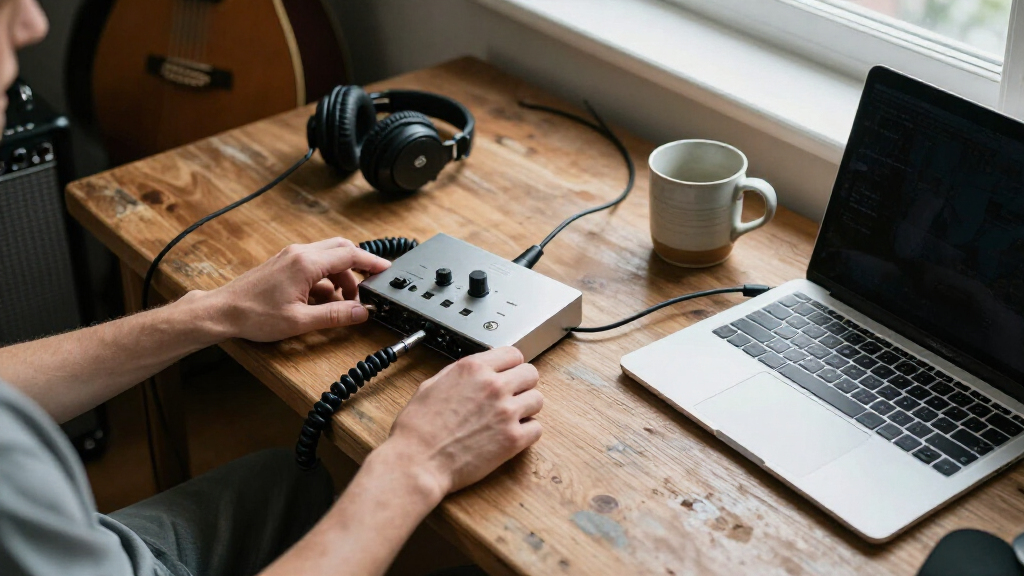

For most creators recording one voice or instrument, I’d put the Focusrite Scarlett Solo 4th Gen first for its focused solo workflow, while the Arturia MiniFuse 1 and Universal Audio Volt 1 stand out as strong alternatives for compact recording setups. The main choice is between a simple one-input interface that takes up little space and a two-input model that can capture more sources at once. Portability, connection options, and straightforward controls matter just as much as audio features when an interface has to fit a creator’s desk or travel kit. Some models add streaming or hybrid functions, while others keep the job narrowly focused on recording. Read on for the full breakdown of all 15 options and how I’d match them to different creator needs.

Get audio and creator gear delivered free with Prime
- Fast, free delivery on millions of items
- Prime Video, Amazon Music and more included
- Member-only deals all year
Complete the kit

Key Takeaways
- Solo recording is the clearest fit for the top-ranked picks: the Scarlett Solo, MiniFuse 1, Volt 1, and Rode AI-1 focus on one-person setups rather than multi-mic sessions.
- Two inputs change the use case, not just the channel count: the Zoom U-24 and M-Audio M-Track Duo better suit creators who may record two sources together.
- Streaming and podcasting needs can favor specialized controls: the MAONO P2 Hybrid and P1 target creator workflows that extend beyond a basic mic-to-computer connection.
- Small size comes with practical compromises: buyers should check monitoring, power, and connection needs instead of choosing by portability alone.
- The lineup splits between established recording brands and feature-focused alternatives: the former offer familiar recording-oriented designs, while compact MAONO and lesser-known models may appeal to creators seeking specific functions or a simpler setup.
| Universal Audio Volt 1 USB Audio Interface |  | Best Overall for Solo Creators | Inputs/outputs: 1-in/2-out | Maximum recording resolution: 24-bit/192 kHz | Connectivity: USB | VIEW LATEST PRICE | See Our Full Breakdown |
| Zoom U-24 2-Channel Portable USB Audio Interface |  | Best for Portable Two-Mic Recording | Inputs: 2 mic/line XLR/TRS combo inputs | Outputs: 4 outputs, including RCA outputs | Audio resolution: Up to 24-bit/96 kHz | VIEW LATEST PRICE | See Our Full Breakdown |
| USB Audio Interface with 48V Phantom Power and XLR/TRS Inputs |  | Best for Creators Who Want Built-In Echo Controls | Connectivity: USB-C | Inputs: 2 XLR/TRS combo inputs and 1 instrument input | Phantom power: 48V | VIEW LATEST PRICE | See Our Full Breakdown |
| M-Audio M-Track Solo USB Audio Interface |  | Best Value for a Simple Desk Setup | Audio resolution: 48 kHz | Inputs: 1 combo XLR/line input with phantom power; 1 switchable line/instrument input | Outputs: 1/8-inch headphone output; stereo RCA outputs | VIEW LATEST PRICE | See Our Full Breakdown |
| Rode AI-1 USB Audio Interface (Black) |  | Best Compact Single-Input Pick | Channels: 1 | Input type: Neutrik combo jack (XLR/¼”) | Maximum sample rate: 96 kHz | VIEW LATEST PRICE | See Our Full Breakdown |
| Mackie Onyx Artist 1×2 USB Audio Interface |  | Best for Simple Guitar-and-Vocal Setups | Inputs/outputs: 2 in x 2 out | Recording resolution: 24-bit/192 kHz | Microphone preamp: Onyx | VIEW LATEST PRICE | See Our Full Breakdown |
| MAONO P2 Hybrid USB Audio Interface with Dual XLR Inputs |  | Best for Dual-Source Mobile and Streaming Setups | Inputs: Dual XLR | Channels: 2 | Recording resolution: 24-bit/192 kHz | VIEW LATEST PRICE | See Our Full Breakdown |
| BOMGE mini 2 Channel USB Audio Interface |  | Best Plug-and-Play Pick | Channels: 2 | Sample rate and bit depth: 48 kHz, 24-bit | Inputs: 2 combo XLR/MIC/LINE | VIEW LATEST PRICE | See Our Full Breakdown |
| MAONO PS22 Lite USB Audio Interface |  | Best Cross-Platform High-Resolution Pick | Channels: 2 | Recording resolution: 24-bit/192 kHz | Dynamic range: 106 dB | VIEW LATEST PRICE | See Our Full Breakdown |
| Zoom AMS-22 USB Audio Interface for Recording and Streaming |  | Best Ultra-Portable Streaming Pick | Inputs: 1 XLR/TRS combo input with Hi-Z and 1 stereo 3.5 mm input | Outputs: 2 | Channels: 2 | VIEW LATEST PRICE | See Our Full Breakdown |
| M-Audio M-Track Duo USB Audio Interface |  | Best Value for Two-Source Recording | Inputs: 2 combo XLR/Line/Instrument inputs | Preamps: Crystal preamps with phantom power | Audio resolution: 48 kHz | VIEW LATEST PRICE | See Our Full Breakdown |
| MAONO P1 USB Audio Interface with 70 dB Gain |  | Best for Flexible Streaming and Mobile Setups | Channels: 2 | Maximum gain: 70 dB | Audio resolution: 24-bit | VIEW LATEST PRICE | See Our Full Breakdown |
| Cubilux CB5 USB Audio Interface for Recording and Streaming |  | Best for Maximum Connections in a Tiny Footprint | Inputs and outputs: 2 stereo microphone jacks, line-in, line-out, headphone jack | Channels: 3 | Recording resolution: Up to 96 kHz/24-bit | VIEW LATEST PRICE | See Our Full Breakdown |
| Arturia MiniFuse 1 USB Audio and MIDI Interface |  | Best Compact Creative Hub | Audio input: 1 combo XLR mic/instrument/line input with 48V phantom power | Additional inputs: 2 TRS instrument/line inputs | Outputs: 2 balanced 1/4-inch TRS line outputs; headphone output with volume control | VIEW LATEST PRICE | See Our Full Breakdown |
| Focusrite Scarlett Solo 4th Gen USB-C Audio Interface |  | Best for Solo Recording Quality | Inputs: 1 XLR microphone input; 1 Hi-Z instrument input | Maximum sample rate: 192 kHz | Bit depth: 24-bit | VIEW LATEST PRICE | See Our Full Breakdown |
| compact USB audio interfaces for creator | Inputs |
|---|---|
| Universal Audio Volt 1 USB Aud | — |
| Zoom U-24 2-Channel Portable U | 2 mic/line XLR/TRS combo inputs |
| USB Audio Interface with 48V P | 2 XLR/TRS combo inputs and 1 instrument input |
| M-Audio M-Track Solo USB Audio | 1 combo XLR/line input with phantom power; 1 switchable line/instrument input |
| Rode AI-1 USB Audio Interface | — |
| Mackie Onyx Artist 1×2 USB Aud | — |
| MAONO P2 Hybrid USB Audio Inte | Dual XLR |
| BOMGE mini 2 Channel USB Audio | 2 combo XLR/MIC/LINE |
| MAONO PS22 Lite USB Audio Inte | — |
| Zoom AMS-22 USB Audio Interfac | 1 XLR/TRS combo input with Hi-Z and 1 stereo 3.5 mm input |
| M-Audio M-Track Duo USB Audio | 2 combo XLR/Line/Instrument inputs |
| MAONO P1 USB Audio Interface w | — |
| Cubilux CB5 USB Audio Interfac | — |
| Arturia MiniFuse 1 USB Audio a | — |
| Focusrite Scarlett Solo 4th Ge | 1 XLR microphone input; 1 Hi-Z instrument input |
More Details on Our Top Picks
Universal Audio Volt 1 USB Audio Interface
The Volt 1 is my strongest all-around pick for a creator who records one mic or instrument at a time and wants a compact interface with room to grow creatively. Its 1-in/2-out layout keeps the desk setup simple, while the Vintage Mic Preamp mode offers a tonal option that the more utilitarian M-Audio M-Track Solo does not provide. Recording up to 24-bit/192 kHz and the included LUNA DAW and music software add value for people who want to start producing as well as capture audio. The tradeoff is its single input: it cannot record two microphones simultaneously, unlike the Zoom U-24. Mobile recording is supported, but iPhone or iPad use may call for an external power supply and a Lightning adapter. I’d choose it for a focused solo setup, not a multi-person podcast.
Pros:- Vintage Mic Preamp mode provides a tonal option inspired by UA’s 610 preamp.
- Supports recording up to 24-bit/192 kHz.
- Includes LUNA DAW and a suite of music software.
- Portable design supports computer and mobile recording.
Cons:- One input cannot capture multiple microphones simultaneously.
- Mobile use may require an external power supply and a Lightning to USB Camera Adapter.
Best for: Solo musicians, podcasters, and livestreamers who want a compact one-input setup with a distinctive preamp option and included production software.
Not ideal for: Two-person podcast teams or creators who need multiple microphones recorded at once; the single input also makes it less flexible than the Zoom U-24.
- Inputs/outputs:1-in/2-out
- Maximum recording resolution:24-bit/192 kHz
- Connectivity:USB
- Compatible devices:PC, Mac, iPad, iPhone, microphone, electric guitar, MIDI devices
- Operating systems:Windows, macOS
- Dimensions:5.12 x 5.71 x 1.97 in
- Weight:544 g
- Warranty:1 year manufacturer
Our verdict“Choose the Volt 1 for a polished, software-rich solo recording setup; choose the Zoom U-24 if you need two mic inputs.”
Zoom U-24 2-Channel Portable USB Audio Interface
The Zoom U-24 is the most flexible choice here for creators who need two mic or line inputs and want to record away from a fixed desk. Compared with the single-input Volt 1 and Rode AI-1, it can handle two sources at once, while its four outputs, RCA connections, and MIDI I/O give it more routing options than the simpler M-Audio M-Track Solo. It records up to 24-bit/96 kHz, which is ample for common creator workflows, though it does not match the Volt 1’s 192 kHz ceiling. Portability comes with power planning: standalone operation needs two AA batteries or an optional AC adapter, and iPad connection requires a separately sold camera adapter. I’d favor it when input count and flexible connections matter more than a plug-in-and-forget desk setup.
Pros:- Two mic/line combo inputs support recording two sources simultaneously.
- Four outputs, including RCA outputs, offer flexible connection options.
- MIDI I/O supports compatible instruments and controllers.
- Compact design works with PC, Mac, and iPad.
Cons:- Portable operation requires two AA batteries or an optional AC adapter.
- iPad use requires a separately sold camera adapter.
- Its 24-bit/96 kHz ceiling is lower than the Volt 1’s 24-bit/192 kHz support.
Best for: Mobile podcasters, musicians, and small production setups that need two mic/line inputs, MIDI connectivity, and multiple output options.
Not ideal for: Creators seeking a straightforward USB-powered desktop interface or those who need a higher recording ceiling than 24-bit/96 kHz.
- Inputs:2 mic/line XLR/TRS combo inputs
- Outputs:4 outputs, including RCA outputs
- Audio resolution:Up to 24-bit/96 kHz
- Connectivity:USB
- MIDI:MIDI I/O
- Power:2 AA batteries or optional AC adapter
- Compatible devices:PC, Mac, iPad
- Weight:10.08 ounces
Our verdict“Pick the U-24 when two inputs and flexible routing are worth the extra power and adapter planning.”
USB Audio Interface with 48V Phantom Power and XLR/TRS Inputs
This USB-C interface suits creators who want hands-on input and monitoring controls in a compact setup, especially when recording a condenser mic alongside an instrument. It combines two XLR/TRS inputs with a separate instrument input, plus 48V phantom power and direct monitoring. The adjustable echo effect and independent controls distinguish it from the M-Audio M-Track Solo, which focuses on direct monitoring rather than an onboard echo feature. Its stated maximum sample rate is 48 kHz, below the Zoom U-24’s 96 kHz and the Volt 1’s 192 kHz, so it is better matched to standard streaming, podcasting, and basic recording than high-resolution production. I’d also weigh its 3-month warranty against the one-year coverage listed for the Volt 1 and U-24.
Pros:- 48V phantom power supports condenser microphones.
- Direct monitoring allows real-time listening while recording.
- Independent gain, echo, and monitor volume controls support hands-on adjustments.
- Compatible with PC, Mac, and iOS devices.
Cons:- Maximum sample rate is 48 kHz, below the Zoom U-24 and Volt 1.
- The listed warranty is 3 months.
- The product data does not specify included recording software.
Best for: Streamers and beginner podcasters who want phantom power, direct monitoring, and accessible echo and level controls for a simple USB-C setup.
Not ideal for: Producers who prioritize higher sample rates, or buyers who want a longer stated warranty and established software bundle.
- Connectivity:USB-C
- Inputs:2 XLR/TRS combo inputs and 1 instrument input
- Phantom power:48V
- Maximum sample rate:48 kHz
- Audio channels:4
- Compatible devices:Guitar, headphones, laptop, microphone, personal computer
- Operating systems:PC, iOS, macOS
- Weight:1.5 pounds
- Warranty:3 months
Our verdict“Choose this model for built-in echo and straightforward creator controls, but look to the Volt 1 or U-24 for higher-resolution recording.”
M-Audio M-Track Solo USB Audio Interface
The M-Track Solo is my straightforward pick for creators who want USB-powered recording without an extra power supply. Its combo mic/line input and switchable line/instrument input cover a common solo workflow, while zero-latency direct monitoring helps keep your voice or instrument in sync as you record. Compared with the Volt 1, it has a lower 48 kHz resolution ceiling and lacks a dedicated vintage-preamp mode, but it adds a second input path for a line-level or instrument source. The 1/8-inch headphone output may require an adapter for headphones with a 1/4-inch plug, and its two-channel setup is still limited for group recording. I’d choose it over the Rode AI-1 when a second input path and included MPC Beats matter more than the Rode’s 96 kHz support.
Pros:- USB-powered, so it does not require an external power supply.
- Combo mic/line input includes phantom power.
- Switchable line/instrument input accommodates a guitar or other source.
- Zero-latency direct monitoring and bundled MPC Beats support a simple recording workflow.
Cons:- 48 kHz audio resolution is lower than the Rode AI-1’s 96 kHz and the Volt 1’s 192 kHz.
- The 1/8-inch headphone output may require a 1/4-inch adapter.
- Two input channels limit recording flexibility for groups.
Best for: First-time creators, solo podcasters, and musicians who want a compact, USB-powered interface with simple direct monitoring and a second instrument or line input.
Not ideal for: Creators who need higher-resolution recording, multiple microphone inputs, or a standard 1/4-inch headphone connection without an adapter.
- Audio resolution:48 kHz
- Inputs:1 combo XLR/line input with phantom power; 1 switchable line/instrument input
- Outputs:1/8-inch headphone output; stereo RCA outputs
- Monitoring:Zero-latency direct monitoring with USB/Direct switch
- Power:USB-powered
- Compatible devices:Guitar, headphones, keyboard, microphone, speaker
- Supported software:Ableton Live Lite, MPC Beats; compatible with many DAWs
- Compatibility:Mac, PC, iOS (adapter required)
Our verdict“Choose the M-Track Solo for an easy, USB-powered starter setup; pick the Volt 1 or Rode AI-1 if higher sample-rate support matters more.”
Rode AI-1 USB Audio Interface (Black)
The Rode AI-1 makes the most sense when one dependable input and a tidy setup matter more than channel count. Its Neutrik combo jack accepts either an XLR microphone or a ¼-inch instrument, so a solo creator can switch between voice and guitar without changing interfaces. The dedicated headphone level control and high-quality headphone output also make monitoring more direct than the M-Audio M-Track Solo’s 1/8-inch headphone connection. It supports up to 96 kHz, exceeding the M-Track Solo’s 48 kHz ceiling, though it falls short of the Volt 1’s 192 kHz maximum. The main constraint is clear: one input cannot capture two microphones at once. The supplied data also lists official Windows compatibility only, making the Volt 1 a safer choice for Mac or iOS users.
Pros:- Neutrik combo jack accepts XLR microphones and ¼-inch instruments.
- Phantom power supports compatible condenser microphones.
- Dedicated headphone output level control supports convenient monitoring.
- Supports sample rates up to 96 kHz and operates on USB bus power.
Cons:- Single input prevents simultaneous multi-microphone recording.
- Officially listed for Windows only, limiting stated compatibility for Mac and Linux users.
- Its 96 kHz maximum is below the Volt 1’s 192 kHz support.
Best for: Windows-based solo musicians, voice creators, and streamers who want one combo input, phantom power, and a dedicated headphone level control.
Not ideal for: Mac or Linux users relying on the listed compatibility, and creators who need to record two microphones or other sources simultaneously.
- Channels:1
- Input type:Neutrik combo jack (XLR/¼”)
- Maximum sample rate:96 kHz
- Phantom power:Yes
- Connectivity:USB
- Power:USB bus power
- Dimensions:124 mm x 38 mm
- Weight:560 g
Our verdict“Choose the AI-1 for a compact Windows solo rig with a flexible combo input; choose the Volt 1 for broader listed compatibility and higher-resolution recording.”
Mackie Onyx Artist 1×2 USB Audio Interface
The Mackie Onyx Artist 1×2 is a straightforward pick for a creator who needs one microphone input and a separate guitar or bass connection. Its Onyx preamp with 48 V phantom power covers condenser microphones, while the Hi-Z input accommodates an instrument without a separate DI box. Like the MAONO PS22 Lite, it supports 24-bit/192 kHz recording, but Mackie’s layout is more focused on a basic computer-based recording chain than mobile routing or streaming features.
USB bus power and zero-latency direct monitoring keep the setup portable and make it easier to hear a live input while recording. The tradeoff is its limited one-mic-preamp design: it is not suited to recording two microphone sources at once. The supplied compatibility details specify Windows 10, so buyers on other systems should verify support before choosing it.
Pros:- Onyx microphone preamp includes 48 V phantom power for condenser microphones.
- Hi-Z instrument input suits direct guitar or bass recording.
- USB bus power supports a portable, cable-light setup.
- Zero-latency direct monitoring helps keep live input monitoring immediate.
Cons:- Only one microphone preamp is available, limiting simultaneous mic recording.
- The listed operating-system compatibility specifies Windows 10 only.
- The 2-in/2-out configuration leaves little room for expanding a recording setup.
Best for: Solo musicians and home creators who record one microphone alongside guitar or bass and want a bus-powered interface with direct monitoring.
Not ideal for: Two-person podcast teams or creators who need two microphone preamps, extensive streaming controls, or clearly listed support for operating systems beyond Windows 10.
- Inputs/outputs:2 in x 2 out
- Recording resolution:24-bit/192 kHz
- Microphone preamp:Onyx
- Phantom power:+48 V
- Instrument input:1/4-inch TRS with Hi-Z switch
- Connectivity and power:USB 2.0; USB bus-powered
- Dimensions and weight:6.4 x 4.4 x 1.9 inches; 1.2 pounds
- Listed operating system:Windows 10
Our verdict“Choose the Onyx Artist 1×2 for compact solo recording with one mic and one instrument, but skip it if you need two mic inputs or broader stated OS support.”
MAONO P2 Hybrid USB Audio Interface with Dual XLR Inputs
The MAONO P2 Hybrid stands apart from simpler interfaces by pairing dual XLR inputs with connections for a computer and phone or tablet. That makes it a strong fit for creators who record two mic sources while incorporating mobile audio, or who want routing features for livestreams. Compared with the Zoom AMS-22, it offers two XLR inputs rather than one combo input, plus listed loopback and software audio routing; the Zoom, however, is lighter and more clearly pocket-friendly.
Its 24-bit/192 kHz recording, direct monitoring, mute controls, and aluminum-alloy housing give a flexible creator setup without relying on a computer alone. The tradeoff is that the listed frequency response is only given as 20 kHz, so the data offers limited detail for judging the full response range. At 0.5 kg and the stated dimensions, it is compact for a multi-connection interface, but not the smallest option here.
Pros:- Dual XLR inputs support recording two microphone sources.
- Can connect a computer and phone or iPad simultaneously.
- Loopback, mute controls, and software routing suit streaming workflows.
- Aluminum-alloy housing and 24-bit/192 kHz recording support a capable creator setup.
Cons:- At 0.5 kg, it is heavier than the 230 g Zoom AMS-22.
- The listed frequency response is specified only as 20 kHz.
- Its larger stated dimensions make it less suited to pocket-sized travel kits.
Best for: Two-person podcasters and livestreamers who need dual XLR inputs, phone or tablet connectivity, and loopback features in one interface.
Not ideal for: Solo creators seeking the lightest travel interface, or buyers who want more complete published frequency-response specifications.
- Inputs:Dual XLR
- Channels:2
- Recording resolution:24-bit/192 kHz
- Maximum gain:Up to 56 dB
- Connectivity:USB-C
- Compatible operating systems:Android, ChromeOS, Windows, iOS, macOS
- Housing:Aluminum alloy
- Dimensions and weight:6.42 × 8.27 × 3.23 inches; 0.5 kg
Our verdict“Pick the MAONO P2 Hybrid when two XLR sources and phone-plus-computer routing matter more than minimum size and weight.”
BOMGE mini 2 Channel USB Audio Interface
The BOMGE mini is aimed at creators who value a simple, driverless setup over high sample-rate headroom. Its two combo XLR/MIC/LINE inputs and 48 V phantom power can handle microphones and instruments, while the direct mix switch lets users monitor input without relying on software. Unlike the Mackie Onyx Artist 1×2, it offers two combo inputs, which is more useful for recording two sources at once; the Mackie reaches 192 kHz, while the BOMGE is capped at 48 kHz.
At 0.32 kg, it is easy to add to a portable recording kit, and its RCA, headphone, and stereo 1/4-inch outputs provide several ways to connect monitoring gear. Those options come with a practical limitation: the RCA outputs are unbalanced, so long cable runs may be more susceptible to noise. The modest sample-rate ceiling also makes this a better fit for straightforward podcasting and streaming than workflows seeking higher-resolution recording.
Pros:- Two combo inputs accept XLR microphone and line-level sources.
- 48 V phantom power supports compatible condenser microphones.
- Direct mix monitoring helps avoid software-monitoring delay.
- Lightweight design and driverless plug-and-play operation suit portable setups.
Cons:- Maximum sample rate is limited to 48 kHz.
- RCA outputs are unbalanced and may be less suitable for long cable runs.
- Two input channels restrict larger multi-microphone recording sessions.
Best for: Beginning podcasters and home creators who want two mic or line inputs, direct monitoring, and a lightweight, driverless Mac or Windows setup.
Not ideal for: Creators who need recording above 48 kHz, balanced outputs for longer cable runs, or more than two input channels.
- Channels:2
- Sample rate and bit depth:48 kHz, 24-bit
- Inputs:2 combo XLR/MIC/LINE
- Phantom power:+48 V
- Outputs:2 RCA stereo jacks, 1/4-inch headphone out, stereo 1/4-inch outputs
- Monitoring:Zero-latency direct monitoring via direct mix switch
- Compatibility:Mac OS, Windows XP or later, iPhone
- Weight:0.32 kg
Our verdict“Choose the BOMGE mini for an uncomplicated, portable two-input setup, but choose the Mackie Onyx Artist 1×2 if 192 kHz recording matters more than dual combo inputs.”
MAONO PS22 Lite USB Audio Interface
The MAONO PS22 Lite combines a compact two-channel layout with broad device compatibility, making it a flexible choice for creators who move between computers and mobile devices. Its 24-bit/192 kHz recording, up-to-56 dB preamp gain, and 48 V phantom power give it more stated recording headroom than the 48 kHz Zoom AMS-22. The Zoom counters with explicit music and streaming modes, while the PS22 Lite puts more emphasis on high-resolution recording and ProStudio routing software.
Direct monitoring helps users hear an input without depending on a software path, and the listed support for Windows, macOS, iOS, Android, and ChromeOS broadens where it can fit. Its compact dimensions and 0.43 kg weight suit a small desk or travel bag. The tradeoffs are a required MAONO ASIO driver selection in compatible software and no warranty information in the supplied product details; buyers seeking a fully specified setup should check those points before purchase.
Pros:- Supports 24-bit/192 kHz recording with a stated 106 dB dynamic range.
- Up to 56 dB of preamp gain and 48 V phantom power support microphone recording.
- Direct monitoring and ProStudio routing software add useful creator controls.
- Listed compatibility spans Windows, macOS, iOS, Android, and ChromeOS.
Cons:- Compatible software may require selecting the MAONO ASIO driver.
- The supplied product details do not specify a warranty.
- Only two channels are available for recording and playback.
Best for: Creators who record vocals or instruments across Windows, Mac, iOS, Android, or ChromeOS devices and want 192 kHz capability in a compact interface.
Not ideal for: Users who prefer to avoid driver configuration in desktop software, or buyers who require clearly stated warranty coverage before choosing equipment.
- Channels:2
- Recording resolution:24-bit/192 kHz
- Dynamic range:106 dB
- Microphone preamp gain:Up to 56 dB
- Phantom power:48 V
- Compatible operating systems:Android, ChromeOS, Windows, iOS, macOS
- Dimensions and weight:6.29 × 5.19 × 2 inches; 0.43 kg
- Included accessories:USB-A/USB-C to USB-C cable and user manual
Our verdict“Choose the PS22 Lite for high-resolution recording across a wide range of devices, but favor the Zoom AMS-22 if defined streaming modes matter more than sample-rate headroom.”
Zoom AMS-22 USB Audio Interface for Recording and Streaming
At just 230 g, the Zoom AMS-22 is the most travel-oriented choice in this group, with a focused input layout for a mic or instrument plus stereo audio from a 3.5 mm source. Its loopback and Music and Streaming modes give creators practical ways to route sound for recording or livestreaming. Compared with the dual-XLR MAONO P2 Hybrid, it sacrifices a second XLR input and 192 kHz recording, but is much lighter and simpler to carry.
The combo input includes Hi-Z support, so a guitar can connect directly, while USB bus power keeps the kit free of a separate power supply. Compatibility covers PC, Mac, iOS, and Android, adding flexibility for mobile sessions. Its 48 kHz ceiling is the main limitation for creators seeking higher-resolution capture, and one XLR/TRS input means it is not a natural fit for two-mic interviews.
Pros:- 230 g weight and USB bus power suit portable recording kits.
- Loopback and Music and Streaming modes support creator workflows.
- Combo input includes Hi-Z for direct guitar or instrument connection.
- Listed compatibility includes PC, Mac, iOS, and Android.
Cons:- Only one XLR/TRS combo input is available.
- Maximum sample rate is 48 kHz.
- The stereo 3.5 mm input does not replace a second microphone preamp.
Best for: Mobile streamers and solo creators who prioritize low weight, loopback, and direct connection to computers or phones over multiple mic inputs.
Not ideal for: Two-person podcasters who need simultaneous XLR microphones, or musicians who want recording above 48 kHz.
- Inputs:1 XLR/TRS combo input with Hi-Z and 1 stereo 3.5 mm input
- Outputs:2
- Channels:2
- Maximum sample rate:48 kHz
- Connectivity:USB, XLR
- Power:USB bus-powered
- Compatible platforms:PC, Mac, iOS, Android
- Weight:230 g
Our verdict“Pick the AMS-22 for lightweight solo recording and streaming, but choose the MAONO P2 Hybrid if two XLR microphones are part of your regular setup.”
M-Audio M-Track Duo USB Audio Interface
The M-Track Duo is a practical fit for creators who need two mic, instrument, or line sources without adding a larger desktop unit. Its two combo inputs and phantom power let a small podcast or music setup handle two microphones, while the USB/Direct switch keeps live input audible without distracting monitoring delay. Compared with the Arturia MiniFuse 1, it gives you a second combo input; the MiniFuse counters with MIDI, loopback, and a USB hub. The Duo’s main compromises are its 48 kHz ceiling and simpler feature set, so it is less suited to creators who want higher sample rates or computer-audio routing. Headphone compatibility may also require an adapter, and iOS use needs a separate camera adapter. Bundled MPC Beats is a useful starting point, not a substitute for choosing software around your workflow.
Pros:- Two combo inputs accommodate microphones, instruments, and line-level sources.
- Phantom power supports compatible condenser microphones.
- USB/Direct monitoring helps avoid distracting input latency.
- USB-powered design and bundled MPC Beats suit a portable starter setup.
Cons:- Limited to 48 kHz audio resolution.
- Some headphones require an adapter.
- iOS use requires an Apple Lightning to USB 3 Camera Adapter.
Best for: Podcast duos and beginner musicians who need two microphone or instrument inputs in a compact, USB-powered interface.
Not ideal for: Creators seeking 96 or 192 kHz recording, built-in loopback, or direct iOS connection without an adapter.
- Inputs:2 combo XLR/Line/Instrument inputs
- Preamps:Crystal preamps with phantom power
- Audio resolution:48 kHz
- Outputs:Stereo 1/4-inch outputs; 1/4-inch headphone output
- Monitoring:USB/Direct switch for zero-latency monitoring
- Power:USB-powered
- Supported software:Ableton Live Lite, MPC Beats
Our verdict“Choose the M-Track Duo for a straightforward, two-source recording setup, but pick the MiniFuse 1 if loopback or MIDI matters more than an extra combo input.”
MAONO P1 USB Audio Interface with 70 dB Gain
The MAONO P1 is the most routing-focused option here for creators moving between computer, phone, and tablet workflows. Its loopback, auto-gain, and direct monitoring cover common streaming needs, while up to 70 dB of gain can help accommodate microphones that need more input amplification. It also specifies 24-bit/192 kHz audio, a step beyond the M-Track Duo’s 48 kHz ceiling. That broader feature set comes with a software dependency: some routing controls rely on ProStudio2, so the experience may be less consistent when switching devices or operating systems. The zinc-alloy body and angled surface make the compact unit feel geared toward desk use, though its listed dimensions are larger than an ultra-small dongle-style interface. The frequency-response specification is incomplete, which limits how much that figure can tell buyers about performance.
Pros:- Loopback and direct monitoring support common live-streaming workflows.
- Auto-gain can simplify input-level setup.
- Up to 70 dB gain and 24-bit/192 kHz recording are specified.
- Zinc-alloy housing has an angled control surface and broad device compatibility.
Cons:- Some routing features depend on ProStudio2 software.
- The listed frequency-response specification is incomplete.
- Its listed dimensions are less pocketable than the smallest interfaces.
Best for: Streamers and mobile-first creators who want loopback, gain assistance, and compatibility across computers, phones, and tablets.
Not ideal for: Buyers who want a simple interface with clearly specified audio characteristics and routing that does not depend on companion software.
- Channels:2
- Maximum gain:70 dB
- Audio resolution:24-bit
- Maximum sample rate:192 kHz
- Features:Auto-gain, loopback, direct monitoring, mute controls, ASIO support
- Compatible operating systems:Android, ChromeOS, Windows, iOS
- Housing:Zinc alloy
- Dimensions:5.9 × 5.98 × 3.46 in
Our verdict“Choose the MAONO P1 if cross-device streaming tools and loopback take priority over a simpler, less software-dependent setup like the M-Track Duo.”
Cubilux CB5 USB Audio Interface for Recording and Streaming
The Cubilux CB5 stands apart from the other picks by packing multiple connection types into a very small, USB-powered device. Its stated two stereo microphone jacks, line-in, line-out, and headphone jack give creators more ways to connect existing gear than the single-input MiniFuse 1. It also lists support for multi-track recording, with recording up to 96 kHz/24-bit and output up to 192 kHz/32-bit. That unusual combination makes it a connection-flexibility pick rather than the clearest choice for a conventional microphone-and-instrument setup. The key limitation is operational: line-out and audio output cannot be used simultaneously, which can interrupt workflows that need both outputs at once. Its compact size is attractive for a tight desk or travel kit, but the supplied information does not detail preamps or phantom power, so microphone compatibility needs careful checking.
Pros:- Combines stereo microphone jacks with line-in, line-out, and headphone connections.
- USB-powered design requires no external power source.
- Lists multi-track recording support and high-resolution recording and output formats.
- Compact dimensions suit space-constrained desks and portable setups.
Cons:- Line-out and audio output cannot be used simultaneously.
- The provided specifications do not identify phantom power or preamp details.
- Its connection layout is less straightforward than a standard combo-input interface.
Best for: Creators with several existing microphone, line, and headphone connections who need a compact Windows or macOS interface.
Not ideal for: Users who need line-out and headphone or other audio output operating at the same time, or who require clearly specified phantom-powered mic preamps.
- Inputs and outputs:2 stereo microphone jacks, line-in, line-out, headphone jack
- Channels:3
- Recording resolution:Up to 96 kHz/24-bit
- Output resolution:Up to 192 kHz/32-bit
- Supported operating systems:Windows, macOS
- Power:USB-powered; no external power source required
- Maximum monitor impedance:250 Ohm
- Dimensions:0.59 × 1.38 × 1.4 in
Our verdict“Pick the CB5 when its mix of connections and small footprint solve a specific setup problem, but choose the M-Track Duo for a more conventional two-microphone workflow.”
Arturia MiniFuse 1 USB Audio and MIDI Interface
The Arturia MiniFuse 1 is the most studio-expansion-minded pick for a creator recording one source at a time. Its single combo input is less flexible for two-person podcasts than the M-Track Duo, but the MiniFuse adds loopback, 5-pin MIDI, and a USB-A hub—useful tools when a compact laptop setup also needs to capture computer audio or connect a controller. Balanced outputs and a dedicated headphone output support a more complete monitoring setup, and the bundled creative software gives new producers several ways to start making and processing audio. The tradeoff is clear: one recording input limits simultaneous sources, and it requires a computer rather than offering the broader mobile compatibility listed for the MAONO P1. Its five-year warranty is a further differentiator for buyers building a longer-term home setup.
Pros:- Loopback can capture computer audio alongside a creator’s recording workflow.
- 5-pin MIDI and a USB-A hub add useful connections to a compact desk setup.
- Balanced line outputs and a headphone output support monitoring options.
- Includes creative software and a five-year warranty.
Cons:- One combo input cannot record multiple sources simultaneously.
- Requires a Windows or macOS computer.
- Its single-input design offers less recording flexibility than the M-Track Duo.
Best for: Laptop-based solo creators who record one mic or instrument at a time and want loopback, MIDI, and a USB hub in one compact interface.
Not ideal for: Podcast duos, bands recording multiple sources together, or creators who need a phone- or tablet-centered interface.
- Audio input:1 combo XLR mic/instrument/line input with 48V phantom power
- Additional inputs:2 TRS instrument/line inputs
- Outputs:2 balanced 1/4-inch TRS line outputs; headphone output with volume control
- Maximum sample rate:192 kHz
- MIDI:5-pin input and output
- USB hub:USB Type-A, 250 mA
- Compatible operating systems:Windows, macOS
- Dimensions and weight:3.9 × 5.9 × 1.65 in; 14.4 oz
- Warranty:5 years
Our verdict“Choose the MiniFuse 1 for a compact, computer-based solo studio with MIDI and loopback, but favor the M-Track Duo if recording two sources matters more.”
Focusrite Scarlett Solo 4th Gen USB-C Audio Interface
The Scarlett Solo 4th Gen is the focused choice for creators who mainly record one microphone and one instrument, rather than several microphones at once. Its XLR mic input and separate Hi-Z instrument input give those two sources distinct connections, while 24-bit/192 kHz recording and a stated 120 dB dynamic range make it the strongest spec-led solo recording pick in this group. Air mode offers an optional tonal lift for vocals and guitars without adding another device. Compared with the MiniFuse 1, it has a similar solo-oriented input count but does not list MIDI or a USB hub; compared with the M-Track Duo, it trades a second combo input for its separate instrument input and higher-resolution specifications. The main constraint is capacity: it has only one microphone input, so two-mic sessions call for a different interface.
Pros:- Separate XLR microphone and Hi-Z instrument inputs suit a common solo recording setup.
- Supports 24-bit/192 kHz recording and lists a 120 dB dynamic range.
- Air mode offers an alternate presence and harmonic character for vocals and guitars.
- Includes recording software and plugins.
Cons:- Only one microphone input limits simultaneous multi-mic recording.
- Two input connections may not suit creators who need more sources at once.
- Unlike the MiniFuse 1, the listed features do not include MIDI or a USB hub.
Best for: Solo vocalists, guitarists, and home-recording creators who want separate mic and instrument inputs with high-resolution recording specifications.
Not ideal for: Two-person podcasters, bands, and creators who need multiple microphone inputs or more than two recording sources.
- Inputs:1 XLR microphone input; 1 Hi-Z instrument input
- Maximum sample rate:192 kHz
- Bit depth:24-bit
- Dynamic range:120 dB
- Features:Air mode; headphone output
- Compatible operating systems:Mac OS, Windows OS, iOS
- Dimensions:3.78 × 5.63 × 1.83 in
- Weight:14.4 oz
- Included software:Pro Tools Intro+, Ableton Live Lite, Cubase LE, Hitmaker Expansion
Our verdict“Choose the Scarlett Solo for a polished solo mic-and-instrument workflow, but select the M-Track Duo if two microphone inputs are more important than its higher-resolution specs.”

How We Picked
I ranked these interfaces for compact creator setups, weighing how well each supports common tasks such as voice recording, instrument capture, podcasting, and streaming. I considered input count and type, phantom-power support where applicable, monitoring and control access, portability, and whether the stated workflow suits a solo creator or a more flexible setup. I also favored products with a clear use case over models whose listing leaves important details unclear.
The order reflects fit and usability, not a claim that one specification wins for every buyer. Versatile solo interfaces rank ahead when they balance a compact footprint with practical recording features; two-input and streaming-oriented models rise for buyers whose work needs those functions. Models with less clearly defined capabilities are lower because buyers have less information to judge how they will fit a specific setup. I treated the product names and stated features as the basis for comparison and avoided assuming unlisted performance details.
Factors to Consider When Choosing Compact USB Audio Interfaces For Creators
Before choosing a compact interface, I’d map the device to the recording setup you actually use now and the changes you expect soon. The right choice depends less on a long feature list than on what you need to connect, monitor, and carry.
Count simultaneous sources, not just inputs
Think about how many sound sources you need to record at the same time. A solo voiceover usually needs one mic input, while a guest interview or voice-and-instrument session may need two. A pair of inputs is only useful if their input types suit your sources, so check whether you need mic, line, or instrument connections. Don’t count a second input you would only use for playback as a recording channel. If your setup may grow, a slightly larger two-input interface can avoid replacing a one-input model later. If you always record alone, the smaller, simpler device may be easier to operate and pack.
Match phantom power and gain to your microphone
Microphone compatibility is a better starting point than choosing by a headline gain figure. A condenser microphone generally needs 48V phantom power, while many dynamic mics do not; check the interface’s support and how it is switched. Some low-output microphones may need more gain than a typical close-talk recording setup, so confirm that the interface is suitable for your particular mic. Avoid assuming that phantom power improves every recording: it is a power requirement for compatible gear, not an audio-quality mode. Also check whether turning it on affects other connected equipment. Matching the interface to your mic can matter more than adding inputs you won’t use.
Plan for headphones, speakers, and monitoring
A creator’s workflow depends on hearing the recording clearly while it is being made. Check that the interface provides the headphone and speaker connections you need, and that its controls are easy to reach when recording. Direct monitoring can help you hear an input without relying entirely on computer playback, which may be useful for live voice work. If you record remotely or stream, consider whether you need to hear your own mic, computer audio, or both at once. Don’t assume every compact interface handles these signals in the same way. A tidy monitoring setup can save more friction than a feature you rarely use.
Check the connection and power arrangement
Confirm that the interface connects to your computer or mobile device through a compatible port and works with the operating system and recording app you plan to use. USB-C on the device does not by itself guarantee every cable or host connection is included, so check what the package supports. Mobile creators should also verify power requirements: a unit that works neatly at a desk may be less convenient with a phone or tablet. Consider cable direction and desk space, since side or rear connections can affect where the interface fits. If you record away from an outlet, portability depends on the full setup, not only the interface’s size. These checks can prevent a compact purchase from turning into a bulky bundle of adapters.
Choose creator features only when they solve a real task
Streaming controls, hybrid connections, or extra routing can be useful, but each adds decisions to a setup. Start by listing the tasks you need to handle, such as switching between a mic and phone audio or recording a guest. A specialized model may suit a streamer better than a straightforward recording interface, while a basic model can be faster for voiceovers. Extra features are valuable when they remove separate gear or steps; otherwise, they can complicate a workflow without improving the result. Check whether your software already handles a task before paying for hardware controls aimed at it. Favor the simplest interface that supports the work you actually do.
Frequently Asked Questions
Should I choose a one-input or two-input interface for a podcast?
Choose based on how many people or sources you need to capture simultaneously, not the number of people who might appear on the show over time. A solo host can often work with one mic input, while two local microphones usually call for two suitable inputs. Remote guests joining through software may not need a second mic input, though your routing and monitoring needs still matter. If you plan to record a co-host in the same room later, a two-input model such as the Zoom U-24 or M-Audio M-Track Duo may give you more room to grow. Check the input types and monitoring workflow before deciding by channel count alone.
Can a compact interface work with a phone or tablet?
Some interfaces can be used with mobile devices, but compatibility depends on the interface, host device, cable, operating system, and power needs. A USB connector that fits through an adapter does not automatically mean the setup will work reliably. Check the manufacturer’s supported devices and whether the interface needs external power, especially if you want to record away from a desk. The Zoom AMS-22 and Zoom U-24 are portable-minded options in this lineup, but you should still verify their fit with your exact device and app. Include adapters and power accessories in your portability plan.
Do I need 48V phantom power for voice recording?
You need phantom power when your microphone requires it, commonly with many condenser microphones; plenty of other mics do not need it. Check the microphone’s specifications before buying an interface, then confirm the interface can provide the required power. If you use a dynamic mic, phantom power may not be part of your decision at all. For creators who may switch microphones, having 48V support can offer more flexibility, but it should not replace checking input compatibility and gain needs. Don’t treat the presence of phantom power as a general measure of recording quality.
Is a streaming-focused interface better than a basic recording interface?
It depends on whether you need the streaming functions built into the device. A creator who mainly records a microphone into editing software may prefer a simpler interface with direct controls for the inputs and monitoring they use. Someone combining a mic with phone or other live audio may find a hybrid model such as the MAONO P2 more suited to that workflow. Extra routing or controls can reduce the need for separate equipment, but they can also add setup steps. Choose a streaming-focused unit when its specific functions solve a task you perform regularly.
When is it worth choosing a premium solo interface over a basic two-input model?
Pay more for a solo interface when your work reliably involves one source at a time and you value its particular recording features, controls, or software support. Choose a basic two-input model instead if you need to capture two sources together, even if its feature set is more modest. The tradeoff is workflow fit versus input flexibility, not a simple premium-versus-budget decision. Before choosing, list your regular recording setups and compare the connections each requires. If you cannot name a use for a premium feature, the extra input on another model may be more useful.
Conclusion
For a broad solo-creator recommendation, I’d start with the Focusrite Scarlett Solo 4th Gen as best overall, with the Arturia MiniFuse 1 as another strong compact recording choice and the Universal Audio Volt 1 for buyers drawn to its focused one-input format. For best value, I’d compare the M-Audio M-Track Solo against the exact features you need; it is a sensible direction for a basic recording setup, though creators needing two simultaneous sources should look at the M-Track Duo instead. Beginners may prefer a straightforward solo interface such as the Rode AI-1 or MiniFuse 1, provided its connections match their mic and computer. For a premium solo setup, consider the Scarlett Solo or Volt 1 based on the workflow and features you prioritize rather than assuming a higher tier suits everyone. For specific needs, choose the Zoom U-24 for a portable two-input direction, or the MAONO P2 Hybrid or P1 when their creator-focused streaming functions match your setup; check compatibility and connection details before committing.