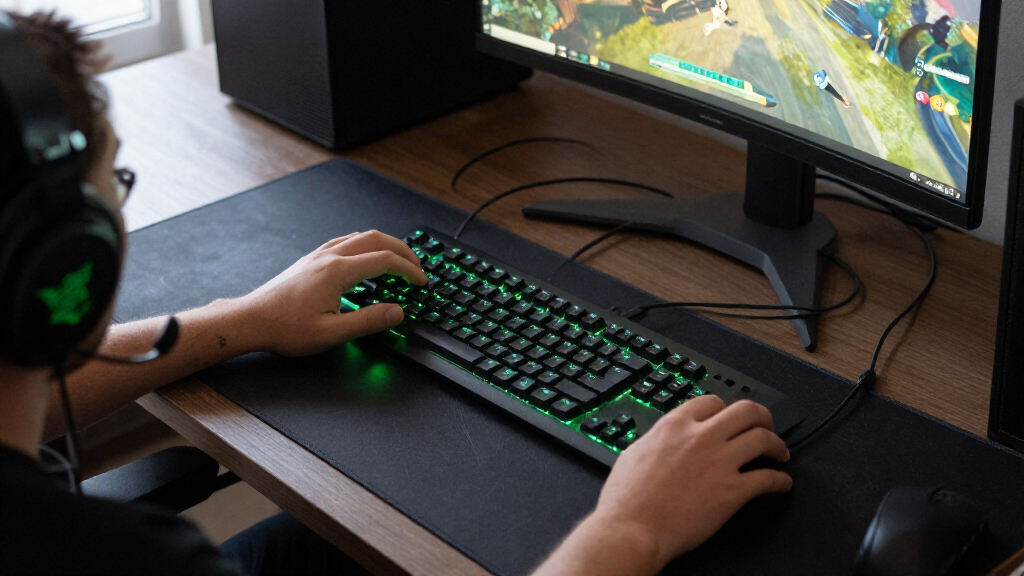
The best Razer gaming gear depends on what you play and which parts of your setup need an upgrade. My best overall pick is the Razer Basilisk V3, a wired ergonomic mouse with flexible controls for varied games. The BlackShark V3 Pro stands out for wireless play with active noise cancellation, while the DeathAdder Essential offers a simpler wired starting point. Across this lineup, the main tradeoffs are wired reliability versus wireless freedom, specialized controls versus easy learning, and premium features versus a straightforward setup. Read on for all 15 picks, how they differ, and guidance on matching gear to your needs.

Get audio and creator gear delivered free with Prime
- Fast, free delivery on millions of items
- Prime Video, Amazon Music and more included
- Member-only deals all year
Complete the kit


Key Takeaways
- The Basilisk V3 is the most adaptable mouse pick: its ergonomic wired design suits mixed game libraries better than the more specialized Viper V4 Pro or Naga V3 Pro.
- Wireless does not automatically mean a better fit: the Basilisk V3 X HyperSpeed and BlackShark V3 X HyperSpeed add freedom from cables, while wired alternatives avoid charging and wireless setup.
- Headset choice hinges on what you need to hear and block out: the BlackShark V3 Pro adds ANC, while the BlackShark V2 X and Kraken favor simpler wired use.
- Desk accessories solve different problems: the Gigantus V2 XXL prioritizes a broad cloth surface, while the Goliathus Extended Chroma adds RGB lighting.
- The lineup rewards specific use cases: the Naga V3 Pro targets MMO control, the Viper V4 Pro prioritizes a lightweight esports mouse, and the Huntsman Mini saves keyboard space.
| Razer Mamba Elite Wired Gaming Mouse with 16,000 DPI Optical Sensor |  | Best Wired Mouse for Programmable Controls | Connectivity: USB wired | Sensor: Optical | Maximum sensitivity: 16,000 DPI | VIEW LATEST PRICE | See Our Full Breakdown |
| Razer BlackShark V2 X Gaming Headset with 7.1 Surround Sound |  | Best Multi-Platform Wired Headset | Driver size: 50 mm titanium-coated drivers | Connectivity: 3.5 mm audio jack | Surround sound: Software-enabled 7.1 on Windows 10 64-bit | VIEW LATEST PRICE | See Our Full Breakdown |
| Razer Kraken Wired Gaming Headset with Retractable Microphone, Black/Blue |  | Best Headset for On-Headset Controls | Driver size: 50 mm | Connectivity: Wired, 3.5 mm headphone jack | Sound: Software-enabled 7.1 surround sound on Windows 10 64-bit | VIEW LATEST PRICE | See Our Full Breakdown |
| Razer Gigantus V2 XXL Cloth Gaming Mouse Pad, Black |  | Best XXL Mouse Pad for Broad Desk Coverage | Size: XXL | Dimensions: 16.14 x 37.01 inches | Surface: Textured micro-weave cloth | VIEW LATEST PRICE | See Our Full Breakdown |
| Razer Basilisk V3 X HyperSpeed Wireless Gaming Mouse |  | Best Wireless Mouse for Long Battery Life | Connectivity: Bluetooth and Razer HyperSpeed Wireless | Controls: 9 programmable controls | Sensor: Razer 5G Advanced 18K optical sensor | VIEW LATEST PRICE | See Our Full Breakdown |
| Razer Basilisk V3 Ergonomic Wired Gaming Mouse |  | Best Overall Razer Gaming Mouse | Connectivity: USB wired | Buttons: 11 programmable | Sensor: Optical, up to 26,000 DPI | VIEW LATEST PRICE | See Our Full Breakdown |
| Razer Basilisk V3 Wired Ergonomic Gaming Mouse | | Best for Customizable Controls | Connectivity: USB wired | Design: Ergonomic with thumb rest and rubberized finish | Buttons: 11 programmable | VIEW LATEST PRICE | See Our Full Breakdown |
| Razer Goliathus Extended Chroma RGB Gaming Mousepad, Black |  | Best RGB Extended Mousepad | Surface: Micro-textured cloth | Base: Natural-foam rubber | Lighting: Customizable Chroma RGB edge lighting | VIEW LATEST PRICE | See Our Full Breakdown |
| Razer DeathAdder Essential Ergonomic Wired Gaming Mouse, Black | 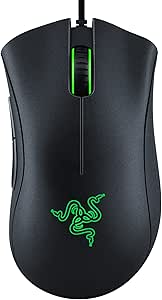 | Best Entry-Level Razer Mouse | Connectivity: Wired | Sensor: Optical, up to 6,400 DPI | Buttons: 5 programmable | VIEW LATEST PRICE | See Our Full Breakdown |
| Razer Tartarus V2 Left-Handed Gaming Keypad with 32 Programmable Keys | 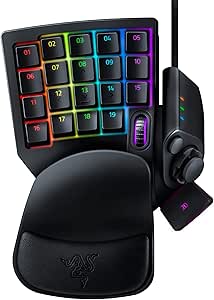 | Best Dedicated Gaming Keypad | Number of keys: 32 | Switch type: Mecha-Membrane | Thumbpad: 8-way directional | VIEW LATEST PRICE | See Our Full Breakdown |
| Razer Naga V3 Pro Wireless MMO Gaming Mouse with Swappable Side Plates |  | Best for MMO Players | Connectivity: Razer HyperSpeed Wireless, Bluetooth, USB-C wired | Side plate layouts: 12-button, 6-button, and 2-button | Programmable buttons: Up to 23 | VIEW LATEST PRICE | See Our Full Breakdown |
| Razer Viper V4 Pro Wireless Esports Gaming Mouse, 49 g, Black |  | Best for Competitive Play | Connectivity: Wireless; USB Type-A to USB Type-C cable included | Weight: 49 g | Sensor: Razer Focus Pro 50K Optical Sensor Gen-3 | VIEW LATEST PRICE | See Our Full Breakdown |
| Razer BlackShark V3 Pro Wireless Gaming Headset with ANC, Black |  | Best Premium Headset | Driver size: 50 mm | Microphone: Detachable HyperClear Full Band 12 mm | Connectivity: 2.4 GHz wireless, Bluetooth 5.3, USB, 3.5 mm | VIEW LATEST PRICE | See Our Full Breakdown |
| Razer BlackShark V3 X HyperSpeed Wireless Gaming Headset | 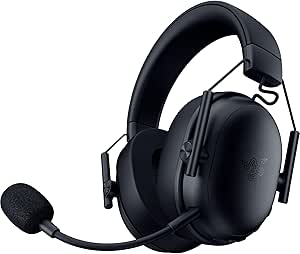 | Best Lightweight Wireless Headset | Driver size: 50 mm Gen-2 | Microphone: Detachable HyperClear cardioid, 9.9 mm | Connectivity: 2.4 GHz wireless, Bluetooth, USB | VIEW LATEST PRICE | See Our Full Breakdown |
| Razer Huntsman Mini 60% Gaming Keyboard with Linear Optical Switches |  | Best Compact Keyboard | Layout: QWERTY, 60%, 61 keys | Switch type: Linear optical | Connectivity: Wired; USB-C listed, Micro USB also listed | VIEW LATEST PRICE | See Our Full Breakdown |
| Razer gaming gear | Connectivity | Compatibility |
|---|---|---|
| Razer Mamba Elite Wired Gaming | USB wired | — |
| Razer BlackShark V2 X Gaming H | 3.5 mm audio jack | PC, Mac, PS4, PS5, Xbox One, Nintendo Switch |
| Razer Kraken Wired Gaming Head | Wired, 3.5 mm headphone jack | — |
| Razer Gigantus V2 XXL Cloth Ga | — | — |
| Razer Basilisk V3 X HyperSpeed | Bluetooth and Razer HyperSpeed Wireless | Mac and PC; Windows 10 or macOS 10.15 and later |
| Razer Basilisk V3 Ergonomic Wi | USB wired | Laptop and personal computer; Windows 10 or later |
| Razer Basilisk V3 Wired Ergono | USB wired | Laptops and personal computers; Windows 10 and Windows 11 |
| Razer Goliathus Extended Chrom | — | — |
| Razer DeathAdder Essential Erg | Wired | Gaming console, laptop, and personal computer |
| Razer Tartarus V2 Left-Handed | USB-A wired | — |
| Razer Naga V3 Pro Wireless MMO | Razer HyperSpeed Wireless, Bluetooth, USB-C wired | — |
| Razer Viper V4 Pro Wireless Es | Wireless; USB Type-A to USB Type-C cable included | PC and Mac; Razer Synapse 4 |
| Razer BlackShark V3 Pro Wirele | 2.4 GHz wireless, Bluetooth 5.3, USB, 3.5 mm | PC, Mac, PlayStation, Nintendo Switch, and mobile devices |
| Razer BlackShark V3 X HyperSpe | 2.4 GHz wireless, Bluetooth, USB | Mac, PS5, Nintendo Switch, smartphone |
| Razer Huntsman Mini 60% Gaming | Wired; USB-C listed, Micro USB also listed | — |
More Details on Our Top Picks
Razer Mamba Elite Wired Gaming Mouse with 16,000 DPI Optical Sensor
The Razer Mamba Elite suits players who want a dependable wired mouse with more controls than a basic gaming model. Its nine programmable buttons and onboard storage for five profiles make it easier to keep game-specific commands close at hand without reconfiguring the mouse each time. The 16,000 DPI optical sensor offers a broad sensitivity range, while its wired connection avoids battery management. Compared with the wireless Razer Basilisk V3 X HyperSpeed, the Mamba Elite gives up cable-free movement and has a lower maximum sensitivity, but it does not depend on a battery. Its right-handed shape and 4.96-ounce weight may not suit every grip or preference, and the cable can restrict movement. I’d pick it for a wired setup where programmable controls matter more than wireless flexibility.
Pros:- Nine programmable buttons support game-specific commands
- Onboard memory stores up to five profiles
- 16,000 DPI optical sensor provides adjustable sensitivity
- Chroma RGB lighting can be customized
Cons:- Wired connection restricts movement compared with the Basilisk V3 X HyperSpeed
- Right-handed design excludes left-handed users
- 4.96-ounce weight may feel heavy to players who prefer lighter mice
Best for: Right-handed PC players who want nine programmable buttons and stored profiles in a wired mouse
Not ideal for: Left-handed players or anyone who prioritizes unrestricted wireless movement and a battery-free cable setup
- Connectivity:USB wired
- Sensor:Optical
- Maximum sensitivity:16,000 DPI
- Programmable buttons:9
- Onboard profiles:Up to 5
- Lighting:Razer Chroma RGB
- Hand orientation:Right-handed
- Weight:4.96 ounces
Our verdict“Choose the Mamba Elite if you want a wired, right-handed mouse with extensive programmable controls and stored profiles.”
Razer BlackShark V2 X Gaming Headset with 7.1 Surround Sound
The BlackShark V2 X is a practical pick for players who move between consoles and computers and want one headset with a standard 3.5 mm connection. Its 240 g lightweight build and breathable foam cushions are suited to long sessions, while the closed earcups help limit sound leakage. The cardioid microphone is designed to focus on the wearer’s voice, and the 50 mm titanium-coated drivers handle game audio across multiple platforms. Unlike the Razer Kraken, it does not list cooling gel cushions or in-line volume and mute controls, so players who want those comfort and convenience details may prefer the Kraken. The V2 X’s software-enabled 7.1 surround sound is limited to 64-bit Windows 10, meaning console users won’t get that feature. Its wired connection also rules out wireless play.
Pros:- 3.5 mm connection supports a broad range of listed platforms
- Lightweight 240 g design and breathable foam cushions suit extended sessions
- Closed earcups help reduce sound leakage
- Cardioid microphone is designed to prioritize the wearer’s voice
Cons:- Software-enabled 7.1 surround sound is limited to 64-bit Windows 10
- Wired connection does not offer wireless freedom
- Xbox One may require a separately purchased stereo adapter
Best for: Players who use a 3.5 mm headset across PC, Mac, PlayStation, Xbox, and Nintendo Switch
Not ideal for: Players seeking wireless audio, or console users who specifically want software-enabled 7.1 surround sound
- Driver size:50 mm titanium-coated drivers
- Connectivity:3.5 mm audio jack
- Surround sound:Software-enabled 7.1 on Windows 10 64-bit
- Microphone:Razer HyperClear cardioid
- Design:Over-ear, closed earcups
- Weight:240 g
- Compatibility:PC, Mac, PS4, PS5, Xbox One, Nintendo Switch
Our verdict“Choose the BlackShark V2 X if you need a lightweight wired headset that can connect to several gaming platforms.”
Razer Kraken Wired Gaming Headset with Retractable Microphone, Black/Blue
The Razer Kraken stands out for players who want quick access to volume and microphone mute without reaching for a keyboard or software menu. Its in-line controls and retractable noise-isolating microphone make those adjustments straightforward, while cooling gel-infused cushions and a lightweight aluminum frame are designed for long wear. Like the BlackShark V2 X, it connects through a 3.5 mm jack and offers software-enabled 7.1 surround sound only on 64-bit Windows 10. The Kraken’s listed strengths are its retractable mic and dedicated controls; the BlackShark is lighter at 240 g, so it may be the better fit if low headset weight is the priority. At 11.36 ounces, the Kraken is heavier, and its wired connection limits movement compared with wireless alternatives.
Pros:- Retractable cardioid microphone helps isolate voice and stores away when unused
- In-line volume and microphone mute controls are easy to reach
- Cooling gel-infused cushions are designed for extended wear
- Bauxite aluminum frame is designed to be flexible and durable
Cons:- At 11.36 ounces, it weighs more than the BlackShark V2 X
- Software-enabled 7.1 surround sound is limited to 64-bit Windows 10
- 3.5 mm wired connection restricts movement
Best for: Console and PC players who want a retractable microphone and physical in-line volume and mute controls
Not ideal for: Players who prioritize a very lightweight headset, wireless freedom, or surround sound on platforms beyond Windows 10 64-bit
- Driver size:50 mm
- Connectivity:Wired, 3.5 mm headphone jack
- Sound:Software-enabled 7.1 surround sound on Windows 10 64-bit
- Microphone:Retractable cardioid noise-isolating
- Controls:In-line volume control and microphone mute switch
- Frame:Bauxite aluminum
- Weight:11.36 ounces
- Color:Black/Blue
Our verdict“Pick the Kraken if retractable mic storage and accessible in-line controls matter more to you than the lighter build of the BlackShark V2 X.”
Razer Gigantus V2 XXL Cloth Gaming Mouse Pad, Black
The Gigantus V2 XXL is for players who want a single surface for both mouse movement and a larger portion of the desk. Its 16.14-by-37.01-inch footprint gives low-sensitivity players room to make wide sweeps, and the micro-weave cloth surface is designed for smooth tracking across mouse sensors. A 4 mm high-density rubber-foam base adds cushioning and helps the pad lie flat on imperfect surfaces; its non-slip underside keeps it in place during play. Compared with the Goliathus Extended Chroma RGB, this model’s listed appeal is straightforward cloth coverage rather than RGB lighting. That simplicity may suit players who want function over desk illumination, but the XXL dimensions demand substantial space. Its 4 mm thickness can also feel bulky beside thinner pads.
Pros:- XXL dimensions provide room for broad mouse movements
- Micro-weave cloth surface is designed for smooth, responsive tracking
- Non-slip base helps keep the pad stable
- 4 mm high-density foam helps the pad lie flat on imperfect surfaces
Cons:- 37.01-inch length requires substantial desk space
- 4 mm thickness may feel bulky compared with thinner mouse pads
- Does not list RGB lighting like the Goliathus Extended Chroma RGB
Best for: Low-sensitivity mouse users and players who want a broad, non-RGB surface across a large desk
Not ideal for: Players with limited desk space or those who prefer thin pads and integrated RGB lighting
- Size:XXL
- Dimensions:16.14 x 37.01 inches
- Surface:Textured micro-weave cloth
- Thickness:4 mm
- Material:Rubber foam
- Base:Non-slip
- Weight:2 lb
- Color:Classic Black
Our verdict“Choose the Gigantus V2 XXL if you want expansive cloth coverage and have the desk space to accommodate it.”
Razer Basilisk V3 X HyperSpeed Wireless Gaming Mouse
The Razer Basilisk V3 X HyperSpeed makes the most sense for right-handed players who want wireless flexibility without frequent battery changes. It supports both HyperSpeed wireless and Bluetooth, with battery life listed at up to 285 hours over HyperSpeed or 535 hours over Bluetooth. Nine programmable controls and an 18,000 DPI optical sensor give it a capable gaming setup, while Gen-2 mechanical switches are rated for up to 60 million clicks. Against the wired Mamba Elite, the Basilisk removes the cable and offers a higher listed maximum sensitivity, but it requires an AA battery and its battery life varies with use. Its right-handed shape also narrows its audience, and players seeking a rechargeable mouse may prefer a different design. This is a flexibility-first pick, not a cable-free option with no upkeep.
Pros:- Bluetooth and HyperSpeed wireless provide two connection options
- Battery life is listed at up to 535 hours over Bluetooth
- Nine programmable controls support customizable commands
- 18,000 DPI sensor and Gen-2 switches rated for up to 60 million clicks
Cons:- Requires one AA battery rather than built-in rechargeable power
- Battery life varies with usage conditions
- Right-handed design does not suit left-handed players
Best for: Right-handed PC or Mac players who want dual-mode wireless connectivity, programmable controls, and long intervals between battery changes
Not ideal for: Left-handed players or those who want a rechargeable mouse and do not want to manage an AA battery
- Connectivity:Bluetooth and Razer HyperSpeed Wireless
- Controls:9 programmable controls
- Sensor:Razer 5G Advanced 18K optical sensor
- Maximum sensitivity:18,000 DPI
- Switches:Gen-2 mechanical, rated for up to 60 million clicks
- Battery life:Up to 285 hours on HyperSpeed; up to 535 hours on Bluetooth
- Battery:1 AA battery, included
- Compatibility:Mac and PC; Windows 10 or macOS 10.15 and later
Our verdict“Choose the Basilisk V3 X HyperSpeed if you want a wireless, right-handed gaming mouse with two connection modes and long stated battery life.”
Razer Basilisk V3 Ergonomic Wired Gaming Mouse
The Basilisk V3 is my strongest all-around pick here for players who want extensive controls without moving to a dedicated keypad. Its 11 programmable buttons and dual-mode HyperScroll wheel make switching between game commands and everyday tasks easier; the wheel can free-spin through long pages or provide tactile steps for controlled scrolling. Compared with the simpler DeathAdder Essential, it offers a higher 26,000 DPI ceiling, more inputs, and customizable Chroma lighting, but that extra control comes with a more feature-heavy setup. The right-handed ergonomic shape and thumb rest suit players who prefer a supported grip, while the wired connection avoids battery management. Skip it if you need wireless freedom or a mouse that works equally well in either hand.
Pros:- 11 programmable buttons accommodate macros and secondary commands
- HyperScroll wheel switches between free-spin and tactile scrolling
- Ergonomic right-handed body includes a thumb rest
- 26,000 DPI sensor and 11 customizable Chroma zones offer extensive adjustment
Cons:- Wired USB connection restricts movement compared with wireless options
- Right-handed shape excludes left-handed users
- Many controls and lighting options may be unnecessary for players seeking a basic mouse
Best for: Right-handed PC players who want programmable game controls, a versatile scroll wheel, and a wired mouse without stepping up to a specialized MMO model.
Not ideal for: Left-handed players and desk setups that need wireless movement or minimal cable clutter.
- Connectivity:USB wired
- Buttons:11 programmable
- Sensor:Optical, up to 26,000 DPI
- Scroll wheel:HyperScroll tilt wheel with free-spin and tactile modes
- Lighting:11 customizable Razer Chroma zones
- Switches:Razer Optical Mouse Switches Gen-2, rated up to 70 million clicks
- Hand orientation:Right-handed
- Compatibility:Laptop and personal computer; Windows 10 or later
Our verdict“Choose the Basilisk V3 if you want a feature-rich, right-handed wired mouse with more controls and scroll flexibility than the DeathAdder Essential.”
Razer Basilisk V3 Wired Ergonomic Gaming Mouse
This Basilisk V3 is a strong match for players who want a high-sensitivity sensor and a bank of controls they can tailor to different games. Like the other Basilisk V3 in this roundup, it pairs 11 programmable buttons with a dual-mode HyperScroll tilt wheel, so it offers more command flexibility than the five-button DeathAdder Essential. Its 26,000 DPI optical sensor gives players room to adjust cursor response, though a high maximum setting is not a substitute for choosing a comfortable sensitivity. The rubberized finish and thumb rest support a secure right-handed grip, while the wired design keeps the mouse connected without battery changes. It is not a clear choice for shoppers comparing it with the other Basilisk V3 listing: their supplied feature sets are nearly identical, so buyers should verify the exact listing and included details.
Pros:- 11 programmable buttons provide room for game-specific commands
- 26,000 DPI optical sensor supports adjustable cursor sensitivity
- Thumb rest and rubberized finish support a stable right-handed grip
- Dual-mode scroll wheel and 11 Chroma zones add control and customization
Cons:- USB cable limits movement compared with wireless gaming mice
- Right-handed shape is not suited to left-handed use
- Supplied feature details closely overlap the other Basilisk V3 listing, making the distinction unclear
Best for: Right-handed PC gamers who want remappable controls, adjustable sensitivity, and Chroma lighting in a wired ergonomic mouse.
Not ideal for: Left-handed users, wireless-first setups, or buyers who want a clearly differentiated alternative to the other Basilisk V3 listing.
- Connectivity:USB wired
- Design:Ergonomic with thumb rest and rubberized finish
- Buttons:11 programmable
- Sensor:Optical, up to 26,000 DPI
- Scroll wheel:Dual-mode HyperScroll tilt wheel
- Lighting:11 customizable Chroma zones
- Switches:Razer Optical Mouse Switches Gen 2
- Compatibility:Laptops and personal computers; Windows 10 and Windows 11
Our verdict“Pick this Basilisk V3 for customizable wired controls, but compare the two Basilisk listings carefully because their stated features are almost the same.”
Razer Goliathus Extended Chroma RGB Gaming Mousepad, Black
The Goliathus Extended Chroma suits a setup where the mousepad should cover a broad area and contribute to the lighting scheme. Its micro-textured cloth surface is designed to balance speed and control, while the nonslip rubber base helps keep the mat steady during mouse movement. The illuminated edge sets it apart from the plain-cloth Gigantus V2 XXL: this is the better fit for Chroma synchronization, not necessarily for buyers who just want a large tracking surface. That lighting is also the main tradeoff, since its synchronized effects are most useful with compatible games and devices. Choose it for a coordinated desk aesthetic; skip it if you prefer an unlit pad or do not plan to use the lighting features.
Pros:- Extended micro-textured cloth surface is designed to balance speed and precision
- Customizable RGB edge lighting supports Chroma synchronization
- Nonslip rubber base helps hold the mat in place
- Offers an illuminated alternative to the plain-cloth Gigantus V2 XXL
Cons:- Lighting synchronization depends on compatible games and devices
- RGB edge lighting may add little value to users seeking only a tracking surface
- The supplied details do not specify the pad’s dimensions
Best for: PC gamers building a Chroma-coordinated desk who want a large cloth surface for both mouse movement and lighting effects.
Not ideal for: Players who want a simple, unlit mousepad or will not use compatible devices and games for lighting synchronization.
- Surface:Micro-textured cloth
- Base:Natural-foam rubber
- Lighting:Customizable Chroma RGB edge lighting
- Supported colors:16.8 million
- Shape:Rectangular
- Color:Classic Black
- Warranty:1 year
Our verdict“Choose the Goliathus Extended Chroma if desk-wide RGB coordination matters; choose the Gigantus V2 XXL if you want a straightforward cloth pad instead.”
Razer DeathAdder Essential Ergonomic Wired Gaming Mouse, Black
The DeathAdder Essential keeps the mouse experience simple: an ergonomic right-handed shape, five programmable buttons, and a 6,400 DPI optical sensor. That makes it a more approachable choice than either Basilisk V3, which adds 11 buttons, a more elaborate scroll wheel, and Chroma zones. The lower feature count can be a benefit for players who want basic remapping without extra lighting or a larger command layout, but it also leaves less room for macros and game-specific shortcuts. Its wired connection avoids charging, and stated compatibility extends to consoles, laptops, and PCs. The tradeoffs are a cable and mechanical switches rated for up to 10 million clicks, well below the Basilisk V3’s stated switch durability. Left-handed buyers should look elsewhere.
Pros:- Ergonomic right-handed shape is intended for extended sessions
- Five programmable buttons allow basic remapping and macros
- Works with gaming consoles, laptops, and personal computers
- Wired connection needs no battery charging
Cons:- 6,400 DPI ceiling is lower than the 26,000 DPI Basilisk V3 models
- Five buttons provide fewer shortcuts than either Basilisk V3
- Mechanical switches are rated for up to 10 million clicks, below the Basilisk V3’s stated rating
Best for: Newer PC or console players who want a straightforward right-handed gaming mouse with basic button remapping and broad operating-system compatibility.
Not ideal for: Players who need many programmable inputs, a high-DPI ceiling, wireless movement, or a mouse shaped for left-handed use.
- Connectivity:Wired
- Sensor:Optical, up to 6,400 DPI
- Buttons:5 programmable
- Switch durability:Mechanical switches rated up to 10 million clicks
- Hand orientation:Right-handed
- Compatibility:Gaming console, laptop, and personal computer
- Operating systems:Windows, macOS, and Linux
- Cable length:5.0 meters
Our verdict“Choose the DeathAdder Essential for a simple, wired right-handed mouse; move to the Basilisk V3 if you need more controls or a higher sensor ceiling.”
Razer Tartarus V2 Left-Handed Gaming Keypad with 32 Programmable Keys
The Tartarus V2 is not a replacement for a full keyboard; it is a dedicated left-hand control surface for players who want commands close to the mouse hand. Its 32 programmable keys, 8-way thumbpad, and three-way scroll wheel offer more room for custom actions than the 11-button Basilisk V3, making it especially suited to games with many bindings or repeated macros. An adjustable two-position palm rest helps tailor the fit, and individually programmable RGB keys allow per-key lighting. The tradeoff is a specialized layout: it requires desk space and practice, and it connects by wired USB-A. Buyers who prefer standard keyboard movement or want a compact all-purpose keyboard should skip it. The stated left-hand orientation also makes checking intended hand placement important before choosing.
Pros:- 32 programmable keys provide extensive room for commands and macros
- 8-way thumbpad adds directional input
- Adjustable two-position palm rest supports fit customization
- Individually programmable RGB keys allow per-key lighting
Cons:- Wired USB-A connection limits placement flexibility
- Specialized keypad layout is not a full keyboard replacement
- Dedicated controls and palm rest need more desk space than a standard mouse
Best for: Players who want a dedicated left-hand keypad for custom game bindings, macros, and directional control alongside a separate mouse.
Not ideal for: Gamers seeking a full replacement keyboard, a wireless control pad, or a familiar standard typing layout.
- Number of keys:32
- Switch type:Mecha-Membrane
- Thumbpad:8-way directional
- Scroll wheel:3-way
- Backlighting:Individually programmable RGB, 16.8 million colors
- Connectivity:USB-A wired
- Hand orientation:Left
- Dimensions:6.02 x 2.36 x 0.8 inches
- Palm rest:Adjustable two-position
Our verdict“Choose the Tartarus V2 if you want far more custom commands than the Basilisk V3 can provide and are comfortable using a dedicated wired keypad.”
Razer Naga V3 Pro Wireless MMO Gaming Mouse with Swappable Side Plates
The Naga V3 Pro earns its place for players who want one mouse to handle MMO hotbars and less button-heavy games. Its three magnetic side plates switch between 12-, 6-, and 2-button layouts, so you can add thumb controls for raids or simplify the grip for other genres. That makes it more adaptable than the Razer Basilisk V3 X HyperSpeed, which favors a conventional button arrangement rather than interchangeable plates. The tradeoff is a more involved setup: up to 23 programmable buttons are useful only if you take time to map them, and full Synapse customization is limited to Windows. Wireless, Bluetooth, and USB-C wired modes add flexibility, while the long stated battery life suits extended play. I’d skip it if you want a simple, lightweight mouse without extra controls to configure.
Pros:- Three interchangeable side plates let you tailor thumb controls to different games
- Up to 23 programmable buttons support complex MMO shortcuts and macros
- HyperSpeed wireless, Bluetooth, and USB-C wired modes provide flexible connections
- Long stated battery life, especially over Bluetooth
Cons:- Full Razer Synapse customization is available only on Windows
- The many buttons and layout options can take time to configure
- Wireless charging systems are sold separately
Best for: MMO players who switch between games or workflows and want different thumb-button layouts on one wireless mouse
Not ideal for: Players who prefer a simple, light mouse with few controls, or Mac users who need full Synapse customization
- Connectivity:Razer HyperSpeed Wireless, Bluetooth, USB-C wired
- Side plate layouts:12-button, 6-button, and 2-button
- Programmable buttons:Up to 23
- Sensor:Razer Focus Pro 50K Optical Sensor Gen-3
- Maximum sensitivity:50,000 DPI
- Tracking speed and acceleration:930 IPS; 90G
- Switches:Razer Optical Mouse Switches Gen-4; rated for over 100 million clicks
- Battery life:Up to 155 hours on HyperSpeed Wireless or 280 hours on Bluetooth
- Software:Razer Synapse; full customization on Windows, core functions and onboard settings on macOS
Our verdict“Choose the Naga V3 Pro if customizable MMO controls matter more than a simple layout and minimal setup.”
Razer Viper V4 Pro Wireless Esports Gaming Mouse, 49 g, Black
The Viper V4 Pro is the focused pick here for competitive players who want a light, symmetrical mouse rather than the configurable thumb controls of the Razer Naga V3 Pro. At 49 g, it is suited to quick repositioning, while its sensor and switches prioritize responsive tracking and repeated clicks. The headline 8000 Hz polling rate is available for players chasing high-frequency input, but it comes with a clear battery compromise: stated life falls from up to 180 hours at 1000 Hz to 45 hours at 8000 Hz. That makes the lower polling setting a more practical everyday choice for many. Synapse 4 offers performance customization on PC and Mac, though some settings depend on the software. This is less suited to MMO players who need a bank of side buttons.
Pros:- 49 g weight supports quick, low-effort mouse movement
- Up to 8000 Hz polling gives competitive players a high-frequency input option
- Focus Pro 50K Gen-3 sensor supports up to 930 IPS and 90 G acceleration
- Stated battery life reaches up to 180 hours at 1000 Hz
Cons:- Battery life falls to up to 45 hours when using 8000 Hz polling
- Some customization features require Razer Synapse 4
- Its streamlined button layout is less suited to MMO shortcut-heavy play than the Naga V3 Pro
Best for: Competitive FPS players seeking a lightweight symmetrical wireless mouse and adjustable high polling rates
Not ideal for: MMO players who rely on numerous thumb buttons, or wireless users unwilling to recharge more often at 8000 Hz
- Connectivity:Wireless; USB Type-A to USB Type-C cable included
- Weight:49 g
- Sensor:Razer Focus Pro 50K Optical Sensor Gen-3
- Maximum DPI:50,000
- Maximum tracking speed and acceleration:930 IPS; 90 G
- Polling rate:Up to 8000 Hz
- Battery life:Up to 180 hours at 1000 Hz; up to 45 hours at 8000 Hz
- Switches:Razer Optical Mouse Switches Gen-4; rated for over 100 million clicks
- Compatibility:PC and Mac; Razer Synapse 4
Our verdict“Pick the Viper V4 Pro for lightweight competitive play, provided you are comfortable trading battery life for 8000 Hz polling.”
Razer BlackShark V3 Pro Wireless Gaming Headset with ANC, Black
The BlackShark V3 Pro is the headset in this group for buyers who want the broadest connection options and active noise cancellation, not the lightest fit. Its hybrid ANC, detachable microphone, and 2.4 GHz wireless, Bluetooth, USB, and 3.5 mm connections make it more versatile than the BlackShark V3 X HyperSpeed, which is lighter but does not list ANC or a 3.5 mm connection. Up to 70 hours of 2.4 GHz battery life helps reduce charging interruptions, while THX Spatial Audio adds a PC-focused feature for supported Windows systems. At approximately 367 g, though, it is substantially heavier than the V3 X’s 270 g, a real tradeoff for long sessions. I’d choose it for noise control and connectivity, not if low weight is the priority.
Pros:- Hybrid active noise cancellation helps reduce surrounding distractions
- 2.4 GHz, Bluetooth 5.3, USB, and 3.5 mm connections suit varied devices
- Up to 70 hours of battery life over 2.4 GHz wireless
- Detachable microphone and broad stated compatibility
Cons:- Approximately 367 g makes it heavier than the BlackShark V3 X HyperSpeed
- THX Spatial Audio is limited to supported Windows systems
Best for: Players who game across PC and consoles, want ANC, and value several wired and wireless connection choices
Not ideal for: Headset buyers who prioritize a lightweight fit for long sessions or need THX Spatial Audio outside supported Windows systems
- Driver size:50 mm
- Microphone:Detachable HyperClear Full Band 12 mm
- Connectivity:2.4 GHz wireless, Bluetooth 5.3, USB, 3.5 mm
- Wireless latency:As low as 10 ms
- Battery life:Up to 70 hours on 2.4 GHz
- Weight:Approximately 367 g
- Frequency response:12 Hz–28 kHz
- Spatial audio:THX Spatial Audio with 7.1.4 surround on supported Windows systems
- Compatibility:PC, Mac, PlayStation, Nintendo Switch, and mobile devices
Our verdict“Choose the BlackShark V3 Pro for ANC and connection flexibility if its heavier fit is acceptable.”
Razer BlackShark V3 X HyperSpeed Wireless Gaming Headset
At 270 g, the BlackShark V3 X HyperSpeed is the lighter, simpler headset choice beside the feature-rich BlackShark V3 Pro. It keeps the essentials many players need—2.4 GHz wireless, Bluetooth, USB, a detachable microphone, and up to 70 hours of stated battery life—without the Pro model’s listed ANC or 3.5 mm connection. That means less weight on the head, but fewer options for blocking outside noise or connecting through an analog jack. Its 7.1 surround sound is intended to help with positional cues, though support can depend on the platform or software, so I would not choose it on that feature alone. This model makes more sense for multi-device users who value a lighter headset over premium noise control.
Pros:- 270 g weight is lower than the BlackShark V3 Pro’s approximately 367 g
- Supports 2.4 GHz wireless, Bluetooth, and USB connections
- Detachable cardioid microphone suits voice chat and microphone-free listening
- Up to 70 hours of stated battery life
Cons:- No active noise cancellation is listed, unlike the BlackShark V3 Pro
- 7.1 surround sound may depend on platform or software support
- Does not list a 3.5 mm connection
Best for: Players who want a lightweight wireless headset with detachable voice chat and connections for several devices
Not ideal for: Buyers who need active noise cancellation, an analog 3.5 mm connection, or platform-independent surround features
- Driver size:50 mm Gen-2
- Microphone:Detachable HyperClear cardioid, 9.9 mm
- Connectivity:2.4 GHz wireless, Bluetooth, USB
- Surround sound:7.1
- Weight:270 g
- Ear placement:Over-ear
- Battery life:Up to 70 hours
- Compatibility:Mac, PS5, Nintendo Switch, smartphone
Our verdict“Pick the BlackShark V3 X HyperSpeed if a lighter fit and multi-device wireless matter more than ANC and analog connectivity.”
Razer Huntsman Mini 60% Gaming Keyboard with Linear Optical Switches
The Huntsman Mini makes the most sense for desk setups where mouse space matters more than dedicated keys. Its 60% layout trims the keyboard to 61 keys, leaving more room for broad mouse movements than a full-size board, but users give up separate navigation and function-key rows. That is a more pronounced space-saving choice than the other gear here: unlike the mice, it cannot add controls through a swappable layout, so buyers should be comfortable using key combinations. Linear optical switches are designed for fast actuation, while the aluminum frame and doubleshot PBT keycaps give the compact board a sturdy, durable construction. Compared with the larger control options in the roundup, this is a specialist pick for minimal desks, not a general-purpose keyboard for frequent number-pad or navigation-key use.
Pros:- Compact 61-key layout frees desk space for mouse movement
- Linear optical switches are designed for fast actuation
- Aluminum frame and doubleshot PBT keycaps provide durable construction
- Individually backlit RGB keys support lighting customization
Cons:- The 60% layout removes dedicated key rows and requires key combinations for some functions
- Not water resistant
- Listed connection details name both USB-C and Micro USB
Best for: FPS players and small-desk users who want more mouse room and are comfortable with a 60% keyboard layout
Not ideal for: Users who regularly need dedicated navigation or function keys, a number pad, or water resistance
- Layout:QWERTY, 60%, 61 keys
- Switch type:Linear optical
- Connectivity:Wired; USB-C listed, Micro USB also listed
- Backlighting:Individually backlit RGB keys
- Frame material:Aluminum
- Keycap material:Doubleshot PBT
- Dimensions:11.56 × 4.07 × 1.45 in
- Compatible devices:Laptop, PC
- Water resistance:Not water resistant
Our verdict“Choose the Huntsman Mini if reclaiming desk space matters more than having dedicated keys for every function.”
How We Picked
I compared the 15 products by the job each one does, focusing on control, comfort, connection type, build, and setup demands. For mice, that means weighing ergonomics and programmable controls against weight and game-specific needs; for headsets, I looked at wired or wireless use, microphone design, and features such as ANC. I also considered how much desk space a pad or compact keyboard saves, and whether a specialized device adds useful control or extra complexity.
The ranking favors versatility and a clear buyer benefit over a long feature list. That places the Basilisk V3 first as a flexible everyday mouse, while the Viper V4 Pro, Naga V3 Pro, BlackShark V3 Pro, and Huntsman Mini rank as stronger fits for defined needs. Simpler wired picks remain relevant when they avoid charging or unnecessary setup, but buyers should skip them if their priority is wireless freedom or specialized controls.
Factors to Consider When Choosing Best Razer Gaming Gear
Before choosing a Razer device, decide which part of your setup needs to change and what problem the new gear should solve. These options range from straightforward wired peripherals to wireless and highly specialized models, so the right choice depends on your habits rather than the longest feature list.
Match the mouse to your games and grip
A mouse that feels natural for long sessions can matter more than a headline sensor number. Ergonomic shapes such as the Basilisk and DeathAdder families suit buyers who prefer a more contoured hold, while the Viper V4 Pro puts its emphasis on lightweight esports use. MMO players may get more from the Naga V3 Pro’s swappable side plates than from a general-purpose mouse. A common mistake is choosing by DPI alone: sensitivity can be adjusted, but shape and button placement are harder to work around. If you play several genres, prioritize comfort and adaptable controls over a narrow specialty. If you mainly play one genre, a purpose-built layout may be worth the learning curve.
Choose wired or wireless based on routine
Wireless gear cuts cable clutter and gives more freedom to reposition, but it brings charging and connection management into the routine. The Basilisk V3 X HyperSpeed and BlackShark V3 X HyperSpeed suit players who value that flexibility. Wired models such as the Basilisk V3, BlackShark V2 X, and Kraken avoid battery upkeep and keep the connection simple. Do not pay for wireless merely because it sounds like an upgrade if your desk stays fixed and cables do not bother you. On the other hand, a cable can snag or constrain movement on a compact desk. Decide which inconvenience you are more willing to manage before comparing other features.
Spend on features you will use
Premium features matter most when they address a frequent problem. The BlackShark V3 Pro’s ANC may help in a noisy environment, while the Viper V4 Pro’s very light 49 g design targets fast, competitive mouse movement. The Naga V3 Pro makes sense when side-button access is central to your play, not just because it offers more controls. Extra features can add setup steps, charging needs, or controls you never use. Beginners often get more practical value from a simpler device they can set up quickly. List the two or three features you expect to use every week, then judge the upgrade against that list.
Treat desk space as part of the decision
A peripheral can fit your play style and still make a poor match for your desk. The Huntsman Mini’s 60% layout frees room for mouse movement, but its compact form removes dedicated keys that some users rely on. An XXL cloth pad provides a broad, consistent surface, while an extended RGB pad adds lighting as well as coverage. Before buying a large pad, measure the space available and account for your keyboard, mouse, and other desk items. Compact keyboards can also require learning where less frequently used keys live. Choose the layout that supports how you work and play, not just the footprint that looks cleanest.
Think about maintenance and shared use
Daily upkeep can shape whether a feature feels convenient over time. Wireless devices need charging, cloth pads can collect dust and need cleaning, and an illuminated pad adds another cable and lighting control to manage. Headsets used in shared or noisy spaces may benefit more from noise control than a model chosen solely for its gaming label. If equipment moves between rooms or travels, consider how much cabling and desk setup you want to pack. For a shared computer, simpler connections and familiar controls can make handoffs easier. Look beyond the initial setup and ask what regular care the device will add.
Frequently Asked Questions
Which Razer mouse is the best starting point if I play different kinds of games?
The Basilisk V3 is the strongest starting point in this lineup for mixed genres because its ergonomic shape and configurable controls make it less narrowly focused than the Viper V4 Pro or Naga V3 Pro. Choose the Viper instead if low weight and competitive mouse movement are your main priorities. The Naga is a better fit when MMO-style access to many side controls is central to how you play. If you want a simpler wired mouse, the DeathAdder Essential is a less feature-heavy alternative. Let comfort and game habits guide the choice, not a single specification.
Should I choose the BlackShark V3 Pro or a wired Razer headset?
The BlackShark V3 Pro is the more feature-focused choice for buyers who want wireless play and ANC, especially if nearby noise is a regular distraction. The wired BlackShark V2 X and Kraken avoid charging and keep connection setup straightforward. A wireless headset can reduce cable clutter, but it also means tracking battery charge and managing a wireless connection. Think about where you play and whether noise reduction will make a meaningful difference there. If you do not need wireless freedom or ANC, a wired model may be the simpler match.
Is a compact keyboard like the Huntsman Mini suitable as my only keyboard?
It can work as an only keyboard if you are comfortable using a compact layout and accessing less common keys through alternate functions. Its 60% size saves desk space, which can be useful if you need more room for mouse movement. The tradeoff is that a smaller layout does not provide the same dedicated key access as a full-size board. Before choosing it, consider whether you frequently use function keys, navigation keys, or a number pad. If those keys are part of your daily routine, the space saving may not be worth the adjustment.
Do I need a Razer RGB mouse pad, or is a plain cloth pad enough?
A plain cloth pad is enough if you mainly want a broad surface for mouse movement and do not care about lighting. The Gigantus V2 XXL is the straightforward pick for expanded coverage, while the Goliathus Extended Chroma adds RGB lighting to an extended pad format. Lighting also adds another cable and may bring extra control steps to your setup. Measure your desk first, since a large pad can crowd other equipment. Choose RGB for the visual effect you want, not because it is required for mouse use.
Which Razer gear makes the most sense for a beginner on a fixed setup?
A beginner with a stationary desk may find wired devices easier to manage because they do not need charging or wireless setup. The DeathAdder Essential is a straightforward mouse option, and the BlackShark V2 X is a simpler wired headset choice. Buyers who want one mouse with more adaptable controls can step up to the Basilisk V3. The best starting point depends on which device needs replacing first, so there is no need to buy a coordinated set. Add specialized gear later when a specific limitation becomes clear.
Conclusion
For most mixed-game setups, I recommend the Basilisk V3 as the best overall pick for its adaptable ergonomic design and wired simplicity. The DeathAdder Essential is the best value-style choice for buyers who want a basic wired mouse, while the BlackShark V3 Pro is the best premium headset pick for wireless use with ANC. Beginners should start with straightforward wired gear such as the DeathAdder Essential or BlackShark V2 X rather than paying for features they may not use. For specific needs, choose the Naga V3 Pro for MMO controls, the Viper V4 Pro for lightweight esports play, or the Huntsman Mini for a compact keyboard. Match the device to your real bottleneck—comfort, cable clutter, noise, desk space, or game-specific control—and the best Razer gear becomes much easier to identify.