🔍 Read the full analysis: 10 Best 3D Printers For Colorful Models And Projects Around The House In 2027 on ThorstenMeyerAI.com

Get audio and creator gear delivered free with Prime
- Fast, free delivery on millions of items
- Prime Video, Amazon Music and more included
- Member-only deals all year
TL;DR
The supplied buyer’s guide ranks 10 printers for home projects, placing the Bambu Lab P2S Combo first and identifying other models for open-frame printing, four-toolhead color changes and CoreXY printing. The guide presents editorial recommendations; the supplied material does not document independently measured test results.
The original 3D printer buyer’s guide ranks the Bambu Lab P2S Combo first, citing its enclosure and included multicolor material system. The guide also compares open-frame hobby machines, printers sold without bundled color hardware and models with different approaches to speed or filament changes, as does this home 3D printer comparison. The supplied material presents the rankings as a buying comparison, not an announcement of new products.
The guide ranks the P2S Combo first for buyers seeking an enclosure and multicolor capability in one package. It describes the Bambu Lab A1 Combo as an option for hobbyists and identifies the Snapmaker U1 by its four-toolhead setup. These are the guide’s assessments of each model’s intended fit, not claims that one printer suits every project.
The comparison distinguishes the Bambu Lab P1S from the P1S Combo: according to the guide, the P1S is an enclosed printer without bundled multicolor hardware, while the Combo adds an AMS system. The guide also includes the Flashforge Adventurer 5M, citing its CoreXY design, and lists the Anycubic Kobra X, Flashforge AD5X and Bambu Lab K2 Combo as other options for multicolor printing. The supplied material names 10 models but does not provide detailed specifications or a full individual assessment for every pick.
The guide says its selection criteria include print-system design, material handling, enclosure, setup and maintenance, along with how clearly a machine suits a particular type of maker. It says it gives additional weight to whether color-handling hardware is included. The supplied material does not provide lab measurements, prices, test conditions or a dated scoring table, so it does not establish the rankings as verified performance benchmarks.
The 10 picks
- 1
 Snapmaker U1 3D Printer with 4-Toolhead and 5-Second Tool ChangerView on Amazon →
- 2
 Bambu Lab P2S Combo – P2S 3D Printer with AMS 2 Pro (Multi‑Color)View on Amazon →
- 3
 Bambu Lab P1S Combo 3D Printer with AMS – Multi‑Color PrintingView on Amazon →
- 4
 Creality K2 Combo 3D Printer, Multicolor Printing, Max 600mm/s Speed, Auto Le…View on Amazon →
- 5
 Bambu Lab A1 Combo + LED Lamp Kit (with AMS Lite)View on Amazon →
- 6
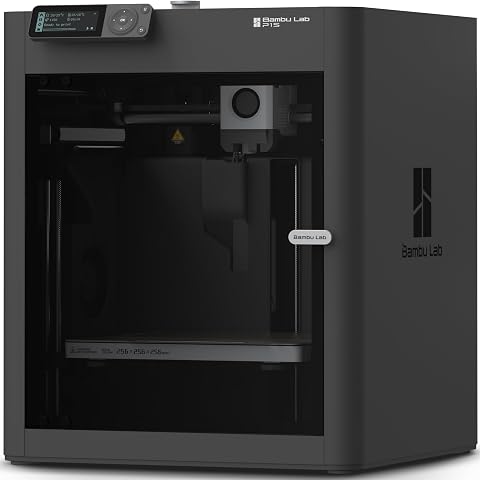 Bambu Lab P1S 3D PrinterView on Amazon →
- 7
 Anycubic Kobra X Multicolor 3D PrinterView on Amazon →
- 8
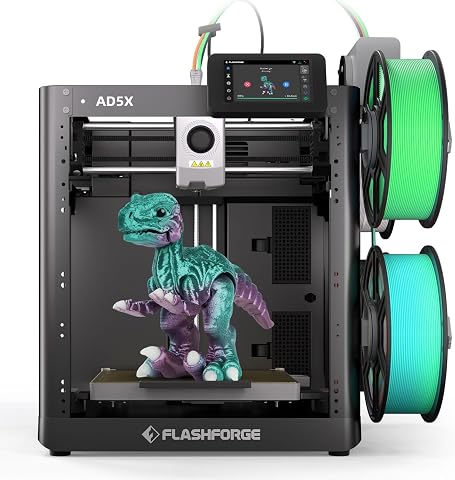 Flashforge AD5X Multi-Material 3D PrinterView on Amazon →
- 9
 Bambu Lab A1 FDM 3D PrinterView on Amazon →
- 10
 FLASHFORGE Adventurer 5M 3D Printer, All-Metal CoreXY, 600mm/s Max TravelView on Amazon →
Matching Printers to Home Projects
The guide frames the choice for buyers around multicolor convenience, enclosure and ease of use, rather than treating speed or maximum color count as the only considerations. It notes that a bundled material system may simplify getting started but can involve additional workflow steps and material waste. The guide also presents a standalone enclosed printer as an option for buyers who do not expect to print in multiple colors.
The guide recommends considering intended use when comparing features. It advises matching enclosure needs to the planned materials and workspace, and build volume to the objects a buyer expects to make. Those factors can affect the space, setup and upkeep required after purchase.
Products Worth Considering

Apple AirPods Pro 3 Wireless Earbuds with Active Noise Cancellation

Bose QuietComfort Headphones (2nd Gen), Wireless Noise-Cancelling Over-Ear Headphones, Black

Logitech MX Master 4 Ergonomic Wireless Mouse with Haptic Feedback, Graphite
As an affiliate, we earn on qualifying purchases.
How the Picks Were Compared
The source describes the list as an editorial comparison of 10 machines, ordered to prioritize broad usefulness before more specialized strengths. It distinguishes enclosed CoreXY printers from open-frame designs rather than relying on a single speed figure. The guide says a lower-ranked machine may still suit buyers with a more specific use case.
The source also distinguishes filament-switching systems from multiple-toolhead designs, which involve different workflows. It cautions that a higher color count alone does not establish which system is easier or more efficient. According to the guide, frequent color changes can increase print time and create purge waste, particularly on designs that use several colors across many layers.
What the Comparison Does Not Establish
The supplied source does not include independent test results, prices, measured print times, noise readings or failure rates. It also does not state a publication date, say whether all 10 printers were tested under the same conditions, or provide detailed model-by-model findings for every entry. The 2027 framing does not establish that the machines are newly released or that their availability and prices will remain unchanged.
The guide presents claims about speed and suitability as buying guidance, not as measured findings. Actual results can depend on model geometry, layer height, filament, cooling and print settings. Readers should check current manufacturer specifications and retailer listings before relying on a particular feature or price.
Check Fit Before Buying
The guide’s recommendations point readers toward comparing current specifications and costs with their intended projects. Check whether a printer bundle includes the multicolor hardware described in the guide, confirm material compatibility, and measure space for the machine, filament loading and build-plate access. Buyers planning mostly single-color prints can also compare the cost and upkeep of a simpler setup.
The supplied source does not include comparable hands-on tests of print quality, completion time, setup, maintenance or material waste. Those results would be needed to support a ranking based on measured performance.
Key Questions
Which printer does the guide rank first?
It ranks the Bambu Lab P2S Combo first, citing its enclosed design and included multicolor material system.
Is the P1S the same choice as the P1S Combo?
No. The guide describes the P1S as an enclosed printer without bundled multicolor hardware; the P1S Combo adds an AMS system.
What makes the Snapmaker U1 different?
The source identifies its four-toolhead system as a distinguishing feature. It does not provide comparative test results showing how that approach performs against filament-switching systems.
Does multicolor printing always make a better choice?
No. The guide says color changes can add print time and purge waste. Buyers who mostly make single-color functional parts may consider a simpler setup.
Are these rankings based on independent testing?
The supplied material does not document independent tests, shared test conditions or measured performance data. It presents the list as a buyer-focused editorial comparison.
Source: ThorstenMeyerAI.com