
🔍 Read the full analysis: How 8 E Ink Tablets Compare For Writing And Reading In 2027 on ThorstenMeyerAI.com

Get audio and creator gear delivered free with Prime
- Fast, free delivery on millions of items
- Prime Video, Amazon Music and more included
- Member-only deals all year
TL;DR
A comparison attributed to ThorstenMeyerAI.com examines eight E Ink tablets for writing, reading and software flexibility. Its main takeaway is that screen size and ecosystem choice matter as much as pen feel: compact color readers suit travel, while larger screens better fit document review. The source does not provide model-by-model specifications or explain how the devices were tested, and some product names and 2027 availability require verification.
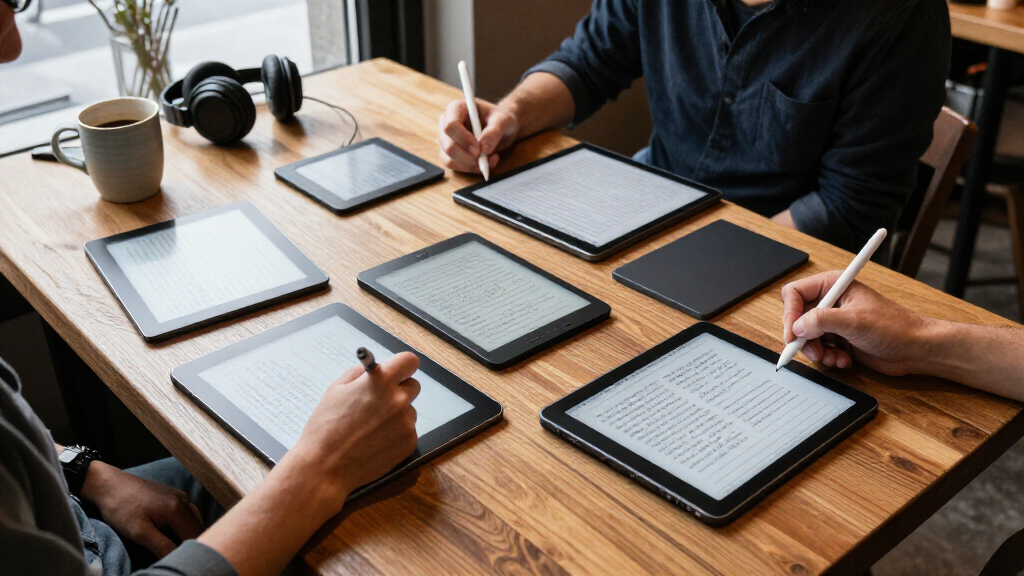
ThorstenMeyerAI.com has published a comparison of eight E Ink tablets for readers choosing between handwriting, digital reading and document work. It identifies the reMarkable Paper Pro as its best overall pick, while highlighting the tradeoffs between a focused, closed software system and the broader app support of Android-based devices. The source does not give a publication date or confirm that every named model will be available in 2027.
The comparison says it judged the devices on writing performance, display quality and ecosystem flexibility, topics also covered in this E Ink tablet buying guide. Its writing criteria included stylus latency, pressure sensitivity and screen texture; display criteria included resolution, refresh rate and front lighting. It says its rankings reflect how well each device balances those features for its intended use, but provides no test results or detailed scoring in the supplied material.
Among the named models, the source favors the reMarkable Paper Pro for note-taking and document annotation, citing its paper-like writing feel and integrated software, much like the options in this E Ink tablet roundup. It presents the BOOX Go Color 7 Gen II as a portable color option for commuting, and the Amazon Kindle Scribe Colorsoft as a larger writing surface for readers using Amazon’s Kindle ecosystem. These are the source’s assessments, not independently verified findings.
The material also names the BOOX Note Air6 C, Huion Ink EB1011, a standard Kindle Scribe and a “reMarkable Paper Pure.” It gives limited individual detail on those products. The source argues that Android-based BOOX devices allow more third-party apps and file flexibility, while closed systems emphasize a more constrained experience. It does not establish full compatibility for any particular app or file format.
The 8 picks
- 1
 reMarkable Paper Pro with Marker Plus and Black Leather Book FolioView on Amazon →
- 2
 reMarkable Paper Pro with Marker Plus and Basalt Book FolioView on Amazon →
- 3
 BOOX Note Air6 C 10.3-Inch Color E Ink Tablet, 6GB RAM, 64GB StorageView on Amazon →
- 4
 reMarkable Paper Pure with Marker Plus and Ocean Blue Sleeve FolioView on Amazon →
- 5
 Amazon Kindle Scribe (64GB) with Premium Pen – TungstenView on Amazon →
- 6
 Kindle Scribe Colorsoft 64GB (Newest Model) – 11" Color Display with Premium PenView on Amazon →
- 7
 Huion Ink EB1011 10.3-Inch E Ink Tablet with Dual Front LightView on Amazon →
- 8
 BOOX Go Color 7 Gen II 7-Inch E Ink TabletView on Amazon →
Choosing Between Paper Feel and App Freedom
The comparison’s practical point is that an E Ink tablet is not just a screen choice: the software ecosystem shapes what readers can do with notes and documents after writing them. Someone who wants a focused notebook may prefer a simpler system; someone who relies on specific apps or moves files among devices may value Android flexibility. Buyers should check actual app and file support before choosing.
Screen size and color are also functional tradeoffs. The source describes roughly 7-inch devices as more portable and screens of 10 inches or more as better suited to PDFs and document review. It says color E Ink can help with magazines, charts and annotated material, but may have lower contrast than monochrome displays. Those observations can guide a shortlist, but the article provides no standardized display measurements to compare the eight devices directly.
Products Worth Considering

LG UltraGear 32-inch QHD Curved Gaming Monitor, 180Hz, 1ms, FreeSync

Samsung Odyssey G55C 32-Inch QHD 1000R Curved Gaming Monitor

Samsung Galaxy Tab A11+ 11-Inch Tablet, 6GB RAM, 128GB Storage, Expandable Storage, Gray
As an affiliate, we earn on qualifying purchases.
The Criteria Behind the Comparison
The source frames its ranking around three competing priorities: natural handwriting, readable displays and software choice. It says dedicated styluses and textured screens can make handwriting feel more natural, while monochrome displays generally prioritize contrast and battery life. Color screens are described as useful for visual material, with compromises in contrast and refresh performance.
Its broader category advice is to match the device to the work: compact readers for travel and brief notes, and larger tablets for complex documents. The supplied text does not include a full list of all eight ranked picks, prices, release dates, battery test results or side-by-side specifications, so the comparison cannot serve as a complete purchasing chart on its own.
““The primary tradeoffs in this category involve balancing screen size against portability, and choosing between the simplicity of closed ecosystems like reMarkable and the flexibility of Android-based devices like BOOX.””
— ThorstenMeyerAI.com comparison
Missing Specs and 2027 Availability
The source does not identify when the comparison was published or confirm the availability of the named devices in 2027. It also does not provide a complete list of eight picks in the supplied material, despite describing the piece as a comparison of eight tablets. Several products receive little or no model-specific analysis.
Testing details remain limited: there are no measured latency figures, battery-life results, price comparisons, or clear scoring tables. The source’s descriptions of writing feel, contrast and app flexibility should be treated as its evaluations. Readers should verify current model names, regional availability, software support and specifications with manufacturers or retailers before buying.
Verify Models Before Buying
The immediate next step for readers is to compare current manufacturer specifications and confirm which models are sold in their region. Buyers should check screen size, stylus inclusion, file transfer options, app support and color-display performance against their own reading and writing needs. The supplied source does not announce a future test or update, so no follow-up publication is confirmed.
If the comparison is updated for 2027, a full ranked list with prices, test methods and model-by-model results would clarify how its recommendations were reached. Until then, its broad tradeoff framework is more useful than treating its rankings as a definitive buying guide.
Key Questions
Which tablet does the comparison call its best overall pick?
ThorstenMeyerAI.com names the reMarkable Paper Pro as its best overall choice, emphasizing note-taking and document annotation. That is the source’s judgment, not an independently verified ranking.
Which named model is presented as a portable color option?
The source describes the BOOX Go Color 7 Gen II as a compact color device suited to commuting. It does not provide measured battery or display results in the supplied material.
Are Android-based E Ink tablets more flexible?
The comparison says Android-based BOOX models offer broader app installation and file flexibility than closed systems such as reMarkable or Kindle. Specific app compatibility should be checked for each model.
What information is missing from the comparison material?
The supplied text lacks a complete eight-device ranking, detailed specifications, prices, test measurements and confirmation of 2027 availability. Readers should verify those details before purchasing.
Source: ThorstenMeyerAI.com