
📊 Full opportunity report: Simplify Complex Desktop Tasks With One-Time Voice Commands on IdeaNavigator AI — validation score, market gap, and execution plan.

Get audio and creator gear delivered free with Prime
- Fast, free delivery on millions of items
- Prime Video, Amazon Music and more included
- Member-only deals all year
TL;DR
A new system enables users to record complex desktop workflows and replay them via one-time voice commands. This development aims to streamline repetitive tasks for power users and improve productivity. The beta test is underway, with initial results focusing on common workflows.
IdeaNavigator AI has introduced a new voice command system that enables users to record complex desktop workflows and trigger them with a single spoken phrase. This innovation targets power users who spend hours on repetitive tasks, offering a potential shift in desktop automation by simplifying task execution through voice. The system is currently in beta testing, focusing on five common workflow archetypes, with plans to expand based on user feedback.
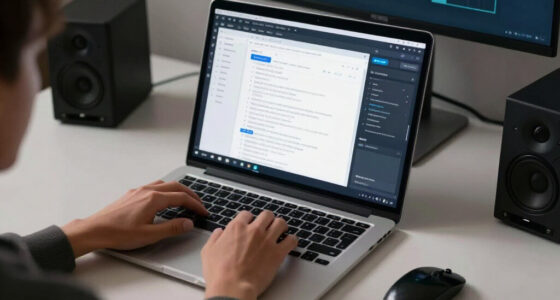
The new system allows users to record a workflow once, capturing actions such as clicks, file operations, and data transfers. These workflows are then associated with a spoken command that can be replayed on demand. During playback, users see a step-by-step visual of the process, with options to pause, approve, or rollback if something goes wrong. This approach aims to bridge the gap between manual repetition and full automation, which often remains inaccessible due to scripting complexity or brittle hotkey setups.
According to IdeaNavigator AI, the system leverages recent advances in screen-understanding models that can generalize from a single demonstration, making the process more accessible and trustworthy. The beta version targets five archetypes: batch renaming/resizing, report reformatting, and data transfer between applications. The company plans to measure success by weekly retention among around 200 power users, with a subscription model offering prosumer and team tiers for shared workflows.
Impact on Desktop Productivity for Power Users
This development could significantly reduce time spent on repetitive desktop tasks for power users, who often rely on scripting or hotkeys that require technical expertise. By enabling workflows to be recorded once and triggered via voice, the system lowers the barrier to automation, making it accessible even to non-programmers. If successful, this could lead to a new category of voice-activated desktop automation tools, transforming how professionals manage routine chores and increasing overall productivity.
Moreover, this approach could influence the broader market of desktop automation and productivity software, encouraging competitors to develop similar voice-driven solutions. It also aligns with ongoing trends toward more natural, intuitive interaction with computers, emphasizing ease of use and real-time control.
voice command desktop automation software
As an affiliate, we earn on qualifying purchases.
As an affiliate, we earn on qualifying purchases.
Recent Advances in Screen-Understanding and Automation
Traditional desktop automation relies heavily on scripting languages and hotkey setups, which often demand technical knowledge and are fragile when workflows change. Recent breakthroughs in screen-understanding models have enabled AI systems to interpret and generalize user actions from a single demonstration, reducing setup friction. Companies have experimented with visual automation tools, but few have integrated voice commands as a trigger for complex workflows at scale.
IdeaNavigator AI’s approach builds on these advances, aiming to make automation more intuitive and flexible. The beta testing phase will reveal whether users find the step-by-step replay, approval prompts, and rollback features sufficient to trust autonomous execution without extensive scripting or configuration.
Unanswered Questions About System Reliability and Adoption
It is not yet clear how well the system will perform across diverse workflows and user environments, especially in handling complex or error-prone tasks. The beta results will provide insights into its trustworthiness and robustness, but widespread adoption depends on user acceptance of the step-by-step replay and rollback features. Additionally, the scalability of shared workflow libraries and integration with existing automation tools remains to be seen.
Next Steps in Beta Testing and Feature Expansion
IdeaNavigator AI plans to continue beta testing with a focus on refining the user interface, expanding the range of supported workflows, and collecting user feedback on reliability. The company aims to release a more polished version for broader testing within the next few months, with potential integration of more advanced AI capabilities for generalizing workflows and improving accuracy. Successful validation could lead to commercial rollout and broader market adoption.
Key Questions
How easy is it to set up these voice-triggered workflows?
Users will record a workflow once, capturing all steps visually. The process is designed to be straightforward, with step-by-step prompts and visual feedback during setup.
Can the system handle complex or multi-step tasks?
The current beta supports five common workflow types. Its ability to handle more complex tasks will depend on future updates and user feedback during testing.
Will this work with all desktop applications?
The system is designed to work with a broad range of applications that can be scripted or controlled via visual actions, but compatibility may vary depending on application interfaces.
How does the rollback feature improve trust in automation?
The rollback allows users to revert to the last safe checkpoint if a step misfires, providing control and reducing the risk of errors during automation.
When will the product be available for general use?
The current phase is beta testing. If all goes well, a broader release could occur within the next several months, depending on user feedback and system stability.
Source: IdeaNavigator AI
Fall Picks
fall essentials
As an affiliate, we earn on qualifying purchases.