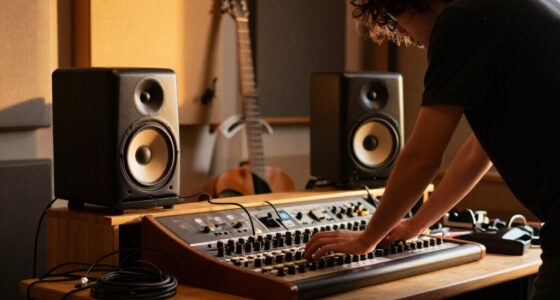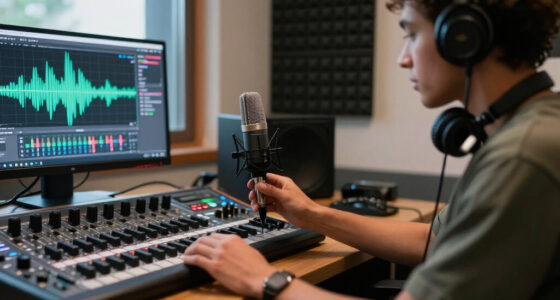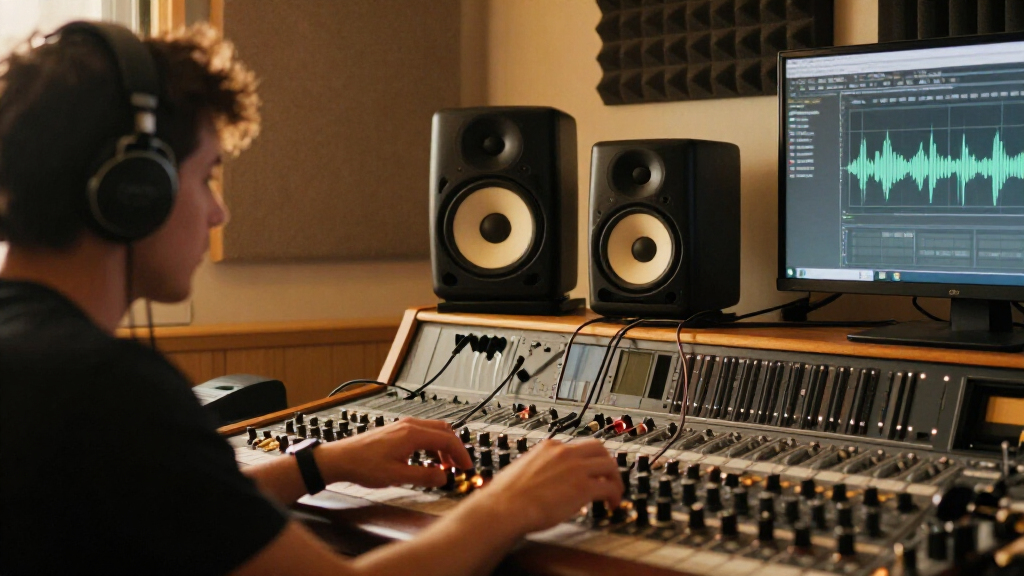

Choosing studio monitors is less about buying the biggest speakers you can afford and more about matching them to your room and listening position. Nearfield and midfield monitors are compared because both can serve as a primary mix reference, but they work at different distances and impose different demands on the room. Nearfields sit close to the listener, helping direct sound dominate in compact or acoustically imperfect spaces. Midfields can produce more level and fuller low-frequency impact, which suits a larger, treated room where the listener sits farther away.

Get audio and creator gear delivered free with Prime
- Fast, free delivery on millions of items
- Prime Video, Amazon Music and more included
- Member-only deals all year

JBL 305P MkII 5-inch 2-Way Active Powered Studio Reference Monitor (Pair)
- ✔ Woofer: 5 inches
- ✔ Tweeter: 25 mm
- ✔ Amplification: Dual 41-watt Class-D

PreSonus Eris 3.5 Powered Studio Monitors (Pair)
- ✔ Amplification: 50 watts, Class AB
- ✔ Woofer: 3.5 inches
- ✔ Tweeter: 1-inch silk dome

Ortizan C7 Powered Studio Monitors Pair with Bluetooth 5.3, Black
- ✔ Mid-bass driver: 3.5-inch carbon-fiber
- ✔ Tweeter: 0.75-inch silk dome
- ✔ Inputs: 6.35 mm TRS, RCA, aux, and USB
The practical tradeoff is room compatibility versus scale. A nearfield pair is usually the safer choice for a bedroom studio, editing desk, or modest control room. Midfields make sense when the room can support them and the work benefits from a wider listening area or higher playback levels. The better monitor is the one that gives you a dependable reference where you actually work.
At a Glance
| Criteria | Nearfield studio monitors | Midfield studio monitors | Winner |
|---|---|---|---|
| Best listening distance | Designed for close listening, typically at a desk or compact console | Designed for a longer listening distance | Depends |
| Room suitability | Works well in smaller rooms, though treatment and placement still matter | Needs more space and a room that can handle greater output | A |
| Mix detail at the listening position | Direct sound can make fine edits easier to judge nearby | Can reveal detail at distance, provided the room does not blur the reference | Depends |
| Bass extension and output | Generally less output and low-frequency scale than comparable midfields | Typically greater headroom and stronger low-frequency presentation | B |
| Listening area | Best for one primary listener in a defined sweet spot | Can cover a broader listening area, depending on design and room | B |
| Placement and setup demands | Smaller cabinets offer more placement flexibility, but boundaries still affect response | Larger cabinets and higher output make placement and room setup more demanding | A |
| Cost and value | Usually less expensive to buy and easier to accommodate | Higher purchase and room costs can pay off in a suitable studio | A |
JBL 305P MkII 5-inch 2-Way Active Powered Studio Reference Monitor (Pair)
The JBL 305P MkII takes the top position because it is the most mixing-oriented option in this group. Its 5-inch woofer is larger than the 3.5-inch drivers in the PreSonus and Ortizan, while the Image Control Waveguide is designed to help deliver precise imaging and a wider sweet spot. That combination makes it the most compelling candidate here for listeners who need to judge stereo placement at a desk, rather than simply add sound to a computer setup.Its Boundary EQ and HF Trim also give buyers stated ways to adjust response to placement and room conditions. The PreSonus offers high- and low-frequency controls too, but in a smaller package; the JBL is a larger, more substantial monitor with dual 41-watt Class-D amplification and balanced XLR and TRS inputs. These are useful distinctions for a studio using an audio interface or mixer, though the supplied specs do not establish how either speaker will measure in a particular room.The tradeoff is space and simplicity. At nearly 12 inches tall, this pair needs more room than the desktop-sized PreSonus or Ortizan, and Bluetooth is absent. The listed mounting type is tabletop, so buyers seeking wall installation should look elsewhere. Choose JBL when wired monitoring, imaging features, and a larger driver lead your priorities; choose PreSonus for a tighter desk or Ortizan when wireless pairing is central.
Pros:
- 5-inch woofer is the largest driver in this comparison.
- Image Control Waveguide is designed for precise imaging and a wider sweet spot.
- Boundary EQ and HF Trim provide response adjustments for room placement.
- Balanced XLR and 1/4-inch TRS inputs suit common studio signal chains.
Cons:
- Larger cabinets take more desk space than the PreSonus or Ortizan pairs.
- No Bluetooth or other stated wireless input.
- Tabletop mounting may not fit setups that require wall installation.
Best for: Home producers, podcasters, and sound designers who want balanced wired inputs, room-response controls, and a larger near-field monitor.
Not ideal for: Buyers with very limited desk space, a need for Bluetooth, or a requirement to mount speakers on a wall.
Bottom line: We recommend the JBL 305P MkII for buyers prioritizing wired near-field monitoring, imaging, and room adjustment over compact size or wireless convenience.
“We recommend the JBL 305P MkII for buyers prioritizing wired near-field monitoring, imaging, and room adjustment over compact size or wireless convenience.”
PreSonus Eris 3.5 Powered Studio Monitors (Pair)
For a crowded desk, the PreSonus Eris 3.5 offers the clearest balance of studio-oriented connections and a compact footprint. It has balanced TRS inputs alongside RCA and a 1/4-inch aux input, plus a front headphone jack. Compared with the JBL, it is easier to fit into a smaller desktop arrangement and accommodates more everyday source types; compared with the Ortizan, it provides explicit high- and low-frequency controls and a convenient headphone connection.The listed 50 watts of Class AB amplification and adjustable high- and low-frequency tuning make this pair adaptable on paper, particularly when the speakers sit close to a wall or the desk changes how the sound reaches the listener. Those controls give buyers a practical way to tailor the presentation, though they do not overcome the physical limit of a 3.5-inch woofer. Its stated frequency response begins at 80 Hz, so anyone making decisions about deep bass should consider a larger monitor or a subwoofer rather than assume this pair covers the lowest octaves.The Eris is therefore our compact pick, not the most capable option for bass-heavy mixing. The JBL has a larger woofer and dedicated room controls, while the Ortizan has Bluetooth and USB. Choose PreSonus when the smaller cabinet, wired flexibility, and headphone output matter together. Skip it if you need substantial low-frequency reach, high output in a large room, or wireless playback.
Pros:
- Compact dimensions suit desks with limited space.
- High- and low-frequency controls allow basic tonal adjustment.
- Balanced TRS, RCA, and aux inputs cover several wired sources.
- Front headphone jack is convenient for private listening.
Cons:
- The 3.5-inch woofer limits deep bass compared with the JBL’s 5-inch driver.
- No Bluetooth or wireless connectivity is listed.
- Limited volume headroom makes it a poor fit for large rooms.
Best for: Desktop producers and multimedia users who need compact monitors with balanced and consumer-level inputs, tuning controls, and front headphone access.
Not ideal for: Buyers mixing deep bass without a subwoofer, filling a large room, or seeking built-in wireless playback.
Bottom line: We favor the Eris 3.5 when desktop space and versatile wired connections matter more than bass extension or wireless features.
“We favor the Eris 3.5 when desktop space and versatile wired connections matter more than bass extension or wireless features.”
Ortizan C7 Powered Studio Monitors Pair with Bluetooth 5.3, Black
The Ortizan C7 is the connectivity choice in this comparison. Its combination of balanced 6.35 mm TRS, RCA, aux, USB with a built-in 24-bit DAC, and Bluetooth 5.3 makes it easier to switch between a computer, wired studio source, and wireless playback device. The PreSonus also accepts several wired inputs, but the C7 adds USB and Bluetooth; the JBL remains the more clearly studio-focused choice for buyers who prioritize a larger woofer and stated room controls.With a 3.5-inch carbon-fiber mid-bass driver and 0.75-inch silk-dome tweeter, the C7 shares the compact-driver limitation of the Eris 3.5. It may suit near-field listening, editing, and desktop production where convenience and a small footprint are priorities, but the supplied specifications do not include amplifier power or frequency response. That makes it harder to compare its headroom and low-frequency reach directly with the other two. We would not treat the product description’s flat-response claim as a substitute for detailed measurement data.This is a reasonable pick for users who want speakers to handle both studio sources and casual wireless listening. It is less persuasive for a dedicated mixing room, where the JBL provides more explicit imaging and room-adjustment features, or for a desk where the PreSonus’s front headphone jack and clearly listed tuning controls are more useful. Confirm that the controls and input layout suit your setup, and keep expectations realistic for bass from a compact cabinet.
Pros:
- Bluetooth 5.3 supports wireless pairing for casual playback.
- USB input includes a built-in 24-bit DAC.
- Balanced TRS, RCA, and aux inputs expand wired source options.
- Compact cabinet suits desktop setups.
Cons:
- Its 3.5-inch woofer may limit deep bass compared with the JBL.
- Supplied specifications omit amplifier power and frequency response.
- No room-adjustment controls are listed in the supplied product details.
Best for: Desktop listeners and home-studio users who want one pair to accept wired studio sources, USB audio, and Bluetooth playback.
Not ideal for: Buyers who want detailed published power and frequency-response specifications, a larger woofer, or explicit room-correction controls.
Bottom line: We recommend the Ortizan C7 for a flexible desktop system where USB and Bluetooth inputs are valuable, with the caveat that its monitoring capabilities are less fully specified here.
“We recommend the Ortizan C7 for a flexible desktop system where USB and Bluetooth inputs are valuable, with the caveat that its monitoring capabilities are less fully specified here.”
As an Amazon Associate we earn from qualifying purchases.
Key Differences
The main distinction is the relationship between direct sound and room sound. Nearfields are placed close to the listener, so their direct output can make up a larger share of what you hear. That can be useful in a small or untreated space, where reflections and room modes otherwise distort your impression of a mix. It does not make the room irrelevant: desk reflections, nearby walls, and bass buildup can still mislead you. But nearfields are often easier to position and use reliably in limited space.
Midfields trade that compact practicality for scale. They can provide higher playback levels, more headroom, and a stronger sense of low end and dynamics from farther away. Those gains matter in a larger control room, for work with substantial bass or wide dynamics, or when more than one person needs to listen. They can disappoint in a small room, though: the extra output may excite room problems rather than reveal more accurate detail. Their larger cabinets also need suitable stands, distance, and placement.
For most home studios, a well-positioned nearfield pair is the more sensible investment. Spend the difference on room treatment, stands, or measurement and setup if those areas are weak. Choose midfields when your room and work genuinely call for longer-distance monitoring and you can support the speakers properly. A larger price tag alone does not make a more trustworthy mix reference.
Detailed Comparison
Best listening distance (major difference)
Nearfields win for close listening at a desk or compact console; this is a major difference when the room limits how far you can sit. Their intended use makes them a natural match for a single engineer working close to the speakers. Midfields are built to maintain a useful presentation from farther away, which is valuable when the console or control room is larger. The right choice depends on whether your normal listening position is genuinely close or distant.
Room suitability (Nearfield studio monitors wins — major)
Nearfields are the clearer choice for smaller rooms, a moderate advantage for many home and project studios. Their close listening position can reduce the relative effect of some room reflections, and their compact size gives more placement options. Midfields need enough distance to integrate properly and a room capable of handling their output. Neither type fixes poor acoustics, but midfields are more likely to expose the limitations of a cramped space.
Mix detail at the listening position (moderate difference)
There is no universal winner. Nearfields can make clicks, edits, and balance changes easy to inspect from close range, while midfields can present detail convincingly at distance in a well-designed room. This is a moderate, setup-dependent difference: monitor design, placement, listening level, and room acoustics can matter more than the category. Choose the type that lets you hear consistently at your actual working position.
Bass extension and output (Midfield studio monitors wins — moderate)
Midfields generally win on headroom and low-frequency scale, a moderate to major advantage when the model and room support it. That can make kick, bass, and impact easier to judge without pushing the speakers as hard. Nearfields may have less bass output, though some models pair well with a subwoofer. A small room can exaggerate bass problems, so more low end is useful only if you can interpret it accurately.
Listening area (Midfield studio monitors wins — moderate)
Midfields often serve a broader listening area and win by a moderate margin when collaborators need to hear from more than one position. Nearfields usually focus the most reliable image on one close sweet spot, which is fine for solo work but less convenient for group review. Actual coverage varies by speaker design and room, so a larger monitor does not automatically provide even sound everywhere.
Placement and setup demands (Nearfield studio monitors wins — moderate)
Nearfields win by a moderate margin for simpler placement. Their cabinets take up less space and can work on appropriate stands or a desk, though desk reflections and wall distance still need attention. Midfields need more physical space and a listening distance suited to their design; their output also makes room behavior harder to ignore. If your layout is fixed or crowded, nearfields are easier to integrate.
Cost and value (Nearfield studio monitors wins — moderate)
Nearfields usually win on total value for compact studios, a moderate advantage. They tend to cost less and are less likely to require a larger room, dedicated stands, or additional acoustic work to be useful. Midfields cost more, but that premium can be justified when you need their output, distance capability, or wider coverage and already have a suitable room. Pay more only for those practical benefits, not for size as a status signal.
Nearfield studio monitors: Pros and Cons
Pros:
- Well suited to close listening in compact studios
- Generally easier to place and less costly
- Direct sound can help with focused editing and mixing
- A practical starting point for a single listener
Cons:
- Usually less headroom and low-frequency scale than midfields
- Best listening area may be narrow
- Desk and wall placement can still color what you hear
- May need a subwoofer for work requiring deeper bass
Midfield studio monitors: Pros and Cons
Pros:
- Typically offers more output and headroom
- Can provide stronger low-frequency scale
- Better suited to longer listening distances
- Often more accommodating for shared listening
Cons:
- Needs more room and careful placement
- Can excite room problems in a small or untreated space
- Higher speaker and setup costs
- Extra size and output may add little value for close desk work
Who Should Choose What
Choose Nearfield studio monitors if:
- You mix at a desk in a bedroom, apartment, or compact project studio.
- You usually work alone at a close listening position.
- Your room or budget makes larger speakers and acoustic setup impractical.
- You prefer to invest first in placement, treatment, or a reliable secondary reference.
Choose Midfield studio monitors if:
- You have a larger room and can sit at the distance the monitors are designed for.
- You need more headroom or low-frequency scale for your work.
- Clients or collaborators often listen alongside you.
- You can budget for suitable stands, placement, and room improvements.
Skip both if: Skip both as a standalone solution if your room has severe bass or reflection problems and you cannot place speakers sensibly; headphones can supplement monitoring while you improve the room, but they do not replace checking mixes on speakers.
Value for Money
Nearfields are better value for most small studios because their price advantage comes with a practical fit: they occupy less space and are designed for close listening. The money saved can improve the whole monitoring chain when spent on stable stands, sensible placement, basic acoustic treatment, or a second playback reference. Those upgrades may help more than moving to a larger speaker in the same untreated room.
Pay more for midfields when their specific strengths solve a real problem: you sit farther away, need higher clean output, want more low-frequency scale, or regularly share the listening position. In a suitable room, that premium can be worthwhile. If you work close to a desk or cannot give the speakers enough space, the extra cost is unlikely to make mixes more accurate.
Final Verdict
Choose nearfield studio monitors for the typical home or project studio. They are the more practical and usually better-value option for close, solo work in a limited room. Choose midfields if you have a larger, appropriately set up space and need their greater output, bass scale, or shared listening coverage. The deciding factor is your room and listening distance: if those do not support midfields, their extra size and price are poor value.
Frequently Asked Questions
Are nearfield monitors better for a bedroom studio?
Usually. They are designed for close listening and tend to fit limited space more easily. Placement and room acoustics still matter, especially near a desk or wall.
Do midfield monitors have better bass?
They often offer more low-frequency output and headroom, but the result depends on the model and room. A small room can exaggerate bass peaks, so stronger output does not guarantee a more accurate reference.
Can I use midfield monitors at a desk?
Sometimes, but it may not suit their intended listening distance or output. Check the manufacturer’s guidance and whether your room lets you position them with enough space; otherwise, nearfields are usually the easier fit.
Should I buy a subwoofer with nearfield monitors?
Only if your work needs deeper bass and you can calibrate and position the subwoofer carefully. A poorly integrated sub can make low-frequency decisions less reliable than using nearfields alone.
Are more expensive studio monitors worth it?
They are worth paying more for when their output, bass capability, or listening distance matches your room and work. If those needs are absent, a well-placed, suitable nearfield pair is usually the better value.