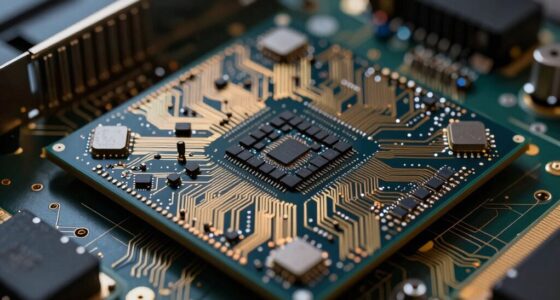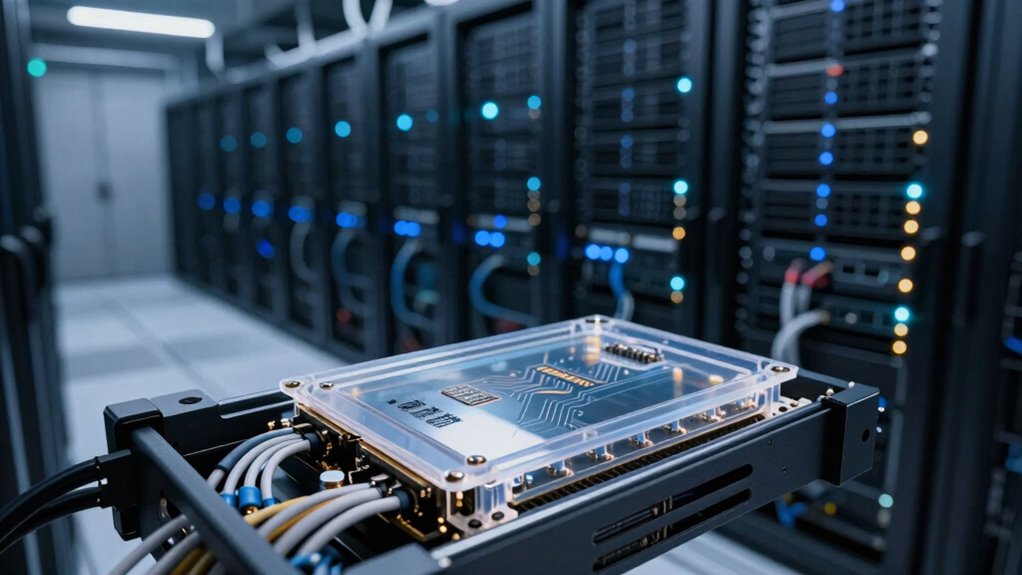

Even if you use fast storage like SSDs or NVMe drives, your AI pipeline can still feel slow because transfer delays and latency often overshadow raw speed. The bottleneck isn’t just the storage itself but how quickly data moves between storage and processing units. Inefficient data pathways, bus speeds, and transfer protocols add delays that slow everything down. If you want to gain access to true speed, you’ll need to optimize the entire data transfer process—more details are coming up.
Key Takeaways
- Transfer pathways and bus speeds often become bottlenecks, limiting overall data flow despite fast storage devices.
- Latency in data access and movement can overshadow raw storage speed, causing perceived sluggishness.
- Inefficient data management techniques like batching and caching optimize transfer but are crucial for pipeline speed.
- Hardware improvements must be paired with optimized protocols and pathways to realize full performance gains.
- A holistic approach to tuning every component in the data transfer chain is essential for faster AI pipeline throughput.

Have you ever wondered how AI systems process massive amounts of data so quickly? It’s impressive how these systems handle enormous datasets, but despite advances in storage technology, you might still feel like data access is a bottleneck. Fast storage solutions—like SSDs and high-speed NVMe drives—are designed to reduce delays, yet many AI pipelines still experience sluggish data transfer rates. This paradox often puzzles those working in AI development. The core reason isn’t just about hardware speed; it’s about how data moves and how well you optimize for minimal latency.
Fast storage alone doesn’t solve data transfer delays; optimizing data flow and reducing latency are key for AI efficiency.
When you’re working with large datasets, data transfer becomes the critical factor. Even if your storage device is blazing fast, the time it takes to move data from storage to processing units can slow everything down. This is where latency optimization comes into play. You might have the best hardware, but if your data transfer pathways aren’t optimized, the system spends more time waiting for data than actually processing it. Think about it: no matter how quick your storage is, if the data bus or network connection introduces delays, your overall throughput suffers.
Latency isn’t just about raw speed; it’s about how quickly data can be accessed and delivered when needed. In AI pipelines, this means that every step—from reading data from disk, transferring it across systems, to feeding it into your neural network—must be streamlined. Even minor inefficiencies can snowball into notable slowdowns. For instance, if your data transfer protocol isn’t optimized or if your storage isn’t aligned with your processing architecture, you’ll find that faster storage doesn’t always translate to faster workflows.
Furthermore, the way you manage data flow impacts perceived speed. Techniques like batching data, caching frequently accessed datasets, and using high-throughput data pipelines can markedly reduce latency. These methods help ensure that your processing units aren’t idling, waiting for data. However, implementing these strategies requires detailed understanding of the bottlenecks specific to your setup.
In essence, the reason fast storage still feels slow in AI pipelines comes down to the complex dance of data transfer and latency. Hardware improvements alone aren’t enough if the entire data pathway isn’t optimized. It’s about fine-tuning every component—from disk interfaces to network protocols—to make sure data moves swiftly and seamlessly. Only then can you truly leverage the speed of your storage hardware and keep your AI models running at maximum efficiency.
NVMe SSD for AI data transfer
As an affiliate, we earn on qualifying purchases.
As an affiliate, we earn on qualifying purchases.
Frequently Asked Questions
How Does Storage Latency Impact Real-Time AI Model Training?
Storage latency directly impacts your real-time AI model training by causing delays in data access, which slows down processing and model updates. Your storage architecture plays a vital role, as inefficient designs increase latency. To improve training speed, you need to focus on latency optimization techniques, such as faster drives or better caching strategies. This way, your system can handle high data throughput with minimal delays, boosting overall training efficiency.
What Are the Latest Advancements in AI Storage Technology?
You’re likely to see advancements like quantum encryption enhancing data security and faster access, revolutionizing AI storage. Cloud integration also plays a key role, enabling seamless, scalable storage solutions that reduce latency. These innovations mean your AI models can access data more quickly and securely, improving training speeds and overall performance. As these technologies evolve, expect more efficient, reliable storage options that keep pace with the demands of real-time AI processing.
How Do Different Storage Types Compare in AI Pipeline Performance?
You’ll find that different storage types impact AI pipeline performance based on speed, scalability, and security. Cloud storage offers excellent scalability and flexibility, allowing you to handle growing data needs easily, but may introduce latency. On the other hand, on-premises solutions provide faster access but less scalability. Regardless, data encryption remains essential across all types, ensuring your data stays secure while balancing performance and scalability for your AI workflows.
Can Hardware Improvements Alone Solve Slow Storage Issues?
Hardware improvements alone won’t fully solve slow storage issues; consider that quantum compression can reduce data sizes dramatically, and neural caching speeds up data access. These innovations optimize storage efficiency and retrieval times, addressing bottlenecks beyond just hardware upgrades. By combining advanced tech like quantum compression with neural caching, you can markedly improve AI pipeline performance, making storage feel faster without relying solely on hardware improvements.
What Role Does Data Preprocessing Play in Storage Bottlenecks?
Data preprocessing can substantially contribute to storage bottlenecks because tasks like data cleansing and feature scaling require extensive data manipulation. When you perform these steps, you often generate multiple data versions or large intermediate files, increasing storage demands. If you don’t optimize this process, it can slow down data access and processing, making your storage system feel sluggish despite having fast hardware. Efficient preprocessing reduces unnecessary data copies, easing bottlenecks.
high-speed data transfer cables
As an affiliate, we earn on qualifying purchases.
As an affiliate, we earn on qualifying purchases.
Conclusion
Despite advancements, fast storage still feels slow in AI pipelines because data bottlenecks and inefficient I/O operations persist. Did you know that up to 70% of training time is spent waiting for data? To truly accelerate your AI workflows, focus on optimizing data handling alongside hardware upgrades. Remember, speed isn’t just about faster storage; it’s about smarter data management. Staying aware of these challenges helps you push your AI projects to new heights.
PCIe bus optimization tools
As an affiliate, we earn on qualifying purchases.
As an affiliate, we earn on qualifying purchases.
data caching solutions for AI pipelines
As an affiliate, we earn on qualifying purchases.
As an affiliate, we earn on qualifying purchases.