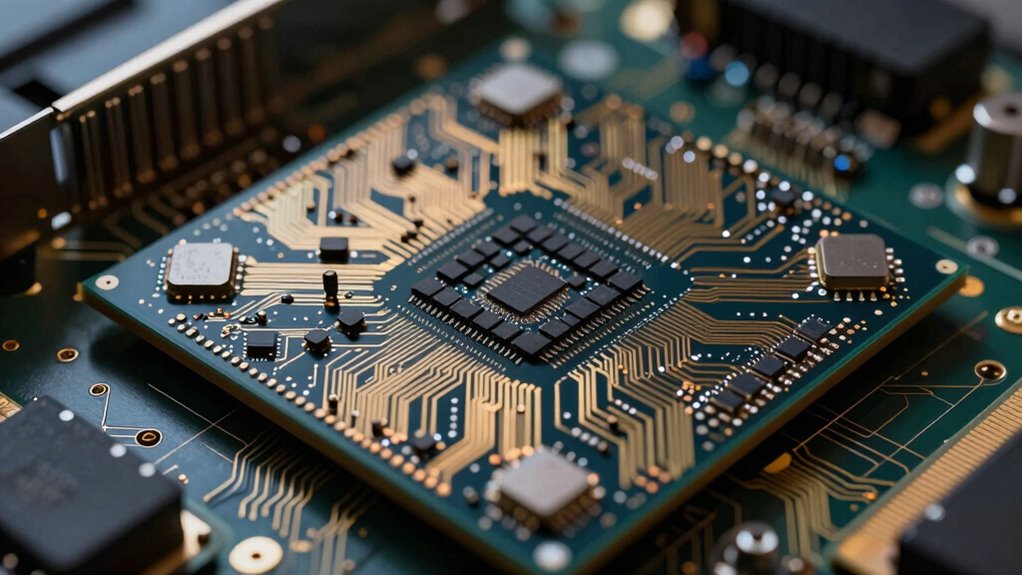

To think about GPU fragmentation without losing your mind, focus on how scattered memory impacts performance and stability. Remember, fragmentation is like mismatched puzzle pieces, making it harder for the GPU to allocate large textures or buffers efficiently. Use strategies like memory pooling and managing allocations carefully to reduce gaps. Tracking usage patterns and implementing defragmentation routines can help keep your GPU running smoothly. Keep exploring to learn more about controlling this ongoing challenge effectively.
Key Takeaways
- View fragmentation as a normal, manageable aspect of GPU memory, not a personal failure or catastrophe.
- Use memory pooling strategies to proactively reduce scattered free space and improve memory predictability.
- Monitor memory usage patterns regularly to identify early signs of fragmentation before performance drops.
- Design applications to allocate larger, aligned memory blocks to minimize fragmentation over time.
- Approach fragmentation mitigation as an ongoing process, combining strategies rather than seeking perfect, one-time fixes.

GPU fragmentation can be a complex issue that impacts performance and memory management, especially as graphics workloads become more demanding. When your GPU memory becomes fragmented, it’s like trying to fit puzzle pieces together that no longer match perfectly. Small, scattered blocks of free memory can prevent large textures or buffers from being allocated efficiently, leading to slower rendering or even application crashes. Understanding how to think about this problem involves grasping key concepts like memory pooling and fragmentation mitigation. These strategies help you keep GPU memory organized and reduce the negative effects of fragmentation. Additional techniques, such as monitoring memory usage patterns, can also provide valuable insights into managing fragmentation more effectively.
Memory pooling is one technique that can considerably improve how you handle GPU memory. Instead of constantly allocating and deallocating small chunks, you create pre-allocated pools of memory that your applications draw from. This approach minimizes fragmentation by reducing the frequency of memory operations, which often lead to scattered free blocks. When you reuse these pools, you keep memory more contiguous and predictable, making it easier for the GPU to access large blocks efficiently. Memory pooling also helps you control memory fragmentation proactively, as you manage how memory is allocated within these pools, preventing small, fragmented gaps from accumulating over time. Additionally, understanding the history of pH measurement helps illustrate how foundational concepts influence modern memory management techniques. Recognizing the importance of efficient memory allocation in this context can help prevent issues before they arise. Moreover, actively tracking memory usage patterns allows you to identify and address fragmentation before it impacts performance.
Fragmentation mitigation involves a combination of strategies aimed at reducing the impact of fragmented memory. One approach is to design your application to allocate larger, more aligned memory blocks, which decreases the likelihood of fragmentation over time. You can also implement defragmentation routines that periodically rearrange memory, consolidating free space into larger blocks—though this must be balanced carefully, as these routines can introduce overhead. Another tactic is to optimize your workload to minimize the frequency of dynamic memory operations, which tend to fragment memory the most. By managing how and when you allocate or free resources, you keep memory more contiguous, easing the strain on your GPU’s memory management system. Recognizing the importance of memory pooling in this context can help prevent issues before they arise, supporting more stable and efficient GPU performance.
Thinking about GPU fragmentation without losing your mind requires a clear understanding of these concepts and deliberate planning. Focus on implementing memory pooling to reduce fragmentation at the source, and adopt fragmentation mitigation techniques to manage its effects. Remember, no single solution is foolproof, but a combination of strategies can help you maintain peak GPU performance. When you stay aware of how your applications allocate and free memory, you can prevent fragmentation from spiraling out of control, ensuring smoother graphics rendering and more efficient memory use. Ultimately, managing GPU fragmentation becomes less about panic and more about strategic control—keeping your graphics workloads running at top performance.
GPU memory pooling software
As an affiliate, we earn on qualifying purchases.
As an affiliate, we earn on qualifying purchases.
Frequently Asked Questions
How Does GPU Fragmentation Impact Overall System Performance?
GPU fragmentation can considerably impact your system’s performance by causing inefficient memory management and slowing down rendering tasks. When memory becomes fragmented, your GPU struggles to allocate large contiguous blocks needed for smooth operation, leading to delays and reduced frame rates. Proper GPU optimization and effective memory management help minimize fragmentation, ensuring your system runs efficiently and maintains high performance during demanding graphics tasks.
Can Software Solutions Fully Eliminate GPU Fragmentation Issues?
Software solutions can’t fully eliminate GPU fragmentation issues, but they can substantially improve performance through optimization. By intelligently managing memory allocation and deallocation, you reduce hardware degradation and fragmentation effects. However, some level of fragmentation persists because hardware limitations and real-time demands make perfect management impossible. So, while software optimization helps, it’s not a complete fix, and understanding hardware constraints remains essential.
What Are the Signs of Severe GPU Fragmentation?
You’ll notice severe GPU fragmentation when your GPU memory becomes inefficiently allocated, causing frequent slowdowns and stuttering during high-demand tasks. Fragmentation management struggles if you see persistent performance drops despite having ample available memory, or if your system reports memory allocation failures. These signs indicate that your GPU memory is highly fragmented, and you might need to defragment or optimize memory usage to improve performance.
How Does GPU Fragmentation Differ From Memory Fragmentation?
GPU fragmentation differs from memory fragmentation mainly in scope and impact. While memory fragmentation affects overall system RAM, GPU fragmentation specifically involves GPU memory, which is often dedicated to graphics processing. You manage GPU fragmentation by optimizing how you allocate and deallocate GPU memory, reducing wasted space. Proper fragmentation management guarantees smoother graphics performance, minimizes stuttering, and maximizes the efficiency of GPU resources during intensive tasks.
Are There Specific Tools to Analyze GPU Fragmentation?
You can use tools like NVIDIA NSight and AMD Radeon Profiler to analyze GPU fragmentation. These tools help you monitor GPU memory allocation, identify fragmentation issues, and optimize your GPU usage. They provide detailed insights, enabling you to prevent fragmentation effectively through better GPU optimization strategies. Regularly analyzing your GPU’s memory behavior with these tools helps maintain performance and reduces the risk of fragmentation affecting your applications.
GPU defragmentation tools
As an affiliate, we earn on qualifying purchases.
As an affiliate, we earn on qualifying purchases.
Conclusion
Understanding GPU fragmentation can seem overwhelming, but remember, about 70% of gamers report noticing performance dips due to it. By focusing on efficient memory management and staying updated on your GPU’s capabilities, you can minimize frustration. Don’t let fragmentation drive you crazy—think of it as a puzzle to solve rather than a problem to fear. With a clear strategy, you’ll keep your graphics smooth and your mind at ease, ready for the next gaming challenge.

THE C++ PERFORMANCE PLAYBOOK: CORE TECHNIQUES IN MEMORY, MULTITHREADING, AND GPU FOR GAME DEVELOPERS
As an affiliate, we earn on qualifying purchases.
As an affiliate, we earn on qualifying purchases.
GPU memory optimization utilities
As an affiliate, we earn on qualifying purchases.
As an affiliate, we earn on qualifying purchases.