
📊 Full opportunity report: Quiet GPUs for Local AI: Acoustic and Thermal Roundup on ThorstenMeyerAI.com — validation score, market gap, and execution plan.

Get audio and creator gear delivered free with Prime
- Fast, free delivery on millions of items
- Prime Video, Amazon Music and more included
- Member-only deals all year
TL;DR
This article reviews the most silent and thermally efficient GPUs for local AI workloads in 2026. It emphasizes undervolting, cooling, and power capping techniques to optimize noise and heat, with specific model recommendations for various VRAM needs.
In 2026, the most effective GPUs for local AI are those that combine high VRAM capacity with low noise and heat output, achieved through undervolting and optimized cooling. This shift addresses the longstanding challenge of balancing performance with quiet operation for dedicated AI workstations.
Recent tests and industry sources confirm that undervolting and selecting partner cards with superior cooling significantly reduce GPU noise and thermal output. The RTX 5090 with 32GB VRAM is identified as the top consumer choice for high-performance local AI, especially when power-capped to 70% to lower heat and noise. For budget-conscious users, the RTX 4090 and used RTX 3090 remain reliable options, offering good VRAM at lower power consumption. Mid-tier options like the RTX 5080 and RTX 4060 Ti with 16GB VRAM provide efficient, cool, and quiet performance for smaller models. The professional RTX PRO 6000 with 96GB VRAM is also highlighted for dense, high-end setups, emphasizing the importance of cooling design over silicon alone.Quiet GPUs
for local AI.
The GPU makes ~70% of your heat and most of your noise. But here’s the secret: the chip doesn’t decide how loud your card is — the cooler design and your power settings do. Match your VRAM tier in Part 2, then make it quiet.
Capping to 70–80% sheds a huge amount of heat for almost no inference loss — because inference is memory-bound. A capped 5090 is dramatically cooler & quieter than stock. Do this first.
Within one GPU model, partner cards differ enormously. For a single card, a large triple-fan open-air with zero-RPM idle runs slow & quiet. For multi-GPU, the calculus flips →
With room to breathe, a large triple-fan open-air cooler spreads heat across a big fin stack and runs its fans slowly. The quietest choice — what most people should buy.
Why Low-Noise, Low-Heat GPUs Matter for AI Workstations
Reducing noise and heat in GPUs is crucial for local AI deployment, especially in office or home environments where loud, hot cards can be disruptive. Effective cooling and power management extend hardware lifespan, improve user comfort, and enable sustained high-performance inference without thermal throttling. As AI models grow larger, choosing GPUs that balance power, heat, and noise becomes essential for practical, scalable AI setups.
Products Worth Considering

Apple AirPods Pro 3 Wireless Earbuds with Active Noise Cancellation
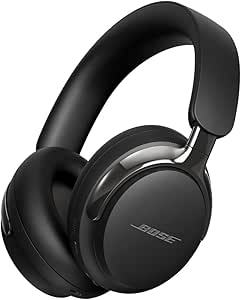
Bose QuietComfort Ultra Headphones (2nd Gen), Wireless Bluetooth Noise-Cancelling Over-Ear Headphones, Black

Bose QuietComfort Wireless Noise-Cancelling Over-Ear Headphones, Black
As an affiliate, we earn on qualifying purchases.
2026 GPU Landscape and Noise Reduction Strategies
Historically, high-performance GPUs for AI have been characterized by high power consumption, heat, and noise. Recent developments focus on undervolting, better cooling solutions, and power capping, which allow existing silicon to operate more quietly and efficiently. The market now emphasizes not just raw speed but also operational quietness, driven by user demand for comfortable, reliable AI workstations.
"Partner card designs with optimized cooling and fan control can dramatically alter the acoustic profile of a GPU, often more than the silicon itself."
— GPU manufacturer spokesperson
Uncertainties in Long-Term Reliability and Cooling
While current tests show promising results for undervolted and well-cooled GPUs, long-term reliability of these configurations under continuous AI inference loads remains to be fully validated. Additionally, the impact of extreme overclocking or aggressive power capping on hardware lifespan is still under study.
Next Steps for Achieving Even Quieter AI GPUs
Manufacturers are expected to introduce more integrated cooling solutions and firmware optimizations aimed at further reducing noise. Future GPU models may also feature adaptive fan control and more efficient power management tailored for AI workloads, making quiet operation even more accessible.
Key Questions
How much does undervolting improve GPU noise levels?
Undervolting can reduce GPU power consumption by 20–30%, significantly lowering heat output and fan speeds, which results in quieter operation without sacrificing inference performance.
Can I make any GPU run quietly with a good cooler?
Most modern GPUs can be made quieter by choosing partner cards with high-quality cooling solutions and applying power capping or undervolting. The cooler design and fan control are critical factors.
Is the RTX 5090 suitable for continuous AI inference in a quiet environment?
Yes, when paired with a good cooling setup and power capping to around 70%, the RTX 5090 can operate quietly and stay within safe thermal limits during sustained workloads.
What VRAM size is recommended for large AI models?
For models larger than 70B, 96GB VRAM (as in the RTX PRO 6000 Blackwell) is recommended, although for smaller models, 16GB to 32GB VRAM is sufficient and more efficient.
Will future GPU models be quieter by design?
Future GPUs are likely to feature improved cooling solutions, firmware optimizations, and power management, making quiet operation more standard rather than an aftermarket modification.
Source: ThorstenMeyerAI.com