📊 Full opportunity report: Build vs Buy a Prebuilt AI Workstation on ThorstenMeyerAI.com — validation score, market gap, and execution plan.

Get audio and creator gear delivered free with Prime
- Fast, free delivery on millions of items
- Prime Video, Amazon Music and more included
- Member-only deals all year
TL;DR
The cost gap between building and buying a prebuilt AI workstation has closed due to component shortages and price spikes. The decision now hinges on time, control, and thermal management, not just price.
In 2026, the cost of building a high-performance AI workstation from scratch has risen to match or surpass prebuilt options, overturning the traditional rule that DIY is always cheaper. This shift results from component shortages, price spikes, and bulk purchasing by major vendors, making prebuilt systems competitively priced or even less expensive in some configurations. This development significantly impacts professionals and enthusiasts deciding whether to assemble their own machine or buy ready-made.
Until 2026, building a custom AI workstation was generally more affordable than purchasing a prebuilt, primarily due to lower component costs. However, recent market disruptions caused by the AI boom have led to shortages and increased prices for key parts such as GPUs, DDR5 RAM, and SSDs. As a result, some prebuilt manufacturers have secured bulk discounts and pre-purchased inventory, enabling them to offer systems at prices that are difficult to match for DIY builders today.
Additionally, prebuilt vendors often perform extensive thermal validation, burn-in testing, and cooling optimization, which are costly and time-consuming for individual builders. For high-end multi-GPU setups, these vendors provide solutions with validated cooling and warranty coverage, reducing risk for end users. Conversely, DIY enthusiasts retain control over component selection and customization, including thermal tuning, but must invest significant time and expertise.
Market data from early 2026 shows that a typical DIY build now costs $1,250 or more before licensing and peripherals, whereas prebuilt systems from vendors like BIZON, Lambda, and Puget are competitively priced or cheaper, especially when factoring in warranty and thermal validation. This makes the traditional cost advantage of DIY less clear, prompting a reevaluation of the build-versus-buy decision.
Build vs buy
an AI workstation.
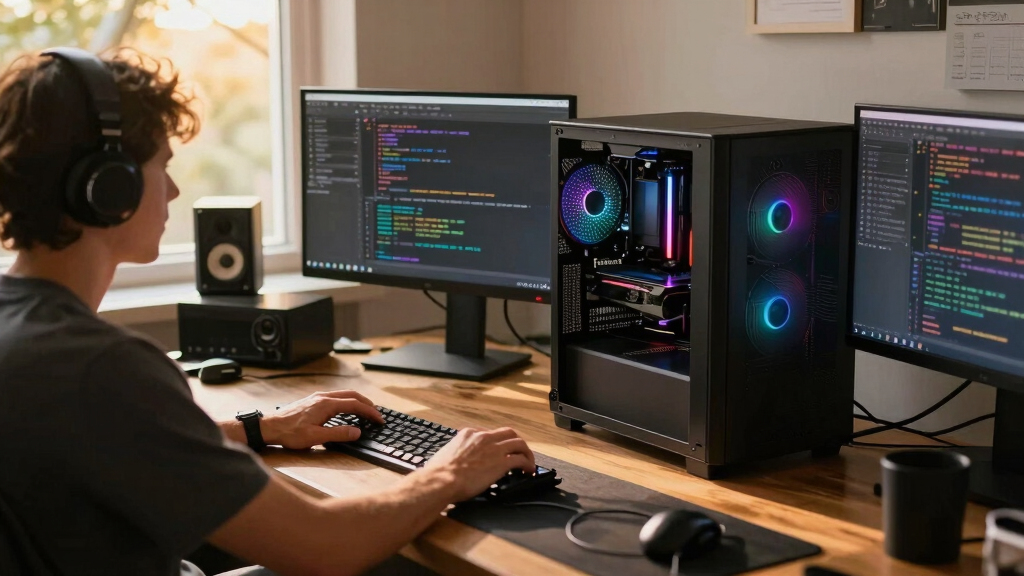
The real question behind this whole series: do you pull the five heat-and-noise levers yourself, or buy a prebuilt where the vendor pulled them for you? And in 2026, the old “building is cheaper” rule has broken. Match your situation in Part 3.
Implications for AI Professionals and Enthusiasts
This shift in cost dynamics alters the fundamental decision-making process for acquiring AI workstations. Professionals and hobbyists must now weigh not only price but also factors like thermal management, time investment, warranty, and customization. For many, buying a prebuilt offers a risk-mitigated, ready-to-run solution with validated cooling and support, while DIY remains appealing for those seeking control and learning. The changing market landscape makes the choice more complex, impacting purchasing strategies and workflows in AI development and research.high performance AI workstation prebuilt
As an affiliate, we earn on qualifying purchases.
As an affiliate, we earn on qualifying purchases.
Market Disruptions and Component Shortages in 2026
Historically, building an AI workstation was cheaper due to declining component prices and the ability to select cost-effective parts. However, in 2026, the AI boom has caused unprecedented shortages and price hikes for critical components like high-end GPUs, DDR5 memory, and SSDs. Major vendors pre-purchased large inventories, enabling them to offer systems at competitive prices despite market volatility. This has disrupted the traditional DIY advantage, especially for multi-GPU configurations that require sophisticated thermal management and power delivery.
Furthermore, vendors like Lambda and BIZON now provide systems with validated cooling solutions, extensive testing, and warranties, which are costly for individual builders to replicate. The result is a market where the cost difference between DIY and prebuilt is less clear, and in some cases, the prebuilt option is outright cheaper.
"The traditional rule that building your own AI workstation is always cheaper no longer applies in 2026. Market shortages and bulk purchasing have shifted the landscape."
— Thorsten Meyer, AI hardware expert
Remaining Questions on Long-Term Cost and Customization
It is still unclear how ongoing market fluctuations will influence component prices in the coming months. Additionally, the long-term durability and upgradeability of prebuilt systems versus DIY builds remain under discussion, especially as new hardware generations emerge and supply chains stabilize.
Future Trends in AI Workstation Procurement
Expect continued price volatility and supply chain adjustments through 2026. Vendors are likely to refine their thermal validation and warranty offerings, while DIY builders may explore new cooling technologies and component sourcing strategies. Consumers should monitor market prices and vendor offerings to make informed decisions as the landscape evolves.
Key Questions
Is building my own AI workstation still cheaper in 2026?
Not necessarily. Due to component shortages and market price increases, prebuilt systems from major vendors are often priced competitively or even lower than DIY options for similar configurations.
What are the advantages of buying a prebuilt AI workstation?
Prebuilts come with validated thermals, extensive testing, warranties, and ready-to-run configurations with preinstalled AI software stacks, saving time and reducing setup risk.
Can I upgrade a prebuilt system later?
It depends on the vendor and model, but many prebuilt systems allow upgrades. However, some proprietary cooling or power solutions may limit future modifications.
What should hobbyists consider when building their own AI workstation?
They should evaluate their time investment, thermal expertise, and desire for customization versus the convenience and support offered by prebuilt systems.
How will ongoing component shortages impact future AI hardware prices?
Shortages are expected to persist through 2026, potentially causing continued price spikes and supply constraints that influence both DIY and prebuilt options.
Source: ThorstenMeyerAI.com
Halloween Picks
halloween
As an affiliate, we earn on qualifying purchases.