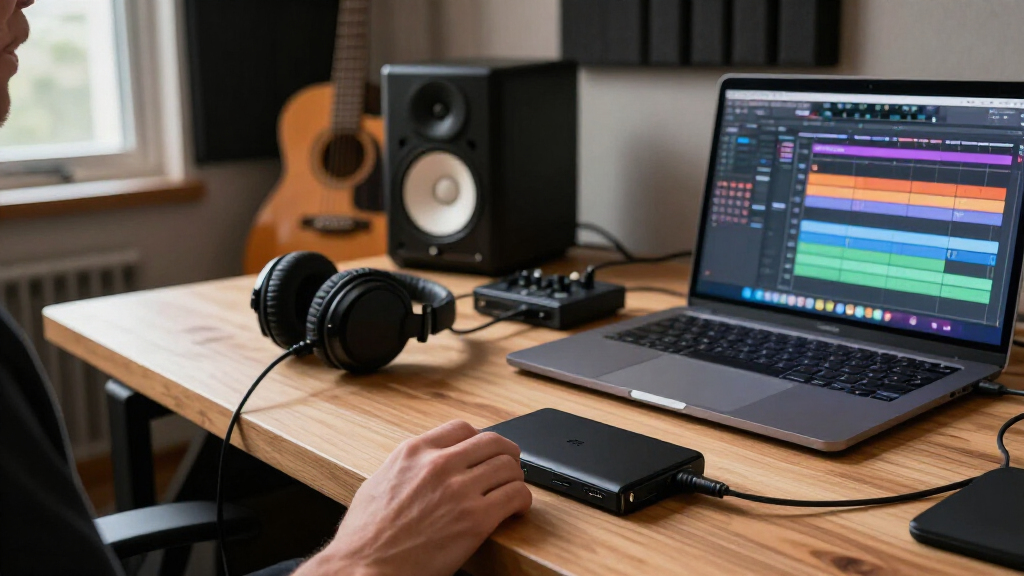
For creators comparing Black Friday portable SSDs, my best overall pick is the Crucial X10 Pro 1TB, a performance-focused choice for moving and editing large projects. The Samsung T7 Shield stands out for a more rugged field drive, while the Samsung T5 EVO 4TB favors capacity over speed. The main tradeoff is between fast transfers, enough space for active projects, and a design suited to travel or rougher conditions. Your computer’s ports matter too: a fast SSD cannot reach its advertised speeds through a slower connection. Read on for the full comparison and advice on matching a drive to your workflow.

Get audio and creator gear delivered free with Prime
- Fast, free delivery on millions of items
- Prime Video, Amazon Music and more included
- Member-only deals all year
Complete the kit


Key Takeaways
- The Crucial X10 Pro is the strongest all-around performance pick in this lineup, while the T5 EVO prioritizes 4TB of room over fast project transfers.
- Ruggedness and speed are separate buying priorities: the Samsung T7 Shield is the clearest fit for field use, while several SanDisk and other models emphasize high transfer rates.
- Capacity varies sharply, from 500GB and 512GB options to a 4TB drive; small drives can suit handoffs or a single project but may fill quickly with video footage.
- USB 3.2 Gen 2×2 claims need a compatible host port; creators should check their computer’s connection before paying for headline transfer speeds.
- Not every product listing gives equally specific performance or durability details, so the better-informed picks are easier to match to a workflow than models with sparse specifications.
| MOVE SPEED 1TB Portable External SSD, USB 3.2 Gen 2×2, Up to 2000MB/s, Magnetic, Silver |  | Best for Direct iPhone Recording | Capacity: 1 TB | Interface: USB 3.2 Gen 2×2 | Read speed: Up to 2,000 MB/s | VIEW LATEST PRICE | See Our Full Breakdown |
| Crucial X10 Pro 1TB Portable SSD, USB-C, Black |  | Best for Fast File Handoffs | Capacity: 1 TB | Connectivity: USB-C; USB connection | Read speed: Up to 2,100 MB/s | VIEW LATEST PRICE | See Our Full Breakdown |
| Samsung T5 EVO 4TB Portable SSD, USB 3.2 Gen 1, Up to 460 MB/s |  | Best for High-Capacity Project Libraries | Capacity: 4 TB | Interface: USB 3.2 Gen 1 | Data transfer rate: Up to 460 MB/s | VIEW LATEST PRICE | See Our Full Breakdown |
| Samsung T7 Shield 1TB Rugged Portable SSD, Blue |  | Best for Rugged Field Work | Capacity: 1 TB | Interface: USB 3.2 Gen 2 | Read speed: Up to 1,050 MB/s | VIEW LATEST PRICE | See Our Full Breakdown |
| SanDisk 1TB Portable SSD, Up to 800MB/s Read Speed, Black |  | Best for Simple, Secure Carrying | Capacity: 1 TB | Read speed: Up to 800 MB/s | Interface: USB 3.2 Gen 2 | VIEW LATEST PRICE | See Our Full Breakdown |
| fanxiang 500GB Portable External SSD, USB 3.2 Gen 2×2 |  | Best Compact Pick for Fast Transfers | Storage capacity: 500GB | Interface: USB 3.2 Gen 2×2 | Sequential read speed: Up to 2050MB/s | VIEW LATEST PRICE | See Our Full Breakdown |
| SanDisk Extreme PRO Portable SSD, 2TB |  | Best for Rugged, High-Throughput Work | Storage capacity: 2TB | Interface and connector: USB 3.0; USB Type-C | Read speed: Up to 4000MB/s | VIEW LATEST PRICE | See Our Full Breakdown |
| SSK 2TB Portable External SSD with USB-C and USB-A |  | Best Value for Everyday Project Storage | Storage capacity: 2TB | Interface: USB 3.2 Gen 2 | Read speed: Up to 1050MB/s | VIEW LATEST PRICE | See Our Full Breakdown |
| Samsung P7 Portable SSD, 1TB |  | Best Premium USB4 Speed | Storage capacity: 1TB | Read speed: Up to 4000MB/s | Write speed: Up to 3700MB/s | VIEW LATEST PRICE | See Our Full Breakdown |
| SanDisk Extreme Portable SSD, 1TB, Up to 2000MB/s |  | Best Rugged Compact Pick | Storage capacity: 1TB | Connector and interface: USB Type-C; USB 3.0 | Maximum read speed: Up to 2000MB/s | VIEW LATEST PRICE | See Our Full Breakdown |
| SanDisk 1TB Portable SSD, Up to 1000 MB/s Read Speed, Black |  | Best Everyday Creator Pick | Capacity: 1 TB | Interface: USB 3.0 | Connector: USB Type-C | VIEW LATEST PRICE | See Our Full Breakdown |
| JOIOT 512GB Magnetic Portable SSD, USB 3.2 Gen 2×2, up to 2000MB/s |  | Best for Direct-to-Phone Video | Capacity: 512 GB | Interface: USB 3.2 Gen 2×2 | Maximum transfer speed: Up to 2000 MB/s | VIEW LATEST PRICE | See Our Full Breakdown |
| SanDisk Extreme Portable SSD, 2TB |  | Best for Rugged, High-Capacity Workflows | Capacity: 2 TB | Read speed: Up to 1050 MB/s | Write speed: Up to 1000 MB/s | VIEW LATEST PRICE | See Our Full Breakdown |
| SanDisk 1TB Portable Drive, USB-C, Black |  | Best Compact Basic Storage | Capacity: 1 TB | Read speed: Up to 600 MB/s | Connectivity: USB Type-C | VIEW LATEST PRICE | See Our Full Breakdown |
| Black Friday portable SSDs for creator | Read speed | Capacity | Interface | Write speed |
|---|---|---|---|---|
| MOVE SPEED 1TB Portable Extern | Up to 2,000 MB/s | 1 TB | USB 3.2 Gen 2×2 | Up to 1,800 MB/s |
| Crucial X10 Pro 1TB Portable S | Up to 2,100 MB/s | 1 TB | — | Up to 2,000 MB/s |
| Samsung T5 EVO 4TB Portable SS | — | 4 TB | USB 3.2 Gen 1 | — |
| Samsung T7 Shield 1TB Rugged P | Up to 1,050 MB/s | 1 TB | USB 3.2 Gen 2 | Up to 1,000 MB/s |
| SanDisk 1TB Portable SSD | Up to 800 MB/s | 1 TB | USB 3.2 Gen 2 | — |
| fanxiang 500GB Portable Extern | — | — | USB 3.2 Gen 2×2 | — |
| SanDisk Extreme PRO Portable S | Up to 4000MB/s | — | — | Up to 3800MB/s; 3100MB/s average sustained write speed for 2TB–4TB models |
| SSK 2TB Portable External SSD | Up to 1050MB/s | — | USB 3.2 Gen 2 | Up to 1000MB/s |
| Samsung P7 Portable SSD | Up to 4000MB/s | — | — | Up to 3700MB/s |
| SanDisk Extreme Portable SSD | — | — | — | — |
| SanDisk 1TB Portable SSD | Up to 1000 MB/s | 1 TB | USB 3.0 | — |
| JOIOT 512GB Magnetic Portable | Up to 2000 MB/s | 512 GB | USB 3.2 Gen 2×2 | — |
| SanDisk Extreme Portable SSD | Up to 1050 MB/s | 2 TB | USB 3.2 | Up to 1000 MB/s |
| SanDisk 1TB Portable Drive | Up to 600 MB/s | 1 TB | — | — |
More Details on Our Top Picks
MOVE SPEED 1TB Portable External SSD, USB 3.2 Gen 2×2, Up to 2000MB/s, Magnetic, Silver
I’d shortlist the MOVE SPEED for creators who want an SSD that can attach to a compatible phone while recording. Its magnetic design and included cable storage help keep a compact filming setup tidy, while support for 4K ProRes HDR recording on compatible iPhone models gives it a clear role that the Samsung T7 Shield does not emphasize. The rated speeds—up to 2,000 MB/s read and 1,800 MB/s write—also suit fast transfers, but reaching them depends on a compatible USB 3.2 Gen 2×2 connection. The aluminum enclosure is designed for heat dissipation, though it is not a substitute for the T7 Shield’s stated IP65 resistance and drop testing. I’d choose this for phone-first capture, not for the most demanding field protection.
Pros:- Supports 4K ProRes HDR recording on compatible iPhone models
- Magnetic attachment can keep the drive close to compatible devices
- Up to 2,000 MB/s read and 1,800 MB/s write speeds
- Slim 0.36-inch aluminum body includes a place to store the USB-C cable
Cons:- Magnetic attachment is useful only with compatible devices
- Maximum speeds require compatible host hardware and connection
- Its listed protection does not match the T7 Shield’s IP65 rating and tested drop resistance
Best for: iPhone creators recording supported 4K ProRes HDR footage who want a compact drive that can attach magnetically to a compatible device.
Not ideal for: Creators who need documented high water and dust resistance or who will connect only to hardware that cannot use USB 3.2 Gen 2×2 speeds.
- Capacity:1 TB
- Interface:USB 3.2 Gen 2×2
- Read speed:Up to 2,000 MB/s
- Write speed:Up to 1,800 MB/s
- Thickness:0.36 inches
- Weight:1.9 oz
- Enclosure:Aluminum alloy, silver
- Recording support:4K ProRes HDR on compatible iPhone models
- Additional features:Magnetic attachment; built-in USB-C cable storage
Our verdict“Choose the MOVE SPEED if magnetic attachment and supported iPhone ProRes recording matter more than ruggedness ratings.”
Crucial X10 Pro 1TB Portable SSD, USB-C, Black
For creators who move large project folders between edit sessions, the Crucial X10 Pro pairs high rated throughput with more clearly stated protection than the MOVE SPEED. It reaches up to 2,100 MB/s read and 2,000 MB/s write, making it a stronger fit for rapid transfers than the Samsung T7 Shield, whose rated speeds are lower. Its IP55 water and dust resistance and drop protection up to 7.5 feet add reassurance for a mobile kit, though the T7 Shield claims a higher IP rating and greater tested drop height. USB-C connectivity and broad device compatibility make it flexible across computers and tablets, but USB-A use may call for an adapter or suitable cable. I’d pick it for speed and protection together, rather than for phone-mounted recording.
Pros:- Up to 2,100 MB/s read and 2,000 MB/s write speeds
- IP55 water and dust resistance
- Drop protection up to 7.5 feet
- Broad compatibility across computers, tablets, consoles, and other listed devices
Cons:- Maximum speeds depend on the connected device and interface
- USB-A connections may require an adapter or compatible cable
- Its stated drop protection is below the Samsung T7 Shield’s tested 9.8-foot figure
Best for: Video editors and photographers who regularly shuttle large files between compatible computers, tablets, or other listed devices.
Not ideal for: Creators who need magnetic phone attachment for recording or who want the higher listed drop resistance and IP rating of the Samsung T7 Shield.
- Capacity:1 TB
- Connectivity:USB-C; USB connection
- Read speed:Up to 2,100 MB/s
- Write speed:Up to 2,000 MB/s
- Data transfer rate:20 Gbit/s
- Water and dust resistance:IP55
- Drop protection:Up to 7.5 ft (2 m)
- Enclosure:Anodized aluminum, black
- Form factor:Portable, 2.5 in
Our verdict“Pick the X10 Pro for fast, frequent file transfers with rated dust, water, and drop protection.”
Samsung T5 EVO 4TB Portable SSD, USB 3.2 Gen 1, Up to 460 MB/s
The Samsung T5 EVO takes a different approach from the faster 1TB options: its 4TB capacity gives creators room to keep a larger project library, archive, or batch of source footage on one drive. That makes it more useful for storage-heavy workflows than the Crucial X10 Pro, but its USB 3.2 Gen 1 connection and rated speed of up to 460 MB/s make it a much slower choice for moving large files repeatedly. AES 256-bit hardware encryption adds a listed security feature, and drop protection up to 2 meters helps for everyday transport. I’d treat it as a portable working archive or secondary copy, not the best match for editing directly from demanding high-bitrate footage when faster drives are available.
Pros:- 4 TB capacity accommodates large libraries and project collections
- AES 256-bit hardware encryption
- Drop protection up to 2 meters
- Compatible with listed computers, phones, tablets, and gaming consoles
Cons:- Up to 460 MB/s is much slower than the Crucial X10 Pro and other high-speed picks
- USB 3.2 Gen 1 interface is limited to 5 Gb/s
- Host device compatibility may vary
Best for: Photographers and video creators who need a single portable drive for large project libraries, archives, or less time-sensitive transfers.
Not ideal for: Editors who frequently transfer or work directly with large high-bitrate footage and would benefit more from the Crucial X10 Pro’s much higher rated speeds.
- Capacity:4 TB
- Interface:USB 3.2 Gen 1
- Data transfer rate:Up to 460 MB/s
- Interface limit:5 Gb/s
- Drop protection:Up to 2 meters
- Encryption:AES 256-bit hardware encryption
- Form factor:Portable
- Enclosure material:3D NAND
- Color:Black
Our verdict“Choose the T5 EVO when 4TB of portable capacity matters more than fast transfers.”
Samsung T7 Shield 1TB Rugged Portable SSD, Blue
The Samsung T7 Shield is my pick here for creators who carry their drive onto shoots, rather than leaving it on a desk. Its IP65 water and dust resistance and tested drop resistance up to 9.8 feet give it stronger stated field protection than the Crucial X10 Pro, while its rated 1,050 MB/s read and 1,000 MB/s write speeds are still suited to many everyday editing and backup tasks. It is not as fast on paper as the X10 Pro or MOVE SPEED, so those models make more sense when transfer time is the priority. The T7 Shield also lists compatibility with iPhone 15/16 and supported video workflows. Protection ratings do not remove the need for care, but this is the most field-ready choice in this batch.
Pros:- IP65-rated water and dust resistance
- Tested drop resistance up to 9.8 feet
- Up to 1,050 MB/s read and 1,000 MB/s write speeds
- Hardware encryption and listed compatibility with iPhone 15/16
Cons:- Rated speeds are below the Crucial X10 Pro and MOVE SPEED
- Maximum speeds require a compatible USB 3.2 Gen 2 host, cable, and UASP mode
- Actual resistance can vary with conditions
Best for: Documentary, event, and location-shoot creators who need a 1TB drive with stated water, dust, and drop protection.
Not ideal for: Creators prioritizing the highest listed transfer speeds or those who need more than 1TB for footage and active project files.
- Capacity:1 TB
- Interface:USB 3.2 Gen 2
- Read speed:Up to 1,050 MB/s
- Write speed:Up to 1,000 MB/s
- Data transfer rate:Up to 10 Gbit/s
- Water and dust resistance:IP65
- Drop resistance:Tested up to 9.8 ft (3 m)
- Additional features:Hardware encryption; Dynamic Thermal Guard; Samsung Magician software
- Color:Blue
Our verdict“Choose the T7 Shield for field shoots where stated environmental and drop protection outweigh peak transfer speed.”
SanDisk 1TB Portable SSD, Up to 800MB/s Read Speed, Black
The SanDisk 1TB Portable SSD suits creators who want straightforward portable storage with a practical way to secure it to a bag. Its rubber hook and rubber enclosure support carry-and-go use, while stated drop protection up to 2 meters offers a useful buffer for everyday travel. The rated read speed of up to 800 MB/s is below the Samsung T7 Shield and far behind the Crucial X10 Pro, so I’d favor those drives for faster offloads or more demanding editing workflows. This SanDisk includes a USB-C to USB-A cable, which can simplify connecting to older ports, though the product data does not state write speed and notes that it is lower than read speed. It’s a practical, less performance-focused pick for routine transfers and backups.
Pros:- Rubber hook helps attach the drive to a belt loop or backpack
- Rubber enclosure and drop protection up to 2 meters suit everyday carrying
- Up to 800 MB/s read speed
- Includes a USB-C to USB-A cable
Cons:- Write speed is lower than the stated read speed and is not specified in the product data
- Rated read speed is below the Samsung T7 Shield and Crucial X10 Pro
- Listed compatible devices are limited to laptops and tablets
Best for: Traveling creators who need 1TB for routine backups and want a drive that can be secured to a backpack or belt loop.
Not ideal for: Editors who need known, high write speeds for rapid footage offloads or sustained work with large project files.
- Capacity:1 TB
- Read speed:Up to 800 MB/s
- Interface:USB 3.2 Gen 2
- Connector:USB Type-C
- Drop protection:Up to 2 meters
- Enclosure material:Rubber
- Included cable:USB-C to USB-A
- Color:Black
- Compatible devices:Laptops and tablets
Our verdict“Choose this SanDisk for routine portable backups and easy bag attachment, not for the fastest creator workflow.”
fanxiang 500GB Portable External SSD, USB 3.2 Gen 2×2
I’d pick the fanxiang 500GB when a small drive and fast file handoffs matter more than roomy project storage. Its rated read speed of up to 2050MB/s and write speed of up to 1500MB/s can shorten transfers for footage and working files, but those figures depend on a compatible 20Gbps USB interface. Compared with the SSK 2TB Portable External SSD, fanxiang has a higher speed ceiling but only a quarter of the capacity, so it suits active-project shuttling better than keeping a broad archive on hand. The aluminum enclosure is compact and lightweight, and the included USB-C and USB-A cables make connecting to different gear easier. I’d skip it if your devices lack the required interface or if 500GB is too tight for your media library.
Pros:- Rated read speeds up to 2050MB/s and write speeds up to 1500MB/s with a compatible 20Gbps interface
- Compact 1.6oz aluminum alloy enclosure
- Includes USB-C to USB-C and USB-C to USB-A cables
- Listed compatibility spans computers, selected phones, and gaming consoles
Cons:- 500GB offers less room for footage and project archives than the 2TB SSK alternative
- Maximum speeds require a compatible 20Gbps USB interface
- OTG smartphone support is limited to compatible devices
Best for: Creators moving a small set of active project files between compatible 20Gbps computers who value a light, compact drive.
Not ideal for: Video editors needing several terabytes on one drive, or anyone whose host device cannot use a 20Gbps USB interface and expects the rated speeds.
- Storage capacity:500GB
- Interface:USB 3.2 Gen 2×2
- Sequential read speed:Up to 2050MB/s
- Sequential write speed:Up to 1500MB/s
- Dimensions:85 × 50 × 8.6mm
- Weight:1.6oz
- Enclosure and included cables:Aluminum alloy; USB-C to USB-C and USB-C to USB-A
- Warranty:5 years or 256TBW
Our verdict“Choose the fanxiang for fast, portable transfers of smaller creator projects, but choose the SSK if capacity matters more than its higher speed ceiling.”
SanDisk Extreme PRO Portable SSD, 2TB
For creators who move large files on location, I rank the SanDisk Extreme PRO 2TB ahead of the more basic-capacity options for its combination of high sustained write performance and physical protection. It lists read speeds up to 4000MB/s and average sustained writes of 3100MB/s for 2TB–4TB models, which can help keep long transfers moving rather than relying only on a short peak. Its IP65 rating and drop protection up to 3m add reassurance in dusty or wet working conditions. Compared with the Samsung P7, it offers explicit dust-and-water ratings and AES password protection; the P7 instead lists USB4 performance and a lower 1TB capacity. The tradeoff is host dependence: actual speeds vary, and password protection needs a software download.
Pros:- 2TB capacity with up to 4000MB/s reads and listed average sustained writes of 3100MB/s
- IP65 dust and water resistance
- Drop protection up to 3m
- 256-bit AES password protection
Cons:- Actual transfer speeds depend on the host device, interface, and usage conditions
- Password protection requires a software download
- Its listed USB 3.0 interface details do not clarify the host requirements behind the maximum speed claims
Best for: Photographers and video crews who carry 2TB of active media between locations and want rated dust, water, and drop protection.
Not ideal for: Creators who need straightforward plug-and-play encryption, or whose computer interface cannot take advantage of the drive’s high speed claims.
- Storage capacity:2TB
- Interface and connector:USB 3.0; USB Type-C
- Read speed:Up to 4000MB/s
- Write speed:Up to 3800MB/s; 3100MB/s average sustained write speed for 2TB–4TB models
- Protection:IP65 dust and water resistance; drop protection up to 3m
- Encryption:256-bit AES password protection
- Dimensions:4.33 × 2.28 × 0.39in
- Weight:2.24oz
Our verdict“Choose this SanDisk for a rugged 2TB field drive with strong stated sustained writes, provided your host setup supports the speeds you need.”
SSK 2TB Portable External SSD with USB-C and USB-A
I’d choose the SSK 2TB for creators who need a generous working drive more than headline-grabbing transfer rates. Its USB 3.2 Gen 2 speeds reach up to 1050MB/s read and 1000MB/s write, well below the Samsung P7’s stated 4000MB/s reads, but enough to make project backups and routine file transfers more practical than relying on slower portable storage. The 2TB capacity, small aluminum case, and included USB-C and USB-A cables make it a flexible everyday option across newer and older devices. SMART diagnostics and adaptive TRIM add drive-maintenance features that the product data does not list for the P7. The key compromise is sustained performance: writes can depend on the available SLC cache, so it is less suited to repeated, very large transfers.
Pros:- 2TB capacity for project files and backups
- Includes USB-C and USB-A cables
- Compact 36.6g aluminum alloy case
- SMART health diagnostics, adaptive TRIM, and SLC caching
Cons:- Rated read and write speeds are lower than the Samsung P7 and SanDisk Extreme PRO
- Sustained high-speed transfers depend on available SLC cache
- Windows may show approximately 1863GB rather than 2TB because of binary capacity calculation
Best for: Independent creators who want 2TB for project files and backups, plus cables for both USB-C and USB-A devices.
Not ideal for: Editors who routinely transfer very large media sets and need high sustained speeds, or buyers seeking a stated USB4-class performance ceiling.
- Storage capacity:2TB
- Interface:USB 3.2 Gen 2
- Read speed:Up to 1050MB/s
- Write speed:Up to 1000MB/s
- Weight and dimensions:36.6g; 2.6 × 1.5 × 0.5in
- Case material:Aluminum alloy
- Included cables:USB-C and USB-A
- Features:LED activity light, SMART health diagnostics, adaptive TRIM, and SLC caching
Our verdict“Pick the SSK for roomy, everyday creator storage and broad cable compatibility, not for the fastest sustained transfers.”
Samsung P7 Portable SSD, 1TB
The Samsung P7 1TB is the speed-first choice here for creators with a compatible USB4 setup and a workflow built around large files. Its listed read speed reaches 4000MB/s, with writes up to 3700MB/s, giving it a much higher stated ceiling than the 1050MB/s-read SSK 2TB. That advantage comes with a clear exchange: the P7 has 1TB rather than 2TB, so high-throughput editing may leave less space for source footage and backups. It also lists drop resistance up to 6.5 feet and Samsung Magician tools for drive health and optimization. I would not buy it for peak speeds without checking the host and cable: the maximum requires a compatible USB4 Gen 3×2 connection. Drop protection is conditional, and drop damage is not covered under warranty.
Pros:- Up to 4000MB/s read and 3700MB/s write speeds as listed
- USB4 performance for compatible host setups
- Drop resistance tested up to 6.5 feet
- Samsung Magician offers optimization and drive health tools
Cons:- Maximum speeds require a compatible USB4 Gen 3×2 host and cable
- 1TB capacity is half that of the SSK 2TB
- Drop resistance varies by conditions, and drop damage is not covered under warranty
Best for: Video editors and camera operators with a compatible USB4 Gen 3×2 computer who prioritize fast transfers over maximum capacity.
Not ideal for: Creators with USB hosts that cannot support the specified USB4 setup, or anyone needing 2TB on one drive for active footage and backups.
- Storage capacity:1TB
- Read speed:Up to 4000MB/s
- Write speed:Up to 3700MB/s
- Interface requirement for maximum speeds:Compatible USB4 Gen 3×2 host and cable
- Weight:0.1kg
- Drop resistance:Up to 6.5 feet
- Compatible devices:Gaming consoles, laptops, Mac, PC, smartphones, tablets, cameras, and TVs
- Software:Samsung Magician for Windows, macOS, and Android
Our verdict“Choose the P7 when a compatible USB4 setup and transfer speed matter more than the SSK’s larger 2TB capacity.”
SanDisk Extreme Portable SSD, 1TB, Up to 2000MB/s
For creators who want a pocketable drive that can handle more than desk-to-desk storage, I’d choose the SanDisk Extreme 1TB. Its IP65 dust and water resistance and drop protection up to 3m make it a more field-ready option than the small aluminum SSK, while the 1.6oz body is easy to carry with a camera kit. The stated read speed of up to 2000MB/s is useful for moving project files, but the listing does not give a matching write-speed figure, so I wouldn’t assume exports or backups will reach the same rate. Compared with the SanDisk Extreme PRO 2TB, this model has half the capacity and a lower stated read ceiling, but its compact form and protection still suit a single-project carry drive. Encryption requires software and supported operating systems.
Pros:- Pocket-sized 1.6oz design
- IP65-rated dust and water resistance
- Drop protection up to 3m
- 256-bit AES password protection
Cons:- The listing gives a maximum read speed but no corresponding write-speed figure
- 1TB capacity is less than the 2TB SanDisk Extreme PRO
- Encryption requires a software download and is supported on Windows 10+ and macOS 12+
Best for: Photographers and mobile creators who need a light, protected 1TB drive for carrying current projects and media between locations.
Not ideal for: Editors storing several large projects at once or buyers who need a confirmed high write-speed figure for frequent bulk transfers.
- Storage capacity:1TB
- Connector and interface:USB Type-C; USB 3.0
- Maximum read speed:Up to 2000MB/s
- Ingress protection:IP65
- Drop protection:Up to 3m
- Encryption:256-bit AES
- Dimensions and weight:3.35 × 2 × 0.39in; 1.6oz
- Compatibility:Desktop, laptop, smartphone, and tablet; Mac and PC
Our verdict“Choose this model for a compact, rugged 1TB carry drive, but look to the Extreme PRO for more capacity and stated sustained-write performance.”
SanDisk 1TB Portable SSD, Up to 1000 MB/s Read Speed, Black
For creators who want a compact drive for project files, exports, and everyday backups, this 1TB SanDisk offers a useful balance of capacity and portability. Its read speed reaches up to 1000 MB/s, making it a stronger fit for moving large files than the slower 600 MB/s SanDisk 1TB Portable Drive. The USB-C connection works across listed computers, phones, and tablets without driver setup, while drop protection up to 2 meters adds reassurance when it travels in a gear bag. The tradeoff is that the stated figure is a maximum read speed, and write speeds are lower, so sustained footage imports may take longer. It also lacks the Extreme Portable SSD’s listed 2TB capacity and IP65 protection; choose this one for a straightforward, lighter-duty workflow rather than rough-location shoots.
Pros:- Up to 1000 MB/s read speed suits everyday transfers of large creative files.
- Pocket-sized 1.12-ounce design is easy to carry with a laptop or camera kit.
- USB-C connection works with listed computers, smartphones, and tablets without driver setup.
- Drop protection up to 2 meters helps protect against common travel mishaps.
Cons:- Write speeds are lower than the stated maximum read speed.
- 1TB offers less room for extensive video archives than the 2TB SanDisk Extreme Portable SSD.
- No water or dust resistance rating is listed.
Best for: Creators who need a pocketable 1TB drive for project transfers, media libraries, and routine backups across USB-C devices.
Not ideal for: Video professionals moving large footage libraries every day or shooting in wet, dusty locations who need faster sustained writes, more capacity, or stronger environmental protection.
- Capacity:1 TB
- Interface:USB 3.0
- Connector:USB Type-C
- Read speed:Up to 1000 MB/s
- Weight:1.12 oz
- Dimensions:1.77 x 3.35 x 0.39 in
- Drop protection:Up to 2 m
- Compatible devices:Desktop, laptop, smartphone, tablet
Our verdict“Choose this SanDisk for portable everyday creator storage, but pick the 2TB Extreme model for larger projects or harsher shoot conditions.”
JOIOT 512GB Magnetic Portable SSD, USB 3.2 Gen 2×2, up to 2000MB/s
The JOIOT is the most purpose-built phone-shooting option in this group: its magnetic attachment can keep the drive alongside a compatible phone during handheld recording, and it supports 4K 120 fps ProRes HDR recording on iPhone 16 Pro Max. That makes it a more specialized creator tool than the general-purpose SanDisk 1TB Portable SSD, especially for filmmakers recording straight to external storage. Its advertised up to 2000 MB/s speed can also help with fast transfers, but that maximum depends on a 20 Gbps computer interface. Capacity is the clearest compromise: 512GB fills sooner during high-bitrate shoots than the 1TB SanDisk models or the 2TB SanDisk Extreme Portable SSD. Compatibility is broad, but listed Apple mobile support is for USB-C devices, not Lightning models.
Pros:- Magnetic design supports attachment to compatible phones during handheld shooting.
- Supports 4K 120 fps ProRes HDR recording on iPhone 16 Pro Max.
- Advertised transfer speeds reach up to 2000 MB/s with a suitable interface.
- Plug-and-play support spans listed USB-C phones, tablets, computers, and other devices.
Cons:- 512GB provides less working and archive capacity than the 1TB and 2TB options in this roundup.
- Maximum speed depends on a 20 Gbps computer interface.
- Lightning devices are not listed as supported.
Best for: iPhone 16 Pro Max filmmakers recording ProRes HDR directly to an attached external drive, and creators who value a phone-mounted setup.
Not ideal for: Creators who need a large project archive, use Lightning iPhones, or expect the maximum transfer speed from computers without a 20 Gbps interface.
- Capacity:512 GB
- Interface:USB 3.2 Gen 2×2
- Maximum transfer speed:Up to 2000 MB/s
- Media speed:1800 MB/s
- Read speed:Up to 2000 MB/s
- Form factor:2.5 inches
- Supported recording:4K 120 fps ProRes HDR on iPhone 16 Pro Max
- Compatibility:Supported USB-C iPhones and iPads, Android, Windows, macOS, laptops, and game consoles
Our verdict“Pick the JOIOT for a compatible iPhone 16 Pro Max recording rig; choose a higher-capacity SanDisk if you mainly need general project storage.”
SanDisk Extreme Portable SSD, 2TB
Among these four drives, the 2TB SanDisk Extreme Portable SSD is the clearest fit for creators who need room for active projects and protection on location. Its up to 1050 MB/s read and 1000 MB/s write speeds give it a more balanced transfer profile than the 1TB SanDisk models, whose listed read speeds do not come with an equivalent write figure. The extra capacity also beats the JOIOT’s 512GB when a shoot produces a large volume of footage. For field work, IP65 water and dust resistance, drop protection up to 3 meters, and a carabiner loop offer practical advantages over the less rugged pocket drives. The tradeoff is that actual speeds depend on the host and conditions, and using password protection on Mac requires a software download. It is larger-capacity insurance, not the most specialized phone-mounted setup.
Pros:- 2TB capacity accommodates larger active projects and media collections.
- Read speeds up to 1050 MB/s and write speeds up to 1000 MB/s support fast two-way file transfers.
- IP65 water and dust resistance plus drop protection up to 3 meters suits location work.
- 256-bit AES hardware encryption and a carabiner loop add security and carrying flexibility.
Cons:- Actual transfer speeds can fall below the stated maximum depending on the host device and conditions.
- Mac password protection requires a software download.
- Lacks the JOIOT’s magnetic phone attachment and specified iPhone 16 Pro Max recording support.
Best for: Field videographers and photographers who carry large active projects and want water, dust, and drop protection alongside hardware encryption.
Not ideal for: Creators seeking the smallest phone-mounted recording drive or those who only need a lightweight 1TB option for routine file transfers.
- Capacity:2 TB
- Read speed:Up to 1050 MB/s
- Write speed:Up to 1000 MB/s
- Interface:USB 3.2
- Drop protection:Up to 3 meters
- Water and dust resistance:IP65
- Encryption:256-bit AES hardware encryption
- Compatible devices:Desktop, laptop, tablet
Our verdict“Choose this model for larger creator projects and rougher locations; pick the JOIOT instead when direct-to-phone recording is the priority.”
SanDisk 1TB Portable Drive, USB-C, Black
This 1TB SanDisk suits creators who want a simple, pocket-sized drive for backups, finished exports, and less demanding project transfers. Its USB-C connection and no-moving-parts design keep setup straightforward, while drop protection up to 2 meters offers a measure of everyday durability. The main distinction from the SanDisk 1TB Portable SSD rated up to 1000 MB/s is speed: this model lists up to 600 MB/s read, so large footage transfers may take longer. It also falls well behind the 2TB SanDisk Extreme Portable SSD for both capacity and ruggedness, which has IP65 water and dust resistance. For a creator whose priority is carrying a basic 1TB working copy rather than speeding through heavy edits, that simpler specification may be enough. Write speeds are lower than read speeds, and usable space is below the stated capacity.
Pros:- Pocket-sized 1.12-ounce body is easy to carry in a small kit.
- 1TB capacity provides room for routine backups and project files.
- USB-C connectivity works with listed desktops, laptops, smartphones, and tablets.
- No moving parts and drop protection up to 2 meters support everyday portability.
Cons:- Up to 600 MB/s read speed is slower than the other 1TB SanDisk model listed at up to 1000 MB/s.
- Write speeds are lower than read speeds.
- No water or dust resistance rating is listed, and usable storage is below 1TB.
Best for: Students, hobbyist creators, and mobile editors who want a small USB-C drive for backups and moderate-sized project files.
Not ideal for: Editors frequently transferring high-bitrate footage or working outdoors in wet or dusty conditions who would benefit from faster performance or a stated environmental rating.
- Capacity:1 TB
- Read speed:Up to 600 MB/s
- Connectivity:USB Type-C
- Drop protection:Up to 2 meters
- Weight:1.12 oz
- Dimensions:2.95 × 1.77 × 0.39 in
- Compatible devices:Desktop, laptop, smartphone, tablet
- Hardware platform:Mac, PC
Our verdict“Choose this drive for straightforward, portable 1TB storage; pay attention to the faster SanDisk 1000 MB/s model if frequent large transfers matter.”
How We Picked
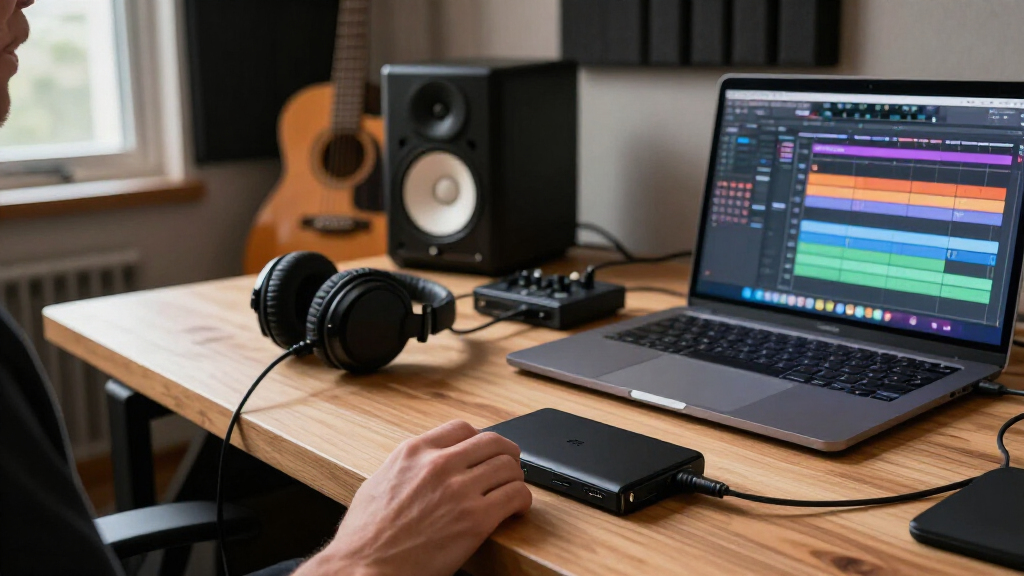
I ranked these drives for creator tasks: transferring camera media, keeping active projects portable, and moving files between a computer and backup storage. I weighed stated interface and speed, capacity, ruggedness, connector flexibility, and how clearly the product information supports a buying decision. A fast drive ranks well for active editing only when its connection can support that speed; extra capacity matters more for large libraries than for short-term handoffs.
The order reflects distinct creator needs rather than treating every SSD as interchangeable. I give preference to models with a clear use case and useful specification detail, while separating rugged field options, high-capacity storage, and lower-capacity portable choices. Where a listing provides limited information, I avoid assuming features that are not stated; buyers should verify compatibility, durability claims, and included accessories before choosing.
| Black Friday portable SSDs for creator | Interface | Drop protection |
|---|---|---|
| MOVE SPEED 1TB Portable Extern | USB 3.2 Gen 2×2 | — |
| Crucial X10 Pro 1TB Portable S | — | Up to 7.5 ft (2 m) |
| Samsung T5 EVO 4TB Portable SS | USB 3.2 Gen 1 | Up to 2 meters |
| Samsung T7 Shield 1TB Rugged P | USB 3.2 Gen 2 | — |
| SanDisk 1TB Portable SSD | USB 3.2 Gen 2 | Up to 2 meters |
| fanxiang 500GB Portable Extern | USB 3.2 Gen 2×2 | — |
| SanDisk Extreme PRO Portable S | — | — |
| SSK 2TB Portable External SSD | USB 3.2 Gen 2 | — |
| Samsung P7 Portable SSD | — | — |
| SanDisk Extreme Portable SSD | — | Up to 3m |
| SanDisk 1TB Portable SSD | USB 3.0 | Up to 2 m |
| JOIOT 512GB Magnetic Portable | USB 3.2 Gen 2×2 | — |
| SanDisk Extreme Portable SSD | USB 3.2 | Up to 3 meters |
| SanDisk 1TB Portable Drive | — | Up to 2 meters |
Factors to Consider When Choosing Black Friday Portable SSDs For Creators
Choosing a creator SSD is less about chasing the largest speed number and more about fitting a drive into the whole workflow. I would start with the computer and camera connections, then decide whether the drive will hold active edits, travel between locations, or store completed projects.
Match the Drive to Your Editing Workflow
Decide whether you will edit directly from the SSD or use it mainly to copy and archive footage. Direct editing makes sustained performance and a compatible fast port more relevant than a short peak-speed claim. For occasional transfers, a slower drive can still be practical if your schedule is flexible. Large video files expose weak links in the chain, including the card reader, cable, computer port, and editing software. Check all of them before paying extra for a high-speed interface. If your workflow includes frequent exports or multicamera footage, leave room for a faster working drive and a separate backup.
Check Port and Cable Compatibility Before Buying
Interface labels can be confusing, and the drive’s stated maximum does not guarantee that your setup can reach it. A USB 3.2 Gen 2×2 drive needs a host connection that supports that standard to deliver its intended advantage. A cable can also limit performance, even when both devices have capable ports. Check the specifications for your laptop or desktop rather than relying on the connector’s shape; USB-C describes the plug, not the transfer speed. If you regularly move between computers, a drive with broader connection compatibility may be more useful than one with a higher headline figure. That can save time and avoid paying for speed your equipment cannot use.
Choose Capacity Around Project Size and Backup Habits
Estimate how much footage you generate in a typical shoot and how many projects need to remain available at once. A 500GB or 512GB drive may work for handing off a project or carrying selected files, but can become restrictive as a primary editing workspace. A 1TB model suits many active-project workflows, while 2TB or 4TB gives more breathing room for larger libraries. Capacity is not a substitute for backup: a single portable drive can be lost, damaged, or fail. Keep another copy of irreplaceable work on a separate device or in a backup service. Planning for that second copy makes the true storage requirement larger than the working-drive number alone.
Pay for Ruggedness When Your Work Leaves the Studio
Travel, outdoor shoots, and frequent equipment handoffs raise the value of a protective design. A rugged enclosure can reduce worry about knocks and exposure, but it does not make a drive indestructible or replace careful handling. Check the exact protection claims for the model rather than assuming every drive in a product family has the same rating. A larger or more heavily protected unit may be less convenient to keep in a small kit, so balance protection against portability. If the SSD stays on a desk, rugged construction may be less valuable than capacity or connection speed. For field work, also think about how you will secure the drive and keep it separate from the only copy of your footage.
Treat Peak Speed as One Part of Performance
Advertised read speed is typically a best-case figure, not a promise that every task will run at that rate. Write performance, file size, drive fullness, heat, and the source device can all affect real transfers. Creators who record or ingest large batches should look for clear write-speed information as well as read speed. If a listing provides only a headline number, avoid treating it as proof of sustained editing performance. For routine photo transfers, the difference may matter less than a reliable cable and enough room for the job. For heavy video work, seek fuller performance details and test the drive with your own workflow when possible.
Compare the Whole Kit, Not Just the SSD
A portable drive is useful only when it fits the equipment and habits around it. Consider whether you need both USB-C and USB-A connections, a short cable for a camera bag, or a magnetic attachment for a specific setup. Do not assume a cable, adapter, or mounting accessory is included unless the listing says so. Magnetic mounting can keep a drive close to compatible gear, but it is not a substitute for a secure physical attachment during movement. Also check the warranty, software requirements, and any format limitations for your operating systems. These practical details can make a less flashy drive the better everyday choice.
Frequently Asked Questions
Will a USB 3.2 Gen 2×2 SSD run at full speed on my laptop?
Only if the laptop has a port that supports USB 3.2 Gen 2×2 and you use a suitable cable. A USB-C-shaped port does not automatically support that speed. If the host connection is slower, the drive should still connect, but transfers will be limited by the slower link. Check the laptop manufacturer’s specifications or port documentation before choosing a drive on speed alone. For a shared drive used across several computers, compatibility may matter more than its maximum rate.
Is 1TB enough for editing video projects?
It can be enough for a small number of active projects, especially if you move completed work to another storage location. The answer depends on footage resolution, recording format, project length, and whether you keep proxies and exports on the same drive. Short-form work may fit comfortably, while long shoots or high-bitrate footage can consume space quickly. I would estimate the size of a typical project and keep free space for exports and temporary files. If you want several projects available at once, a 2TB or larger drive may reduce constant file shuffling.
Should I buy a rugged SSD if I mainly work at a desk?
Not necessarily. Rugged construction is most useful when a drive travels in a camera bag, gets passed between crew members, or is used outdoors. For a stationary editing setup, you may get more practical value from capacity, connection compatibility, or clearer performance specifications. A protective design can still help if you often move equipment between workspaces, but it should not be treated as a backup plan. Keep important files in more than one place regardless of the enclosure.
Is a 500GB or 512GB portable SSD a sensible creator drive?
It can make sense as a project shuttle, a drive for selected assets, or a compact handoff to a client or collaborator. It is less suited to holding a broad video library or several large active projects at once. Small capacities can also fill faster than expected when exports, cache files, and proxies share the same space. Before buying, estimate the largest project you expect to carry and leave room for working files. If the drive will be your main editing workspace, 1TB or more is usually easier to manage.
Can one portable SSD safely serve as my only copy of creator files?
No single portable drive should be the only home for irreplaceable footage or project files. SSDs are convenient, but they can be lost, damaged, or fail without warning. Keep a second copy on another device or in a separate backup location, and check that the copy is complete before deleting source media. For important work, use a repeatable backup routine rather than relying on memory after each shoot. Capacity planning should account for both the working drive and the backup destination.
Conclusion
For most creators who want one capable drive for portable project work, I would start with the Crucial X10 Pro 1TB as my best overall pick. The SanDisk 1TB Portable SSD with up to 800MB/s is a straightforward best-value candidate for less demanding transfer needs, while the SanDisk Extreme PRO Portable SSD 2TB is the best premium choice for creators who want more room and a performance-focused model. Beginners who want a clear, rugged field option can start with the Samsung T7 Shield. For specific needs, choose the Samsung T5 EVO 4TB when capacity matters more than transfer speed, or a USB 3.2 Gen 2×2 model only when your computer supports that connection. Match the drive to your ports, project sizes, and backup plan rather than choosing by a speed claim alone.