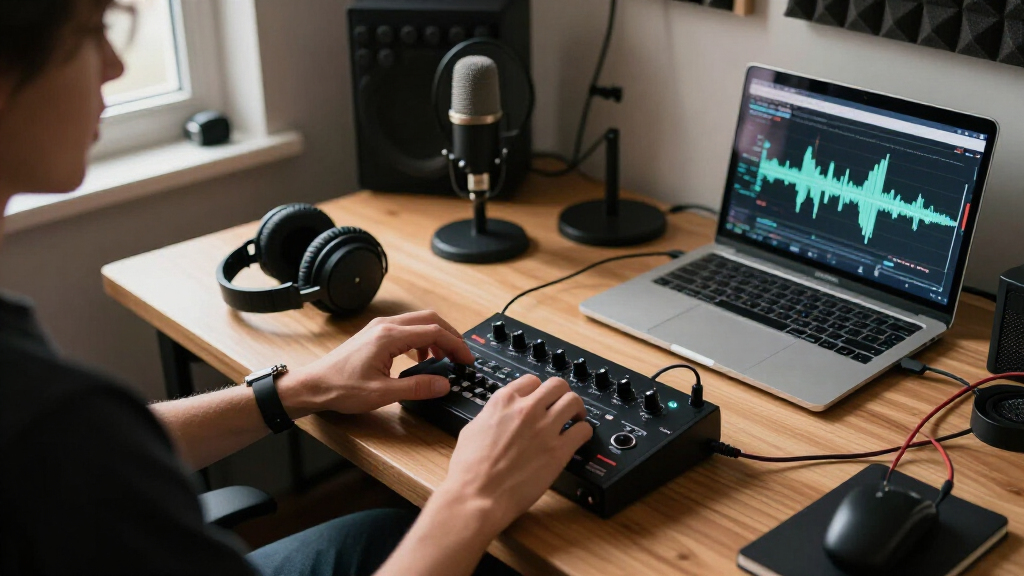

Whether you’re a budding content creator, a seasoned musician, or someone upgrading their home studio, having the right audio and creator tech accessories can make all the difference. This checklist is designed to guide you through selecting top-tier gear that enhances your recording, streaming, and production experience. We’ve organized the list into key categories—microphones, headphones, audio interfaces, lighting, camera gear, and accessories—so you can easily find what fits your needs.

Get audio and creator gear delivered free with Prime
- Fast, free delivery on millions of items
- Prime Video, Amazon Music and more included
- Member-only deals all year
Use this guide as a practical resource when shopping for your next equipment upgrade. Each section highlights what to look for, common pitfalls to avoid, and expert tips on choosing the best fit for your setup. Remember, quality gear doesn’t just improve sound and visuals; it also boosts confidence and professionalism in your creative projects.
Take your time to compare options, consider your specific requirements, and prioritize compatibility and comfort. With the right equipment, you’ll be well on your way to creating content that stands out and sounds fantastic.
Microphones
The microphone is arguably the most crucial piece of your recording setup. The RØDE NT-USB+ is a popular choice for both beginners and pros because of its plug-and-play design and excellent sound quality. When choosing a microphone, consider your primary use—whether for vocals, podcasts, or streaming—and ensure it offers good clarity and minimal background noise. Avoid models that are overly sensitive to room acoustics or that require complex setups unless you’re ready to invest in sound treatment. Compatibility with your computer or streaming setup is also vital, so check for USB connectivity and driver support.
Another common mistake is overlooking polar patterns—a cardioid pattern is ideal for most recording scenarios, as it captures sound primarily from the front and reduces background noise. Proper positioning and distance from the microphone are key to achieving professional results. Always test your microphone in your environment to ensure it captures your voice naturally without unwanted echoes or hums.
What to look for:
- USB connectivity
- Cardioid polar pattern
- Built-in pop filter or compatibility with pop filters
- Good frequency response for vocals
RØDE NT-USB+ Professional USB Condenser Microphone

The RØDE NT-USB+ is a professional-grade USB condenser microphone featuring a studio-quality capsule, ultra-low-noise circuitry, and versatile controls. It offers high-resolution audio, zero-latency monitoring, and includes a pop filter and desktop stand, making it ideal for podcasting, music recording, and streaming.
Pros:
- High-quality studio-grade sound with low noise
- Versatile controls and audio processing features
- Includes pop filter and desktop stand for convenience
- Compatible with computers, tablets, and smartphones
Cons:
- Requires USB-C port, may need adapters for some devices
- Premium features may be complex for beginners
Best for: Podcasts, streaming, home studios
Not ideal for: High-end studio recording
Bottom line: A versatile mic for versatile creators
Headphones
Choosing the right headphones can greatly influence your editing accuracy and overall listening experience. The Sennheiser HD 490 PRO offers an open-back design that provides a natural soundstage, making it ideal for mixing and mastering. When shopping for headphones, consider whether you need open-back for critical listening or closed-back for tracking and noise isolation. Comfort is equally important, especially if you’ll wear them for extended periods—look for adjustable headbands and cushioned ear pads. Compatibility with your device is usually straightforward, but check if the headphones require specific adapters or cables.
Be cautious of overly bass-heavy models that can distort your perception of sound balance. Instead, opt for headphones with a flat frequency response that accurately reproduces your audio. Durability matters too, so choose models with sturdy construction and replaceable parts if possible. Properly fitting headphones will also help prevent fatigue during long editing sessions, ensuring you stay focused and precise.
Testing different models in-store or reading detailed reviews can help you find the perfect match for your workflow. Remember, the goal is to hear your audio as accurately as possible, so invest in quality for the best results.
What to look for:
- Open-back design
- Comfortable fit
- Flat frequency response
- Sturdy build quality
Sennheiser HD 490 PRO Open-Back Professional Headphones

Open-back studio reference headphones with a wide soundstage, precise localization, and a frequency response of 5–36,000 Hz for accurate monitoring. They include two washable, replaceable ear pad sets, a detachable 1.8 m cable, and the dearVR MIX-SE virtual mixing plugin.
Pros:
- Wide soundstage and precise audio localization
- Two ear pad sets with different sound signatures
- Washable, replaceable ear pads
- Detachable cable and included virtual mixing plugin
Cons:
- Open-back design provides limited isolation from surrounding noise
Best for: Mixing and mastering
Not ideal for: On-the-go listening or casual use
Bottom line: Accurate sound reproduction for professionals
Audio Interfaces
The audio interface acts as the bridge between your microphones and computer, translating analog signals into digital data with clarity. The Apogee Symphony Desktop Elite USB-C is renowned for its high-quality sound and robust build, making it a favorite among professionals who demand precision. When selecting an interface, consider the number of inputs and outputs you need—more channels mean greater flexibility for recording multiple sources simultaneously. Compatibility with your operating system and software is crucial, so verify support for your DAW (digital audio workstation).
Common mistakes include underestimating the importance of preamp quality or choosing an interface with inadequate gain levels, which can lead to noisy recordings. Also, ensure your interface supports your preferred connection type—USB-C, Thunderbolt, or USB 3.0—so you can connect seamlessly to your setup. Portability might be a factor if you plan to record on the go, but for studio use, a sturdy, reliable model like the Symphony Desktop is ideal. Proper driver installation and firmware updates will ensure optimal performance and stability.
What to look for:
- Multiple inputs/outputs
- High-quality preamps
- Compatibility with your OS
- Support for your DAW
Apogee Symphony Desktop Elite USB-C Audio Interface for Recording & Mixing

The Apogee Symphony Desktop Elite is a high-quality USB-C audio interface designed for professional recording and mixing. It features flagship sound quality with ultra-low distortion, intuitive touchscreen controls, vintage mic preamp emulations, and included DSP and native plugins for versatile studio use.
Pros:
- High-quality sound with ultra-low distortion
- Intuitive touchscreen for easy control
- Vintage mic preamp emulations add authentic tones
- Includes multiple DSP and native plugins
Cons:
- Relatively high price point
- Limited to USB-C connectivity
- Requires compatible software for full functionality
Best for: Professional recording and production
Not ideal for: Basic home use or casual streaming
Bottom line: Reliable sound interface for serious creators
Lighting Equipment
Lighting plays a critical role in your video quality, and the NEEWER RL-18 18 Inch Ring Light is a fantastic choice for creators seeking even, flattering illumination. Its 55W LED provides bright, adjustable light that can be tailored to your environment. The included tripod stand offers stability and versatility, making setup straightforward. Proper lighting reduces shadows and highlights your features, which is especially important for live streaming, tutorials, or face-focused content. When choosing a ring light, consider size, brightness levels, color temperature, and compatibility with your camera or phone.
Common mistakes include using insufficient lighting, which results in dull or grainy footage, or positioning the light at the wrong angle, causing unflattering shadows. For best results, place the ring light directly in front of you, slightly above eye level, and experiment with brightness and color settings to match your environment. Also, ensure your power source and controls are convenient, so adjustments can be made quickly during shoots. The right lighting setup can significantly elevate your videos, making your content look more professional and engaging.
What to look for:
- Adjustable brightness and color temperature
- Stable tripod stand
- Compatibility with camera or phone
- Even light distribution
NEEWER RL-18 18 Inch Ring Light with Tripod Stand, 55W Large LED Ringlight

The NEEWER RL-18 is an 18-inch professional LED ring light with adjustable brightness and bi-color temperature options, ideal for photography, streaming, and makeup. It includes a sturdy tripod stand, phone holder, filters, and a carrying bag for versatile use.
Pros:
- Large 18-inch ring light provides even, professional lighting.
- Bi-color temperature with filters for versatile lighting effects.
- Sturdy aluminum tripod stand with adjustable angles.
- Includes phone holder, filters, and carrying bag for convenience.
Cons:
- Assembly instructions may be confusing for some users.
- Light stand may require careful handling to ensure stability.
- Additional camera or smartphone not included.
Best for: Video content and live streaming
Not ideal for: Large-scale professional studio lighting
Bottom line: Brighten your videos effortlessly
Camera Gear
The camera gear you choose impacts the clarity and professionalism of your videos. The Insta360 Link 2 Pro 4K PTZ Webcam offers versatile, high-resolution imaging with its 4K capture and pan-tilt-zoom capabilities. When selecting camera equipment, consider your intended use—whether for live streaming, recording tutorials, or video conferencing—and ensure the camera provides sufficient resolution, frame rate, and low-light performance. Features like autofocus, image stabilization, and adjustable mounting options can make setup easier and improve your output quality.
Common mistakes include neglecting to check compatibility with your computer or streaming platform, or choosing a camera that doesn’t fit your workspace—measure your available space and mounting options beforehand. Also, pay attention to the camera’s field of view; a wide-angle lens is great for capturing more background, while a narrower lens emphasizes your face. Proper lighting combined with a good camera ensures your videos look crisp and professional, making a strong impression on viewers or clients.
What to look for:
- 4K resolution
- PTZ (pan-tilt-zoom)
- Compatibility with streaming platforms
- Adjustable mounting options
Insta360 Link 2 Pro 4K PTZ Webcam

A 4K USB-C webcam with a 1/1.3-inch CMOS sensor, AI-powered pan and tilt tracking, and low-light performance. It includes directional dual microphones, natural bokeh, gesture and smartphone controls, and integration with conferencing, streaming, and Elgato Stream Deck workflows.
Pros:
- 4K video with a large sensor and low-light performance
- AI pan and tilt tracking follows movement
- Directional microphones help reduce background noise
- Supports gesture and smartphone controls
Cons:
- Not compatible with ARM-based Windows systems
- Does not support Windows Hello Face Recognition
Best for: Live streaming and professional videos
Not ideal for: Casual video chatting
Bottom line: High-quality visuals for all creators
Accessories
The HyperX Shield Microphone Pop Filter is an essential accessory that helps improve your audio quality by reducing unwanted plosive sounds and sibilance. Proper microphone placement and accessories like pop filters can make a noticeable difference in your recordings or broadcasts. When choosing accessories, look for durable materials, ease of attachment, and compatibility with your existing gear. A good pop filter is lightweight yet sturdy, and it should be positioned at an optimal distance from your microphone to effectively block plosive sounds without muffling your voice.
Many creators overlook the importance of accessories, but investing in quality additions like a pop filter can save editing time and improve overall sound clarity. Also, consider other useful accessories such as microphone stands, cable management tools, and shock mounts to keep your setup organized and protected. Remember, small details like these can significantly enhance your professional appearance and audio quality, especially during long recording or streaming sessions.
What to look for:
- Durable material
- Easy attachment
- Compatibility with microphone
- Effective at reducing plosives
HyperX Shield Microphone Pop Filter

The HyperX Shield is a durable, corrosion-resistant pop filter designed to improve recording quality by reducing plosive sounds. It features a flexible gooseneck mount, easy-to-clean metal mesh filter, and compatible mounting options for most microphones and stands.
Pros:
- Durable and easy to clean metal mesh filter
- Flexible gooseneck for precise positioning
- Compatible with most microphone stands and HyperX shock mounts
Cons:
- May not fit microphones outside the HyperX shock mount compatibility
- No mention of additional noise reduction features
Best for: Podcasters, streamers, voiceovers
Not ideal for: Basic setups without external mics
Bottom line: Enhance audio clarity with accessories
As you build or upgrade your content creation toolkit, start by prioritizing the essentials that fit your budget and needs. Focus on acquiring versatile, high-quality gear that can grow with your skills and projects. Remember, investing in good equipment is an investment in your creative future.
Stay motivated, keep experimenting, and enjoy the process of creating content with tools that inspire confidence and professionalism. Happy shopping and even better creating!
Fall Picks
fall essentials
As an affiliate, we earn on qualifying purchases.