
Get audio and creator gear delivered free with Prime
- Fast, free delivery on millions of items
- Prime Video, Amazon Music and more included
- Member-only deals all year
Granular Synthesis Tutorial
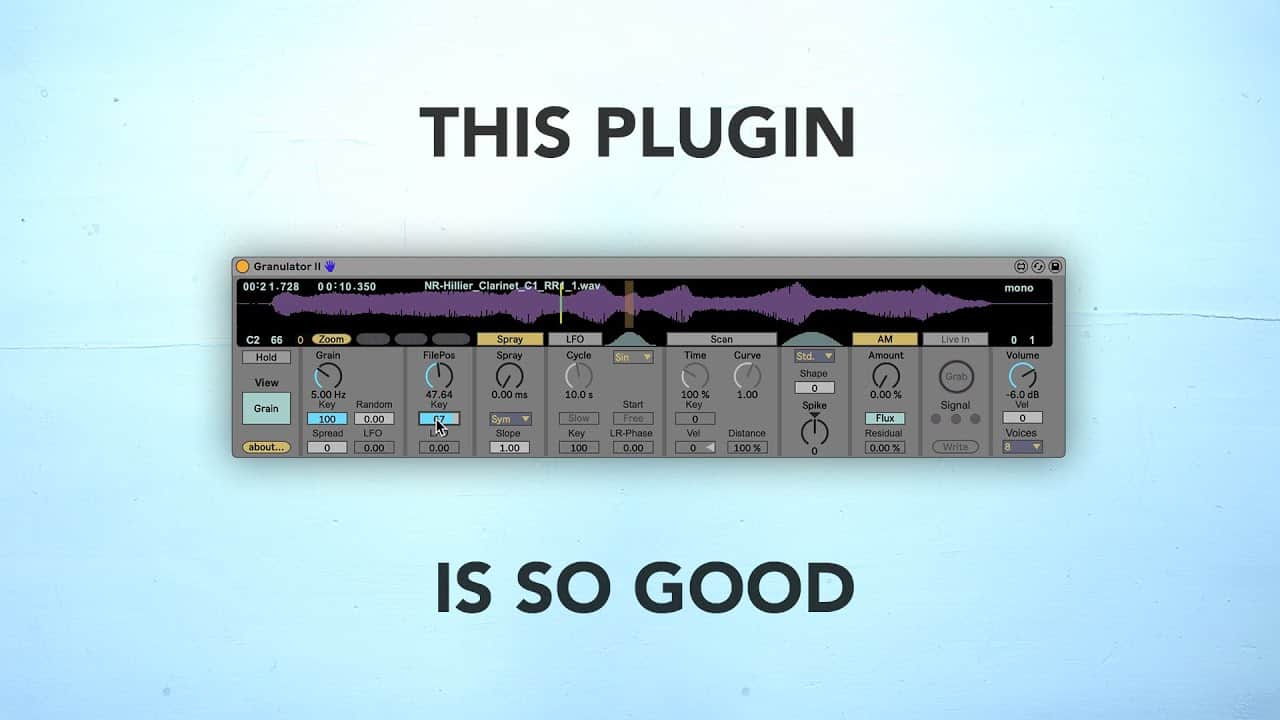
In this video, I show how I use granular synthesis to create unique sounds. In the process, I end up creating a full electronic track.
All of my obsession with granular synthesis is owing to Granulator II, a fantastic Max4Live patch by Robert Henke (Monolake). In order to use Granulator II, you need a version of Ableton Live that supports Max4Live. You can download Granulator II here. Granulator II is an amazing device for creating your own textures, pads, and atmospheres, the Monolake Granulator II uses granular synthesis to create a constant stream of short crossfading samples from a source sound. The size, behavior, modulation, envelope, and other properties of the short samples can be tweaked via the Granulator’s controls.
As an affiliate, we earn on qualifying purchases.
Fall Picks
fall essentials
As an affiliate, we earn on qualifying purchases.