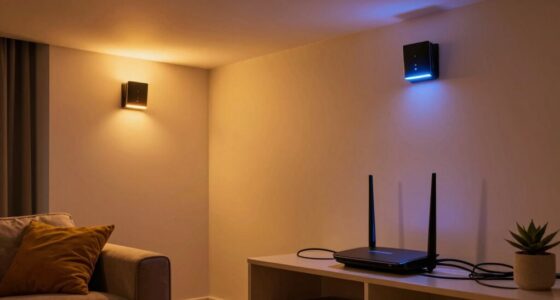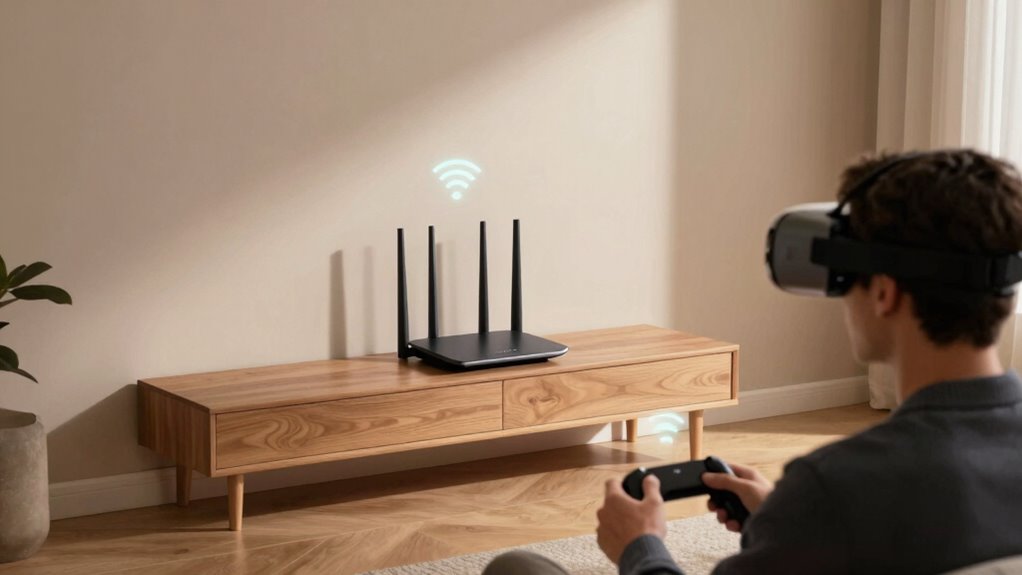

Router placement matters more for VR because even small signal issues can cause noticeable lag, disorienting, or jittery visuals. Unlike regular gaming, VR relies on fast, stable connections for smooth tracking and immersion. Interference from electronics or obstacles nearby can degrade your experience. Placing your router strategically—centrally, elevated, and away from interference sources—guarantees better coverage and fewer disruptions. Want to guarantee your VR setup is optimized? Keep going to discover how to get it right.

Get audio and creator gear delivered free with Prime
- Fast, free delivery on millions of items
- Prime Video, Amazon Music and more included
- Member-only deals all year
Key Takeaways
- VR requires a stable, low-latency connection to prevent motion sickness and ensure smooth visuals, making router placement crucial.
- Small signal fluctuations in VR cause noticeable lag, jitter, and tracking issues, which are less impactful in regular gaming.
- Proper router placement minimizes interference from obstacles and electronics, maintaining consistent signals vital for immersive VR.
- Elevated, central router positioning improves coverage and reduces dead zones, essential for VR’s spatial tracking accuracy.
- Advanced router standards and optimal placement help resist interference, ensuring reliable connectivity during intense VR experiences.

If you want seamless VR gaming, where lag and disconnections don’t ruin your experience, router placement plays a vital role. Unlike regular gaming, which can sometimes tolerate minor delays or buffering, VR demands a consistently strong and stable connection. Your router’s position directly impacts the signal strength and how much interference sources affect your network. When you set up your VR space, avoid placing the router near metal objects, thick walls, or electronic devices like microwaves and cordless phones. These sources can introduce interference, degrading your connection quality. Since VR requires real-time data transmission, even slight interference can cause latency issues, jitter, or disconnections, ruining the immersive experience.
You should aim to position the router in a central location within your home, ideally elevated and free from obstructions. This allows the Wi-Fi signal to evenly reach your VR headset and sensors, minimizing dead zones. When the signal strength is optimal, you’ll experience smoother tracking and less lag. Remember, the strength of your Wi-Fi signal diminishes with distance and obstacles, so placing the router closer to your play area makes a big difference. If your home layout is complex, consider using Wi-Fi extenders or mesh networks to boost coverage, ensuring that signals stay strong and consistent in your VR zone. Optimizing your network setup can also help reduce interference and improve overall performance. Proper router placement is especially critical because interference sources are especially problematic for VR because they can cause fluctuations in signal strength, resulting in jittery visuals or delayed responses. These fluctuations are more noticeable in VR than in traditional gaming, where a slight lag might be tolerable. Additionally, choosing a router with higher standards like 802.11ax can significantly improve resilience against interference, helping maintain a stable connection during intense gaming sessions.
As an affiliate, we earn on qualifying purchases.
Frequently Asked Questions
How Does Router Placement Affect Latency in VR Experiences?
Your router placement directly impacts latency during VR experiences by affecting Wi-Fi interference and signal strength. If your router is too far or obstructed, signals weaken, increasing latency and causing lag. Proper placement near your play area minimizes interference from walls or electronics, ensuring a strong, stable connection. This reduces latency, providing smoother, more immersive VR gameplay without frustrating delays or disconnections.
Can Poor Router Placement Cause VR Motion Sickness?
Poor router placement can definitely cause VR motion sickness, like a ship tossed in rough seas. When your signal is weak or suffers from wireless interference, VR visual clarity drops and latency spikes. These disruptions can make your brain struggle to sync what you see with how you feel, leading to discomfort and motion sickness. To avoid this, position your router centrally and away from interference sources for a smoother, more comfortable VR experience.
Does Router Placement Impact Multiplayer VR Gaming Performance?
Yes, your router placement impacts multiplayer VR gaming performance. Poor placement can cause Wi Fi interference, leading to lag and disconnections, which ruin the experience. To improve your connection, avoid placing your router near metal objects or electronics that cause interference. Using signal boosters can also help strengthen the connection, reducing latency and ensuring smooth multiplayer gameplay. Proper placement and additional tools make a significant difference in VR multiplayer experiences.
Are Certain Router Types Better for VR Than Others?
A wise man once said, “You get what you pay for.” When it comes to VR, higher-end routers with advanced Wi-Fi standards like Wi-Fi 6 or Wi-Fi 6E and versatile antenna configurations excel. These routers provide faster, more stable connections essential for immersive VR experiences. Opt for models with multiple antennas and support for the latest standards, as they help reduce lag and maintain smooth gameplay, making your VR sessions more enjoyable.
How Often Should I Update My Router for Optimal VR Performance?
You should update your router’s firmware at least every few months to guarantee ideal VR performance. Regular updates improve network security and fix bugs that can cause lag or disconnects during VR sessions. Keep an eye on your router’s manufacturer website or app for notifications about firmware releases. Staying current helps maintain a stable, secure connection essential for immersive VR gaming, preventing interruptions and enhancing your overall experience.
Conclusion
Think of your router as the lighthouse guiding your VR ship through foggy waters. When it’s positioned just right, it illuminates a clear path, allowing your virtual adventures to sail smoothly without crashing into barriers. But a poor spot can cast shadows, causing lag and disconnects, like treacherous rocks hidden beneath the waves. So, place your router wisely—you’re steering your gaming voyage toward smooth, immersive horizons, where every moment feels as real as the world outside.
Fall Picks
fall essentials
As an affiliate, we earn on qualifying purchases.