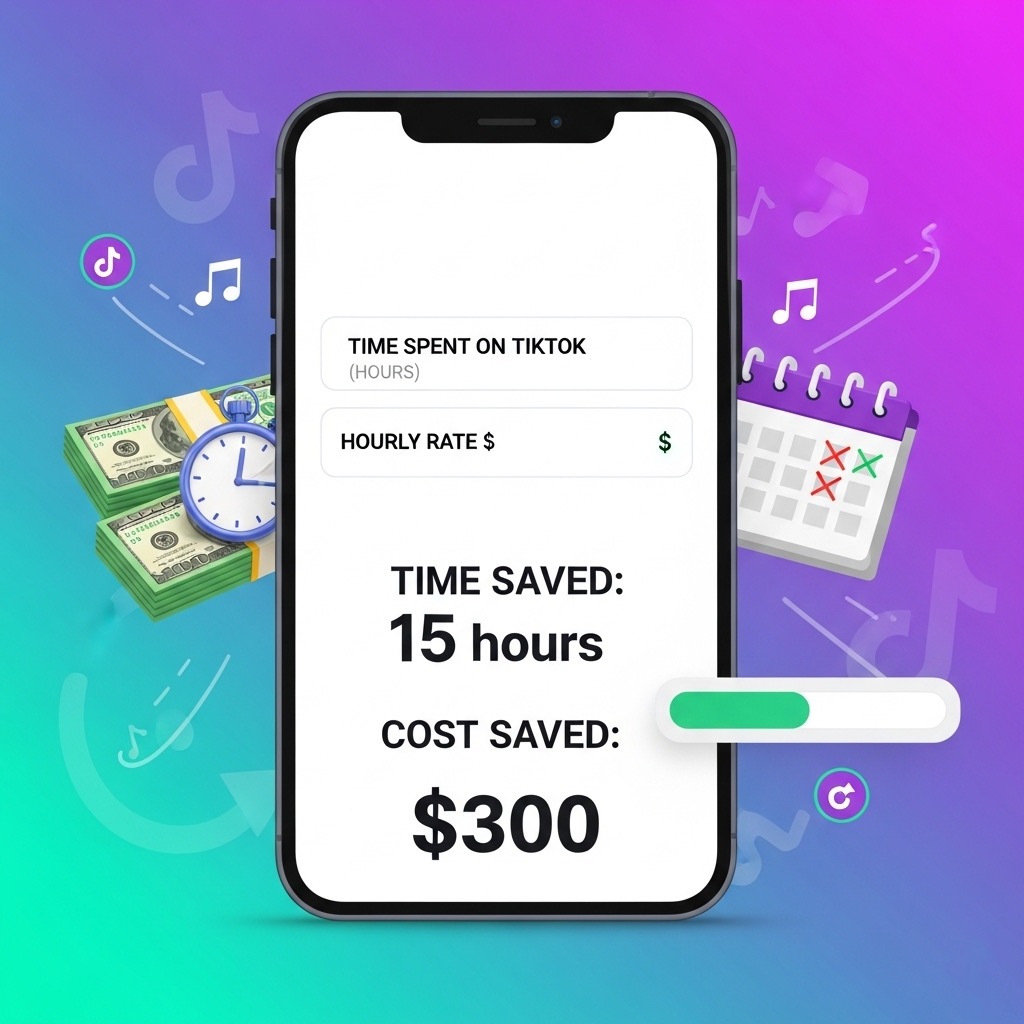

TL;DR: We’ve built a free, privacy‑friendly TikTok Efficiency Calculator that shows how many hours and dollars you can save by automating TikTok order processing. Change a few inputs, see your ROI instantly, then email yourself a one‑page report.
TikTok Efficiency Calculator

Smatree Charging Dock Compatible for Meta Quest 3S/Quest 3,Charge Controllers and Headset Simultaneously, VR Charging Station with LED Light, with 2 Rechargeable Controller Batteries(NO Adapter)
2.5H Fast Charging: The Smatree Charging Dock can fully charge your Quest 3S/Quest 3 headset and touch controllers...
As an affiliate, we earn on qualifying purchases.
Why we made this
If you sell on TikTok, you know the drill: import orders, check stock, push labels, update tracking, message customers… and repeat. Those minutes add up. This calculator makes the trade‑off crystal clear: how much time you can reclaim and what that time is worth in real money—before you commit to any tooling.

Hurra Charging Dock for Meta Quest 2, VR Charging Station for Oculus Quest 2 Support LED Indicator/Magnetic Charging Headset & Touch Controllers, with 2 Rechargeable Batteries, USB-C Charger & Cable
Fast Charging for Quest 2 & 2 Controllers: This magnetic rechargeable charging dock is designed for elite gamers....
As an affiliate, we earn on qualifying purchases.
What the calculator does
- Quantifies time saved: compares manual vs. automated processing (hours per month & year)
- Shows labor savings: converts hours saved into currency, based on your hourly labor cost
- Estimates ROI & payback: given your automation subscription cost
- Translates to FTEs: shows how much of a full‑time role you free up (assumes 173.3 hours/FTE‑month)
- Exports and sharing: download a CSV and copy a shareable link
- Lead-friendly report: email yourself a neat one‑pager with your inputs, savings, and a readiness score
Privacy note: Everything runs in your browser. We only store details if you ask for the report via the form under the results.
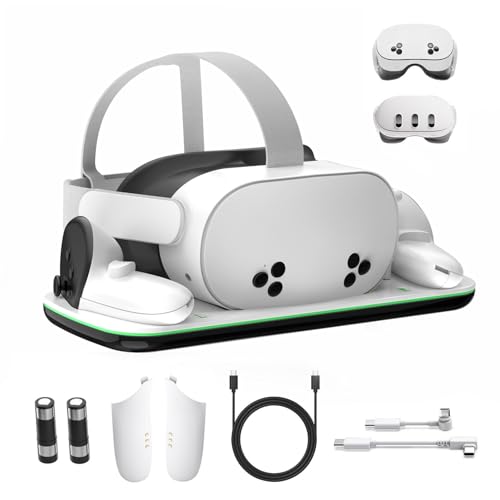
Charging Dock Compatible with Meta Oculus Quest 3/3S, VR Headset Controller Accessories, Charging Station with Closable LED Indicator, Magnetic Charging, Fast Charging, 2 Rechargeable Batteries
NOTE: Using the original Meta charger or a charger with a power of 15W or higher will maximize...
As an affiliate, we earn on qualifying purchases.
How to use it (60 seconds)
- Pick your order period (day/week/month) and enter your order count.
- Add your manual minutes per order (typical default is 5–7 minutes).
- Add automated minutes per order (often 0.5–2 minutes after automation).
- Set automation coverage (what % of orders you expect to automate).
- Enter your hourly labor cost and automation subscription cost.
- Review hours saved, labor savings, ROI, payback, and FTEs freed.
- Optionally email yourself the report to share or discuss with your team.
Quick scenarios (so you can benchmark)
Same assumptions across scenarios unless noted: 6 min manual / 1 min automated / 80% coverage / $18 hourly labor / $199 automation cost.
| Monthly Orders | Hours Saved / mo | Labor Savings / mo | ROI (monthly) | FTEs Freed |
|---|---|---|---|---|
| 200 | 13.33 h | $240 | +20.6% | 0.08 |
| 400 | 26.67 h | $480 | +141% | 0.15 |
| 800 | 53.33 h | $960 | +382% | 0.31 |
Tip: If your hourly cost is higher or your automation coverage is >80%, results improve further. If your current process takes longer than 6 minutes per order, you’ll also see bigger gains.
Who this helps
- TikTok Shop brands & merchants managing order flow across multiple tools
- Agencies & operators scoping automation ROI before a rollout
- 3PLs & fulfillment teams quantifying the benefit of standardized workflows
How the math works (transparent & simple)
<details> <summary>Click to expand the formula</summary>
orders_per_month    = from your inputs
manual_hours        = orders_per_month * manual_minutes_per_order / 60

avg_minutes_after_automation
  = coverage * automated_minutes_per_order
    + (1 - coverage) * manual_minutes_per_order

automated_hours     = orders_per_month * avg_minutes_after_automation / 60
hours_saved         = max(0, manual_hours - automated_hours)

labor_savings_month = hours_saved * hourly_labor_cost
labor_savings_year  = labor_savings_month * 12

roi (monthly)       = (labor_savings_month - automation_cost_per_month)
                      / automation_cost_per_month
payback_months      = automation_cost_per_month / labor_savings_month
fte_freed           = hours_saved / 173.3    // FTE-month baseline
</details>
Why this matters right now
Automation doesn’t just “save time”—it frees focus. Whether that means creating more TikTok content, launching new SKUs, or improving customer messaging, the opportunity cost of manual order handling is real. This calculator helps you put a number on it.
What you can do next
- Run your numbers above.
- Email yourself the report to keep or share internally.
- If you want help turning these numbers into a live workflow, book a 15‑minute automation audit—we’ll look at your current stack and suggest the fastest wins.
FAQ
Is this really free?
Yes. The calculator is free to use, and no sign‑up is needed to see results.
How accurate is it?
It’s an estimate based on your inputs. If you’re unsure, start with conservative assumptions (lower coverage, higher manual minutes).
What counts as “automated minutes per order”?
The residual time to review exceptions, handle edge cases, or glance at a dashboard—even in automated flows.
Do you store my data?
The calculator runs in your browser. If you request the emailed report, we’ll store your contact details and the assumptions you provided to generate the report.