
AIThis post was created with the assistance of artificial intelligence (AI).

Prime Big Deal Days · Oct 6–7Offer from Amazon
Get audio and creator gear delivered free — and shop member deals
- Fast, free delivery on millions of items
- Access to Prime Big Deal Days deals on October 6–7
- Prime Video, Amazon Music and more included
Start your free Prime trial Free trial for eligible customers · Cancel anytime
As an affiliate, we earn on qualifying purchases.
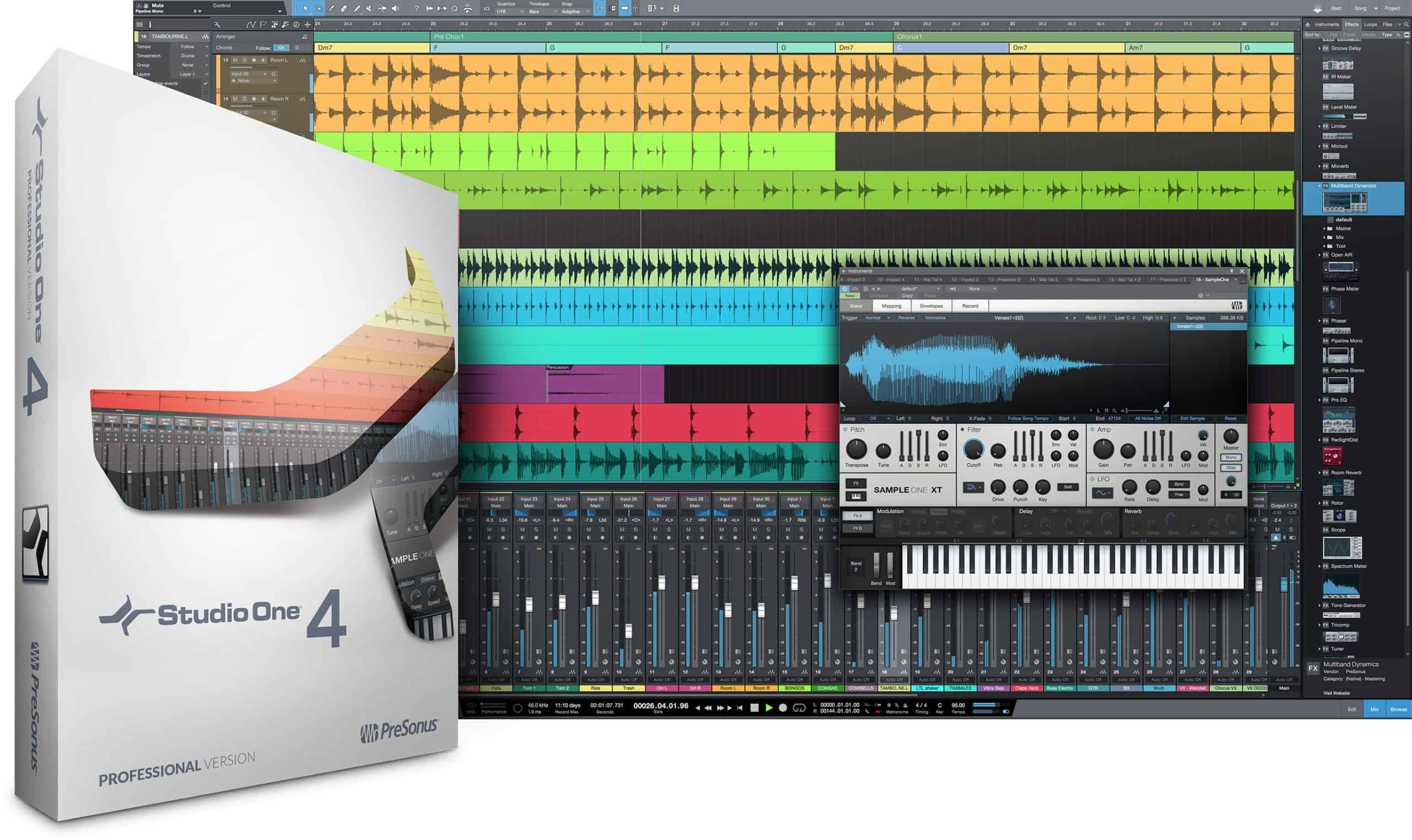
Studio One 4.6 Released
Studio One 4.6 is here, an innovative and advanced Ampire leads the 4.6 improvements, followed by valuable updates to Studio One’s Browser and significant enhancements to the Pattern Editor.

How to update
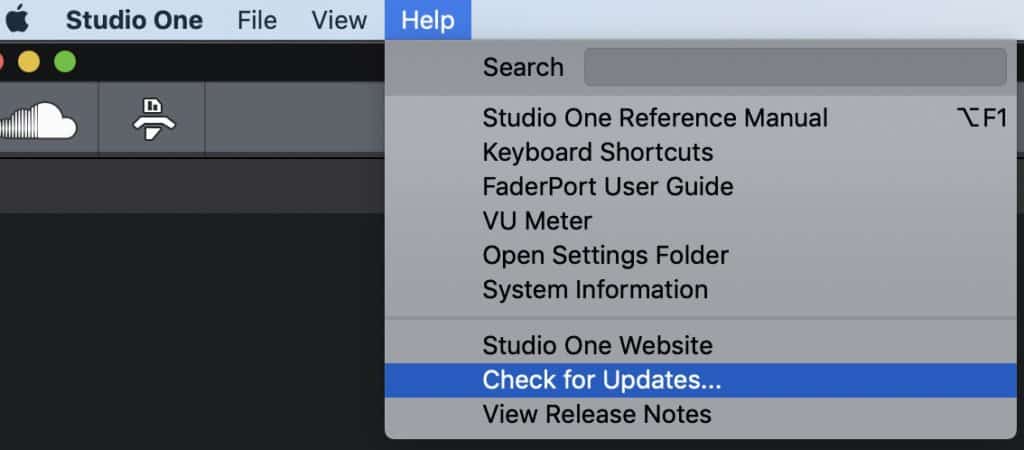
To get it, launch Studio One and click “check for updates” from the “help” drop-down menu.

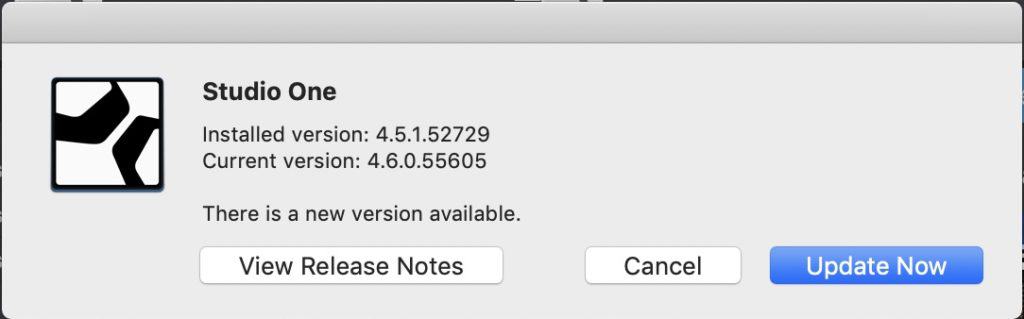
Version 4.6.0 (December 10, 2019)
Please note: Studio One 4.6.x will be the final version supporting Windows 7 / 8 and macOS 10.11 El Capitan / 10.12 Sierra.

Version 4.6.0 New Features and improvements:
- Ampire (3rd generation) – State Space Modeling Amp and FX Suite
- New Plug-in: Pedalboard
- [Browser] Updated user interface with new Gallery view options
- [Browser] Improved navigation
- [Browser] New dedicated Shop tab
- [Patterns] Support for variable note lengths in melodic and drum Patterns
- [Patterns] Delay parameter per step
- [Patterns] Improved realtime recording
- [Patterns] Independent saving and loading of Pattern Presets
- Convert Instrument Part to Pattern option
- New Podcast Production Song Template
- Custom Podcast Macro page
- Improved tempo-matching for loops
- Improved copy/paste editing of Arranger sections
- Automation bracket tool now also works for multi-selection
- Gallery view for Fat Channel XT EQs and compressors
- Increased mouse target for fades for cases when handles overlap
- [Audio Batch Converter] Extended ID tagging for compressed audio formats
- [Presence XT Editor] Realtime time-stretching support
- New commands:
- Select muted tracks
- Invert track selection
- Toggle “Range Tool in upper event area”
- Remove crossfades
Fixed Issues
- Disabling loop while playback may cause audio drop-out
- Scope shows very high latency when inserted in input channel
- [Presence XT Editor] “Remove Zone” jumps to bottom of list
- [Presence XT Editor] Parameter area UI sometimes misses update
- Certain audio parts won’t play w/ “Solo” mode time stretching
- Transport RTZ not locating in Scratch Pad from zoom state
- GUI lag when editing lots of audio slices
- Loading FX Chains post fader slots doesn’t load macro controls
- Wrong ranges and time signature results when copying certain events to scratch pad
- Copy arranger part to scratch pad per shortcut loses content
- Copy to scratch pad sometimes ignores space between arranger events
- Touch automation doesn’t continue correctly on loop jump
- Fader height in console view changes back to default
- Imported MIDI files that were exported from Studio One creates double start and end
- markers
- Chords on an audio event re-appear despite being removed
- Qwerty keyboard with French keyboard layout requires shift for black keys
- Certain “Pinned” songs are not remembered after restart
- Video Offset barely legible in Light Scheme
- [Pattern Editor] Context menu command for half resolution missing.
- [Editor] Tooltips pop up on blank GUI
- Renaming song with “…” at the end causes error
- Potential crash when moving a track when other tracks are hidden
- “Automation – Next / Previous Parameter” doesn’t work for multiple tracks
- Unwanted scrolling on double-clicking event when Editor is synced to arrangement
- Notes get shifted when applying “Delete Time” on tempo followed track
- Unwanted vertical shrinking of Drum Editor on “zoom to fit”
- EQ section of Open Air has no function
- [Pipeline] Crash on selecting “Assign in ascending order” when inserted on FX channel
- Chord track doesn’t move with arranger sections on replace
- Time stretching with a fixed factor doesn’t work when “follow chords” is active
- Music editor snap setting always defaults to Quantize
Amazon
Studio One 4.6 compatible audio interface
As an affiliate, we earn on qualifying purchases.
As an affiliate, we earn on qualifying purchases.
Fall Picks
fall essentials
fall essentials
As an affiliate, we earn on qualifying purchases.