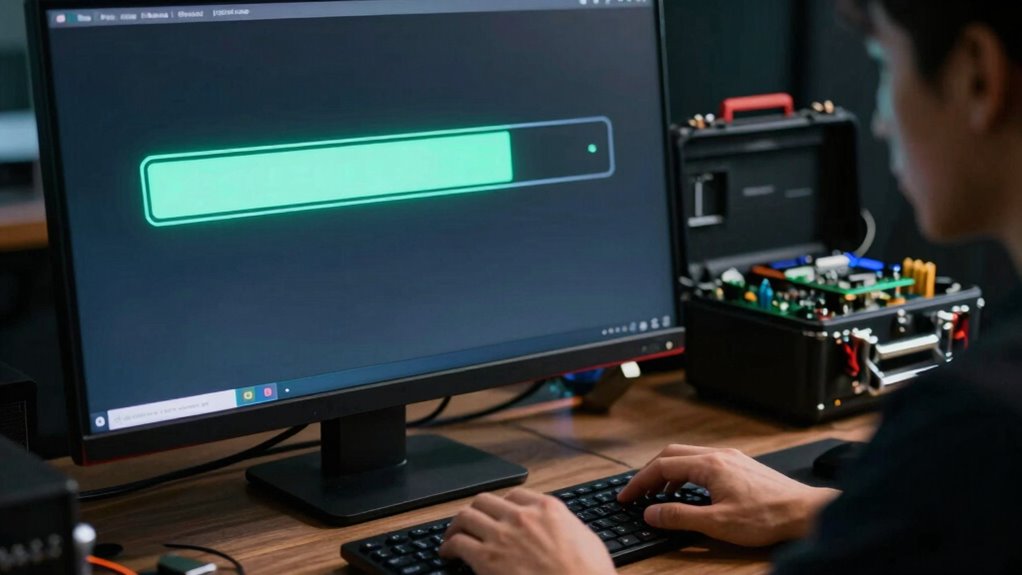

Firmware updates are just as important as software patches because they directly control and improve your hardware’s functioning, security, and stability. Ignoring these updates can lead to hardware malfunctions, security vulnerabilities, and long-term damage. These updates fix bugs, patch security gaps, and optimize device performance, ensuring your hardware remains reliable and protected. If you want to understand how these updates safeguard your devices and extend their lifespan, there’s more to discover below.

Get audio and creator gear delivered free — and shop member deals
- Fast, free delivery on millions of items
- Access to Prime Big Deal Days deals on October 6–7
- Prime Video, Amazon Music and more included
Key Takeaways
- Firmware updates directly improve hardware stability, security, and performance, just like software patches do for applications.
- Neglecting firmware updates risks hardware malfunctions, device damage, and increased vulnerability to cyber threats.
- Firmware controls low-level hardware operations, making updates essential for device longevity and optimal functioning.
- Both firmware and software updates fix bugs, close security gaps, and enhance overall device resilience.
- Recognizing firmware updates as critical ensures comprehensive device security and prevents long-term hardware issues.
Have you ever wondered what really happens behind the scenes when your device receives a firmware update? It might seem like a small, automatic process, but in reality, it’s a critical operation that directly impacts your device’s performance and safety. Firmware updates are often overlooked compared to software patches, but they deserve equal respect because they play an essential role in maintaining hardware stability and device security. When your device receives a firmware update, you’re fundamentally installing a low-level code that controls how hardware components interact. This update can fix bugs, improve efficiency, and enhance hardware functioning, guaranteeing your device runs smoothly. Neglecting these updates can lead to hardware instability, where components might malfunction or operate unpredictably, risking long-term damage or reduced lifespan. By staying current with firmware updates, you help keep your device’s hardware stable, preventing issues before they escalate into costly repairs or replacements.
Additionally, firmware updates often include security enhancements that address emerging vulnerabilities, ensuring your device remains protected against new cyber threats. Furthermore, firmware updates are indispensable for safeguarding your device against security threats. Unlike traditional software patches, which primarily address user-facing features or bugs, firmware updates often close vulnerabilities at the core level of your device’s hardware. Cybercriminals constantly seek weaknesses in firmware to gain unauthorized access, steal data, or cause disruptions. When you ignore firmware updates, you’re leaving the door open for potential exploits that can compromise your device’s security. These updates patch vulnerabilities, strengthen defenses, and reduce the chances of malicious attacks. Incorporating firmware vulnerabilities into update protocols is crucial for a comprehensive security strategy because they are often overlooked in regular security assessments. Properly managing these updates can also help prevent hardware malfunctions, which might otherwise result from unpatched issues or incompatibilities. Staying informed about firmware security best practices is essential in a digital landscape where threats evolve rapidly. This isn’t just about protecting your data; it’s about ensuring your device remains trustworthy and resilient against evolving cyber threats.
Many users underestimate the importance of firmware updates because they seem less frequent or less visible than app updates or operating system patches. However, they’re just as necessary because they directly influence how your device functions at the hardware level. Updating firmware isn’t just about adding new features; it’s about maintaining a secure, stable foundation for your device to perform at its best over time. When you respect firmware updates, you’re actively contributing to the longevity and security of your device. You’re also making a conscious choice to avoid vulnerabilities that could be exploited by hackers or lead to hardware issues down the line.
As an affiliate, we earn on qualifying purchases.
Frequently Asked Questions
How Often Should I Check for Firmware Updates?
You should check for firmware updates at least once a month to maintain device longevity and security. Regular update frequency guarantees your device runs smoothly, fixes bugs, and stays protected against vulnerabilities. Some devices may notify you automatically, but it’s good practice to manually verify updates periodically. Staying proactive helps prevent issues and keeps your device performing at its best, extending its lifespan and ensuring you benefit from the latest features and improvements.
Can Firmware Updates Improve Device Security?
Yes, firmware updates can substantially boost your device security, but only if they’re compatible and reliable. Imagine leaving your device vulnerable because of compatibility issues or unreliable updates—scary, right? When manufacturers release updates, they often patch security flaws, enhancing your protection. To stay safe, always make sure updates are compatible with your device and are from trusted sources, so you get the full security benefits without risking stability or security breaches.
Are Firmware Updates Risky to Install?
Firmware updates can be risky to install if you’re not cautious, as they sometimes expose firmware vulnerabilities or cause device malfunctions. However, enabling update automation helps minimize risks by ensuring updates are applied promptly and correctly. Always verify the source before installing, and back up your device. While risks exist, timely updates are essential to fix firmware vulnerabilities, improve performance, and keep your device secure and functioning properly.
Do All Devices Require Firmware Updates?
Not all devices require firmware updates, but ignoring update notifications could leave your device vulnerable or incompatible over time. You might think your device is fine without updates, yet subtle improvements or security patches often depend on them. Device compatibility varies, so staying alert to update prompts ensures peak performance. Don’t overlook these notifications—they could be the key to keeping your device secure, efficient, and future-proof.
How Do I Know if a Firmware Update Is Successful?
You can tell if a firmware update is successful by checking the device’s display or settings menu for confirmation messages or version numbers. Perform update verification by comparing the firmware version before and after the update. Reliable firmware offers better stability and security, so if the version has changed as intended, and the device functions normally afterward, you can trust the firmware reliability and know your update was successful.
Conclusion
Just as software patches fix vulnerabilities and improve features, firmware updates are equally essential—they often happen quietly, yet their impact is profound. Remember, sometimes the smallest update can prevent the biggest failures, much like a hidden connection guiding your device’s performance. So, next time you see that update prompt, respect it. It’s more than just code; it’s the silent guardian of your device’s future, reminding us that even the unseen deserves our attention.
Halloween Picks
halloween
As an affiliate, we earn on qualifying purchases.