
AIThis post was created with the assistance of artificial intelligence (AI).

Before you orderOffer from Amazon
Get audio and creator gear delivered free with Prime
- Fast, free delivery on millions of items
- Prime Video, Amazon Music and more included
- Member-only deals all year
Start your free Prime trial Free trial for eligible customers · Cancel anytime
As an affiliate, we earn on qualifying purchases.
ARTURIA RELEASES KEYSTEP PRO 1.2.6 FIRMWARE UPDATE
It’s Arturia’s job to make sure that the products they bring users to perform at their best capacity, so users can enjoy the smoothest workflow. That’s why Arturia constantly works on firmware updates for their products: exciting improvements such as new features, improvements, and bug fixes.
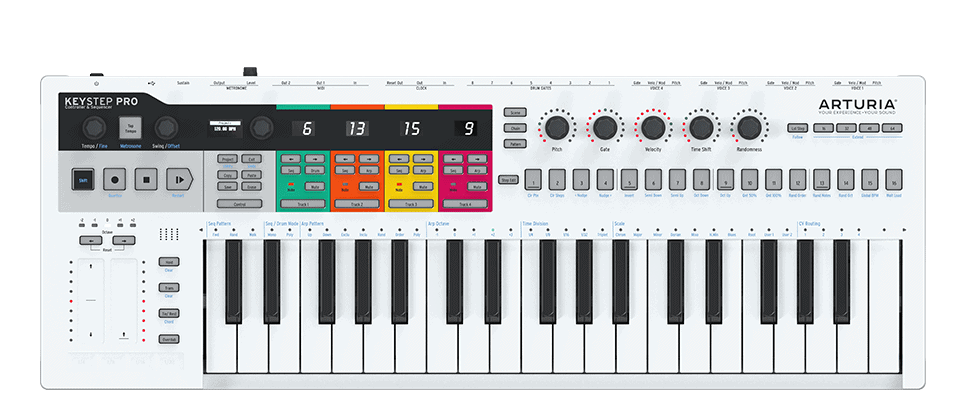
The teams have worked on analyzing feedback on their latest controller, KeyStep Pro, and delivering a firmware update. The update includes workflow improvements and bug fixes for the most part.
NEW IN KEYSTEP PRO 1.2.6
- Reworked MIDI In Implementation
Notes sent to the track’s input MIDI channels are now processed as if these were played on the KeyStep Pro keyboard and transmitted to the MIDI and CV Outputs. - More recording flexibility with the count in
When recording in real-time, notes played prior to the recording are maintained after the start and are now recorded as well. - Record several patterns on the fly
Patterns can now be changed while record is ON. This lets you build several patterns at one time leaving more room for your creative flow when jamming. - Drum track time division per pattern
The drum track time division is now stored in each drum pattern and recalled when changing from one pattern to another. - Sync Auto mode improvement
KeyStep Pro is now able to jump back to its internal clock after having been synced to an external source. - Sync handling improvements
Synchronization accuracy has been improved and now supports all clock rate formats. - New screen feedback messages
For some actions, new screen messages have been added to make the workflow more intuitive - Bug fixes
The update also comes with various bug fixes and workflow improvements. For more details, check out the release notes.
INSTALL THE UPDATE
- Connect KeyStep Pro to your computer with a USB cable
- Open the Arturia MIDI Control Center software
- Select ‘KeyStep Pro’ from the dropdown menu
- Select ‘Firmware Revision’ and then ‘Update’

Halloween Picks
halloween
halloween
As an affiliate, we earn on qualifying purchases.