
Secure boot for AI appliances ensures your devices start securely by verifying hardware and firmware integrity from power-on. You use hardware roots of trust like TPMs or secure enclaves to authenticate components and guarantee only signed firmware loads. This process prevents malicious code from executing and maintains trust throughout the device’s lifecycle. Incorporating secure update mechanisms and continuous verification helps keep your systems protected against evolving threats—continue exploring to learn how to implement these critical security measures effectively.
Key Takeaways
- Implement hardware root of trust, such as TPMs or secure enclaves, to verify hardware authenticity during startup.
- Use cryptographically signed firmware updates to ensure only trusted code loads during boot.
- Establish a chain of trust from hardware to firmware, validating each component before execution.
- Regularly update firmware and security protocols to address emerging threats and maintain integrity.
- Incorporate secure key management, access controls, and audit logs to monitor and protect the boot process.

As AI appliances become more integral to critical systems, ensuring their security is more important than ever. You need to understand that a secure boot process is fundamental in protecting these devices from malicious attacks and unauthorized modifications. One of the key elements in establishing this security is hardware attestation, which verifies that the hardware components are genuine and haven’t been tampered with. When hardware attestation is correctly implemented, it provides a trustworthy foundation for the entire system, giving you confidence that the AI appliance is running on authentic hardware. Alongside this, maintaining firmware integrity is essential. Firmware acts as the low-level control layer of your device, and if compromised, it can give attackers control over the entire system. Secure boot ensures that only approved firmware, signed and verified during startup, loads onto the appliance. This process prevents malicious firmware from executing and helps maintain the integrity of your system from the moment it powers on.
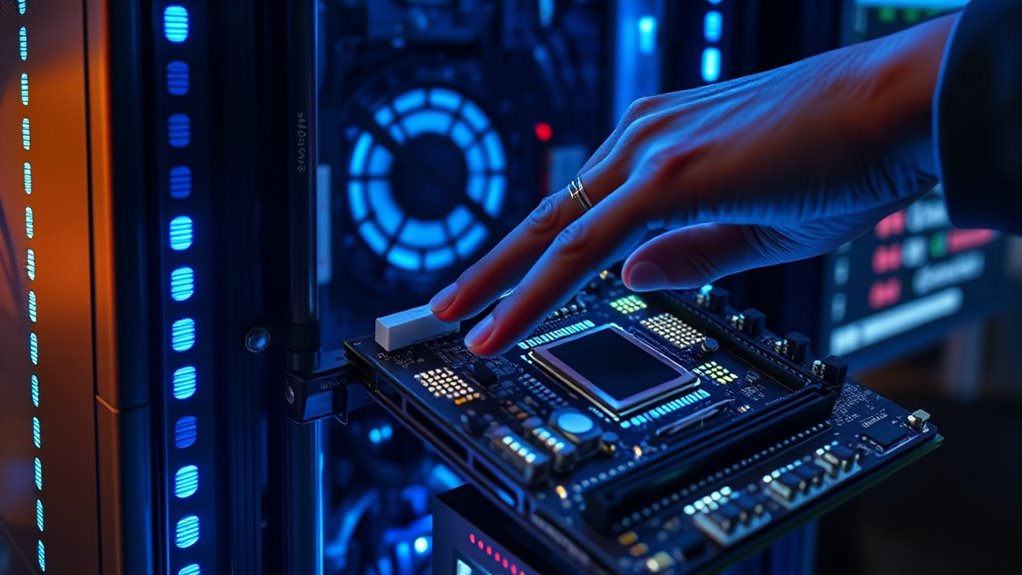
To implement secure boot effectively for your AI appliances, you should start with a hardware root of trust. This involves leveraging hardware features designed for attestation and secure key storage, such as Trusted Platform Modules (TPMs) or secure enclaves. These components generate and store cryptographic keys that verify the hardware’s identity and integrity. When you power up the device, the secure boot process checks these credentials, ensuring the hardware is genuine before proceeding. Once hardware attestation confirms the device’s authenticity, the system verifies the firmware’s digital signatures. Only firmware that passes this validation loads, preventing untrusted or malicious code from executing. This chain of trust is essential for maintaining the overall security posture of your AI appliance. Additionally, regularly re-evaluating security protocols helps adapt to emerging threats and maintain a robust security environment.
In practice, you should also regularly update your firmware, but always in a way that preserves firmware integrity. Secure update mechanisms, such as cryptographically signed updates, prevent tampering during the update process. Additionally, you must implement strong access controls and audit logs to monitor attempts to modify hardware or firmware components. These steps help you quickly detect and respond to potential threats. Remember, the goal of secure boot isn’t just to protect against initial threats but to establish a continuous chain of trust throughout the device’s lifecycle. By integrating hardware attestation and firmware integrity checks into your development process, you create a resilient foundation that safeguards your AI appliances against evolving security risks, ensuring they operate reliably and securely in critical environments.

Tecmojo 6U Wall Mount Server Cabinet IT Network Rack Enclosure Lockable Door and Side Panels Black, Cooling Fan, Standard Glass Door, 450mm Depth, for 19” IT Equipment, A/V Devices
Save valuable floor space: 6U wall mount server cabinet Dimensions: 13.78" H x21.65" W x17.72" D.Maximum mounting depth...
As an affiliate, we earn on qualifying purchases.
Frequently Asked Questions
How Does Secure Boot Impact AI Model Updates?
Secure Boot guarantees firmware integrity during the boot process, which can impact AI model updates by preventing unauthorized modifications. When enabled, it verifies that only trusted firmware and software are loaded, reducing the risk of malicious interference. However, you need to manage keys carefully; otherwise, legitimate updates might be blocked. Overall, Secure Boot enhances security but requires proper configuration to smoothly support AI model updates.
Can Secure Boot Be Bypassed in AI Appliances?
Yes, secure boot can be bypassed in AI appliances, especially if firmware vulnerabilities exist or if hardware tampering occurs. Attackers exploit these vulnerabilities or physically tamper with the hardware to disable or circumvent secure boot mechanisms. To prevent this, you need to regularly update firmware, implement tamper detection, and use hardware security modules. Staying vigilant helps protect your AI appliance from unauthorized access or malicious modifications.
What Hardware Requirements Are Needed for Secure Boot?
To enable Secure Boot, your hardware must support UEFI firmware with hardware compatibility for secure key storage. Make certain your motherboard’s firmware security features are enabled, and it supports the necessary secure boot protocols. You’ll also need compatible hardware components, like a trusted platform module (TPM), to store cryptographic keys securely. These requirements help safeguard your AI appliance against unauthorized firmware modifications and ensure a trusted boot process.
How Does Secure Boot Affect AI Appliance Troubleshooting?
Secure Boot enhances AI appliance security, but it can complicate troubleshooting. With over 60% of issues linked to firmware integrity or boot process validation, you might face challenges when diagnosing hardware or software problems. Secure Boot’s strict validation guarantees only trusted firmware runs, but it can block necessary updates or debugging tools, making troubleshooting more time-consuming. You’ll need to carefully manage keys and firmware to balance security and maintainability.
Is Secure Boot Compatible With Open-Source AI Frameworks?
Secure Boot can be compatible with open-source AI frameworks, but you’ll face open source challenges and compatibility considerations. You need to sign kernels and bootloaders properly, which may require extra steps since open-source tools often lack official signing support. While it’s feasible, verify your framework’s components are compatible with Secure Boot policies, and be prepared to customize or manually sign certain elements to maintain security without sacrificing open-source flexibility.

Tecmojo 12U Open Frame Network Rack for IT & AV Gear, AV Rack Floor Standing or Wall Mounted,with 2 PCS 1U Rack Shelves & Mounting Hardware,Network Rack for 19" Networking,Audio and Video Device
【Powerful Load-bearing】12U Network Rack Open Frame is constructed from durable cold rolled steel; Rack shelf supports enhance stability,...
As an affiliate, we earn on qualifying purchases.
Conclusion
Think of Secure Boot for AI appliances as a sturdy gatekeeper, guarding your digital fortress against intruders. By implementing these protections, you’re anchoring your system’s foundation in trust and resilience. With every security step you take, you’re building a lighthouse that guides your AI devices safely through stormy cyber waters. Stay vigilant, keep your boot process secure, and let your AI appliances shine bright and safe in the vast digital ocean.

Tecmojo 6U Network Rack, 10 inch Mini Server Rack with 2 Side Translucent Panels & 2 Top Handles, 7.87 inch Deep, for 10 inch IT Equipment & A/V Devices, White
Compact 10-Inch Width & 6U Height: This mini rack is designed for efficient equipment organization, featuring a space-saving...
As an affiliate, we earn on qualifying purchases.

Tecmojo 12U Network Rack, 10 inch Mini Server Rack with 2 Side Translucent Panels & 2 Top Handles, 10.23 inch Deep, for 10 inch IT Equipment & A/V Devices, White
Compact 10-Inch Width & 12U Height: This mini rack is designed for efficient equipment organization, featuring a space-saving...
As an affiliate, we earn on qualifying purchases.