
DisplayPort 2.1 offers up to 80 Gbps bandwidth, supporting ultra-high resolutions like 8K at 60Hz with minimal compression, while HDMI 2.1 provides around 48 Gbps, still capable of 8K but often relies more on Display Stream Compression (DSC). Both standards handle high-quality signals, but the higher bandwidth of DisplayPort 2.1 allows for better future-proofing and less compression. If you explore further, you’ll discover how different cables, devices, and compression techniques influence real-world performance.
Key Takeaways
- DisplayPort 2.1 offers up to 80 Gbps bandwidth, significantly higher than HDMI 2.1’s 48 Gbps, enabling higher resolutions and refresh rates.
- Both standards utilize Display Stream Compression (DSC) to support uncompressed high resolutions like 8K, but DisplayPort 2.1’s higher bandwidth allows more headroom.
- Real-world limits such as cable quality, hardware support, and signal degradation influence achievable resolutions and refresh rates despite theoretical bandwidth.
- HDMI 2.1 is generally sufficient for most consumer needs, while DisplayPort 2.1 is better suited for professional, high-end, and future display setups.
- Compatibility and proper hardware support are crucial for leveraging the full potential of each standard’s bandwidth and compression features.
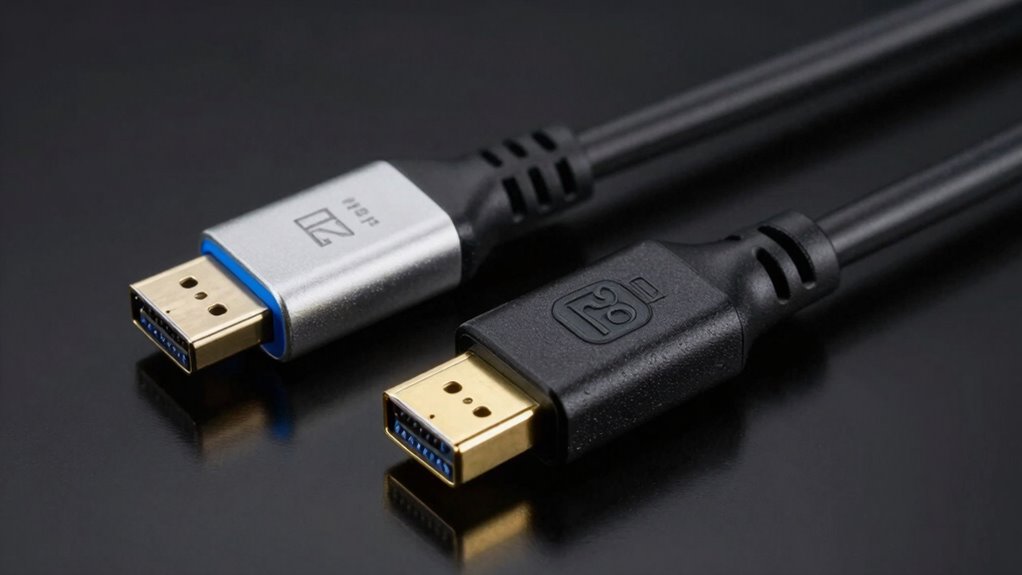
DisplayPort 2.1 cable
As an affiliate, we earn on qualifying purchases.
As an affiliate, we earn on qualifying purchases.
What Are DisplayPort 2.1 and HDMI 2.1?

DisplayPort 2.1 and HDMI 2.1 are the latest generations of digital display interfaces designed to deliver high-quality audio and video signals. These connections support advanced features like enhanced video game compatibility, ensuring smooth gameplay and stunning visuals at higher resolutions and refresh rates. You’ll also find that both standards include an audio return channel, which simplifies audio setup by transmitting sound from your TV back to your audio device without extra cables. These interfaces are built to handle today’s demanding multimedia needs, offering increased bandwidth and better data transfer. Whether you’re gaming, streaming, or working, DisplayPort 2.1 and HDMI 2.1 provide the flexibility and performance needed for immersive, high-quality experiences. Additionally, increased bandwidth capacity allows for higher resolutions and refresh rates, pushing the limits of modern display technology.
HDMI 2.1 high bandwidth cable
As an affiliate, we earn on qualifying purchases.
As an affiliate, we earn on qualifying purchases.
Why Do Bandwidth Capabilities Matter?

Bandwidth capabilities determine how well your display can handle higher resolutions and faster refresh rates. When bandwidth is sufficient, your signal stays stable, preventing flickering or lag. This means you get sharper images, smoother gameplay, and a more reliable viewing experience. Additionally, adequate bandwidth supports features like HDR support, which further enhances visual quality.
Supports Higher Resolutions
Have you ever wondered why some cables handle ultra-high resolutions better than others? The key lies in bandwidth, which directly impacts resolution scaling and pixel density. Higher bandwidth allows your display to support greater resolution without sacrificing image quality. This means sharper images and more detailed visuals, especially on larger screens. When bandwidth is limited, you may experience pixelation or reduced resolution, affecting your viewing experience. Both DisplayPort 2.1 and HDMI 2.1 offer support for higher resolutions, but their maximum capabilities differ. To maximize your display quality, choosing a cable that can handle the necessary bandwidth ensures your system can push resolution boundaries smoothly. Here’s a quick look at how bandwidth influences resolution support:
| Feature | Impact on Resolution |
|---|---|
| Bandwidth | Enables higher resolution and pixel density |
| Resolution Scaling | Maintains clarity at larger sizes |
| Pixel Density | Sharpness and detail in images |
| Compatibility | Supports future resolution advancements |
Enables Faster Refresh Rates
Faster refresh rates are essential for smooth, responsive visuals, especially during fast-paced gaming or high-speed video playback. Higher bandwidth capabilities allow for refresh rate improvements, which directly impact gaming performance by reducing motion blur and screen tearing. When your connection supports increased bandwidth, you can push displays to higher refresh rates, often reaching 120Hz, 144Hz, or even 240Hz, providing a more fluid experience. This means your visuals stay sharp and responsive, giving you a competitive edge in gaming. Without sufficient bandwidth, hardware struggles to deliver these higher refresh rates smoothly, resulting in choppy or delayed visuals. Both DisplayPort 2.1 and HDMI 2.1 aim to maximize refresh rate improvements, ensuring your display can keep up with fast-moving content. Trusted bandwidth is crucial for achieving these higher refresh rates reliably.
Ensures Signal Stability
Signal stability is essential for delivering a consistent viewing experience, especially when streaming high-resolution videos or playing fast-paced games. Reliable signal consistency prevents flickering, lag, and interruptions that can ruin your immersion. Bandwidth capabilities directly influence this stability, ensuring enough data flows smoothly without drops. Additionally, cable durability plays a pivotal role; high-quality cables resist interference and physical wear, maintaining stable signals over time. If your cable isn’t durable, connections can weaken, leading to signal dropouts. Both DisplayPort 2.1 and HDMI 2.1 are designed to support high bandwidths that promote robust signal stability. Investing in quality cables and understanding bandwidth limits helps prevent disruptions, allowing you to enjoy seamless, high-quality visuals without compromise. Understanding bandwidth limits is crucial for optimizing your setup and avoiding potential signal issues. Moreover, being aware of cable specifications helps ensure compatibility and long-term performance, reducing the need for frequent upgrades. Paying attention to connection quality can also make a significant difference in maintaining stable signals during intensive usage. Ensuring proper signal optimization techniques can further enhance overall performance and stability.
8K HDMI 2.1 cable
As an affiliate, we earn on qualifying purchases.
As an affiliate, we earn on qualifying purchases.
How Do DisplayPort and HDMI Standards Differ?

You’ll notice that DisplayPort and HDMI differ in their bandwidth capabilities, affecting how much data they can transmit. They also handle compression and signal quality differently, which impacts picture clarity and performance. Understanding these differences helps you decide which standard best fits your needs.
Bandwidth Capabilities Compared
When comparing the bandwidth capabilities of DisplayPort 2.1 and HDMI 2.1, it’s essential to understand how each standard handles data transfer rates. The bandwidth comparison reveals that DisplayPort 2.1 offers up to 80 Gbps of raw data throughput, markedly higher than HDMI 2.1’s 48 Gbps. This means DisplayPort can support more data-intensive applications, like higher resolutions and faster refresh rates, with ease. HDMI 2.1 still provides impressive bandwidth, suitable for most consumer needs, but it’s limited compared to DisplayPort in ultra-high-definition scenarios. Your choice depends on your setup’s requirements for bandwidth, as DisplayPort’s superior data throughput allows for more flexibility in high-end gaming, professional work, and future-proofing.
Compression and Signal Quality
While both DisplayPort 2.1 and HDMI 2.1 support high-quality audio and video transmission, they differ considerably in how they handle compression and signal integrity. DisplayPort tends to use more efficient compression methods, reducing compression artifacts and signal degradation, which preserves image clarity. In contrast, HDMI 2.1 sometimes relies on higher compression levels, which can introduce visible compression artifacts, especially at higher resolutions.
- DisplayPort’s compression minimizes artifacts and maintains sharpness.
- HDMI’s compression may cause subtle signal degradation, impacting picture quality.
- Both standards use DSC (Display Stream Compression), but implementation varies, affecting overall signal quality.
Understanding these differences can help you choose the best connection for your setup.
DisplayPort 2.1 to HDMI adapter
As an affiliate, we earn on qualifying purchases.
As an affiliate, we earn on qualifying purchases.
How Does Bandwidth Affect Resolution and Refresh Rates?

Bandwidth plays a essential role in determining the maximum resolution and refresh rates a display connection can support. Higher bandwidth allows for transmitting more data simultaneously, which means you can enjoy sharper images and smoother motion without sacrificing color accuracy. When bandwidth is limited, you might need to lower resolution or refresh rate, affecting your viewing experience. For optimal performance, selecting a connection with sufficient filtration and data transmission capacity ensures that your display can handle high-resolution content smoothly. Additionally, a connection with sufficient bandwidth supports an ergonomic design by reducing artifacts like ghosting or flickering, which can cause eye strain. Choosing a cable or port with adequate bandwidth ensures you get the most out of your display’s capabilities, providing crisp visuals and smooth interactions while maintaining comfort during extended use.
What Role Does Display Stream Compression (DSC) Play?

Display Stream Compression (DSC) helps reduce the bandwidth needed for high-resolution signals without sacrificing too much image quality. Its compression efficiency determines how well visual details are preserved while optimizing data transfer. Understanding these aspects can help you choose the best connection for your display needs. Additionally, compression efficiency plays a crucial role in maintaining image fidelity during high-bandwidth transmissions.
Compression Efficiency Impact
Display Stream Compression (DSC) plays a crucial role in maximizing the efficiency of both DisplayPort 2.1 and HDMI 2.1 by reducing the data load sent over the cable. This compression allows higher resolutions and refresh rates without overwhelming bandwidth. However, the effectiveness of DSC depends on: its ability to preserve image quality and how well it minimizes compression artifacts that can degrade image quality. It also depends on its ability to prevent bandwidth bottlenecks during demanding tasks. The balance between compression level and visual fidelity is essential for optimal performance. Higher compression efficiency means less data needs to be transmitted, which preserves bandwidth and reduces latency. But, if compression isn’t optimized, artifacts may appear, impacting the viewing experience. Ultimately, effective DSC enhances performance while maintaining image integrity.
Visual Quality Preservation
Display Stream Compression (DSC) particularly influences how well visual quality is preserved in high-resolution, high-refresh-rate displays. With effective DSC, you can maintain sharp details and smooth motion without sacrificing color accuracy. This compression technique reduces data size while minimizing artifacts that could distort images, helping your screen calibration stay consistent across different devices. When DSC is implemented properly, it ensures that vibrant colors and fine details remain intact, even at extreme resolutions and refresh rates. Additionally, bandwidth efficiency enabled by DSC allows for smoother performance and fewer connection issues. This means you don’t have to compromise on visual quality to achieve higher bandwidth efficiency. As a result, DSC plays a vital role in delivering crisp, true-to-life images, making high-end gaming, professional editing, and multimedia consumption more immersive and visually accurate.
Bandwidth Optimization Strategies
Display Stream Compression (DSC) plays a crucial role in optimizing bandwidth for high-resolution displays by reducing the amount of data transmitted without sacrificing visual quality. This technique enhances the advantages of Displayport, allowing it to support higher resolutions and refresh rates efficiently. Conversely, HDMI limitations often restrict bandwidth, making DSC essential for bridging the gap.
To understand its impact:
- It maintains image quality while lowering data transfer requirements.
- It enables support for 8K and beyond on Displayport connections.
- It allows HDMI to push high resolutions without increasing cable complexity.
How Much Bandwidth Does DisplayPort 2.1 Offer?
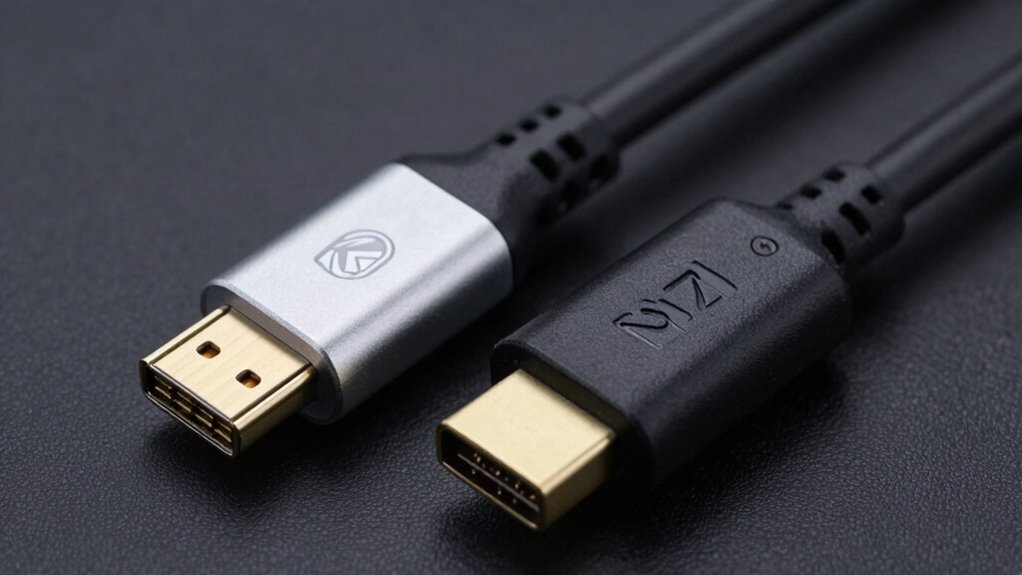
DisplayPort 2.1 considerably boosts bandwidth capabilities, offering up to 80 Gbps under ideal conditions. This impressive figure is achieved through advanced data compression techniques, which help maximize data transfer without sacrificing quality. You’ll benefit from higher resolutions, faster refresh rates, and improved color depths, all within this expanded bandwidth. Maintaining signal integrity is vital at these speeds, and DisplayPort 2.1 incorporates robust signaling methods to guarantee a stable connection over longer distances. While the raw bandwidth is significant, effective data compression plays a key role in delivering real-world performance. This combination allows you to push your display setup to new levels while keeping data transfer efficient and reliable, making DisplayPort 2.1 a powerful choice for demanding applications.
How Does HDMI 2.1 Compare in Bandwidth?

HDMI 2.1 offers a substantial increase in bandwidth compared to earlier versions, supporting up to 48 Gbps under ideal conditions. This boost allows for higher resolutions, faster refresh rates, and richer color depth. When comparing to Displayport bandwidth, HDMI 2.1 delivers impressive performance, but some differences affect practical use: 1. Displayport bandwidth often exceeds HDMI 2.1, especially at higher data rates, making it preferable for demanding setups. 2. HDMI latency remains low, ensuring minimal delay in gaming or fast-paced content, but it can vary depending on device compatibility. 3. Features like HDR and DSC utilize this bandwidth efficiently, allowing for seamless, high-quality visuals without sacrificing speed or responsiveness. Additionally, adaptive streaming technologies can optimize the delivery of high-quality content over HDMI, enhancing overall viewing experience. Understanding these factors helps you choose the right connection for your setup, especially when considering bandwidth limitations and device compatibility to ensure optimal performance. Moreover, data compression techniques like DSC help maximize the effective use of available bandwidth, enabling higher resolutions and refresh rates without bottlenecks.
Can HDMI 2.1 Support 8K and Higher Resolutions?
HDMI 2.1 can support 8K resolutions, but you’ll need enough bandwidth to handle the data. It uses higher bandwidth and compression techniques to deliver these ultra-high resolutions smoothly. Understanding how these factors work together will help you determine if HDMI 2.1 meets your display needs.
8K Resolution Capabilities
While HDMI 2.1 is designed to handle higher resolutions, it can indeed support 8K displays at 60Hz and even 4K at 120Hz, making it suitable for most advanced visual setups. Its capability mainly depends on display resolution and bandwidth efficiency. To maximize performance, you should consider:
- The maximum display resolution supported, which is 8K (7680×4320).
- The refresh rate, ensuring smooth motion at high resolutions.
- The bandwidth required to transmit larger display resolutions without compression issues.
HDMI 2.1’s increased bandwidth allows for these higher resolutions, but achieving ideal display resolution also hinges on effective bandwidth efficiency. This ensures your setup delivers crisp images without sacrificing clarity or performance.
Bandwidth and Compression
Supporting 8K and higher resolutions with HDMI 2.1 depends heavily on bandwidth and compression techniques. Higher resolutions demand more data transfer, risking bandwidth bottlenecks. To manage this, HDMI 2.1 uses Display Stream Compression (DSC), which reduces data size while maintaining image quality. However, excessive compression can lead to compression artifacts, affecting picture clarity. The table below illustrates how different resolutions and compression settings impact bandwidth needs:
| Resolution | Compression | Bandwidth Required |
|---|---|---|
| 8K @ 60Hz | None | High (up to 48 Gbps) |
| 8K @ 60Hz | With DSC | Reduced (around 40 Gbps) |
| 4K @ 120Hz | None | Moderate |
| 4K @ 120Hz | With DSC | Lower |
This balance between compression and bandwidth determines whether HDMI 2.1 can effectively support ultra-high resolutions without artifacts. Additionally, advancements in nanotechnology could someday lead to even more efficient data transmission methods, further enhancing the capabilities of high-bandwidth interfaces.
What Are the Limits of HDMI 2.1 for 8K Content?

Although HDMI 2.1 promises impressive support for 8K content, it still faces certain limitations. One key issue is signal degradation, which can occur over long cable runs, affecting image clarity. Additionally, maintaining color accuracy at such high resolutions can be challenging, especially if the cable or device isn’t optimized. Here are some specific limits to keep in mind:
- Bandwidth constraints may require compression, impacting image quality.
- Longer cables risk signal loss, reducing sharpness and color fidelity.
- Even with DSC (Display Stream Compression), preserving true color accuracy at 8K can be difficult, especially in fast-moving scenes.
While HDMI 2.1 can handle 8K, these factors could limit your viewing experience depending on setup quality.
How Do Data Transfer Rates Differ?
Understanding the differences in data transfer rates between DisplayPort 2.1 and HDMI 2.1 is key to choosing the right connection for your high-resolution needs. The bandwidth comparison reveals that DisplayPort 2.1 offers a maximum bandwidth of up to 80 Gbps, while HDMI 2.1 provides around 48 Gbps. This higher data transfer capability means DisplayPort 2.1 can handle higher resolutions, faster refresh rates, and more detailed color profiles simultaneously. HDMI 2.1 still delivers impressive performance, especially for consumer electronics, but its lower bandwidth limits how much data it can transfer at once. Your choice depends on your specific requirements for resolution, refresh rate, and future-proofing, as higher data transfer rates support more demanding visual content without compression.
How Does Compression Enable Higher Resolutions?
Compression plays a essential role in enabling higher resolutions by reducing the amount of data that needs to be transmitted without sacrificing visual quality. It uses advanced compression techniques to shrink image data while maintaining image fidelity. This allows you to enjoy ultra-high resolutions even with bandwidth limitations. Here’s how it works:
- Selective Compression: Focuses on less detailed areas to preserve quality where it matters most.
- Lossy vs. Lossless: Lossless compression maintains perfect image fidelity, while lossy achieves higher compression with minimal perceptible quality loss.
- Dynamic Adjustment: Compression algorithms adapt in real-time to optimize image quality and data size.
Together, these techniques enable higher resolutions without overloading your connection, ensuring crisp visuals and smooth performance.
What Impact Do Bandwidth Limits Have on Gaming and Video Editing?
Bandwidth limits can considerably affect your gaming and video editing experiences by restricting the amount of data that can be transmitted quickly. For gaming, lower bandwidth may cap your refresh rate, leading to less smooth gameplay and potential input lag. Higher refresh rates require more data transfer, and bandwidth constraints can prevent achieving ideal performance. In video editing, limited bandwidth can hinder the ability to work with high-resolution footage smoothly, causing delays during playback and editing processes. It may also limit your ability to output 4K or higher resolutions at desired refresh rates, reducing overall quality. Ensuring ample bandwidth allows for higher refresh rates, smoother visuals, and more efficient video editing workflows, making it essential for demanding tasks like gaming and professional video work. Additionally, bandwidth limitations can impact the quality of streaming and real-time content, further emphasizing the importance of sufficient data transfer capacity.
Do Both Standards Support 4K at 120Hz?

Both DisplayPort 2.1 and HDMI 2.1 are designed to handle high-resolution, high-refresh-rate signals, but their support for 4K at 120Hz isn’t identical. Your choice depends on licensing and compatibility factors. Here’s what you need to know:
- HDMI licensing requires devices to meet HDMI 2.1 standards, which support 4K at 120Hz with DSC (Display Stream Compression).
- DisplayPort licensing also allows 4K at 120Hz, but some manufacturers may implement features differently.
- Both standards can support 4K at 120Hz, but ensuring your hardware and cables adhere to the specific licensing requirements is crucial for ideal performance.
In essence, both are capable, but licensing details influence compatibility and functionality.
Can They Handle 8K at 60Hz?
To display 8K at 60Hz, both standards need substantial bandwidth, which can be a challenge. You’ll also want to take into account how compression techniques like DSC impact image quality and compatibility. Finally, verify your hardware supports the required standards to handle this high resolution smoothly. Ensuring your setup minimizes signal loss can also improve clarity and directness in your communication. Additionally, understanding the bandwidth capacity of each standard helps in selecting the appropriate connection for demanding high-resolution displays.
Bandwidth Requirements for 8K
Handling 8K resolution at 60Hz requires significant data transfer capabilities, and not all display interfaces can support this demanding combination. To achieve this, your connection must meet specific bandwidth requirements:
- A minimum of 48 Gbps bandwidth for uncompressed 8K at 60Hz with HDR.
- Compatibility with Displayport security features that ensure secure data transmission.
- HDMI compatibility that supports higher data rates without compromising image quality.
Both Displayport 2.1 and HDMI 2.1 offer the necessary bandwidth, but they differ in how efficiently they handle this load. Understanding these requirements helps you choose the right interface to ensure smooth, high-quality 8K playback without bottlenecks.
Compression and DSC Roles
When it comes to transmitting 8K at 60Hz, compression techniques like Display Stream Compression (DSC) play a crucial role in reducing bandwidth demands. DSC enables you to send high-resolution content efficiently, making 8K feasible over existing connections. Its main role is to perform display compression without compromising image quality markedly. This technology helps you enjoy stunning visuals without needing ultra-high bandwidth. Here’s a quick look at DSC roles:
| Aspect | Impact |
|---|---|
| Bandwidth Reduction | Cuts data size, enabling 8K at 60Hz |
| Image Quality | Maintains clarity despite compression |
| Compatibility | Supports existing hardware seamlessly |
| Reliability | Ensures stable, smooth display output |
Additionally, understanding compression techniques is essential for appreciating how DSC balances quality and bandwidth efficiency. With DSC, you can experience breathtaking 8K visuals without overloading your connection.
Hardware Compatibility Considerations
Ensuring your hardware can support 8K at 60Hz requires checking for specific compatibility features. First, verify that your display interface supports HDMI 2.1 or DisplayPort 2.1 standards. Second, confirm your device firmware is up-to-date, as manufacturers often release updates to enable higher resolutions. Third, confirm that your graphics card and cable are rated for the necessary bandwidth and can handle the data transfer rates. Proper hardware installation is essential, so follow manufacturer instructions carefully. If any component lacks support for these standards or firmware updates, your system won’t display 8K at 60Hz smoothly. Compatibility isn’t just about the ports; it’s about the entire chain working seamlessly together. Staying updated guarantees your setup can handle the latest high-resolution demands.
How Does DSC Affect Image Quality and Latency?

Display Stream Compression (DSC) plays a significant role in balancing image quality and latency by reducing the amount of data transmitted between devices. This compression maintains high resolution and refresh rate synchronization, ensuring smooth visuals without sacrificing performance. While DSC can slightly impact color accuracy, modern algorithms minimize noticeable differences, preserving vibrant and precise images. The reduced data load also helps decrease latency, making fast-paced gaming and real-time applications more responsive. Additionally, proper calibration of DSC settings can optimize visual fidelity while maintaining low latency. Understanding compression techniques is essential for choosing the right display technology to maximize performance. However, over-compression might introduce minor artifacts, so selecting devices that support ideal DSC standards is key. Overall, DSC allows you to enjoy high-quality images with minimal lag, ensuring an immersive experience without compromising on performance or visual fidelity.
Are DisplayPort 2.1 and HDMI 2.1 Compatible With Modern Devices?
Are DisplayPort 2.1 and HDMI 2.1 compatible with the latest devices? Yes, most modern devices support these standards, but compatibility varies. For digital signage, many new displays incorporate HDMI 2.1, ensuring seamless connection and high-quality visuals. When it comes to gaming performance, high-end graphics cards and gaming monitors now include DisplayPort 2.1 support, optimizing bandwidth and refresh rates. To guarantee compatibility, consider these points:
Most modern devices support DisplayPort 2.1 and HDMI 2.1 for high-quality visuals and gaming.
- Verify your device’s port specifications before upgrading.
- Check for firmware updates that may improve support.
- Confirm that your device’s hardware can handle the bandwidth and features of DisplayPort 2.1 or HDMI 2.1.
- Understanding the art care implications can help in maintaining and prolonging the lifespan of your display equipment. Additionally, being aware of bandwidth limitations can assist in selecting the appropriate interface for your specific needs. Knowing how to manage device compatibility can prevent connectivity issues and maximize performance.
This compatibility enables better digital signage displays and enhances gaming experiences with faster, sharper visuals.
Which Is Better for Creative Professionals?
For creative professionals, having the right display technology can make a significant difference in workflow and output quality. Both DisplayPort 2.1 and HDMI 2.1 support high bandwidth, but when it comes to color accuracy and color gamut, DisplayPort often edges out due to better support for professional-grade monitors. This means richer, more precise colors essential for photo editing, video production, and digital art. Consider the table below:
| Feature | DisplayPort 2.1 | HDMI 2.1 |
|---|---|---|
| Color Accuracy | Superior support for calibrated displays | Good, but less extensive |
| Color Gamut | Wider color gamut options | Adequate for most creative work |
| Bandwidth | Up to 80 Gbps | Up to 48 Gbps |
| Target Users | Creative professionals | General and multimedia use |
DisplayPort’s strengths make it the preferred choice for serious creative work. Additionally, the bandwidth capacity of DisplayPort 2.1 allows for higher resolutions and refresh rates, which are crucial for professional-grade visual outputs. The support for HDR and other advanced color features further enhance its appeal for professionals needing precise visual fidelity. Moreover, its compatibility with multiple displays ensures seamless multitasking for demanding creative tasks. The advanced compression techniques used in DisplayPort 2.1 help optimize data transfer without sacrificing quality, benefiting high-end creative workflows. As color management plays a vital role in achieving consistent output, DisplayPort’s enhanced capabilities support these professional standards effectively.
Is HDMI 2.1 Enough for Home Theater Setups?
Is HDMI 2.1 sufficient to deliver an immersive home theater experience? For most users, yes, but some factors matter. First, consider audio latency—HDMI 2.1 offers low latency, ensuring synchronized sound and visuals. Second, the cable durability is essential; high-quality HDMI cables withstand frequent plugging and unplugging without losing signal quality. Third, check your device compatibility; HDMI 2.1 supports up to 48Gbps bandwidth, ideal for 4K at high refresh rates. If your setup includes advanced audio formats like Dolby Atmos, HDMI 2.1 handles them well. Additionally, Free Floating can help optimize your overall backyard entertainment setup to complement your home theater experience. However, if you want future-proofing or higher resolutions, you might need more advanced options. For now, HDMI 2.1 provides reliable performance suited for most home theaters.
Is DisplayPort 2.1 Future-Proof?

DisplayPort 2.1 is designed to be highly future-proof, offering significant upgrades over previous versions. Its enhanced displayport flexibility allows it to support higher resolutions, refresh rates, and advanced features, ensuring compatibility with upcoming technology. This means you can expect it to handle future gaming, professional, and immersive experiences without needing an upgrade soon. While HDMI 2.1 offers impressive versatility for consumer electronics, DisplayPort 2.1’s focus on high bandwidth and robust features makes it a strong contender for long-term use. If you prioritize cutting-edge performance and want a connection that adapts to future device advancements, DisplayPort 2.1 is a reliable choice. Its scalability and technological progression make it genuinely future-proof for years to come.
What Bandwidth Do You Need for Your Setup?

To choose the right connection, you need to know how much bandwidth your setup requires. If you’re gaming or streaming in 4K, you’ll need less bandwidth than for 8K content or future upgrades. Understanding these needs helps you pick the best technology to future-proof your setup.
Required Bandwidth for 4K
When streaming 4K content, understanding your bandwidth needs is crucial to guarantee smooth visuals and avoid lag. To guarantee quality, you need to contemplate the bandwidth calculation based on your setup’s resolution, refresh rate, and compression method. Typically, for uncompressed 4K at 60Hz with HDR, you’ll need around 18 Gbps. Here’s what to keep in mind:
- Resolution & Refresh Rate: Higher rates demand more bandwidth.
- Compression & DSC: Use of Display Stream Compression reduces bandwidth needs without sacrificing signal integrity.
- Cable & Signal Quality: Poor signal integrity can cause data loss; therefore, choose cables that support required bandwidth.
Knowing these factors helps you select the right interface and maintain a reliable, high-quality connection.
Bandwidth for 8K Content
Streaming 8K content demands considerably higher bandwidth than 4K, making it vital to understand your setup’s requirements. To achieve sharp images with excellent color accuracy, you’ll need at least 48 Gbps of bandwidth, which is supported by DisplayPort 2.1 and HDMI 2.1 with DSC (Display Stream Compression). This guarantees vibrant, detailed visuals without sacrificing quality. If portability matters—like connecting to different devices—choosing a connection that supports high bandwidth while maintaining compatibility is essential. Some setups may require reduced bandwidth for portable compatibility, but for true 8K resolution with rich color accuracy, you’ll want the full 48 Gbps capacity. This guarantees your display can handle the high data rates without compression artifacts, delivering the best visual experience possible.
Future-Proofing Your Setup
Choosing the right bandwidth for your setup is essential to guarantee it remains future-proof. To determine your needs, consider these factors:
- Your display resolution and refresh rate, especially for 4K or 8K content.
- The potential for wireless alternatives that might reduce cable requirements but still demand high bandwidth.
- Multi monitor setups, which require sufficient bandwidth to handle multiple screens smoothly.
If you’re planning for upcoming tech or upgrades, opt for higher bandwidth options like DisplayPort 2.1 or HDMI 2.1. This ensures you can support higher resolutions, refresh rates, and features like HDR without bottlenecks. Investing in a higher bandwidth now can save you from frequent upgrades and keep your setup ready for the future.
How Do Cable Quality and Length Impact Performance?
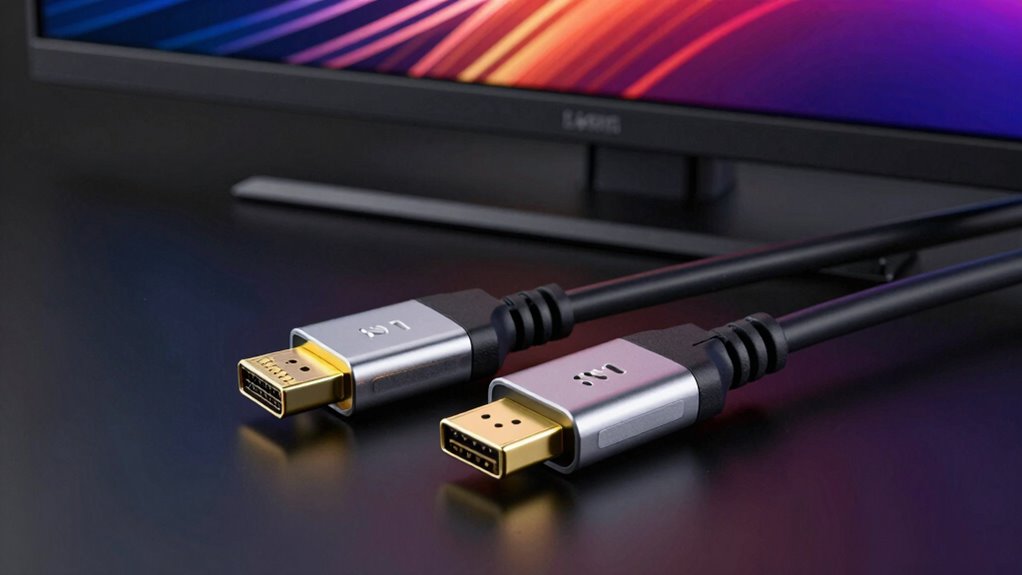
The quality of your cable and its length can considerably influence the performance you experience with DisplayPort 2.1 and HDMI 2.1. Superior cable shielding helps prevent interference, guaranteeing a stable signal and maximum bandwidth. Longer cables can introduce signal degradation, reducing display quality or causing flickering. To avoid this, choose cables designed for high data transfer rates and minimal loss. Connector compatibility also matters; using cables with proper connectors ensures secure connections and peak performance. Cheap or poorly made cables might not support the full bandwidth capabilities of DisplayPort 2.1 or HDMI 2.1, limiting your display quality. Thus, investing in high-quality, well-shielded cables of appropriate length and verified connector compatibility is crucial for the best possible performance.
Can HDMI 2.1 Use DSC to Match DisplayPort 2.1?

Can HDMI 2.1 leverage Display Stream Compression (DSC) to match the high bandwidth capabilities of DisplayPort 2.1? While HDMI licensing and display technology limit some features, DSC offers a way to increase effective bandwidth. Here’s what you need to know:
- HDMI 2.1 supports DSC, enabling higher resolutions and refresh rates without increasing cable complexity.
- DSC compresses data efficiently, helping HDMI match DisplayPort 2.1’s bandwidth, but it’s not a perfect substitute for raw data transfer.
- Implementation depends on device support and manufacturer adoption, which can vary despite HDMI’s licensing framework.
Using DSC, HDMI can approximate some of DisplayPort 2.1’s capabilities, but it still faces limits in true bandwidth and performance.
How Do Display Quality and Performance Differ?

Display quality and performance are directly influenced by the capabilities of your display interface, affecting how sharp, smooth, and vibrant your visuals appear. Higher bandwidth and advanced features like DSC improve color accuracy, delivering richer hues and more precise details. Performance differences also impact power consumption; DisplayPort 2.1 typically requires more power for higher data rates, while HDMI 2.1 manages power more efficiently. Consider the table below to compare key aspects:
| Feature | DisplayPort 2.1 | HDMI 2.1 | Impact |
|---|---|---|---|
| Bandwidth | Up to 48 Gbps | Up to 48 Gbps | Higher data transfer |
| Color Accuracy | Enhanced with DSC | Good with DSC | Better visuals |
| Power Consumption | Slightly higher | More efficient | Longer device battery life |
Which Graphics Cards and Monitors Support These Standards?

Many modern graphics cards and monitors support DisplayPort 2.1 and HDMI 2.1 standards, but compatibility varies depending on the model and manufacturer. To maximize gaming performance and guarantee cable durability, check your device specs carefully. Here are key points to take into account:
- High-end graphics cards like NVIDIA’s RTX 40 series and AMD’s Radeon RX 7000 series support HDMI 2.1 and DisplayPort 2.1, boosting gaming performance.
- Monitors with HDMI 2.1 or DisplayPort 2.1 support are available from brands like LG, Samsung, and ASUS, often offering ultra-high resolutions and refresh rates.
- Cable quality matters—select certified cables to maintain signal integrity and durability, preventing issues that could impact gaming performance or cause cable failure.
Frequently Asked Questions
How Do Displayport 2.1 and HDMI 2.1 Impact Future Display Technology?
You’ll see future display innovations thrive with DisplayPort 2.1 and HDMI 2.1, as they deliver higher bandwidths and better compression, enabling ultra-high resolutions and faster refresh rates. This boosts gaming performance and immersive visuals, making your gaming and multimedia experiences more seamless. As these standards evolve, they’ll support even more advanced technologies, ensuring your devices stay compatible with cutting-edge displays and provide ideal performance for years to come.
Are There Compatibility Issues Between Older Devices and These Standards?
Think of your devices as travelers with different passports. Older devices might face compatibility issues with DisplayPort 2.1 or HDMI 2.1, much like needing a visa. To bridge the gap, firmware updates are key—they upgrade your device’s passport, ensuring smooth travel. Without updates, your device might struggle to recognize or connect properly to these newer standards, so keep firmware current to avoid roadblocks and enjoy seamless compatibility.
How Do Refresh Rate and Latency Compare With Different Cable Qualities?
Your refresh rate and latency depend heavily on cable quality. Higher-quality cables guarantee a stable connection, allowing for higher refresh rates and lower latency. Poor quality cables can introduce signal degradation, causing lag and reduced performance. For maximum results, always choose cables that meet or exceed the required standards for your devices, as better cable quality minimizes latency impact and maintains high refresh rates, delivering smoother visuals and responsiveness.
Can These Standards Support Multi-Monitor Setups Effectively?
You can absolutely rely on both DisplayPort 2.1 and HDMI 2.1 for multi-monitor support, but their multi-display capabilities differ. DisplayPort 2.1 offers higher bandwidth, making it better suited for multi-monitor setups with multiple high-resolution displays. HDMI 2.1 also supports multi-monitor configurations, but with slightly more limitations on total bandwidth. Your choice depends on your setup’s complexity, but both standards excel in delivering smooth multi-monitor experiences.
What Are the Cost Differences Between Implementing Displayport 2.1 and HDMI 2.1?
The cost comparison shows that implementing DisplayPort 2.1 generally involves higher manufacturing expenses due to its advanced features and stricter hardware requirements. HDMI 2.1 tends to be cheaper to produce, making it more budget-friendly for consumers and manufacturers alike. If you’re considering upgrades, keep in mind that the higher manufacturing expenses for DisplayPort 2.1 might translate into a slightly higher retail price, but it offers better future-proofing.
Conclusion
Exploring the world of DisplayPort 2.1 and HDMI 2.1 is like charting a course through a high-speed highway of pixels and potential. While both standards race to deliver breathtaking visuals, understanding their bandwidth and compression tricks helps you choose the right lane. Whether you’re chasing ultra-high resolutions or smooth refresh rates, knowing their limits keeps your tech journey smooth and exciting—like a perfectly tuned engine roaring toward the horizon of tomorrow’s display marvels.