Many believe upgrading to HDMI 2.1 automatically improves gaming and TV performance, but that’s a myth. The truth is, device compatibility is key—your console, TV, and cables all need to support HDMI 2.1 features. Simply swapping cables won’t help if your devices aren’t compatible. To truly access these benefits, make sure your whole setup supports HDMI 2.1. Keep exploring to discover how to maximize your gaming experience effectively.

Get audio and creator gear delivered free with Prime
- Fast, free delivery on millions of items
- Prime Video, Amazon Music and more included
- Member-only deals all year
Key Takeaways
- Upgrading to HDMI 2.1 cables alone doesn’t improve gaming performance without compatible devices.
- Not all HDMI 2.1 cables support full features; certified Ultra High-Speed cables are recommended.
- Device support is essential; HDMI 2.1 features won’t work if TVs, consoles, or PCs are incompatible.
- HDMI 2.1 doesn’t inherently reduce gaming latency; hardware, settings, and internet influence lag.
- Compatibility across all devices and cables is crucial to unlock HDMI 2.1 benefits, preventing wasted investments.
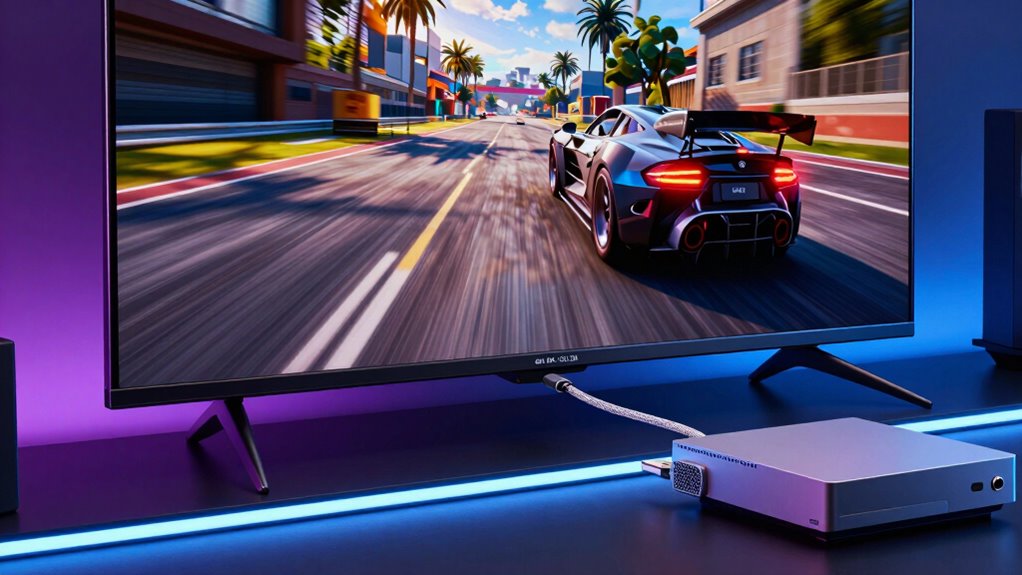
Have you ever wondered if HDMI 2.1 lives up to all the hype? Many people get caught up in the buzz, assuming that upgrading to HDMI 2.1 automatically transforms their TV and gaming setups. While it does bring some impressive features, there are common myths that can lead you astray about what it really offers. One of the biggest misconceptions is that HDMI 2.1 alone guarantees better gaming performance. Sure, it supports higher bandwidths, 4K at 120Hz, and even 8K capabilities, but those enhancements depend heavily on your hardware. If your gaming console or PC isn’t designed to utilize these features, upgrading your HDMI cable won’t magically improve your gameplay. You need compatible devices that can take advantage of HDMI 2.1’s increased bandwidth and features to see real benefits.
Upgrading to HDMI 2.1 doesn’t automatically boost gaming performance; compatible hardware is essential for real benefits.
Another myth revolves around cable compatibility. People often believe that any HDMI cable labeled “HDMI 2.1” will work seamlessly with their existing setup. That’s not entirely true. HDMI 2.1 cables are built to handle higher data transfer rates, but many cheaper or older cables labeled as “HDMI 2.1” might not support the full range of features, like 4K at 120Hz or eARC. To truly unlock HDMI 2.1’s potential, you need a certified Ultra High-Speed HDMI cable. Otherwise, you risk experiencing lower resolutions, flickering, or lag, which defeats the purpose of upgrading.
Many think that an HDMI 2.1 cable is a one-time fix for all performance issues. However, the cable is just one piece of the puzzle. Your TV, gaming console, or PC must also support HDMI 2.1 features to see improvements. If your display only supports HDMI 2.0, upgrading the cable won’t give you 4K at 120Hz or the new audio return channel benefits. It’s essential to check device compatibility first, rather than assuming that just swapping out cables will upgrade your entire setup.
Some gamers believe HDMI 2.1 will eliminate all lag and latency issues, but that’s another myth. While HDMI 2.1 provides faster data transfer and can support gaming-specific features like Variable Refresh Rate (VRR), the actual impact on gaming performance depends on your hardware, settings, and even your internet connection for online gaming. The quality of your display technology and how well your devices are configured play significant roles in latency. Additionally, network stability can influence online gaming experiences, regardless of the HDMI version. The cable alone won’t solve latency problems if your console or PC isn’t optimized for it.
Additionally, understanding device compatibility plays a crucial role in realizing HDMI 2.1’s benefits. In short, HDMI 2.1 offers exciting possibilities, but understanding the truth behind these myths helps you make smarter decisions. It’s not just about buying the newest cable or hardware; it’s about ensuring your entire setup is compatible and capable of leveraging these advanced features. Otherwise, you might just be wasting money on upgrades that won’t deliver the results you expect.
Products Worth Considering

Logitech MX Master 4 for Mac, Ergonomic Bluetooth Mouse with Haptic Feedback, Ultra-Fast Scrolling, USB-C Charging, for MacOS, iPadOS, Windo

Samsung 27 Odyssey OLED G5 (G50SF) QHD QD-OLED Gaming Monitor

Bose QuietComfort Ultra Earbuds (2nd Gen), Deep Plum
As an affiliate, we earn on qualifying purchases.
Frequently Asked Questions
Does HDMI 2.1 Improve Audio Quality?
HDMI 2.1 doesn’t directly improve audio quality, but it enables features that enhance your sound experience. It supports higher bandwidth, allowing for more advanced audio formats like Dolby Atmos and DTS:X, which boost audio clarity and sound enhancement. So, while the cable itself isn’t the source of better audio, it guarantees your setup can deliver richer, more immersive sound by supporting the latest high-quality audio formats.
Is HDMI 2.1 Backward Compatible With Older HDMI Versions?
Yes, HDMI 2.1 is backward compatible with older HDMI versions. You won’t face compatibility issues when connecting devices with different HDMI standards, but make certain your devices have the latest firmware updates to maximize compatibility. Sometimes, firmware updates are needed to resolve potential issues, especially with newer features. Keep your devices updated to enjoy smooth connections and prevent any hiccups caused by outdated software or hardware limitations.
Can HDMI 2.1 Cables Be Used for 4K at 60HZ?
Think of HDMI 2.1 cables as a highway designed for high-speed traffic—they definitely support 4K at 60Hz. You can use them for this resolution without issues, and they’re built for cable durability to handle the demands. When considering pricing, remember that premium cables often offer better shielding and longevity, but for 4K at 60Hz, a standard HDMI 2.1 cable usually suffices without breaking the bank.
Do All TVS Support HDMI 2.1 Features?
Not all TVs support HDMI 2.1 features, so you need to check their display resolution and cable compatibility. Many modern TVs, especially 4K and higher models, include HDMI 2.1, but older or budget models might only support HDMI 2.0 or earlier. To enjoy the full benefits, verify your TV’s specifications match the HDMI 2.1 features you want, like 4K at 120Hz or enhanced audio.
Is HDMI 2.1 Necessary for Next-Gen Gaming Consoles?
Think of HDMI 2.1 as a secret passage to the future of gaming. It’s not strictly necessary, but it markedly reduces gaming latency and enhances VR compatibility. If you want the best possible experience on next-gen consoles, HDMI 2.1 helps reveal their full potential. Without it, you might miss out on smoother visuals and quicker response times, making your gaming sessions less immersive and more prone to lag.
Conclusion
Don’t let these HDMI 2.1 myths cloud your vision. Imagine your perfect gaming setup—crisp visuals, lightning-fast responses, seamless streams—all within reach. As you clear away misconceptions, you open the door to a world where your TV and console work in harmony like a well-orchestrated symphony. Embrace the truth, and watch your entertainment space transform into a vivid, immersive landscape where every pixel and sound feels just right.