
Zero-copy networking has become essential for achieving high performance, low latency, and reduced CPU load in modern systems. DPDK offers direct hardware access and ultra-low latency, ideal for demanding data center applications, while io_uring provides efficient asynchronous I/O within Linux, simplifying implementation. Choosing the right tool depends on your setup and goals. Continue exploring to discover how these technologies can transform your network performance and workflow.
Key Takeaways
- DPDK offers ultra-low latency, direct NIC access, ideal for high-performance, zero-copy networking, but requires extensive hardware tuning.
- Io_uring simplifies asynchronous I/O within the Linux kernel, reducing system call overhead and enabling efficient zero-copy data transfers.
- DPDK bypasses kernel networking stacks for maximum throughput, while io_uring operates within kernel space for easier development and security.
- Combining DPDK and io_uring can optimize network performance in virtualized environments, balancing direct hardware access with ease of use.
- Zero-copy networking is essential today for high-speed data transfer, making both DPDK and io_uring critical tools depending on specific system requirements.

NETGEAR Nighthawk Dual-Band WiFi 7 Router (RS90) – Router Only, BE3600 Wireless Speed (up to 3.6 Gbps) - Covers up to 2,000 sq. ft., 50 Devices – 2.5 Gig Internet Port - Free Expert Help
Fast WiFi 7 speeds up to 3.6 Gbps for gaming, smooth streaming, video conferencing and entertainment
As an affiliate, we earn on qualifying purchases.
Why Zero-Copy Networking Matters Today
Zero-copy networking is essential today because it considerably reduces CPU overhead and latency, enabling high-performance data transfer. When you avoid unnecessary data copying, your system handles more data with less CPU effort, leading to faster throughput. This efficiency is especially critical with the rise of network virtualization, where multiple virtual networks share physical resources, increasing complexity. Zero-copy techniques streamline data serialization processes, minimizing delays caused by copying data between buffers. By directly transferring data between user space and hardware, you eliminate bottlenecks associated with traditional methods. This approach not only boosts speed but also enhances scalability, allowing your applications to support higher network loads without degradation. Essentially, zero-copy networking empowers you to achieve maximum performance in modern, virtualized network environments. European cloud innovation plays a vital role in supporting these advanced networking techniques by providing sustainable and secure infrastructure solutions, with efficient data transfer being a core component of this progress. Additionally, adopting advanced networking protocols ensures compatibility and maximizes the benefits of zero-copy methods in diverse environments. Moreover, leveraging hardware acceleration can further optimize data throughput and reduce latency in zero-copy implementations. Furthermore, understanding the different crop styles for locs can inspire innovative approaches to network architecture, much like diverse crochet styles enhance personal expression.

TP-Link AXE5400 Tri-Band WiFi 6E Router (Archer AXE75), 2025 PCMag Editors' Choice, Gigabit Internet for Gaming & Streaming, New 6GHz Band, 160MHz, OneMesh, Quad-Core CPU, VPN & WPA3 Security
Tri-Band WiFi 6E Router - Up to 5400 Mbps WiFi for faster browsing, streaming, gaming and downloading, all...
As an affiliate, we earn on qualifying purchases.
Traditional Data Transfer Methods vs Zero-Copy Approaches
Traditional data transfer methods often require copying data multiple times between user space and kernel space, adding overhead and slowing down performance. Zero-copy approaches minimize this overhead by sharing buffers directly, reducing kernel space operations. By doing so, they markedly cut latency and improve throughput, especially in high-performance networks.
Data Copy Overhead
When transferring data between network interfaces and application memory, traditional methods often require multiple memory copies, which introduce significant overhead. These copies slow down data flow, especially in complex network topologies where data must pass through several buffers. Additionally, data encryption adds another layer of processing, further increasing the overhead. Each copy consumes CPU cycles and memory bandwidth, reducing overall efficiency. Zero-copy approaches eliminate unnecessary data movement by allowing direct data transfer from network hardware to application buffers, minimizing latency. This not only accelerates throughput but also reduces CPU load, making high-performance networking achievable even in encrypted environments. By reducing data copy overhead, zero-copy methods improve scalability and responsiveness, especially in systems handling large volumes of network traffic. Furthermore, leveraging hardware acceleration features can further optimize data transfer processes, enhancing overall system performance. Incorporating efficient memory management techniques can also help in reducing bottlenecks and improving data handling efficiency.
Kernel Space Operations
In conventional data transfer methods, the kernel plays a central role by mediating movement between network hardware and application buffers. This process involves several steps that can impact performance. First, the kernel copies data from hardware buffers into application space, creating overhead. Second, it manages buffer synchronization, which requires kernel configuration adjustments for maximum throughput. Third, hardware compatibility issues may arise, necessitating driver updates or configuration tweaks. Fourth, the kernel handles interrupt processing and context switches, adding latency. These steps emphasize that traditional methods rely heavily on kernel operations, which can limit performance. Moving to zero-copy approaches reduces this burden, but understanding kernel space operations remains crucial for enhancing data transfer and ensuring compatibility across different hardware and kernel configurations.
Latency Reduction Techniques
Latency reduction is essential for high-performance networking, and the methods you choose can considerably impact overall efficiency. Traditional data transfer methods involve multiple memory copies and kernel involvement, introducing delays. Zero-copy approaches like DPDK and io_uring minimize these delays by bypassing kernel overhead, reducing latency markedly. For example, fiber optics and wireless protocols benefit from these techniques, especially in demanding environments. To illustrate, consider the differences:
| Traditional Methods | Zero-Copy Techniques |
|---|---|
| Multiple memory copies | Direct data transfer to NIC |
| Kernel involvement | Bypasses kernel for speed |
| Higher latency | Lower latency, real-time data |
| Increased CPU load | Reduced CPU overhead |
Switching to zero-copy methods offers faster, more efficient data handling, essential for modern high-speed networks.

TP-Link AC1200 Gigabit WiFi Router (Archer A6) - Dual Band MU-MIMO Wireless Internet Router, 4 x Antennas, OneMesh and AP Mode, Long Range Coverage
Dual band router upgrades to 1200 Mbps high speed internet (300mbps for 2.4GHz plus 900Mbps for 5GHz), reducing...
As an affiliate, we earn on qualifying purchases.
What Is Zero-Copy Networking? Key Concepts Explained
Zero-copy networking improves data movement efficiency by eliminating unnecessary copying between system components. It often employs kernel bypass techniques to allow direct communication between hardware and user space, reducing overhead. As a result, it markedly lowers latency, leading to faster and more responsive network performance.
Data Movement Efficiency
Understanding how data moves through a network is essential for optimizing performance. Zero-copy networking enhances data movement efficiency by minimizing copying steps, reducing latency, and improving throughput. This not only boosts user experience but also strengthens data security by limiting exposure points. To maximize efficiency, focus on:
- Eliminating unnecessary memory copies during data transfer
- Directly linking hardware buffers to application memory
- Reducing CPU overhead, freeing resources for other tasks
- Maintaining data integrity and security through controlled access
Implementing these strategies ensures faster data handling, smoother user interactions, and better protection against security breaches. Efficient data movement becomes critical, especially as network demands grow, making zero-copy techniques indispensable for modern high-performance applications. Additionally, adopting technologies like best modern toilet highlights the importance of innovative design and efficiency in everyday systems, which parallels the need for optimized data strategies in networking.
Kernel Bypass Techniques
Kernel bypass techniques revolutionize network data handling by allowing you to communicate directly with hardware, bypassing traditional kernel processing. This approach improves performance and reduces latency, especially in high-speed environments. To implement kernel bypass, you need to ensure hardware compatibility with technologies like DPDK or io_uring. Not all network cards support direct access; confirming hardware compatibility is vital. Additionally, you’ll often need to adjust kernel configuration settings, such as enabling huge pages or specific driver modules, to optimize performance. Proper kernel setup guarantees smooth operation and maximizes the benefits of bypass techniques. By bypassing the kernel, your application gains more control over data movement, enabling zero-copy networking and minimizing bottlenecks. This setup is essential for achieving the low latency and high throughput demanded by modern networking applications. Understanding hardware compatibility is crucial to successfully deploying these techniques and realizing their full benefits. Moreover, familiarity with system tuning can significantly enhance the effectiveness of your zero-copy networking setup, ensuring optimal performance.
Reducing Latency
Reducing latency is essential for high-performance networking, and zero-copy networking plays a key role in achieving that goal. To minimize delays, you should consider factors like hardware upgrades, which enable faster data transfer, and software licensing that enable advanced zero-copy features. Key strategies include:
- Optimizing network interface cards (NICs) for low-latency operations.
- Implementing direct memory access (DMA) techniques to bypass unnecessary copying.
- Using high-performance kernels or user-space drivers to streamline data paths.
- Investing in software licenses that support zero-copy frameworks like DPDK or io_uring, ensuring minimal overhead.
- Incorporating Free Floating techniques to further optimize data flow and reduce bottlenecks.
- Conducting thorough system research to understand the specific hardware and software capabilities that support zero-copy networking. Additionally, staying updated on emerging technologies can provide new opportunities for optimization.
- Understanding the importance of hardware acceleration to further reduce processing overhead and latency in zero-copy setups.

TP-Link Dual-Band AX3000 Wi-Fi 6 Router Archer AX55 | Wireless Gigabit Internet Router for Home | EasyMesh Compatible | VPN Clients & Server | HomeShield, OFDMA, MU-MIMO | USB 3.0 | Secure by Design
Next-Gen Gigabit Wi-Fi 6 Speeds: 2402 Mbps on 5 GHz and 574 Mbps on 2.4 GHz bands ensure...
As an affiliate, we earn on qualifying purchases.
Getting Started With DPDK: Features and Use Cases
Getting started with DPDK opens up powerful opportunities for high-performance networking, as it enables direct access to hardware resources bypassing the kernel’s networking stack. This hardware acceleration allows you to process packets with minimal latency and maximum throughput. DPDK supports a wide range of networking protocols, making it suitable for data centers, telecom infrastructure, and cloud environments where speed matters. Its features include poll mode drivers, zero-copy buffers, and multi-core scalability, which help you optimize performance. Use cases focus on packet forwarding, load balancing, and network function virtualization. By leveraging DPDK, you can build highly efficient, scalable networking solutions that meet demanding throughput and latency requirements, transforming how you handle network data in performance-critical applications. Simplify Your EV Home Charging and Ownership
Simplifying Asynchronous I/O With Io_Uring in Linux
You can simplify asynchronous I/O in Linux using io_uring by understanding its core concepts and how it streamlines non-blocking operations. With Linux kernel integration, you gain direct access to efficient system calls that reduce latency and improve throughput. To maximize performance, focus on optimization strategies like batching requests and tuning submission and completion queues. Additionally, understanding content enhancement techniques can help you present information more clearly and build greater trust with your audience. Recognizing the importance of efficient system calls can further enhance your ability to leverage io_uring’s full potential for high-performance applications. Moreover, mastering asynchronous I/O techniques is essential for achieving low-latency and high-throughput system performance.
Asynchronous I/O Basics
Asynchronous I/O (AIO) allows programs to perform input and output operations without blocking the main execution flow, enabling higher efficiency and responsiveness. With Io_uring, you can manage complex I/O tasks seamlessly by:
- Reducing overhead through efficient buffer management, minimizing data copying.
- Streamlining data serialization, ensuring data is prepared quickly for transfer.
- Leveraging completion events to handle multiple I/O requests concurrently.
- Optimizing system calls to improve throughput and lower latency.
This approach helps you avoid waiting for I/O operations to finish before proceeding, boosting performance. By understanding these fundamentals, you can better utilize asynchronous I/O to build responsive, high-performance applications that manage buffers smartly and serialize data efficiently.
Linux Kernel Integration
Integrating asynchronous I/O into the Linux kernel simplifies managing high-performance network and storage operations. Io_uring streamlines this process, providing a cleaner user interface that reduces complexity and overhead. By handling I/O requests directly within the kernel, it enhances data privacy, ensuring sensitive information stays protected during transfers. This integration minimizes system calls, lowering latency and improving efficiency for applications needing fast, reliable data handling. You benefit from a more straightforward development process, as the kernel manages asynchronous operations seamlessly. With Io_uring, your applications can handle multiple concurrent I/O tasks without sacrificing security or performance, making it ideal for modern high-speed networking and storage solutions. This tight kernel integration is vital for maintaining data integrity and privacy in demanding environments, especially when combined with reliable, well-researched, and easy-to-follow culinary education that builds trust and understanding. Additionally, the asynchronous I/O model allows for better resource utilization and scalability, crucial in high-demand systems.
Performance Optimization Strategies
To achieve ideal performance with Io_uring in Linux, simplifying the management of asynchronous I/O operations is crucial. Focus on hardware considerations like using high-speed SSDs or NVMe drives to reduce latency. Next, optimize software licensing by selecting kernel versions that support advanced Io_uring features without legal constraints. To enhance throughput, implement batching techniques for I/O submissions. Additionally, fine-tune kernel parameters for minimal context switching and reduced overhead. You should also evaluate CPU affinity settings to align processing cores with network interfaces, improving efficiency. Finally, monitor system metrics continuously to identify bottlenecks, allowing you to adapt strategies swiftly. These steps ensure you leverage Io_uring’s capabilities fully, delivering optimized, low-latency networking performance. Understanding hardware requirements is essential for maximizing the benefits of asynchronous I/O.
Comparing DPDK and Io_Uring for Zero-Copy Networking

When comparing DPDK and Io_uring for zero-copy networking, grasping their core architectures and how they impact performance is essential. DPDK offers direct user-space access to NICs, enabling ultra-low latency and high throughput, but demands careful handling to maintain data privacy and secure network encryption. Io_uring simplifies programming with kernel interfaces, reducing overhead and improving responsiveness, yet may introduce slight latency trade-offs. Understanding hardware compatibility is crucial when selecting between these technologies to ensure optimal integration and performance.
When Does DPDK Outperform Io_Uring? Performance Benchmarks

Diving into performance benchmarks reveals that DPDK consistently outperforms Io_uring in scenarios demanding maximum throughput and minimal latency. You’ll see this clearly in environments leveraging hardware acceleration, where DPDK’s direct access to network interfaces boosts speed. It also excels in network virtualization, handling multiple virtual networks efficiently without sacrificing performance. To understand when DPDK shines, consider:
DPDK outperforms Io_uring in high-throughput, low-latency environments like hardware acceleration and network virtualization.
- Achieving lower latency in high-frequency trading systems.
- Handling large-scale data centers with intensive network virtualization.
- Utilizing specialized NICs for hardware acceleration to reduce CPU load.
- Managing traffic with strict throughput requirements, especially in 5G and telecom infrastructures.
In these cases, DPDK’s architecture provides superior performance, making it the preferred choice over Io_uring.
How to Integrate DPDK Into Your Network Stack
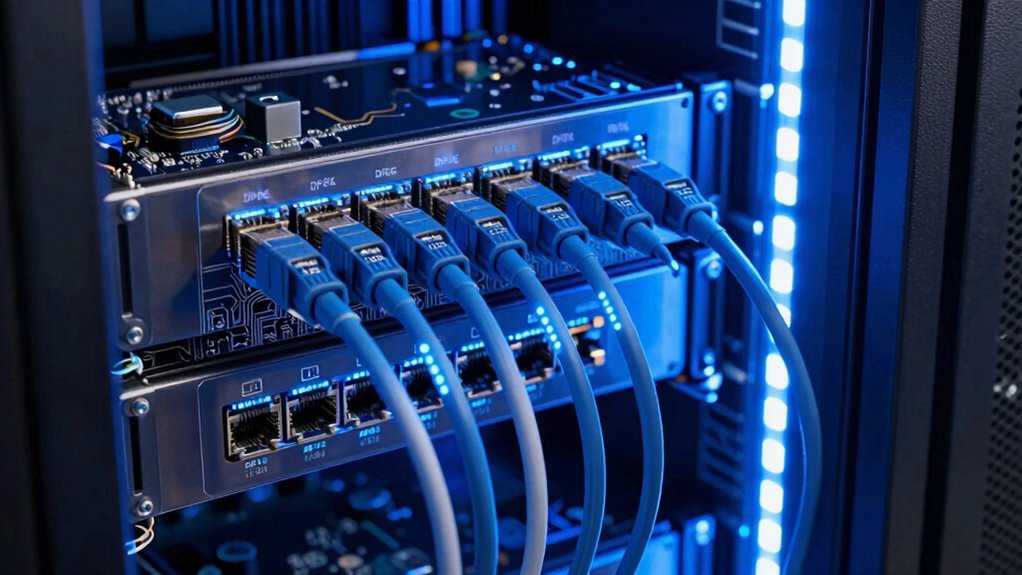
Integrating DPDK into your network stack requires careful planning and configuration to maximize its performance benefits. Begin by confirming your hardware supports hardware acceleration features like Intel’s DPDK-compatible NICs, which are essential for peak throughput. Next, configure your environment for network virtualization, enabling multiple virtual networks to run efficiently on the same hardware. Use DPDK’s poll mode drivers to bypass the kernel and directly access the network interface card, reducing latency and CPU overhead. Properly allocate huge pages to improve memory management and guarantee your DPDK environment is tailored for high-speed data transfer. Testing and tuning parameters such as queue sizes and interrupt moderation help fine-tune performance, making your network stack capable of handling demanding applications with minimal latency.
Best Practices for Using Io_Uring in Linux Applications
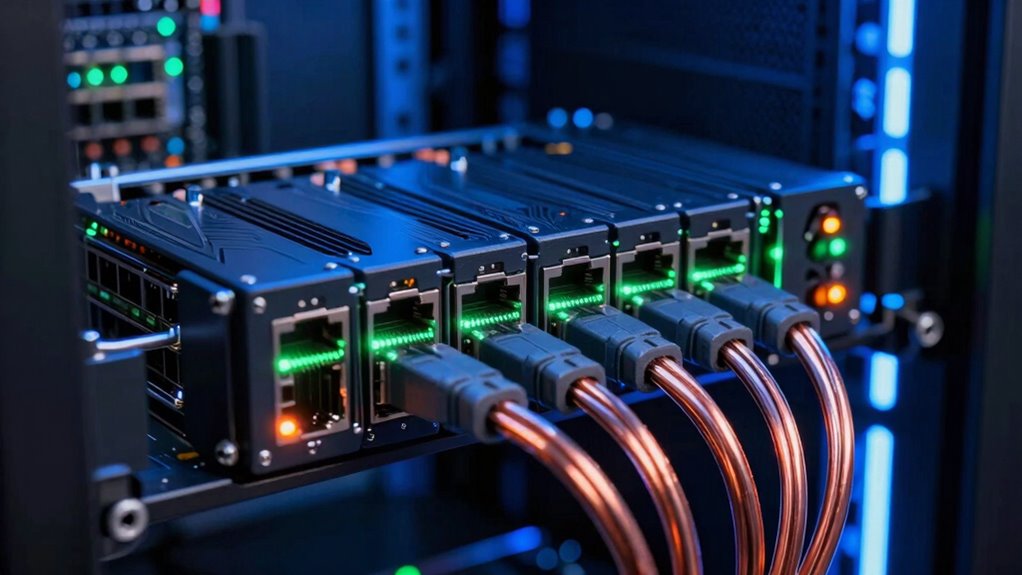
To get the most out of Io_uring in Linux applications, you need to adopt best practices that optimize asynchronous I/O performance. Focus on leveraging hardware acceleration where possible to reduce latency and increase throughput. Use network virtualization techniques to efficiently manage multiple network flows without sacrificing performance. To maximize benefits, consider these steps:
- Align buffers properly to improve cache locality and reduce CPU overhead.
- Batch I/O requests to minimize system calls and increase efficiency.
- Enable hardware acceleration features like offloading tasks to network cards.
- Use io_uring’s features to optimize submission and completion queues for high concurrency.
- Incorporate performance tuning techniques to fine-tune system configurations and troubleshoot performance bottlenecks.
- Regularly monitor and analyze system metrics to identify and address emerging performance issues.
- Take advantage of hardware acceleration capabilities to further enhance network throughput and reduce processing delays.
- Stay informed about kernel developments that may introduce new features or improvements to io_uring functionality.
Applying these practices helps you harness Io_uring’s full potential, ensuring your applications are fast, scalable, and capable of handling modern network demands.
Common Challenges in Setting up DPDK and Io_Uring
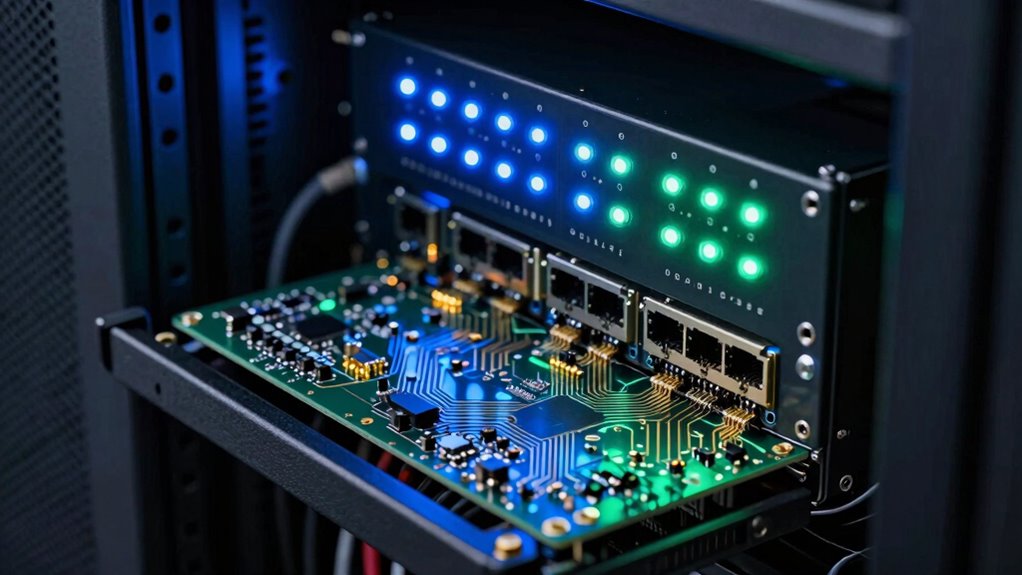
Setting up DPDK and Io_Uring often involves overcoming hardware compatibility issues that can hinder performance. You’ll also face kernel configuration complexity, which requires careful tuning to guarantee stability. Additionally, software integration challenges may arise as you try to seamlessly connect these frameworks with your existing applications.
Hardware Compatibility Issues
Hardware compatibility often presents a significant hurdle when deploying DPDK and Io_uring, as both frameworks require specific hardware features to perform best. You may encounter hardware limitations that prevent ideal setup, leading to compatibility issues. These challenges include:
- NIC Compatibility – Not all network interface cards support the features necessary for DPDK acceleration.
- CPU Features – Some CPUs lack support for advanced instructions like Intel’s VT-d or AMD’s IOMMU, critical for direct memory access.
- Memory Architecture – Limited access to hugepages or non-privileged memory can hinder performance.
- Bus Support – Inadequate PCIe configurations can restrict bandwidth and increase latency.
Understanding these hardware limitations helps you address compatibility issues early, ensuring your system can harness the full potential of these zero-copy frameworks.
Kernel Configuration Complexity
Configuring the kernel for DPDK and Io_uring can be a complex process because both frameworks require specific kernel features and settings to function ideally. Kernel complexity poses significant configuration challenges, as you need to enable certain modules, disable others, and adjust parameters like huge pages or CPU isolation. These settings vary across different Linux distributions and kernel versions, adding to the difficulty. Misconfigurations can lead to suboptimal performance or outright failures. You might spend hours troubleshooting hardware detection, permissions, or resource allocation issues. Ensuring your kernel is tuned correctly is critical, but it demands a deep understanding of system internals. Overcoming these configuration challenges is essential for leveraging the full potential of zero-copy networking with DPDK and Io_uring.
Software Integration Challenges
Integrating DPDK and Io_uring into your system often presents common challenges that can hinder seamless deployment. One major hurdle is configuring hardware acceleration, which requires compatible NICs and proper driver setup. Network virtualization adds complexity, demanding careful resource partitioning and isolation. You’ll also face compatibility issues between software components, making integration less straightforward. Additionally, ensuring hardware compatibility and correct driver installation is crucial for optimal performance. Lastly, optimizing performance while maintaining stability can be tricky, especially when balancing low-latency demands with system overhead. To navigate these challenges, you need to:
- Confirm your hardware supports advanced features like SR-IOV and DPDK-compatible NICs.
- Properly configure drivers and kernel modules for hardware acceleration.
- Manage virtual network functions efficiently for network virtualization.
- Perform rigorous testing to balance performance gains with system stability.
- Incorporate creative storytelling techniques to communicate complex technical concepts more effectively to stakeholders and team members.
Troubleshooting Performance and Compatibility Issues
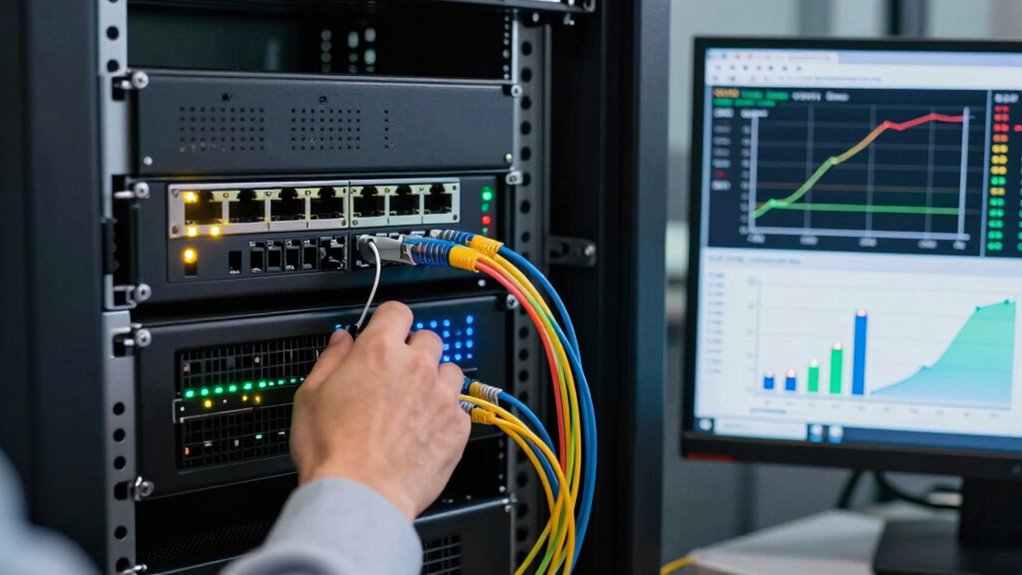
When troubleshooting performance and compatibility issues between DPDK and io_uring, it’s essential to systematically identify bottlenecks and misconfigurations that could hinder ideal operation. Focus on hardware compatibility, ensuring your network cards and drivers support zero-copy features. Also, verify software integration, like kernel versions and user-space libraries, align correctly. Misaligned configurations often cause latency or throughput drops. Use the table below to visualize common issues:
| Issue | Potential Cause | Solution |
|---|---|---|
| Low throughput | Hardware incompatibility | Update drivers or hardware |
| High latency | Improper kernel configuration | Optimize kernel parameters |
| Packet drops | Software misconfiguration | Reconfigure network stack |
| CPU bottlenecks | Insufficient CPU affinity | Adjust CPU pinning |
| Compatibility errors | Version mismatches | Use compatible software versions |
Proper diagnostics focus on hardware and software, streamlining troubleshooting efforts.
Future Trends: Standards and Innovations in Zero-Copy Networking
As zero-copy networking technologies like DPDK and io_uring evolve, industry standards and innovative approaches are shaping the future landscape. You can expect advancements like:
- Adoption of quantum encryption, ensuring ultra-secure data transfer against future threats.
- Blockchain integration to enhance data integrity and decentralized security in high-performance networks.
- Standardized interfaces that promote interoperability among zero-copy tools, reducing fragmentation.
- Emerging protocols leveraging hardware acceleration, minimizing latency and maximizing throughput.
These trends aim to future-proof zero-copy networking, making it more secure, scalable, and adaptable. Staying informed about these innovations helps you leverage the latest technologies for your infrastructure needs. The convergence of quantum tech and blockchain will redefine security and trust in high-speed data environments.
Choosing the Right Zero-Copy Tool for Your Projects

Choosing the right zero-copy tool depends on your specific project requirements, including performance goals, hardware compatibility, and development environment. As hardware evolves, some tools better leverage new capabilities, making them more suitable for high-speed networking. For example, DPDK offers exceptional performance on compatible NICs, but may require more complex setup, especially in security-sensitive environments. Io_uring, on the other hand, integrates seamlessly with Linux, providing easier deployment while still reducing CPU overhead. Consider your network security needs; some tools may expose more surface area or require extra safeguards. Ultimately, evaluate your hardware evolution trajectory, the level of security you need, and your team’s expertise to choose a zero-copy solution that balances speed, compatibility, and security for your project’s success.
Optimizing Latency and Throughput With DPDK and Io_Uring
Optimizing latency and throughput in high-performance networking requires selecting the right zero-copy technology that minimizes delays and maximizes data transfer rates. DPDK and io_uring excel in this by reducing overhead in server virtualization and cloud infrastructure environments. To improve performance:
Maximize network performance with zero-copy tech like DPDK and io_uring to reduce latency and boost throughput.
- Use DPDK for direct NIC access, lowering CPU cycles needed for packet processing.
- Leverage io_uring for asynchronous I/O, reducing system call latency.
- Combine both to optimize data paths, especially in virtualized servers.
- Prioritize zero-copy techniques to decrease data copying, improving throughput and latency.
These strategies guarantee your cloud infrastructure handles high loads efficiently, delivering low-latency responses and maximizing throughput without sacrificing system resources.
Scaling Zero-Copy Networking: Resource Use and Efficiency
Scaling zero-copy networking effectively requires balancing resource use with system efficiency. You need to manage memory, CPU, and I/O resources carefully to handle increased network loads without sacrificing performance. As traffic scales, scalability challenges emerge, making it essential to optimize resource efficiency. Techniques like polling and direct memory access help reduce CPU overhead, but they demand more memory and complex management. Io_uring and DPDK address these challenges differently: DPDK offers high throughput but consumes more CPU and memory, while Io_uring emphasizes efficient resource use with less overhead. To achieve scalability, you must tune your system, prioritize resource efficiency, and understand the trade-offs involved. Successful scaling hinges on your ability to deploy these technologies in a way that maximizes performance without overburdening system resources.
Final Thoughts: Why Zero-Copy Networking Is Essential Now
As network demands continue to grow, the importance of efficient data transfer methods becomes increasingly clear. Zero-copy networking reduces latency and CPU load, enabling faster, more secure data exchanges. Without it, your network security risks increase due to packet handling vulnerabilities. Additionally, a streamlined user interface benefits from minimized delays, offering smoother experiences. To fully leverage zero-copy networking, consider:
- Implementing DPDK or Io_uring for maximum performance.
- Ensuring your system architecture supports zero-copy protocols.
- Monitoring network security vulnerabilities that could arise from inefficient data handling.
- Prioritizing user interface responsiveness by reducing data transfer bottlenecks.
Adopting zero-copy methods isn’t optional anymore; it’s essential to meet modern performance and security standards effectively.
Frequently Asked Questions
How Does Zero-Copy Networking Impact Overall System Security?
Zero-copy networking enhances your system’s security by reducing data copying, which minimizes the attack surface and helps prevent data corruption. It guarantees better data integrity by directly transferring data between hardware and application memory, lowering chances for malicious interference. However, because it exposes hardware interfaces more directly, you must implement robust security measures to protect against potential vulnerabilities, ensuring that the benefits don’t come at the cost of system security.
Can DPDK and Io_Uring Be Used Together in the Same Application?
You can use DPDK and io_uring together, but it’s complex. About 60% of developers face integration challenges and compatibility issues when combining these technologies. To succeed, you’ll need careful planning, as DPDK handles fast packet processing at a low level, while io_uring streamlines asynchronous I/O in user space. Proper synchronization and resource management are essential, but the performance gains can be significant if you navigate the hurdles.
What Are the Hardware Requirements for Optimal Zero-Copy Networking Performance?
To achieve ideal zero-copy networking performance, guarantee your hardware compatibility includes a high-performance network interface, like a NIC supporting PCIe and SR-IOV. You need a modern multi-core CPU with enough memory bandwidth to handle data transfers efficiently. A compatible motherboard with low latency PCIe slots also helps. Keep your drivers updated, and choose hardware designed for high throughput, minimizing bottlenecks and maximizing the benefits of zero-copy networking.
How Does Zero-Copy Networking Affect Power Consumption in Data Centers?
Think of zero-copy networking as a fuel-efficient engine—it’s designed to reduce unnecessary data movement, which cuts power consumption. You’ll notice improved energy efficiency, leading to lower electricity bills and greener operations. However, it also shifts some thermal management demands, as hardware runs hotter under high performance. By optimizing cooling systems, you prevent overheating, ensuring sustained efficiency and preventing energy waste in your data center.
Are There Specific Industry Standards Governing Zero-Copy Networking Implementations?
You should know that industry standards for zero-copy networking are still evolving, with ongoing standardization efforts to improve interoperability and security. While specific compliance requirements vary across sectors, organizations often follow industry best practices and guidelines from groups like the IETF and IEEE. Staying updated on these efforts helps you guarantee your implementations meet current industry compliance, reducing risks and enhancing performance in your data center infrastructure.
Conclusion
Zero-copy networking is no longer just an option—it’s the backbone of high-performance, low-latency applications today. Whether you choose DPDK or Io_uring, you’re equipping yourself with tools that cut through data transfer delays like a hot knife through butter. Embracing these technologies isn’t just a smart move; it’s essential for staying competitive in fast-paced digital landscapes. Don’t get left behind—adopt zero-copy networking and unleash the full potential of your systems.