
TL;DR
Wireless microphone systems send audio by radio from a microphone transmitter to a receiver, freeing the speaker from a cable. To get reliable sound, check local frequency rules, choose the right microphone style, coordinate channels when using several systems, and test the setup where you will use it.
Check the microphone’s regional frequency range and current local rules before buying or using it.
Choose handheld, lavalier, or headset based on how you’ll move, speak, and use your hands.
Coordinate compatible channels when running several microphones; a scan helps but does not replace planning.
Test range in the actual venue, with real obstructions and the full audio chain in place.
Check batteries before the event and review encryption options when transmitted audio is sensitive.

Get audio and creator gear delivered free with Prime
- Fast, free delivery on millions of items
- Prime Video, Amazon Music and more included
- Member-only deals all year
What a wireless microphone system does for you
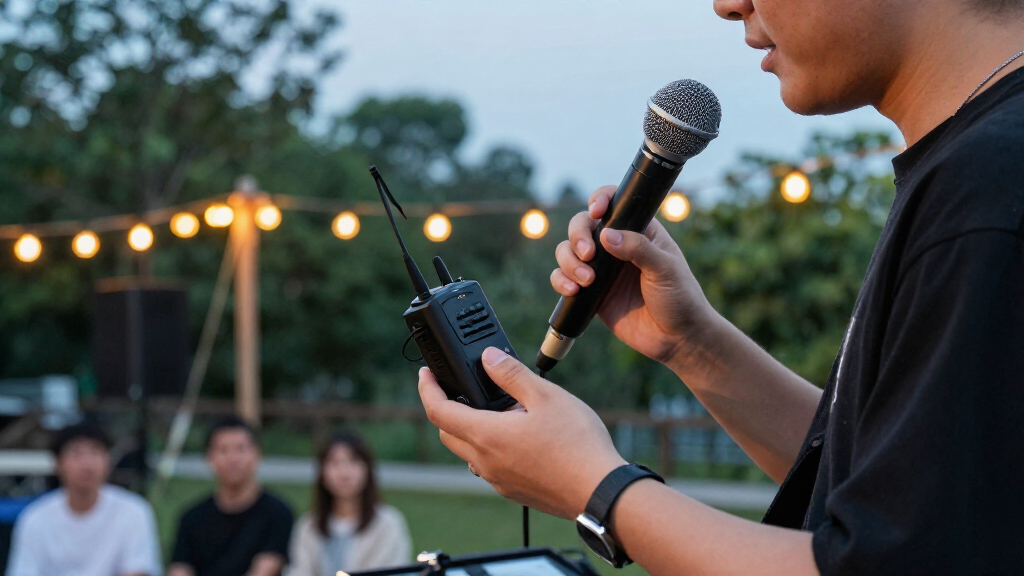
A wireless microphone system converts your voice into a radio signal, sends it to a receiver, then turns it back into audio your sound system can use. That lets you move around without dragging a cable behind you. A handheld transmitter contains a microphone; a bodypack transmitter connects to a separate lavalier or headset mic. The receiver feeds a mixer, camera, or recording device. The signal takes a simple path: your microphone captures sound, the transmitter puts that sound onto a radio-frequency carrier, and the receiver recovers it. Think of it like mailing a package: the microphone packs the message, the transmitter sends it, and the receiver unpacks it at the other end. Antennas handle the radio link, while batteries keep the transmitter running. In practice, a teacher can clip on a lavalier and walk between desks while the receiver stays by the classroom speakers. Wireless systems are widely used for live music, theater, worship, classrooms, broadcast, film, conferences, and video creation. The freedom is useful, but the radio path adds moving parts a wired mic doesn’t need. Your sound still depends on capsule quality, placement, input settings, and the rest of the audio chain. A well-positioned wired mic can sound better than a wireless one clipped under a rustling jacket.Products Worth Considering

DJI Osmo 360 Motorcycle Handlebar POV Combo
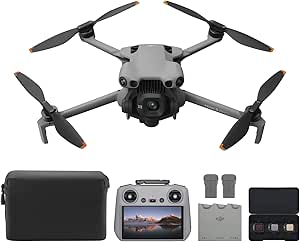
DJI Mini 5 Pro Fly More Combo Plus with DJI RC 2

Apple Watch Series 10 GPS 46mm with Silver Aluminum Case and Blue Cloud Sport Loop
As an affiliate, we earn on qualifying purchases.
Choose the microphone style that fits your day
Choose your microphone style by asking what you need your hands and body to do while you speak. A handheld is easy to pass between people, a lavalier keeps your hands free, and a headset holds the mic close to your mouth as you move. The best fit depends on how active you are, what you wear, and how much control you want over mic distance. For example, a panel host who passes the mic to audience members usually benefits from a handheld. A cooking instructor who needs both hands for a knife and mixing bowl may prefer a lavalier, but should clip it away from apron ties and fabric that brushes the capsule. A fitness presenter who turns their head and moves across a stage may get more even volume from a headset.| Style | Works well for | Watch out for |
|---|---|---|
| Handheld | Panels, singing, audience questions | Keep a steady distance from your mouth |
| Lavalier | Interviews, teaching, video | Clothing noise and poor placement |
| Headset | Active speakers and performers | Fit, comfort, and visible appearance |
Check frequency rules before you buy
Check that your system’s frequency range is legal and usable where you plan to work before you buy it. Radio spectrum rules vary by country, and the same model range may suit one region but be restricted in another. A bargain unit can become an expensive paperweight if its frequencies conflict with local rules.- Find the manufacturer’s regional frequency options for the exact model.
- Check the current guidance from your country’s communications regulator.
- Confirm that the usable channels suit your venue and the number of microphones you need.
Avoid dropouts with a venue-specific setup
To reduce dropouts, coordinate compatible channels, place antennas carefully, keep a clear radio path, and test the system in the actual venue. A receiver’s scan feature can help find open channels, but a scan alone can’t guarantee that several microphones will work well together. Other wireless systems and local broadcast or mobile services can affect the result.- Scan at the venue near the time you’ll use the system, since the local radio environment matters.
- Coordinate every channel if several microphones will run together; don’t choose frequencies independently.
- Place receiver antennas where they have a clear path to the transmitters and follow the system’s placement guidance.
- Walk the room while speaking and listen for interruptions before the audience arrives.
Pick analog or digital by comparing the actual system
Neither digital nor analog is automatically better; the right choice depends on the particular system and your needs. Analog wireless systems transmit audio using analog FM. Digital systems convert audio to data before transmission, which can support features such as encryption, remote control, and network monitoring. Digital designs may add a small amount of latency, and their audio can stay consistent until the radio link becomes unreliable. Imagine you’re choosing a mic for a live Q&A. You may care most about a familiar workflow, low latency, and how the system behaves with your existing gear. For a production handling sensitive speech, encryption might matter more. For a camera operator working alone, compact controls or backup recording could make a greater difference than the analog or digital label. Compare sound, latency, range, reliability, battery life, frequency availability, and workflow on the specific models you’re considering. The microphone capsule and its placement still shape the sound: digital transmission won’t rescue a lavalier buried under a scarf. Some current compact digital systems for phones and cameras combine clip-on transmitters with direct-connect receivers; onboard or backup recording can help protect an interview if the radio link drops.Keep batteries, sound, and security under control
Check the whole audio chain and the transmitter battery before you rely on a wireless mic. Battery life varies with battery type, transmit power, features, and use, so the estimate on the box doesn’t replace a fresh check before the event. If your system offers remote monitoring, use it to keep track of battery and signal status during a long session. A practical pre-show routine is to install charged or fresh batteries, confirm the transmitter and receiver show a healthy link, then speak at your normal volume while listening through the actual speakers or headphones. Keep spare batteries close enough to reach quickly. At a two-hour school assembly, even a strong start can turn into an awkward pause if a presenter begins on nearly empty cells. Security needs a similar check. Some systems encrypt transmitted audio; others don’t. If an event includes confidential interviews or sensitive material, check the manufacturer’s security documentation and encryption options. Also consider who can access the equipment and receiver output. A wireless signal is only one part of the setup: a locked receiver cabinet, careful configuration, and a sensible recording workflow all help protect the material.Get straight answers to common wireless mic questions
Most practical wireless microphone questions have the same answer: it depends on the frequency band, room, and system design. UHF systems use regulated portions of the ultra-high-frequency spectrum, with permitted ranges set by country; many professional systems use UHF because it offers planning options for larger setups. The widely available 2.4 GHz band is shared with Wi-Fi and Bluetooth, so it can be busy in some locations. Neither band wins everywhere. A wireless microphone usually does not need Wi-Fi or an internet connection to transmit audio. Some systems use Wi-Fi or a local network for setup, remote control, or monitoring. A system operating in the 2.4 GHz band shares spectrum with Wi-Fi, but that does not mean it connects to a router. Likewise, multiple mics can work at once when their frequencies are compatible and coordinated, but the reliable number depends on available spectrum, venue conditions, and equipment. There’s no single range figure that holds across every room. A clear path between transmitter and receiver, good antenna placement, and adequate batteries can help; walls, crowds, and interference can cut range. For a wedding speech, test from the back of the reception room before guests fill it. If you’re unsure whether a unit is legal or suitable, check the local regulator and the manufacturer’s regional specifications before using it.Frequently Asked Questions
How far can a wireless microphone reach?
There is no single dependable range figure. Advertised maximums assume favorable conditions; walls, crowds, interference, antennas, and battery power change real performance. Test the full route in your venue before an event.
Can I use several wireless microphones at once?
Yes, if the systems use compatible, coordinated frequencies. How many will work reliably depends on the equipment, local spectrum, and venue. Larger setups benefit from frequency planning and a site scan.
Do wireless microphones need Wi-Fi?
Most systems transmit audio without Wi-Fi or internet. Some use a local network for control or monitoring, and 2.4 GHz systems share spectrum with Wi-Fi without necessarily connecting to a router.
Are digital wireless microphones better than analog ones?
Not by default. Digital systems can offer encryption, remote control, and consistent audio up to the point where the radio link falters; analog systems may suit other latency or workflow needs. Compare the specific system’s sound, reliability, and features.
Are wireless microphone frequencies legal everywhere?
No. Frequency rules differ by country and can change. Check the exact regional model and current guidance from your national communications regulator before use.
Should I choose a handheld, lavalier, or headset?
Choose a handheld for passing between speakers, a lavalier when you need your hands free, or a headset when you move actively and want consistent mic distance. Test comfort and clothing noise in the actual setting.