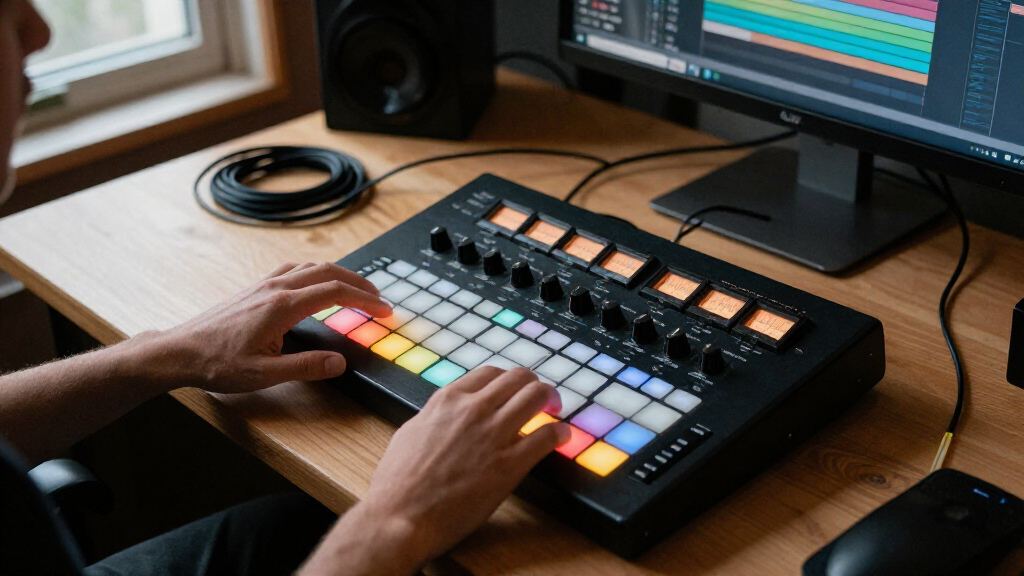

Music production controllers can speed up beat-making, keyboard performance, and DAW mixing, but the right choice depends on how you work. I rank the Akai MPK Mini IV as the best overall for its compact keyboard-and-control layout, while the Akai APC40 MKII stands out for Ableton Live clip control and the SSL UF1 for hands-on DAW mixing. The main tradeoffs are portability versus control surface area, performance pads versus keys or faders, and broad compatibility versus tighter software integration. This roundup compares all 12 options by workflow, usability, and fit rather than treating every controller as interchangeable. Continue reading for the full breakdown and help match a controller to your setup.

Get audio and creator gear delivered free with Prime
- Fast, free delivery on millions of items
- Prime Video, Amazon Music and more included
- Member-only deals all year
Complete the kit


Key Takeaways
- The MPK Mini IV is the broadest fit in this lineup: it combines a compact keyboard workflow with hands-on production controls, while dedicated pad or mixing controllers serve narrower tasks.
- The APC40 MKII is the clearest Ableton Live choice; the smaller APC Mini MK2 saves space, but its reduced control surface is a real workflow tradeoff.
- Keyboard size changes the kind of work a controller supports. The M32 favors a small desk footprint, the MPK Mini Plus adds a wider 37-key range, and the 25-key MPK models prioritize portability.
- The UF1 and X-Touch Compact are for hands-on DAW control, not for replacing a performance keyboard; their value depends on how often a buyer mixes or adjusts parameters from hardware.
- Software bundles and specialized controls can outweigh feature counts. The PreSonus ATOM’s included software and the Fender Motion models’ production-and-performance approach appeal to different workflows than a traditional mini keyboard.
| Donner STARRYPAD USB MIDI Pad Controller |  | Best Value for Flexible Pad Control | Pads: 16 backlit silicone pads | Assignable pad capacity: Up to 48 across 3 banks | Additional controls: 2 faders, 2 knobs, and 3 buttons | VIEW LATEST PRICE | See Our Full Breakdown |
| PreSonus ATOM MIDI Pad Controller with Studio One Artist and Ableton Live Lite |  | Best for Expressive Pad Playing | Pads: 16 full-size, velocity- and pressure-sensitive RGB pads | Assignable pad banks: 8 | Assignable controls: 20 buttons and 4 rotary encoders | VIEW LATEST PRICE | See Our Full Breakdown |
| Native Instruments Komplete Kontrol M32 MIDI Controller Keyboard |  | Best Compact Keyboard Controller | Keys: 32 | Connectivity: USB 2.0 | Power: USB bus-powered | VIEW LATEST PRICE | See Our Full Breakdown |
| Behringer X-Touch Compact MIDI Controller |  | Best for Hands-On DAW Mixing | Connectivity: USB | Faders: 9 touch-sensitive, motorized faders | Fader length: 100 mm | VIEW LATEST PRICE | See Our Full Breakdown |
| Akai Professional APC Mini MK2 USB MIDI Pad Controller |  | Best for Ableton Clip Launching | Pads: 64 RGB-backlit pads in an 8 × 8 matrix | Faders: 9 assignable faders | Modes: Drum mode and Note mode | VIEW LATEST PRICE | See Our Full Breakdown |
| Akai Professional MPK Mini Plus 37-Key USB MIDI Keyboard Controller |  | Best for Hybrid Hardware-and-Software Setups | Keys: 37 velocity-sensitive mini keys | Connectivity: USB, MIDI I/O, CV/Gate | Drum pads: 8 RGB MPC pads | VIEW LATEST PRICE | See Our Full Breakdown |
| Akai Professional MPK Mini MK3 25-Key USB MIDI Keyboard Controller |  | Best for First-Time Producers | Keys: 25 velocity-sensitive keys | Connectivity: USB | USB interface: USB 2.0 Type B | VIEW LATEST PRICE | See Our Full Breakdown |
| Fender Motion 32 Production and Performance Controller |  | Best for Pad-Based Composition | Pads: 32 RGB polyphonic FATAR pads | Connectivity: USB | Compatible devices: PC and Mac | VIEW LATEST PRICE | See Our Full Breakdown |
| Akai Professional MPK Mini IV 25-Key USB-C MIDI Keyboard Controller, Black |  | Best Compact Controller for Modern Setups | Keys: 25 velocity-sensitive mini keys | Connectivity: USB-C | MIDI output: Full-size MIDI Out | VIEW LATEST PRICE | See Our Full Breakdown |
| Akai Professional APC40 MKII USB MIDI Pad Controller |  | Best for Ableton Live Performance | Connectivity: USB 2.0 Type B | Power: USB-powered | Clip-launching grid: 5 × 8 RGB pads | VIEW LATEST PRICE | See Our Full Breakdown |
| Fender Motion 16 Production and Performance Controller |  | Best for Pad-Based Production | Controller type: USB MIDI percussion controller | Pads: 16 RGB polyphonic FATAR pads | Connectivity: USB | VIEW LATEST PRICE | See Our Full Breakdown |
| Solid State Logic UF1 Advanced DAW Controller |  | Best for Hands-On DAW Mixing | Model: UF1 | Displays: Two, including a 4.3-inch TFT LCD | Connectivity: USB; product data also lists XLR | VIEW LATEST PRICE | See Our Full Breakdown |
| music production controller | Connectivity | Included software |
|---|---|---|
| Donner STARRYPAD USB MIDI Pad | USB-C, MIDI in/out | Cubase LE and Melodics courses |
| PreSonus ATOM MIDI Pad Control | USB 2.0 | Studio One Artist, Ableton Live Lite, and Studio Magic Plug-In Suite |
| Native Instruments Komplete Ko | USB 2.0 | KOMPLETE KONTROL, MASCHINE Essentials, and Ableton Live 10 Lite |
| Behringer X-Touch Compact MIDI | USB | — |
| Akai Professional APC Mini MK2 | USB 2.0 Type B | — |
| Akai Professional MPK Mini Plu | USB, MIDI I/O, CV/Gate | MPC Beats |
| Akai Professional MPK Mini MK3 | USB | — |
| Fender Motion 32 Production an | USB | Perpetual Fender Studio Pro license |
| Akai Professional MPK Mini IV | USB-C | — |
| Akai Professional APC40 MKII U | USB 2.0 Type B | — |
| Fender Motion 16 Production an | USB | Perpetual Fender Studio Pro license |
| Solid State Logic UF1 Advanced | USB; product data also lists XLR | — |
More Details on Our Top Picks
Donner STARRYPAD USB MIDI Pad Controller
The STARRYPAD offers more kinds of hands-on control than a basic pad grid: its 16 velocity-sensitive pads can switch across three banks, giving you up to 48 assignments, while two faders and two knobs add parameter control. That makes it a flexible entry point for beat making without stepping up to the larger, Ableton-focused grid of the Akai APC Mini MK2. It also includes Cubase LE and Melodics courses, which can help a new producer get started with software and pad practice. The tradeoff is that the controller does not produce sound on its own; you need a DAW. Mobile use is supported, but connecting an iPhone or iPad requires a separate adapter. Choose it for broad, compact control rather than a large clip-launching surface.
Pros:- Three banks provide up to 48 assignable pad slots
- Two faders and two knobs add hands-on parameter control
- Backlit pads offer seven color options
- Includes Cubase LE and Melodics courses
Cons:- Requires DAW software to produce sound
- Connecting to an iPhone or iPad requires a separately purchased adapter
Best for: New beat makers who want a compact pad controller with multiple banks, a few hardware controls, and starter software.
Not ideal for: Performers who need a large clip-launching grid or a standalone instrument; this controller depends on DAW software and has only 16 physical pads.
- Pads:16 backlit silicone pads
- Assignable pad capacity:Up to 48 across 3 banks
- Additional controls:2 faders, 2 knobs, and 3 buttons
- Connectivity:USB-C, MIDI in/out
- Compatibility:Android, iOS, Mac, and Windows
- Included software:Cubase LE and Melodics courses
- Material:Silicone pads
Our verdict“I recommend the STARRYPAD for beginners who want versatile pad assignments and basic mixing controls in a compact controller.”
PreSonus ATOM MIDI Pad Controller with Studio One Artist and Ableton Live Lite
The PreSonus ATOM is the strongest fit here for players who care about how pads respond, with velocity- and pressure-sensitive RGB pads that support more expressive triggering than a simple clip grid. Its 20 buttons and four encoders give it a deeper control set than the Donner STARRYPAD, while included Studio One Artist, Ableton Live Lite, and loop content make it a ready-made starting point for production. It is USB-powered and works with a range of music applications, though the usefulness of its software-specific controls depends on the app you choose. Compared with the Akai APC Mini MK2, ATOM favors expressive pad performance over a dense 8-by-8 clip-launching layout. It makes more sense for finger drumming, sampling, and production than for launching many clips at a glance.
Pros:- Velocity- and pressure-sensitive pads support expressive performance
- RGB pad feedback helps distinguish assignments
- Includes Studio One Artist, Ableton Live Lite, and Studio Magic Plug-In Suite
- USB bus-powered design needs no separate power supply
Cons:- Some controls and software features depend on the compatible application
- A 16-pad layout is less suited to extensive clip launching than an 8-by-8 grid
Best for: Producers and performers who finger-drum or trigger samples and want pressure-sensitive pads alongside included production software.
Not ideal for: Ableton users who need a large clip-launch grid; the APC Mini MK2 has many more pads for that workflow.
- Pads:16 full-size, velocity- and pressure-sensitive RGB pads
- Assignable pad banks:8
- Assignable controls:20 buttons and 4 rotary encoders
- Connectivity:USB 2.0
- Power:USB bus-powered
- Included software:Studio One Artist, Ableton Live Lite, and Studio Magic Plug-In Suite
- Compatible platforms:Windows, macOS, iOS, and Android
Our verdict“I’d choose the ATOM for expressive finger drumming and sample triggering, especially when its bundled software fits your production setup.”
Native Instruments Komplete Kontrol M32 MIDI Controller Keyboard
The Komplete Kontrol M32 stands apart from the pad-focused ATOM and STARRYPAD by putting a playable 32-key keyboard at the center of the workflow. Its touch-sensitive knobs and OLED display provide a more informative way to adjust instruments and effects than the basic controls on the Donner, while the compact, USB-powered design suits a crowded desk or mobile setup. The included KOMPLETE KONTROL software, MASCHINE Essentials, and Ableton Live Lite give keyboard players tools to start composing and shaping sounds. The main compromise is range: 32 keys can limit two-handed parts and wide chord voicings, particularly beside larger keyboard controllers such as the MPK Mini Plus 37-Key. Choose the M32 for portable melodic input and software control, not for expansive piano playing or extensive physical mixing controls.
Pros:- Compact 32-key layout fits small production spaces
- OLED display and touch-sensitive knobs support hands-on instrument control
- Includes KOMPLETE KONTROL, MASCHINE Essentials, and Ableton Live 10 Lite
- USB bus-powered for a simple portable setup
Cons:- The 32-key range can restrict two-handed parts and wider voicings
- No pads for finger drumming or clip launching
Best for: Producers with limited desk space who compose melodies and chords on keys and want hands-on control of compatible instruments.
Not ideal for: Players who need a broad keyboard range or a pad-heavy performance surface; its 32 keys are limited, and it has no pad grid.
- Keys:32
- Connectivity:USB 2.0
- Power:USB bus-powered
- Display:OLED
- Controls:Touch-sensitive knobs
- Dimensions:6.57 × 18.7 × 1.96 inches
- Weight:1 kg
- Included software:KOMPLETE KONTROL, MASCHINE Essentials, and Ableton Live 10 Lite
Our verdict“I recommend the M32 to space-conscious producers who prioritize playing melodies and controlling instruments over pad performance.”
Behringer X-Touch Compact MIDI Controller
Where the pad-based Akai APC Mini MK2 is built around launching clips, the X-Touch Compact is aimed at mixing and parameter control. Its nine 100 mm motorized faders can follow software changes, making level adjustments feel more like working at a mixing desk than moving a mouse. Sixteen rotary controls and a dual-layer mode extend that hands-on approach across DAW and instrument tasks, while Mackie Control emulation supports compatible production software. This is the most control-surface-oriented option in this group, but it is also the least portable: at 8.2 pounds, it is better suited to a fixed studio setup than a travel bag. Buyers should also check their software workflow before choosing it, since the supplied compatibility details specifically mention Mac, PC, and Ableton Live. It offers no pad grid or keyboard for playing notes.
Pros:- Nine touch-sensitive, motorized 100 mm faders provide hands-on mixing
- Sixteen rotary controls add direct access to parameters
- Dual-layer mode switches between DAW and instrument control
- Mackie Control emulation supports compatible production software
Cons:- At 8.2 pounds, it is less convenient to carry than compact pad controllers
- No pads or keys for playing notes, samples, or clips
- Listed software compatibility centers on Ableton Live, so buyers should confirm support for their DAW
Best for: Studio producers who want motorized faders for DAW mixing and parameter adjustment at a fixed workstation.
Not ideal for: Mobile producers, keyboard players, or beat makers who need pads; its weight and control-surface layout prioritize mixing over note entry.
- Connectivity:USB
- Faders:9 touch-sensitive, motorized faders
- Fader length:100 mm
- Rotary controls:16
- Control mode:Dual-layer mode for DAW and instrument control
- Compatibility:Mac and PC
- Supported software:Ableton Live
- Weight:8.2 pounds
Our verdict“I’d pick the X-Touch Compact for a stationary studio where motorized mixing control matters more than portability or note input.”
Akai Professional APC Mini MK2 USB MIDI Pad Controller
For an Ableton Live workflow centered on clips and scenes, the APC Mini MK2 offers the clearest visual overview in this group: its 64 RGB pads in an 8-by-8 grid make a larger launch surface than the 16-pad Donner STARRYPAD or PreSonus ATOM. Nine assignable faders add control over mixer levels and device parameters, and Drum and Note modes let the same hardware handle sample triggering and melodic input. USB-powered plug-and-play operation keeps the setup simple, but this controller is designed around Ableton Live rather than broad DAW flexibility. Compared with the Behringer X-Touch Compact, it trades motorized faders and a mixing-desk feel for a compact performance grid. It also needs a USB cable and has no battery or included power adapter, so it is tied to a connected computer.
Pros:- 64 RGB pads provide a clear 8-by-8 clip-launch grid
- Nine assignable faders control mixer and device parameters
- Drum and Note modes support sample triggering and melodic parts
- Compact, USB-powered design supports quick computer-based setup
Cons:- Designed for Ableton Live, which can limit its usefulness with other software
- Requires a USB cable and does not include batteries or a power adapter
Best for: Ableton Live producers and performers who launch clips, trigger samples, and want fader control in a compact surface.
Not ideal for: Users of other DAWs who need broad software integration, or performers who want a standalone, battery-powered controller.
- Pads:64 RGB-backlit pads in an 8 × 8 matrix
- Faders:9 assignable faders
- Modes:Drum mode and Note mode
- Connectivity:USB 2.0 Type B
- Power:USB-powered
- Compatible software:Ableton Live
- Supported platforms:Mac and Windows
Our verdict“I recommend the APC Mini MK2 to Ableton users who want a compact, visually clear surface for clip launching and live performance.”
Akai Professional MPK Mini Plus 37-Key USB MIDI Keyboard Controller
The MPK Mini Plus is the most flexible keyboard choice here for producers who want to connect a computer, external MIDI gear, or compatible modular equipment. Its 37 mini keys give you more room to play than the 25-key MPK Mini MK3 and MPK Mini IV, while the eight pads and assignable knobs cover beat making and parameter control. A built-in 64-step sequencer can sketch drum and melodic or chord parts without a computer, making this a stronger standalone workflow option than those smaller Akai keyboards. The tradeoff is that its mini keys still feel compact, and the feature set takes more space than a simple travel controller. Choose it for flexible connections and hands-on sequencing; skip it if full-size keys or a minimal setup matter more.
Pros:- 37 keys provide a wider playing range than the 25-key MPK Mini MK3 and MPK Mini IV.
- USB, MIDI I/O, and CV/Gate support connections to varied studio equipment.
- Built-in 64-step sequencer can create drum and melodic or chord patterns without a computer.
- Eight RGB pads, eight assignable knobs, and included MPC Beats support varied production tasks.
Cons:- Mini keys may feel cramped for players accustomed to full-size keyboards.
- Only one USB port is listed, limiting the controller’s listed USB connection options.
Best for: Producers who use a computer alongside MIDI or CV/Gate hardware and want a compact keyboard with an onboard sequencer.
Not ideal for: Pianists who need full-size keys, or travelers who want the smallest and simplest 25-key controller.
- Keys:37 velocity-sensitive mini keys
- Connectivity:USB, MIDI I/O, CV/Gate
- Drum pads:8 RGB MPC pads
- Rotary knobs:8 assignable
- Sequencer:64-step; one drum track and one melody or chord track
- Supported platforms:Mac, Windows
- Included software:MPC Beats
- Color:Black
Our verdict“Choose the MPK Mini Plus if you want a compact keyboard that can sequence patterns and connect to both software and external hardware.”
Akai Professional MPK Mini MK3 25-Key USB MIDI Keyboard Controller
The MPK Mini MK3 keeps the entry point straightforward: a USB-powered keyboard, eight velocity-sensitive pads, and eight assignable knobs give a new producer useful hands-on control without a large studio footprint. Its 25 keys make it easier to fit beside a laptop than the 37-key MPK Mini Plus, though they offer less range for two-handed parts. The joystick, arpeggiator, and Note Repeat add performance options without requiring a separate control surface. Compared with the newer MPK Mini IV, this model lacks the listed USB-C connection, full-size MIDI Out, and Chord and Scale modes. Its plastic construction and USB-only connection also make it less suited to hardware-heavy or standalone setups. I’d pick it for learning a DAW-based workflow, not for expanding a connected instrument rig.
Pros:- Compact 25-key layout is easy to place beside a laptop or other studio gear.
- Velocity-sensitive keys and pads allow expressive parts and drum programming.
- Eight assignable knobs and a four-way joystick provide direct control without relying only on a mouse.
- Built-in arpeggiator, Note Repeat, and included software support music-making out of the box.
Cons:- The 25-key range can limit melodic playing and two-handed parts.
- USB-only connectivity requires a computer or other USB host and offers no listed MIDI I/O.
- Plastic construction may be less appealing to buyers seeking a sturdier-feeling controller.
Best for: New producers building a compact Mac or Windows DAW setup who want keys, pads, and assignable controls in one USB controller.
Not ideal for: Players who need a broad keyboard range or producers connecting directly to external MIDI hardware without a computer.
- Keys:25 velocity-sensitive keys
- Connectivity:USB
- USB interface:USB 2.0 Type B
- Drum pads:8 backlit, velocity-sensitive MPC-style pads
- Knobs:8 assignable 360-degree knobs
- Controls:Four-way pitch and modulation joystick
- Additional features:Arpeggiator, Note Repeat, Full Level
- Compatibility and material:Windows and Mac; plastic
Our verdict“Pick the MPK Mini MK3 to start producing with a compact keyboard-and-pad setup, but choose a larger or hardware-connected model if your needs grow beyond USB-based work.”
Fender Motion 32 Production and Performance Controller
The Fender Motion 32 takes a different route from the keyboard-led Akai controllers: its 32 polyphonic FATAR pads are designed for playing drums, melodies, and chords from a single surface. That makes it a better fit than the MPK Mini IV for producers who prefer pad performance over mini keys, and its illuminated encoders and touch strips add direct control for production and live use. It also works with any DAW on PC or Mac and includes a perpetual Fender Studio Pro license, giving buyers a bundled software path without tying the controller to one host. The tradeoff is its USB-only connection and lack of a listed keyboard, which makes it less natural for conventional piano-style input or hardware setups. Choose it when pads are your main instrument; look elsewhere if keys are central to your workflow.
Pros:- 32 RGB polyphonic FATAR pads support drum, melody, and chord performance from one surface.
- Illuminated encoders and touch strips provide hands-on production and performance controls.
- Works with any DAW on PC or Mac rather than requiring a single host application.
- Includes a perpetual Fender Studio Pro software license.
Cons:- USB is the only listed connection, with no listed MIDI I/O or CV/Gate for external hardware.
- The pad-based layout does not offer a conventional keyboard for piano-style playing.
Best for: Beatmakers and performers who want a large, expressive pad surface for drums, chords, and melodic parts across different DAWs.
Not ideal for: Keyboard-first composers or producers who need MIDI or CV/Gate connections for external hardware.
- Pads:32 RGB polyphonic FATAR pads
- Connectivity:USB
- Compatible devices:PC and Mac
- DAW compatibility:Works with any DAW
- Included software:Perpetual Fender Studio Pro license
- Dimensions:15 × 7 × 1 inches
- Weight:2.5 pounds
- Warranty:2 years
Our verdict“Choose the Motion 32 if you want pads—not a keyboard—to be the center of your composing and live-performance workflow.”
Akai Professional MPK Mini IV 25-Key USB-C MIDI Keyboard Controller, Black
The MPK Mini IV suits producers who want a small keyboard but need more modern connection and performance options than the MPK Mini MK3 lists. Its USB-C connection and full-size MIDI Out make it a more adaptable choice for current computer and mobile setups, while eight pressure-sensitive RGB pads and eight knobs cover beat input and parameter changes. Chord and Scale modes can help build parts from a 25-key layout, but they do not change the fact that the keyboard has a limited playing range. Compared with the 37-key MPK Mini Plus, the IV is easier to fit into a compact setup but gives up keys and the Plus’s built-in sequencer and CV/Gate connections. I’d choose it for portability and direct MIDI output, not for a wider keyboard or standalone sequencing.
Pros:- USB-C and full-size MIDI Out provide more connection flexibility than the USB-only MPK Mini MK3.
- Eight velocity- and pressure-sensitive RGB pads add expressive control for drum and sample parts.
- Chord and Scale modes help build musical parts within the compact 25-key range.
- Includes an arpeggiator, digital display, and virtual instrument and software collection.
Cons:- The 25 mini keys restrict playing range compared with the 37-key MPK Mini Plus.
- USB-powered operation requires a connected device rather than standalone power.
Best for: Mobile and desktop producers who want a compact USB-C controller with full-size MIDI Out, expressive pads, and guided chord and scale tools.
Not ideal for: Keyboard players who need more than two octaves, or hardware-focused producers who want CV/Gate and an onboard sequencer.
- Keys:25 velocity-sensitive mini keys
- Connectivity:USB-C
- MIDI output:Full-size MIDI Out
- Assignable knobs:8
- Drum pads:8 velocity- and pressure-sensitive RGB MPC pads
- Compatible platforms:Mac, Windows, and mobile setups
- Performance features:Arpeggiator, Chord mode, Scale mode
- Display:Digital display
Our verdict“Choose the MPK Mini IV for a compact setup that needs USB-C, MIDI Out, and helpful performance modes, but not a wider keyboard.”
Akai Professional APC40 MKII USB MIDI Pad Controller
The APC40 MKII is built around launching and mixing clips in Ableton Live, rather than playing notes on a keyboard. Its 5 × 8 RGB grid shows clip status and color, while nine channel faders, eight knobs, and an assignable crossfader give performers direct control over a Live set. Compared with the MPK Mini Plus, this is a stronger fit for arranging and mixing clips on stage, but it offers no keyboard for entering melodies and is much more tied to Ableton Live. The Fender Motion 32 works with any DAW and focuses on polyphonic pad performance; the APC40 MKII instead prioritizes clip launching and mixer control. USB power keeps setup simple, though it also means the controller depends on a connected computer. Choose it for a Live-centered performance rig, not a general-purpose keyboard setup.
Pros:- The 5 × 8 RGB grid provides visual feedback for launching and tracking clips.
- Nine channel faders, eight knobs, and an assignable crossfader support hands-on mix control.
- USB-powered connection offers a direct setup with Mac and Windows computers.
- Includes Ableton Live Lite, effect racks, instruments, and sample packs.
Cons:- Its design is primarily aimed at Ableton Live, making it less suitable for buyers seeking a DAW-neutral workflow.
- USB power requires a connected computer, with no separate power supply listed.
- It has no keyboard, so melodic note entry calls for another controller or input method.
Best for: Ableton Live producers and performers who want tactile clip launching, mixer control, and crossfading from one surface.
Not ideal for: DAW-agnostic producers, keyboard players, or anyone seeking a controller for standalone use without a computer.
- Connectivity:USB 2.0 Type B
- Power:USB-powered
- Clip-launching grid:5 × 8 RGB pads
- Faders:9 channel faders
- Knobs:8 control knobs
- Crossfader:Assignable A/B
- Software compatibility:Ableton Live
- Platforms and dimensions:Mac and Windows; 9.96 × 16.68 × 1.8 inches
- Weight and included software:1.8 kg; Ableton Live Lite, effect racks, instruments, and sample packs
Our verdict“Pick the APC40 MKII if Ableton Live clip launching and mixer control matter more than keyboard performance or broad DAW flexibility.”
Fender Motion 16 Production and Performance Controller
The Fender Motion 16 is the stronger fit for beatmakers and performers who want pads to handle more than drum hits. Its 16 polyphonic FATAR pads support melodies and chords as well as percussion, while illuminated encoders add hands-on control without requiring a keyboard layout. Compared with the keyboard-focused Akai Professional MPK Mini MK3, the Motion 16 gives pad playing more room to take center stage, but it lacks keys for buyers who prefer entering notes at a piano-style keyboard. It also works with other DAWs, so the included perpetual Fender Studio Pro license is a starting point rather than a requirement. The tradeoff is a more specialized, pad-led workflow: producers who need extensive fader or track-mixing control may find the SSL UF1 better suited to that job.
Pros:- Polyphonic pads can trigger drums, melodies, and chords
- Illuminated encoders provide direct control during production and performance
- Works with Fender Studio Pro and other DAWs
- Includes a perpetual Fender Studio Pro license
Cons:- No keyboard keys for piano-style note entry
- Its pad-focused layout offers less direct mixing control than a DAW surface such as the SSL UF1
Best for: Beatmakers and live performers who want expressive pads for drums, chords, and melodies, plus a DAW license to start producing.
Not ideal for: Keyboard-first composers or producers seeking dedicated track-volume and mixing controls; this is a pad-based controller, not a MIDI keyboard or mix surface.
- Controller type:USB MIDI percussion controller
- Pads:16 RGB polyphonic FATAR pads
- Connectivity:USB
- Compatibility:PC and Mac
- Supported platforms:Mac OS X and Windows
- Dimensions:12 x 7 x 1 in
- Weight:2.1 lb
- Included software:Perpetual Fender Studio Pro license
- Warranty:2 years
Our verdict“Choose the Motion 16 if expressive pad playing is central to your production; pick a keyboard controller if you need keys for note entry.”
Solid State Logic UF1 Advanced DAW Controller
The SSL UF1 is aimed at producers who want to adjust a session from dedicated controls instead of working mainly with pads or keys. Its two displays, including a 4.3-inch screen, show track details, parameters, and SSL Meter visuals, while the V-Pots can control up to four track volumes at once. That makes it more suited to mixing and plugin adjustments than the Fender Motion 16, whose strengths lie in playing pads, building beats, and performing parts. The UF1 also reaches pans, sends, virtual instruments, and plugins through SSL 360 and compatible DAWs. Its narrower role is the tradeoff: it is not a note-playing keyboard or percussion pad controller, and the supplied compatibility details do not specify operating systems beyond PC/Windows. Buyers should also verify the listed XLR connection, since the hardware interface is described as USB.
Pros:- Two displays provide track, parameter, and meter visual feedback
- Controls pans, sends, plugins, and virtual instruments through SSL 360 and compatible DAWs
- V-Pots can control up to four track volumes at once
- Includes an SSL Meter plugin license
Cons:- Does not provide pads or keyboard keys for playing and entering notes
- Operating-system compatibility is not specified beyond PC/Windows in the supplied data
- The listed XLR connectivity appears inconsistent with the USB hardware interface description
Best for: Producers who spend sessions adjusting track levels, pans, sends, and plugins and want visual feedback from a compact DAW controller.
Not ideal for: Beatmakers and composers who need playable pads or keyboard keys, or Mac users who require explicitly documented operating-system compatibility.
- Model:UF1
- Displays:Two, including a 4.3-inch TFT LCD
- Connectivity:USB; product data also lists XLR
- Supported software:SSL Meter plugin and SSL 360 software
- Control functions:Pans, sends, plugins, virtual instruments, and up to four track volumes
- Compatible devices:DAW and PC
- Included component:SSL Meter plugin license
- Weight:16 ounces
- Warranty:1 year
Our verdict“Choose the UF1 for display-led DAW mixing and parameter control, but choose the Fender Motion 16 or a keyboard controller for hands-on note and beat entry.”
How We Picked
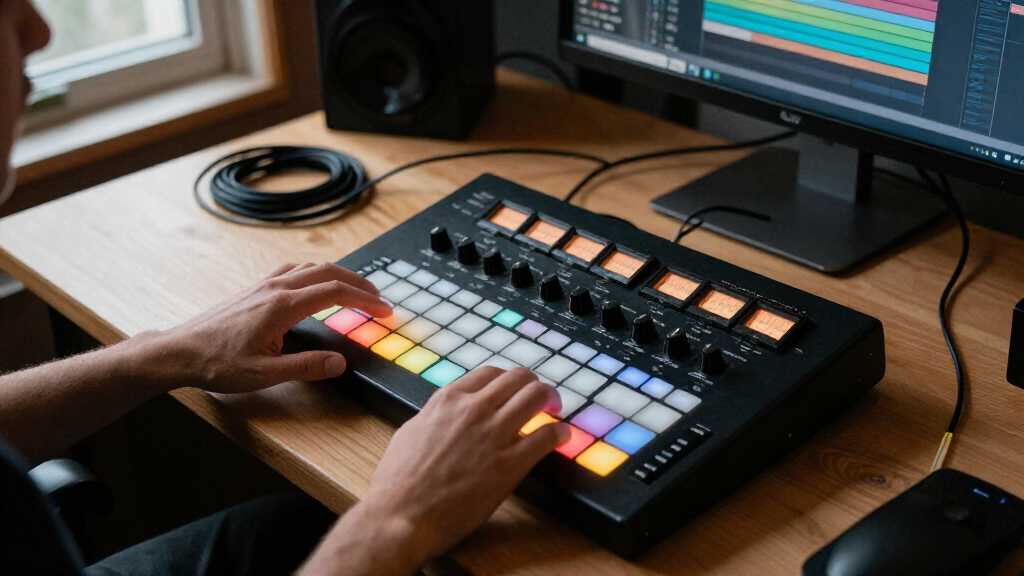
I compared these music production controllers by the work they make easier: playing notes, programming drums, launching clips, or controlling a DAW mix. I considered the control layout, portability, connection and software fit, and whether the design offers a useful range of tasks or focuses on one job. A controller earns a higher place when its workflow is broadly useful without making setup or everyday operation unnecessarily complicated.
The ranking reflects use-case flexibility and practical fit, not a claim that one device is best for every studio. The MPK Mini IV leads as a versatile compact option; specialized devices rank well when their intended audience is clear, such as the APC40 MKII for Ableton Live or the SSL UF1 for DAW mixing. I also weighed meaningful limitations, including reduced key ranges, software dependence, and the tradeoff between a compact footprint and more physical controls.
| music production controller | Included software |
|---|---|
| Donner STARRYPAD USB MIDI Pad | Cubase LE and Melodics courses |
| PreSonus ATOM MIDI Pad Control | Studio One Artist, Ableton Live Lite, and Studio Magic Plug-In Suite |
| Native Instruments Komplete Ko | KOMPLETE KONTROL, MASCHINE Essentials, and Ableton Live 10 Lite |
| Behringer X-Touch Compact MIDI | — |
| Akai Professional APC Mini MK2 | — |
| Akai Professional MPK Mini Plu | MPC Beats |
| Akai Professional MPK Mini MK3 | — |
| Fender Motion 32 Production an | Perpetual Fender Studio Pro license |
| Akai Professional MPK Mini IV | — |
| Akai Professional APC40 MKII U | — |
| Fender Motion 16 Production an | Perpetual Fender Studio Pro license |
| Solid State Logic UF1 Advanced | — |
Factors to Consider When Choosing Music Production Controllers
Before choosing among music production controllers, start with the task you want to move from mouse or screen to hardware. A controller that fits your main workflow can be more useful than one with a longer feature list. These factors can help you avoid paying for controls you will rarely touch—or buying a compact unit that leaves you reaching for the mouse.
Match the control layout to your main task
Decide whether your sessions begin with playing notes, tapping drums, launching clips, or balancing a mix. Keyboards and pad grids support different kinds of input; neither is a full substitute for the other. A DAW control surface can speed up mixing but may contribute little when you are composing melodies. Buyers often choose by the controller’s overall feature count rather than by the controls they will use every session. I would prioritize a strong match for one regular task over a device that offers a little of everything without a clear workflow advantage.
Choose a key range for how you compose
Compact keyboards fit crowded desks and mobile setups, but fewer keys can mean more octave switching during performance. A wider range can make two-handed parts and longer melodic phrases more comfortable, while also taking up more space. Before buying, think about whether you mostly enter short notes, play chords, or perform parts in real time. A common mistake is assuming that portability is always a benefit; cramped keys may slow down players who record expressive performances. If you already own a piano-style keyboard, a pad-focused or DAW-focused controller may add more value than another small keybed.
Check DAW compatibility and the control you actually get
Hardware integration can vary from mapped transport buttons to deeper, software-specific control. Confirm that the controller supports your DAW and operating system, and check which functions work without manual mapping. A bundled application or instrument can help a new setup feel ready to use, but it should not be the only reason to choose a controller if your preferred DAW is different. Buyers sometimes mistake MIDI connectivity for seamless control: sending MIDI does not guarantee that every knob, fader, or display behaves as expected. For a studio built around one DAW, a controller designed around that environment may save setup time; for mixed software, flexible mapping matters more.
Balance portability against hands-on control
Small controllers are easier to carry and place beside a laptop, but a larger surface can reduce trips to the mouse. Pads, faders, knobs, and transport controls each occupy desk space, so count the controls that matter rather than judging by the unit’s footprint alone. Think about where the controller will live, whether it needs to travel, and whether it will share space with a keyboard or audio gear. A frequent mistake is buying a minimal unit for a fixed studio and later wishing for more direct control. The reverse also happens: an expansive surface can become clutter if your sessions rely on just a few functions.
Treat bundles and specialized features as part of the workflow
Included software may be useful for someone building a setup from scratch, while an experienced producer may already own preferred instruments and DAW tools. Compare a bundle’s role in your workflow rather than its size: a few compatible essentials can matter more than a large collection you will not use. Specialized features can also justify a narrower controller, particularly when clip launching or dedicated DAW mixing is central to your sessions. The tradeoff is flexibility: a purpose-built layout may be efficient in its intended software and less compelling elsewhere. Check whether your computer can run the included software and whether the controller’s standout features work in your chosen setup.
Frequently Asked Questions
Should I buy a keyboard controller or a pad controller first?
Choose a keyboard controller first if you plan to record melodies, chords, or bass lines by playing them. A pad controller is a better starting point when drum programming or clip launching is the main task. Some compact keyboard models include pads, but those do not necessarily offer the same surface area or workflow as a dedicated grid controller. If you are unsure, look at what you currently do with your mouse: note entry points toward keys, while repeated drum hits or clip triggering point toward pads. You can add the other type later rather than expecting one controller to excel at every job.
Will these controllers work with a DAW other than the one included?
Many MIDI controllers can send notes or control messages to multiple DAWs, but the amount of ready-made integration varies. Basic keyboard input is often more portable across software than dedicated transport, mixer, or clip controls. Check the manufacturer’s compatibility information and mapping options for your specific DAW before choosing. Bundled software can be a useful starting point, but it does not guarantee that the controller’s deeper controls will work the same way elsewhere. If you switch between DAWs, flexible mapping and clear documentation should carry more weight than a single-software bundle.
Is a 25-key controller enough for producing music?
A 25-key controller can handle note entry, short melodies, bass lines, and many chord parts, especially when octave controls are easy to reach. It becomes limiting when you want to play a wide range without changing octaves or perform two-handed parts. For a desk with limited space or a travel setup, the smaller range may be a sensible compromise. If you already play piano or expect to record longer performances, compare it with a wider option such as the MPK Mini Plus or M32. The decision is less about whether 25 keys can produce a song and more about whether the range fits your playing habits.
Do I need an Ableton-specific controller if I use Ableton Live?
No, but an Ableton-oriented controller can make clip launching and session control more direct. A general MIDI keyboard can still play instruments and trigger notes in Live, while a dedicated grid or surface is better suited to launching clips and managing a session view. Decide whether you spend more time performing clips or recording notes; that distinction matters more than the DAW name alone. Also check whether the controller’s integration covers the Live functions you use, rather than assuming every control is automatically mapped. If you work across several DAWs, a more adaptable layout may be a better fit.
When is a dedicated DAW control surface worth choosing over a keyboard controller?
A dedicated control surface makes sense when mixing, adjusting parameters, and using transport controls occupy a large part of your sessions. Physical controls can make repeated changes more direct, but they do not provide the note-playing workflow of a keyboard. If most of your work is composing or entering MIDI, a keyboard controller is likely the more useful first purchase. Buyers who mix often should check the surface’s DAW support and confirm that its controls map to their regular tasks. The SSL UF1 and X-Touch Compact suit different hands-on control needs in this roundup, while the keyboard models serve performance and note-entry work.
Conclusion
For a single controller that can cover several compact-studio tasks, I recommend the Akai MPK Mini IV as best overall. The PreSonus ATOM is my best-value fit for buyers who want pad control and included production software, while the SSL UF1 is the best premium-style pick for dedicated DAW mixing. Beginners who want keys in a small setup can start with the MPK Mini MK3; those focused on drum programming should compare it with the ATOM or Donner STARRYPAD. For Ableton Live clip control, choose the APC40 MKII when you want a broader surface or the APC Mini MK2 when desk space matters more. Producers wanting more keys should look at the MPK Mini Plus, and buyers seeking specialized performance layouts should compare the Fender Motion 16 and Motion 32. Pick the controller that supports your most frequent task first, then add a second type only when your workflow calls for it.