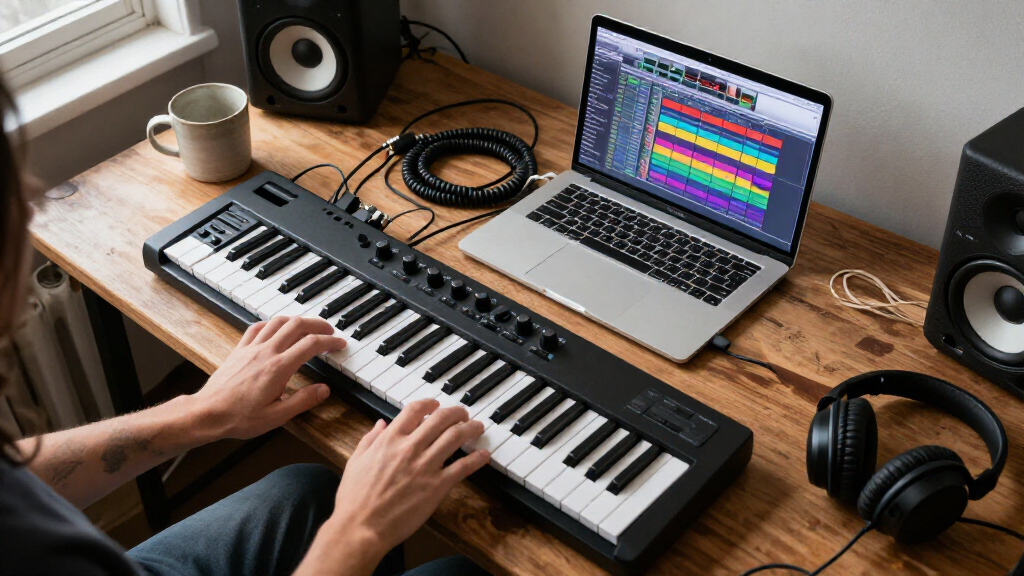
The best MIDI keyboard controllers for music production balance playable keys, useful controls, and a footprint that fits your studio. I rank the Arturia KeyLab Essential mk3 as the best overall for its 49-key layout and integrated production controls; the Akai MPK Mini Plus stands out for hands-on control in a smaller setup, while the M-Audio Keystation 49 MK3 suits players who mainly need a straightforward, larger keyboard. The main tradeoff is between compact portability and room to play, with extra pads, knobs, and software integration adding value only when they match your workflow. This comparison also includes mini-key, wireless, and standalone-play options. Read on for the full breakdown and guidance on choosing the right controller for your music production setup.

Get audio and creator gear delivered free with Prime
- Fast, free delivery on millions of items
- Prime Video, Amazon Music and more included
- Member-only deals all year
Complete the kit


Key Takeaways
The KeyLab Essential mk3 leads for an all-around studio setup: its 49-key format and production controls make it a stronger central controller than the more compact 25-key models.
The MPK Mini Plus occupies a useful middle ground: it offers more playing range than 25-key controllers while keeping a smaller footprint than the 49-key options.
The Keystation 49 MK3 prioritizes keyboard range over extra controls: it fits players who want room for parts across more octaves without needing a large pad-and-knob surface.
Two MPK Mini IV colors do not represent different workflows: choose between the black and white versions by appearance, not by expected production capability.
Portability comes with different compromises: mini-key models save desk space, while the DaierTek adds Bluetooth and the MPK Mini Play MK3 is aimed at playing without relying on a computer in the same way as a basic controller.
| Donner DMK 25 Pro 25-Key USB-C MIDI Keyboard Controller with 8 Drum Pads, OLED Display, and Smart Scale Modes |  | Best for Guided, Feature-Rich Creation | Keys: 25 | Drum pads: 8 | Display: OLED | VIEW LATEST PRICE | See Our Full Breakdown |
| Akai Professional MPK Mini MK3 25-Key USB MIDI Keyboard Controller |  | Best for Portable Beat Making | Keys: 25 velocity-sensitive mini keys | Drum pads: 8 backlit velocity-sensitive MPC-style pads | Knobs: 8 assignable 360-degree knobs | VIEW LATEST PRICE | See Our Full Breakdown |
| Donner N-25 25-Key Mini MIDI Keyboard Controller |  | Best Entry-Level Portable Pick | Keys: 25 velocity-sensitive mini keys | Connectivity: USB-MIDI | Controls: Programmable banks, arpeggiator, sustain, octave, tap tempo, pitch bend | VIEW LATEST PRICE | See Our Full Breakdown |
| Donner N-32 32-Key USB MIDI Keyboard Controller |  | Best for a Little More Playing Range | Keys: 32 velocity-sensitive keys | Connectivity: USB-MIDI; 1 USB 2.0 port | Display: Digital display | VIEW LATEST PRICE | See Our Full Breakdown |
| Akai Professional MPK Mini Plus 37-Key USB MIDI Keyboard Controller |  | Best for Hybrid Studio Setups | Keys: 37 Gen 2 dynamic, velocity-sensitive mini keys | Drum pads: 8 RGB MPC pads | Rotary knobs: 8 assignable | VIEW LATEST PRICE | See Our Full Breakdown |
| M-Audio Keystation 49 MK3 USB MIDI Controller |  | Best for Full-Size Keys on a Simple Setup | Keys: 49 full-size velocity-sensitive keys | Connectivity: USB-MIDI | Power: USB-powered | VIEW LATEST PRICE | See Our Full Breakdown |
| Arturia KeyLab Essential mk3 49-Key USB MIDI Keyboard Controller with Analog Lab V |  | Best for Hands-On DAW Control | Keys: 49 synth-action keys with velocity control | Pads: 8 velocity- and pressure-sensitive pads | Controls: 9 faders and 9 encoders | VIEW LATEST PRICE | See Our Full Breakdown |
| 49-Key USB MIDI Keyboard Controller with OLED Display and 8 Drum Pads |  | Best for Built-In Feedback on a Lean Controller | Keys: 49 full-size touch-responsive keys | Drum pads: 8 velocity-sensitive pads | Display: OLED | VIEW LATEST PRICE | See Our Full Breakdown |
| Arturia MiniLab 3 Universal MIDI Controller, 25 Keys, White |  | Best Compact Controller for Software-Instrument Browsing | Keys: 25 slim synth-action keys with velocity control | Pads: 16 velocity- and pressure-sensitive RGB pads across 2 banks | Controls: 8 rotary encoders, 4 faders, 2 capacitive touch sensors | VIEW LATEST PRICE | See Our Full Breakdown |
| Akai Professional MPK Mini IV 25-Key USB-C MIDI Keyboard Controller, Black |  | Best Compact Controller for Flexible Connections | Keys: 25 velocity-sensitive mini keys | Drum pads: 8 velocity- and pressure-sensitive RGB MPC pads | Controls: 8 assignable 360-degree encoders and push/turn encoder | VIEW LATEST PRICE | See Our Full Breakdown |
| DaierTek 25-Key Portable Bluetooth and USB MIDI Keyboard Controller |  | Best for Wireless Portability | Keys: 25 velocity-sensitive keys | Pads: 8 RGB-backlit, velocity-sensitive pads with aftertouch | Knobs: 8 assignable encoders | VIEW LATEST PRICE | See Our Full Breakdown |
| Akai Professional MPK Mini IV 25-Key USB-C MIDI Keyboard Controller, White |  | Best for DAW-Focused Control | Keys: 25 velocity-sensitive mini keys | Key range: 10-octave up/down range | Pads: 8 velocity- and pressure-sensitive RGB MPC pads | VIEW LATEST PRICE | See Our Full Breakdown |
| Akai Professional MPK Mini Play MK3 25-Key USB MIDI Keyboard Controller |  | Best for Standalone Practice | Keys: 25 Gen 2 velocity-sensitive mini keys | Drum pads: 8 velocity-sensitive, backlit MPC pads | Controls and display: 4 assignable rotary encoder knobs and OLED display | VIEW LATEST PRICE | See Our Full Breakdown |
| M-Audio Keystation Mini 32 MK3 USB MIDI Controller |  | Best for a Simple, Wider Mini Keybed | Keys: 32 velocity-sensitive mini piano-style keys | Connectivity and power: USB; no external power supply required | Compatible platforms: Mac and Windows | VIEW LATEST PRICE | See Our Full Breakdown |
| MIDI keyboard controllers for music production | Keys | Connectivity | Included software | Compatible platforms |
|---|---|---|---|---|
| Donner DMK 25 Pro 25-Key USB-C | 25 | USB-C | — | — |
| Akai Professional MPK Mini MK3 | 25 velocity-sensitive mini keys | USB 2.0 Type-B | — | Windows and Mac |
| Donner N-25 25-Key Mini MIDI K | 25 velocity-sensitive mini keys | USB-MIDI | — | Android, Mac, Windows, iOS |
| Donner N-32 32-Key USB MIDI Ke | 32 velocity-sensitive keys | USB-MIDI; 1 USB 2.0 port | — | Android, iOS, Mac, Windows |
| Akai Professional MPK Mini Plu | 37 Gen 2 dynamic, velocity-sensitive mini keys | USB, MIDI I/O, CV/Gate | MPC Beats | Mac, Windows |
| M-Audio Keystation 49 MK3 USB | 49 full-size velocity-sensitive keys | USB-MIDI | MPC Beats, Ableton Live Lite, Velvet, XPand2, Mini Grand, Touch Loops | — |
| Arturia KeyLab Essential mk3 4 | 49 synth-action keys with velocity control | USB | Analog Lab V, UVI Model D, NI The Gentleman, Loopcloud and Melodics subscriptions | — |
| 49-Key USB MIDI Keyboard Contr | 49 full-size touch-responsive keys | USB; MIDI USB | — | — |
| Arturia MiniLab 3 Universal MI | 25 slim synth-action keys with velocity control | USB | Ableton Live Lite, Analog Lab Intro, UVI Model D | Mac and Windows 10 |
| Akai Professional MPK Mini IV | 25 velocity-sensitive mini keys | USB-C and full-size MIDI Out | Studio Instrument Collection with 1,000+ sounds, Ableton Live Lite 12, Melodics trial, Splice subscription, one Native Instruments sound bundle | Mac, Windows, and mobile setups |
| DaierTek 25-Key Portable Bluet | 25 velocity-sensitive keys | Bluetooth MIDI and USB MIDI | — | — |
| Akai Professional MPK Mini IV | 25 velocity-sensitive mini keys | — | Studio Instrument Collection with 1,000+ sounds, Ableton Live Lite 12, 30-day Melodics trial, and 2 months of Splice | — |
| Akai Professional MPK Mini Pla | 25 Gen 2 velocity-sensitive mini keys | — | MPC Beats, AIR Music Tech instruments, Melodics lessons, and a choice of Komplete 15 Select bundle | — |
| M-Audio Keystation Mini 32 MK3 | 32 velocity-sensitive mini piano-style keys | — | MPC Beats and access to 60 interactive MIDI keyboard lessons from Melodics | Mac and Windows |
More Details on Our Top Picks
Donner DMK 25 Pro 25-Key USB-C MIDI Keyboard Controller with 8 Drum Pads, OLED Display, and Smart Scale Modes
The Donner DMK 25 Pro suits producers who want performance aids and visual feedback in a compact controller. Its OLED display, 16 smart scales, chord mode, arpeggiator, and note repeat can help new players build parts without relying entirely on keyboard technique. Eight pads and transport controls also make it more hands-on for beat making than the simpler Donner N-25, which lacks pads and a display. USB-C and mobile compatibility broaden where it can fit into a setup, while the included lessons give beginners a learning path. The tradeoff is that it still needs a connected device running DAW software to make sound, and some phones or tablets may need a separate adapter. Its 25 keys also limit range for two-handed parts.
Pros:- OLED display and 16 smart scales provide useful visual and harmonic guidance.
- Eight drum pads, note repeat, arpeggiator, and chord mode support varied beat-making workflows.
- USB-C connectivity and listed support for computers and mobile devices offer flexible setup options.
- Includes 40 teaching courses and access to DAW software options.
Cons:- Requires a connected computer or compatible mobile device running DAW software to produce sound.
- The 25-key layout restricts playing range compared with the 32-key Donner N-32 or 37-key Akai MPK Mini Plus.
- Some mobile devices with Micro USB or Lightning ports may require a separate adapter.
Best for: New producers who want scale and chord assistance, drum pads, and lessons in a compact setup for computer or compatible mobile DAW work.
Not ideal for: Players who need a broad keyboard range, standalone sound, or a direct phone connection without checking adapter compatibility.
- Keys:25
- Drum pads:8
- Display:OLED
- Connectivity:USB-C
- Smart scales:16
- Performance controls:Arpeggio, note repeat, chord mode, pitch/modulation touch bar, 4 control wheels, 6 transport controllers
- Platforms:Android, macOS, Windows, iOS
- Sound generation:Requires connection to a device running DAW software
Our verdict“Choose the DMK 25 Pro if you want a compact, guided controller with pads and a display; skip it if you need more keys or standalone sound.”
Akai Professional MPK Mini MK3 25-Key USB MIDI Keyboard Controller
The Akai MPK Mini MK3 is a straightforward pick for producers who want familiar beat-making controls in a travel-sized package. Its velocity-sensitive mini keys and MPC-style pads make it easier to sketch melodies and drum patterns with expressive input, while eight assignable knobs put software parameters within reach. The four-way joystick and built-in arpeggiator add performance control without taking up much space. Compared with the Donner DMK 25 Pro, it has fewer scale and display aids, but its included MPC Beats software, virtual instruments, and sound content make it a useful starting point for desktop production. The compromises are its 25-key range, small keys, and USB Type-B connection; it is designed as a computer controller, not a standalone instrument.
Pros:- Eight velocity-sensitive MPC-style pads support expressive drum programming.
- Eight assignable knobs and a four-way pitch/modulation joystick provide hands-on control.
- Built-in arpeggiator helps generate rhythmic melodic ideas.
- Includes MPC Beats, three virtual instruments, and 2GB of sound content.
Cons:- The 25 mini keys offer limited range and may feel cramped for players accustomed to larger keys.
- USB 2.0 Type-B connection may require a different cable or adapter for some modern setups.
- Requires a connected computer and compatible DAW; standalone sound generation is not described.
Best for: Laptop-based beat makers who want compact velocity-sensitive keys and pads plus included production software for Windows or Mac.
Not ideal for: Players who prefer full-size keys, need more than two octaves, or want mobile-first USB-C connectivity and standalone sound.
- Keys:25 velocity-sensitive mini keys
- Drum pads:8 backlit velocity-sensitive MPC-style pads
- Knobs:8 assignable 360-degree knobs
- Performance controls:Four-way pitch/modulation joystick and built-in arpeggiator
- Connectivity:USB 2.0 Type-B
- Power:USB-powered
- Compatible platforms:Windows and Mac
- Included software and content:MPC Beats, 3 virtual instruments, 2GB of sound content
Our verdict“Pick the MPK Mini MK3 for a compact desktop beat-making setup with useful pads and bundled software, but not for wider-range playing.”
Donner N-25 25-Key Mini MIDI Keyboard Controller
The Donner N-25 keeps the essentials close at hand for a beginner who wants a small controller for learning and DAW sketching. Its velocity-sensitive mini keys respond to playing force, and the arpeggiator, octave, sustain, tap-tempo, and pitch-bend controls cover common starter workflows. Programmable banks add flexibility without the pads and display found on the Donner DMK 25 Pro; that simpler layout may suit someone who would rather focus on keys than extra performance features. It connects to Mac and PC without additional drivers and can work with compatible mobile devices using an OTG adapter. The tradeoffs are the narrow 25-key range and the need for an adapter on some phones. Like other MIDI controllers here, it needs sound-producing software or hardware.
Pros:- Velocity-sensitive mini keys support dynamics when entering notes.
- Arpeggiator, octave, sustain, tap-tempo, and pitch-bend controls cover useful starter functions.
- Programmable banks offer control flexibility in a compact design.
- Includes music production software and 40 keyboard-teaching courses.
Cons:- The 25-key mini layout limits range and may not suit players who prefer larger keys.
- Compatible mobile connections may require a separate OTG adapter.
- No drum pads or display, unlike the more feature-rich Donner DMK 25 Pro.
Best for: Beginners seeking a lightweight, no-frills controller for learning keyboard basics and entering notes into a Mac or PC DAW.
Not ideal for: Beat makers who want built-in drum pads, players needing more than 25 keys, or mobile users without a compatible OTG adapter.
- Keys:25 velocity-sensitive mini keys
- Connectivity:USB-MIDI
- Controls:Programmable banks, arpeggiator, sustain, octave, tap tempo, pitch bend
- Compatible platforms:Android, Mac, Windows, iOS
- Compatible devices:Laptop, PC, smartphone, tablet
- Included components:MIDI keyboard, USB cable, music production software, 40 teaching courses
- Color:Black
- Warranty:90 days
Our verdict“Choose the N-25 for a compact, lesson-supported first controller with core playing controls, but look elsewhere for pads or a wider keyboard.”
Donner N-32 32-Key USB MIDI Keyboard Controller
The Donner N-32 offers a useful middle ground for producers who find 25 keys too restrictive but still need a compact controller. Those 32 velocity-sensitive keys provide more room for melodies and chord work than the Donner N-25, without moving up to the 37-key Akai MPK Mini Plus. A digital display and light-up joystick make pitch and modulation adjustments easier to see and reach, while the sequencer, chord arpeggiator, octave control, and sustain support quick idea building. Its stated compatibility spans desktop and mobile platforms, though sound still comes from a connected DAW. Compared with the Akai, it lacks the listed MIDI I/O and CV/Gate connections for external hardware, and the scaled-down keys may not suit players who rely on a full-size keybed.
Pros:- 32 velocity-sensitive keys provide more playing room than the 25-key controllers in this group.
- Digital display and illuminated joystick provide visible pitch and modulation control.
- Sequencer, chord arpeggiator, octave adjustment, and sustain support idea generation.
- Listed compatibility covers Android, iOS, Mac, and Windows.
Cons:- Scaled-down keys may feel small to players accustomed to full-size keyboards.
- Requires DAW software on a connected device to produce sound.
- Does not list the MIDI I/O or CV/Gate connections available on the Akai MPK Mini Plus.
Best for: Mobile or desktop producers who want more than 25 keys for melodies and chords while keeping a compact footprint.
Not ideal for: Players who need full-size keys, standalone sound, or direct MIDI and CV/Gate connections to external music hardware.
- Keys:32 velocity-sensitive keys
- Connectivity:USB-MIDI; 1 USB 2.0 port
- Display:Digital display
- Controls:Sequencer, chord arpeggiator, octave, pitch shifter, sustain
- Compatible platforms:Android, iOS, Mac, Windows
- Supported software:Ableton Live, Avid Pro Tools, Logic Pro, Studio One
- Included components:MIDI keyboard, Type-C cable, manual, music production software
- Sound generation:Requires connected DAW software
Our verdict“Choose the N-32 if you want a compact controller with more keys than a 25-key model, but not external-hardware connections or a full-size keybed.”
Akai Professional MPK Mini Plus 37-Key USB MIDI Keyboard Controller
The Akai MPK Mini Plus is the most capable choice here for producers who split work between a computer and external instruments. Its 37 velocity-sensitive mini keys give more room for chords and melodic lines than the 25-key Akai MPK Mini MK3, while MIDI I/O and CV/Gate let it connect to synths and modular gear beyond a DAW. The 64-step sequencer, eight RGB pads, assignable knobs, and DAW transport controls support composing and arranging from the controller itself. MPC Beats and NKS integration add software workflow options. This breadth makes it less focused on beginner guidance than the Donner DMK 25 Pro, which offers smart scales and lessons. The main compromises are mini keys and a range that remains shorter than larger controllers.
Pros:- 37 keys provide more range for chords, arpeggios, and melodies than 25-key models.
- MIDI I/O and CV/Gate support connections to external synths and modular equipment.
- Built-in 64-step sequencer can capture patterns without relying solely on a computer workflow.
- Eight RGB pads, eight assignable knobs, and DAW transport controls provide hands-on production options.
Cons:- Mini keys may feel cramped for players used to full-size keys.
- Thirty-seven keys still provide less range than larger controllers such as 49-key models.
- Its hardware connections and sequencing features may be unnecessary for producers who only need basic DAW note input.
Best for: Producers who want a compact controller to sequence software and connect directly to MIDI or CV/Gate hardware.
Not ideal for: Pianists who need full-size keys, a broad keyboard range, or a simpler controller focused on guided learning.
- Keys:37 Gen 2 dynamic, velocity-sensitive mini keys
- Drum pads:8 RGB MPC pads
- Rotary knobs:8 assignable
- Sequencer:64-step; one drum track and one melody or chord track, up to 8 notes each
- Connectivity:USB, MIDI I/O, CV/Gate
- Additional features:Built-in arpeggiator, DAW transport controls, Chords and Scales modes, NKS integration
- Compatible platforms:Mac, Windows
- Included software:MPC Beats
Our verdict“Pick the MPK Mini Plus if hardware connectivity and onboard sequencing matter as much as DAW control; skip it if you want full-size keys or a simpler starter board.”
M-Audio Keystation 49 MK3 USB MIDI Controller
The Keystation 49 MK3 makes sense for producers who want a familiar piano-style range without a crowded control surface. Its 49 full-size, velocity-sensitive keys give both hands more room than the 25-key Arturia MiniLab 3 or Akai MPK Mini IV, which is useful for playing chords and sketching parts across octaves. Pitch and modulation wheels, octave buttons, and basic transport controls cover common studio tasks, while USB power keeps setup straightforward. Compared with the feature-rich Arturia KeyLab Essential mk3, this M-Audio offers fewer pads and knobs, so it is less suited to hands-on beat programming or deep DAW control. The tradeoff is a simpler, more focused controller that takes up more desk space than a mini-key model. A sustain pedal is also a separate purchase.
Pros:- Full-size velocity-sensitive keys provide more comfortable space for piano parts than the 25-key controllers in this group.
- USB-powered setup avoids a separate power supply.
- Pitch and modulation wheels add expressive control for software instruments.
- Transport and directional buttons support basic DAW operation.
Cons:- No drum pads or extensive bank of knobs and faders for hands-on production.
- Sustain pedal is not included.
- iOS connection requires a separately sold Apple USB Camera Adapter.
Best for: Producers learning keyboard parts or recording two-handed chords who want full-size keys and basic DAW controls without a large control surface.
Not ideal for: Beatmakers who need built-in drum pads and extensive assignable controls, or mobile users unwilling to buy a separate iOS adapter.
- Keys:49 full-size velocity-sensitive keys
- Connectivity:USB-MIDI
- Power:USB-powered
- Controls:Volume fader, transport and directional buttons, pitch and modulation wheels, octave buttons
- Pedal input:1/4 in (6.3 mm) sustain pedal input
- Computer compatibility:Mac and PC
- Included software:MPC Beats, Ableton Live Lite, Velvet, XPand2, Mini Grand, Touch Loops
- iOS compatibility:Supported with a separately sold Apple USB Camera Adapter
Our verdict“Choose the Keystation 49 MK3 if full-size keys matter more to your workflow than pads, dense controls, or a compact footprint.”
Arturia KeyLab Essential mk3 49-Key USB MIDI Keyboard Controller with Analog Lab V
The Arturia KeyLab Essential mk3 is the strongest fit here for producers who want their controller to do more than send notes. Its eight pressure-sensitive pads, nine faders, and nine encoders make it easier to shape instruments, mix, and trigger parts without reaching for a mouse. Scale and chord modes and the arpeggiator can also help turn an idea into a playable phrase. Compared with the simpler M-Audio Keystation 49 MK3, the Arturia offers a much broader control surface and a more production-focused workflow; compared with the compact MiniLab 3, it gives you a 49-key range. That added control comes with a larger, plastic-bodied instrument and a USB-dependent setup. Its synth-action keys may also feel less piano-like than the Keystation’s full-size keys.
Pros:- Eight velocity- and pressure-sensitive pads support expressive beat programming.
- Nine faders and nine encoders provide broad hands-on control of software.
- Scale Mode, Chord Mode, and the arpeggiator support quick composition.
- Analog Lab V and two piano instruments give buyers a substantial starting software set.
Cons:- Plastic construction may not suit buyers seeking a more rugged-feeling controller.
- Requires a USB connection to a compatible computer.
- Synth-action keys may be less appealing to pianists who prefer a more piano-like response.
Best for: DAW-based producers who want a 49-key controller with pads, faders, encoders, and performance modes for arranging and sound shaping.
Not ideal for: Players prioritizing piano-like key feel, a metal-bodied controller, or a minimal desk footprint.
- Keys:49 synth-action keys with velocity control
- Pads:8 velocity- and pressure-sensitive pads
- Controls:9 faders and 9 encoders
- Display:2.5-inch LCD
- Connectivity:USB
- Performance features:Scale Mode, Chord Mode, multi-mode arpeggiator
- Compatible software:FL Studio, Logic Pro, Ableton Live, Cubase, Bitwig Studio
- Included software:Analog Lab V, UVI Model D, NI The Gentleman, Loopcloud and Melodics subscriptions
- Weight:6.1 pounds
Our verdict“Pick the KeyLab Essential mk3 if you want more direct control over instruments and DAW tasks than the Keystation 49 MK3 provides.”
49-Key USB MIDI Keyboard Controller with OLED Display and 8 Drum Pads
This Garvee 49-key controller pairs a full-size keyboard range with production features usually aimed at beatmaking: eight velocity-sensitive pads, an arpeggiator, and an OLED display. The display can make parameter changes easier to follow than on the display-free M-Audio Keystation 49 MK3, while the pads add a direct way to trigger drum sounds. Its semitone transpose function is handy when a part needs shifting without changing the keyboard range. Compared with the more established feature set of the Arturia KeyLab Essential mk3, the listed controls are less extensive: there is no specified bank of faders and encoders or bundled software suite. It is a lighter, simpler alternative for producers who want keys and basic beat tools together, but buyers should check compatibility and workflow needs before relying on it as their primary DAW surface.
Pros:- Full-size 49-key range supports broader parts than compact 25-key controllers.
- Eight velocity-sensitive pads add a direct beat-programming option.
- OLED display provides parameter feedback absent from the Keystation 49 MK3.
- Arpeggiator, semitone transpose, DAW controls, and sustain-pedal jack cover useful production tasks.
Cons:- The listed feature set does not include the extensive faders and encoders found on the KeyLab Essential mk3.
- iOS use requires a separately sold adapter.
- No included software package is specified in the supplied product details.
Best for: Home producers who want full-size keys, basic drum-pad input, and a display in one lightweight USB controller.
Not ideal for: Producers seeking a deep set of assignable faders and encoders, a bundled instrument collection, or a controller with clearly established software integration.
- Keys:49 full-size touch-responsive keys
- Drum pads:8 velocity-sensitive pads
- Display:OLED
- Features:DAW control, semitone transpose, arpeggiator
- Connectivity:USB; MIDI USB
- Supported systems:Windows 7/8 and above, Mac OS X 10.7+, iOS
- Pedal input:Sustain pedal jack
- Weight:3.1 pounds
- Dimensions:25.98 x 4.49 x 1.38 inches
Our verdict“Choose this Garvee if you want 49 keys and basic beat tools with an OLED display, but skip it if deep DAW integration is your priority.”
Arturia MiniLab 3 Universal MIDI Controller, 25 Keys, White
The Arturia MiniLab 3 is the compact pick for producers who want more than a small keyboard but cannot give up much desk space. Its 25 slim keys are paired with 16 RGB-backlit pads across two banks, eight encoders, four faders, and touch controls for pitch and modulation. The clickable browsing knob and mini display also make it easier to navigate software sounds than on the straightforward M-Audio Keystation 49 MK3. Compared with the Akai MPK Mini IV, the MiniLab gives you more pads and faders, while Akai offers a full-color display, Chord and Scale modes, and full-size MIDI Out. The main compromise is range: two octaves can constrain piano parts and wider arrangements. Its slim keys are also a different feel from the full-size Keystation.
Pros:- Compact 25-key format saves space compared with the 49-key Keystation and KeyLab.
- Sixteen RGB pads across two banks offer more pad locations than the Akai MPK Mini IV.
- Eight encoders, four faders, and touch controls provide hands-on sound shaping.
- Included arpeggiator, display, and software support a ready-to-start production setup.
Cons:- Two-octave range can limit piano parts and wider melodic performances.
- Slim synth-action keys do not provide the feel or spacing of the Keystation 49 MK3.
- Plastic body may not suit buyers who want a more rugged construction.
Best for: Laptop-based producers and electronic musicians who need a compact desk or travel controller with hands-on sound browsing and multiple pads.
Not ideal for: Pianists who need a wider playing range or buyers who prefer full-size keys for detailed two-handed parts.
- Keys:25 slim synth-action keys with velocity control
- Pads:16 velocity- and pressure-sensitive RGB pads across 2 banks
- Controls:8 rotary encoders, 4 faders, 2 capacitive touch sensors
- Additional features:Built-in arpeggiator, mini display, clickable browsing knob, MIDI out
- Connectivity:USB
- Compatible platforms:Mac and Windows 10
- Included software:Ableton Live Lite, Analog Lab Intro, UVI Model D
- Dimensions:8.6 x 14 x 2.1 inches
- Weight:3.1 pounds
Our verdict“Pick the MiniLab 3 if space and hands-on software control matter more than a broad keyboard range.”
Akai Professional MPK Mini IV 25-Key USB-C MIDI Keyboard Controller, Black
The Akai MPK Mini IV is a portable production hub for buyers who want mini keys, drum pads, and a route to external MIDI gear. Its USB-C connection and full-size MIDI Out make it more adaptable than the USB-only Arturia MiniLab 3 when a setup includes compatible hardware, while the color display, eight assignable encoders, and RGB MPC pads keep core controls close at hand. Chord and Scale modes can help build parts quickly, and the arpeggiator adds Pattern, Freeze, and Mutate options for shaping repeated phrases. Compared with the 49-key Arturia KeyLab Essential mk3, it is far easier to fit into a small workspace but offers much less room for two-handed playing. The mini keys and USB-powered design suit mobile rigs, though they are not ideal for players who want full-size key spacing.
Pros:- USB-C and full-size MIDI Out support computer, mobile, and compatible hardware setups.
- Eight velocity- and pressure-sensitive RGB MPC pads support expressive beat input.
- Chord and Scale modes plus an arpeggiator help generate and shape musical ideas.
- Full-color display and assignable encoders provide useful feedback and hands-on control.
Cons:- Mini keys may feel cramped compared with the full-size keys on the KeyLab Essential mk3.
- USB-powered operation requires a connected power source.
- Its 25-key range offers less room for broad parts than 49-key controllers.
Best for: Mobile and desktop producers who need a compact controller that can run a software workflow and connect to compatible external MIDI hardware.
Not ideal for: Pianists who prefer full-size keys, or producers who need a 49-key range and a larger bank of faders for mixing.
- Keys:25 velocity-sensitive mini keys
- Drum pads:8 velocity- and pressure-sensitive RGB MPC pads
- Controls:8 assignable 360-degree encoders and push/turn encoder
- Display:Full-color display
- Connectivity:USB-C and full-size MIDI Out
- Power:USB-powered
- Performance features:Arpeggiator with Pattern, Freeze, and Mutate; Chord and Scale modes; 10-octave up/down range
- Compatible platforms:Mac, Windows, and mobile setups
- Included software:Studio Instrument Collection with 1,000+ sounds, Ableton Live Lite 12, Melodics trial, Splice subscription, one Native Instruments sound bundle
Our verdict“Choose the MPK Mini IV if portable production and hardware MIDI connectivity outweigh the limited range of mini keys.”
DaierTek 25-Key Portable Bluetooth and USB MIDI Keyboard Controller
The DaierTek is the strongest fit here for a producer who wants to sketch ideas away from a desk: Bluetooth MIDI and a rechargeable battery reduce cable dependence, while USB remains available for a direct connection. Its eight velocity-sensitive pads with aftertouch, assignable knobs, and pitch/modulation touch strips offer more hands-on control than the simpler M-Audio Keystation Mini 32 MK3. Smart Scale and Chord functions can also help turn a short session into a workable musical starting point.
The tradeoff is setup and sound: it needs a DAW or other music software, and Bluetooth support can vary by operating system, with Windows potentially requiring a driver. The Akai MPK Mini Play MK3 is a better pick for standalone playing because it has built-in sounds and a speaker; the DaierTek is better suited to mobile software-based production.
Pros:- Bluetooth and USB MIDI support both wireless sessions and a direct wired connection.
- Built-in rechargeable battery is rated for about 16 hours of use.
- Velocity-sensitive keys and aftertouch pads offer expressive input.
- Assignable knobs, touch strips, and Smart Scale and Chord functions provide varied control.
Cons:- Cannot produce sound without compatible music software or a DAW.
- Bluetooth setup varies by operating system and may require a Windows driver.
- The 25-key range limits two-handed parts compared with larger controllers.
Best for: Laptop or mobile-device producers who want wireless MIDI, onboard performance controls, and a rechargeable battery for portable DAW sessions.
Not ideal for: Players who need a keyboard that makes sound on its own, or Windows users who want a straightforward wired setup without checking Bluetooth driver requirements.
- Keys:25 velocity-sensitive keys
- Pads:8 RGB-backlit, velocity-sensitive pads with aftertouch
- Knobs:8 assignable encoders
- Other controls:Mini display and 2 capacitive pitch-bend and modulation touch strips
- Connectivity:Bluetooth MIDI and USB MIDI
- Battery:2,000 mAh; about 16 hours
- Compatibility:Windows, macOS, Android, and iOS; compatible DAWs include Ableton Live, FL Studio, Cubase, and GarageBand
- Sound generation:Requires music software or a DAW; no built-in sound generation
Our verdict“Choose the DaierTek if wireless, battery-powered DAW control matters more than standalone sounds or a larger keyboard range.”
Akai Professional MPK Mini IV 25-Key USB-C MIDI Keyboard Controller, White
For a compact controller centered on producing inside a computer-based setup, I rank the MPK Mini IV ahead of the more stripped-back M-Audio Keystation Mini 32 MK3. Its full-color display, eight assignable encoders, and DAW integration tools put more production control within reach, while the pressure-sensitive RGB MPC pads suit expressive drum programming. USB-C keeps the connection simple, and full-size MIDI Out gives it a route to compatible external hardware that the USB-only M-Audio lacks.
That control comes with a familiar limitation: 25 mini keys are suited to riffs and short parts, not broad two-handed playing. It also depends on a computer or compatible setup and does not offer the standalone sounds of the Akai MPK Mini Play MK3. Its bundled sounds and creative modes make it a more complete production tool than a basic keyboard, but not a self-contained instrument.
Pros:- Full-color display and DAW integration tools make controller settings and production tasks easier to access.
- Eight velocity- and pressure-sensitive RGB MPC pads support expressive beat programming.
- USB-C and full-size MIDI Out accommodate computer and compatible hardware setups.
- Arpeggiator, Chord mode, Scale mode, and bundled software support idea generation.
Cons:- The 25 mini keys offer less room for two-handed playing than 32- or 49-key controllers.
- Requires a compatible computer or mobile setup and does not generate sound by itself.
- USB-powered operation depends on a connected host or suitable USB power source.
Best for: Computer-based producers who want a compact DAW controller with expressive pads, mapped controls, and MIDI Out for compatible hardware.
Not ideal for: Keyboard players who need a wider, full-size playing surface or musicians who want built-in sounds for standalone practice.
- Keys:25 velocity-sensitive mini keys
- Key range:10-octave up/down range
- Pads:8 velocity- and pressure-sensitive RGB MPC pads
- Encoders:8 assignable 360° knobs
- Display:Full-color screen
- Connectivity and power:USB-C and full-size MIDI Out; USB-powered
- Performance controls:Arpeggiator, Chord mode, Scale mode, and push/turn encoder
- Included software:Studio Instrument Collection with 1,000+ sounds, Ableton Live Lite 12, 30-day Melodics trial, and 2 months of Splice
Our verdict“Pick the MPK Mini IV if you want hands-on DAW and pad control in a small footprint, and can work comfortably on 25 mini keys.”
Akai Professional MPK Mini Play MK3 25-Key USB MIDI Keyboard Controller
The MPK Mini Play MK3 fills a gap the other compact controllers here do not: it can make sound without a computer. Its 128+ built-in instruments and drum kits, speaker, and battery operation let a player practice or sketch a part independently, while USB also makes it a MIDI controller for a DAW. That makes it a more self-contained portable option than the USB-powered Akai MPK Mini IV, which relies on a connected setup for sound.
For production at a desk, the difference is less clear-cut. The Play MK3 has four assignable knobs, compared with the MPK Mini IV’s eight, and it lacks the newer model’s listed full-color display and full-size MIDI Out. Its 25 mini keys also keep it in the idea-sketching category rather than the two-handed performance class. Choose it for standalone flexibility; choose a more control-heavy controller for deeper DAW work.
Pros:- Built-in sounds and speaker allow standalone playing without a computer or DAW.
- Battery operation is rated for more than 14 hours.
- Velocity-sensitive mini keys and backlit MPC pads support expressive sketching.
- Includes a headphone output and production and learning software.
Cons:- Only four assignable knobs provide fewer hands-on controls than the MPK Mini IV.
- The 25-key mini layout limits range and two-handed performance.
- Batteries are not included.
Best for: Producers and learners who want to practice or sketch with built-in sounds away from a computer, then connect to a Mac or Windows DAW by USB.
Not ideal for: DAW users who want extensive assignable controls, a larger keybed, or the MPK Mini IV’s full-size MIDI Out.
- Keys:25 Gen 2 velocity-sensitive mini keys
- Drum pads:8 velocity-sensitive, backlit MPC pads
- Controls and display:4 assignable rotary encoder knobs and OLED display
- Built-in sounds:128+ instruments and drum kits
- Speaker and headphone output:Built-in speaker and 1/8-inch headphone output
- Power and battery life:Batteries (not included) or USB; more than 14 hours of battery life
- Connectivity and compatibility:USB; Mac and Windows
- Included software:MPC Beats, AIR Music Tech instruments, Melodics lessons, and a choice of Komplete 15 Select bundle
Our verdict“Choose the MPK Mini Play MK3 if standalone sounds and portable practice matter more than extensive DAW controls or a wider keyboard.”
M-Audio Keystation Mini 32 MK3 USB MIDI Controller
The Keystation Mini 32 MK3 is the straightforward choice for buyers who value a few extra notes over pads, screens, and wireless features. Its 32 velocity-sensitive mini keys give it a modest range advantage over the 25-key DaierTek and Akai MPK Mini Play MK3, which can help when entering melodies or basic parts without shifting octaves as often. The plug-and-play USB connection needs no external power or additional drivers, making it a simple companion for a Mac or Windows DAW.
That simplicity also sets its limits. It has no built-in sounds, and its controls are focused on pitch bend, modulation, octave, volume, and sustain rather than the pads and assignable knobs found on the Akai MPK Mini IV. I would choose it for basic note entry and a compact, uncomplicated setup—not for wireless sessions, standalone practice, or extensive beat programming.
Pros:- 32 velocity-sensitive keys offer more range than the 25-key controllers in this group.
- USB connection requires no external power supply or additional drivers.
- Pitch bend, modulation, octave, volume, and sustain controls cover common keyboard tasks.
- Compact 454 g design and included MPC Beats and Melodics lessons suit portable practice.
Cons:- Mini keys may feel cramped to players accustomed to full-size keyboards.
- No built-in sounds, so it must be connected to music software or another sound source.
- Lacks the pads and assignable encoders offered by the Akai MPK Mini IV.
Best for: Mac or Windows producers who want an uncomplicated USB controller with more mini keys for entering melodies and basic parts.
Not ideal for: Beatmakers who need pads and assignable knobs, players seeking standalone sounds, or anyone who needs wireless connectivity.
- Keys:32 velocity-sensitive mini piano-style keys
- Connectivity and power:USB; no external power supply required
- Compatible platforms:Mac and Windows
- Controls:Pitch bend, modulation, octave up/down, volume, and sustain
- Dimensions:4.2 x 16.44 x 0.72 in (D x W x H)
- Weight:454 g
- Included software:MPC Beats and access to 60 interactive MIDI keyboard lessons from Melodics
Our verdict“Choose the Keystation Mini 32 MK3 if you want a simple, driver-free USB controller and extra key range matters more than pads or advanced control.”
How We Picked
I compared these 14 controllers by how well they support common music-production tasks: entering notes, triggering drums, adjusting software instruments, and fitting a real workspace. The main criteria were key count and playing layout, hands-on controls such as pads and knobs, connection options, portability, and how well each design suits a beginner or an established studio workflow. I also weighed what a buyer gives up: a compact controller may limit two-handed playing, while a larger model can take more desk space and may offer more controls than some users need.
The ranking favors the strongest overall balance for music production, then separates models by their best use rather than treating every feature as equally valuable. The KeyLab Essential mk3 ranks ahead as a more complete 49-key studio centerpiece; the MPK Mini Plus earns a distinct place for compact hands-on production, and the Keystation 49 MK3 suits players who value range over extra controls. Smaller, specialized, and duplicate-color options rank according to portability or a particular workflow, not simply by the length of their feature lists.
Factors to Consider When Choosing MIDI Keyboard Controllers For Music Production
Before choosing a controller, I would start with the job it needs to do in your sessions—not the number of features on its spec sheet. These decisions affect how comfortably you can play, how quickly you can shape sounds, and whether the controller fits your desk and connection setup.
Choose Key Count Around How You Play
Count the parts you expect to play at once, not just the notes in a melody. A 25-key controller is convenient for bass lines, short hooks, and step-by-step note entry, but it can feel restrictive when you play two-handed chords or switch registers without using octave controls. Moving to 32 or 37 keys gives some additional room while retaining a relatively compact footprint. A 49-key model is often a more comfortable choice for keyboard-led production and longer sessions. A common mistake is buying the smallest layout for portability, then keeping it on a desk where a larger keyboard would have been easier to play.
Decide Whether Pads and Knobs Match Your Workflow
Extra controls help most when you use them regularly for drum hits, filter changes, transport, or instrument parameters. Pads can speed up beat entry, while assignable knobs let you adjust a sound without reaching for a mouse; neither automatically improves a workflow if your software already handles those tasks well. Before paying more for controls, check whether they map sensibly to the DAW and instruments you use. Buyers who mainly record keyboard performances may get more from a wider keybed than a dense control surface. Prioritize controls that replace repeated steps in your sessions, rather than features that look useful but remain unused.
Treat Key Size and Feel as a Playing Decision
Mini keys help controllers fit in a backpack or on a crowded desk, but they change the feel of familiar parts, especially wide chords and expressive passages. Full-size keys are generally easier for players accustomed to a piano-style layout, though key count and action still differ between controllers. If you are learning keyboard technique, a compact model can be useful for note input but may not feel like a practice instrument. For production based on short riffs, mini keys can be a sensible space-saving choice. Match the key size to how often you plan to perform parts live rather than assuming every controller will feel interchangeable.
Check Connections Against Your Actual Setup
List the devices you need to connect before choosing between USB, USB-C, Bluetooth, or other available connections. Wireless MIDI can reduce cable clutter, but it adds setup and compatibility questions that a direct USB connection may avoid. Confirm that your computer, tablet, or phone supports the controller’s connection method and that the required software works with your operating system. Also check whether a cable or adapter is needed for your setup instead of assuming the controller connects directly. A dependable wired path is often the simpler option for a fixed studio, while portability may make wireless support more appealing.
Separate a Studio Controller From a Standalone Playing Option
Most MIDI controllers send performance information to another device; they do not create sound on their own. If you want to play away from a computer, verify whether the specific model includes onboard sounds and how it is powered. The MPK Mini Play MK3 is distinct in this roundup because it is designed for playing with onboard sounds as well as controller use, while standard controller models depend on connected software or sound hardware. Do not mistake a display, pads, or a large control layout for an internal sound engine. Choosing the right category can prevent buying a controller that cannot serve as a self-contained practice instrument.
Pay for Workflow Fit, Not a Longer Feature List
A higher-feature controller makes sense when its layout, software integration, or playing range saves time in your regular sessions. If you mainly enter notes and use a mouse to edit, a simpler keyboard may cover the work without adding controls to learn. Compare included software and integration claims with the DAW and virtual instruments you already use; bundled tools matter less if they duplicate your current setup. Also leave room for your other gear, since a 49-key controller can become awkward on a shallow desk. The best fit is the one you can connect, play, and use consistently—not the model with the most items listed on its box.
Frequently Asked Questions
Is a 25-key controller enough for music production?
It can be enough if you mainly enter short melodies, bass lines, and drum parts, or if your sessions rely on drawing notes in a piano roll. The limitation appears when you want to play chords and melody across a wider range without changing octaves. Models such as the MPK Mini IV and Arturia MiniLab 3 make more sense for compact, hands-on setups than for extended two-handed performances. If you expect the keyboard to be your main playing surface, compare those with the 37- and 49-key options here. A compact controller is a practical choice when its size solves a real space or travel problem.
Should I choose the MPK Mini Plus or a 49-key controller?
Choose the MPK Mini Plus if you want a relatively compact controller with more playing range than a 25-key model and hands-on production controls. A 49-key option is a better fit when you play longer parts, need more room for two-handed work, or want a central keyboard in a studio. The KeyLab Essential mk3 leans toward an integrated production setup, while the Keystation 49 MK3 puts more emphasis on a straightforward larger keyboard. Desk space matters too: measure the area you can give the controller before choosing. If portability and playable range both matter, the MPK Mini Plus is the middle-ground option in this lineup.
Do I need drum pads on a MIDI keyboard controller?
No. Pads are useful for tapping drum parts, triggering samples, and assigning shortcuts, but they are not required for MIDI note entry or music production. If you build beats with a mouse, step sequencer, or another pad controller, paying extra attention to built-in pads may not help your workflow. For a controller that combines a keyboard with beat-making controls, models such as the Donner DMK 25 Pro and Akai MPK Mini family are relevant options in this roundup. If keyboard performance is your priority, a model such as the Keystation 49 MK3 may fit better. Choose pads because you expect to use them, not because they are a standard feature on some compact controllers.
Will these controllers work with my DAW and computer?
Most USB MIDI controllers are intended to send performance data to compatible music software, but compatibility details can vary by model, operating system, and connection type. Check the manufacturer’s current support information for your computer or mobile device, then confirm that your DAW can receive MIDI from the controller. Controllers with software integration may offer a quicker setup for certain applications, but that does not guarantee every control will map to every DAW. Wireless models add another compatibility check, so confirm Bluetooth MIDI support across both the controller and the device you plan to use. If you want the simplest studio connection, a wired USB setup is usually easier to verify.
Can I use a MIDI keyboard controller without a computer?
A standard MIDI controller generally needs another device to produce sound, such as a computer running a virtual instrument or compatible external sound hardware. The MPK Mini Play MK3 differs from basic controllers in this roundup because it includes onboard sounds for standalone playing. Bluetooth or USB power does not by itself mean a keyboard can make sound without a connected instrument. If computer-free practice is a requirement, verify the model’s sound and power functions before buying. If you only need to control software instruments in a studio, a conventional USB controller may be all you need.
Conclusion
For most producers seeking one controller to anchor a studio setup, I recommend the Arturia KeyLab Essential mk3 as the best overall choice for its 49-key range and production-focused controls. The best value for a compact, hands-on workflow is the Akai MPK Mini Plus, while the best premium-style studio fit in this selection is also the KeyLab Essential mk3 for buyers who want a more complete control surface rather than a bare keyboard. For beginners who want a direct, uncomplicated way to play more notes, I would start with the M-Audio Keystation 49 MK3; those with very limited space can look at the Donner N-25 or Akai MPK Mini IV. Choose the DaierTek if Bluetooth is a specific need, or the MPK Mini Play MK3 if onboard sounds matter more than a standard computer-dependent controller. Match the keyboard to how you make music, and the right choice becomes much clearer.
Fall Picks

DJI Osmo Action 4 Essential Combo Waterproof 4K Action Camera
As an affiliate, we earn on qualifying purchases.