
The Focusrite Scarlett Solo 4th Gen is my best overall pick for most creators because it balances clean preamps, creator-friendly workflow, modern USB-C support, and stronger long-term value than the cheaper entry-level boxes here. The Universal Audio Volt 1 is the better premium choice for solo creators who want a more characterful sound, while the M-Audio M-Track Duo makes more sense for budget buyers who need two inputs instead of the Scarlett Solo’s simpler layout. The main tradeoff is between audio quality, input flexibility, software polish, and price. Cheaper models such as XTUGA, HOSONGIN, Wrugste, Pyle, and Synido can work for basic podcasting or streaming, but they ask buyers to accept more risk around drivers, build, controls, or upgrade path. Keep reading for the full breakdown of which USB audio interface fits each creator type.

Get audio and creator gear delivered free with Prime
- Fast, free delivery on millions of items
- Prime Video, Amazon Music and more included
- Member-only deals all year
Key Takeaways
- Focusrite’s Scarlett Solo 4th Gen ranks highest because it gives solo creators the strongest mix of recording quality, usability, ecosystem support, and resale value.
- Universal Audio Volt 1 is the premium solo pick, but its higher price makes the most sense for creators who care about tone and presentation more than extra inputs.
- M-Audio M-Track Duo beats many budget rivals on flexibility because two combo inputs are more useful for interviews, instruments, and creator teams than a single-channel design.
- Ultra-budget interfaces cluster around similar specs, so practical details such as knobs, monitoring, driver behavior, and build quality matter more than headline 24-bit/192kHz claims.
- Beginner-friendly does not always mean cheapest; the simplest interface to grow with is often a proven model like the Scarlett Solo 3rd Gen or 4th Gen rather than the lowest-cost listing.
| Focusrite Scarlett Solo 4th Gen USB Audio Interface |  | Best Overall | Connectivity: USB | Channels: 2 | Compatible Devices: Microphone, instrument, personal computer, headphones, studio monitors | VIEW LATEST PRICE | See Our Full Breakdown |
| Universal Audio Volt 1 USB Audio Interface |  | Best for Vintage Vocal Tone | Compatibility: Mac, Windows, iPad, iPhone | Inputs: 1 microphone/instrument input | Outputs: 2 outputs | VIEW LATEST PRICE | See Our Full Breakdown |
| Focusrite Scarlett Solo 3rd Gen USB Audio Interface for Guitarists, Vocalists, Podcasters, and Producers |  | Best Value Focusrite Pick | Model: Scarlett Solo 3rd Gen | Connectivity: USB | Sample Rate: Up to 192kHz | VIEW LATEST PRICE | See Our Full Breakdown |
| HOSONGIN USB Audio Interface for Beginners |  | Best Beginner Multi-Device Pick | Compatible Devices: Laptop, personal computer, mobile phone | Operating System: Linux, Windows, macOS | Connectivity: USB, XLR, 1/4-inch | VIEW LATEST PRICE | See Our Full Breakdown |
| XTUGA USB Audio Interface for PC |  | Best Ultra-Budget Starter | Resolution: 16-bit/48kHz | Inputs: XLR, 3.5mm microphone jack | Channels: 2 | VIEW LATEST PRICE | See Our Full Breakdown |
| M-AUDIO M-Track Duo USB Audio Interface for Recording, Streaming, and Podcasting |  | Best Budget Two-Input Starter | Audio Resolution: 48kHz | Inputs: 2 combo XLR/Line/Instrument inputs | Phantom Power: Yes | VIEW LATEST PRICE | See Our Full Breakdown |
| Pyle USB Audio Interface for Recording, Streaming & Podcasting |  | Best Value for High-Resolution Specs | Inputs: 2 | Outputs: 2 | Phantom Power: 48V | VIEW LATEST PRICE | See Our Full Breakdown |
| Wrugste USB Audio Interface Solo (24Bit/192kHz) |  | Best Minimal Solo Interface | Bit Depth: 24-bit | Sample Rate: 192kHz | Phantom Power: +48V | VIEW LATEST PRICE | See Our Full Breakdown |
| Mackie Onyx Artist 1X2 USB Audio Interface |  | Best Rugged Mobile Pick | Inputs: 2 | Outputs: 2 | Resolution: 24-Bit/192kHz | VIEW LATEST PRICE | See Our Full Breakdown |
| XTUGA USB Audio Interface for PC with Touch Control |  | Best for Windows Streamers Who Want Onboard Effects | Supported Devices: Personal Computer | Connectivity: USB | Number of Channels: 16 | VIEW LATEST PRICE | See Our Full Breakdown |
| Synido USB C Audio Interface |  | Best Portable Cross-Platform Pick | Connectivity: USB, AUX | Channels: 2 | Maximum sample rate: 48 kHz | VIEW LATEST PRICE | See Our Full Breakdown |
| MAONO PS22 Lite USB Audio Interface |  | Best for Stream Routing | Connectivity: USB | Channels: 2 | Maximum sample rate: 192 kHz | VIEW LATEST PRICE | See Our Full Breakdown |
| M-AUDIO M-Track Solo USB Audio Interface |  | Best Starter Bundle | Connectivity: USB | Computer support: Mac or PC | Audio resolution: 48kHz | VIEW LATEST PRICE | See Our Full Breakdown |
More Details on Our Top Picks
Focusrite Scarlett Solo 4th Gen USB Audio Interface
I rank the Focusrite Scarlett Solo 4th Gen first because it gives solo creators the clearest upgrade path without making the setup feel studio-heavy. The 120dB dynamic range matters for vocals, guitar, and spoken-word content because quieter details can sit cleaner above room noise and gain hiss. Compared with the Scarlett Solo 3rd Gen, this newer model makes more sense for creators who want a longer-lasting interface with improved Air mode and a lower-noise mic preamp. Against the Universal Audio Volt 1, it is less character-driven, but more broadly useful if clean capture is the priority. The tradeoff is scope: it is still a two-channel solo interface, so podcast panels, drum recording, or multi-instrument sessions will outgrow it quickly.
Pros:- 120dB dynamic range gives recordings more headroom and cleaner detail
- Improved Air mode adds presence to vocals and guitar
- Ultra-low-noise mic preamp suits spoken-word and music creators
- Works with all major recording software
Cons:- Only two channels, so it is limited for group podcasts or larger sessions
- Feature set may feel basic for advanced studio users
- Software and hardware setup still requires a computer-based workflow
Best for: Solo musicians, podcasters, and video creators who want clean vocals or guitar recordings with room to grow.
Not ideal for: Creators recording multiple microphones or instruments at once, since the two-channel layout is built for solo work.
- Connectivity:USB
- Channels:2
- Compatible Devices:Microphone, instrument, personal computer, headphones, studio monitors
- Frequency Response:20 kHz
- Dynamic Range:120dB
- Mic Preamp:Ultra-low-noise
- Recording Feature:Enhanced Air mode
- Supported Software:All audio recording software
Bottom line: This is the pick I would put first for solo creators who want clean, flexible recording quality without stepping into a larger studio box.
Universal Audio Volt 1 USB Audio Interface
The Universal Audio Volt 1 earns its place for creators who want a finished, characterful sound sooner. Its vintage preamp mode is the main separator: compared with the cleaner Focusrite Scarlett Solo 4th Gen, the Volt 1 is better suited to singers, voiceover creators, and guitarists who want a warmer color before mixing. The bundled UAD and music production software also makes it appealing for creators building a small production chain from scratch. I would not rank it above the Scarlett for pure convenience, though, because the single mic/instrument input narrows collaboration, and the listed external power requirement makes it less grab-and-go than USB-powered rivals. It is expressive, but not the most flexible interface here.
Pros:- Vintage preamp mode adds analog-style color before mixing
- 24-bit/192 kHz recording supports polished music and voice work
- Strong software bundle with DAW tools and UAD plug-ins
- Works across Mac, Windows, iPad, and iPhone
Cons:- Single mic/instrument input limits duets, interviews, and multi-source sessions
- External power requirement reduces portability
- Some tablet and phone setups may need extra adapters
Best for: Singer-songwriters, voiceover creators, and livestreamers who want a warmer analog-style sound from a one-input setup.
Not ideal for: Mobile creators who need the simplest cable setup, since power and adapter needs can complicate portable use.
- Compatibility:Mac, Windows, iPad, iPhone
- Inputs:1 microphone/instrument input
- Outputs:2 outputs
- Sample Rate:Up to 192 kHz
- Bit Depth:24-bit
- Connectivity:USB
- Sound Mode:Vintage preamp mode
- Power:Requires external power supply
- Included Software:Ableton, Melodyne, Virtual Drummer, Marshall, Ampeg
Bottom line: This is the strongest choice here for solo creators who want tone and bundled production tools more than maximum input flexibility.
Focusrite Scarlett Solo 3rd Gen USB Audio Interface for Guitarists, Vocalists, Podcasters, and Producers
The Focusrite Scarlett Solo 3rd Gen sits in a sweet spot for creators who want a known, reliable interface without paying for the newest generation. It keeps the key creator-friendly pieces: 24-bit/192kHz conversion, one mic input, one instrument input, balanced outputs, and Air mode for brighter vocal or guitar takes. Compared with the Scarlett Solo 4th Gen, it lacks the newer dynamic range and refined preamp design, so I would not choose it for buyers chasing the cleanest headroom. Compared with the XTUGA Q-12, though, it is a more polished long-term platform thanks to the stronger software bundle and higher recording spec. The limitation is clear: it is still a solo creator interface, not a small group production hub.
Pros:- 24-bit/192kHz conversion supports higher-resolution recording than entry 16-bit models
- Switchable Air mode can add brightness to vocals and guitars
- Compact body works well for small desks and mobile recording kits
- Includes Pro Tools Intro+, Ableton Live Lite, Cubase LE, and Hitmaker Expansion
Cons:- Only one microphone input and one instrument input
- Less future-facing than the Scarlett Solo 4th Gen
- Basic control layout may not satisfy studio users who want more routing options
Best for: Budget-aware musicians, podcasters, and producers who want a proven Focusrite interface for one voice or one instrument at a time.
Not ideal for: Advanced creators planning group recordings, since the single mic input and basic controls will feel restrictive.
- Model:Scarlett Solo 3rd Gen
- Connectivity:USB
- Sample Rate:Up to 192kHz
- Bit Depth:24-bit
- Inputs:1 microphone input, 1 instrument input
- Outputs:2 balanced outputs
- Recording Feature:Switchable Air mode
- Software Included:Pro Tools Intro+, Ableton Live Lite, Cubase LE, Hitmaker Expansion
- Warranty:3 years
Bottom line: This is the value pick I would choose for a solo creator who wants Focusrite quality and software support at a lower price point.
HOSONGIN USB Audio Interface for Beginners
The HOSONGIN USB Audio Interface makes the list because it gives beginners a wide compatibility net instead of locking them into a single desk setup. The PC, Mac, iOS, Linux, XLR, and 1/4-inch support makes it more adaptable than the XTUGA Q-12, while the 24-bit/192kHz recording matches the headline resolution of more recognized solo interfaces. That said, I would place the Focusrite Scarlett Solo 3rd Gen ahead for buyers who value brand ecosystem, included software, and clearer upgrade confidence. HOSONGIN’s appeal is practical: it covers podcasting, vocals, guitar, and YouTube work with 48V phantom power in a metal chassis. The tradeoff is refinement, since advanced controls and multi-mic growth are still limited.
Pros:- 24-bit/192kHz recording gives beginners room beyond basic voice capture
- Compatible with Linux, Windows, macOS, PCs, laptops, and mobile phones
- XLR and 1/4-inch inputs cover microphones and instruments
- Metal chassis is better suited to portable use than plastic-feeling starter gear
Cons:- Two-channel limit rules out multi-mic podcast panels
- Advanced routing and control options are limited
- Full value depends on pairing it with compatible recording software
Best for: New creators who move between laptop, desktop, and mobile workflows and need XLR plus instrument recording in one starter box.
Not ideal for: Creators who want a polished software bundle or a more established upgrade path, where Focusrite or Universal Audio makes more sense.
- Compatible Devices:Laptop, personal computer, mobile phone
- Operating System:Linux, Windows, macOS
- Connectivity:USB, XLR, 1/4-inch
- Channels:2
- Audio Input:XLR, 1/4-inch
- Maximum Sample Rate:192 kHz
- Frequency Response:192000 Hz
- Power Supply:48V phantom power
- Item Weight:0.81 kilograms
Bottom line: This is the beginner pick I would choose for creators who need broad device support more than a premium software ecosystem.
XTUGA USB Audio Interface for PC
The XTUGA Q-12 is the most basic pick here, and that is exactly why it belongs in the lineup. For a creator moving from a laptop mic to an XLR or 3.5mm microphone, the plug-and-play setup, USB power, and 48V phantom power lower the barrier to cleaner streams, voiceovers, or simple music demos. Compared with the HOSONGIN interface, it falls behind on recording resolution because it tops out at 16-bit/48kHz rather than 24-bit/192kHz. Compared with the Focusrite models, it also lacks the stronger software ecosystem and more refined preamps. I would treat it as a starter bridge, not a forever interface. Its value is simplicity and price, while its drawback is ceiling.
Pros:- Affordable way to start recording with XLR or 3.5mm microphones
- Plug-and-play setup keeps the learning curve low
- 48V phantom power supports condenser microphones
- Compact, durable design fits small home desks
Cons:- 16-bit/48kHz resolution is lower than the 24-bit/192kHz options in this group
- Limited controls make it less useful for advanced recording workflows
- Computer-powered operation keeps it tied to a USB setup
Best for: First-time streamers, students, and home creators who need a low-cost way to connect an XLR or 3.5mm microphone to a PC.
Not ideal for: Music producers or podcasters planning to grow into multi-mic sessions, since the sound spec and controls are entry-level.
- Resolution:16-bit/48kHz
- Inputs:XLR, 3.5mm microphone jack
- Channels:2
- Phantom Power:48V
- Latency:Zero latency
- Power:USB powered
- Setup:Plug and play
- Build:Durable
Bottom line: This is the right starter bridge for creators who need basic PC recording now and can accept clear limits later.
M-AUDIO M-Track Duo USB Audio Interface for Recording, Streaming, and Podcasting
I rank the M-AUDIO M-Track Duo as the practical starter pick because it gives creators two combo inputs, phantom power, direct monitoring, and bundled production software at a lower-friction entry point than many 24-bit/192kHz options. Compared with the Wrugste USB Audio Interface Solo, it is better for two-person podcasts, vocal-and-guitar demos, or streamers who want a second mic path. The tradeoff is resolution: 48kHz is fine for most creator workflows, but the Pyle and Mackie models offer higher headline recording specs. I would also flag Windows setup as a possible hassle, since driver issues matter more to beginners than spec sheets suggest. This pick makes sense when input flexibility and included software matter more than max sample-rate numbers.
Pros:- Two combo XLR/Line/Instrument inputs give more room than a solo interface
- Phantom power supports condenser microphones
- Zero-latency monitoring helps performers hear themselves without distracting delay
- Bundled MPC Beats and ProTools First M-Audio Edition lower the software barrier
Cons:- 48kHz resolution trails the 24-bit/192kHz Pyle, Wrugste, and Mackie options
- Windows users may face driver setup friction
- Two inputs are still limiting for larger creator setups
Best for: New podcasters, streamers, and singer-songwriters who need two mic or instrument inputs without building a larger studio rig.
Not ideal for: Creators recording drums, group interviews, or multi-mic sessions, since the two-input ceiling will feel tight fast.
- Audio Resolution:48kHz
- Inputs:2 combo XLR/Line/Instrument inputs
- Phantom Power:Yes
- Outputs:Stereo 1/4 inch main outputs and headphone output
- Monitoring:Zero-latency direct monitoring
- Power:USB-powered
- Software Included:MPC Beats, ProTools First M-Audio Edition
- Compatibility:Windows 7-10, Mac OS High Sierra to Big Sur, iOS
Bottom line: I would choose this for an affordable two-input creator setup where software and simplicity beat premium recording specs.
Pyle USB Audio Interface for Recording, Streaming & Podcasting
The Pyle USB Audio Interface earns its place as my value pick for creators who want 24bit/192kHz recording, 48V phantom power, and a metal body without paying for a better-known brand name. Next to the M-AUDIO M-Track Duo, the Pyle looks stronger on recording resolution and chassis feel; next to the Mackie Onyx Artist 1X2, it feels more like a budget route to similar core specs. That value angle comes with risk: the software story is thinner, and advanced workflow support may depend on what you add around it. I would treat this as a spec-forward choice for solo creators and small podcast desks, not as the most polished ecosystem pick in the lineup.
Pros:- 24bit/192kHz resolution gives more headroom than 48kHz starter models
- Aluminum chassis is better suited to travel than lightweight plastic boxes
- 48V phantom power works with condenser microphones
- USB or DC 5V power adds setup flexibility
Cons:- Only 2 inputs and 2 outputs, so it is not built for larger sessions
- May need extra software for advanced recording workflows
- Less established creator ecosystem than Focusrite, Mackie, or M-Audio alternatives
Best for: Budget-conscious music creators and podcasters who want high-resolution recording specs in a small aluminum interface.
Not ideal for: Creators who want a mature software bundle, deep control software, or a brand ecosystem with clearer upgrade paths.
- Inputs:2
- Outputs:2
- Phantom Power:48V
- Resolution:24bit/192kHz
- Build Material:Aluminum
- Dimensions:5.91 x 3.94 x 1.75 inches
- Power Supply:DC 5V or USB
- Use Case:Recording, streaming, podcasting
Bottom line: I would pick the Pyle for creators chasing high-resolution specs and sturdy hardware at a restrained price.
Wrugste USB Audio Interface Solo (24Bit/192kHz)
I see the Wrugste USB Audio Interface Solo as the leanest pick for a creator who wants one mic or instrument path and does not need bundled production extras. Compared with the M-AUDIO M-Track Duo, it gives stronger headline resolution at 24-bit/192kHz, but loses the second input and included software that make the M-Audio friendlier for two-person recording. Against the Mackie Onyx Artist 1X2, Wrugste is more basic in feel, with less of a durability story. The appeal is direct: combo input, phantom power, headphone monitoring, and Mac or Windows 10+ compatibility. The catch is that Windows users may still need ASIO4ALL, and the no-software package means beginners must bring their own recording app.
Pros:- 24-bit/192kHz support is strong for a simple solo interface
- Combo XLR and 1/4 inch input handles mic, guitar, and line sources
- +48V phantom power supports condenser microphones
- Real-time headphone monitoring helps with timing while recording
Cons:- No bundled recording software
- Windows users may need ASIO4ALL setup
- Single input path is limiting for interviews or mic-plus-instrument capture
Best for: Solo vocalists, guitarists, and voice creators who already have recording software and want a compact one-person input box.
Not ideal for: Two-host podcasters or beginners who want included music software and setup guidance in the box.
- Bit Depth:24-bit
- Sample Rate:192kHz
- Phantom Power:+48V
- Inputs:Combo XLR and 1/4 inch TS/TRS
- Outputs:1/4 inch headphone jack
- Monitoring:Real-time monitoring
- Compatibility:Mac, Windows 10+
- Package Includes:Interface, USB A to C cable, USB C adapter, user manual
Bottom line: I would choose Wrugste for a barebones solo setup where high-resolution capture matters more than extras.
Mackie Onyx Artist 1X2 USB Audio Interface
The Mackie Onyx Artist 1X2 stands out for creators who care more about a dependable recording box than a long feature list. Its Onyx preamp, 24-Bit/192kHz resolution, direct monitoring, and bus-powered design put it closer to the Pyle on core specs, but Mackie has the stronger durability pitch with its built-like-a-tank build. Compared with the M-AUDIO M-Track Duo, the Mackie is less beginner-friendly because there is no meaningful software bundle, and it has a more stripped-down personality. I would rank it higher for mobile musicians, field-style voice work, or creators moving between desks. The limitation is expansion: 2-in/2-out operation and USB-only power keep it firmly in compact-interface territory.
Pros:- 24-Bit/192kHz resolution supports detailed recording
- Durable build is well matched to mobile creator setups
- Zero-latency direct monitoring helps avoid timing distractions
- Bus-powered USB 2.0 operation keeps the desk setup simple
Cons:- No included software or extra creator tools
- Only 2 inputs and 2 outputs
- No external power option for setups that prefer powered hardware
Best for: Mobile musicians, voiceover creators, and streamers who want a sturdy bus-powered interface for repeated setup and teardown.
Not ideal for: Creators who want included DAW software, onboard effects, or more than two inputs for growing studio sessions.
- Inputs:2
- Outputs:2
- Resolution:24-Bit/192kHz
- Phantom Power:48V
- Connectivity:USB 2.0
- Power:Bus-powered
- Monitoring:Zero-latency direct monitoring
- Build:Built-Like-A-Tank
Bottom line: I would buy the Mackie when durability and clean core recording matter more than bundled extras.
XTUGA USB Audio Interface for PC with Touch Control
The XTUGA Q-16 is the most streamer-shaped option in this batch because it adds touch controls and DSP effects instead of chasing the 24-bit/192kHz spec race. Compared with the Mackie Onyx Artist 1X2 or Pyle interface, its 16-bit/48 kHz recording ceiling is less appealing for music production, but the onboard control style may suit live creators who want quick sound shaping during streams. It also offers 48V phantom power and zero-latency monitoring, so it can still run a condenser mic cleanly. The big split is platform fit: this is listed around Windows-compatible software, while the M-AUDIO M-Track Duo and Wrugste options make more sense for Mac users. I would treat it as a broadcast-control pick, not a studio-first interface.
Pros:- Touch controls make live adjustments easier during streams
- DSP effects support voice-focused streaming workflows
- 48V phantom power works with condenser microphones
- USB or 5V DC power gives flexible setup options
Cons:- 16-bit/48 kHz resolution trails several music-focused rivals
- Windows focus limits appeal for Mac-based creators
- No bundled software is specified
Best for: Windows-based livestreamers and solo hosts who want quick touch control and DSP effects for voice-focused content.
Not ideal for: Mac creators, high-resolution music producers, or buyers who prefer a traditional studio interface over streamer-style controls.
- Supported Devices:Personal Computer
- Connectivity:USB
- Number of Channels:16
- Audio Resolution:16-bit/48 kHz
- Maximum Sample Rate:48 KHz
- Phantom Power:48V
- Power Supply:USB or 5V DC external power
- Operating System:Windows
- Weight:0.47 kg
Bottom line: I would choose the XTUGA Q-16 for Windows streaming setups where fast controls and effects matter more than high-resolution music capture.
Synido USB C Audio Interface
I rank the Synido USB C Audio Interface as the best portable cross-platform pick because it covers computer, tablet, and phone workflows without asking creators to buy into a larger studio box. Compared with the MAONO PS22 Lite, it gives up the higher 192kHz ceiling and more advanced live-routing appeal, but its smaller body and broad OS support make more sense for creators who move between a laptop, iPad, or Android device. The three monitoring modes are the real differentiator here; they help podcasters, streamers, and musicians hear themselves in ways that fit the job. The tradeoff is headroom for growth: two channels, basic controls, and possible driver setup make it less flexible than creator setups that plan to add more mics or more complex routing.
Pros:- Broad compatibility with Windows, macOS, iOS, Android, laptops, and mobile devices
- Three monitoring modes give creators more control during recording, streaming, and editing
- 48V phantom power supports condenser microphones for vocals and spoken-word work
- Compact 0.41 kg body is easy to carry between recording locations
Cons:- 24-bit/48kHz recording is solid, but less future-facing than 192kHz options like the MAONO PS22 Lite
- Only two channels, so it is not built for multi-guest podcasts or full band capture
- Some DAW setups may need third-party driver installation
Best for: Mobile creators, solo podcasters, and musicians who record across laptops, tablets, and phones
Not ideal for: Podcast teams or small bands that need more than two inputs and more hands-on control
- Connectivity:USB, AUX
- Channels:2
- Maximum sample rate:48 kHz
- Audio resolution:24-bit/48kHz
- Phantom power:48V
- Compatible devices:Computer, PC, laptop, Mac, MacBook Pro, iOS, iPhone, iPad, Android
- Operating systems:Windows 7 and above, Mac OSX 10.11 and above, Android 10.0+, iOS 10.0+
- Dimensions:4.53 x 5.51 x 1.77 in
- Weight:0.41 kg
Bottom line: This is the pick I would steer toward creators who value portability and device flexibility more than high sample-rate specs.
MAONO PS22 Lite USB Audio Interface
The MAONO PS22 Lite earns its role for creators who need more than a clean input; its strength is live control and routing software. Compared with the Synido USB C Audio Interface, MAONO pushes higher with 24-bit/192kHz recording and wider DAW support, which suits streamers who want tighter command over mic, instrument, computer, and phone sources. Against the M-AUDIO M-Track Solo, it feels more creator-studio oriented than bare-bones, especially for livestreams and hybrid content workflows. The compromise is setup friction: drivers, routing tools, and cable needs can add small barriers for someone who only wants to plug in one mic and start recording. Its two-channel limit also keeps it out of bigger podcast panels or multi-instrument sessions.
Pros:- 24-bit/192kHz recording gives extra resolution for music, voiceover, and post-production
- Routing software supports live streaming and broadcast-style source control
- Works with major DAWs including Pro Tools, Ableton Live, Cubase, Logic Pro, Reaper, Audacity, and Adobe Audition
- Supports microphone, guitar, bass, computer, and smartphone inputs
Cons:- Two-channel design limits group podcasts and multi-mic recording sessions
- Driver setup may be needed for best performance on some systems
- Bundled accessories are basic, so some creators may need extra cables
Best for: Streamers, podcasters, and solo musicians who want software routing for live audio control
Not ideal for: Creators who want the simplest possible first interface with no driver or routing setup to learn
- Connectivity:USB
- Channels:2
- Maximum sample rate:192 kHz
- Audio resolution:24-bit/192kHz
- Input types:Microphone, guitar, bass, computer, smartphone
- Supported devices:Guitar, headphone, laptop, smartphone, microphone, speaker
- Operating systems:Android, ChromeOS, Windows, iOS, macOS
- Dimensions:6.29 x 5.19 x 2 in
- Weight:0.43 kg
Bottom line: I would choose this for creators who want compact hardware but need more routing control than a simple solo interface provides.
M-AUDIO M-Track Solo USB Audio Interface
I place the M-AUDIO M-Track Solo as the best starter bundle because it keeps the buying decision simple: one vocal input, one instrument input, direct monitoring, and MPC Beats software in the box. Compared with the MAONO PS22 Lite, it lacks 192kHz recording and deeper streaming-style routing, but it is easier to understand for a first vocal, guitar, podcast, or livestream setup. Next to the Synido USB C Audio Interface, the M-AUDIO model is less mobile-focused, yet its Crystal Preamp, RCA outputs, and USB/Direct switch make it a practical desktop starter rig. The main drawback is growth: 48kHz resolution and limited inputs are fine for entry-level creation, but creators planning larger productions will hit the ceiling sooner.
Pros:- Simple input layout suits vocal, guitar, podcast, and livestream setups
- Combo XLR/Line input with phantom power supports condenser microphone recording
- USB/Direct switch allows zero-latency monitoring while recording
- Includes MPC Beats software for creators starting from scratch
Cons:- 48kHz recording resolution is lower than 192kHz options like the MAONO PS22 Lite
- Input count is limited for multi-person podcasts or layered live sessions
- RCA outputs may be less convenient for creators using newer monitor setups
Best for: First-time creators recording one mic and one instrument on a Mac or PC
Not ideal for: Growing podcast teams, mobile-first creators, or musicians who need high sample rates and more routing depth
- Connectivity:USB
- Computer support:Mac or PC
- Audio resolution:48kHz
- Main input:1 combo XLR/Line input
- Secondary input:1 Line/Instrument input
- Phantom power:Included on combo input
- Headphone output:1/8 in
- Monitor outputs:Stereo RCA
- Included software:MPC Beats
Bottom line: This is the one I would pick for a creator who wants a low-friction first interface with useful software included.
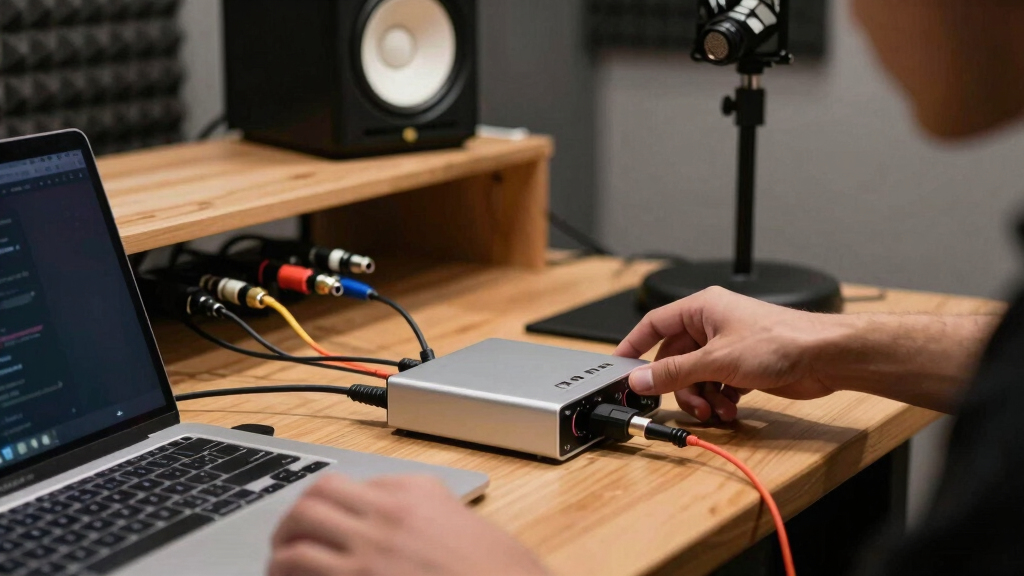
How We Picked
I ranked these USB audio interfaces for creators by weighing the things that change day-to-day recording: mic preamp quality, gain headroom, direct monitoring, driver support, input layout, portability, software bundle, and how easy the interface is to understand under pressure. A creator making podcasts, YouTube videos, voiceovers, livestreams, or simple music demos needs reliable capture more than a long spec sheet, so I gave extra weight to models with a clearer upgrade path and fewer workflow traps.
The order favors interfaces that serve the broadest creator audience first, then more specialized or budget-focused options. That is why the Focusrite Scarlett Solo 4th Gen sits above the older Scarlett Solo 3rd Gen, while the Universal Audio Volt 1 ranks as the premium solo option instead of the default recommendation. The M-Audio M-Track Duo earns a higher value position because its two-input layout solves problems that single-input bargain models cannot, while XTUGA, HOSONGIN, Pyle, Wrugste, Synido, and MAONO models are treated as narrower picks where price or specific streaming features matter most.
Factors to Consider When Choosing USB Audio Interfaces For Creators
Choosing among USB audio interfaces for creators is less about chasing the biggest numbers and more about matching the box to the work. I would start with the type of content being made, then decide how many inputs, how much control, and how much upgrade room are really needed.
Match The Input Count To The Work
A solo podcaster or singer-songwriter can get plenty done with a one-mic interface like the Focusrite Scarlett Solo 4th Gen, Universal Audio Volt 1, Mackie Onyx Artist 1X2, or M-Audio M-Track Solo. The moment interviews, two-person podcasts, stereo keyboards, or dual-instrument recordings enter the plan, a two-input model such as the M-Audio M-Track Duo becomes much easier to justify. Many buyers overpay for inputs they never use, but the opposite mistake is more frustrating because it forces a replacement sooner. A single XLR input is fine for voiceover and YouTube narration, while two combo inputs give more room for guests and live performance capture. Creator teams should also look at whether both inputs support microphones cleanly, not just whether the product page says “2-channel.” In this roundup, input layout is one reason the M-Track Duo stands apart from lower-priced solo boxes.
Do Not Let Sample Rate Claims Decide The Purchase
Several budget options advertise 24-bit/192kHz recording, but that number alone does not make an interface better for creators. For podcasts, streaming, course videos, and most YouTube work, clean gain, low noise, and stable monitoring matter more than recording at the highest possible sample rate. A polished 24-bit/48kHz workflow can beat a noisy 192kHz interface every time because the final content usually ends up compressed for online platforms anyway. This is why I rank proven models from Focusrite, Universal Audio, Mackie, and M-Audio ahead of some spec-heavy bargain picks. Bit depth still matters because 24-bit recording gives more room to set levels safely. The practical question is whether the interface helps capture a clean take quickly, not whether it wins a spec comparison on paper.
Choose Monitoring Controls That Fit Live Work
For livestreaming, podcasting, and vocal recording, direct monitoring can matter as much as the preamp. Hearing the mic with little delay helps creators speak naturally, catch plosives, and avoid recording entire takes with the wrong level. Interfaces with clear gain knobs, headphone volume, and input monitoring are easier to manage than models that hide too much behind touch controls or vague buttons. The XTUGA touch-control model may appeal to streamers who want onboard DSP-style effects, but physical controls are often easier to trust during a live session. Compared with that, the Scarlett Solo and Volt 1 feel more purpose-built for repeatable recording habits. Buyers who record live should treat monitoring layout as a workflow feature, not a minor convenience.
Decide How Much Software Support Matters
The interface is only one part of a creator setup; drivers, firmware, and bundled software can shape the whole recording process. Focusrite and Universal Audio tend to offer stronger ecosystems, which helps beginners find tutorials, setup help, and upgrade guidance more easily. M-Audio also has an advantage over many lesser-known budget brands because its models are common enough that troubleshooting is less lonely. Bargain picks from HOSONGIN, Wrugste, Pyle, Synido, XTUGA, and MAONO may still be useful, but the buyer is often accepting less brand support in exchange for a lower price. This matters more for Windows users, where driver behavior can affect latency and stability. If the interface will be used for paid client work or weekly content output, support depth deserves a higher place in the decision.
Pay More When The Interface Will Outlast The Setup
A creator’s first microphone, headphones, camera, or computer may change quickly, but a good USB audio interface can stay in the setup for years. Paying more for the Scarlett Solo 4th Gen or Volt 1 makes sense when the interface will be used every week and small gains in sound, reliability, and control will add up. The cheaper models are more compelling when the goal is learning, occasional streaming, or building a secondary travel rig. I would avoid spending premium money only for a nicer shell or a famous logo if the input count is wrong for the work. On the other hand, saving a small amount on the interface can backfire if it adds noise, confusion, or replacement cost. The best value is the interface that delays the next purchase without forcing features the buyer will never touch.
Frequently Asked Questions
Is The Focusrite Scarlett Solo 4th Gen Worth Paying More For Than The 3rd Gen?
For most new buyers, the Focusrite Scarlett Solo 4th Gen is worth the higher price because it is the cleaner long-term pick for solo creators. The 3rd Gen still makes sense when it is discounted and the creator mainly needs a dependable mic-and-guitar interface. The 4th Gen has the stronger position here because it feels more current, has a better upgrade runway, and competes more directly with premium solo interfaces. If the price gap is small, I would choose the 4th Gen. If the 3rd Gen is much cheaper, it remains one of the safer beginner buys in this lineup.
Should A Podcaster Buy A One-Input Or Two-Input USB Interface?
A solo podcaster can use a one-input interface without feeling limited, especially if every episode is recorded alone or with remote guests. A two-input model such as the M-Audio M-Track Duo is the better choice for in-person interviews, co-hosts, or recording a mic and instrument at the same time. The mistake is buying a solo interface because it is cheaper, then needing a second mic input a month later. For a creator who may invite guests, two inputs are worth the modest extra space. For voiceover, narration, and solo streaming, the Scarlett Solo 4th Gen or Volt 1 keeps the setup cleaner.
Are Budget USB Audio Interfaces Good Enough For YouTube And Streaming?
Budget interfaces can be good enough for YouTube, streaming, and basic podcasting when the creator uses a decent microphone, sets gain correctly, and records in a quiet space. Models from XTUGA, HOSONGIN, Wrugste, Pyle, Synido, and MAONO compete mainly on price and feature lists, so they are best for buyers who can accept more uncertainty around polish and support. Compared with Focusrite or Universal Audio, the savings may come with less predictable controls, weaker documentation, or fewer upgrade resources. For casual use, that trade can be fair. For weekly publishing or client-facing audio, I would lean toward a more established interface.
Does 24-Bit/192kHz Recording Matter For Creators?
24-bit recording is useful because it gives more room to capture voices and instruments without riding levels constantly. The 192kHz part matters far less for most creators because podcasts, streams, social videos, and YouTube uploads rarely benefit from that much data. A quieter preamp, reliable monitoring, and stable drivers will improve more real projects than a higher maximum sample rate. That is why some 24-bit/48kHz or mainstream interfaces can beat cheaper 192kHz models in actual buying logic. I would treat 192kHz support as a bonus, not the reason to buy.
Which Interface Makes The Most Sense For A Creator Who Records Voice And Guitar?
For a creator who records voice and guitar, the best choice depends on whether both need to be recorded at the same time. The Focusrite Scarlett Solo 4th Gen is a strong single-person pick when vocals and guitar are tracked one at a time, while the Mackie Onyx Artist 1X2 and Universal Audio Volt 1 are also suited to polished solo recording. If voice and guitar need separate live inputs at once, the M-Audio M-Track Duo is more practical because it gives the setup more room. The M-Track Solo can work for a tighter budget, but it leaves less flexibility. I would choose the Solo 4th Gen for quality-focused solo layers and the M-Track Duo for live two-source capture.
Conclusion
My best overall recommendation is the Focusrite Scarlett Solo 4th Gen because it fits the widest range of creators without feeling like a short-term compromise. The M-Audio M-Track Duo is my best value pick for buyers who need two inputs on a budget, while the Universal Audio Volt 1 is the premium choice for solo creators who want a more refined recording path. Beginners should compare the Focusrite Scarlett Solo 3rd Gen and M-Audio M-Track Solo, with the Scarlett being the safer long-term buy and the M-Audio making more sense at the lowest workable price. For compact solo setups, the Mackie Onyx Artist 1X2 and MAONO PS22 Lite are worth a closer look; for basic streaming experiments, XTUGA, HOSONGIN, Wrugste, Pyle, and Synido are better treated as budget-specific picks. I would choose by workflow first: solo voice, voice plus instrument, guest recording, or live streaming controls, then let price settle the final call.
Halloween Picks
halloween
As an affiliate, we earn on qualifying purchases.