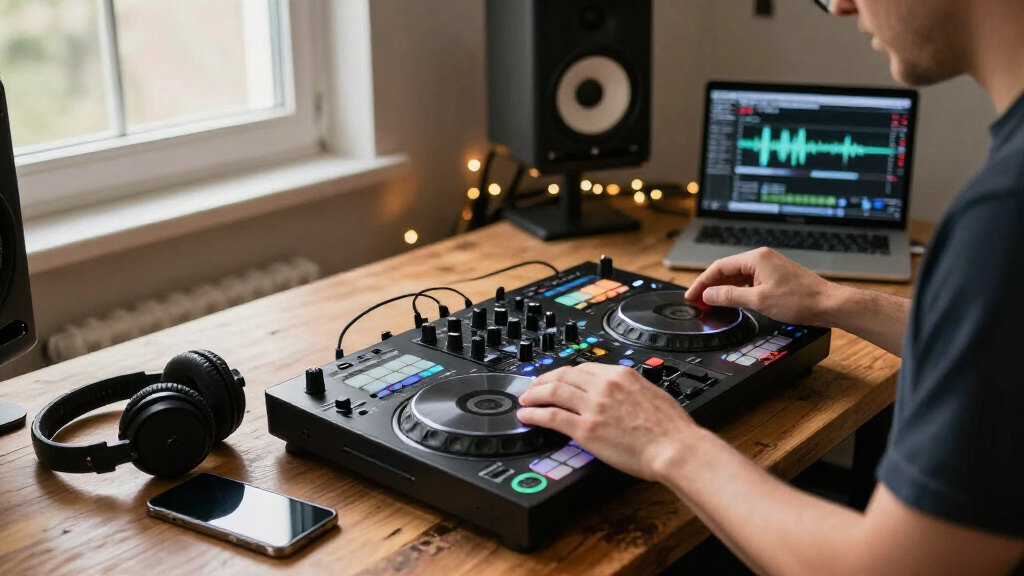
Wireless DJ controllers range from phone-connected compact units to standalone systems, so the right choice depends on what you want to leave behind: cables, a laptop, or a full-size setup. My best overall pick is the Denon DJ PRIME GO+ for its portable standalone workflow, while the Hercules DJControl Mix Ultra is a standout for phone-based mixing and the DDJ-FLX4 is a strong laptop-connected starting point. These options do not offer the same kind of wireless use: Bluetooth may handle a connection or audio path, while some controllers still need a computer, power, or wired audio output. I weigh portability against hands-on control, software needs, and room to grow. Read on for the full breakdown of all 13 options and which tradeoffs fit your setup.

Get audio and creator gear delivered free with Prime
- Fast, free delivery on millions of items
- Prime Video, Amazon Music and more included
- Member-only deals all year
Complete the kit


Key Takeaways
- Standalone operation matters more than Bluetooth alone: the PRIME GO+ and SC LIVE 4 can reduce reliance on a laptop, while several compact picks still depend on a phone or computer for the DJ software.
- The best wireless fit depends on what is actually wireless: phone pairing, Bluetooth audio, and laptop-free playback are different workflows, so buyers should check the full signal path before choosing.
- Portability comes with control tradeoffs: compact units such as the DJControl Starlight and Mixtrack Go are easier to carry, but offer less room for expansive hands-on mixing than larger controllers.
- Beginners have distinct learning paths: the DDJ-FLX4 offers a more expandable two-deck foundation, while Hercules Inpulse 200 MK3 and Numark Party Mix III emphasize accessible entry-level use.
- Feature depth separates premium picks from mobile picks: the DDJ-FLX10 and SC LIVE 4 suit DJs seeking more performance control, whereas smartphone-focused models prioritize a smaller, simpler setup.
| Pioneer DJ DDJ-FLX10 4-Channel DJ Controller, Track Separation, Black |  | Best for Club-Style Creative Mixing | Channels: 4 | Compatible software: rekordbox, Serato DJ Pro | Connectivity: USB | VIEW LATEST PRICE | See Our Full Breakdown |
| Denon DJ SC LIVE 4 Standalone DJ Controller |  | Best Standalone Home-and-Event System | Channels: 4 | Operating system: Engine DJ OS | Touchscreen: 7 inches | VIEW LATEST PRICE | See Our Full Breakdown |
| Denon DJ PRIME GO+ Standalone Portable DJ Controller |  | Best Battery-Powered Wireless Pick | Operation: Standalone, battery-powered | Weight: 8.11 pounds | Dimensions: 16.2 x 10.8 x 2.1 inches | VIEW LATEST PRICE | See Our Full Breakdown |
| AlphaTheta Pioneer DJ DDJ-FLX2 2-Channel DJ Controller |  | Best for First-Time Mobile Learners | Channels: 2 | Connectivity: USB-C, Bluetooth | Compatible software: rekordbox, djay, Serato DJ Lite | VIEW LATEST PRICE | See Our Full Breakdown |
| Pioneer DJ DDJ-FLX4 2-Channel DJ Controller |  | Best Two-Channel Step-Up | Channels: 2 | Performance pads: 16 | Connectivity: USB, Bluetooth | VIEW LATEST PRICE | See Our Full Breakdown |
| Hercules DJControl Mix Bluetooth Wireless DJ Controller for Smartphones, White |  | Best for Smartphone-First DJing | Connectivity: Bluetooth | Compatible devices: Android and iOS smartphones and tablets | Supported software: djay by Algoriddim, DJUCED | VIEW LATEST PRICE | See Our Full Breakdown |
| Pioneer DJ DDJ-REV1 2-Deck Serato DJ Controller |  | Best for Scratching and Battle-Style Mixing | Channels: 2 | Software: Serato DJ Lite | Connectivity: USB, auxiliary | VIEW LATEST PRICE | See Our Full Breakdown |
| Numark Mixtrack Go Mobile DJ Controller |  | Best Feature-Rich Wireless Mobile Pick | Connectivity: Bluetooth MIDI, USB-C | Compatible software: Serato DJ Lite/Pro, Algoriddim djay, VirtualDJ | Weight: 1.1 pounds | VIEW LATEST PRICE | See Our Full Breakdown |
| Numark Mixtrack Go Beginner Mobile DJ Controller, White |  | Best Beginner Mobile Controller | Connectivity: Bluetooth MIDI, USB-C | Compatible software: Serato DJ Lite/Pro, Algoriddim djay, VirtualDJ | Weight: 1.1 pounds | VIEW LATEST PRICE | See Our Full Breakdown |
| Hercules DJControl Starlight Compact 2-Channel DJ Controller |  | Best Ultra-Compact USB Pick | Channels: 2 | Connectivity: USB | Power source: Battery powered | VIEW LATEST PRICE | See Our Full Breakdown |
| Hercules DJControl Inpulse 200 MK3 2-Channel DJ Controller |  | Best for Learning to Beatmatch | Channels: 2 | Weight: 2.2 pounds | Dimensions: 15.6 x 10.4 x 3.7 inches | VIEW LATEST PRICE | See Our Full Breakdown |
| Hercules DJControl Mix Ultra Mobile DJ Controller for iOS and Android |  | Best for Wireless Phone-Based Sets | Connectivity: Bluetooth Low Energy (LE) | Compatible platforms: iOS and Android | Supported software: djay | VIEW LATEST PRICE | See Our Full Breakdown |
| Numark Party Mix III Beginner Bluetooth DJ Controller with Lights, Black |  | Best for Casual Parties and First Mixes | Weight: 2.42 pounds | Dimensions: 8.07 x 13.3 x 1.85 inches | Connectivity: Bluetooth MIDI, USB-C | VIEW LATEST PRICE | See Our Full Breakdown |
| wireless DJ controller | Weight | Connectivity | Channels | Dimensions |
|---|---|---|---|---|
| Pioneer DJ DDJ-FLX10 4-Channel | 14.8 pounds | USB | 4 | — |
| Denon DJ SC LIVE 4 Standalone | — | — | 4 | — |
| Denon DJ PRIME GO+ Standalone | 8.11 pounds | — | — | 16.2 x 10.8 x 2.1 inches |
| AlphaTheta Pioneer DJ DDJ-FLX2 | 2.7 pounds | USB-C, Bluetooth | 2 | 18 x 11.7 x 4.4 inches |
| Pioneer DJ DDJ-FLX4 2-Channel | 2.8 kg | USB, Bluetooth | 2 | — |
| Hercules DJControl Mix Bluetoo | 2.1 pounds | Bluetooth | — | — |
| Pioneer DJ DDJ-REV1 2-Deck Ser | 5 pounds | USB, auxiliary | 2 | 10.6 × 20.7 × 2.33 inches |
| Numark Mixtrack Go Mobile DJ C | 1.1 pounds | Bluetooth MIDI, USB-C | — | 3.67 × 12.76 × 1.57 inches |
| Numark Mixtrack Go Beginner Mo | 1.1 pounds | Bluetooth MIDI, USB-C | — | 12.76 × 1.57 × 3.67 inches |
| Hercules DJControl Starlight C | 1.1 pounds | USB | 2 | — |
| Hercules DJControl Inpulse 200 | 2.2 pounds | — | 2 | 15.6 x 10.4 x 3.7 inches |
| Hercules DJControl Mix Ultra M | 3.9 pounds | Bluetooth Low Energy (LE) | — | — |
| Numark Party Mix III Beginner | 2.42 pounds | Bluetooth MIDI, USB-C | — | 8.07 x 13.3 x 1.85 inches |
More Details on Our Top Picks
Pioneer DJ DDJ-FLX10 4-Channel DJ Controller, Track Separation, Black
The DDJ-FLX10 is the most performance-focused pick here for DJs who want a four-channel layout and room to reshape tracks live. Its Track Separation controls let you work with vocals, drums, and instruments without preparing those parts in advance, which opens up mashups that the two-channel DDJ-FLX4 cannot match. Large jog wheels with multicolor displays also keep waveform and artwork cues close to hand, while the built-in DMX output adds direct lighting control.
The tradeoff is portability and complexity: at 14.8 pounds, it is far less convenient to carry than the 2.7-pound DDJ-FLX2, and its advanced workflow may be a lot for a first-time DJ. It connects by USB and depends on a compatible computer and rekordbox or Serato DJ Pro, so it is not a standalone wireless rig. Choose it for creative, software-based sets rather than untethered performance.
Pros:- Track Separation enables on-the-fly vocal, drum, and instrument mixing.
- Four-channel layout supports more layered sets than the DDJ-FLX4.
- Large jog wheels have multicolor displays for waveform and artwork cues.
- Built-in DMX output can control compatible lighting directly.
Cons:- USB computer connection means it is not a standalone wireless controller.
- At 14.8 pounds, it is less convenient to transport than compact options.
- Its advanced controls can challenge beginners.
Best for: Experienced DJs who want four channels, live track separation, and lighting control in a computer-based performance setup.
Not ideal for: Beginner or mobile DJs seeking a battery-powered, cable-free controller; it is relatively heavy and requires a computer connection.
- Channels:4
- Compatible software:rekordbox, Serato DJ Pro
- Connectivity:USB
- Performance feature:Track Separation for vocals, drums, and instruments
- Jog wheels:Large jog wheels with multicolor displays
- Lighting control:Built-in DMX output
- Weight:14.8 pounds
- Hardware platform:PC/Mac
Our verdict“Choose the DDJ-FLX10 if creative four-channel performance matters more than portability or standalone wireless operation.”
Denon DJ SC LIVE 4 Standalone DJ Controller
The SC LIVE 4 suits DJs who want a four-deck setup without keeping a laptop at the center of the performance. Its Engine DJ OS, 7-inch touchscreen, built-in speakers, and Wi-Fi music-service access make it more self-contained than the computer-dependent DDJ-FLX10. The speakers are useful for practice and quick setup checks, while XLR main outputs, a booth output, and two microphone inputs give it more event-ready connections than the portable PRIME GO+.
This is not a battery-powered wireless rig: it needs a corded power source, and its speakers do not replace a PA for a room full of listeners. Serato DJ and Virtual DJ support add flexibility, but Stems requires a one-time software license purchase. I would pick it for a home booth or powered event setup, not for sets where freedom from mains power is the priority.
Pros:- Standalone Engine DJ operation does not require a computer.
- 7-inch touchscreen and built-in speakers support direct operation and practice.
- Four-deck control with Wi-Fi access to supported music services.
- XLR main output, booth output, and two microphone inputs suit event setups.
Cons:- Requires corded power, unlike the battery-powered PRIME GO+.
- Built-in speakers are better suited to practice than full-room playback.
- Stems functionality requires a one-time software license purchase.
Best for: DJs who want standalone four-deck mixing, onboard speakers, streaming access, and multiple microphone connections for home or powered events.
Not ideal for: Mobile DJs who need battery operation or a compact controller for sets away from a reliable power outlet.
- Channels:4
- Operating system:Engine DJ OS
- Touchscreen:7 inches
- Internal effects:17
- Wireless connectivity:Wi-Fi and Bluetooth audio input
- Additional media inputs:2 USB inputs and SD card slot
- Audio outputs:2 RCA main outs, 1/4-inch booth out, XLR main out
- Microphone inputs:2
- Power:Corded electric, 12 V DC
Our verdict“Choose the SC LIVE 4 for a feature-rich standalone setup near mains power, and choose the PRIME GO+ if battery portability matters more.”
Denon DJ PRIME GO+ Standalone Portable DJ Controller
For genuinely untethered sets, the PRIME GO+ is the clearest match in this group: it combines battery-powered standalone operation with built-in Wi-Fi streaming and Bluetooth I/O. Unlike the corded SC LIVE 4, it can work away from a wall outlet, and its 8.11-pound weight is easier to manage than the DDJ-FLX10. Balanced XLR main outputs and a booth connection also let a compact unit feed a more formal sound system.
The small format brings limits: it does not offer the SC LIVE 4’s built-in speakers or large touchscreen, and its standalone stems must be pre-rendered with Engine DJ Desktop. Stems also require a one-time software license purchase. I’d favor it for mobile sets where carrying a laptop and power supply is inconvenient, but not for DJs who need immediate, unprepared stem separation or a bigger control surface.
Pros:- Battery-powered standalone operation supports sets away from mains power.
- Built-in Wi-Fi streaming and Bluetooth I/O add wireless playback options.
- Balanced XLR main and 1/4-inch booth outputs suit professional sound systems.
- Multiple effects and lighting controls support expressive portable sets.
Cons:- Standalone stems require pre-rendering with Engine DJ Desktop.
- Stems require a one-time software license purchase.
- Smaller portable format lacks the SC LIVE 4’s built-in speakers and 7-inch touchscreen.
Best for: Mobile DJs who need a battery-powered standalone controller with Wi-Fi music access and balanced outputs for a PA.
Not ideal for: DJs who want built-in speakers, a large touchscreen, or live stems without desktop pre-rendering.
- Operation:Standalone, battery-powered
- Weight:8.11 pounds
- Dimensions:16.2 x 10.8 x 2.1 inches
- Wireless connectivity:Built-in Wi-Fi and Bluetooth I/O
- Battery:4 included lithium-ion batteries
- Audio outputs:Balanced XLR, 1/4-inch booth, RCA main
- Inputs:AUX and 2 microphone combo jacks
- Storage inputs:SD card slot and USB
- Effects:26 Main FX, 2 Sweep FX, Fader Echo FX, 10 Touch FX
Our verdict“Choose the PRIME GO+ when battery-powered standalone performance outweighs a larger screen, built-in speakers, and instant stem access.”
AlphaTheta Pioneer DJ DDJ-FLX2 2-Channel DJ Controller
The DDJ-FLX2 is aimed at new DJs who want to learn with a phone, tablet, or computer rather than commit to a larger setup. Its Smart Fader helps match volume, BPM, and bass, making basic blends more approachable than on the more performance-oriented DDJ-FLX4. At 2.7 pounds, it is also easy to carry, and USB-C bus power reduces the need for a separate power source.
Its wireless credentials need a close read: the listed Bluetooth connection does not make this a battery-powered standalone controller, and streaming access depends on the supported DJ app. The two-channel layout is also a firm limit compared with four-channel options like the DDJ-FLX10. I’d choose it for casual practice and app-based mixing; DJs ready for more pads and a broader performance layout should compare it with the DDJ-FLX4.
Pros:- Smart Fader helps beginners match tempo, volume, and bass while blending.
- Light 2.7-pound build is convenient for portable practice.
- Works with supported DJ apps across mobile devices and computers.
- USB-C bus power avoids a separate controller power supply.
Cons:- Limited to two channels, unlike the DDJ-FLX10.
- Streaming access depends on compatible DJ apps and services.
- Bluetooth connectivity does not provide standalone, battery-powered operation.
Best for: New DJs who want a lightweight, app-compatible controller for learning basic two-deck mixing on a phone, tablet, or computer.
Not ideal for: Performers who need four channels, extensive pad controls, standalone playback, or a battery-powered system.
- Channels:2
- Connectivity:USB-C, Bluetooth
- Compatible software:rekordbox, djay, Serato DJ Lite
- Compatible platforms:Android, iOS, Windows, PC/Mac
- Outputs:3.5 mm speaker output and headphone monitoring
- Weight:2.7 pounds
- Power:USB-C bus powered
- Dimensions:18 x 11.7 x 4.4 inches
Our verdict“Choose the DDJ-FLX2 for lightweight app-based learning, but step up to the DDJ-FLX4 for a more pad-focused two-channel setup.”
Pioneer DJ DDJ-FLX4 2-Channel DJ Controller
The DDJ-FLX4 makes sense for a beginner who wants more hands-on performance controls than the simpler DDJ-FLX2. Its 16 performance pads give each deck more room for pad-based functions, while Smart Fader helps smooth blends without requiring advanced beatmatching skills. Support for computers and mobile devices, plus compatibility with rekordbox, djay, and Serato DJ Pro, offers a broader software path than the FLX2’s listed app options.
It remains a two-channel controller, so it cannot grow into layered four-deck mixing like the DDJ-FLX10. Its USB and Bluetooth connectivity also should not be mistaken for standalone wireless playback: the supplied details describe a controller for connected devices, not a battery-powered unit. At 2.8 kg, it is still portable, though heavier than the FLX2. Choose it for a more capable starter deck, not cable-free gigs.
Pros:- Sixteen performance pads provide hands-on control for multiple pad functions.
- Smart Fader helps newer DJs blend tracks.
- Works with Android, Windows, iOS, and Mac devices.
- Supports djay, rekordbox, and Serato DJ Pro.
Cons:- Two-channel layout cannot support four-deck mixing like the DDJ-FLX10.
- Requires a connected compatible device rather than standalone playback.
- At 2.8 kg, it is heavier than the DDJ-FLX2.
Best for: New and developing DJs who want a portable two-channel controller with performance pads and broad computer and mobile software support.
Not ideal for: DJs who need four-channel mixing, standalone operation, or a battery-powered setup for performances without a connected device.
- Channels:2
- Performance pads:16
- Connectivity:USB, Bluetooth
- Compatible software:djay, rekordbox, Serato DJ Pro
- Compatible platforms:Android, Windows, iOS, Mac
- Weight:2.8 kg
- Color:Graphite
- Warranty:1 year
Our verdict“Choose the DDJ-FLX4 over the FLX2 if you want more performance pads and software flexibility in a portable two-channel controller.”
Hercules DJControl Mix Bluetooth Wireless DJ Controller for Smartphones, White
The Hercules DJControl Mix is the clearest fit here for someone who wants to mix from a phone or tablet without a computer tether. Its Bluetooth connection, two-deck layout, and foldable phone stand make a portable setup straightforward, while jog wheels, faders, knobs, and pads provide hands-on control beyond a touchscreen. It works with Algoriddim djay and DJUCED, giving it a different software focus from the Pioneer DJ DDJ-REV1, which is built around a computer and Serato DJ Lite. The tradeoff is that this controller depends on a compatible iOS or Android device and offers less room to grow into a traditional laptop-based rig. Choose it for casual, mobile mixing; skip it if you want a computer-centered setup or broader hardware flexibility.
Pros:- Bluetooth control supports portable mixing with compatible iOS and Android devices
- Foldable smartphone stand is included
- Jog wheels, faders, knobs, and pads offer tactile control
- Supports Algoriddim djay and DJUCED
Cons:- Compatibility is focused on Android and iOS smartphones and tablets
- Relies on a compatible mobile device rather than offering a standalone workflow
- Two decks may limit DJs who want a more expandable setup
Best for: Phone and tablet users who want a lightweight two-deck controller for casual practice or small, portable sets.
Not ideal for: DJs who want a laptop-based Serato setup, advanced expansion, or a controller that works independently of mobile devices.
- Connectivity:Bluetooth
- Compatible devices:Android and iOS smartphones and tablets
- Supported software:djay by Algoriddim, DJUCED
- Decks:2
- Controls:Jog wheels, faders, knobs, pads, buttons, and dial
- Weight:2.1 pounds
- Included components:DJ deck, USB cable, user manual
- Warranty:1 year
Our verdict“Choose the DJControl Mix for a phone-first wireless setup with physical mixing controls, but pick the DDJ-REV1 if you want to DJ from a computer.”
Pioneer DJ DDJ-REV1 2-Deck Serato DJ Controller
The Pioneer DJ DDJ-REV1 earns its place by prioritizing a battle-style layout rather than wireless phone control. Its two-channel design is arranged for scratching and open-format techniques, making the physical layout a better match for learning those skills than the mobile-first Hercules DJControl Mix. Serato DJ Lite support also gives computer-based beginners a familiar way to start mixing. The key tradeoff is in the roundup’s wireless-controller context: this model connects by USB to a PC or Mac, so it is not a Bluetooth option for phone-based sets. It is also limited to two channels, and Serato DJ Lite may feel restrictive for users who need more advanced software features. I’d choose it for hands-on laptop mixing, not for cable-free portability.
Pros:- Battle-style layout supports scratching and related techniques
- Includes access to Serato DJ Lite
- Compact, lightweight form is easier to transport than larger controllers
- Designed with beginner and open-format mixing in mind
Cons:- USB connection means it is not a wireless phone controller
- Two-channel design limits expansion
- Serato DJ Lite may not meet the needs of users seeking advanced software features
Best for: Beginner and open-format DJs who want to learn scratching on a compact PC or Mac controller with Serato DJ Lite.
Not ideal for: Mobile DJs seeking Bluetooth control from a phone or tablet, or performers who need more than two channels.
- Channels:2
- Software:Serato DJ Lite
- Connectivity:USB, auxiliary
- Compatible devices:PC, Mac
- Operating systems:Mac OS X, Windows
- Dimensions:10.6 × 20.7 × 2.33 inches
- Weight:5 pounds
- Warranty:1 year manufacturer
Our verdict“Pick the DDJ-REV1 if scratching on a computer matters more than wireless phone control; for Bluetooth mobile mixing, the Hercules DJControl Mix is a closer fit.”
Numark Mixtrack Go Mobile DJ Controller
The Numark Mixtrack Go stands out among the mobile options for pairing Bluetooth MIDI with a built-in audio interface and cueing outputs. That means compatible phones and tablets can control the mix wirelessly while the controller still provides a way to connect speakers and headphones for track previewing. Its eight performance pads per deck and hands-on Stems controls offer more tactile performance options than the smaller, simpler Hercules DJControl Starlight. At just 1.1 pounds, it is also easy to pack. The tradeoff is that wireless use depends on a compatible mobile device, and USB-C is required for power; Bluetooth does not make it a standalone controller. Choose it over the Starlight for broader software compatibility and pads, but not if you want operation without a phone, tablet, or USB-C power.
Pros:- Bluetooth MIDI supports wireless control from compatible phones and tablets
- Built-in audio interface includes speaker and headphone cue outputs
- Eight performance pads per deck and hands-on Stems controls
- Lightweight 1.1-pound design suits travel
Cons:- Wireless operation requires a compatible smartphone or tablet
- USB-C power is required
- Compact dimensions may feel limiting for DJs who prefer larger controls
Best for: Mobile DJs who want a very light controller with Bluetooth MIDI, track cueing, and performance controls for compatible devices.
Not ideal for: DJs who need a self-contained setup, computer-free operation, or a controller that does not rely on USB-C power.
- Connectivity:Bluetooth MIDI, USB-C
- Compatible software:Serato DJ Lite/Pro, Algoriddim djay, VirtualDJ
- Weight:1.1 pounds
- Dimensions:3.67 × 12.76 × 1.57 inches
- Audio outputs:1/8-inch main speaker and headphone cue outputs
- Performance pads:Eight per deck
- Power source:USB
- Included items:Controller, USB-C cable, software, device stand, RCA adapter, quickstart guide, manual
Our verdict“Choose the Mixtrack Go for a lightweight mobile rig with cueing and performance controls, while the Starlight is a simpler compact choice with USB connectivity.”
Numark Mixtrack Go Beginner Mobile DJ Controller, White
This white version of the Numark Mixtrack Go suits new DJs who want portable controls and a beginner-oriented software path without moving up to a larger computer controller. Its Bluetooth MIDI connection, touch jog wheels, and eight backlit pads per deck make it possible to practice hands-on mixing with a compatible mobile device. It also includes Serato DJ Lite and beginner video lessons, giving learners more guidance than the feature-focused Mixtrack Go listing. Compared with the Hercules DJControl Mix, it adds listed main and headphone cue outputs, but those connections are only 1/8-inch. The wireless setup still depends on a compatible phone or tablet, and USB-C power is needed. I’d favor this version for guided mobile learning, not for DJs who need a more robust wired audio connection.
Pros:- Bluetooth MIDI supports portable control with compatible mobile devices
- Beginner video lessons and Serato DJ Lite support help new users get started
- Touch jog wheels and eight backlit pads per deck provide hands-on practice
- Built-in audio interface includes main and headphone outputs
Cons:- Wireless DJing requires a compatible smartphone or tablet
- Listed audio outputs use 1/8-inch connections
- USB-C power is required for operation
Best for: New DJs who want a portable, phone-compatible controller with beginner lessons and physical jog wheels and pads.
Not ideal for: Performers who need larger audio connections, standalone operation, or a computer-first controller for expanding their setup.
- Connectivity:Bluetooth MIDI, USB-C
- Compatible software:Serato DJ Lite/Pro, Algoriddim djay, VirtualDJ
- Weight:1.1 pounds
- Dimensions:12.76 × 1.57 × 3.67 inches
- Audio outputs:1/8-inch main speaker and headphone cue outputs
- Performance pads:Eight backlit pads per deck
- Included accessories:USB-C cable, device stand, RCA adapter, quickstart guide, manual
- Color:White
Our verdict“Choose this Mixtrack Go for guided beginner practice on a mobile setup, but skip it if 1/8-inch audio outputs do not suit your connections.”
Hercules DJControl Starlight Compact 2-Channel DJ Controller
The Hercules DJControl Starlight is the most stripped-down travel choice in this group: it weighs 1.1 pounds and adds a built-in sound card with headphone and speaker outputs, so a small USB controller can still support track previewing. Its jog wheels, hot cues, looping, effects, and sampler give beginners useful hands-on practice, while the rhythm-synced RGB and strobe lighting add visual feedback for informal sessions. Unlike the Bluetooth-capable Numark Mixtrack Go, the Starlight connects by USB and is not a wireless mobile controller. That makes it less suitable for phone-led mixing, though it avoids relying on Bluetooth MIDI. The two-channel layout and battery-powered operation also call for a simpler setup and some attention to power. Choose it for compact USB practice, not cable-free phone DJing.
Pros:- Compact 1.1-pound design is easy to carry
- Built-in sound card supports headphone and speaker outputs
- Includes Serato DJ Lite
- RGB and strobe lighting sync with the mix
Cons:- USB connectivity does not provide Bluetooth wireless control
- Two-channel layout limits more complex sets
- Battery-powered operation requires power management
Best for: Beginner DJs who want a very small Serato DJ Lite controller with built-in cueing outputs for USB-connected practice.
Not ideal for: Phone-first DJs who specifically want Bluetooth MIDI, or users who need more than two channels and a larger performance surface.
- Channels:2
- Connectivity:USB
- Power source:Battery powered
- Output connector:RCA
- Software:Serato DJ Lite
- Weight:1.1 pounds
- Included components:DJ deck, cables, owner’s manual
- Warranty:1 year
Our verdict“Choose the Starlight for ultra-compact USB practice with cueing and lighting, but pick the Bluetooth-enabled Mixtrack Go for wireless mobile mixing.”
Hercules DJControl Inpulse 200 MK3 2-Channel DJ Controller
The DJControl Inpulse 200 MK3 is the strongest fit here for beginners who want guidance while learning to mix, rather than a controller that simply connects to a phone. Its beatmatch light guides help with tempo and beat alignment, while the included DJUCED and Serato DJ Lite software give learners two supported starting points. Compared with the phone-first DJControl Mix Ultra, this model includes master-speaker and headphone outputs, making a basic wired setup more straightforward. Its eight pads add hot cues, effects, sampler, and stem controls, including options for vocal and instrumental mixing. The tradeoff is a two-channel layout and a USB connection, so it is less suited to expanding setups or cable-free mobile play. Streaming also depends on compatible services.
Pros:- Beatmatch light guides provide visual help with tempo and alignment
- Master-speaker and headphone outputs support a straightforward wired setup
- Eight pads offer hot cue, stems, effects, and sampler modes
- Includes DJUCED and Serato DJ Lite software
Cons:- Two-channel layout limits mixing flexibility as skills and setups grow
- USB connection does not offer the Mix Ultra’s rechargeable wireless operation
- Streamed tracks require compatible music services
Best for: New DJs who want beatmatching guidance, physical audio outputs, and a compact controller for learning at home.
Not ideal for: Mobile DJs who want a rechargeable, Bluetooth-connected controller, or experienced mixers who need more than two channels.
- Channels:2
- Weight:2.2 pounds
- Dimensions:15.6 x 10.4 x 3.7 inches
- Audio outputs:Master speakers and headphone monitoring
- Performance pads:8; Hot Cue, Stems, FX, and Sampler modes
- Hardware interface:3.5 mm audio, USB
- Software:DJUCED and Serato DJ Lite
Our verdict“Choose the Inpulse 200 MK3 if learning beatmatching with visual guidance matters more than wireless portability or extra channels.”
Hercules DJControl Mix Ultra Mobile DJ Controller for iOS and Android
For a set built around a phone or tablet, the DJControl Mix Ultra is the clearest wireless choice in this group. Its Bluetooth LE connection, rechargeable battery rated for up to 10 hours, and support for iOS and Android let DJs leave a laptop and power cable out of the setup. The djay app and Neural Mix support add a route to separating musical elements during a mix, while 16 pads give it more performance controls than the Inpulse 200 MK3’s eight. That mobile focus comes with firm limits: a compatible phone or tablet is required, and the listed connection is Bluetooth LE rather than USB. Compared with the USB-powered Numark Party Mix III, this model is better suited to untethered mobile sessions, but less appropriate for buyers who want a computer-centered setup.
Pros:- Bluetooth LE supports wireless control from compatible iOS and Android devices
- Rechargeable battery is rated for up to 10 hours
- Neural Mix adds stem-based mixing options through the djay app
- 16 pads provide a broad set of performance controls
Cons:- Requires a compatible smartphone or tablet to use
- Bluetooth LE is the only listed connectivity option
- Depends on the djay app rather than including DJUCED or Serato DJ Lite
Best for: Phone- and tablet-based DJs who want rechargeable portability, wireless control, and Neural Mix support for social gatherings.
Not ideal for: DJs who need a controller that works independently of a compatible mobile device or who prefer USB connectivity for a computer-based setup.
- Connectivity:Bluetooth Low Energy (LE)
- Compatible platforms:iOS and Android
- Supported software:djay
- Battery life:10 hours
- Controls:Touch-sensitive jog wheels, 16 pads
- Weight:3.9 pounds
- Material:Stainless steel
- Warranty:One year
Our verdict“Pick the Mix Ultra for portable, phone-based DJ sets where battery-powered Bluetooth control matters more than computer connectivity.”
Numark Party Mix III Beginner Bluetooth DJ Controller with Lights, Black
The Numark Party Mix III suits beginners who want a simple two-deck controller with a bit of party atmosphere built in. Its beat-synced LED lights add visual effects without extra gear, and the USB-powered design keeps the setup compact. It supports both Serato DJ Lite and Algoriddim djay, with Bluetooth MIDI and USB-C connectivity for compatible devices. The included stand and RCA adapter also make it easier to arrange a phone, tablet, or speaker setup. Compared with the DJControl Inpulse 200 MK3, the Party Mix III emphasizes casual use and lighting rather than beatmatch light guides and stem-focused pad modes. Bluetooth MIDI does not make this a self-contained wireless controller: it still relies on USB power and compatible software. Buyers seeking longer-term mixing flexibility may prefer a more learning-focused or mobile-first option.
Pros:- Beat-synced LED lights add visual flair to casual sets
- USB-powered design is compact and easy to set up
- Supports Serato DJ Lite and Algoriddim djay
- Includes a smartphone or tablet stand and an RCA adapter
Cons:- USB power means Bluetooth MIDI does not provide a fully cable-free setup
- Beginner-oriented layout may feel limiting as mixing needs become more advanced
- The listed audio outputs are RCA main out and a 1/8-inch headphone jack
Best for: First-time and casual DJs who want a portable two-deck controller with built-in lights and support for phones, tablets, or computers.
Not ideal for: DJs seeking battery-powered wireless operation, guided beatmatching, or controls aimed at more advanced performance.
- Weight:2.42 pounds
- Dimensions:8.07 x 13.3 x 1.85 inches
- Connectivity:Bluetooth MIDI, USB-C
- Power source:USB
- Compatible devices:Headphones, speakers, iPad, iPhone
- Audio outputs:Main RCA output, 1/8-inch headphone jack
- Software:Serato DJ Lite and Algoriddim djay
- Included accessories:USB-C cable, software download card, smartphone/tablet stand, 1/8-inch to stereo RCA adapter
Our verdict“Choose the Party Mix III for casual beginner sets where simple controls and built-in lighting matter more than battery-powered wireless play.”

How We Picked
I compared these controllers by the kind of wireless setup they support, rather than treating “wireless” as a single feature. I considered whether a model can work without a laptop, what role a phone or Bluetooth connection plays, how much hands-on control it provides, and what extra gear may still be needed for power or sound output. Portability, software dependence, beginner usability, and the potential to grow into more involved sets also shaped the assessment.
The ranking favors options that deliver a coherent, useful workflow for their intended buyer. Standalone capability and broad performance control raise a model’s position for DJs who need flexibility; a compact or phone-first design ranks higher for mobile simplicity, not for studio-level control. Entry-level units are judged by how approachable their layout and learning path appear, while limitations such as fewer controls, device dependence, or a narrower use case count against them. Since wireless capabilities vary across this lineup, I treat a Bluetooth link as a convenience, not proof of a fully cable-free DJ rig.
Factors to Consider When Choosing Wireless DJ Controllers
Before choosing a controller, map the entire setup from music library to audience: the controller is only one part of that chain. These decisions help prevent a common mismatch—buying a portable or Bluetooth-labeled device and later finding it still needs a laptop, wired speakers, or a power source for the way you plan to play.
Define What You Want to Be Wireless
Start by identifying which connection you want to remove: the laptop-to-controller link, the audio cable to speakers, or the need for a computer altogether. Bluetooth can refer to a controller connection or audio playback, and those are not interchangeable with a standalone DJ system. Make a simple signal map from music source to controller to headphones and speakers before shopping. This also reveals whether a phone can run the DJ app while another device handles sound. A controller that pairs with a phone may still need a wired output for reliable monitoring or venue playback. Avoid choosing by the word “wireless” on the box without checking every link in your intended setup.
Choose Between Phone, Laptop, and Standalone Workflows
A phone-first rig is compact and quick to set up, but it can constrain screen space, app choice, storage, and multitasking. Laptop-based controllers usually give you a larger view of tracks and library tools, though they keep the computer in the setup. Standalone models remove that computer dependency during a set, but may involve a larger unit and a different library-preparation routine. Think about where your music lives and how you prepare playlists, not only how you want to perform. A mismatch between your software and the controller can add friction even when the hardware has the right controls. Choose the workflow you can maintain before comparing feature lists.
Plan for Power, Audio, and Monitoring
A controller can be portable without being self-powered, and a wireless source does not mean wireless sound to the room. Check how the unit gets power, whether it can run from a battery, and what outputs your speakers or mixer accept. Headphones also need a dependable monitoring path so you can cue the next track without sending it to the audience. For home practice, adapters and short cables may be easy to manage; for outdoor or mobile sets, each extra dependency adds setup risk. Bluetooth audio can be convenient, but latency may make beatmatching and cueing feel less direct than a wired monitoring path. Treat the speaker and headphone connections as part of the controller decision.
Match Control Layout to Your Learning Goals
Compact controllers reduce bulk, but smaller jog wheels and fewer dedicated controls can make detailed adjustments less direct. A new DJ may benefit more from clear deck controls and guided learning features than from advanced performance options that add complexity. If you plan to mix with scratching, cue juggling, or frequent effects, check that the layout gives those actions room to feel deliberate. Also think about whether you want to learn a conventional two-deck workflow or a more specialized style. Buying the smallest unit solely for portability can mean outgrowing its control surface quickly. Pick a layout that matches both your first sessions and the skills you want to build.
Check Software and Library Compatibility Before Buying
Hardware control does not guarantee that your preferred DJ app, music service, or library format will work the way you expect. Confirm device compatibility, supported software, and whether an internet connection is needed for any music source you plan to use. Streaming access can be useful for discovery, but a prepared local library offers more predictable access when a connection drops. Check whether playlists and track analysis transfer cleanly between your preparation device and performance setup. If you already own a music library, verify that its formats and organization fit the controller’s software. These checks can matter more than an extra effect or lighting feature.
Pay More for a Better-Fitting Workflow, Not a Longer Feature List
Spending more makes sense when it removes a genuine bottleneck: computer dependence, limited performance controls, or a setup that cannot keep up with your gigs. It is less useful when premium functions will sit unused while the basic audio and software workflow remains inconvenient. For occasional home mixing, a straightforward beginner unit may leave more room in the budget for headphones and speakers. Mobile DJs may get more value from dependable power and a practical carry setup than from extra deck features. Consider the cost of necessary adapters and compatible devices alongside the controller itself. The right upgrade is the one that simplifies your actual routine or adds a skill you will use.
Frequently Asked Questions
Does a wireless DJ controller mean I can DJ without a laptop?
No. “Wireless” can describe a Bluetooth connection or phone-based control, while the DJ software may still run on a phone or computer. A standalone controller is the clearest route to laptop-free performance, but you still need to confirm how it loads music, handles power, and connects to headphones and speakers. If avoiding a laptop is your main goal, prioritize the complete standalone workflow over a wireless label. Check whether your music library can be prepared and accessed on the device you plan to use.
Can I connect a wireless DJ controller directly to Bluetooth speakers?
That depends on the controller’s supported audio outputs and the speaker’s input options; a controller’s Bluetooth feature does not automatically send its main mix to Bluetooth speakers. Wireless audio can also introduce latency, which makes cueing and beatmatching less immediate. For practice, that may be an acceptable compromise, but a wired audio connection is usually the safer choice for performance. Verify the exact audio route in the manual before buying, including whether headphones can monitor a track separately from the master output. If you need a cable-free speaker setup, test the whole chain rather than relying on a pairing icon.
Is a phone-based controller a practical choice for a first DJ setup?
It can be, especially if you value a small setup and already have a compatible phone. The main tradeoff is that a phone’s screen and multitasking limits can make library browsing and track management less comfortable than on a laptop or standalone unit. Check that the app supports the mixing functions you want and that your phone has enough storage and battery for a session. You may also need separate accessories for charging, headphones, or sound output. If you expect to practice often and expand your skills, compare the phone-first workflow with a beginner controller designed around a larger software setup.
Should I choose a portable standalone controller or a laptop-connected model?
Choose standalone if leaving the laptop behind is worth a larger, more self-contained setup and you are comfortable preparing music for that system. A laptop-connected model can offer a familiar library workflow and may be a better fit if you already organize music in compatible software. Portability is not just about size: account for power, headphones, speakers, and how the unit travels. Standalone systems may also ask you to learn a different preparation routine, while laptop rigs retain the computer as a possible point of failure. Compare the whole setup you will carry and operate, rather than the controller alone.
What should I prioritize if I want to move from bedroom practice to small gigs?
Give priority to reliable audio connections, a layout that supports confident track changes, and a library workflow you can prepare before the event. Confirm that the controller works with the software and music sources you plan to use, and check what outputs the venue’s sound system can accept. A battery-powered or standalone option may reduce setup dependence, but it does not replace a backup plan for music and power. Practice connecting headphones and speakers before the first gig, including any adapters you expect to need. Extra performance features matter less than a setup you can operate predictably under time pressure.
Conclusion
For the strongest all-around wireless-oriented workflow, I’d start with the Denon DJ PRIME GO+, particularly if laptop-free portability is the priority; the Denon DJ SC LIVE 4 is the better premium direction for DJs who want a larger, more feature-rich standalone setup. For a beginner seeking a familiar controller-led path, the Pioneer DJ DDJ-FLX4 is the clearest starting point, while the Hercules DJControl Inpulse 200 MK3 suits learners drawn to guided practice. My value pick is the Numark Mixtrack Go for buyers who want a mobile, pared-back setup, with the caveat that compactness means fewer controls. Choose the Hercules DJControl Mix Ultra for phone-centered mixing, or the DDJ-FLX10 when advanced performance control matters more than minimal size. Before ordering, confirm that the chosen model’s software, power, and audio connections fit your definition of wireless.