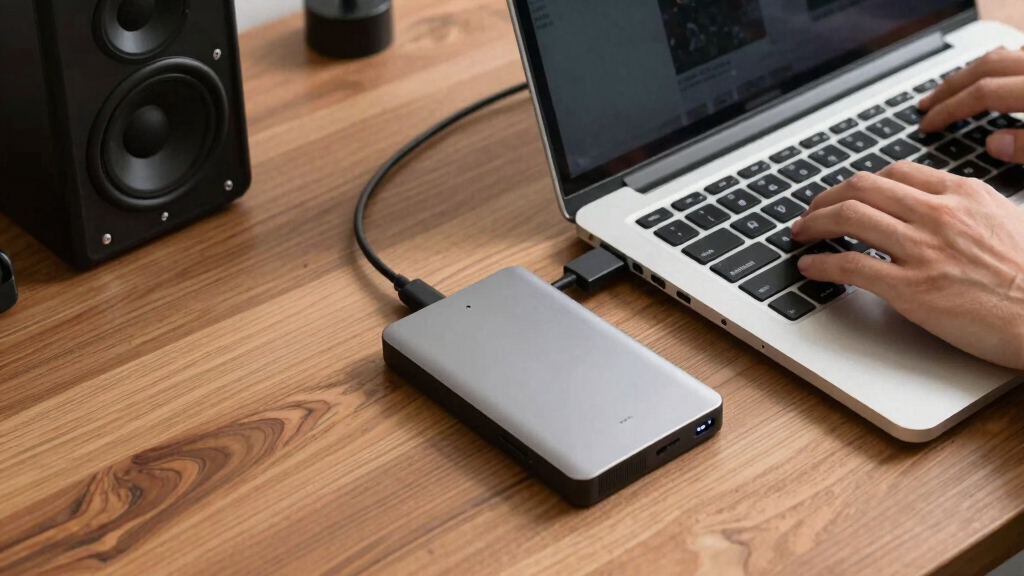

The Samsung T7 Portable SSD 1TB is my best overall pick among portable external hard drives because it combines fast transfers, a pocket-friendly design, and broad device compatibility without demanding a specialized port. The Seagate Portable 2TB HDD offers better value for buyers who need affordable backup space, while the SanDisk Extreme Portable SSD is the stronger travel choice because its IP65-rated enclosure offers added protection from dust and water. The main choice is between an SSD’s speed and durability and an HDD’s lower cost per terabyte. Capacity, connection speed, physical resilience, and console support create further differences that matter more than small price gaps. Continue reading for my full breakdown of which model fits each buyer type.

Get audio and creator gear delivered free with Prime
- Fast, free delivery on millions of items
- Prime Video, Amazon Music and more included
- Member-only deals all year
Complete the kit


Key Takeaways
- I rank the Samsung T7 1TB first because its balanced mix of speed, size, compatibility, and price serves more buyers than the faster but more demanding Samsung T9.
- The comparison reveals a clear value split: portable HDDs dominate above 2TB, while SSDs make more sense when fast transfers, quiet operation, and resistance to movement matter most.
- The Samsung T9 2TB earns the premium role, but its rated performance depends on a USB 3.2 Gen 2×2 host; buyers with ordinary 10Gbps USB ports may get little benefit over the T7 or Lexar ES3.
- The WD My Passport 6TB provides the highest listed bus-powered capacity, while the Seagate One Touch 8TB and Expansion Desktop 4TB lose ranking points because their desktop format weakens the promise of portability.
- The two Lexar ES3 1TB listings appear closely related, so price, seller, warranty coverage, and the exact compatibility claim matter more than treating them as fundamentally different drives.
| Samsung T7 Portable SSD 1TB External Solid State Drive |  | Best Overall | Drive Type: Portable solid-state drive | Capacity: 1TB | Maximum Speed: Up to 1,050MB/s | VIEW LATEST PRICE | See Our Full Breakdown |
| Lexar ES3 1TB External SSD USB 3.2 Gen 2 Portable SSD |  | Best Ultralight Secure Pick | Drive Type: Portable solid-state drive | Capacity: 1TB | Interface: USB 3.2 Gen 2 | VIEW LATEST PRICE | See Our Full Breakdown |
| Seagate Portable 2TB External Hard Drive HDD |  | Best Simple 2TB Backup Drive | Drive Type: Portable hard disk drive | Storage Capacity: 2TB | Connection: USB 3.0 | VIEW LATEST PRICE | See Our Full Breakdown |
| Seagate Portable 1TB External Hard Drive HDD – USB 3.0 for PC, Mac, PlayStation, & Xbox |  | Best for Light-Duty Backups | Drive Type: Portable hard disk drive | Storage Capacity: 1TB | Connection: USB 3.0 | VIEW LATEST PRICE | See Our Full Breakdown |
| SanDisk 1TB Extreme Portable SSD |  | Best Rugged Pick | Drive Type: Portable NVMe solid-state drive | Capacity: 1TB | Maximum Read Speed: 1,050MB/s | VIEW LATEST PRICE | See Our Full Breakdown |
| WD 6TB My Passport Portable External Hard Drive |  | Best Overall High-Capacity Pick | Capacity: 6TB | Drive type: Portable hard disk drive | Form factor: 2.5 inches | VIEW LATEST PRICE | See Our Full Breakdown |
| Seagate One Touch 8TB External Hard Drive Desktop HDD |  | Best USB-C Capacity | Capacity: 8TB | Drive type: External desktop HDD | Connection: USB-C | VIEW LATEST PRICE | See Our Full Breakdown |
| Seagate Portable 5TB External Hard Drive HDD | | Best for Console Libraries | Capacity: 5TB | Interface: USB 3.0 | Drive speed: 7,200 RPM | VIEW LATEST PRICE | See Our Full Breakdown |
| Seagate Backup Plus Portable 4TB External Hard Drive HDD |  | Best for Photo Libraries | Capacity: 4TB | Drive type: Portable external HDD | Interface: USB 3.0 | VIEW LATEST PRICE | See Our Full Breakdown |
| Seagate Expansion Desktop 4TB External Hard Drive USB 3.0 |  | Best for Desk-Based Backups | Capacity: 4TB | Drive type: Desktop external HDD | Interface: USB 3.0 | VIEW LATEST PRICE | See Our Full Breakdown |
| Samsung T9 Portable SSD 2TB |  | Best for Professional Workflows | Capacity: 2TB | Drive Type: Solid-state drive | Interface: USB 3.2 Gen 2×2 | VIEW LATEST PRICE | See Our Full Breakdown |
| Western Digital 2TB Elements Portable External Hard Drive |  | Best Budget 2TB Pick | Capacity: 2TB | Drive Type: Mechanical hard drive | Interface: USB 3.2 Gen 1 | VIEW LATEST PRICE | See Our Full Breakdown |
| Lexar ES3 1TB External SSD |  | Best Ultralight SSD | Capacity: 1TB | Drive Type: Solid-state drive | Interface: USB 3.2 Gen 2 Type-C | VIEW LATEST PRICE | See Our Full Breakdown |
| Seagate Portable 4TB External Hard Drive HDD | | Best for Large Game Libraries | Capacity: 4TB | Drive Type: Mechanical hard drive | Interface: USB 3.0 | VIEW LATEST PRICE | See Our Full Breakdown |
| portable external hard drife | Drive Type | Capacity | Interface |
|---|---|---|---|
| Samsung T7 Portable SSD 1TB Ex | Portable solid-state drive | 1TB | USB 3.2 Gen 2 |
| Lexar ES3 1TB External SSD USB | Portable solid-state drive | 1TB | USB 3.2 Gen 2 |
| Seagate Portable 2TB External | Portable hard disk drive | — | — |
| Seagate Portable 1TB External | Portable hard disk drive | — | — |
| SanDisk 1TB Extreme Portable S | Portable NVMe solid-state drive | 1TB | — |
| WD 6TB My Passport Portable Ex | Portable hard disk drive | 6TB | USB 2.0/3.0 |
| Seagate One Touch 8TB External | External desktop HDD | 8TB | — |
| Seagate Portable 5TB External | — | 5TB | USB 3.0 |
| Seagate Backup Plus Portable 4 | Portable external HDD | 4TB | USB 3.0 |
| Seagate Expansion Desktop 4TB | Desktop external HDD | 4TB | USB 3.0 |
| Samsung T9 Portable SSD 2TB | Solid-state drive | 2TB | USB 3.2 Gen 2×2 |
| Western Digital 2TB Elements P | Mechanical hard drive | 2TB | USB 3.2 Gen 1 |
| Lexar ES3 1TB External SSD | Solid-state drive | 1TB | USB 3.2 Gen 2 Type-C |
| Seagate Portable 4TB External | Mechanical hard drive | 4TB | USB 3.0 |
More Details on Our Top Picks
Samsung T7 Portable SSD 1TB External Solid State Drive
I rank the Samsung T7 as the best overall choice because it balances 1,050MB/s speed, broad device support, and practical durability without becoming a specialist drive. Compared with the Seagate Portable 2TB HDD, it offers half the capacity but transfers large videos and project folders far faster, while its lack of moving parts makes it better suited to frequent travel. The SanDisk Extreme adds stronger water, dust, and drop protection, yet the T7 remains the more balanced everyday pick for desks, backpacks, consoles, and mobile devices. Both USB-C and USB-A cables are included, which reduces adapter hassles. My main reservations are that full speed requires USB 3.2 Gen 2 support and some devices may need the drive reformatted before use.
Pros:- Up to 1,050MB/s transfers shorten waits when moving large media files
- Shock-resistant design provides protection against drops up to 6 feet
- Works with PCs, Macs, Android devices, and gaming consoles
- Includes both USB-C-to-C and USB-C-to-A cables
Cons:- Maximum speed depends on a USB 3.2 Gen 2 host connection
- Offers less physical protection than the IP65-rated SanDisk Extreme
- Reformatting may be needed when switching between certain device types
Best for: Traveling professionals and creators who want fast 1TB storage that works across computers, Android devices, and gaming consoles
Not ideal for: Outdoor crews needing certified water resistance or archive-focused buyers who need more than 1TB
- Drive Type:Portable solid-state drive
- Capacity:1TB
- Maximum Speed:Up to 1,050MB/s
- Interface:USB 3.2 Gen 2
- Drop Resistance:Up to 6 feet
- Compatibility:PC, Mac, Android, and gaming consoles
- Included Cables:USB-C-to-C and USB-C-to-A
Our verdict“I recommend the Samsung T7 to buyers who want the strongest balance of speed, portability, durability, and device flexibility.”
Lexar ES3 1TB External SSD USB 3.2 Gen 2 Portable SSD
The Lexar ES3 earns its place through a combination of 42g weight, 10.5mm thickness, and 256-bit AES encryption. Its claimed 1,050MB/s read and 1,000MB/s write rates closely match the SanDisk Extreme, but Lexar puts greater emphasis on pocket-friendly portability than weather resistance. It is also a compelling alternative to the Samsung T7 for buyers who prioritize built-in data security alongside speed. Device coverage is broad, extending from laptops and cameras to current phones and consoles. There are firm limits, though: iPhone 14 and older models are excluded, MagSafe attachment is unavailable, and maximum throughput still depends on USB 3.2 Gen 2 support. I would choose it for protected files carried daily, while outdoor photographers should favor the IP65-rated SanDisk.
Pros:- Weighs only 42g and measures 10.5mm thick
- Up to 1,050MB/s reads and 1,000MB/s writes support large-file workflows
- Built-in 256-bit AES encryption protects sensitive data
- Supports a broad range of phones, computers, cameras, and consoles
Cons:- Does not support iPhone 14 or older models
- Lacks the SanDisk Extreme’s IP65 environmental protection
- No MagSafe attachment support
Best for: Mobile professionals carrying confidential files between USB-C phones, laptops, cameras, and consoles
Not ideal for: Owners of iPhone 14 or older devices and creators who need certified water, dust, or drop protection
- Drive Type:Portable solid-state drive
- Capacity:1TB
- Interface:USB 3.2 Gen 2
- Maximum Read Speed:1,050MB/s
- Maximum Write Speed:1,000MB/s
- Weight:42g
- Thickness:10.5mm
- Encryption:256-bit AES
- Compatibility:iPhone 17, Android, laptops, cameras, and gaming consoles
Our verdict“I favor the Lexar ES3 for security-minded travelers who want full-size SSD performance in a very light enclosure.”
Seagate Portable 2TB External Hard Drive HDD
I chose the Seagate Portable 2TB HDD for buyers who want more room than a 1TB drive without moving to a larger desktop model. It doubles the capacity of the Seagate Portable 1TB, making it better for expanding photo collections, console libraries, and recurring computer backups. Setup remains straightforward: connect the included USB 3.0 cable and drag files onto the drive. Compared with the Samsung T7, however, its mechanical storage is slower and less resistant to bumps during operation, so speed-focused creators and frequent commuters should prefer the SSD. It also lacks bundled backup software, leaving scheduling and version management to the computer or another application. My ranking favors this model over the 1TB Seagate when storage headroom matters, but below SSDs for active project work.
Pros:- Provides twice the capacity of the 1TB Seagate Portable HDD
- Plug-and-play operation keeps setup simple
- Supports PCs, Macs, PlayStation, and Xbox
- Runs through a single USB connection without a separate power adapter
Cons:- Mechanical storage is slower and more vulnerable to impacts than an SSD
- No backup or scheduling software is included
- The included 18-inch cable may limit placement around some setups
Best for: Home users and console owners who need a straightforward 2TB drive for backups, media libraries, or game storage
Not ideal for: Video editors and frequent travelers who need SSD-level transfer speeds and stronger resistance to physical shocks
- Drive Type:Portable hard disk drive
- Storage Capacity:2TB
- Connection:USB 3.0
- Power Source:USB bus-powered
- Compatibility:PC, Mac, PlayStation, and Xbox
- Included Cable:18-inch USB 3.0 cable
- Setup:Plug-and-play
Our verdict“I recommend this Seagate to capacity-focused buyers who want uncomplicated 2TB storage and can accept HDD speed and fragility.”
Seagate Portable 1TB External Hard Drive HDD – USB 3.0 for PC, Mac, PlayStation, & Xbox
The Seagate Portable 1TB HDD fills a narrower role than the other drives: it is suited to modest backup sets that do not justify added capacity or SSD performance. Its plug-and-play design keeps file transfers approachable, and compatibility with computers plus major consoles gives it more flexibility than a computer-only backup drive. Still, I place the Seagate Portable 2TB ahead of it for growing photo or game libraries because that model doubles the storage while retaining the same USB 3.0 setup. The Samsung T7 is a better travel companion for active files due to its faster solid-state design and drop resistance. This 1TB Seagate also lacks bundled backup tools, and Mac users may need to reformat it. I would reserve it for occasional copies rather than demanding daily workflows.
Pros:- Simple plug-and-play operation suits buyers who want basic storage
- Works with PCs, Macs, PlayStation, and Xbox
- USB bus power avoids a separate wall adapter
- Portable format is easier to carry than a desktop hard drive
Cons:- Half the capacity of the otherwise similar Seagate Portable 2TB
- Slower and more impact-sensitive than the Samsung T7 SSD
- Mac use may require reformatting, and no backup software is included
Best for: Students and home users with small document, photo, or console libraries who want basic portable storage
Not ideal for: Buyers building growing media archives or anyone moving large files often, since 1TB and HDD speeds can become restrictive
- Drive Type:Portable hard disk drive
- Storage Capacity:1TB
- Connection:USB 3.0
- Power Source:USB bus-powered
- Compatibility:PC, Mac, PlayStation, and Xbox
- Included Cable:18-inch USB 3.0 cable
- Setup:Plug-and-play
Our verdict“I would pick this model only for small, straightforward backups where 1TB is enough and SSD speed is unnecessary.”
SanDisk 1TB Extreme Portable SSD
I give the SanDisk Extreme Portable SSD the rugged slot because its IP65 rating, three-meter drop protection, and carabiner loop directly address storage used outdoors. It matches the Lexar ES3’s quoted 1,050MB/s read and 1,000MB/s write speeds, yet offers stronger protection against dust, water, and falls. Compared with the Samsung T7, it is the better fit for field photographers and traveling videographers, while the T7 remains my broader everyday recommendation. Hardware-backed 256-bit AES encryption adds protection if the drive is lost. The compromises are capacity and platform dependence: 1TB can fill quickly with high-resolution footage, and a USB 3.2 Gen 2 host is needed to approach maximum speed. As an older model, it may also miss refinements found in newer portable SSD generations.
Pros:- IP65 rating protects against dust and water exposure
- Drop protection up to 3 meters suits demanding travel
- Up to 1,050MB/s reads and 1,000MB/s writes support media workflows
- 256-bit AES hardware encryption and a carabiner loop add security
Cons:- 1TB capacity can be restrictive for large video libraries
- Maximum transfer rates require a compatible USB 3.2 Gen 2 device
- Older design may lack refinements available in newer SSD models
Best for: Field photographers, traveling videographers, and outdoor workers who carry valuable files through dusty or wet environments
Not ideal for: Archive builders needing several terabytes or desk-based users who would gain little from paying for rugged construction
- Drive Type:Portable NVMe solid-state drive
- Capacity:1TB
- Maximum Read Speed:1,050MB/s
- Maximum Write Speed:1,000MB/s
- Connectivity:USB-C, USB 3.2 Gen 2
- Water and Dust Resistance:IP65
- Drop Protection:Up to 3 meters
- Encryption:256-bit AES hardware encryption
- Carry Feature:Integrated carabiner loop
Our verdict“I recommend the SanDisk Extreme to buyers who need fast encrypted storage with stronger outdoor protection than the Samsung T7 or Lexar ES3.”
WD 6TB My Passport Portable External Hard Drive
I rank the WD 6TB My Passport highest in this group because it balances genuinely portable capacity with stronger file protection than its rivals. Its 6TB capacity holds more than the Seagate Portable 5TB, while hardware encryption, password protection, and ransomware-aware backup software make it better suited to sensitive work or family archives. The quoted 110 MB/s read speed is adequate for backups and media storage, though nowhere near the speed of the Samsung T7 SSD. At 7.36 ounces, it remains easier to carry than the Seagate Expansion Desktop. The tradeoff is physical resilience: this is still a mechanical drive with a relatively light enclosure, so I would carry it in a padded case. Buyers with newer high-speed USB hardware may also find its USB 3.0 ceiling restrictive.
Pros:- 6TB capacity in a portable 2.5-inch format
- Hardware encryption and password protection for sensitive files
- Backup software includes ransomware defense
- Light 7.36-ounce body is practical for travel
Cons:- Mechanical construction is more vulnerable to drops than a portable SSD
- Approximately 110 MB/s read speed is slow for large editing projects
- USB 3.0 connection cannot match newer SSD interfaces
Best for: Traveling professionals and home archivists who need several terabytes plus password-protected backup tools
Not ideal for: Video editors and field crews who need SSD-class transfer speeds or rugged impact protection
- Capacity:6TB
- Drive type:Portable hard disk drive
- Form factor:2.5 inches
- Interface:USB 2.0/3.0
- Maximum data rate:5Gbps
- Read speed:110MB/s
- Security:Hardware encryption and password protection
- Compatible devices:Desktop, laptop, and tablet
- Weight:7.36 ounces
Our verdict“I recommend this as the strongest all-around choice for buyers who value protected, high-capacity storage more than SSD speed.”
Seagate One Touch 8TB External Hard Drive Desktop HDD
The Seagate One Touch 8TB earns its place through the largest capacity in this batch and a direct USB-C connection. That combination suits laptop owners who want fewer adapters and more room than the WD 6TB My Passport provides. Its listed bus-powered design also avoids the outlet dependence commonly associated with desktop drives, although the desktop labeling makes it less clearly travel-focused than the WD model. I give Seagate credit for pairing the drive with a two-year warranty and data recovery services, which adds value for large archives. Still, capacity is the main attraction rather than performance or toughness: as a mechanical HDD, it trails the Samsung T7 SSD in speed and drop resistance. USB-A-only computers will need an adapter, making this a weaker choice for older setups.
Pros:- Largest capacity in this five-product batch
- Direct USB-C connection suits current laptops
- Listed bus-powered operation removes the need for an outlet
- Two-year warranty and data recovery services add protection
Cons:- USB-A devices require an adapter
- Desktop labeling creates uncertainty about travel-friendly dimensions
- Mechanical storage is slower and less impact-resistant than an SSD
Best for: USB-C laptop owners who want the highest available capacity for large media libraries without relying on a wall outlet
Not ideal for: Owners of older USB-A computers or travelers who want a clearly pocket-sized, shock-resistant drive
- Capacity:8TB
- Drive type:External desktop HDD
- Connection:USB-C
- Power:Bus-powered
- Windows compatibility:Yes
- macOS compatibility:Yes
- Warranty:2 years
- Recovery coverage:Data recovery services included
Our verdict“I would choose this for an 8TB USB-C archive, but the WD My Passport is the clearer pick for frequent travel.”
Seagate Portable 5TB External Hard Drive HDD
I place the Seagate Portable 5TB in the gaming role because its PC, Mac, PlayStation, and Xbox compatibility gives it broader device support than the Seagate Backup Plus Portable 4TB. Five terabytes can hold a substantial console library while leaving room for computer backups, and USB 3.0 keeps routine transfers straightforward. Its stated 120 MB/s read speed is slightly higher than the quoted figure for the WD 6TB My Passport, but that difference is small beside an SSD such as the Samsung T7. The Seagate also lacks the WD model’s bundled backup and encryption management software, placing more setup responsibility on the buyer. At 260 grams, it is portable but not especially light. I favor it for flexible game storage, while security-focused users receive a better package from WD.
Pros:- 5TB capacity accommodates large game and media libraries
- Works with PC, Mac, PlayStation, and Xbox
- USB 3.0 supports simple plug-and-play transfers
- Quoted 120MB/s read speed is competitive for a portable HDD
Cons:- No bundled backup or encryption management software
- Much slower than portable SSD alternatives
- Mechanical drive is susceptible to damage from drops during travel
Best for: Console players who want one high-capacity drive that can also serve PC or Mac storage duties
Not ideal for: Buyers storing confidential work files who want bundled password, encryption, and automated backup controls
- Capacity:5TB
- Interface:USB 3.0
- Drive speed:7,200 RPM
- Read speed:120MB/s
- Data transfer rate:5,120Mbps
- Compatible platforms:PC, Mac, PS4, and Xbox
- Weight:260 grams
- Dimensions:9.2 x 6 x 1.1 inches
Our verdict“I favor this for multi-platform game storage, while the WD My Passport is better for protected backups.”
Seagate Backup Plus Portable 4TB External Hard Drive HDD
The Seagate Backup Plus Portable 4TB makes the most sense for photographers who value creative-software extras and recovery coverage alongside storage. Its included Mylio Create and Adobe Creative Cloud Photography plan subscriptions distinguish it from the plain Seagate Expansion Desktop 4TB, while the brushed-metal portable design is more practical away from a desk. Four terabytes provides ample room for JPEG and RAW archives, and USB 3.0 works with both Windows and Mac computers. The limitation is value over time: subscription benefits may expire, leaving a conventional 4TB hard drive behind. Mac buyers may also need to reformat it for Time Machine. Compared with the WD 6TB My Passport, it offers less capacity and no stated hardware-encryption package, so I rank it lower for protected long-term archives.
Pros:- 4TB capacity suits sizable photo and document collections
- Portable brushed-metal design is more travel-friendly than a desktop drive
- Supports both Windows and Mac computers
- Creative-software subscriptions and two-year rescue service add value
Cons:- Time Machine use may require reformatting
- Bundled software subscriptions may provide only temporary value
- Lower capacity and weaker stated security features than the WD 6TB My Passport
Best for: Hobbyist photographers who want portable photo storage, recovery coverage, and short-term access to creative software
Not ideal for: Mac users seeking immediate Time Machine setup or professionals who need encrypted storage and more than 4TB
- Capacity:4TB
- Drive type:Portable external HDD
- Interface:USB 3.0
- Windows compatibility:Yes
- Mac compatibility:Yes
- Warranty:2 years
- Rescue service:2 years
- Included software:Mylio Create and Adobe Creative Cloud Photography plan subscriptions
Our verdict“I recommend this to photo hobbyists who will use the bundled services, but not to buyers prioritizing encryption or maximum capacity.”
Seagate Expansion Desktop 4TB External Hard Drive USB 3.0
I include the Seagate Expansion Desktop 4TB as the stationary alternative for buyers whose idea of portable means movable between desks rather than carried daily. Setup is simple, USB 3.0 handles ordinary backup jobs, and Windows and Mac compatibility gives it broad household appeal. Against the Seagate Backup Plus Portable 4TB, however, it offers no capacity gain and gives up the smaller travel-oriented format, creative subscriptions, and clearly stated two-year rescue term. Its recovery options are useful, but the supplied warranty details are vague, which makes support harder to judge. Mac owners may need to reformat the drive for Time Machine. I would keep it near one computer for scheduled backups; anyone regularly commuting with storage should choose the WD My Passport or Seagate Backup Plus Portable instead.
Pros:- Simple setup for routine desktop backups
- 4TB capacity provides ample room for household files
- USB 3.0 supports practical hard-drive transfer speeds
- Works with Windows and Mac computers
Cons:- Desktop format is poorly suited to frequent travel
- Time Machine use requires reformatting
- Warranty and data recovery terms are not clearly specified
Best for: Home-office users who need a simple 4TB backup drive that will remain beside one Windows or Mac computer
Not ideal for: Commuters, students, and field workers who need a pocketable drive for daily transport
- Capacity:4TB
- Drive type:Desktop external HDD
- Interface:USB 3.0
- Windows compatibility:Yes
- Mac compatibility:Yes
- Time Machine setup:Reformatting required
- Warranty:Limited warranty
- Recovery support:Data recovery services included
Our verdict“I would buy this only for desk-based backups; the portable Seagate Backup Plus is the better 4TB choice for travel.”
Samsung T9 Portable SSD 2TB
I rank the Samsung T9 Portable SSD 2TB as the strongest choice here for creators, gamers, and professionals who move large files regularly. Its up to 2,000MB/s read speed is nearly twice the rated pace of the Lexar ES3, cutting waiting time during video transfers and project backups. Dynamic Thermal Guard also helps it maintain performance during sustained workloads instead of slowing as heat builds. The tradeoff is cost: buyers storing documents or occasional backups will get more capacity per dollar from the Seagate Portable 4TB HDD. Reaching full speed also depends on a USB 3.2 Gen 2×2 host and the right cable. I place it above the other portable options for speed, capacity, and device flexibility, but its premium hardware is unnecessary for light storage.
Pros:- Up to 2,000MB/s performance reduces transfer time for large files
- Dynamic Thermal Guard manages heat during sustained workloads
- 2TB capacity balances working space with portability
- Supports computers, cameras, consoles, and compatible smartphones
Cons:- Costs more per terabyte than portable mechanical drives
- Full performance requires USB 3.2 Gen 2×2 support
- Optimal operation depends on using the included SSD cable
Best for: Video editors, photographers, and gamers who frequently transfer large project or game files between modern devices
Not ideal for: Budget-focused buyers who mainly archive files and would benefit more from the greater capacity of a mechanical hard drive
- Capacity:2TB
- Drive Type:Solid-state drive
- Interface:USB 3.2 Gen 2×2
- Maximum Read Speed:Up to 2,000MB/s
- Thermal Management:Dynamic Thermal Guard
- Compatible Devices:Desktop, camera, gaming console, and compatible smartphones
- Software Features:Firmware updates and encryption support
Our verdict“I recommend the Samsung T9 to buyers who value professional-grade transfer speed more than the lowest storage cost.”
Western Digital 2TB Elements Portable External Hard Drive
The WD 2TB Elements earns my budget role because it provides useful backup capacity without charging for SSD-level performance or security extras. Compared with the Samsung T9, this 5400 RPM mechanical drive is far slower and more vulnerable to damage from bumps while operating, yet it makes more financial sense for photo archives, documents, and infrequently played games. Its USB-powered, plug-and-play design keeps travel setup simple, and compatibility with computers and consoles gives it broader utility than a single-purpose backup drive. I would choose the Seagate Portable 4TB instead for a large console library, since it doubles the space. The WD remains easier to justify when 2TB is enough. Its plastic enclosure limits physical protection, while the absence of built-in encryption makes sensitive-file storage less convenient.
Pros:- Affordable 2TB capacity for routine backup and archive use
- USB-powered operation avoids a separate power adapter
- Plug-and-play setup is friendly to less technical buyers
- Works with desktops, laptops, and gaming consoles
Cons:- 5400 RPM mechanism is much slower than portable SSDs
- Plastic enclosure offers limited protection against drops
- No included encryption or advanced backup features
Best for: Students and home users seeking an affordable, portable 2TB drive for routine backups, documents, and media archives
Not ideal for: Creative professionals transferring large video projects or travelers who need strong impact resistance and hardware encryption
- Capacity:2TB
- Drive Type:Mechanical hard drive
- Interface:USB 3.2 Gen 1
- Rotational Speed:5400 RPM
- Maximum Interface Data Rate:5Gbps
- Enclosure Material:Plastic
- Compatible Devices:Desktop, laptop, and gaming console
- Warranty:2 years
Our verdict“I recommend the WD Elements when low-cost 2TB storage matters more than speed, ruggedness, or security tools.”
Lexar ES3 1TB External SSD
I give the Lexar ES3 1TB the portability slot because its 42g body and 10.5mm thickness suit commuters who want fast storage without a bulky drive in their bag. At up to 1,050MB/s read and 1,000MB/s write, it is much quicker than the WD Elements and Seagate Portable 4TB HDD for transfers, launches, and active project files. The Samsung T9 remains the better performance pick, offering twice the capacity and nearly twice the rated read speed, but the Lexar targets lighter everyday carry. 256-bit AES encryption adds a useful safeguard when work files leave the office. Buyers give up MagSafe support, and older iPhone users face a firm compatibility limit. I also account for host-dependent performance: systems without USB 3.2 Gen 2 cannot deliver the advertised pace. Its 1TB capacity fills quickly with large game or video libraries.
Pros:- 42g weight and 10.5mm profile suit daily travel
- Up to 1,050MB/s read and 1,000MB/s write speeds
- 256-bit AES encryption protects sensitive files
- Supports modern phones, computers, and gaming consoles
Cons:- Only half the capacity of the 2TB Samsung T9
- Does not support MagSafe attachment
- Not compatible with iPhone 14 and older models
Best for: Commuters, mobile creators, and laptop users who want a very light encrypted SSD for active files
Not ideal for: Owners of iPhone 14 or older devices, MagSafe-focused users, and buyers maintaining multi-terabyte media libraries
- Capacity:1TB
- Drive Type:Solid-state drive
- Interface:USB 3.2 Gen 2 Type-C
- Maximum Read Speed:Up to 1,050MB/s
- Maximum Write Speed:Up to 1,000MB/s
- Weight:42g
- Thickness:10.5mm
- Encryption:256-bit AES
Our verdict“I recommend the Lexar ES3 for buyers who prioritize minimal weight, encryption, and solid everyday SSD speed over maximum capacity.”
Seagate Portable 4TB External Hard Drive HDD
The Seagate Portable 4TB HDD is my pick for console players and media collectors who need substantial portable capacity without paying SSD prices. It holds twice as much as the WD Elements 2TB, making it better suited to large game installations, photos, and video archives. Its rated 120MB/s read speed cannot approach the Samsung T9 or Lexar ES3, so moving a full drive will take much longer. Still, 4TB in a USB-powered 260g enclosure offers a practical balance between storage and mobility that the desktop Seagate One Touch 8TB cannot match. The 7200 RPM mechanism may produce more noise and remains vulnerable to shock during operation. I also mark it down for USB-A-era connectivity and the lack of included backup software. For buyers who value capacity over transfer speed, those compromises are easier to accept.
Pros:- 4TB capacity accommodates large game and media libraries
- USB-powered design is more travel-friendly than a desktop drive
- Works with PC, Mac, Xbox, and PlayStation
- 7200 RPM mechanism offers stronger mechanical-drive performance than many 5400 RPM models
Cons:- Far slower than the Samsung T9 and Lexar ES3 SSDs
- USB 3.0 connection lacks native USB-C convenience
- Mechanical operation may add noise and requires careful handling
Best for: Console players and media collectors who need 4TB of portable, USB-powered storage at a lower cost than an SSD
Not ideal for: Video editors, quiet-workspace users, and owners of USB-C-only laptops who need fast transfers without adapters
- Capacity:4TB
- Drive Type:Mechanical hard drive
- Interface:USB 3.0
- Form Factor:2.5 inches
- Rotational Speed:7200 RPM
- Read Speed:120MB/s
- Weight:260g
- Dimensions:4.61 x 3.15 x 0.79 inches
- Compatible Devices:Desktop, laptop, Xbox, and PlayStation
Our verdict“I recommend the Seagate Portable 4TB to buyers who want a large carryable library and can accept HDD speed, noise, and fragility.”
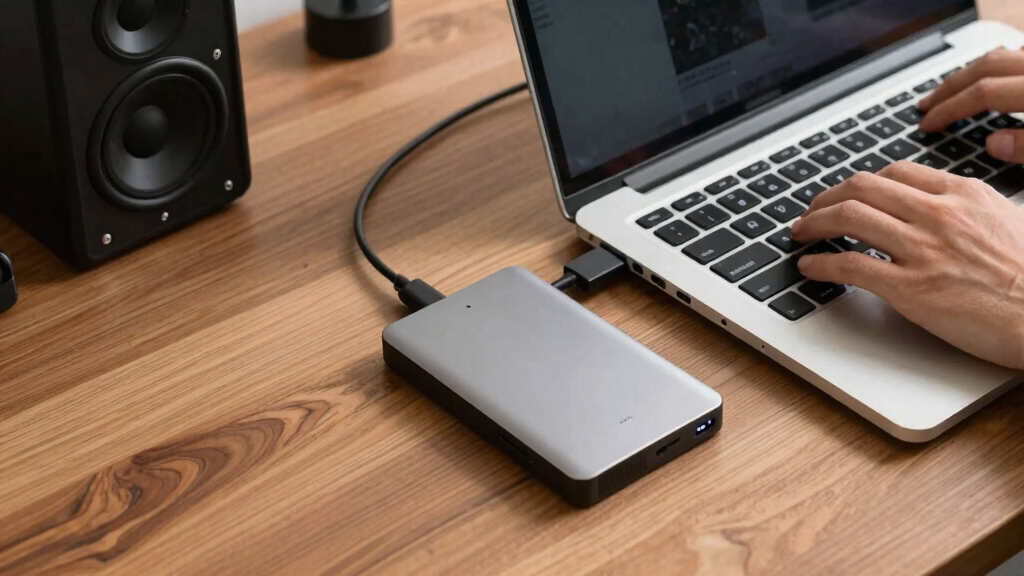
How We Picked
I ranked these drives through the specific lens of portable storage, giving the most weight to transfer performance, physical size, bus-powered operation, connection compatibility, and resistance to travel-related wear. I also compared usable capacity, price per terabyte, setup effort, platform support, warranty context, and whether a drive’s advertised speed can be reached by common laptops and consoles. My highest positions go to products that offer a balanced buyer outcome rather than winning a single specification.
SSDs received credit for speed, silent operation, and better tolerance of movement, while HDDs gained ground through lower storage costs and larger capacities. I placed the Samsung T7 ahead of the T9 because the T7’s performance is easier to access on mainstream hardware, even though the T9 has a higher ceiling. The WD My Passport 6TB and Seagate Portable 5TB rank well for capacity-focused travelers, but their mechanical internals require gentler handling. I treated the desktop Seagate models as specialist choices rather than direct portable leaders because a larger enclosure and separate power requirement limit where they can be used.
| portable external hard drife | Interface |
|---|---|
| Samsung T7 Portable SSD 1TB Ex | USB 3.2 Gen 2 |
| Lexar ES3 1TB External SSD USB | USB 3.2 Gen 2 |
| Seagate Portable 2TB External | — |
| Seagate Portable 1TB External | — |
| SanDisk 1TB Extreme Portable S | — |
| WD 6TB My Passport Portable Ex | USB 2.0/3.0 |
| Seagate One Touch 8TB External | — |
| Seagate Portable 5TB External | USB 3.0 |
| Seagate Backup Plus Portable 4 | USB 3.0 |
| Seagate Expansion Desktop 4TB | USB 3.0 |
| Samsung T9 Portable SSD 2TB | USB 3.2 Gen 2×2 |
| Western Digital 2TB Elements P | USB 3.2 Gen 1 |
| Lexar ES3 1TB External SSD | USB 3.2 Gen 2 Type-C |
| Seagate Portable 4TB External | USB 3.0 |
Factors to Consider When Choosing Portable External Hard Drives
I would begin by deciding whether the drive will travel daily, hold an occasional backup, or remain near one desk. That use pattern determines whether speed, capacity, durability, or low cost should lead the purchase.
Choose SSD Speed or HDD Capacity
I see the SSD-versus-HDD choice as the biggest dividing line in this roundup. An external SSD is better for moving large photo libraries, editing media, launching games, or carrying files during frequent travel because it has no spinning disk. A portable HDD is slower and more vulnerable to drops while operating, but it delivers more terabytes per dollar. For automated overnight backups, the speed difference may have little practical value after the first full copy. For repeated transfers of hundreds of gigabytes, waiting on an HDD becomes much harder to ignore. I would pay for SSD performance when time and mobility matter, then choose an HDD when inexpensive bulk storage is the real goal.
Match the Interface to the Host Device
A drive cannot exceed the speed supported by the computer, console, cable, and port connected to it. The Samsung T9’s USB 3.2 Gen 2×2 connection can deliver far more bandwidth than a standard 5Gbps or 10Gbps USB port, but many laptops and game systems lack 20Gbps support. Paying extra for that drive without checking the host can leave it performing much like a cheaper SSD. Connector shape is not enough evidence because USB-C does not identify speed; two identical-looking ports can have different limits. I would verify the device manual and use the supplied cable before blaming a drive for slower results. For mixed household hardware, broad compatibility can provide more value than the highest advertised benchmark.
Buy Enough Capacity Without Overbuying
I recommend estimating the current data set, its yearly growth, and whether older files will remain on the drive. A useful target is enough room for the present library plus at least one growth cycle, rather than buying around today’s exact file count. Photographers, video creators, and console owners can fill 1TB quickly, while document backups may never justify 5TB or 6TB. Larger HDDs often have a lower price per terabyte, yet placing every copy on one high-capacity device creates a single point of failure. Two smaller drives can support rotation between home and another location, though the combined cost may be higher. I would favor capacity that supports a real backup routine instead of treating unused terabytes as an automatic bargain.
Separate Pocket Portability From Desk Portability
Manufacturers use portable and external loosely, so I check how a drive receives power before judging mobility. A bus-powered drive draws electricity through its data cable and is easier to use in a café, hotel, classroom, or production set. Desktop drives usually need an outlet, occupy more room, and add a power adapter to the bag. Their advantage is access to higher capacities at prices that pocket SSDs rarely match. I would choose a desktop model only when room-to-room movement counts as portable enough for the planned use. Buyers expecting one-cable operation should remove powered desktop models from the shortlist even when their storage value looks attractive.
Plan for Drops, Weather, and Cable Wear
Portability increases exposure to drops, vibration, moisture, dust, and strained connectors. An SSD handles movement better than a mechanical HDD, but not every SSD enclosure has a published resistance rating. The SanDisk Extreme’s IP65 rating gives outdoor users a clearer protection claim than an ordinary plastic shell, although it does not make the drive invulnerable or suitable for immersion. A padded case can reduce impact and protect loose cables, yet it cannot replace another copy of the data. I also prefer short, replaceable cables because cable failure can mimic drive failure and create unnecessary panic. No durability feature changes my rule that valuable files should exist in more than one place.
Check Formatting, Consoles, and Backup Software
Compatibility claims often mean the hardware can connect, not that every platform can read the factory file system without changes. Windows, macOS, PlayStation, and Xbox may request different formats depending on whether the drive stores ordinary files, backups, or installed games. Reformatting erases existing contents, so I would choose the format and copy any needed files before setup. exFAT supports easy file exchange between many computers, while platform-specific backup tools may require another format. Console users should also check whether a system can run current-generation games from external storage or merely archive them there. Bundled software is convenient, but platform rules and file-system support matter more than a branded backup application.
Frequently Asked Questions
Should I Buy an SSD or HDD for Everyday Portable Backups?
I would choose an SSD for daily travel, frequent large transfers, or work performed directly from the external drive. Its lack of moving parts makes it quieter and better suited to being carried between locations. An HDD remains the better buy for scheduled backups that mostly sit on a desk because it supplies more capacity for the money. The first full backup will take longer, but later incremental copies may be small enough that speed becomes less noticeable. If the drive will hold the only copy of irreplaceable files, neither technology is sufficient without another backup.
Is the Samsung T9 Worth Paying More for Than the Samsung T7?
The Samsung T9 makes sense for buyers who move very large files and own a computer with a 20Gbps USB 3.2 Gen 2×2 port. On compatible hardware, its higher performance ceiling can shorten repeated media transfers. The Samsung T7 is my better choice for most buyers because its speed is easier to access across common 10Gbps devices and its price is usually lower. Console users and people copying ordinary documents are unlikely to gain much from the T9’s extra bandwidth. I would verify the host port before spending more.
How Much Storage Do I Need for Photos, Video, or Console Games?
I would start with the size of the existing library, then add room for new files and at least one backup version. A 1TB drive can suit documents, a moderate photo collection, or a focused working library, while 2TB offers more breathing room for games and mixed media. Regular 4K video work can justify 4TB to 6TB, especially when original footage must be retained. Console capacity needs vary by game size, and external-drive rules differ between system generations. Buying a huge drive is less useful than maintaining a clear deletion, archive, and backup schedule.
Can One Portable Drive Work With Windows, Mac, PlayStation, and Xbox?
The hardware may connect to all four, but a single shared format does not always support every intended function. exFAT is convenient for exchanging ordinary files between Windows and macOS, while system backups can require a platform-specific format. PlayStation and Xbox may reformat a drive for game storage, after which a computer may no longer treat it as a normal shared file drive. I would use separate drives for console storage and computer backups when both jobs matter. This avoids repeated formatting and reduces the chance of erasing the wrong library.
Are the 8TB and 4TB Seagate Desktop Drives Really Portable?
I classify them as movable desktop storage, not true pocket-portable drives. They can be carried between fixed locations, but their larger enclosures and separate power requirements make them awkward for travel or laptop use away from an outlet. Their strength is affordable capacity for a home office, media library, or console station. The WD My Passport 6TB and Seagate Portable 5TB are better fits when one-cable operation matters. I would only choose a desktop model from this lineup when capacity outweighs bag space and outlet dependence.
Conclusion
For most buyers, I recommend the Samsung T7 Portable SSD 1TB as the best overall choice because it balances accessible speed, small size, and broad compatibility. The Seagate Portable 2TB HDD is my best-value pick for routine backups, while the Western Digital Elements 2TB is the easiest starting point for beginners who want simple, affordable storage. Buyers with compatible 20Gbps hardware should choose the Samsung T9 2TB as the premium option. For rougher travel, I favor the SanDisk Extreme 1TB and its IP65-rated enclosure. Capacity-focused buyers who still need bus power should look to the WD My Passport 6TB, with the Seagate Portable 5TB as a lower-capacity alternative. The Lexar ES3 suits buyers seeking SSD-class speed below premium pricing, provided the exact listing and warranty are clear. I would reserve the Seagate One Touch 8TB for stationary high-capacity storage, since its desktop design does not fit true on-the-go use.
Halloween Picks
halloween
As an affiliate, we earn on qualifying purchases.