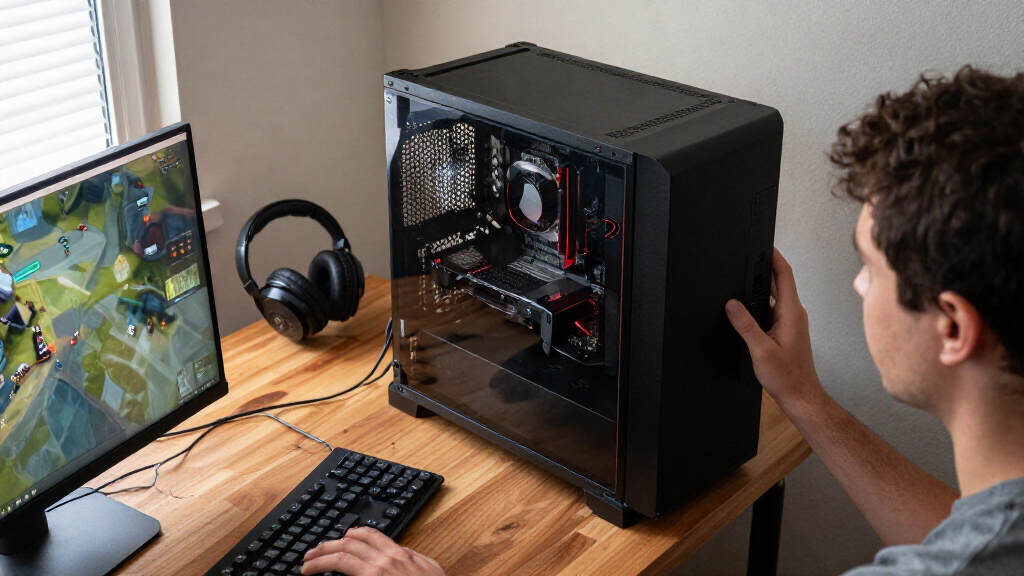
The best AMD gaming CPUs balance game performance with your resolution, graphics card, and plans for the PC. I’d make the Ryzen 7 9800X3D my best overall pick for a gaming-focused build, while the Ryzen 7 7800X3D remains a compelling alternative for buyers choosing among X3D models. For gaming plus demanding creative work, the Ryzen 9 9950X3D offers a different blend of high core count and gaming-oriented design. The main tradeoffs are gaming speed versus productivity capacity, platform cost, and whether an upgrade can reuse your existing motherboard and memory. Read on for the full comparison and guidance on matching a CPU to your build.

Get audio and creator gear delivered free with Prime
- Fast, free delivery on millions of items
- Prime Video, Amazon Music and more included
- Member-only deals all year
Complete the kit


Key Takeaways
- X3D models lead the gaming-focused shortlist: The Ryzen 7 9800X3D, 9850X3D, and 7800X3D are the most gaming-specific choices in this group, while their value depends on your games, system, and relative pricing.
- More cores do not automatically mean better gaming: Ryzen 9 chips such as the 9950X and 9900X are appealing for mixed gaming and production workloads, but core count alone is not a reason to choose one for games.
- Platform generation changes the whole upgrade decision: AM4 processors like the 5700X and 5800X3D can suit an existing AM4 build, while newer AM5 options require a compatible motherboard and memory.
- The right value pick depends on what you already own: A previous-generation CPU can be a sensible upgrade when it fits your current platform; a new build needs a broader comparison of processor, board, and memory costs.
- Resolution and graphics card affect the payoff: CPU differences tend to matter most when a system is CPU-limited, so paying for a faster gaming chip may offer less benefit in a graphics-card-limited setup.
| AMD Ryzen 7 7800X3D 8-Core, 16-Thread Desktop Processor | 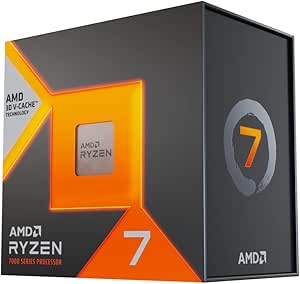 | Best for Gaming-Focused Builds | Cores / threads: 8 / 16 | Processor speed: 4.2 GHz | Cache: 104 MB total (8 MB L2, 96 MB L3) | VIEW LATEST PRICE | See Our Full Breakdown |
| AMD Ryzen 9 9950X 16-Core, 32-Thread Unlocked Desktop Processor |  | Best for Gaming and Creator Workloads | Cores / threads: 16 / 32 | Base clock: 4.3 GHz | Maximum boost speed: 5.7 GHz | VIEW LATEST PRICE | See Our Full Breakdown |
| AMD Ryzen 9 9900X 12-Core, 24-Thread Unlocked Desktop Processor | | Best Middle Ground for Gaming and Multitasking | Cores / threads: 12 / 24 | Architecture: AMD Zen 5 | Base clock: 4.4 GHz | VIEW LATEST PRICE | See Our Full Breakdown |
| AMD Ryzen 7 5700X 8-Core, 16-Thread Desktop Processor |  | Best for AM4 Upgrades | Cores / threads: 8 / 16 | Architecture: AMD Zen 3 | Maximum boost speed: 4.6 GHz | VIEW LATEST PRICE | See Our Full Breakdown |
| AMD Ryzen 9 9950X3D 16-Core Desktop Processor |  | Best Premium Gaming and Creation Pick | Cores: 16 | Threads: Not specified in the provided product data | Architecture: AMD Zen 5 | VIEW LATEST PRICE | See Our Full Breakdown |
| AMD Ryzen 7 5800XT 8-Core, 16-Thread Unlocked Desktop Processor |  | Best AM4 Upgrade with a Cooler Included | Architecture: Zen 3 | Cores / Threads: 8 / 16 | Base Clock: 3.8 GHz | VIEW LATEST PRICE | See Our Full Breakdown |
| AMD Ryzen 7 9850X3D Desktop Processor |  | Best for Buyers Seeking an X3D Gaming Option | Model: Ryzen 7 9850X3D | Product Type: Desktop processor | VIEW LATEST PRICE | See Our Full Breakdown | |
| AMD Ryzen 7 7700X 8-Core, 16-Thread Unlocked Desktop Processor |  | Best for a New AM5 Gaming Build | Architecture: Zen 4 | Cores / Threads: 8 / 16 | Base Clock: 4.5 GHz | VIEW LATEST PRICE | See Our Full Breakdown |
| AMD Ryzen 9 5950X 16-Core 32-Thread Unlocked Desktop Processor |  | Best for AM4 Gaming and Heavy Multitasking | Cores / Threads: 16 / 32 | Max Boost Clock: 4.9 GHz | Cache: 72 MB | VIEW LATEST PRICE | See Our Full Breakdown |
| AMD Ryzen 7 9800X3D 8-Core, 16-Thread Desktop Processor |  | Best for Gaming-First AM5 Builds | Architecture: Zen 5 | Cores / Threads: 8 / 16 | Processor Speed: 4.7 GHz | VIEW LATEST PRICE | See Our Full Breakdown |
| AMD Ryzen 9 7900X 12-Core, 24-Thread Unlocked Desktop Processor | 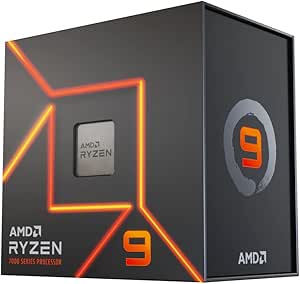 | Best for Gaming and Heavy Multitasking | Cores / threads: 12 / 24 | Base clock: 4.70 GHz | Max boost clock: Up to 5.60 GHz | VIEW LATEST PRICE | See Our Full Breakdown |
| AMD Ryzen 7 5800X3D 8-Core, 16-Thread Desktop Processor |  | Best for Extending an AM4 Gaming Build | Cores / threads: 8 / 16 | Max boost speed: Up to 4.5 GHz | L3 cache: 96 MB | VIEW LATEST PRICE | See Our Full Breakdown |
| AMD Ryzen 9 9900X3D 12-Core Processor |  | Best Premium Gaming and Creation Hybrid | Cores / threads: 12 / 24 | Base clock: 4.4 GHz | L3 cache: 140 MB | VIEW LATEST PRICE | See Our Full Breakdown |
| AMD Ryzen™ 7 9700X 8-Core, 16-Thread Unlocked Desktop Processor |  | Best Balanced Mainstream AM5 Pick | Cores / threads: 8 / 16 | Base clock: 3.8 GHz | Max boost clock: Up to 5.5 GHz | VIEW LATEST PRICE | See Our Full Breakdown |
| AMD Ryzen 5 9600X 6-Core, 12-Thread Unlocked Desktop Processor |  | Best Entry Point for a New AM5 Gaming Build | Architecture: AMD Zen 5 | Cores / threads: 6 / 12 | Base clock: 3.9 GHz | VIEW LATEST PRICE | See Our Full Breakdown |
| AMD gaming CPU | Socket | Cores / threads | Base clock | Memory support |
|---|---|---|---|---|
| AMD Ryzen 7 7800X3D 8-Core | AM5 | 8 / 16 | — | — |
| AMD Ryzen 9 9950X 16-Core | AM5 | 16 / 32 | 4.3 GHz | DDR5-5600 |
| AMD Ryzen 9 9900X 12-Core | AM5 | 12 / 24 | 4.4 GHz | DDR5-5600 |
| AMD Ryzen 7 5700X 8-Core | AM4 | 8 / 16 | — | DDR4-3200 |
| AMD Ryzen 9 9950X3D 16-Core De | AM5 | — | 4.3 GHz | — |
| AMD Ryzen 7 5800XT 8-Core | AM4 | 8 / 16 | 3.8 GHz | DDR4-3200 |
| AMD Ryzen 7 9850X3D Desktop Pr | — | — | — | — |
| AMD Ryzen 7 7700X 8-Core | AM5 | 8 / 16 | 4.5 GHz | DDR5-5200 |
| AMD Ryzen 9 5950X 16-Core 32-T | AM4 | 16 / 32 | — | DDR-3200 |
| AMD Ryzen 7 9800X3D 8-Core | AM5 | 8 / 16 | — | — |
| AMD Ryzen 9 7900X 12-Core | AM5 | 12 / 24 | 4.70 GHz | — |
| AMD Ryzen 7 5800X3D 8-Core | AM4 | 8 / 16 | — | DDR4-3200 |
| AMD Ryzen 9 9900X3D 12-Core Pr | AM5 | 12 / 24 | 4.4 GHz | — |
| AMD Ryzen™ 7 9700X 8-Core | AM5 | 8 / 16 | 3.8 GHz | DDR5-5600 |
| AMD Ryzen 5 9600X 6-Core | AM5 | 6 / 12 | 3.9 GHz | DDR5-5600 |
More Details on Our Top Picks
AMD Ryzen 7 7800X3D 8-Core, 16-Thread Desktop Processor
I’d put the Ryzen 7 7800X3D near the top for buyers who want a gaming-first AM5 processor rather than the highest core count. Its 96 MB of L3 cache and eight cores are aimed at games that benefit from plentiful cache, while the 16 threads still leave room for everyday multitasking. Compared with the Ryzen 9 9950X, it gives up cores and creator-workload headroom, but its gaming-oriented cache design makes it the more focused choice for a PC built mainly to play. The tradeoff is a commitment to an AM5 motherboard, and the listed 120-watt power rating calls for a capable cooling setup. Its integrated Radeon graphics can help with basic display output, but I wouldn’t treat them as a substitute for a gaming graphics card.
Pros:- 96 MB of L3 cache is tailored to cache-sensitive gaming workloads.
- Eight cores and 16 threads support gaming alongside common background tasks.
- Integrated AMD Radeon Graphics can provide basic display output.
- Uses the AM5 socket.
Cons:- Requires an AM5 motherboard, so it is not a drop-in AM4 upgrade.
- The 120-watt rating calls for suitable cooling.
- Eight cores provide less creator-workload capacity than the Ryzen 9 9950X.
Best for: AM5 builders prioritizing gaming performance and who also want enough cores for streaming, chat, and routine multitasking.
Not ideal for: Buyers who need maximum CPU capacity for sustained creator workloads, or anyone upgrading an AM4 system without replacing the motherboard.
- Cores / threads:8 / 16
- Processor speed:4.2 GHz
- Cache:104 MB total (8 MB L2, 96 MB L3)
- Process technology:5 nm
- Socket:AM5
- Power:120 watts
- Integrated graphics:AMD Radeon Graphics
- Maximum operating temperature:89°C
Our verdict“Choose the Ryzen 7 7800X3D for an AM5 gaming build where gaming-focused cache matters more than having a 12- or 16-core processor.”
AMD Ryzen 9 9950X 16-Core, 32-Thread Unlocked Desktop Processor
The Ryzen 9 9950X suits a high-end PC that has to handle demanding games and substantial work beyond them. Its 16 cores and 32 threads offer more room for rendering, encoding, and heavy multitasking than the eight-core Ryzen 7 7800X3D. The boost clock reaches 5.7 GHz, and the unlocked design gives experienced builders room to tune performance. For a gaming-only system, though, those extra cores may be less compelling than the 7800X3D’s gaming-focused cache; this is the better fit when the PC has serious creator duties too. I’d also budget for a suitable cooler because none is included, and the 170-watt power rating points to a more demanding build. PCIe 5.0 support depends on the chosen motherboard, so the platform needs to be selected with care.
Pros:- 16 cores and 32 threads suit demanding multitasking and creator applications.
- Boost speeds reach 5.7 GHz.
- Unlocked for overclocking.
- Supports DDR5-5600 memory.
Cons:- A CPU cooler is not included, and a liquid cooler is recommended in the product description.
- The 170-watt power rating calls for a capable cooling and power setup.
- PCIe 5.0 support depends on the motherboard.
Best for: Enthusiast gamers who also render, encode, stream, or run other heavily threaded workloads on the same desktop.
Not ideal for: Gaming-only builders seeking a cache-focused CPU, or buyers who want a low-power setup with a cooler included.
- Cores / threads:16 / 32
- Base clock:4.3 GHz
- Maximum boost speed:5.7 GHz
- Architecture:AMD Zen 5
- Cache:80 MB
- Socket:AM5
- Memory support:DDR5-5600
- Power:170 watts
Our verdict“Pick the Ryzen 9 9950X when your gaming PC also needs 16 cores for serious production work; choose a gaming-focused Ryzen 7 if games are the main job.”
AMD Ryzen 9 9900X 12-Core, 24-Thread Unlocked Desktop Processor
The Ryzen 9 9900X is a sensible middle ground for an AM5 system that needs more parallel capacity than an eight-core gaming CPU without moving to 16 cores. Its 12 cores and 24 threads give it an advantage over the Ryzen 7 7800X3D for workloads that spread across many threads, while the 5.6 GHz maximum boost clock supports responsive performance in games and lighter tasks. Compared with the Ryzen 9 9950X, it has fewer cores and a lower maximum boost, but its listed 120-watt TDP is lower than that model’s 170-watt power rating. It still isn’t a gaming-specialist pick: buyers focused almost entirely on games may prefer the 7800X3D’s 3D-cache approach. There’s no cooler included, and an AM5 motherboard is required.
Pros:- 12 cores and 24 threads balance gaming with demanding multitasking.
- Maximum boost clock reaches 5.6 GHz.
- Supports DDR5-5600 memory and PCIe 5.0.
- Unlocked multiplier allows overclocking.
Cons:- A cooler is not included.
- Requires an AM5 motherboard.
- Has fewer cores than the Ryzen 9 9950X and lacks the 7800X3D’s gaming-focused cache configuration.
Best for: AM5 buyers who play demanding games but also run threaded work such as editing, software builds, or frequent multitasking.
Not ideal for: Gaming-only builders who would rather prioritize the 7800X3D’s cache, or anyone seeking a bundled cooler or an AM4 upgrade.
- Cores / threads:12 / 24
- Architecture:AMD Zen 5
- Base clock:4.4 GHz
- Maximum boost clock:5.6 GHz
- Cache:76 MB
- Socket:AM5
- Memory support:DDR5-5600
- TDP:120 watts
Our verdict“Choose the Ryzen 9 9900X if you want a gaming-capable AM5 processor with more multitasking headroom than an eight-core model, but do not need 16 cores.”
AMD Ryzen 7 5700X 8-Core, 16-Thread Desktop Processor
I’d choose the Ryzen 7 5700X for an existing AM4 desktop whose owner wants eight cores without moving to a new memory and motherboard platform. It pairs 8 cores and 16 threads with a 65-watt rating, making it a more modest-power option than the AM5 Ryzen 7 7800X3D. That newer processor offers a gaming-focused cache design and an upgrade path on AM5, while the 5700X’s appeal is keeping a compatible DDR4 system in service. Its 4.6 GHz maximum boost and 36 MB of cache can support a capable gaming PC, but this is not the best fit for someone building a fresh, forward-looking AM5 system. A discrete graphics card is required, and there’s no cooler in the box, so existing AM4 owners should check their board and cooling setup before choosing it.
Pros:- Eight cores and 16 threads support games and multitasking.
- 65-watt rating is lower than the listed power ratings of the AM5 Ryzen 7 7800X3D and Ryzen 9 models here.
- Supports DDR4-3200 memory.
- PCIe 4.0 support is available on compatible X570 and B550 motherboards.
Cons:- Uses the older AM4 socket rather than AM5.
- Requires a discrete graphics card.
- A cooler is not included.
Best for: Owners of compatible AM4 motherboards who want an eight-core gaming upgrade while keeping their DDR4 memory and existing platform.
Not ideal for: New-build shoppers seeking AM5 features or integrated graphics, and gamers without a discrete graphics card.
- Cores / threads:8 / 16
- Architecture:AMD Zen 3
- Maximum boost speed:4.6 GHz
- Cache:36 MB
- Socket:AM4
- Memory support:DDR4-3200
- Power:65 watts
- Graphics requirement:Discrete graphics card required
Our verdict“The Ryzen 7 5700X makes the most sense as an eight-core upgrade for a compatible AM4 gaming PC, not as the centerpiece of a new AM5 build.”
AMD Ryzen 9 9950X3D 16-Core Desktop Processor
The Ryzen 9 9950X3D combines 16 cores with second-generation 3D V-Cache, making it the most specialized premium option here for someone who wants a single desktop to serve gaming and substantial creator work. Its listed 144 MB of cache and boost clock up to 5.7 GHz distinguish it from the Ryzen 9 9950X, which also has 16 cores and the same stated boost ceiling but does not list 3D V-Cache. Against the eight-core Ryzen 7 7800X3D, this model adds twice the core count for heavier production workloads, though that extra capacity may be unnecessary if games are the only priority. The tradeoff is a 170-watt power rating and the need for an AM5 motherboard; buyers should plan a capable cooling setup and check cooler requirements for their build.
Pros:- Second-generation 3D V-Cache targets gaming workloads that benefit from additional cache.
- 16 cores suit demanding creator work alongside gaming.
- Boost clock reaches up to 5.7 GHz.
- 144 MB of listed cache.
Cons:- Requires an AM5 motherboard.
- The 170-watt power rating calls for a capable cooling setup.
- Its 16 cores may be unnecessary for a gaming-only system compared with a focused eight-core option such as the Ryzen 7 7800X3D.
Best for: Enthusiast AM5 builders who want a high-core-count gaming CPU with substantial cache for creator applications on the same system.
Not ideal for: Gaming-only buyers who do not need 16 cores, or owners of AM4 systems unwilling to replace the motherboard.
- Cores:16
- Threads:Not specified in the provided product data
- Architecture:AMD Zen 5
- Base clock:4.3 GHz
- Maximum boost clock:Up to 5.7 GHz
- Cache memory:144 MB
- Socket:AM5
- Power:170 watts
Our verdict“Choose the Ryzen 9 9950X3D if you want one premium AM5 processor for cache-sensitive gaming and heavy creator workloads, rather than gaming alone.”
AMD Ryzen 7 5800XT 8-Core, 16-Thread Unlocked Desktop Processor
I’d pick the Ryzen 7 5800XT for an AM4 gaming PC that needs a capable eight-core processor without replacing its motherboard and memory. Its 8 cores and 16 threads suit gaming alongside streaming or background tasks, while the included Wraith Prism cooler means a compatible build can get running without a separate cooler purchase. Compared with the newer Ryzen 7 7700X, this is a simpler fit for an existing DDR4 system, but it gives up AM5’s DDR5 support and newer platform options. The 5800XT is also a 105 W chip, so case airflow and cooler performance matter under sustained load. I’d choose it for a targeted AM4 refresh, not for a new build where a longer platform upgrade path is a priority.
Pros:- Eight cores and 16 threads can handle gaming alongside multitasking.
- Wraith Prism cooler is included, reducing the need to source a separate cooler.
- Unlocked multiplier supports manual overclocking.
- Supports PCIe 4.0 and DDR4-3200 memory.
Cons:- AM4 limits the upgrade path compared with the Ryzen 7 7700X and other AM5 processors.
- No DDR5 support.
- Its 105 W TDP calls for adequate cooling and case airflow under sustained loads.
Best for: AM4 owners with a compatible motherboard and DDR4 memory who want an eight-core gaming upgrade and an included cooler.
Not ideal for: New-build buyers planning to use DDR5 or move to AM5, and users whose AM4 case has limited airflow.
- Architecture:Zen 3
- Cores / Threads:8 / 16
- Base Clock:3.8 GHz
- Max Boost Clock:4.8 GHz
- Total Cache:36 MB
- Socket:AM4
- Memory Support:DDR4-3200
- TDP:105 W
- Included Cooler:AMD Wraith Prism with RGB LED
Our verdict“Choose the 5800XT for a compatible AM4 gaming PC that benefits from eight cores and an included cooler, but skip it for a new AM5 build.”
AMD Ryzen 7 9850X3D Desktop Processor
The Ryzen 7 9850X3D is the most difficult pick in this group to rank confidently: the supplied product information identifies it as a desktop processor but gives no architecture, core count, cache, clock speeds, socket, or cooler details. Its X3D designation makes it relevant to a gaming-focused shortlist, but I can’t verify how it compares on specific capabilities with the documented Ryzen 7 9800X3D. That missing information also prevents a sound platform or cooling recommendation. I’d treat this as a candidate for buyers who are already researching this exact model and can confirm its full specifications and motherboard compatibility from the manufacturer before ordering. For a decision based on known gaming-relevant features, the 9800X3D is the clearer choice in this batch.
Pros:- The product is identified as a desktop processor.
- X3D model designation makes it relevant to a gaming-focused comparison.
- Could suit buyers specifically seeking this named processor once its full specifications are confirmed.
Cons:- Supplied information does not confirm core or thread count.
- Socket, cache, clock speeds, and cooler inclusion are unspecified.
- Insufficient documented detail for a dependable comparison with the Ryzen 7 9800X3D.
Best for: Research-oriented gaming PC builders willing to verify the 9850X3D’s complete specifications and platform compatibility before buying.
Not ideal for: Buyers who need confirmed core, cache, socket, clock, or cooler details to plan a build; the Ryzen 7 9800X3D has more complete information here.
- Model:Ryzen 7 9850X3D
- Product Type:Desktop processor
Our verdict“Consider the 9850X3D only after verifying its full specifications and compatibility, since the 9800X3D is the better-documented gaming choice in this batch.”
AMD Ryzen 7 7700X 8-Core, 16-Thread Unlocked Desktop Processor
I’d steer a new-build buyer toward the Ryzen 7 7700X when they want eight cores and a current AM5 foundation without choosing an X3D-specific model. Its 5.4 GHz maximum boost and Zen 4 design support a responsive gaming system, while DDR5-5200 and PCIe 5.0 support give the platform newer memory and expansion options than the AM4-based Ryzen 7 5800XT. The tradeoff is that an AM5 motherboard and DDR5 memory are part of the build, and no cooler is included. It also lacks the 9800X3D’s documented 96 MB L3 cache, so I’d favor that model when gaming-focused cache is the priority. The 7700X makes more sense for a balanced AM5 gaming and productivity PC than for an AM4 drop-in upgrade.
Pros:- Eight cores and 16 threads support gaming and parallel workloads.
- Maximum boost clock of 5.4 GHz.
- AM5 platform supports DDR5-5200 memory and PCIe 5.0.
- Integrated Radeon Graphics can provide basic display output.
Cons:- Requires an AM5 motherboard and DDR5 memory, unlike an AM4 upgrade such as the 5800XT.
- No CPU cooler is included.
- The 105 W TDP calls for suitable cooling under sustained loads.
Best for: New PC builders who want an unlocked eight-core AM5 processor for gaming and general productivity, with DDR5 and PCIe 5.0 support.
Not ideal for: AM4 owners seeking a straightforward processor swap, or buyers who want an included cooler or the 9800X3D’s 96 MB L3 cache.
- Architecture:Zen 4
- Cores / Threads:8 / 16
- Base Clock:4.5 GHz
- Max Boost Clock:5.4 GHz
- Socket:AM5
- Memory Support:DDR5-5200
- Cache:32 MB L3, 8 MB L2
- TDP:105 W
- Integrated Graphics:Radeon Graphics
Our verdict“Choose the 7700X for an unlocked eight-core AM5 build with newer platform support, but budget for a cooler and the platform change.”
AMD Ryzen 9 5950X 16-Core 32-Thread Unlocked Desktop Processor
The Ryzen 9 5950X earns its place for AM4 users who game and also run demanding multithreaded work, such as rendering or large creative projects. Its 16 cores and 32 threads give it twice the core count of the eight-core Ryzen 7 5800XT, making the 5950X the more compelling choice when work continues after the game is closed—or alongside it. For gaming alone, that extra parallel capacity may be less useful than choosing a gaming-focused AM5 chip such as the Ryzen 7 9800X3D. The 5950X also stays on AM4, so existing compatible-board owners can avoid a platform change, but new builders miss out on AM5 and DDR5. No cooler is included, and demanding workloads call for a capable cooling setup.
Pros:- Sixteen cores and 32 threads suit heavy multitasking and multithreaded work.
- Unlocked for manual overclocking.
- Supports PCIe 4.0 on compatible motherboards.
- Can provide a substantial core-count upgrade within a compatible AM4 system.
Cons:- No cooler is included, and demanding use calls for capable cooling.
- AM4 platform does not support the DDR5 and AM5 upgrade path offered by the 7700X.
- Its extra cores may be unnecessary for gaming-focused builds.
Best for: AM4 owners who game while also running multithreaded creator, rendering, or compute workloads.
Not ideal for: Gaming-only buyers who prefer an AM5 platform or gaming-focused X3D features, and builders without a suitable separate cooler.
- Cores / Threads:16 / 32
- Max Boost Clock:4.9 GHz
- Cache:72 MB
- Socket:AM4
- Memory Support:DDR-3200
- PCIe Support:PCIe 4.0
- TDP:105 W
- Cooler Included:No
- Platform:Windows, Linux
Our verdict“Pick the 5950X if your AM4 gaming PC also needs serious multithreaded throughput; for gaming-first builds, consider the 9800X3D instead.”
AMD Ryzen 7 9800X3D 8-Core, 16-Thread Desktop Processor
For a gaming-first AM5 build, I’d rank the Ryzen 7 9800X3D ahead of the general-purpose 7700X because its 96 MB of L3 cache and 3D V-Cache design are explicitly aimed at gaming workloads. Eight cores and 16 threads also leave room for everyday creator tasks, while the Zen 5 architecture and boost clock up to 5.2 GHz make it a strong high-end option on paper. Compared with the Ryzen 9 5950X, it has far fewer cores, so the 5950X is the better fit for heavy parallel work on an existing AM4 system. This processor needs an AM5 motherboard and a separate cooler; its listed 140 W wattage also calls for a cooling plan. I’d choose it when gaming matters more than maximizing core count.
Pros:- 96 MB of L3 cache with 3D V-Cache is a gaming-focused feature.
- Eight cores and 16 threads support gaming and creator workloads.
- Zen 5 architecture and maximum clock speed up to 5.2 GHz.
- Uses the AM5 socket.
Cons:- A cooler is not included.
- Requires an AM5 motherboard, unlike the AM4-based 5950X.
- Its eight-core design offers fewer threads than the 16-core 5950X for heavily parallel tasks.
Best for: Gaming-focused builders moving to AM5 who want a high-cache eight-core processor and can provide their own cooler.
Not ideal for: AM4 owners seeking a drop-in upgrade, buyers who need 16 cores for heavily parallel work, or builds without room for a separate cooling solution.
- Architecture:Zen 5
- Cores / Threads:8 / 16
- Processor Speed:4.7 GHz
- Maximum Clock Speed:Up to 5.2 GHz
- L3 Cache:96 MB
- Secondary Cache:8 MB
- Socket:AM5
- Wattage:140 W
- Cooler Included:No
Our verdict“Choose the 9800X3D for a gaming-first AM5 build that can accommodate a separate cooler, not for an AM4 refresh or core-heavy workstation.”
AMD Ryzen 9 7900X 12-Core, 24-Thread Unlocked Desktop Processor
I’d pick the Ryzen 9 7900X for a gaming PC that also handles demanding work, such as streaming, video editing, or frequent multitasking. Its 12 cores and 24 threads give it more parallel-processing headroom than the 8-core Ryzen 7 9700X, while its boost clock reaches 5.6 GHz. That extra core capacity is useful beyond gaming, though a gaming-first build may benefit more from a specialized X3D model such as the Ryzen 9 9900X3D.
The tradeoff is the platform and cooling commitment: this is an AM5, 170 W processor, so it calls for a compatible motherboard and robust cooling. Its integrated Radeon graphics can provide basic display output, but they are not a substitute for a gaming graphics card. I’d skip it if gaming is the only workload and the extra cores would go unused.
Pros:- 12 cores and 24 threads suit gaming alongside demanding multitasking.
- Boost clock reaches 5.6 GHz.
- 76 MB total cache.
- Integrated Radeon graphics can provide basic display output without a discrete GPU.
Cons:- 170 W TDP calls for capable cooling and suitable system power delivery.
- Requires an AM5 motherboard, so it does not fit older AM4 systems.
- Its extra cores may not benefit gaming-only workloads as much as an X3D-focused option.
Best for: AM5 builders who game while streaming, editing video, or running other CPU-heavy tasks.
Not ideal for: Gaming-only buyers seeking a gaming-focused X3D chip, or upgraders who want to keep an AM4 motherboard.
- Cores / threads:12 / 24
- Base clock:4.70 GHz
- Max boost clock:Up to 5.60 GHz
- Total cache:76 MB
- Process technology:5 nm
- Socket:AM5
- TDP:170 W
- Integrated graphics:AMD Radeon Graphics
Our verdict“Choose the Ryzen 9 7900X if your gaming PC also needs substantial multicore capacity and you’re prepared for its cooling and AM5 requirements.”
AMD Ryzen 7 5800X3D 8-Core, 16-Thread Desktop Processor
The Ryzen 7 5800X3D is the standout choice here for an AM4 owner who wants a gaming-focused CPU upgrade without replacing the motherboard and DDR4 memory. Its 96 MB of L3 cache and 3D V-Cache design distinguish it from the newer AM5 Ryzen 7 9700X, which instead brings Zen 5, DDR5 support, and a newer platform. That makes the 5800X3D appealing when keeping an existing system matters more than moving to the latest components.
This is an 8-core, 16-thread chip, so it can handle gaming and everyday multitasking, but it offers less core capacity than the 12-core Ryzen 9 7900X for heavily threaded work. It also has a 4.5 GHz listed boost and does not include a cooler. I’d choose it as a targeted AM4 gaming upgrade, not as the basis for a fresh build that needs a longer AM5 upgrade path.
Pros:- 96 MB of L3 cache with AMD 3D V-Cache technology.
- Works with the AM4 platform and DDR4-3200 memory.
- Eight cores and 16 threads support gaming and general multitasking.
- PCIe 4.0 support on compatible X570 and B550 motherboards.
Cons:- No cooler is included, and a capable cooler is recommended.
- AM4 limits upgrade options compared with the AM5 Ryzen 7 9700X.
- Its eight cores provide less capacity for heavy parallel workloads than the Ryzen 9 7900X.
Best for: AM4 gamers with a compatible X570 or B550 motherboard and DDR4 memory who want a gaming-oriented CPU upgrade.
Not ideal for: New-build shoppers seeking AM5 and DDR5, or creators who need more than eight CPU cores.
- Cores / threads:8 / 16
- Max boost speed:Up to 4.5 GHz
- L3 cache:96 MB
- Socket:AM4
- Memory support:DDR4-3200
- PCIe support:PCIe 4.0 on compatible X570 and B550 motherboards
- Wattage:105 W
- Cooler included:No
Our verdict“Pick the Ryzen 7 5800X3D when you want to keep a compatible AM4 gaming system and prioritize its large gaming cache over a newer platform.”
AMD Ryzen 9 9900X3D 12-Core Processor
I’d place the Ryzen 9 9900X3D high on the list for buyers who want a gaming-focused cache design without giving up a substantial core count for creative work. It combines 12 cores and 24 threads with second-generation 3D V-Cache and 140 MB of listed L3 cache. Compared with the Ryzen 9 7900X, its cache-focused design makes it the more gaming-oriented pick; compared with the 8-core Ryzen 7 9800X3D, it offers more cores for heavily threaded tasks.
That blend makes sense for a gaming-and-creation workstation, but it is more CPU than many gaming-only systems need. The listed 4.4 GHz base clock and 120 W TDP are useful reference points, though the product data does not provide a boost clock. It also requires an AM5 motherboard. I’d skip it if you mainly play games and would rather prioritize a simpler, less core-heavy build.
Pros:- Second-generation 3D V-Cache is tailored to gaming workloads.
- 12 cores and 24 threads provide substantial capacity for content creation and multitasking.
- 140 MB listed L3 cache.
- AM5 socket supports a newer platform than the AM4 Ryzen 7 5800X3D.
Cons:- Requires an AM5 motherboard.
- Its 12-core capability may be unnecessary for a gaming-only build.
- The supplied product data does not specify a max boost clock.
Best for: AM5 gamers who also render, create content, or run other demanding multithreaded workloads.
Not ideal for: Gaming-only buyers who do not need 12 cores, or builders who want to retain an AM4 motherboard.
- Cores / threads:12 / 24
- Base clock:4.4 GHz
- L3 cache:140 MB
- Secondary cache:12 MB
- Socket:AM5
- TDP:120 W
- Platform compatibility:Windows
Our verdict“Choose the Ryzen 9 9900X3D if you want a cache-focused gaming CPU that also has 12 cores for serious creation work.”
AMD Ryzen™ 7 9700X 8-Core, 16-Thread Unlocked Desktop Processor
The Ryzen 7 9700X is my balanced pick for an AM5 gaming build that needs strong clock speeds and a useful amount of multitasking capacity without stepping up to a 12-core Ryzen 9. Its 8 cores, 16 threads, and boost up to 5.5 GHz make it a more capable all-rounder than the six-core Ryzen 5 9600X for buyers who also stream or run demanding applications. It supports DDR5-5600 and PCIe 5.0 on compatible AM5 systems, giving a new build access to current platform features.
Unlike the cache-heavy Ryzen 9 9900X3D, this model does not list 3D V-Cache, so buyers focused chiefly on gaming should compare the X3D options too. The 9700X is unlocked, but overclocking and sustained workloads add cooling demands; no cooler is included. I’d skip it if you want to reuse AM4 parts or need more than eight cores for frequent rendering.
Pros:- Eight cores and 16 threads balance gaming with multitasking.
- Boost clock reaches 5.5 GHz.
- Supports DDR5-5600 and PCIe 5.0 on compatible AM5 motherboards.
- Unlocked for overclocking.
Cons:- No cooler is included, so a separate cooling solution is required.
- AM5 requires a compatible motherboard and does not support older AM4 boards.
- Does not list 3D V-Cache like the Ryzen 9 9900X3D.
Best for: AM5 builders who want an eight-core gaming CPU for play, streaming, and everyday creation workloads.
Not ideal for: AM4 upgraders, buyers who need 12 or more cores, or gamers specifically seeking an X3D cache design.
- Cores / threads:8 / 16
- Base clock:3.8 GHz
- Max boost clock:Up to 5.5 GHz
- Cache:8 MB L2 and 40 MB L3
- Socket:AM5
- Memory support:DDR5-5600
- PCIe version:PCIe 5.0
- TDP:105 W
- Cooler included:No
Our verdict“Choose the Ryzen 7 9700X for a balanced eight-core AM5 gaming build, but compare X3D models if gaming cache is your main priority.”
AMD Ryzen 5 9600X 6-Core, 12-Thread Unlocked Desktop Processor
The Ryzen 5 9600X makes the most sense for a new gaming PC where the graphics card takes priority and the CPU needs to handle modern games without moving into eight- or twelve-core territory. Its 6 cores and 12 threads, Zen 5 architecture, and boost up to 5.4 GHz give it a newer AM5 foundation than the AM4 Ryzen 7 5800X3D. It also supports DDR5-5600, while PCIe 5.0 support depends on the motherboard.
Compared with the Ryzen 7 9700X, the 9600X has fewer cores and less listed cache, so the 9700X is the better fit if streaming or CPU-heavy creation is a regular part of the build. The 9600X’s 65 W TDP is a less demanding power target than the 170 W Ryzen 9 7900X, but no cooler is included. I’d skip it for workloads that regularly benefit from more than six cores.
Pros:- Six Zen 5 cores and 12 threads suit a mainstream gaming build.
- Boost clock reaches 5.4 GHz.
- 65 W TDP is lower than the Ryzen 9 7900X’s 170 W TDP.
- Supports DDR5-5600 and is unlocked for overclocking.
Cons:- No cooler is included.
- Six cores offer less capacity for heavy multitasking than the Ryzen 7 9700X.
- PCIe 5.0 support depends on the motherboard.
Best for: First-time AM5 builders pairing a modern six-core CPU with a gaming-focused graphics card and DDR5 memory.
Not ideal for: Frequent streamers, video editors, or other buyers who need the extra core capacity of the Ryzen 7 9700X or Ryzen 9 7900X.
- Architecture:AMD Zen 5
- Cores / threads:6 / 12
- Base clock:3.9 GHz
- Max boost clock:Up to 5.4 GHz
- Cache:38 MB
- Socket:AM5
- Memory support:DDR5-5600
- TDP:65 W
- Cooler included:No
Our verdict“Pick the Ryzen 5 9600X for a newer AM5 gaming build that prioritizes a six-core CPU, while choosing the 9700X for heavier multitasking.”
How We Picked
I ranked these processors by how well they fit real gaming builds, not by core count or generation alone. The main criteria were gaming-oriented design, core and thread capacity for games and background workloads, platform compatibility, and the likely role of each chip in a complete system. I also considered whether a CPU is a focused gaming choice, a mixed-use option, or a practical upgrade for an existing AM4 setup.
The order reflects those differences: dedicated gaming picks lead, followed by processors that balance games with heavier work, then capable mainstream options and older-platform upgrades. The Ryzen 9 models are not placed above X3D chips simply because they have more cores; their appeal depends on whether a buyer can use that extra capacity. Exact results vary by game, graphics card, resolution, memory, cooling, and system settings, so I treat the ranking as a buying guide rather than a universal performance chart.
| AMD gaming CPU | Socket | Architecture | Memory support |
|---|---|---|---|
| AMD Ryzen 7 7800X3D 8-Core | AM5 | — | — |
| AMD Ryzen 9 9950X 16-Core | AM5 | AMD Zen 5 | DDR5-5600 |
| AMD Ryzen 9 9900X 12-Core | AM5 | AMD Zen 5 | DDR5-5600 |
| AMD Ryzen 7 5700X 8-Core | AM4 | AMD Zen 3 | DDR4-3200 |
| AMD Ryzen 9 9950X3D 16-Core De | AM5 | AMD Zen 5 | — |
| AMD Ryzen 7 5800XT 8-Core | AM4 | Zen 3 | DDR4-3200 |
| AMD Ryzen 7 9850X3D Desktop Pr | — | — | — |
| AMD Ryzen 7 7700X 8-Core | AM5 | Zen 4 | DDR5-5200 |
| AMD Ryzen 9 5950X 16-Core 32-T | AM4 | — | DDR-3200 |
| AMD Ryzen 7 9800X3D 8-Core | AM5 | Zen 5 | — |
| AMD Ryzen 9 7900X 12-Core | AM5 | — | — |
| AMD Ryzen 7 5800X3D 8-Core | AM4 | — | DDR4-3200 |
| AMD Ryzen 9 9900X3D 12-Core Pr | AM5 | — | — |
| AMD Ryzen™ 7 9700X 8-Core | AM5 | — | DDR5-5600 |
| AMD Ryzen 5 9600X 6-Core | AM5 | AMD Zen 5 | DDR5-5600 |
Factors to Consider When Choosing Best AMD Gaming CPUs
Before choosing a chip, I’d narrow the decision around the whole PC rather than the processor name alone. These factors help explain when a gaming-focused CPU is worth prioritizing, when a versatile model makes more sense, and when an upgrade may call for a different platform.
Match the CPU to Your Graphics Card and Resolution
A CPU has the most room to affect results when the processor is limiting a game’s frame rate. At higher resolutions or with demanding visual settings, the graphics card often does more of the work, which can shrink the visible gap between CPUs. That does not make the processor irrelevant: high-refresh gaming and CPU-heavy titles can still benefit from a strong gaming chip. I’d choose the graphics card and target resolution first, then ask whether a faster CPU is likely to change the experience I want. A common mistake is buying the most expensive processor while pairing it with a system that is mainly limited elsewhere. The better choice is the one that balances the full build.
Decide Whether Gaming Is the Only Heavy Workload
For a PC used mostly for games, an X3D model deserves attention because its design is aimed at gaming workloads. If I also edit video, render projects, compile code, or run other demanding tasks, a Ryzen 9 with more cores may be a better all-round fit. Extra cores do not guarantee higher gaming performance, so I would not pay for them unless my software can use them. Consider how often those non-gaming jobs happen and whether waiting less on them matters enough to shape the purchase. A machine used mainly for gaming and occasional browsing has different needs from a workstation that also runs games. Choosing by workload prevents paying for capacity that sits idle.
Check the Platform Before Planning an Upgrade
A processor upgrade is also a motherboard and memory decision. The AM4 Ryzen 7 5700X, 5800XT, 5800X3D, and Ryzen 9 5950X belong to a different platform generation from the newer AM5 options in this roundup. If I already own a compatible AM4 system, keeping the board and memory may make an older chip a practical upgrade; a new AM5 build calls for a compatible AM5 motherboard and DDR5 memory. Verify the exact board’s CPU support and any firmware requirements before ordering. A frequent buying error is comparing processor specifications while overlooking the cost and effort of replacing platform parts. For an existing PC, total upgrade fit can matter more than generation labels.
Budget for Cooling, Power, and Case Fit
CPU selection affects more than the parts list’s processor line. Cooling capacity, case airflow, motherboard power delivery, and noise preferences all shape how comfortably a system can run under sustained workloads. Unlocked models may appeal to buyers who want tuning options, but those options do not remove the need for suitable cooling or guarantee a useful gaming gain. I’d check the processor’s cooling requirements and the cooler’s physical compatibility with the case before settling on a build. Buyers often allocate too much of a fixed budget to the CPU and too little to the graphics card or cooling. A well-balanced system is usually a better gaming choice than a premium chip paired with weak supporting parts.
Compare the Complete Platform, Not Just the CPU
When weighing two processors, compare what the whole system requires: motherboard, memory, cooling, and any parts that can carry over from an older build. That is especially useful when choosing between a newer AM5 chip and an AM4 upgrade. A newer processor may bring a longer upgrade path, while an older compatible chip may let an existing PC improve without replacing several components. I would also check that the chosen board has the connectivity and expansion options I need, rather than treating it as a disposable CPU holder. Avoid assuming that the newest platform is automatically the best fit for every budget or upgrade. The right comparison is the cost and capability of the complete build over the time I expect to keep it.
Treat Model Names and Small Spec Gaps With Care
Several CPUs here sit close together by product family, but a larger number in the name or a newer generation does not by itself prove a meaningful gaming advantage. Check the exact model’s specifications, platform, and independent game results for the resolution and graphics card you plan to use. The 7800X3D, 9800X3D, and 9850X3D are all gaming-focused contenders, but their relative appeal depends on real workload differences and what you give up elsewhere in the build. I would avoid choosing based on a single benchmark from a game I never play. Look for results across several relevant titles and pay attention to frame-time consistency as well as average frame rates. That approach helps separate a worthwhile upgrade from a small spec-sheet distinction.
Frequently Asked Questions
Should I choose an X3D processor or a Ryzen 9 for a gaming PC?
I’d start with how the computer will be used after gaming. An X3D processor is the more focused choice when games are the main workload and gaming performance is the priority. A Ryzen 9 model makes more sense when the same PC also handles work that can use its additional cores, such as rendering or heavy content creation. More cores alone do not promise better results in games, so check gaming comparisons for your specific titles. If those extra workloads are occasional or light, a gaming-focused chip may be the simpler fit.
Can I upgrade from an AM4 Ryzen CPU to an AM5 processor without replacing my motherboard?
No. AM4 and AM5 processors use different motherboard platforms, so moving to an AM5 chip requires an AM5 motherboard and DDR5 memory. Staying with an AM4 processor in this roundup may let an existing system retain its board and memory, subject to the motherboard’s CPU support and firmware. Before buying, check the exact motherboard model and its supported processors rather than relying on the socket name alone. If you are building from scratch, compare the cost and features of the complete AM4 or AM5 setup. That calculation can change which CPU represents the better fit.
Is it worth replacing a Ryzen 7 7800X3D with a newer X3D model?
It depends on the games you play, the rest of your system, and how much improvement you expect. A newer model name does not guarantee a change you will notice in every game or at every resolution. I’d look for comparisons using a similar graphics card and resolution, then focus on titles where your current processor is limiting performance. If your system is already graphics-card-limited, a CPU replacement may have less effect than a graphics upgrade or other system change. Keep the motherboard and memory requirements in view before treating a processor swap as a simple drop-in upgrade.
Which AMD gaming CPU makes the most sense for a first-time PC builder?
For a first build focused mostly on games, I’d begin with a mainstream AM5 option such as the Ryzen 7 9700X or Ryzen 5 9600X, then compare the full build against an X3D choice. The lower-core-count Ryzen 5 can leave more room in the parts plan for a graphics card, while the Ryzen 7 offers more cores for mixed use. If gaming performance is the main goal and the rest of the system supports it, an X3D model may be a better priority. Check motherboard support, memory compatibility, cooler fit, and the graphics card before choosing. A balanced first PC is easier to live with than a build that spends heavily on one component.
When is an older AM4 gaming CPU a better choice than a newer AM5 model?
An AM4 processor can be the better fit when I already own a compatible AM4 motherboard and memory and want to improve that PC without changing platforms. Models such as the Ryzen 7 5700X or 5800X3D can be considered in that upgrade context, with exact board support checked first. For a new build, compare the full platform costs and features instead of assuming that reusing older parts will always be the better deal. Also consider whether the older system meets your graphics, storage, and connectivity needs. If a platform change is already required, a newer AM5 build may be the cleaner long-term choice.
Conclusion
For most gaming-focused new builds, I’d start with the Ryzen 7 9800X3D as the best overall pick, while comparing it with the 7800X3D and 9850X3D against current game results and your complete build. For best value, I’d look first at the Ryzen 5 9600X or Ryzen 7 7700X, then direct any savings toward the graphics card; buyers already on AM4 should also weigh compatible upgrade options. The best premium choice for gaming alongside heavy production work is the Ryzen 9 9950X3D, while the 9950X is a strong alternative when productivity capacity matters more than a gaming-specific design. For beginners, the Ryzen 7 9700X or Ryzen 5 9600X offers a straightforward starting point for an AM5 build. For a specific upgrade need, choose an AM4 chip only after checking motherboard support, or choose a higher-core Ryzen 9 when your non-gaming software can use it. I’d make the final call based on workload, platform, resolution, and graphics card—not the model number alone.