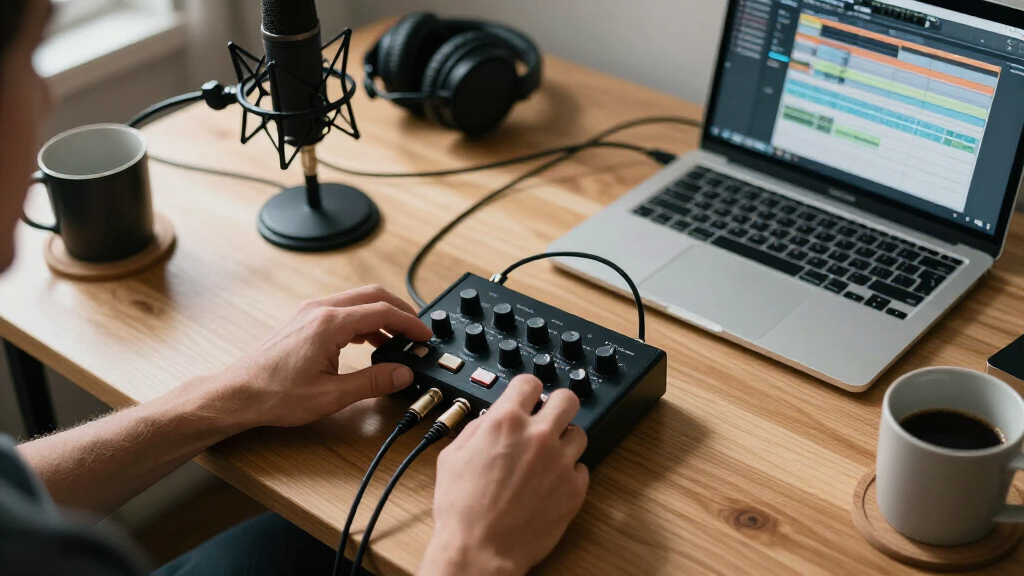
The Focusrite Scarlett 2i2 4th Gen is the best audio interface for most home recording setups, thanks to its clean preamps, loopback for streaming, and a bundled software package that covers recording, mixing, and effects from day one. If your budget is tight, the M-Audio M-Track Duo delivers two combo inputs and phantom power at a fraction of the price, while the Scarlett 2i2 Studio bundle adds a condenser mic, headphones, and cable for anyone starting from zero. The main tradeoffs in this category come down to preamp quality versus price, 24-bit/192kHz capability versus 16-bit/48kHz basics, and whether you need two simultaneous inputs or just one. This roundup breaks down all fifteen options so you can match the interface to your room, your mic, and your ambitions — keep reading for the full comparison.

Get audio and creator gear delivered free with Prime
- Fast, free delivery on millions of items
- Prime Video, Amazon Music and more included
- Member-only deals all year
Complete the kit


Key Takeaways
- The Scarlett 4th Gen lineup (Solo, 2i2, and the 2i2 Studio bundle) earned the top spots because of its redesigned preamps with internal ‘Air’ processing and Auto Gain — features that audibly raise recording quality without raising the learning curve.
- A clear quality divide separates the 24-bit/192kHz interfaces (Rockville ROCK-U MINI, Jolgoo, PIYONE Q28, CIXUN) from 16-bit/48kHz budget units (XTUGA Q-12, M-Audio M-Track Solo); the higher resolution matters most if you layer many tracks or plan to release music publicly.
- Several ultra-budget interfaces (Kmise, BOMGE, XTUGA) deliver functional phantom power and XLR inputs, but their preamps run noisier at high gain — a real limitation for quiet sources like ribbon mics or soft vocals.
- The Scarlett 2i2 Studio bundle is the only option here that solves the ’empty studio’ problem, pairing the interface with a condenser mic and monitoring headphones — cheaper than buying each piece separately.
- USB-C connectivity (Scarlett 4th Gen, CIXUN, PIYONE, Synido) is becoming the connector of choice and matters if you own a modern laptop with limited ports; USB-A units still work everywhere but signal a dated design.
| Focusrite Scarlett Solo 3rd Gen USB-C Audio Interface |  | Best Overall for Solo Recording | Interface Type: USB-C audio interface (bus-powered) | Audio Resolution: Up to 24-bit/192kHz | Preamps: 1 Scarlett 3rd Gen mic preamp with Air mode | VIEW LATEST PRICE | See Our Full Breakdown |
| Kmise USB Audio Interface with 48V Phantom Power, USB 3.0 Type-A |  | Best Bare-Bones Value | Connectivity: USB 3.0 Type-A | Audio Resolution: 24-bit/192kHz | Phantom Power: 48V | VIEW LATEST PRICE | See Our Full Breakdown |
| MAONO PS22 Lite USB Audio Interface for Guitar, Vocals, and Streaming |  | Best for Streamers and Content Creators | Audio Resolution: 24-bit/192kHz | Dynamic Range: 106 dB | Preamp Gain: Up to 56 dB | VIEW LATEST PRICE | See Our Full Breakdown |
| Rockville ROCK-U MINI 2×2 USB Audio Interface, 24-Bit/192kHz |  | Best Rugged Portable Pick | Audio Resolution: 24-bit/192kHz | Channels: 2 (2×2) | Inputs: XLR/1/4-inch combo with 48V phantom (Ch 1), 1/4-inch Hi-Z instrument (Ch 2) | VIEW LATEST PRICE | See Our Full Breakdown |
| BOMGE Mini 2-Channel USB Audio Interface with XLR Inputs and 48V Phantom Power |  | Best Plug-and-Play Starter | Channels: 2 in / 2 out | Inputs: 2 combo XLR/MIC/LINE with +48V phantom power | Outputs: 2 RCA stereo jacks, 1/4-inch stereo outputs, 1/4-inch headphone out | VIEW LATEST PRICE | See Our Full Breakdown |
| CIXUN 2×2 USB-C Audio Interface for PC/Mac Recording |  | Best Budget 24-bit/192kHz Pick | Interface Type: USB-C audio interface | Inputs: 2 x XLR/TRS combo jacks | Sample Rate: 24-bit/192 kHz | VIEW LATEST PRICE | See Our Full Breakdown |
| Focusrite Scarlett Solo 4th Gen USB-C Audio Interface |  | Best for Singer-Songwriters | Model: Scarlett Solo 4th Gen | Connection: USB-C | Dynamic Range: 120 dB | VIEW LATEST PRICE | See Our Full Breakdown |
| Focusrite Scarlett 2i2 4th Gen USB-C Audio Interface |  | Best Overall | Model: Scarlett 2i2 4th Gen | Connection: USB-C | Mic Preamps: 2 ultra-low-noise | VIEW LATEST PRICE | See Our Full Breakdown |
| XTUGA Q-12 USB Audio Interface |  | Best Ultra-Budget Starter | Channels: 2 | Inputs: XLR, 3.5mm microphone jack | Max Sample Rate: 48 kHz / 16-bit | VIEW LATEST PRICE | See Our Full Breakdown |
| M-Audio M-Track Solo USB Audio Interface |  | Best Compact Podcast Pick | Audio Resolution: 48 kHz | Inputs: 1 x XLR/Line combo with phantom power, 1 x Line/Instrument | Outputs: 1/8-inch headphone output, stereo RCA outputs | VIEW LATEST PRICE | See Our Full Breakdown |
| Jolgoo 2×2 USB Audio Interface, 24-Bit/192kHz, +48V Phantom Power |  | Best Budget Hi-Res Pick | Configuration: 2×2 | Audio Resolution: 24-Bit/192kHz | Phantom Power: +48V | VIEW LATEST PRICE | See Our Full Breakdown |
| Focusrite Scarlett 2i2 Studio 4th Gen USB-C Audio Interface Bundle |  | Best Complete Starter Studio | Interface: Focusrite Scarlett 2i2 4th Gen | Connectivity: USB-C | Dynamic Range: 120dB | VIEW LATEST PRICE | See Our Full Breakdown |
| M-Audio M-Track Duo USB Audio Interface |  | Best for Podcasters and Streamers | Inputs: 2 x combo XLR/Line/Instrument | Audio Resolution: 24-bit/48kHz | Phantom Power: Yes | VIEW LATEST PRICE | See Our Full Breakdown |
| PIYONE Q28 2×2 USB-C Audio Interface, 24-bit/192kHz, XLR/TRS Combo Input, Alloy Red |  | Best Portable Loopback Pick | Channels: 2 x 2 | Audio Resolution: 24-bit/192kHz | Inputs: XLR/TRS combo jacks with Hi-Z guitar input | VIEW LATEST PRICE | See Our Full Breakdown |
| Synido USB-C 2×2 Audio Interface for Recording, Streaming, and Podcasting, Silver |  | Best Monitoring Flexibility | Inputs/Outputs: 2×2 | Audio Resolution: 24-bit/48kHz | Phantom Power: 48V | VIEW LATEST PRICE | See Our Full Breakdown |
| audio interfaces for home recording | Audio Resolution | Inputs | Compatibility | Phantom Power |
|---|---|---|---|---|
| Focusrite Scarlett Solo 3rd Ge | Up to 24-bit/192kHz | — | Mac and PC | — |
| Kmise USB Audio Interface with | 24-bit/192kHz | Microphone and instrument | Mac, PC, mobile devices | 48V |
| MAONO PS22 Lite USB Audio Inte | 24-bit/192kHz | — | Windows, macOS, iOS, Android, ChromeOS | 48V |
| Rockville ROCK-U MINI 2×2 USB | 24-bit/192kHz | XLR/1/4-inch combo with 48V phantom (Ch 1), 1/4-inch Hi-Z instrument (Ch 2) | Windows, Mac; Reaper, Logic, Ableton | — |
| BOMGE Mini 2-Channel USB Audio | 24-bit / 48kHz | 2 combo XLR/MIC/LINE with +48V phantom power | macOS, Windows XP or later, iPhone | — |
| CIXUN 2×2 USB-C Audio Interfac | — | 2 x XLR/TRS combo jacks | — | +48 V |
| Focusrite Scarlett Solo 4th Ge | — | — | — | — |
| Focusrite Scarlett 2i2 4th Gen | — | — | — | — |
| XTUGA Q-12 USB Audio Interface | — | XLR, 3.5mm microphone jack | — | 48V switchable |
| M-Audio M-Track Solo USB Audio | 48 kHz | 1 x XLR/Line combo with phantom power, 1 x Line/Instrument | Mac, PC | — |
| Jolgoo 2×2 USB Audio Interface | 24-Bit/192kHz | Dual XLR/Line Combo | Windows, macOS, iOS, Android | +48V |
| Focusrite Scarlett 2i2 Studio | — | — | — | — |
| M-Audio M-Track Duo USB Audio | 24-bit/48kHz | 2 x combo XLR/Line/Instrument | Mac, PC | Yes |
| PIYONE Q28 2×2 USB-C Audio Int | 24-bit/192kHz | XLR/TRS combo jacks with Hi-Z guitar input | PC, Mac, iOS | 48V |
| Synido USB-C 2×2 Audio Interfa | 24-bit/48kHz | XLR, 6.35mm | — | 48V |
More Details on Our Top Picks
Focusrite Scarlett Solo 3rd Gen USB-C Audio Interface
The Scarlett Solo 3rd Gen earns the top spot because it gets the fundamentals right: a genuinely clean preamp, switchable Air mode that adds brightness to vocals and acoustic guitars, and 24-bit/192kHz converters that hold their own against far pricier gear. Compared with the Kmise and Rockville ROCK-U MINI, its software bundle is the most generous here — Pro Tools Intro+, Ableton Live Lite, and the Hitmaker Expansion mean a first-time buyer records the same day the box arrives. The tradeoff is real, though: one mic preamp only. If you ever want to track a mic and a second source simultaneously, or record duets, you’ll outgrow it fast — the Scarlett 2i2 elsewhere in this guide exists for exactly that reason. For a solo singer-songwriter or podcaster, this is still the safest buy.
Pros:- Upgraded preamp with Air mode adds polished brightness to vocals and acoustic instruments
- Clean 24-bit/192kHz conversion with low-noise balanced outputs
- Substantial bundled software including Pro Tools Intro+ and Ableton Live Lite
- USB-C bus power and Mac/PC compatibility make setup nearly foolproof
Cons:- Single-channel design caps you at one mic at a time
- Some bundled software requires account registration and lengthy downloads
- Feature set is basic for producers who expect loopback or onboard DSP
Best for: Solo singer-songwriters and podcasters who want one reliable mic channel and a mature software bundle out of the box
Not ideal for: Anyone planning multi-mic sessions, drum recordings, or two-person podcasts — the single preamp is a hard ceiling
- Interface Type:USB-C audio interface (bus-powered)
- Audio Resolution:Up to 24-bit/192kHz
- Preamps:1 Scarlett 3rd Gen mic preamp with Air mode
- Instrument Input:High-headroom 1/4-inch Hi-Z
- Outputs:2 balanced line outputs plus headphone out
- Compatibility:Mac and PC
- Included Software:Pro Tools Intro+, Ableton Live Lite, Cubase LE, Hitmaker Expansion
- Warranty:3 years
Our verdict“If you record alone and want polish without paying for channels you won’t use, this is the pick — just don’t expect to grow into multi-input sessions.”
Kmise USB Audio Interface with 48V Phantom Power, USB 3.0 Type-A
The Kmise is the least complicated entry on this list, and that’s the whole point. It records at 24-bit/192kHz — matching the Scarlett Solo 3rd Gen on paper — adds 48V phantom power for condenser mics, and works with Mac, PC, and even mobile devices. Where the Scarlett justifies a premium with its preamp character and software stack, the Kmise skips those niceties to hit a lower price. That makes it a sensible first interface for someone testing whether home recording sticks as a hobby. The main frustration is the USB 3.0 Type-A plug: on a modern USB-C-only laptop you’ll be hunting for an adapter before you record a single note. Compared with the MAONO PS22 Lite, you also lose loopback routing, so streamers should look there instead.
Pros:- 24-bit/192kHz recording resolution matches interfaces costing considerably more
- 48V phantom power unlocks affordable condenser microphones
- True plug-and-play operation with no driver installation
- Works across Mac, PC, and mobile devices
Cons:- USB Type-A connector may require an adapter on newer computers
- No bundled DAW or software extras to get beginners started
Best for: Budget-conscious beginners with an older laptop or desktop who want condenser-mic support and high-resolution recording for minimal outlay
Not ideal for: Owners of USB-C-only laptops, and streamers who need loopback or software routing features
- Connectivity:USB 3.0 Type-A
- Audio Resolution:24-bit/192kHz
- Phantom Power:48V
- Inputs:Microphone and instrument
- Outputs:Headphone and speaker outputs
- Compatibility:Mac, PC, mobile devices
- Features:Low-latency monitoring, plug and play
Our verdict“A no-frills entry point that covers the recording basics — just make sure your computer still has a Type-A port.”
MAONO PS22 Lite USB Audio Interface for Guitar, Vocals, and Streaming
What separates the PS22 Lite from every other budget 2-channel box here is ProStudio routing software, which adds virtual channels and loopback — the feature that lets you mix your mic, game audio, and music into one clean stream signal. Neither the Rockville ROCK-U MINI nor the Scarlett Solo offers that, which is why this model earns the creator slot despite similar core specs. Under the hood it delivers 56dB of gain, enough to drive hungrier dynamic mics without a booster, plus 48V phantom power and 24-bit/192kHz capture. The compromises: some DAWs force you to manually select the MAONO ASIO driver before audio flows, and its breadth comes at the cost of depth — there’s no bundled DAW, and it’s far from a Scarlett 2i2 Studio bundle for traditional music production.
Pros:- ProStudio software provides virtual channels and loopback for live streaming
- Up to 56dB of preamp gain drives demanding dynamic microphones
- 106dB dynamic range at 24-bit/192kHz for clean capture
- Works across Windows, macOS, iOS, Android, and ChromeOS
Cons:- Requires manually selecting the MAONO ASIO driver in some recording software
- Two channels limit multi-microphone podcast setups
- No bundled recording software for music production
Best for: Streamers and content creators on OBS, Twitch, or Discord who need loopback routing and enough gain for dynamic microphones
Not ideal for: Producers who want a bundled DAW and a purely music-first workflow — traditional recording boxes serve that better
- Audio Resolution:24-bit/192kHz
- Dynamic Range:106 dB
- Preamp Gain:Up to 56 dB
- Phantom Power:48V
- Channels:2
- Compatibility:Windows, macOS, iOS, Android, ChromeOS
- Dimensions:5.19 x 6.29 x 2 inches, 0.43 kg
- Included Software:ProStudio routing software
Our verdict“The rare budget interface built with streaming in mind — buy it for the routing software, not just the preamps.”
Rockville ROCK-U MINI 2×2 USB Audio Interface, 24-Bit/192kHz
Most interfaces in this price bracket ship in plastic; the ROCK-U MINI comes in a metal housing, and that single choice changes who it’s for. Toss it in a backpack with a laptop and a mic, and it survives the life that would crack a Kmise or BOMGE unit. Feature-wise it covers the expected ground — 24-bit/192kHz conversion, 48V phantom power, a Hi-Z instrument input, and zero-latency direct monitoring with clipping indicators that beginners will appreciate when they push gain too far. Compared with the Scarlett Solo 3rd Gen, you gain a second input for recording a mic and guitar simultaneously, but you give up the polished preamp character and the sprawling software bundle. The small chassis also means cramped controls: headphone and monitor knobs sit close together and are easy to nudge mid-take.
Pros:- Rugged metal housing stands up to mobile and travel use
- Combo XLR input with 48V phantom power plus a dedicated Hi-Z instrument channel
- Zero-latency direct monitoring with clipping indicators
- Bus-powered operation with no external supply needed
Cons:- No bundled DAW or specified software package
- Small chassis makes headphone and monitor controls feel cramped
- Only 2 channels cap multi-input recording projects
Best for: Musicians who record in multiple locations and want a two-input, metal-built interface that survives transport
Not ideal for: Buyers who value bundled software and a more refined preamp — the Scarlett options deliver both
- Audio Resolution:24-bit/192kHz
- Channels:2 (2×2)
- Inputs:XLR/1/4-inch combo with 48V phantom (Ch 1), 1/4-inch Hi-Z instrument (Ch 2)
- Outputs:Balanced monitor outputs, headphone jack
- Power:USB bus-powered
- Housing:Metal
- Dimensions:4.5 x 3.1 x 1.8 inches, 0.6 kg
- Compatibility:Windows, Mac; Reaper, Logic, Ableton
Our verdict“The durable two-channel workhorse for recording on the move, provided you already own your recording software.”
BOMGE Mini 2-Channel USB Audio Interface with XLR Inputs and 48V Phantom Power
The BOMGE mini wins on friction: no drivers, no installation, and it plays nicely with everything from GarageBand to Pro Tools First and even lists iPhone compatibility. Its two combo XLR inputs with phantom power mean a two-person podcast or a mic-plus-guitar session works out of the box — something the one-channel Scarlett Solo can’t do at any price. The catch is the 48kHz ceiling. Every other interface in this lineup records at 192kHz, and while 48kHz is perfectly serviceable for podcasts and demos, it removes headroom for future-proofing and high-resolution projects. Output connectivity is also a mixed bag: RCA stereo jacks are handy for consumer speakers but less ideal for balanced studio monitors. As a zero-fuss starter box for talking and sketching ideas, though, it’s hard to argue with.
Pros:- True plug-and-play with no driver installation on Mac or Windows
- Two combo XLR/MIC/LINE inputs with 48V phantom power for condenser mics
- Zero-latency monitoring via a USB/Direct switch
- Broad DAW compatibility including GarageBand, FL Studio, and Pro Tools First
Cons:- Maximum 48kHz sample rate trails the 192kHz offered by everything else here
- RCA outputs are unbalanced and less suited to pro studio monitors
- Only 2 channels with no expansion path
Best for: First-time podcasters and casual recorders who want two XLR channels working instantly with GarageBand or FL Studio
Not ideal for: Anyone archiving high-resolution audio or building a serious mixing setup — the 48kHz cap and RCA outputs will hold you back
- Channels:2 in / 2 out
- Inputs:2 combo XLR/MIC/LINE with +48V phantom power
- Outputs:2 RCA stereo jacks, 1/4-inch stereo outputs, 1/4-inch headphone out
- Audio Resolution:24-bit / 48kHz
- Connectivity:USB
- Compatibility:macOS, Windows XP or later, iPhone
- Compatible Software:Ableton, FL Studio, GarageBand, Pro Tools First, Auria Pro
- Weight:0.32 kg
Our verdict“The easiest on-ramp into two-mic recording for podcasts and demos, as long as 48kHz resolution is enough for your plans.”
CIXUN 2×2 USB-C Audio Interface for PC/Mac Recording
This option stands out for delivering 24-bit/192kHz recording at a budget price, a spec typically reserved for pricier units like the Focusrite Scarlett 2i2 4th Gen. Two combo inputs with +48V phantom power and up to 100 dB of gain mean it can drive both condenser mics and passive instruments without extra hardware. Compared with the XTUGA Q-12, which caps out at 16-bit/48kHz, the CIXUN gives home recordists far more headroom for future-proofing their sessions.
The tradeoffs are real, though. Documentation only confirms Windows 10 officially, so Mac and mobile users are relying on compatibility claims rather than guarantees. The brand also lacks Focusrite’s reputation and polished software bundle, and you may juggle the included adapters depending on your host device. A two-year warranty softens the risk for first-time buyers.
Pros:- 24-bit/192kHz recording at an entry-level price point
- Dual XLR/TRS combo inputs with +48V phantom power and up to 100 dB gain
- Plug-and-play operation across PC, Mac, and mobile devices
- Includes multiple cables and adapters plus a 2-year warranty
Cons:- Official documentation only lists Windows 10 despite broader compatibility claims
- No bundled DAW or plugin software compared with Focusrite alternatives
- Adapter-dependent connections can complicate setup on some devices
Best for: Budget-conscious home recordists who want high-resolution 24-bit/192kHz capability and dual combo inputs without paying Focusrite prices
Not ideal for: Buyers who want a mature software ecosystem and clearly documented multi-platform support — a Scarlett 2i2 4th Gen serves them better
- Interface Type:USB-C audio interface
- Inputs:2 x XLR/TRS combo jacks
- Sample Rate:24-bit/192 kHz
- Phantom Power:+48 V
- Input Gain:Up to 100 dB
- Weight:1.5 pounds
- Warranty:2 years
Our verdict“This pick makes the most sense for first-time recordists who want high-resolution specs and dual inputs on a tight budget and don’t need a bundled software suite.”
Focusrite Scarlett Solo 4th Gen USB-C Audio Interface
The Scarlett Solo 4th Gen is purpose-built for one specific workflow: one voice plus one instrument, recorded with polish. Its 120dB dynamic range and improved Air mode add presence and harmonic drive to vocals and guitars, which is exactly the color singer-songwriters want straight into the DAW. Compared with the M-Audio M-Track Solo, the Solo 4th Gen offers cleaner conversion and a far richer software bundle, including Pro Tools Intro+, Ableton Live Lite, and the Hitmaker Expansion.
The obvious limitation is the single mic preamp. If you ever want to record a duet, a stereo source, or two players at once, the Scarlett 2i2 4th Gen is the smarter buy for a modest step up in price. And for casual voice-only podcasting, this interface’s musical focus is arguably more than the job requires.
Pros:- 120dB dynamic range for studio-quality capture
- Improved Air mode adds presence and harmonic character to vocals and guitars
- Bundled recording, mixing, and mastering software suite
- Simple, focused setup for mic-plus-guitar workflows
Cons:- Single mic preamp limits simultaneous recording sources
- Overkill for casual voice-only podcasting or streaming
Best for: Singer-songwriters and guitarists who record one vocal and one instrument simultaneously and want polished tone plus a full software bundle
Not ideal for: Anyone planning multi-mic sessions or duets — the single preamp is a hard ceiling the Scarlett 2i2 4th Gen removes
- Model:Scarlett Solo 4th Gen
- Connection:USB-C
- Dynamic Range:120 dB
- Air Mode:Improved
- Intended Use:Recording vocals and guitar
- Included Software:Pro Tools Intro+, Ableton Live Lite, Cubase LE, Hitmaker Expansion
Our verdict“This model is better suited to songwriters tracking voice and guitar together who value tone-shaping tools over input count.”
Focusrite Scarlett 2i2 4th Gen USB-C Audio Interface
This is the pick I’d point most home recordists toward first, because it solves the two problems that trip up beginners: setting levels and avoiding clipping. Auto Gain sets recording levels for you, and Clip Safe automatically rescues takes that would otherwise distort — features the CIXUN 2×2 and M-Audio M-Track Solo simply don’t offer. Add 120dB dynamic range, ultra-low-noise preamps, and 69 dB of clean analog gain, and it outperforms every budget alternative in this lineup on raw audio quality.
Compared with the Scarlett Solo 4th Gen, the second preamp unlocks duets, stereo capture, and drum-kit basics, making it the more versatile long-term investment. The honest tradeoff: two channels still won’t handle full-band sessions, and you’ll spend time installing the sizable software bundle before making music. Three years of warranty coverage beats most rivals here.
Pros:- 120dB dynamic range with studio-grade converters and ultra-low-noise preamps
- Auto Gain and Clip Safe simplify level setting and prevent ruined takes
- Two preamps support duets, stereo sources, and mic-plus-instrument sessions
- Independent headphone output and 3-year warranty with 24/7 support
Cons:- Two-preamp ceiling limits larger multi-input sessions
- Software bundle requires setup and installation time before first use
Best for: Home studio owners who want the safest all-around choice — two quality preamps, foolproof gain handling, and room to grow beyond solo recording
Not ideal for: Multitrack-focused recorders needing more than two simultaneous inputs, or minimalists who want zero software installation
- Model:Scarlett 2i2 4th Gen
- Connection:USB-C
- Mic Preamps:2 ultra-low-noise
- Dynamic Range:120 dB
- Analog Gain:69 dB
- Gain Assistance:Auto Gain, Clip Safe
- Warranty:3 years with 24/7/365 support
Our verdict“This pick makes the most sense for anyone building a home studio who wants proven sound quality, beginner-friendly gain tools, and two inputs in one package.”
XTUGA Q-12 USB Audio Interface
For absolute beginners, streamers, and karaoke nights, the XTUGA Q-12 gets the basics right at the lowest possible complexity: plug-and-play USB power, no drivers, no external adapter. Its dual XLR and 3.5mm mic inputs are a genuinely practical touch — you can use an old headset mic or a proper condenser with the switchable 48V phantom power, something the M-Audio M-Track Solo’s single combo jack can’t match in flexibility.
The compromise is audio resolution. Capped at 16-bit/48kHz, it trails the CIXUN 2×2’s 24-bit/192kHz and the Scarlett line’s 120dB dynamic range, which matters if you plan to release music commercially or layer many tracks. At 0.31 kg and roughly six inches wide, it’s the most portable option here. Just know that once recording becomes serious, this is the interface you’ll outgrow first.
Pros:- Dual XLR and 3.5mm mic inputs accommodate both headset and studio microphones
- Switchable 48V phantom power supports condenser mics
- USB bus-powered plug-and-play design needs no external adapter
- Lightweight, compact build suits portable and desktop setups
Cons:- 16-bit/48kHz resolution trails the 24-bit/192kHz standard of rival interfaces
- Two channels restrict multi-microphone recording
- Documentation is vague on supported operating systems beyond PCs
Best for: First-time streamers, podcasters, and karaoke hobbyists who need phantom power and dual mic input styles for the least money and effort
Not ideal for: Aspiring music producers — the 16-bit/48kHz ceiling becomes noticeable on polished, release-ready multitrack projects
- Channels:2
- Inputs:XLR, 3.5mm microphone jack
- Max Sample Rate:48 kHz / 16-bit
- Phantom Power:48V switchable
- Power Source:USB bus powered
- Weight:0.31 kg
Our verdict“This option stands out as a low-commitment entry point for streaming and casual home recording, not a long-term studio foundation.”
M-Audio M-Track Solo USB Audio Interface
The M-Track Solo earns its spot by being the simplest credible path from mic to computer for podcasters and streamers. One combo XLR/line input with phantom power, one instrument input, and a USB/Direct switch for zero-latency monitoring cover the entire podcasting workflow without a single superfluous knob. Its Crystal Preamp keeps voice clean at 48kHz, which is plenty for spoken word even though it trails the Scarlett 2i2 4th Gen’s 120dB dynamic range for music work.
Where it beats the XTUGA Q-12 is output flexibility: both a headphone jack and stereo RCA outs let you monitor on speakers. Where it falls short of nearly everything here is expansion — two inputs total, no MIDI I/O, and unbalanced RCA outputs that aren’t ideal for serious studio monitors. The included MPC Beats software is a nice gateway into beat-making, though it won’t match Focusrite’s bundle.
Pros:- Compact, bus-powered design ideal for mobile podcasting and streaming rigs
- USB/Direct switch enables true zero-latency monitoring
- Combo XLR input with phantom power plus separate instrument input
- Includes MPC Beats software for entry-level production
Cons:- Only two inputs total, with a single mic preamp
- RCA and 1/8-inch outputs are unbalanced and ill-suited to pro studio monitors
- No MIDI I/O for keyboard controllers
Best for: Podcasters, voiceover artists, and live streamers who need one clean mic channel, direct monitoring, and speaker outputs in a tiny footprint
Not ideal for: Producers wanting balanced monitor outputs, MIDI connectivity, or multi-mic recording — the 2i2 or CIXUN cover those needs
- Audio Resolution:48 kHz
- Inputs:1 x XLR/Line combo with phantom power, 1 x Line/Instrument
- Outputs:1/8-inch headphone output, stereo RCA outputs
- Monitoring:USB/Direct switch for zero-latency monitoring
- Preamp:Crystal Preamp
- Compatibility:Mac, PC
- Included Software:MPC Beats
Our verdict“This pick makes the most sense for spoken-word creators who value portability and simplicity over input count and audiophile specs.”
Jolgoo 2×2 USB Audio Interface, 24-Bit/192kHz, +48V Phantom Power
The Jolgoo 2×2 stands out for bringing 24-bit/192kHz resolution to a price bracket where most competitors — like the M-Audio M-Track Duo, which tops out at 48kHz — settle for less. For home recordists capturing vocals or acoustic instruments, that extra resolution headroom means quieter conversion and more forgiving edits later. The +48V phantom power opens the door to affordable condenser mics, and both USB-C and USB-A cables in the metal housing keep it compatible with aging desktops and new laptops alike. Compared with the PIYONE Q28, it matches the spec sheet but trades the loopback feature for a full-size headphone output — a fair swap if you stream less and monitor more. The tradeoffs: no MIDI ports for keyboard players, and two inputs cap you at a mic-plus-guitar setup.
Pros:- 24-bit/192kHz recording at a budget price point
- 48V phantom power supports condenser microphones
- Dual USB-C and USB-A connectivity fits old and new computers
- Solid metal housing survives desk bumps and travel
Cons:- No MIDI connectivity for keyboards and controllers
- Two-input limit prevents multi-mic drum or ensemble sessions
Best for: Home recordists on a tight budget who want high-resolution capture for vocal and instrument overdubs without paying brand-name premiums
Not ideal for: Producers who need MIDI connectivity for controllers or more than two simultaneous inputs — this box simply can’t grow with that workflow
- Configuration:2×2
- Audio Resolution:24-Bit/192kHz
- Phantom Power:+48V
- Inputs:Dual XLR/Line Combo
- Monitoring:Zero-Latency Direct Monitoring
- Power:USB-Powered
- Compatibility:Windows, macOS, iOS, Android
- Build:Metal Housing
Our verdict“A smart choice for budget-minded home recordists who prioritize hi-res conversion over feature depth.”
Focusrite Scarlett 2i2 Studio 4th Gen USB-C Audio Interface Bundle
Most interfaces here are boxes; this is a whole studio in one purchase. Alongside the Scarlett 2i2 4th Gen, you get the CM25 MkIII condenser mic and SH-450 headphones — everything a first-time recordist needs beyond a computer. What separates the 4th Gen from the cheaper units in this roundup is polish: Auto Gain sets input levels for you, Clip Safe rescues takes that would otherwise distort, and a 120dB dynamic range beats the conversion quality of the Jolgoo or Synido units by a comfortable margin. The tradeoff is honest: the mic and headphones are entry-level, so upgrading singers may outgrow them, and buyers who already own a microphone are paying for gear they don’t need — the standalone 2i2 makes more sense there.
Pros:- Interface, condenser mic, and headphones included in one package
- Auto Gain and Clip Safe prevent beginner recording mistakes
- Flagship-grade 120dB dynamic range converters
- Bundled software suite covers recording through mastering
Cons:- Included mic and headphones are entry-level and may be outgrown quickly
- More expensive than interface-only options for those with existing gear
Best for: Complete beginners who want to record their first songs or podcasts immediately without researching separate mics, headphones, and cables
Not ideal for: Creators who already own a decent microphone and headphones — buying the standalone interface instead avoids paying twice for gear
- Interface:Focusrite Scarlett 2i2 4th Gen
- Connectivity:USB-C
- Dynamic Range:120dB
- Included Microphone:CM25 MkIII
- Included Headphones:SH-450
- Gain Features:Auto Gain, Clip Safe
- Sound Mode:Air mode
- Included Software:Pro Tools Intro+, Ableton Live Lite, Cubase LE, Hitmaker Expansion
Our verdict“The fastest legitimate path from empty desk to finished recordings — if you don’t already own a mic.”
M-Audio M-Track Duo USB Audio Interface
Where the Jolgoo chases hi-res audio specs, the M-Track Duo optimizes for a different job: talking into microphones reliably. Its two combo XLR/line/instrument inputs mean a two-host podcast can run without a mixer, and the simple USB/direct monitoring switch gets you zero-latency monitoring without menus or guesswork — friendlier for streamers than the Synido’s three-mode system, which demands more decision-making mid-broadcast. The Crystal preamps are clean enough for spoken word, and the bundled MPC Beats software adds beat-making tools most voice-focused units skip. The honest tradeoff is that 48kHz ceiling: for podcasting and streaming that’s the standard anyway, but musicians chasing audiophile mixes will want the Jolgoo’s 192kHz headroom instead.
Pros:- Two combo inputs handle dual mics, guitars, or line sources
- Straightforward USB/direct switch for zero-latency monitoring
- MPC Beats software included for production experiments
- Compact and portable between Mac and PC setups
Cons:- 48kHz maximum resolution trails hi-res competitors
- Feature set geared toward voice work rather than advanced studio workflows
Best for: Podcasters, streamers, and voiceover artists who need two mic inputs and simple, no-fuss monitoring over audiophile specs
Not ideal for: Musicians recording high-resolution multi-track projects — the 48kHz limit and basic feature set cap its studio ambitions
- Inputs:2 x combo XLR/Line/Instrument
- Audio Resolution:24-bit/48kHz
- Phantom Power:Yes
- Preamps:Crystal Preamps
- Monitoring:USB/Direct switch, zero latency
- Outputs:1/4-inch headphone, stereo 1/4-inch
- Compatibility:Mac, PC
- Included Software:MPC Beats
Our verdict“A voice-first interface that trades resolution specs for streaming and podcasting simplicity.”
PIYONE Q28 2×2 USB-C Audio Interface, 24-bit/192kHz, XLR/TRS Combo Input, Alloy Red
The Q28 earns its spot with a feature the Jolgoo and M-Track Duo lack: loopback functionality, which blends your computer’s audio with your mic signal — the exact tool streamers need for gameplay commentary or tutorial voiceovers. Add 24-bit/192kHz conversion, 48V phantom power, a dedicated Hi-Z guitar input, and bus-powered USB-C operation, and this becomes the most capable grab-and-go unit in this batch for creators working from a laptop or iPad. Its driver-free plug-and-play setup also beats units like the Synido, which may need a third-party ASIO driver for DAW work. The compromises are real, though: the 3.5mm headphone jack means adapter juggling for studio headphones, and two inputs limit band-scale sessions.
Pros:- Loopback function mixes computer audio with mic for streaming
- 24-bit/192kHz hi-res capture matches pricier units
- Hi-Z input records electric guitar without a separate DI box
- Bus-powered USB-C with no drivers to install
Cons:- 3.5mm headphone output requires adapters for most studio headphones
- Two-input limit restricts larger recording setups
Best for: Mobile creators and streamers who need loopback audio capture and hi-res recording from a laptop or iOS device
Not ideal for: Producers using professional 1/4-inch studio headphones or recording more than two sources at once
- Channels:2 x 2
- Audio Resolution:24-bit/192kHz
- Inputs:XLR/TRS combo jacks with Hi-Z guitar input
- Phantom Power:48V
- Loopback:Yes
- Monitoring:Zero-Latency Direct Monitoring
- Headphone Output:3.5mm
- Power:USB Bus-Powered
- Compatibility:PC, Mac, iOS
Our verdict“The travel-friendly pick for streamers who want loopback and hi-res specs in a pocket-size red box.”
Synido USB-C 2×2 Audio Interface for Recording, Streaming, and Podcasting, Silver
The Synido’s standout trick is its three switchable monitoring modes — Stereo, Mix, and USB — which let you hear exactly what your audience hears during a live stream, then switch to a clean source for editing afterward. That flexibility is more deliberate than the PIYONE Q28’s approach, which covers similar ground through loopback but with less monitoring control. LED level indicators on the front panel are a genuinely useful safeguard against distorted takes, something several budget rivals here skip entirely, and the included adapter and cable mean it works out of the box with phones. The limits are clear: a 48kHz sample rate ceiling trails the Jolgoo and Q28’s 192kHz, and some users may need to install a third-party ASIO driver for smooth DAW performance.
Pros:- Three monitoring modes adapt between streaming, recording, and editing
- LED level indicators help prevent clipped recordings
- Works plug-and-play with phones as well as computers
- Includes 3.5mm-to-6.35mm adapter and USB-C to USB-A cable
Cons:- Limited to 48kHz sampling rate
- May require downloading a third-party ASIO driver for DAW compatibility
Best for: Live streamers and hybrid creator-podcasters who need to switch monitoring modes between live broadcasts and post-production editing
Not ideal for: Audiophile musicians tracking at high sample rates, or anyone wanting guaranteed driver-free DAW operation out of the box
- Inputs/Outputs:2×2
- Audio Resolution:24-bit/48kHz
- Phantom Power:48V
- Inputs:XLR, 6.35mm
- Monitoring Modes:Stereo, Mix, USB
- Connectivity:USB-C
- Weight:300g
- Included Accessories:3.5mm to 6.35mm adapter, USB-C to USB-A cable
Our verdict“Choose this if monitoring control across streaming and editing matters more to you than hi-res audio specs.”
How We Picked
I ranked these interfaces by the factors that actually shape home recording outcomes: preamp cleanliness and available gain (how quiet your recordings sound before any mixing), converter resolution (16-bit/48kHz versus 24-bit/192kHz), input flexibility (combo XLR/TRS jacks, instrument inputs, phantom power), and ease of setup on a typical home computer. Software bundles counted too — an interface that ships with a DAW and plugins saves a beginner a second shopping trip. Build quality and connector type (USB-C versus USB-A) were used as tiebreakers between otherwise similar units.
The ranking logic is deliberately tiered rather than strictly by price. Proven designs like the Scarlett 4th Gen family sit at the top because their headroom, driver stability, and resale track record justify the cost for anyone recording regularly. Mid-tier 24-bit/192kHz units from lesser-known brands fill the value zone, while the most affordable 16-bit interfaces are placed lower — not because they fail, but because their noisier preamps and limited headroom become obvious the moment you record vocals or acoustic guitar seriously.
Factors to Consider When Choosing Audio Interfaces For Home Recording
Before picking an interface from the list above, step back and think about your actual recording routine. The right choice depends less on specs on paper and more on what you record, how often, and what you already own.Input Count: One Channel Is Cheaper Than Regret
The single most common buying mistake is purchasing a one-input interface, then discovering you want to record stereo keyboards, a duo podcast, or guitar and vocals simultaneously. A 2×2 interface with combo jacks gives you room to grow for a modest price difference — often under the cost of a guitar cable. That said, a single-channel unit like the Scarlett Solo is perfectly rational if you are strictly a solo vocalist or guitarist working one track at a time. Ask yourself what you might record in twelve months, not just this weekend, because upgrading later means reselling at a loss. Also check whether the second input is a full combo jack or a 3.5mm port, as seen on the XTUGA Q-12 — that distinction determines which microphones you can actually plug in.
Bit Depth and Sample Rate: What 24-Bit Actually Buys You
Every interface here records audio, but the ceiling differs sharply: budget units cap at 16-bit/48kHz, while mid-tier options reach 24-bit/192kHz. The practical difference is headroom, not just fidelity. At 24-bit you can record at conservative levels and still have plenty of dynamic range, which means fewer ruined takes from clipping — the number one beginner recording error. If you are demoing song ideas or voiceover drafts, 16-bit is genuinely fine. If you plan to release music, collaborate with mixing engineers, or record loud sources like drums, the 24-bit models justify their premium. Just know that higher sample rates produce larger files with no audible benefit for most home material recorded at 44.1 or 48kHz.
Phantom Power and Preamp Gain: The Hidden Quality Gap
Nearly every interface on this list offers 48V phantom power for condenser microphones, but having the switch is not the same as having a good preamp behind it. Gain is the real differentiator: dynamic mics like the SM7B-class vocal workhorses demand enormous clean gain, and cheap preamps audibly hiss when pushed that hard. This is where the gap between a Scarlett 4th Gen and an ultra-budget unit like the Kmise or BOMGE becomes obvious in real sessions. If you already own a power-hungry dynamic mic, prioritize preamp gain specs before anything else. If you use a typical condenser, which needs little gain, the budget interfaces remain workable.
Direct Monitoring: Why Latency Ruins Takes
Latency — the delay between singing a note and hearing it in your headphones — is the silent killer of home recordings. A direct monitoring knob or switch routes your input straight to the headphones, bypassing the computer entirely and reducing delay to zero. Most interfaces here include it, but implementation varies: some offer a simple on/off switch, while the Scarlett models give you a blend control to mix your voice against playback. Recording vocals through software monitoring without this feature feels like singing with a bad echo and throws off your timing. Check the monitoring section of any spec sheet before buying, especially on the compact budget units where this feature is sometimes cut to hit a price point.
Bundles versus Bare Units: Doing the Math
The Scarlett 2i2 Studio bundle raises a question every buyer faces: is a bundle a deal or a way to offload mediocre accessories? A fair rule is that bundles pay off when you own nothing — the included mic, headphones, and cable would cost more bought separately, and the quality is adequate for learning. They pay off less when you already have a decent microphone, in which case the bare 2i2 and a better mic is the smarter allocation. Watch for bundles that pad the box with software trials rather than physical gear; expired subscriptions cost you nothing and are worth nothing. Also confirm the bundle’s mic is a condenser, since that determines whether you also need an acoustically treated room to benefit from it.
USB-C versus USB-A and Driver Reliability
Connector type feels trivial until your new interface does not fit your only laptop port. USB-C interfaces (the Scarlett 4th Gen line, CIXUN, PIYONE, Synido) future-proof your setup and usually carry cleaner power delivery, while USB-A units still work on virtually every desktop without adapters. More important than the plug shape is driver behavior: class-compliant interfaces work plug-and-play on Windows, macOS, and often tablets, which is why every pick in this list qualifies. What differs is long-term driver support — established brands like Focusrite and M-Audio have track records of macOS and Windows updates, while smaller brands sometimes stop supporting hardware after a few years. If you upgrade your computer regularly, that support record is worth real money.
Frequently Asked Questions
Is the Scarlett Solo 4th Gen worth it over the cheaper 3rd Gen?
The 4th Gen adds a redesigned preamp with more clean gain, Auto Gain for setting levels automatically, and a built-in compressor and EQ you can print while recording — all absent on the 3rd Gen. For vocals recorded with condenser mics, the difference shows up as less noise floor and fewer re-takes from bad levels. The 3rd Gen remains a legitimate budget buy if you set levels manually and process everything in your DAW afterward, which many home recorders do anyway. If the price gap between the two is small at the time you buy, the 4th Gen’s monitoring improvements alone justify it. If the gap is large, the 3rd Gen will not hold your recordings back from sounding professional.
Can I really get good recordings from a budget interface under $50?
Yes, within limits — and understanding those limits prevents disappointment. Interfaces like the Kmise, BOMGE, and Rockville units convert audio accurately enough for demos, podcasts, and voiceover, and their phantom power runs standard condenser mics correctly. The compromises are a higher noise floor when you push gain, fewer monitoring controls, and build quality that tolerates desk life but not gig life. The microphone you plug in matters far more than the interface at this level, so pair a budget interface with a decent mic before blaming the converter. Where these units genuinely fall short is loud sources and quiet singers, where the preamp has to work at its extremes and the noise becomes audible in the mix.
Do I need 24-bit/192kHz for home recording?
You need 24-bit, but you almost certainly do not need 192kHz. Recording at 24-bit gives you headroom to record conservatively without noise, which protects you from clipping — the mistake that ruins the most home takes. Sample rates above 48kHz produce enormous files with no audible improvement for vocals, guitar, and typical bedroom productions, and most streaming services downsample everything anyway. The 192kHz rating on interfaces like the Rockville, Jolgoo, and PIYONE is best read as a marker of a newer converter chip rather than a feature you will switch on. When comparing models, treat 24-bit/48kHz as the practical target and let other factors — preamps, monitoring, inputs — decide the rest.
Should I buy a bundle like the Scarlett 2i2 Studio or piece together my own setup?
The bundle math works in your favor only if you currently own no microphone or headphones, because the included condenser, closed-back cans, and cable would cost noticeably more purchased separately at street prices. The included mic is genuinely usable for vocals and acoustic instruments, though an experienced recordist would eventually upgrade it while keeping the interface for years. If you already own a mic you like, buy the bare 2i2 and spend the difference on acoustic treatment or monitoring — both improve your recordings more than redundant accessories. One caution applies to all bundles: verify the software licenses are full versions, not expiring trials, since that is where some bundles quietly cut value.
Will one of these interfaces work with my phone or tablet?
Most USB-C class-compliant interfaces — including the Scarlett 4th Gen models, CIXUN, PIYONE, and Synido — connect to recent iPads and Android devices, often powering directly from the port without an external supply. This makes them popular with musicians who sketch ideas in mobile apps rather than a desktop DAW. Check power draw carefully, because some Android phones cannot supply enough current for interfaces with phantom power enabled, causing dropouts. A powered USB-C hub solves that problem at small cost. USB-A interfaces can also work with tablets through an adapter, but the dongle chain gets fragile, so if mobile recording is central to your workflow, pick a native USB-C model from the start.
Conclusion
For most home recorders, the Focusrite Scarlett 2i2 4th Gen is the best overall choice: two combo inputs, clean high-gain preamps, loopback for streaming, and a software bundle that covers everything a first year of recording demands. The M-Audio M-Track Duo takes the value crown for anyone who needs two XLR inputs and phantom power at the lowest sensible price, while the Scarlett 2i2 Studio bundle is the best premium pick — not because it is the most expensive, but because it hands a complete studio to someone starting from an empty desk. True beginners recording one track at a time should look at the Scarlett Solo 4th Gen, or the Solo 3rd Gen if the budget is firm.
For specific needs: guitarists who want hi-Z instrument inputs with a blend control will appreciate the MAONO PS22 Lite; spec hunters who want 24-bit/192kHz without paying brand-name prices should compare the Rockville ROCK-U MINI, Jolgoo, and PIYONE Q28; and podcasters or streamers who need a compact, attractive USB-C unit with loopback will find the Synido fits the desk better than the boxy alternatives. Whatever you choose, remember that the microphone, the room, and your gain-staging habits shape your recordings more than the converter box itself — pick an interface you will not outgrow in six months, then spend your remaining energy on making music.
Halloween Picks
halloween
As an affiliate, we earn on qualifying purchases.