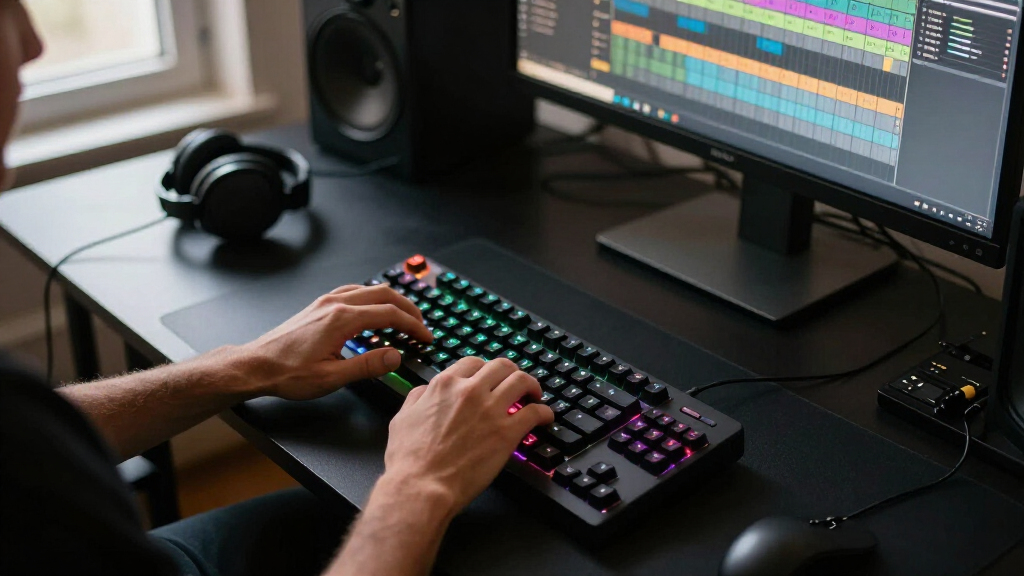

The best gaming keyboard overall in this roundup is the SteelSeries Apex Pro TKL Gen 3, a premium choice for players who want adjustable switches and a compact layout. The ASUS ROG Strix Scope II 96 Wireless stands out for fitting a near-full layout into less desk space, while the Logitech G413 SE offers a simpler wired mechanical option. The main tradeoffs are size, switch feel, connectivity, and whether advanced controls justify added complexity. Membrane and hybrid models can suit quieter or more budget-minded setups, while Hall effect and wireless options target players with more specific priorities. Read on for the full breakdown and guidance on choosing among all 15 keyboards.

Get audio and creator gear delivered free with Prime
- Fast, free delivery on millions of items
- Prime Video, Amazon Music and more included
- Member-only deals all year
Complete the kit


Key Takeaways
The SteelSeries Apex Pro TKL Gen 3 leads for adjustable performance, but its premium feature set is more than casual players may need.
The ASUS ROG Strix Scope II 96 Wireless balances a compact footprint with a fuller key layout, unlike the smaller 60% and 75% options.
Hall effect and adjustable-switch boards serve a narrower purpose: the AULA WIN68 HE and Apex Pro TKL Gen 3 stand out for input customization, not simplicity.
Wireless choices span very different priorities: the AULA F75 Pro and GravaStar Mercury K1 favor compact form, while the ASUS adds a 96% layout.
Membrane and hybrid models remain useful alternatives: the Logitech G213 and SteelSeries Apex 3 favor straightforward everyday use, while the Apex 5 blends mechanical-style feedback with hybrid switches.
| Razer BlackWidow V4 X Mechanical Gaming Keyboard with Yellow Switches |  | Best for Quiet Linear Gaming | Connectivity: Wired | Switch type: Linear Razer Yellow | Actuation: 1.2 mm; 45 g | VIEW LATEST PRICE | See Our Full Breakdown |
| Razer Ornata V3 Wired Gaming Keyboard |  | Best Low-Profile Pick | Connectivity: Wired USB | Switch type: Clicky mecha-membrane | Layout: 104-key QWERTY | VIEW LATEST PRICE | See Our Full Breakdown |
| AULA WIN68 HE 60% Wired Hall Effect Gaming Keyboard, 68-Key, RGB, Black |  | Best Compact Competitive Pick | Layout: 60%, 68-key QWERTY | Switch type: Linear Hall Effect magnetic | Actuation range: 0.02–3.44 mm | VIEW LATEST PRICE | See Our Full Breakdown |
| Redragon K580 Wired RGB Mechanical Gaming Keyboard |  | Best for Clicky Switch Customization | Connectivity: USB-C wired | Switch type: Clicky Outemu Blue | Layout: 104-key QWERTY | VIEW LATEST PRICE | See Our Full Breakdown |
| Logitech G213 Prodigy Wired RGB Gaming Keyboard, Black |  | Best Beginner-Friendly Gaming Keyboard | Connectivity: Wired | Keyboard size: Full-size | Lighting: Five customizable RGB zones with over 16.8 million colors | VIEW LATEST PRICE | See Our Full Breakdown |
| Womier SK80 75% Gasket-Mounted Mechanical Gaming Keyboard with Color Display |  | Best for Customization | Layout: 75% | Mount: Gasket-mounted | Display: Customizable color multimedia screen | VIEW LATEST PRICE | See Our Full Breakdown |
| SteelSeries Apex 5 Hybrid Mechanical Gaming Keyboard |  | Best for Tactile Feedback and Onboard Features | Switch type: Hybrid blue mechanical | Switch durability: Rated for 20 million keypresses | Lighting: Per-key RGB | VIEW LATEST PRICE | See Our Full Breakdown |
| TECKNET Wired Gaming Keyboard with RGB Backlighting |  | Best for Ergonomic Desk Setups | Connectivity: Wired | Backlighting: 15-zone rainbow RGB; 7 illumination modes and 4 brightness levels | Ergonomic design: 7-degree input angle, stepped key layout, integrated wrist rests | VIEW LATEST PRICE | See Our Full Breakdown |
| SteelSeries Apex Pro TKL Gen 3 Gaming Keyboard – Black |  | Best for Competitive Actuation Control | Connectivity: Wired USB-C | Switch type: OmniPoint 3 Hall Effect magnetic | Adjustable actuation: 40 levels, 0.1–4.0 mm | VIEW LATEST PRICE | See Our Full Breakdown |
| Logitech G413 SE Full-Size Mechanical Gaming Keyboard |  | Best for Straightforward Full-Size Mechanical Gaming | Layout: Full-size | Switches: Tactile mechanical | Keycaps: PBT | VIEW LATEST PRICE | See Our Full Breakdown |
| AULA F75 Pro 75% Wireless Mechanical Keyboard |  | Best Value Wireless Customization Pick | Layout: 75%, 81 keys, QWERTZ | Connectivity: Bluetooth 5.0, 2.4GHz wireless, USB-C | Switches: Linear LEOBOG Reaper; hot-swappable 3-pin or 5-pin | VIEW LATEST PRICE | See Our Full Breakdown |
| SteelSeries Apex 3 RGB Gaming Keyboard |  | Best Quiet Gaming Keyboard | RGB illumination: 10 zones | Water resistance: IP32 | Switches: Whisper-quiet gaming switches | VIEW LATEST PRICE | See Our Full Breakdown |
| ASUS ROG Strix Scope II 96 Wireless Mechanical Gaming Keyboard |  | Best Premium Wireless with Numpad | Layout: 96%, 96 keys | Connectivity: Bluetooth, 2.4GHz wireless, USB wired | Switches: ROG NX Snow linear, hot-swappable and pre-lubed | VIEW LATEST PRICE | See Our Full Breakdown |
| Logitech G316 X 98 Mechanical Gaming Keyboard, Linear Switches, Black |  | Best Wired Numpad Compact | Layout: 98% QWERTY | Switches: Linear, hot-swappable | Connectivity: Wired USB-A and USB-C | VIEW LATEST PRICE | See Our Full Breakdown |
| GravaStar Mercury K1 75% Wireless Mechanical Gaming Keyboard |  | Best for a Quieter, Solid-Build Compact Setup | Layout: 75%, QWERTY, 79 keys | Switches: Linear, hot-swappable | Actuation force: 40 gf | VIEW LATEST PRICE | See Our Full Breakdown |
| gaming keyboard | Connectivity | Layout | Compatibility | Switches |
|---|---|---|---|---|
| Razer BlackWidow V4 X Mechanic | Wired | 104-key QWERTY | — | — |
| Razer Ornata V3 Wired Gaming K | Wired USB | 104-key QWERTY | Windows | — |
| AULA WIN68 HE 60% Wired Hall E | Wired USB-C, detachable cable | 60%, 68-key QWERTY | Windows, PC, laptop, gaming console | Hot-swappable |
| Redragon K580 Wired RGB Mechan | USB-C wired | 104-key QWERTY | Linux, macOS, Windows | Hot-swappable |
| Logitech G213 Prodigy Wired RG | Wired | — | — | — |
| Womier SK80 75% Gasket-Mounted | — | 75% | Windows and Mac | Pre-lubed linear switches |
| SteelSeries Apex 5 Hybrid Mech | — | — | — | — |
| TECKNET Wired Gaming Keyboard | Wired | — | — | — |
| SteelSeries Apex Pro TKL Gen 3 | Wired USB-C | Tenkeyless QWERTY, 84 keys | Windows | — |
| Logitech G413 SE Full-Size Mec | Wired | Full-size | — | Tactile mechanical |
| AULA F75 Pro 75% Wireless Mech | Bluetooth 5.0, 2.4GHz wireless, USB-C | 75%, 81 keys, QWERTZ | Gaming consoles, laptops, PCs, smartphones, and tablets | Linear LEOBOG Reaper; hot-swappable 3-pin or 5-pin |
| SteelSeries Apex 3 RGB Gaming | — | — | Windows, Mac OS X, Xbox Series S and X, PS4, and PS5 | Whisper-quiet gaming switches |
| ASUS ROG Strix Scope II 96 Wir | Bluetooth, 2.4GHz wireless, USB wired | 96%, 96 keys | PC and Mac | ROG NX Snow linear, hot-swappable and pre-lubed |
| Logitech G316 X 98 Mechanical | Wired USB-A and USB-C | 98% QWERTY | — | Linear, hot-swappable |
| GravaStar Mercury K1 75% Wirel | USB-C, Bluetooth 5.0, 2.4GHz wireless | 75%, QWERTY, 79 keys | Windows and Mac | Linear, hot-swappable |
More Details on Our Top Picks
Razer BlackWidow V4 X Mechanical Gaming Keyboard with Yellow Switches
The BlackWidow V4 X suits players who want full-size mechanical controls without the loud clicks of the Redragon K580’s Blue switches. Its linear Yellow switches actuate at 1.2 mm with 45 g of force, while built-in sound dampeners help keep keypresses quieter. Six programmable macro keys add room for game commands, and the media controls and multifunction roller make volume adjustments easy without leaving a match. Per-key Chroma RGB gives more detailed lighting control than the Ornata V3’s 10-zone setup. The tradeoff is a wired-only connection and no water resistance, so it is less forgiving around drinks than the spill-repelling Logitech G213. I’d choose it for quiet, responsive play and macro flexibility, not for wireless freedom or spill protection.
Pros:- Quiet linear Yellow switches with built-in sound dampeners
- Six programmable macro keys for game commands
- Per-key Chroma RGB lighting offers detailed customization
- Media controls and multifunction roller provide quick adjustments
Cons:- Wired connection limits desk placement and portability
- Not water resistant
- Requires a full-size footprint
Best for: Players who want a full-size keyboard with quiet linear mechanical switches, per-key RGB, and dedicated programmable macro keys.
Not ideal for: Buyers who need wireless use or want protection against accidental spills; this keyboard is wired and not water resistant.
- Connectivity:Wired
- Switch type:Linear Razer Yellow
- Actuation:1.2 mm; 45 g
- Layout:104-key QWERTY
- Macro keys:6 programmable keys
- Lighting:Per-key Chroma RGB
- Keycaps:Doubleshot ABS
- Water resistance:Not water resistant
Our verdict“Choose the BlackWidow V4 X if quiet linear mechanical switches and six macro keys matter more than wireless use or spill protection.”
Razer Ornata V3 Wired Gaming Keyboard
The Ornata V3 is the low-profile choice for players who prefer a flatter typing position and a distinct click without a fully mechanical switch. Its clicky mecha-membrane keys give more audible feedback than the quiet BlackWidow V4 X, while the included magnetic soft-touch wrist rest adds support without requiring a separate accessory. Dedicated backlit media keys are easier to reach than relying on secondary functions, though lighting is arranged in 10 zones rather than individually customizable keys. That makes the Ornata a simpler fit for buyers who want visible RGB without fine-grained lighting setup. It is wired, and the listed operating-system compatibility is Windows only, unlike the Redragon K580’s stated support for Windows, macOS, and Linux. I’d skip it for quiet shared spaces or if you need confirmed Mac support.
Pros:- Low-profile design supports a flatter hand position
- Magnetic soft-touch wrist rest is included
- Dedicated backlit media keys are easy to access
- Clicky mecha-membrane switches provide audible feedback
Cons:- Wired USB connection offers no wireless flexibility
- Windows is the only specified compatible operating system
- 10-zone lighting is less granular than the BlackWidow V4 X’s per-key RGB
Best for: Windows players who want a low-profile keyboard, audible key feedback, dedicated media keys, and an included wrist rest.
Not ideal for: Mac users or people gaming in quiet shared spaces, since compatibility is specified for Windows and the switches are clicky.
- Connectivity:Wired USB
- Switch type:Clicky mecha-membrane
- Layout:104-key QWERTY
- Lighting:10-zone RGB
- Keycaps:UV-coated
- Media keys:Dedicated, backlit
- Wrist rest:Magnetic soft-touch
- Dimensions:17.46 × 5.68 × 1.23 inches
- Compatibility:Windows
Our verdict“Pick the Ornata V3 for a low-profile Windows setup with clicky feedback and an included wrist rest, but avoid it if quiet typing or Mac compatibility is a priority.”
AULA WIN68 HE 60% Wired Hall Effect Gaming Keyboard, 68-Key, RGB, Black
The AULA WIN68 HE is the most specialized gaming choice here: its compact 68-key layout saves desk space, and unlike a conventional fixed-actuation board, its Hall Effect switches adjust from 0.02 to 3.44 mm. That lets players tune key response to suit fast inputs or reduce accidental presses. The stated 8,000 Hz polling rate and 0.3 ms latency also target competitive play, while retained arrow keys make it more practical than an especially stripped-down layout. Compared with the full-size BlackWidow V4 X, it gives up dedicated macro keys and a number pad for roomier mouse movement. Its Windows web driver is a meaningful limitation for setup, and function-key combinations add friction for commands that have dedicated keys on the Redragon K580. Choose it for compact, adjustable play—not plug-and-play simplicity.
Pros:- Adjustable Hall Effect actuation supports different input preferences
- 68-key layout retains arrow keys while saving desk space
- 8,000 Hz polling rate and stated 0.3 ms latency target responsive play
- Detachable USB-C cable and hot-swappable switches
Cons:- Windows-only web driver limits configuration on other systems
- Function-key combinations replace some dedicated commands
- No number pad or dedicated macro-key bank
Best for: Competitive players with limited desk space who want adjustable actuation, a high polling rate, and arrow keys in a compact layout.
Not ideal for: Buyers who need a number pad, dedicated macro keys, or configuration tools for a non-Windows computer.
- Layout:60%, 68-key QWERTY
- Switch type:Linear Hall Effect magnetic
- Actuation range:0.02–3.44 mm
- Polling rate:8,000 Hz
- Latency:0.3 ms
- Connectivity:Wired USB-C, detachable cable
- Lighting:RGB, 16.8 million colors, 14 preset effects
- Switches:Hot-swappable
- Compatibility:Windows, PC, laptop, gaming console
Our verdict“Choose the WIN68 HE for adjustable Hall Effect inputs in a space-saving layout, provided you are comfortable configuring it through a Windows web driver.”
Redragon K580 Wired RGB Mechanical Gaming Keyboard
The Redragon K580 combines a full-size layout with practical gaming controls, making it a strong fit for players who want macros and media adjustments close at hand. Its five onboard macro keys can handle everyday assignments without software, while the dedicated controls and volume roller are more direct than the Ornata V3’s media-key approach. The hot-swappable Outemu Blue switches let owners change switches without soldering, a useful path to a different feel that the BlackWidow V4 X does not offer. The main compromise is noise: Blue switches are audibly clicky, unlike the dampened linear Razer. Advanced RGB effects and macro profiles also rely on companion software, even though basic onboard macros do not. I’d pick it for hands-on customization, but not for quiet rooms.
Pros:- Five onboard macro keys work without software for everyday use
- Outemu Blue switches are hot-swappable without soldering
- Dedicated media controls and volume roller
- Double-shot keycaps are rated for 50 million keystrokes
Cons:- Blue switches are audibly clicky
- Advanced RGB effects and macro profiles require companion software
- Full-size footprint takes more desk space than the AULA WIN68 HE
Best for: Full-size keyboard buyers who want clicky mechanical feedback, onboard macros, dedicated media controls, and the option to swap switches.
Not ideal for: Players in shared or quiet spaces, or anyone seeking quiet linear keys like the BlackWidow V4 X.
- Connectivity:USB-C wired
- Switch type:Clicky Outemu Blue
- Layout:104-key QWERTY
- Switches:Hot-swappable
- Macro keys:5 onboard keys (G1–G5)
- Media controls:Dedicated controls and volume roller
- Backlighting:RGB
- Compatibility:Linux, macOS, Windows
- Water resistance:Water resistant
Our verdict“Choose the K580 if you want clicky keys, accessible controls, and solder-free switch changes, but skip it if keyboard noise is a concern.”
Logitech G213 Prodigy Wired RGB Gaming Keyboard, Black
The Logitech G213 Prodigy makes sense for players who want familiar full-size controls and gaming-focused features without stepping up to a mechanical switch model. Its anti-ghosting gaming matrix helps register multiple simultaneous inputs, while the integrated palm rest and adjustable feet support longer sessions. Five RGB lighting zones offer customization, but not the per-key control found on the BlackWidow V4 X; that is a sensible trade for buyers who prefer a straightforward setup over detailed lighting edits. Dedicated media controls are convenient, and the construction is designed to repel spills, crumbs, and dirt—a practical advantage over the non-water-resistant BlackWidow. The G213 remains wired and full-size, so it will occupy more desk space than the compact AULA WIN68 HE. I’d choose it as an accessible everyday gaming board, not for mechanical-switch enthusiasts.
Pros:- Anti-ghosting gaming matrix supports simultaneous key presses
- Integrated palm rest and adjustable feet support different desk positions
- Dedicated media controls provide quick access
- Construction is designed to repel spills, crumbs, and dirt
Cons:- Wired connection limits placement flexibility
- Full-size layout uses more desk space than the AULA WIN68 HE
- Five lighting zones offer less precise control than per-key RGB boards
Best for: Newer PC gamers who want a full-size layout, anti-ghosting, a palm rest, and practical spill resistance in a straightforward wired keyboard.
Not ideal for: Players seeking mechanical switches, per-key RGB customization, or a compact keyboard that leaves more room for a mouse.
- Connectivity:Wired
- Keyboard size:Full-size
- Lighting:Five customizable RGB zones with over 16.8 million colors
- Gaming feature:Anti-ghosting gaming matrix
- Media controls:Dedicated
- Comfort features:Integrated palm rest and adjustable feet
- Software:Logitech G HUB
Our verdict“The G213 is a practical first gaming keyboard for buyers who value familiar full-size controls, comfort features, and spill-repelling construction over mechanical switches.”
Womier SK80 75% Gasket-Mounted Mechanical Gaming Keyboard with Color Display
The Womier SK80 is a strong fit for players who want a compact keyboard they can personalize, rather than a straightforward full-size board. Its 75% layout saves desk space while retaining more keys than a 60% design, and the gasket mount, EVA layers, and pre-lubed linear switches aim for a softer, smoother feel. The customizable screen adds a distinctive place for settings or GIFs, while hot-swap sockets let switch enthusiasts change compatible 3-pin or 5-pin switches without replacing the keyboard. Compared with the Logitech G413 SE, the SK80 offers more lighting and switch customization but gives up a full-size layout and tactile switches. Its display and software-led controls add flexibility, though they may be unnecessary if you prefer simple setup or do not want to configure settings in software.
Pros:- Gasket mount, EVA layers, and pre-lubed linear switches are designed for a softer, smoother key feel.
- Hot-swap sockets support compatible 3-pin and 5-pin switches.
- Customizable color display can show keyboard settings or GIFs.
- RGB lighting offers multiple effects, colors, and adjustable brightness and speed.
Cons:- The 75% layout may omit keys that full-size keyboard users rely on.
- Advanced display and lighting customization requires software.
- Wired USB-C connection offers less placement flexibility than wireless options in the roundup.
Best for: PC gamers who want a compact mechanical board with hot-swappable switches, a soft typing feel, and a customizable screen.
Not ideal for: Players who rely on a full number pad or dedicated keys omitted from many 75% layouts, or who prefer plug-and-play controls over software customization.
- Layout:75%
- Mount:Gasket-mounted
- Display:Customizable color multimedia screen
- Switches:Pre-lubed linear switches
- Hot-swap support:Compatible with 3-pin and 5-pin switches
- Backlighting:19 effects and 9 colors; adjustable brightness and speed
- Connection:Detachable USB-C
- Compatibility:Windows and Mac
Our verdict“Choose the SK80 if compact size and hands-on switch and display customization matter more to you than a full-size layout or wireless play.”
SteelSeries Apex 5 Hybrid Mechanical Gaming Keyboard
The SteelSeries Apex 5 pairs a tactile, clicky hybrid switch feel with a long list of built-in conveniences. Its customizable OLED smart display and per-key RGB let you tailor the keyboard’s look and on-board information, while the aluminum-alloy frame and magnetic wrist rest give it a substantial, supported setup. The hybrid switches combine a tactile click with smooth membrane action, a different proposition from the fully mechanical tactile switches on the Logitech G413 SE. The Apex 5 also offers more visual customization and a display, but its listed dimensions make it a large desk presence compared with compact picks such as the Womier SK80. It makes the most sense for players who want a full-featured wired board and wrist support; skip it if desk space is tight or you want a quieter, less click-focused key feel.
Pros:- Hybrid blue switches provide tactile, clicky feedback with smooth membrane action.
- Customizable OLED display adds an onboard information and personalization feature.
- Per-key RGB lighting supports reactive effects.
- Aircraft-grade aluminum-alloy frame and magnetic wrist rest provide a sturdy, supported setup.
Cons:- Large listed dimensions require substantial desk space.
- Clicky tactile feedback may not suit quiet rooms or users who prefer linear switches.
- Hybrid switch design differs from the fully mechanical switches on the G413 SE.
Best for: Desktop gamers who want tactile, clicky feedback, per-key lighting, a customizable display, and an included wrist rest.
Not ideal for: Small-desk users or players who need a compact keyboard, and those who want quieter switches or fully mechanical switch construction.
- Switch type:Hybrid blue mechanical
- Switch durability:Rated for 20 million keypresses
- Lighting:Per-key RGB
- Display:Customizable OLED smart display
- Frame material:Aircraft-grade aluminum alloy
- Wrist rest:Magnetic
- Dimensions:900 × 300 × 4 mm (35.43 × 11.81 inches)
Our verdict“Pick the Apex 5 if you want a large, feature-rich wired keyboard with clicky hybrid switches and wrist support.”
TECKNET Wired Gaming Keyboard with RGB Backlighting
The TECKNET Wired Gaming Keyboard puts comfort and practical spill resistance ahead of mechanical-switch customization. Its integrated wrist rests, 7-degree typing angle, and stepped key layout give it a more supported setup than the Logitech G413 SE, which has no wrist rest listed. Quiet switches and IP32 spill resistance also suit shared rooms or everyday desks where a drink mishap is a concern. For gaming, 25-key anti-ghosting supports more simultaneous inputs than the G413 SE’s six-key rollover, though the TECKNET does not offer the same mechanical-switch feel or PBT keycaps. Its 15-zone rainbow lighting is less individually customizable than the per-key RGB on the SteelSeries Apex 5. Mac users should also note that its 12 multimedia keys are not compatible with Mac, and the backlight sleeps after inactivity.
Pros:- Integrated wrist rests, a 7-degree angle, and stepped key layout support a more ergonomic setup.
- Quiet switches are rated for 50 million keystrokes.
- IP32 spill resistance and drainage holes add protection against minor spills.
- 25-key anti-ghosting supports multiple simultaneous inputs.
Cons:- The 12 multimedia keys are not compatible with Mac.
- Backlighting enters sleep mode after 30 minutes of inactivity.
- 15-zone rainbow lighting offers less per-key control than the Apex 5’s lighting.
Best for: PC gamers who want a quiet wired keyboard with built-in wrist support, spill resistance, and broad simultaneous-key input.
Not ideal for: Mac users who depend on dedicated multimedia keys, or mechanical-keyboard fans who want tactile switches and per-key RGB customization.
- Connectivity:Wired
- Backlighting:15-zone rainbow RGB; 7 illumination modes and 4 brightness levels
- Ergonomic design:7-degree input angle, stepped key layout, integrated wrist rests
- Construction:ABS plastic keycaps and metal base
- Switch lifespan:Rated for 50 million keystrokes
- Spill resistance:IP32
- Anti-ghosting:25 keys
- Multimedia keys:12; not compatible with Mac
Our verdict“Choose TECKNET for a quiet, wrist-supported gaming setup with spill protection, but look elsewhere for mechanical switches or Mac multimedia controls.”
SteelSeries Apex Pro TKL Gen 3 Gaming Keyboard – Black
The SteelSeries Apex Pro TKL Gen 3 is the most gameplay-focused pick here for players who want to tune how quickly keys register. Its OmniPoint 3 Hall Effect switches offer 40 actuation levels from 0.1 to 4.0 mm, so players can set a light response for fast inputs or a deeper press to reduce accidental activation. Rapid Trigger and Rapid Tap add further input control, features that set it apart from the fixed tactile switches on the Logitech G413 SE and hybrid switches on the Apex 5. The tenkeyless layout frees desk space compared with full-size boards, while the OLED display and onboard profiles make adjustments accessible without leaving a game. The tradeoffs are wired-only connectivity and listed Windows-only compatibility, which limit its fit for console or Mac setups.
Pros:- Hall Effect switches provide 40 adjustable actuation levels from 0.1 to 4.0 mm.
- Rapid Trigger and Rapid Tap support responsive input adjustments for gameplay.
- OLED display and onboard profiles allow settings changes without leaving a game.
- Double-shot PBT keycaps and sound-dampening foam support durability and quieter typing.
Cons:- Wired USB-C connectivity only.
- Windows is the only compatible operating system family listed.
- The extensive actuation controls may be unnecessary for players who want a straightforward keyboard.
Best for: Competitive Windows PC players who want adjustable key actuation, rapid input features, and a tenkeyless layout.
Not ideal for: Mac users, players seeking wireless connectivity, or buyers who prefer a simple fixed-switch keyboard without extensive tuning.
- Connectivity:Wired USB-C
- Switch type:OmniPoint 3 Hall Effect magnetic
- Adjustable actuation:40 levels, 0.1–4.0 mm
- Bottom-out force:45 g
- Layout:Tenkeyless QWERTY, 84 keys
- Backlighting:Per-key RGB
- Keycaps:Double-shot PBT
- Display:OLED Smart Display
- Compatibility:Windows
Our verdict“Choose the Apex Pro TKL Gen 3 if adjustable Hall Effect actuation and competitive input control justify its wired, Windows-focused setup.”
Logitech G413 SE Full-Size Mechanical Gaming Keyboard
The Logitech G413 SE is the no-frills choice for players who want a conventional full-size mechanical keyboard without a screen or elaborate lighting system. Its tactile mechanical switches and PBT keycaps provide a more traditional mechanical setup than the hybrid design of the SteelSeries Apex 5, while the brushed aluminum-magnesium top case adds a sturdy surface. White LED backlighting keeps visibility simple rather than offering the per-key color effects found on the Apex 5 or the customizable RGB of the Womier SK80. Six-key rollover covers common multi-key gaming inputs, but it is more limited than the TECKNET keyboard’s 25-key anti-ghosting. This model is a sensible fit for players who value familiar keys and durable keycaps over advanced customization; its full-size footprint is the main desk-space tradeoff.
Pros:- Tactile mechanical switches provide a clear physical response.
- PBT keycaps are designed to resist heat and wear.
- Brushed aluminum-magnesium alloy top case offers a sturdy construction.
- Twelve function keys provide media controls and lighting controls.
Cons:- Full-size layout takes more desk space than a tenkeyless keyboard.
- White LED backlighting lacks the RGB customization available on the Apex 5 and Womier SK80.
- Six-key rollover is lower than the TECKNET keyboard’s 25-key anti-ghosting.
Best for: PC gamers who want a straightforward full-size mechanical keyboard with tactile switches, durable PBT keycaps, and basic backlighting.
Not ideal for: Players with limited desk space or those who want per-key RGB, a display, extensive switch customization, or higher listed anti-ghosting capacity.
- Layout:Full-size
- Switches:Tactile mechanical
- Keycaps:PBT
- Connectivity:Wired
- Backlighting:White LED
- Anti-ghosting:6-key rollover
- Top case:Brushed aluminum-magnesium alloy
- Media controls:12 function keys
Our verdict“Pick the G413 SE if you want a durable, full-size mechanical board with tactile switches and can do without advanced lighting or compact dimensions.”
AULA F75 Pro 75% Wireless Mechanical Keyboard
The AULA F75 Pro brings the features that matter to a flexible gaming setup into a compact 75% layout: arrow keys stay onboard, while Bluetooth, 2.4GHz, and USB-C give you three ways to connect. Its support for up to five devices makes it more adaptable than the wired Logitech G316 X 98, though the G316 keeps a numpad for number-heavy games and tasks. Hot-swappable switches let owners change the feel later without soldering, and the knob offers quick control without reaching for software. The tradeoff is its QWERTZ layout, which may be awkward for buyers accustomed to QWERTY, and the supplied information gives no battery-life estimate. Pick it for wireless flexibility and tinkering, not a guaranteed familiar layout or quantified endurance.
Pros:- Bluetooth, 2.4GHz, and USB-C connectivity support wireless and wired play.
- Tri-mode connection supports up to five devices.
- Hot-swappable switches allow customization without soldering.
- Compact 75% layout retains arrow keys and adds a multi-function knob.
Cons:- QWERTZ layout can require adjustment for users accustomed to QWERTY.
- Battery life is not specified, making wireless runtime harder to judge.
Best for: PC and laptop gamers who want a compact keyboard for several devices and plan to experiment with different mechanical switches.
Not ideal for: QWERTY typists who want their usual key positions, or wireless players who need a stated battery-life estimate before buying.
- Layout:75%, 81 keys, QWERTZ
- Connectivity:Bluetooth 5.0, 2.4GHz wireless, USB-C
- Switches:Linear LEOBOG Reaper; hot-swappable 3-pin or 5-pin
- Battery:4000mAh rechargeable
- Backlighting:RGB, 16.8 million colors
- Keycaps:Side-printed PBT
- Features:Multi-function knob, programmable keys, N-key rollover
- Compatibility:Gaming consoles, laptops, PCs, smartphones, and tablets
Our verdict“Choose the F75 Pro for a customizable, multi-device gaming keyboard if its QWERTZ layout suits your typing habits.”
SteelSeries Apex 3 RGB Gaming Keyboard
The SteelSeries Apex 3 is the straightforward choice here for gamers who want subdued keystrokes rather than the sharper mechanical feel of the AULA F75 Pro or ASUS ROG Strix Scope II 96. Its whisper-quiet switches suit shared rooms and late sessions, while the magnetic wrist rest and dedicated media controls make everyday use more comfortable and convenient. Ten-zone RGB adds visual customization, though it is less granular than the per-key lighting on the ASUS. IP32 water resistance offers limited protection against accidental spills; it is not a reason to treat the board as waterproof. The bigger compromise is connectivity: no wireless option is listed, so this pick is best for a fixed desk and players who value quiet operation over switch swapping or mechanical customization.
Pros:- Whisper-quiet switches suit shared spaces and late-night gaming.
- Magnetic full-palm wrist rest adds support for longer sessions.
- Dedicated multimedia controls provide quick access to playback and volume.
- Compatible with Windows, Mac, Xbox Series S and X, PS4, and PS5.
Cons:- No wireless connectivity is specified.
- IP32 protection is limited and does not make the keyboard waterproof.
Best for: Gamers sharing a room or playing late who prefer quiet keypresses, palm support, and broad PC-and-console compatibility.
Not ideal for: Players who want wireless freedom, hot-swappable mechanical switches, or individually customizable key lighting.
- RGB illumination:10 zones
- Water resistance:IP32
- Switches:Whisper-quiet gaming switches
- Switch lifespan:Rated for 20 million keypresses
- Wrist rest:Magnetic, full-palm support
- Controls:Dedicated multimedia controls
- Compatibility:Windows, Mac OS X, Xbox Series S and X, PS4, and PS5
Our verdict“Choose the Apex 3 for quiet, comfortable gaming at a fixed setup, rather than wireless or switch-customization features.”
ASUS ROG Strix Scope II 96 Wireless Mechanical Gaming Keyboard
The ASUS ROG Strix Scope II 96 suits gamers who need a number pad but do not want a full-size footprint: its 96-key arrangement packs that functionality into a smaller layout than a conventional board. It also gives more room for game and work use than the 75% GravaStar Mercury K1, while retaining Bluetooth, 2.4GHz, and wired connections. Pre-lubed, hot-swappable linear switches, sound-dampening materials, and a detachable wrist rest make this the more feature-rich comfort pick in this group. ASUS lists up to 1,500 hours in 2.4GHz mode, but that figure applies to one connection mode. The keyboard is not water resistant, and buyers wanting a simpler, lighter compact board may find its extensive controls and included accessories unnecessary.
Pros:- 96% layout keeps a number pad while using less space than a full-size arrangement.
- Bluetooth, 2.4GHz wireless, and USB wired connections suit different setups.
- Hot-swappable, pre-lubed linear switches support tuning and future replacement.
- Sound-dampening materials and a detachable wrist rest add comfort-focused features.
Cons:- Not water resistant.
- The listed battery life applies to 2.4GHz wireless mode, not every connection type.
Best for: Gamers and hybrid PC users who need a numpad, want multiple connection modes, and prefer a compact footprint over a full-size board.
Not ideal for: Players seeking spill protection or a minimalist 75% keyboard with fewer keys and accessories.
- Layout:96%, 96 keys
- Connectivity:Bluetooth, 2.4GHz wireless, USB wired
- Switches:ROG NX Snow linear, hot-swappable and pre-lubed
- Backlighting:Per-key RGB
- Battery life:Up to 1,500 hours in 2.4GHz wireless mode
- Compatibility:PC and Mac
- Dimensions:14.84 × 5.16 × 1.57 in
- Included accessories:Detachable wrist rest, keycap and switch puller, wireless receiver, USB extender, spacebar keycap, USB cable, and sticker
Our verdict“Choose the Scope II 96 if you want a compact wireless mechanical board without giving up the numpad.”
Logitech G316 X 98 Mechanical Gaming Keyboard, Linear Switches, Black
The Logitech G316 X 98 is for players who want a numpad and compact arrangement but do not need wireless. Its 98% layout preserves number-entry keys in a body listed at 15.12 inches long, while the ASUS ROG Strix Scope II 96 offers a similar compact-with-numpad idea with three connection modes and a wrist rest. Logitech instead emphasizes a wired connection, hot-swappable linear switches, and an 8 kHz report rate; the latter is a specification-led choice for players focused on input reporting, not a reason by itself to expect better play. The dot-matrix display and dial put settings and media controls on the board, but software customization requires G HUB. Skip this one if a cable-free setup matters or you prefer software-independent customization.
Pros:- 98% layout retains a numpad in a compact form.
- Hot-swappable linear switches allow switch changes without soldering.
- Double-shot PBT keycaps and customizable LIGHTSYNC RGB add durable, configurable details.
- Onboard display and dial provide direct access to settings and media.
Cons:- Wired USB-A and USB-C connectivity does not offer a wireless mode.
- Software customization requires G HUB.
Best for: Competitive PC gamers and frequent number-entry users who want a wired compact keyboard with a numpad and onboard controls.
Not ideal for: Wireless-first players or buyers who do not want Logitech G HUB for software customization.
- Layout:98% QWERTY
- Switches:Linear, hot-swappable
- Connectivity:Wired USB-A and USB-C
- Report rate:8 kHz
- Backlighting:LIGHTSYNC RGB
- Keycaps:Double-shot PBT
- Display and controls:Dot-matrix LED display and dial
- Dimensions:15.12 × 5.51 × 1.57 in
Our verdict“Pick the G316 X 98 for wired gaming with a numpad and onboard controls, but not for a cable-free desk.”
GravaStar Mercury K1 75% Wireless Mechanical Gaming Keyboard
The GravaStar Mercury K1 puts its emphasis on construction and a more controlled typing sound: an aluminum alloy frame, gasket mount, polycarbonate plate, and five foam layers distinguish it from the more feature-and-numpad-focused ASUS ROG Strix Scope II 96. Its 75% layout keeps the arrow keys while freeing desk space, and Bluetooth, 2.4GHz, and USB-C let it move between wireless and wired play. Linear switches are hot-swappable, with a listed 40 gf actuation force and 1.5 mm pre-travel for a light, quick-feeling keypress. That compactness means fewer keys than a numpad-equipped board, and the keyboard has no water resistance. Choose it for a compact, sound-conscious build, not if spill protection or dedicated number entry is a priority.
Pros:- Bluetooth 5.0, 2.4GHz wireless, and USB-C provide three connection options.
- Aluminum frame, gasket mount, polycarbonate plate, and layered foam support a damped typing sound.
- Hot-swappable linear switches allow later customization.
- Compact 75% layout retains arrow keys and offers customizable RGB lighting.
Cons:- No water resistance is listed.
- The 75% layout omits a numpad and has fewer keys than larger alternatives.
Best for: PC and Mac gamers who want a compact wireless mechanical keyboard with a substantial frame and sound-dampening construction.
Not ideal for: Numpad users or players whose setup needs water resistance or a full-size key selection.
- Layout:75%, QWERTY, 79 keys
- Switches:Linear, hot-swappable
- Actuation force:40 gf
- Travel:1.5 mm pre-travel, 3.5 mm total travel
- Connectivity:USB-C, Bluetooth 5.0, 2.4GHz wireless
- Construction:Aluminum alloy frame, polycarbonate plate, gasket mount, five layers of sound-dampening foam
- Backlighting:RGB, 16.8 million colors, 13 modes
- Compatibility:Windows and Mac
- Weight and water resistance:1.06 kg; not water resistant
Our verdict“Choose the Mercury K1 for a compact, wireless board with sound-dampening construction, provided you can do without a numpad.”
How We Picked
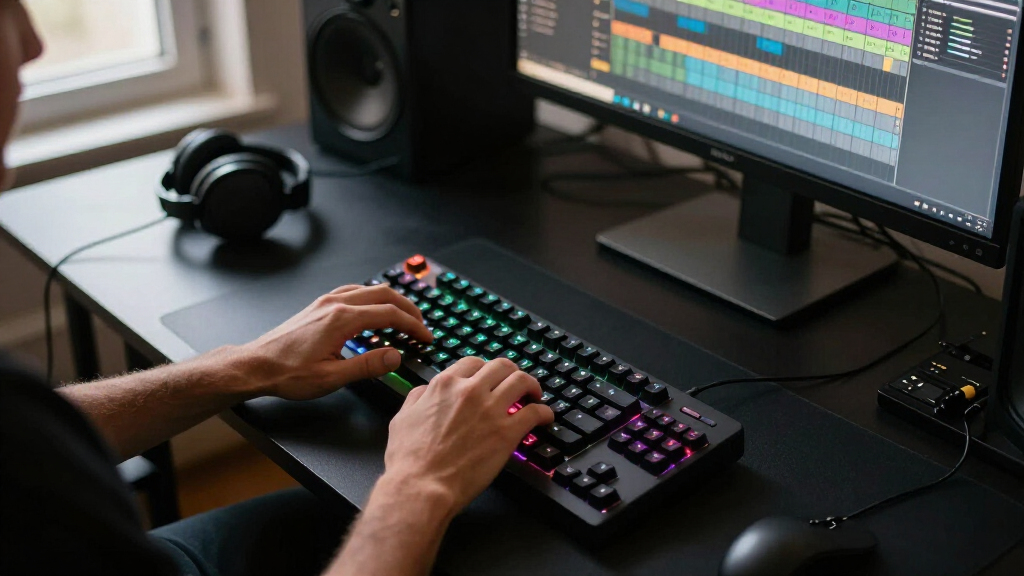
I ranked these keyboards around the needs that shape real gaming setups: input feel, layout, connection type, usability, and the usefulness of gaming-focused features. I gave more weight to choices that make a clear case for their intended buyer than to long feature lists alone. Mechanical, membrane, hybrid, and Hall effect designs each offer different compromises, so the ranking reflects fit and flexibility rather than treating one switch type as right for everyone.
The Apex Pro TKL Gen 3 leads for players who value adjustability and a space-saving layout, while the ASUS ROG Strix Scope II 96 Wireless earns a distinct place for combining wireless play with more keys. The middle of the lineup includes practical wired mechanical options and compact boards; simpler membrane models rank lower for players seeking precise mechanical feedback, but can still suit approachable everyday use. I also weighed drawbacks such as reduced key count, wired-only connectivity, and features that may add complexity without helping every player.
Factors to Consider When Choosing Best Gaming Keyboards
Picking among the best gaming keyboards starts with how you play and what your desk can accommodate. These broader checks can help prevent a mismatch that product features alone may not reveal.
Choose a Layout Around Your Actual Key Use
A smaller layout can free room for wide mouse movements, but it may remove dedicated navigation or function keys. Before choosing 60%, 68%, or 75%, list the keys you use outside games, including shortcuts for work or school. A 96% board keeps many full-size functions while reducing the gap between key clusters, but its arrangement can take time to learn. Full-size keyboards suit people who regularly use a number pad and do not need extra mouse space. Avoid buying compact solely because it looks tidy if you rely on keys that are missing or layered behind shortcuts.
Match Switch Behavior to the Games You Play
Linear switches tend to have a smooth press, while tactile or clicky designs provide more feedback that some typists prefer. Hall effect and adjustable actuation can offer finer input control, but those features matter less if you play casually or prefer a conventional key feel. A keyboard advertised for gaming is not automatically faster in a way you will notice; layout familiarity and reliable key response also shape play. If possible, compare switch types in person, since sound and resistance are personal preferences. Think about shared rooms too: a louder board may be distracting even if its feel suits you.
Decide Whether Wireless Is Worth the Extra Planning
Wireless can reduce cable clutter and make a keyboard easier to move between devices, while wired models avoid charging routines. Check the connection options and compatibility you need rather than assuming every wireless keyboard supports the same devices or modes. Battery life and charging access matter if you play long sessions away from a convenient port. A detachable or easy-to-route cable can also make a wired setup neater without adding battery management. Choose based on your desk and habits, not on connectivity as a feature to collect.
Settle on the Right Balance of Gaming and Everyday Features
Dedicated controls, RGB lighting, display panels, and software customization can make a board more convenient, but they do not all improve gameplay. Ask which tasks you will actually use: changing volume, controlling media, adjusting key behavior, or setting lighting profiles. Extra software can bring setup steps and background utilities, so a simpler board may be easier to live with. If you share the keyboard between gaming and typing, prioritize a layout and switch feel you can use comfortably for both. Pay for specialized controls only when they solve a repeated annoyance.
Think About Noise, Maintenance, and Long-Term Fit
Key sound depends on switches, construction, and the room around the keyboard, so a single label rarely predicts how loud it will feel at home. If noise matters, seek a quieter switch design and check whether the board’s construction supports your preference; do not assume RGB or a gaming label says anything about acoustics. Dust and debris are easier to manage when the key area is accessible, and removable keycaps can simplify cleaning when supported. Also check whether the keyboard’s size leaves room for your mouse, microphone, and other desk gear. A comfortable daily fit can matter more over time than a feature you rarely adjust.
Pay More for a Specific Benefit, Not a Longer Feature List
Premium boards make the most sense when a feature changes your routine, such as adjustable input, wireless flexibility, or a useful layout that saves desk space. A basic wired mechanical model may be a better match if you simply want physical switches and familiar keys. Beginners can avoid unnecessary setup by starting with a straightforward design and learning which features they miss. Do not treat more customization as automatically better: it can add software steps and choices without improving comfort. Compare the benefit you expect with the compromises in layout, connection, and complexity.
Frequently Asked Questions
Is a Hall effect keyboard worth choosing for ordinary gaming?
It can be worthwhile if you want adjustable input behavior and expect to tune settings for particular games. For general play, a conventional mechanical keyboard may already provide the feel and responsiveness you want with fewer settings to manage. The AULA WIN68 HE is the specialized option here, while the Apex Pro TKL Gen 3 offers adjustable switches in a different layout and product tier. Consider whether you will actively use the customization rather than buying it just because it is available. If not, prioritize a comfortable layout and switch feel.
Should I choose a compact keyboard if I use a number pad?
Not if you regularly enter numbers or depend on the number pad for work. Compact layouts reclaim desk space, but a separate keypad can add clutter and may not match the convenience of an integrated one. The ASUS ROG Strix Scope II 96 Wireless offers a way to keep more keys in a narrower layout, while full-size options such as the Redragon K580 retain a conventional footprint. Check the exact key arrangement, since compact boards can preserve many functions through layers rather than dedicated keys. Try to match the layout to your daily tasks, not just your gaming setup.
Are membrane gaming keyboards a poor choice?
No. Membrane models such as the Logitech G213 and SteelSeries Apex 3 can suit buyers who want a simpler gaming keyboard and do not require a mechanical switch feel. They may be less appealing to someone specifically seeking distinct mechanical feedback or extensive switch customization. Consider typing comfort, noise, and how the keyboard will be used outside games before ruling them out. A straightforward board can be a better fit than a feature-heavy model if it matches your habits. The right choice depends on the experience you want, not the category label alone.
Does wireless connectivity make a gaming keyboard less suitable for play?
Wireless is not automatically a drawback, but its value depends on the keyboard’s supported connection modes and your setup. A wireless model can reduce desk clutter or serve multiple devices, while a wired board avoids charging and keeps the connection simple. The ASUS ROG Strix Scope II 96 Wireless, AULA F75 Pro, and GravaStar Mercury K1 each pair wireless connectivity with different layouts and design priorities. Check compatibility, charging needs, and how you plan to connect before deciding. If you prefer not to manage a battery, wired models remain a practical choice.
What should a first-time gaming keyboard buyer prioritize?
Start with a layout you can use comfortably, a switch feel that suits both gaming and typing, and a connection method that fits your desk. Beginners rarely need advanced actuation controls before they know what they want from a keyboard. The Logitech G213 and SteelSeries Apex 3 offer simpler membrane-style choices, while the Logitech G413 SE provides a more direct mechanical route. Pay attention to key count and sound, since these affect everyday comfort more than a long list of lighting effects. Choose a board that solves your immediate needs and leaves room to learn your preferences.
Conclusion
For best overall performance and adjustability, I recommend the SteelSeries Apex Pro TKL Gen 3, particularly for players who will make use of its switch controls. The best premium layout choice is the ASUS ROG Strix Scope II 96 Wireless for buyers who want wireless freedom without giving up as many keys. For a straightforward mechanical pick, the Logitech G413 SE is the better value-minded direction; beginners who prefer a simpler membrane design can look to the Logitech G213 or SteelSeries Apex 3. For specific needs, choose the AULA WIN68 HE for Hall effect input, the AULA F75 Pro or GravaStar Mercury K1 for compact wireless form, and the Redragon K580 if you want a full-size wired mechanical layout. Match the keyboard to your preferred feel, key count, and desk before prioritizing extras.