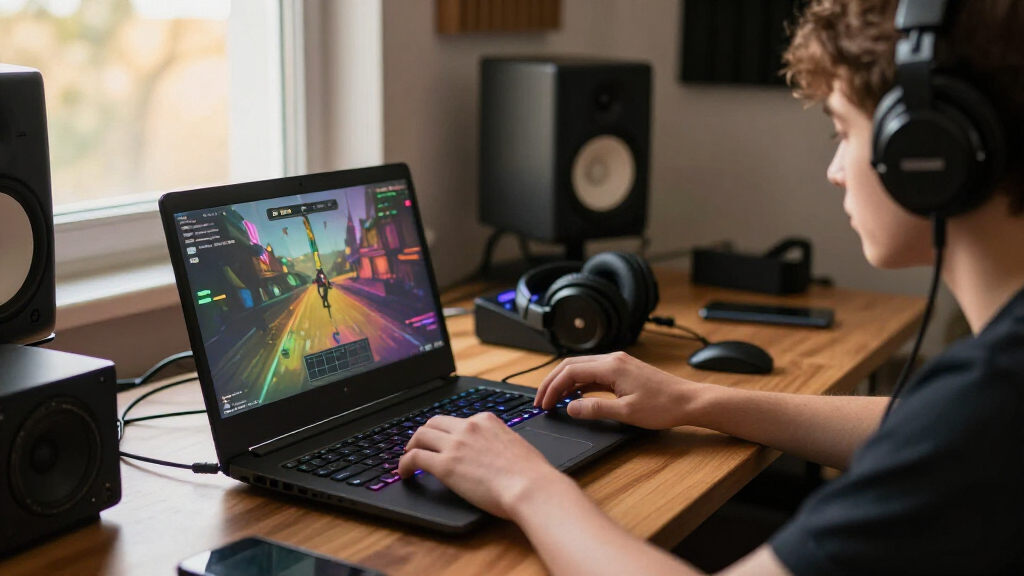

The best gaming laptop overall in this lineup is the ASUS ROG Strix G16 (2025) with RTX 5070 Ti: it pairs strong graphics with a sharp, fast 16-inch screen. For a larger display and high-end components, the ASUS ROG Strix G18 stands out, while the Lenovo Legion 5a offers an OLED screen and RTX 5060 in a more balanced package. The main tradeoffs are graphics performance versus portability, and premium display features versus the cost of stepping up to a faster GPU. I compare all 15 options by performance class, screen, configuration, and likely fit for different players. Read on for the full breakdown and a guide to choosing the right gaming laptop for your setup.

Get audio and creator gear delivered free with Prime
- Fast, free delivery on millions of items
- Prime Video, Amazon Music and more included
- Member-only deals all year
Complete the kit


Key Takeaways
- The Strix G16 with RTX 5070 Ti is the strongest all-rounder on paper: its combination of a 16-inch 2.5K 240Hz display and higher-tier graphics gives it a clearer performance edge than the RTX 5060 models.
- Screen resolution separates the midrange options: the Legion 5a’s WQXGA OLED and the Legion 5’s WQXGA OLED prioritize image quality, while several RTX 5060 alternatives use lower-resolution panels that can be easier to drive in demanding games.
- Portability comes with a deliberate compromise: the 14.5-inch Acer Predator Helios Neo 14 AI is the compact performance pick, while 17- and 18-inch models favor screen space over easy transport.
- RTX 5060 configurations make up the lineup’s broad middle: models such as the Acer Nitro V 16S AI, ASUS ROG Strix G16 RTX 5060, and Alienware 16 Aurora differ more by screen, memory, and design than by graphics tier.
- Not every large-screen laptop here is a gaming laptop in the performance sense: the KAIGERR’s Ryzen 5 7430U configuration lacks a listed dedicated gaming GPU, so it is a poor match for buyers seeking demanding modern PC games.
| ASUS ROG Strix G18 (2025) 18-Inch Gaming Laptop |  | Best for Big-Screen Gaming | Processor: Intel Core i9-14900HX | Graphics: NVIDIA GeForce RTX 5070 or RTX 5060; listing is inconsistent | Memory: 32GB DDR5-5600 | VIEW LATEST PRICE | See Our Full Breakdown |
| Lenovo Legion 5 15IRX10 Gaming Laptop – 15.1-inch WQXGA OLED, Intel Core i9-14900HX, NVIDIA RTX 5070 8GB, 32GB DDR5, 1TB SSD, Wi-Fi 7, Gigabit LAN |  | Best for OLED Gaming | Processor: Intel Core i9-14900HX | Graphics: NVIDIA GeForce RTX 5070 with 8GB GDDR7 | Memory: 32GB DDR5-5600 | VIEW LATEST PRICE | See Our Full Breakdown |
| Acer Predator Helios Neo 14 AI Gaming Laptop, Intel Core Ultra 9 285H, GeForce RTX 5070, 14.5-inch WQXGA 165Hz Display, 32GB RAM, 1TB SSD |  | Best Compact Gaming Laptop | Processor: Intel Core Ultra 9 285H | Graphics: NVIDIA GeForce RTX 5070 Laptop GPU | Memory: 32GB LPDDR5X onboard | VIEW LATEST PRICE | See Our Full Breakdown |
| Lenovo LOQ Gaming Laptop, Intel Core i7-13650HX, 15.6-inch FHD 144Hz IPS Display, GeForce RTX 5050, 16GB RAM, 1TB SSD, Luna Gray |  | Best Entry-Level Pick | Processor: Intel Core i7-13650HX | Graphics: NVIDIA GeForce RTX 5050 dedicated graphics, GDDR7 | Memory: 16GB | VIEW LATEST PRICE | See Our Full Breakdown |
| ASUS ROG Strix G16 (2025) Gaming Laptop, 16-inch 2.5K 240Hz Display, RTX 5070 Ti, Intel Core Ultra 9, 32GB RAM, 1TB SSD |  | Best for Competitive Gaming | Model: G615LR-AS96 | Processor: Intel Core Ultra 9 275HX | Graphics: NVIDIA GeForce RTX 5070 Ti Laptop GPU | VIEW LATEST PRICE | See Our Full Breakdown |
| Alienware 16 Aurora Gaming Laptop, RTX 5060, Intel Core 7 240H | 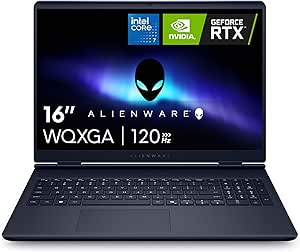 | Best for a Balanced 16-Inch Setup | Processor: Intel Core 7 240H | Graphics: NVIDIA GeForce RTX 5060 | Display: 16-inch WQXGA LED, 2560 × 1600, 16:10 | VIEW LATEST PRICE | See Our Full Breakdown |
| KAIGERR 18.5-Inch Laptop with AMD Ryzen 5 7430U, 16GB RAM, and 512GB SSD |  | Best for Light Gaming on a Large Screen | Processor: AMD Ryzen 5 7430U, 6 cores, 12 threads, up to 4.3GHz | Graphics: Integrated AMD graphics | Display: 18.5-inch LCD, 1920 × 1080 | VIEW LATEST PRICE | See Our Full Breakdown |
| ASUS ROG Strix G16 (2025) Gaming Laptop, 16-inch FHD+ 165Hz, RTX 5060, Intel Core i7-14650HX, 16GB DDR5, 1TB SSD |  | Best for High-Refresh-Rate Gaming | Processor: Intel Core i7-14650HX | Graphics: NVIDIA GeForce RTX 5060 Laptop GPU | Display: 16-inch FHD+ 16:10 | VIEW LATEST PRICE | See Our Full Breakdown |
| Acer Nitro V 16S AI Gaming Laptop, Ryzen 7 260, RTX 5060, 16-inch WUXGA 180Hz Display, 32GB DDR5, 1TB SSD |  | Best for Multitasking and Fast Gameplay | Processor: AMD Ryzen 7 260 | Graphics: NVIDIA GeForce RTX 5060 Laptop GPU | Display: 16-inch WUXGA IPS, 1920 × 1200 | VIEW LATEST PRICE | See Our Full Breakdown |
| Lenovo Legion 5a Gaming Laptop, AMD Ryzen 7 250, GeForce RTX 5060, 15.3-inch WQXGA OLED 165Hz, 32GB DDR5, 1TB SSD |  | Best for OLED Image Quality | Processor: AMD Ryzen 7 250, 8 cores and 16 threads | Graphics: NVIDIA GeForce RTX 5060 with 8GB GDDR7 | Display: 15.3-inch WQXGA OLED, 2560 × 1600 | VIEW LATEST PRICE | See Our Full Breakdown |
| MSI Cyborg 17 17.3-Inch FHD 144Hz Gaming Laptop |  | Best Large-Screen Gaming Pick | Display: 17.3-inch matte LCD, 1920 x 1080, 144Hz | Processor: Intel Core 7-240H | Graphics: NVIDIA GeForce RTX 5060, 8GB GDDR7 | VIEW LATEST PRICE | See Our Full Breakdown |
| ASUS ROG Strix G16 (2025) 16-Inch Gaming Laptop |  | Best for Upgrade-Friendly Performance | Processor: AMD Ryzen 9 9955HX | Graphics: NVIDIA GeForce RTX 5070 Laptop GPU, 8GB | Memory: 16GB DDR5-5600, upgradable to 64GB | VIEW LATEST PRICE | See Our Full Breakdown |
| Acer Nitro V 15 Gaming Laptop |  | Best for Fast-Refresh 1080p Gaming | Processor: Intel Core i7-13620H | Graphics: NVIDIA GeForce RTX 4050 Laptop GPU, 6GB GDDR6 | Display: 15.6-inch Full HD IPS LCD, 1920 x 1080, 165Hz | VIEW LATEST PRICE | See Our Full Breakdown |
| Alienware 15 Gaming Laptop |  | Best for a Sharper 16:10 Display | Display: 15.3-inch WUXGA, 1920 x 1200, 165Hz | Processor: Intel Core 7 240H | Graphics: NVIDIA GeForce RTX 4050, 6GB GDDR6 | VIEW LATEST PRICE | See Our Full Breakdown |
| MSI Katana 15 HX 15.6-Inch QHD+ 165Hz Gaming Laptop |  | Best for High-Resolution Gaming and Multitasking | Processor: Intel Core i9-14900HX, 24-core | Graphics: NVIDIA GeForce RTX 5070, 8GB GDDR7 | Memory: 32GB DDR5 | VIEW LATEST PRICE | See Our Full Breakdown |
| gaming laptop | Processor | Graphics | Memory | Storage |
|---|---|---|---|---|
| ASUS ROG Strix G18 | Intel Core i9-14900HX | NVIDIA GeForce RTX 5070 or RTX 5060; listing is inconsistent | 32GB DDR5-5600 | 1TB PCIe Gen 4 SSD |
| Lenovo Legion 5 15IRX10 Gaming | Intel Core i9-14900HX | NVIDIA GeForce RTX 5070 with 8GB GDDR7 | 32GB DDR5-5600 | 1TB PCIe Gen4 x4 NVMe M.2 SSD |
| Acer Predator Helios Neo 14 AI | Intel Core Ultra 9 285H | NVIDIA GeForce RTX 5070 Laptop GPU | 32GB LPDDR5X onboard | 1TB PCIe Gen 4 SSD |
| Lenovo LOQ Gaming Laptop | Intel Core i7-13650HX | NVIDIA GeForce RTX 5050 dedicated graphics, GDDR7 | 16GB | 1TB SSD |
| ASUS ROG Strix G16 | Intel Core Ultra 9 275HX | NVIDIA GeForce RTX 5070 Ti Laptop GPU | 32GB DDR5-5600 | 1TB PCIe Gen 4 SSD |
| Alienware 16 Aurora Gaming Lap | Intel Core 7 240H | NVIDIA GeForce RTX 5060 | 16GB DDR5-5600; maximum 32GB | 1TB SSD |
| KAIGERR 18.5-Inch Laptop with | AMD Ryzen 5 7430U, 6 cores, 12 threads, up to 4.3GHz | Integrated AMD graphics | 16GB DDR4 SODIMM | 512GB M.2 NVMe SSD |
| ASUS ROG Strix G16 | Intel Core i7-14650HX | NVIDIA GeForce RTX 5060 Laptop GPU | 16GB DDR5-5600 | 1TB PCIe Gen 4 SSD |
| Acer Nitro V 16S AI Gaming Lap | AMD Ryzen 7 260 | NVIDIA GeForce RTX 5060 Laptop GPU | 32GB DDR5-5600; maximum 32GB | 1TB PCIe Gen 4 SSD; two M.2 slots, one available |
| Lenovo Legion 5a Gaming Laptop | AMD Ryzen 7 250, 8 cores and 16 threads | NVIDIA GeForce RTX 5060 with 8GB GDDR7 | 32GB DDR5 | 1TB SSD |
| MSI Cyborg 17 17.3-Inch FHD 14 | Intel Core 7-240H | NVIDIA GeForce RTX 5060, 8GB GDDR7 | 16GB DDR5 | 1TB NVMe SSD |
| ASUS ROG Strix G16 | AMD Ryzen 9 9955HX | NVIDIA GeForce RTX 5070 Laptop GPU, 8GB | 16GB DDR5-5600, upgradable to 64GB | 1TB PCIe Gen 4 NVMe SSD |
| Acer Nitro V 15 Gaming Laptop | Intel Core i7-13620H | NVIDIA GeForce RTX 4050 Laptop GPU, 6GB GDDR6 | 16GB DDR5; maximum 32GB | 1TB PCIe Gen 4 SSD |
| Alienware 15 Gaming Laptop | Intel Core 7 240H | NVIDIA GeForce RTX 4050, 6GB GDDR6 | 16GB DDR5 | 1TB SSD |
| MSI Katana 15 HX 15.6-Inch QHD | Intel Core i9-14900HX, 24-core | NVIDIA GeForce RTX 5070, 8GB GDDR7 | 32GB DDR5 | 1TB NVMe SSD |
More Details on Our Top Picks
ASUS ROG Strix G18 (2025) 18-Inch Gaming Laptop
The 18-inch, 2560 × 1600 display gives games more room than the Lenovo Legion 5’s 15.1-inch screen, making the Strix G18 a better fit for a mostly stationary setup. Its 144Hz refresh rate, 32GB of DDR5 memory, and 1TB SSD provide a capable foundation for gaming and multitasking, while vapor-chamber and tri-fan cooling are aimed at managing heat under load. The tradeoff is substantial size: at a listed 10 pounds, it is far less convenient to carry than the Legion 5 or Acer Predator Helios Neo 14. I’d also verify the graphics configuration before buying, since the listing names both an RTX 5070 and an RTX 5060. That inconsistency makes its gaming performance harder to judge than the other picks here.
Pros:- Large 18-inch display with up to 2560 × 1600 resolution and a 144Hz refresh rate
- 32GB DDR5 memory and a 1TB PCIe 4.0 SSD
- Vapor-chamber and tri-fan cooling design
- Customizable RGB lighting with a Stealth Mode
Cons:- Listed weight of 10 pounds makes it cumbersome to transport
- GPU listing conflicts between RTX 5070 and RTX 5060
- 144Hz refresh rate is lower than the 240Hz panel on the ASUS ROG Strix G16
Best for: Gamers who want a large, high-resolution screen and plan to keep the laptop mostly at a desk.
Not ideal for: Students and frequent travelers who need a laptop to carry daily, or buyers who want a clearly confirmed GPU configuration.
- Processor:Intel Core i9-14900HX
- Graphics:NVIDIA GeForce RTX 5070 or RTX 5060; listing is inconsistent
- Memory:32GB DDR5-5600
- Storage:1TB PCIe Gen 4 SSD
- Display:18-inch LED, up to 2560 × 1600, 144Hz, 3ms
- Operating system:Windows 11 Home
- Battery:90Wh lithium-ion
- Weight:10 pounds
- Ports:5 total, including 1 Thunderbolt port
Our verdict“Choose the Strix G18 for a spacious gaming screen and desk-based setup, but confirm its GPU before committing.”
Lenovo Legion 5 15IRX10 Gaming Laptop – 15.1-inch WQXGA OLED, Intel Core i9-14900HX, NVIDIA RTX 5070 8GB, 32GB DDR5, 1TB SSD, Wi-Fi 7, Gigabit LAN
The Lenovo Legion 5 pairs a 15.1-inch WQXGA OLED panel with a 165Hz refresh rate and 500-nit brightness, giving it a sharper, more color-rich screen than the FHD Lenovo LOQ. That makes it a strong pick for players who also use their laptop for media or creative work. Its Core i9-14900HX, RTX 5070, and 32GB of memory make for a high-spec combination, while Wi-Fi 7 and Gigabit LAN offer flexible ways to connect for online play. Compared with the larger ASUS ROG Strix G18, it takes up less space and weighs considerably less, though its 4.19-pound weight is still noticeable in a backpack. The glossy display may also reflect nearby light, and the listing gives no battery-life figure for buyers planning long sessions away from an outlet.
Pros:- 15.1-inch WQXGA OLED display with 165Hz refresh and 500-nit brightness
- Intel Core i9-14900HX and RTX 5070 with 8GB GDDR7
- 32GB DDR5 memory and 1TB PCIe Gen4 SSD
- Wi-Fi 7, Bluetooth 5.4, and Gigabit LAN
Cons:- Glossy display can reflect ambient light
- At 4.19 pounds, it is heavier than many portable 15-inch laptops
- No battery-capacity or battery-life details are provided
Best for: Gamers who want a vivid OLED display, strong listed components, and a more manageable footprint than an 18-inch laptop.
Not ideal for: Players who game near bright windows, need a lightweight daily carry, or prefer a matte screen.
- Processor:Intel Core i9-14900HX
- Graphics:NVIDIA GeForce RTX 5070 with 8GB GDDR7
- Memory:32GB DDR5-5600
- Storage:1TB PCIe Gen4 x4 NVMe M.2 SSD
- Display:15.1-inch WQXGA OLED, 2560 × 1600, 165Hz, 500 nits, glossy
- Operating system:Windows 11 Home
- Weight:4.19 pounds
- Connectivity:Wi-Fi 7, Bluetooth 5.4, Gigabit LAN, HDMI output
Our verdict“Pick the Legion 5 if you want OLED contrast and a high-refresh display in a smaller footprint than the Strix G18.”
Acer Predator Helios Neo 14 AI Gaming Laptop, Intel Core Ultra 9 285H, GeForce RTX 5070, 14.5-inch WQXGA 165Hz Display, 32GB RAM, 1TB SSD
The Acer Predator Helios Neo 14 is the most compact choice here, fitting an RTX 5070 Laptop GPU and a 14.5-inch WQXGA display into a smaller format than the Lenovo Legion 5. Its 165Hz matte screen, G-SYNC support, and 100% sRGB coverage suit both fast-paced games and color-sensitive work, while the matte finish is less reflective than the Legion’s glossy OLED. Cooling gets particular attention through a fifth-generation AeroBlade fan, Vortex Flow, liquid metal thermal grease, and heat pipes. The compromise is not just screen size: its 32GB LPDDR5X memory is onboard, so the listing does not offer a memory upgrade path. At 4.19 pounds, it is also compact rather than truly light. Buyers who value a larger view may prefer the 16-inch ROG Strix G16, especially for competitive play on its 240Hz panel.
Pros:- RTX 5070 Laptop GPU paired with Intel Core Ultra 9 285H
- 14.5-inch WQXGA matte display with 165Hz, G-SYNC, and 100% sRGB coverage
- One available PCIe M.2 slot for storage expansion
- Broad connectivity, including Thunderbolt 4, HDMI 2.1, USB-A, and microSD
Cons:- 32GB LPDDR5X memory is onboard and not described as upgradeable
- 4.19-pound weight is substantial for a compact-format laptop
- Smaller screen than the 16-inch ROG Strix G16 and 18-inch Strix G18
Best for: Gamers and creators who need a relatively compact laptop with RTX 5070 graphics, a matte high-refresh screen, and broad port selection.
Not ideal for: Buyers who want user-upgradeable memory, the lightest possible travel laptop, or a larger gaming display.
- Processor:Intel Core Ultra 9 285H
- Graphics:NVIDIA GeForce RTX 5070 Laptop GPU
- Memory:32GB LPDDR5X onboard
- Storage:1TB PCIe Gen 4 SSD
- Storage expansion:Two PCIe M.2 slots, one available
- Display:14.5-inch WQXGA matte, 16:10, 165Hz, 100% sRGB, G-SYNC
- Wireless:Wi-Fi 6E and Bluetooth 5.4 or above
- Ports:Thunderbolt 4, USB-C, 2 USB-A, HDMI 2.1, headset jack, microSD reader
- Weight:4.19 pounds
Our verdict“Choose the Helios Neo 14 for a compact RTX 5070 system with a matte G-SYNC screen, provided its fixed memory suits your needs.”
Lenovo LOQ Gaming Laptop, Intel Core i7-13650HX, 15.6-inch FHD 144Hz IPS Display, GeForce RTX 5050, 16GB RAM, 1TB SSD, Luna Gray
The Lenovo LOQ is the more approachable gaming configuration in this group: its RTX 5050 graphics and 16GB of memory sit below the RTX 5070 and 32GB combinations in the Legion 5 and Predator Helios Neo 14. That makes it a better match for buyers focused on a standard 1080p screen rather than maximum resolution or premium display tech. The 15.6-inch FHD IPS panel runs at 144Hz with G-SYNC, which can help keep motion smooth, and the 1TB SSD leaves room for a game library. AI-assisted performance tuning and Hyperchamber Cooling add useful gaming-oriented features. Still, its 300-nit brightness is modest, and its 5.3-pound weight makes it less travel-friendly than the Legion 5. It’s a sensible way into PC gaming, but not the pick for demanding high-resolution play.
Pros:- 15.6-inch FHD IPS display with 144Hz refresh and G-SYNC
- Intel Core i7-13650HX and dedicated RTX 5050 graphics
- 1TB SSD for games and other files
- Hyperchamber Cooling and Rapid Charge Pro, listed as reaching 70% in under 30 minutes
Cons:- RTX 5050 and 16GB memory are less capable on paper than the RTX 5070 and 32GB in the Legion 5
- 300-nit listed brightness may feel limited in bright rooms
- 5.3-pound weight is heavy for routine travel
Best for: First-time PC gamers who want a 1080p, high-refresh setup with dedicated graphics and a roomy SSD.
Not ideal for: Players targeting demanding high-resolution gaming, a bright display for sunlit rooms, or a lighter laptop for daily commuting.
- Processor:Intel Core i7-13650HX
- Graphics:NVIDIA GeForce RTX 5050 dedicated graphics, GDDR7
- Memory:16GB
- Storage:1TB SSD
- Display:15.6-inch FHD IPS LCD, 1920 × 1080, 144Hz, 300 nits
- Operating system:Windows 11 Home
- Weight:5.3 pounds
- Wireless:Wi-Fi and Bluetooth 5.2
- Cooling:Hyperchamber Cooling Technology
Our verdict“Choose the LOQ for 1080p gaming with a 144Hz screen, but look to the Legion 5 or Helios Neo 14 for stronger listed graphics and memory.”
ASUS ROG Strix G16 (2025) Gaming Laptop, 16-inch 2.5K 240Hz Display, RTX 5070 Ti, Intel Core Ultra 9, 32GB RAM, 1TB SSD
The ASUS ROG Strix G16 is the clearest choice here for players who value fast on-screen motion: its 240Hz display and 3ms response time exceed the 144Hz Strix G18 and 165Hz panels on the Legion 5 and Predator Helios Neo 14. The combination of an RTX 5070 Ti Laptop GPU, Intel Core Ultra 9 275HX, and 32GB of DDR5 memory also gives it the strongest listed graphics configuration in this batch. Its 16-inch 2.5K, 16:10 screen offers more workspace than the Helios Neo 14 without the G18’s oversized footprint. The tradeoff is that this performance-focused setup may be more than casual players need, while the provided details omit weight, battery capacity, and a full port list. Its advanced cooling is a welcome inclusion, but the listing does not give noise or sustained-performance figures.
Pros:- RTX 5070 Ti Laptop GPU with Intel Core Ultra 9 275HX
- 16-inch 2.5K display with 240Hz refresh and 3ms response time
- 32GB DDR5-5600 memory and 1TB PCIe Gen 4 SSD
- Vapor chamber, tri-fan cooling, and Conductonaut Extreme liquid metal
Cons:- High-performance components may be unnecessary for casual gaming
- Weight, battery capacity, and detailed port information are not provided
- 240Hz gaming benefits most in titles and settings that can make use of its fast refresh
Best for: Competitive players who want a high-refresh 2.5K display and the strongest listed GPU in this five-laptop group.
Not ideal for: Casual gamers seeking a simpler configuration, or mobile buyers who need confirmed weight and battery details before choosing.
- Model:G615LR-AS96
- Processor:Intel Core Ultra 9 275HX
- Graphics:NVIDIA GeForce RTX 5070 Ti Laptop GPU
- Memory:32GB DDR5-5600
- Storage:1TB PCIe Gen 4 SSD
- Display:16-inch ROG Nebula, 16:10, 2.5K, 240Hz, 3ms
- Operating system:Windows 11 Home
- Wireless:Wi-Fi 7
- Cooling:Vapor chamber, tri-fan technology, Conductonaut Extreme liquid metal
Our verdict“Choose the Strix G16 for the fastest listed display and RTX 5070 Ti graphics, if its missing mobility details are not a concern.”
Alienware 16 Aurora Gaming Laptop, RTX 5060, Intel Core 7 240H
The Alienware 16 Aurora balances gaming capability with a roomy, productivity-friendly screen. Its RTX 5060 and 16-inch 2560 × 1600 display give it a sharper workspace than the KAIGERR’s Full HD panel, while the 120Hz refresh rate is less focused on high-frame-rate play than the ASUS ROG Strix G16’s 165Hz screen. The 16:10 format adds vertical room for menus, documents, and creative tools, and the Cryo-Chamber cooling design is aimed at managing heat during demanding sessions. A 1TB SSD leaves a useful library of games installed. The tradeoffs are its 5.5-pound weight and 16GB of memory, which may constrain heavier multitasking; it can be upgraded, but only to 32GB. I’d choose it for a sharp, versatile display over a more speed-focused screen.
Pros:- RTX 5060 graphics paired with a 2560 × 1600 display
- 16:10 screen offers extra vertical workspace
- 1TB SSD provides room for games and applications
- One year of onsite service is included
Cons:- At 5.5 pounds, it is less convenient to carry regularly
- 16GB RAM may limit demanding multitasking, with a 32GB maximum
- 120Hz refresh rate is below the ASUS ROG Strix G16’s 165Hz
Best for: Players who want a high-resolution 16-inch screen for both gaming and everyday work, plus onsite service.
Not ideal for: Frequent travelers seeking a lighter laptop, or competitive players who prioritize refresh rates above 120Hz.
- Processor:Intel Core 7 240H
- Graphics:NVIDIA GeForce RTX 5060
- Display:16-inch WQXGA LED, 2560 × 1600, 16:10
- Refresh rate:120Hz
- Memory:16GB DDR5-5600; maximum 32GB
- Storage:1TB SSD
- Weight:5.5 pounds
- Cooling:Cryo-Chamber design
- Operating system:Windows 11 Home
Our verdict“Choose the Alienware 16 Aurora if screen resolution and versatile everyday use matter more to you than a higher refresh rate or a lighter carry.”
KAIGERR 18.5-Inch Laptop with AMD Ryzen 5 7430U, 16GB RAM, and 512GB SSD
The KAIGERR makes the most sense for casual play, not as a substitute for a dedicated gaming laptop. Its 18.5-inch Full HD display gives games and entertainment plenty of screen space, and the six-core Ryzen 5 with 16GB of RAM can handle everyday multitasking. But unlike the Alienware 16 Aurora or ASUS ROG Strix G16, it relies on integrated AMD graphics, so demanding games and high visual settings are not its strength. The 60Hz panel also lacks the smoother motion offered by those dedicated gaming models. A 512GB NVMe SSD supports responsive loading, though it leaves less space for a large game collection than their 1TB drives. Its large chassis suits desk-based use better than commuting; buyers should treat it as a general-purpose laptop with light gaming ability.
Pros:- Large 18.5-inch Full HD screen suits media and general use
- Six-core, 12-thread processor supports everyday multitasking
- 16GB DDR4 memory and NVMe SSD
- Wi-Fi 6, Bluetooth 5.2, and a broad selection of ports
Cons:- Integrated graphics are a major limit for demanding games
- 60Hz display is less fluid than the gaming panels on the Alienware and ASUS models
- Large listed dimensions make it awkward to carry
Best for: Students and casual players who want a large screen for schoolwork, streaming, and less demanding games.
Not ideal for: Players expecting strong performance in graphically demanding games or a high-refresh-rate gaming display.
- Processor:AMD Ryzen 5 7430U, 6 cores, 12 threads, up to 4.3GHz
- Graphics:Integrated AMD graphics
- Display:18.5-inch LCD, 1920 × 1080
- Refresh rate:60Hz
- Memory:16GB DDR4 SODIMM
- Storage:512GB M.2 NVMe SSD
- Wireless:Wi-Fi 6 and Bluetooth 5.2
- Operating system:Windows 11 Pro
Our verdict“Pick the KAIGERR for a large-screen everyday laptop that can handle light gaming, but choose a dedicated RTX gaming model for demanding titles.”
ASUS ROG Strix G16 (2025) Gaming Laptop, 16-inch FHD+ 165Hz, RTX 5060, Intel Core i7-14650HX, 16GB DDR5, 1TB SSD
The ASUS ROG Strix G16 is the clearest fit here for players who value fast screen response alongside dedicated graphics. Its 165Hz, 3ms display refreshes more often than the Alienware 16 Aurora’s 120Hz panel, making quick motion look smoother in games that can deliver higher frame rates. The RTX 5060, Core i7-14650HX, and 1TB PCIe Gen 4 SSD give it a strong gaming-focused foundation, while the vapor chamber, three fans, and liquid metal cooling are designed for sustained workloads. The Acer Nitro V 16S offers 32GB of memory and an even faster 180Hz panel, so it is the more compelling alternative for buyers who want those specific advantages. ASUS counters with Wi-Fi 7 and a distinctive lighting setup. Its listed configuration has 16GB RAM, and no weight or battery details are supplied.
Pros:- 165Hz, 3ms display supports smooth, responsive gameplay
- RTX 5060 graphics and Intel Core i7-14650HX processor
- Vapor chamber, three-fan cooling, and liquid metal thermal compound
- 1TB PCIe Gen 4 SSD and Wi-Fi 7
Cons:- 16GB RAM is less than the Acer Nitro V 16S’s 32GB
- FHD+ resolution is lower than the Alienware 16 Aurora’s WQXGA panel
- The supplied product details do not specify weight or battery capacity
Best for: Players who want a dedicated RTX 5060 laptop with a fast 165Hz screen and gaming-oriented cooling.
Not ideal for: Buyers who need 32GB RAM out of the box, a higher-than-165Hz panel, or clearly stated portability and battery details.
- Processor:Intel Core i7-14650HX
- Graphics:NVIDIA GeForce RTX 5060 Laptop GPU
- Display:16-inch FHD+ 16:10
- Refresh rate:165Hz, 3ms
- Memory:16GB DDR5-5600
- Storage:1TB PCIe Gen 4 SSD
- Cooling:Vapor chamber, tri-fan technology, and liquid metal thermal compound
- Wireless:Wi-Fi 7
- Operating system:Windows 11 Home
Our verdict“Choose the ROG Strix G16 if a fast 165Hz screen and dedicated gaming cooling outweigh the Acer Nitro’s extra memory and 180Hz refresh rate.”
Acer Nitro V 16S AI Gaming Laptop, Ryzen 7 260, RTX 5060, 16-inch WUXGA 180Hz Display, 32GB DDR5, 1TB SSD
The Acer Nitro V 16S stands out among these RTX 5060 options by combining a 180Hz display with 32GB of DDR5 memory. That extra memory gives heavier multitasking more room than the 16GB configurations in the ASUS ROG Strix G16 and Alienware 16 Aurora, while the higher refresh rate edges past both of their panels for fluid motion. Its RTX 5060 adds support for ray tracing and DLSS 4, and the 1TB PCIe Gen 4 SSD provides space for a solid game library. The tradeoff is resolution: this WUXGA screen is 1920 × 1200, below the Alienware’s 2560 × 1600 panel. Memory is already at its 32GB maximum, and one of the two M.2 slots is occupied, leaving a slot available for storage expansion. This is a practical pick for players who value speed and multitasking over sharper pixels.
Pros:- 32GB DDR5-5600 memory is more generous than the 16GB in the ASUS and Alienware models
- 180Hz IPS display supports smooth motion and covers 100% sRGB
- RTX 5060 supports ray tracing and DLSS 4
- 1TB PCIe Gen 4 SSD with one additional M.2 slot available
Cons:- WUXGA resolution is lower than the Alienware 16 Aurora’s WQXGA display
- 32GB is the maximum supported memory
- One of the two M.2 slots is already occupied
Best for: Gamers who keep multiple applications open, want 32GB RAM without an upgrade, and favor a high-refresh-rate display.
Not ideal for: Players prioritizing a higher-resolution screen or expecting to upgrade memory beyond 32GB.
- Processor:AMD Ryzen 7 260
- Graphics:NVIDIA GeForce RTX 5060 Laptop GPU
- Display:16-inch WUXGA IPS, 1920 × 1200
- Refresh rate:180Hz
- Color coverage:100% sRGB
- Memory:32GB DDR5-5600; maximum 32GB
- Storage:1TB PCIe Gen 4 SSD; two M.2 slots, one available
- Model:ANV16S-41-R2AJ
Our verdict“Choose the Acer Nitro V 16S if you want 32GB RAM and a 180Hz screen in an RTX 5060 laptop, and accept its lower WUXGA resolution.”
Lenovo Legion 5a Gaming Laptop, AMD Ryzen 7 250, GeForce RTX 5060, 15.3-inch WQXGA OLED 165Hz, 32GB DDR5, 1TB SSD
The Legion 5a is the display-first choice in this group. Its 15.3-inch WQXGA OLED combines 2560 × 1600 resolution, 165Hz, and 100% DCI-P3 coverage, giving games and creative work more contrast and color richness than the Acer Nitro V 16S’s WUXGA IPS screen. Like that Acer, it includes 32GB of DDR5 and a 1TB SSD, while its RTX 5060 and Ryzen 7 250 provide a capable gaming and multitasking base. G-SYNC supports smoother play, and Wi-Fi 7 and USB4 add flexibility for a desk setup. The compromise is a smaller 15.3-inch screen than the 16-inch alternatives, and at about five pounds it is still a substantial carry. OLED makes this the premium visual pick, not the lightest option.
Pros:- WQXGA OLED delivers deep blacks and 100% DCI-P3 color coverage
- 165Hz refresh rate with NVIDIA G-SYNC
- 32GB DDR5 memory and 1TB SSD
- Wi-Fi 7, USB4, HDMI 2.1, and Ethernet
Cons:- At approximately five pounds, it is not a lightweight travel choice
- Its 15.3-inch screen is smaller than the 16-inch ASUS and Acer alternatives
- OLED is the key draw, so buyers focused mainly on faster refresh rates may prefer the Acer Nitro V 16S
Best for: Gamers and creators who prioritize OLED contrast, high resolution, wide color coverage, and ample memory.
Not ideal for: Buyers seeking a lightweight travel laptop or a larger screen than 15.3 inches.
- Processor:AMD Ryzen 7 250, 8 cores and 16 threads
- Graphics:NVIDIA GeForce RTX 5060 with 8GB GDDR7
- Display:15.3-inch WQXGA OLED, 2560 × 1600
- Refresh rate:165Hz
- Color coverage:100% DCI-P3
- Memory:32GB DDR5
- Storage:1TB SSD
- Wireless:Wi-Fi 7 and Bluetooth 5.4
- Weight:Approximately 5 pounds
Our verdict“Choose the Legion 5a if OLED contrast and color quality matter more than a larger screen or the Acer Nitro’s 180Hz refresh rate.”
MSI Cyborg 17 17.3-Inch FHD 144Hz Gaming Laptop
The MSI Cyborg 17 makes sense for players who want a spacious gaming view without stepping up to a higher-resolution panel. Its 17.3-inch Full HD screen and 144Hz refresh rate give fast-moving games room to breathe, while the RTX 5060 is a stronger graphics tier than the RTX 4050 in the Acer Nitro V 15. A 1TB SSD also leaves more room for a game library than a small boot drive would. The tradeoff is that the large screen comes with a 5.3-pound chassis, making this less convenient to carry than the 15-inch Nitro V 15. Its 144Hz refresh rate is also below that model’s 165Hz, and the listing gives conflicting thickness measurements. Choose it for screen size and graphics headroom, not portability or pixel density.
Pros:- 17.3-inch matte Full HD screen offers a larger viewing area than the 15.6-inch Acer Nitro V 15
- RTX 5060 graphics with 8GB GDDR7 provides a higher graphics tier than the RTX 4050 in several lineup alternatives
- 1TB NVMe SSD provides space for games and applications
- Wi-Fi 6E, HDMI, USB-C, and Ethernet cover common gaming connections
Cons:- At 5.3 pounds, it is less convenient to carry than smaller options such as the Acer Nitro V 15
- The 144Hz refresh rate is lower than the 165Hz displays on the Acer Nitro V 15 and Alienware 15
- The product listing gives conflicting thickness measurements
Best for: Gamers who mostly play at a desk and want a large 17.3-inch display with RTX 5060 graphics.
Not ideal for: Students or commuters who carry a laptop daily, or players seeking a sharper-than-Full-HD display.
- Display:17.3-inch matte LCD, 1920 x 1080, 144Hz
- Processor:Intel Core 7-240H
- Graphics:NVIDIA GeForce RTX 5060, 8GB GDDR7
- Memory:16GB DDR5
- Storage:1TB NVMe SSD
- Connectivity:Wi-Fi 6E, Bluetooth 5.3
- Ports:USB-C, USB-A, HDMI, RJ45; 3 USB ports total
- Weight:5.3 lbs
Our verdict“Choose the Cyborg 17 if a large screen and RTX 5060 matter more to you than carrying weight or a faster refresh rate.”
ASUS ROG Strix G16 (2025) 16-Inch Gaming Laptop
The ASUS ROG Strix G16 is the more balanced high-performance choice for buyers who want a current-generation GPU and room to expand memory later. Its RTX 5070 sits above the RTX 5060 in the MSI Cyborg 17, while the Ryzen 9 9955HX and Tri-Fan cooling are suited to demanding games and sustained workloads. The 16-inch 16:10 screen offers more vertical room for menus and everyday tasks than the Cyborg’s 16:9 panel, and its 90Wh battery is a useful capacity for a gaming laptop. One caveat: the supplied display details conflict, listing both 1920 x 1200 at 165Hz and 2560 x 1600 at 240Hz, so buyers should verify the configuration. It ships with 16GB, less than the Katana 15 HX’s 32GB, but supports upgrades to 64GB.
Pros:- RTX 5070 graphics and Ryzen 9 9955HX target demanding gaming and processor-heavy tasks
- Memory can be upgraded to 64GB, unlike the Acer Nitro V 15, which is listed with a 32GB maximum
- 16-inch 16:10 anti-glare display gives extra vertical workspace
- Tri-Fan cooling, 90Wh battery, and HDMI 2.1 support
Cons:- The supplied display resolution and refresh-rate details conflict, so the exact panel configuration is unclear
- 16GB of installed memory is less than the MSI Katana 15 HX’s 32GB
- The specification list does not include an optical drive
Best for: Gamers and multitaskers who want RTX 5070 performance, a 16:10 screen, and the option to expand memory.
Not ideal for: Buyers who need confirmed display specifications or want 32GB of memory preinstalled.
- Processor:AMD Ryzen 9 9955HX
- Graphics:NVIDIA GeForce RTX 5070 Laptop GPU, 8GB
- Memory:16GB DDR5-5600, upgradable to 64GB
- Storage:1TB PCIe Gen 4 NVMe SSD
- Display:16-inch, 16:10 IPS, anti-glare; listed as 1920 x 1200 at 165Hz, with conflicting 2560 x 1600 and 240Hz details
- Battery:90Wh lithium-ion
- Wireless:Wi-Fi 6E, Bluetooth 5.3
- Ports:2 x USB-C (USB4), 2 x USB-A, HDMI 2.1, 3.5mm audio combo
Our verdict“Pick the ROG Strix G16 if you value RTX 5070 performance and future memory upgrades, but confirm the screen configuration before buying.”
Acer Nitro V 15 Gaming Laptop
The Acer Nitro V 15 is a straightforward fit for players who prioritize a fast Full HD screen and a more manageable size over higher-tier graphics. Its 165Hz IPS display has a higher listed refresh rate than the MSI Cyborg 17’s 144Hz panel, which can make motion look smoother in fast-paced games. The RTX 4050 is a step below the Cyborg’s RTX 5060 and the RTX 5070 options in the ASUS ROG Strix G16 and MSI Katana 15 HX, so this model is better matched to 1080p play than demanding high-resolution gaming. Its 1TB SSD is generous for a mainstream configuration, and Thunderbolt 4 adds a useful connection option. The main constraint is its 32GB memory ceiling; unlike the ROG Strix G16, it offers less room for future memory expansion.
Pros:- 165Hz Full HD IPS display has a higher refresh rate than the MSI Cyborg 17’s 144Hz screen
- RTX 4050 dedicated graphics provide a clear step up from integrated graphics
- 1TB PCIe Gen 4 SSD offers useful room for games and files
- Thunderbolt 4, HDMI, and Gigabit Ethernet provide practical connection options
Cons:- RTX 4050 is below the RTX 5060 in the MSI Cyborg 17 and RTX 5070 options in this roundup
- Memory is limited to a listed maximum of 32GB, below the ASUS ROG Strix G16’s 64GB upgrade capacity
- The 15.6-inch Full HD panel has less resolution and screen area than the QHD+ MSI Katana 15 HX
Best for: 1080p gamers who want a 165Hz display, a 1TB SSD, and Thunderbolt 4 in a 15.6-inch laptop.
Not ideal for: Players targeting demanding high-resolution gaming or buyers who need more than 32GB of memory.
- Processor:Intel Core i7-13620H
- Graphics:NVIDIA GeForce RTX 4050 Laptop GPU, 6GB GDDR6
- Display:15.6-inch Full HD IPS LCD, 1920 x 1080, 165Hz
- Memory:16GB DDR5; maximum 32GB
- Storage:1TB PCIe Gen 4 SSD
- Wireless:Wi-Fi 6, Bluetooth
- Ports:2 USB ports, 1 Thunderbolt 4, HDMI, Gigabit Ethernet
- Weight:4.7 pounds
Our verdict“Choose the Nitro V 15 for quick-refresh 1080p gaming and useful ports, but skip it if you need stronger graphics or more memory headroom.”
Alienware 15 Gaming Laptop
The Alienware 15 stands out among the RTX 4050 choices for its 1920 x 1200, 16:10 display. That added vertical space gives games and everyday windows more room than the 16:9 Full HD Acer Nitro V 15, while both list a 165Hz refresh rate and RTX 4050 graphics. Alienware Cryo-tech cooling and one-click Stealth mode add gaming-focused controls, and the 1TB SSD keeps storage aligned with the MSI Cyborg 17 and other options in this group. Its Intel Core 7 240H and RTX 4050 make it a more modest graphics choice than the RTX 5070-equipped MSI Katana 15 HX. At 4.9 pounds, it is not especially light for a 15-inch laptop, and the supplied details do not identify memory upgrade limits.
Pros:- 1920 x 1200 16:10 display offers more vertical space than the Acer Nitro V 15’s Full HD screen
- 165Hz refresh rate supports smooth motion in fast games
- Cryo-tech cooling and one-click Stealth mode provide gaming and quieter-use controls
- 1TB SSD and four USB ports support a useful game library and multiple peripherals
Cons:- RTX 4050 is a lower graphics tier than the RTX 5060 MSI Cyborg 17 and RTX 5070 MSI Katana 15 HX
- At 4.9 pounds, it is heavier than the Acer Nitro V 15
- The provided specifications do not state whether memory can be upgraded
Best for: Players who want a 165Hz 16:10 display, RTX 4050 graphics, and Alienware cooling features for gaming and everyday use.
Not ideal for: Frequent travelers seeking a lightweight laptop, or gamers who want RTX 5070-class graphics.
- Display:15.3-inch WUXGA, 1920 x 1200, 165Hz
- Processor:Intel Core 7 240H
- Graphics:NVIDIA GeForce RTX 4050, 6GB GDDR6
- Memory:16GB DDR5
- Storage:1TB SSD
- Wireless:Wi-Fi 6, Bluetooth 5.2
- Ports:4 USB ports, HDMI, Ethernet
- Weight:4.9 pounds
Our verdict“Choose the Alienware 15 for its taller 165Hz screen and cooling controls, not for the lightest carry or highest graphics performance.”
MSI Katana 15 HX 15.6-Inch QHD+ 165Hz Gaming Laptop
The MSI Katana 15 HX is the strongest fit here for buyers who want a high-resolution screen, substantial memory, and a high-tier graphics setup in one machine. Its RTX 5070 and 32GB of DDR5 make it a more ready-to-go multitasking configuration than the 16GB ASUS ROG Strix G16, while its 2560 x 1600 display is sharper than the Full HD panels on the Acer Nitro V 15 and MSI Cyborg 17. The 165Hz refresh rate and 100% DCI-P3 color coverage also suit visually rich games and color-conscious work. That capability comes with a five-pound carry weight, and the higher-resolution panel asks more of the GPU than Full HD does. Compared with the ROG Strix G16, the Katana provides twice the installed memory but does not list a memory-upgrade ceiling.
Pros:- RTX 5070 graphics and a 24-core Core i9-14900HX target demanding games and processor-heavy workloads
- QHD+ 2560 x 1600 display combines 165Hz with 100% DCI-P3 color coverage
- 32GB DDR5 comes installed, double the memory listed for the ASUS ROG Strix G16
- Wi-Fi 6E, Ethernet, HDMI, USB-C Gen 2, and four USB ports support varied gaming setups
Cons:- At 5 pounds, it is less convenient to carry than the Acer Nitro V 15
- The QHD+ resolution demands more graphics performance than Full HD if targeting high frame rates
- The provided specifications do not state a memory-upgrade limit
Best for: Gamers and creators who want RTX 5070 graphics, a sharp 165Hz display, and 32GB of memory preinstalled.
Not ideal for: Buyers who prioritize a lightweight gaming laptop or plan to play primarily on a Full HD screen.
- Processor:Intel Core i9-14900HX, 24-core
- Graphics:NVIDIA GeForce RTX 5070, 8GB GDDR7
- Memory:32GB DDR5
- Storage:1TB NVMe SSD
- Display:15.6-inch matte LCD, 2560 x 1600 QHD+, 165Hz, 100% DCI-P3
- Cooling:Cooler Boost 5 dual-fan thermal design
- Connectivity:Wi-Fi 6E, Bluetooth 5.4, Ethernet
- Weight:5 pounds
Our verdict“Choose the Katana 15 HX if you want a sharp QHD+ screen and 32GB of memory alongside RTX 5070 graphics, and can accept a five-pound chassis.”
How We Picked
I compared the listed configurations by the factors that shape day-to-day gaming: graphics tier, processor class, screen resolution and refresh rate, memory, and storage. I also weighed form factor, since a 14-inch laptop serves a different purpose from a 17- or 18-inch model, and checked whether a product’s stated configuration fits its gaming label. The ranking favors laptops that bring a balanced mix of gaming capability and useful display features, rather than treating one impressive specification as a complete verdict.
Within similar performance tiers, I gave stronger placement to configurations with more memory, higher-resolution or faster displays, and fewer obvious compromises for their intended use. That puts the RTX 5070 Ti Strix G16 ahead as the most versatile performance pick, while the larger Strix G18 and OLED-equipped Legion models serve distinct priorities. RTX 5060 models sit in the middle, RTX 4050 options fit lighter or entry-level gaming, and the KAIGERR ranks last for this specific roundup because its listed Ryzen U-series processor and lack of a dedicated GPU do not match the needs of demanding gaming.
Factors to Consider When Choosing Best Gaming Laptops
Before choosing a model, decide what kind of gaming setup you are building. A laptop that looks compelling by processor name alone may be limited by its graphics chip, screen, or cooling design. These broader checks can help you avoid paying for specifications that do not improve the games or settings you care about.
Match the GPU to the Games You Play
The graphics processor usually has the biggest effect on game settings and frame rates, so start there rather than comparing CPU names in isolation. An RTX 5070 Ti configuration gives more headroom than an RTX 5060 or RTX 4050 model, but that advantage matters most if you play demanding titles or want to keep higher visual settings. For lighter games, competitive titles, or older releases, a less powerful GPU may be a sensible way to avoid paying for unused performance. Check the exact GPU in a product configuration because laptop families can be sold with several graphics options. Also look for independent performance results for the exact model when available: power limits and cooling can make two laptops with the same GPU perform differently.
Choose Screen Resolution and Refresh Rate Together
A high refresh rate can make motion look smoother, but it is most useful when the laptop can produce enough frames to take advantage of it. Higher resolutions add detail and workspace, yet they also ask more of the GPU, especially in demanding games. That makes a 240Hz 2.5K screen a different proposition from a 144Hz Full HD panel, not an automatic upgrade for every player. OLED can bring rich contrast and vivid image quality, while IPS options may better suit buyers focused on fast play without prioritizing OLED characteristics. Check whether your favorite games are competitive or visually intensive, then balance refresh rate, resolution, and graphics capability as a set.
Think About Carrying It, Not Just Playing on It
Large gaming laptops can offer more screen space, but they take up more room in a bag and can be less convenient for daily travel. A compact model such as a 14-inch-class laptop is easier to move between classes, work, and home, though its smaller display may feel restrictive as a desktop replacement. Before choosing a large model, account for the power adapter, which adds to the kit you carry. If the laptop will stay on a desk, a 16- to 18-inch screen can make games and multitasking more comfortable. If you expect to travel often, prioritize weight and dimensions alongside performance rather than assuming a smaller screen is the only difference.
Check Memory, Storage, and Upgrade Options
Memory and storage affect how comfortable a laptop remains after setup, but capacity alone does not tell the whole story. Sixteen gigabytes of RAM can serve many gaming setups, while 32GB leaves more room for demanding games, streaming, and multiple open apps. A 1TB SSD provides useful space, though a large game library can fill it quickly. Some laptops permit memory or storage upgrades, while others limit what can be replaced; check the manufacturer’s service documentation before counting on an upgrade later. Treat bundled portable storage as a separate convenience, not a substitute for an internal drive that keeps frequently played games readily available.
Look Beyond Headline Specs at Cooling and Noise
A powerful graphics chip needs effective cooling to sustain performance during long gaming sessions. Thin or compact designs can be easier to carry, but their cooling systems may have less room to move heat and air than larger chassis. A laptop that gets loud under load may also be less pleasant in a shared room, so seek reviews that report fan noise and sustained performance rather than relying on short benchmark bursts. Leave room around the vents and use a hard, flat surface; blocking airflow can raise temperatures and reduce performance. When comparing two laptops with similar components, cooling behavior and keyboard comfort can matter more than a small specification difference.
Set a Practical Boundary Between Entry-Level and Premium
Paying more makes the most sense when the upgrade meets a specific need: higher graphics performance, an OLED panel, a faster display, or a sturdier feature set. Entry-level RTX 4050 laptops can suit lighter gaming and buyers who do not need demanding settings, while RTX 5060 models provide a broader middle ground in this lineup. Premium choices such as the RTX 5070 Ti Strix G16 are easier to justify for players who will use the added graphics headroom and high-refresh display. Avoid stretching for a top-tier screen if the GPU cannot drive your games at the resolution and frame rate you want. Compare the complete configuration, including memory and display, instead of judging a laptop by its family name.
Frequently Asked Questions
Is an RTX 5060 laptop enough for modern PC games?
An RTX 5060 laptop is the middle-ground graphics choice among many models in this roundup, and it can suit players who want a current gaming configuration without stepping up to the RTX 5070 Ti. How well it fits depends on the game, resolution, and graphics settings you prefer. At a lower resolution, it may be easier to reach high frame rates than on a high-resolution OLED or 2.5K screen. Check results for the exact laptop, since cooling and graphics power limits vary by design. If you want more headroom for demanding games or higher settings, compare it with the RTX 5070-class options before deciding.
Should I choose an OLED screen or a faster refresh rate?
Choose based on what you value while playing. OLED is a strong fit if contrast, dark-scene detail, and rich-looking imagery matter most to you; a high refresh rate is more relevant if you play fast competitive games and want smoother motion. The Lenovo Legion OLED configurations in this lineup pair OLED with a 165Hz refresh rate, while the Strix G16 RTX 5070 Ti offers a 240Hz 2.5K panel. Remember that high resolution and refresh rate are only useful if the GPU can drive your games at settings you enjoy. If possible, compare the exact panel in person, since screen preferences are subjective.
Is a 14-inch gaming laptop a good choice as my only computer?
It can be, especially if you move between locations and want one system for gaming, school, or work. The Acer Predator Helios Neo 14 AI is the compact performance option in this group, but its smaller screen gives you less room for games and side-by-side tasks than a 16- or 18-inch laptop. You can connect an external monitor at a desk, though that adds equipment and reduces the appeal of an all-in-one setup. Check the laptop’s port selection, battery expectations, and sustained gaming performance for the exact configuration. If it will mostly stay at home, a larger display may be more comfortable.
Can I use a Ryzen 5 U-series laptop like the KAIGERR for demanding gaming?
The listed KAIGERR configuration uses a Ryzen 5 7430U and does not name a dedicated gaming GPU, which makes it a poor choice for demanding modern PC games compared with the laptops in this roundup that include RTX graphics. It may suit lighter games or general everyday tasks, depending on the specific game and graphics settings. Do not use its 18.5-inch screen size as a guide to gaming performance; display size and graphics capability are separate things. Check the exact GPU specification before buying, particularly if a listing uses broad gaming language. For a gaming-first purchase, I would favor one of the RTX 4050 or stronger options here.
Is 16GB of RAM enough, or should I choose a 32GB configuration?
Sixteen gigabytes can be enough for many gaming setups, especially if you mainly play one game at a time and keep background apps limited. A 32GB configuration is a better fit if you stream, create content, keep many programs open, or want more room for demanding games over time. In this lineup, several RTX 5060 and RTX 5070 models offer 32GB, while some RTX 5060 and RTX 4050 configurations list 16GB. Do not assume memory can be upgraded later; check the specific model’s memory design and service information. If two otherwise similar options differ in RAM, choose based on your workload rather than the larger number alone.
Conclusion
For the broadest mix of graphics capability and screen features, I recommend the ASUS ROG Strix G16 with RTX 5070 Ti as the best overall pick. The Lenovo Legion 5a is my value-minded choice for buyers who want RTX 5060 performance, 32GB of memory, and a WQXGA OLED display without prioritizing the highest graphics tier. For a premium large-screen setup, choose the ASUS ROG Strix G18; for a first gaming laptop or lighter gaming, consider the Acer Nitro V 15 with RTX 4050. If portability is the priority, the Acer Predator Helios Neo 14 AI is the distinct compact option, while buyers focused on competitive play can look to the fast-refresh Strix G16 models. I would skip the KAIGERR for demanding gaming and choose it only if its listed components suit lighter games and general use.
Halloween Picks

Spirit Halloween Scary Sitting Scarecrow Animatronic, 4 ft 6 in

9 ft Halloween Inflatable Haunted Castle with Dragon and Ghost

Pumpkin Halloween Fog Machine with 12-Color LED Lights, Bluetooth Speaker, and Remote
As an affiliate, we earn on qualifying purchases.