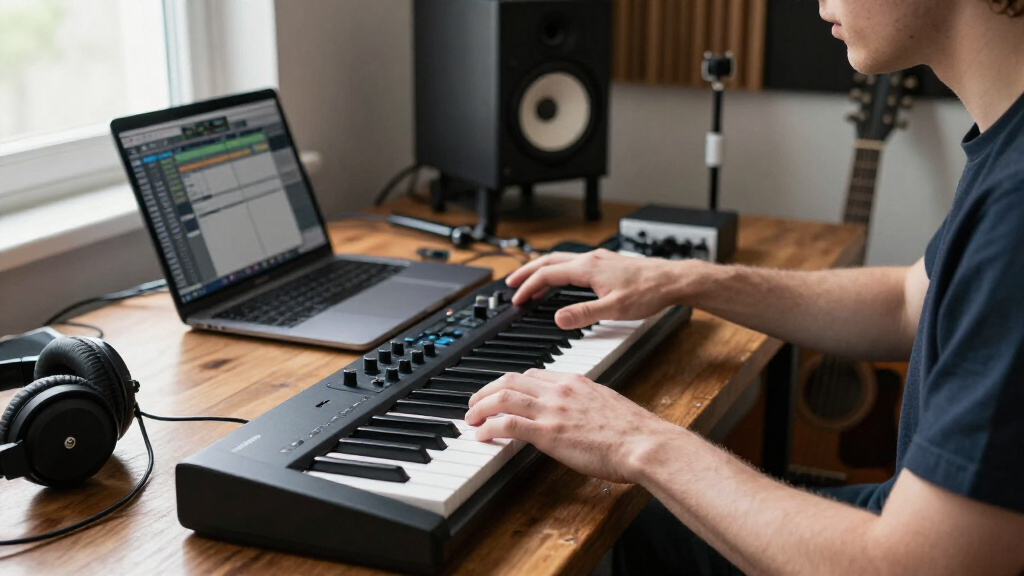
For music production, I’d choose the Novation Launchkey 61 MK4 as the best overall option in this lineup: its 61 keys and hands-on controls suit a wide range of studio workflows. The Arturia KeyLab Essential mk3 is a strong alternative for producers who want a larger software-instrument bundle, while the Akai MPK Mini Plus packs more performance controls into a compact 37-key format. The main tradeoff is between a smaller controller that saves desk space and a larger one that gives you more room to play parts naturally. DAW integration, key feel, and extra controls can matter as much as key count. Read on for how all 15 options differ and which one fits your production setup.
Complete the kit



Key Takeaways
- The 61-key models lead for hands-on production: Novation Launchkey 61 MK4, Arturia KeyLab Essential mk3, M-AUDIO Oxygen 61 MKV, and Oxygen Pro 61 suit players who want a fuller keyboard range and more room for two-handed parts.
- Compact controllers trade range for desk space: the 25-key Akai and DaierTek options are easier to keep beside a laptop, while the Akai MPK Mini Plus adds 37 keys for a more playable middle ground.
- DAW control separates studio-focused picks from basic keyboards: models such as the Launchkey, Oxygen series, and Nektar SE61 emphasize workflow integration, while the Keystation models focus on straightforward note input.
- Extra features serve different needs: the APC Key 25 MK2 is oriented toward Ableton Live control, while the Donner adds learning and performance functions that may be less useful to experienced producers.
- There is no single best key count for every setup: a portable beat-making rig favors 25 or 37 keys, while composing piano parts or playing across registers makes 49 or 61 keys more practical.
| DaierTek 25-Key Portable Bluetooth & USB MIDI Keyboard Controller with Drum Pads and Software |  | Best for Wireless, On-the-Go Production | Keys: 25 velocity-sensitive keys | Connectivity: Bluetooth and USB | Controls: Backlit drum pads and assignable knobs | VIEW LATEST PRICE | See Our Full Breakdown |
| Midiplus AKM320 Midi Keyboard Controller |  | Best Value for a Simple Home Studio | Keys: 32 velocity-sensitive keys | Connectivity: USB Type B | Power: USB | VIEW LATEST PRICE | See Our Full Breakdown |
| Akai Professional LPK25 25-Key USB MIDI Keyboard Controller |  | Best Compact Keyboard for Portable Production | Keys: 25 velocity-sensitive keys | Connectivity: USB | Additional functions: Arpeggiator and programmable presets | VIEW LATEST PRICE | See Our Full Breakdown |
| Akai Professional APC Key 25 MK2 25-Key USB MIDI Keyboard Controller |  | Best for Ableton Live Clip Launching | Keys: 25 velocity-sensitive mini keys | Pad matrix: 5×8 RGB pads | Knobs: 8 assignable knobs | VIEW LATEST PRICE | See Our Full Breakdown |
| Novation Launchkey 61 MK4 USB MIDI Keyboard Controller |  | Best Premium Controller for Full-Range Production | Keys: 61 semi-weighted keys | Pads: 16 pads with polyphonic aftertouch | Controls: 9 faders, pitch and modulation wheels, and OLED display | VIEW LATEST PRICE | See Our Full Breakdown |
| Akai Professional MPK Mini Plus 37-Key USB MIDI Keyboard Controller |  | Best for Flexible Compact Production | Keys: 37 mini keys | Key response: Velocity-sensitive | Pads: RGB MPC-style pads | VIEW LATEST PRICE | See Our Full Breakdown |
| Akai Professional MPK Mini MK3 25-Key USB MIDI Keyboard Controller |  | Best for Beat-Making on the Go | Keys: 25 velocity-sensitive keys | Connectivity: USB 2.0 Type B | Pads: MPC-style touch-sensitive pads | VIEW LATEST PRICE | See Our Full Breakdown |
| M-AUDIO Keystation 49 MK3 USB MIDI Controller |  | Best for Full-Size Keys on a Simple Setup | Keys: 49 full-size keys | Key response: Velocity-sensitive | Connectivity: USB MIDI | VIEW LATEST PRICE | See Our Full Breakdown |
| Donner USB-C MIDI Keyboard Controller, 25-Key Portable Mini MIDI Keyboard with 8 Drum Pads, OLED Display, 16 Smart Scales, Arpeggio, Replay, 4 DAW Software, and 40 Teaching Courses |  | Best for Guided Beginner Exploration | Keys: 25 | Connectivity: USB-C | Display: OLED | VIEW LATEST PRICE | See Our Full Breakdown |
| M-AUDIO Oxygen 61 MKV USB MIDI Keyboard Controller |  | Best for Control-Rich 61-Key Production | Keys: 61 velocity-sensitive keys | Connectivity: USB | Pads: Backlit drum pads | VIEW LATEST PRICE | See Our Full Breakdown |
| M-AUDIO Keystation Mini 32 MK3 USB MIDI Controller |  | Best for Small, Portable Setups | Keys: 32 velocity-sensitive keys | Connection: USB | Compatible platforms: Mac, Windows | VIEW LATEST PRICE | See Our Full Breakdown |
| Arturia KeyLab Essential mk3 — 61-Key USB MIDI Keyboard Controller with Analog Lab V Software Included | 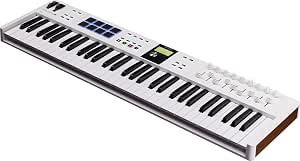 | Best for Software-Driven Production | Keys: 61 | Pads: 8 velocity- and pressure-sensitive RGB-backlit pads | Faders and encoders: 9 faders and 9 encoders | VIEW LATEST PRICE | See Our Full Breakdown |
| Nektar SE61 USB MIDI Controller Keyboard with DAW Integration, Black |  | Best Straightforward 61-Key Controller | Keys: 61 full-size keys | Connection: USB | Compatible platforms: Mac, iOS, Windows, Linux | VIEW LATEST PRICE | See Our Full Breakdown |
| Akai Professional MPK Mini IV 25-Key USB-C MIDI Keyboard Controller, Black |  | Best Compact Production Controller | Keys: 25 velocity-sensitive keys | Connection: USB-C | Pads: RGB backlit drum pads | VIEW LATEST PRICE | See Our Full Breakdown |
| M-AUDIO Oxygen Pro 61 USB MIDI Keyboard Controller |  | Best for Hands-On 61-Key Control | Keys: 61 semi-weighted keys | Connection: USB | Controls: RGB drum pads, assignable knobs and faders | VIEW LATEST PRICE | See Our Full Breakdown |
| MIDI keyboards for music production | Keys | Connectivity |
|---|---|---|
| DaierTek 25-Key Portable Bluet | 25 velocity-sensitive keys | Bluetooth and USB |
| Midiplus AKM320 Midi Keyboard | 32 velocity-sensitive keys | USB Type B |
| Akai Professional LPK25 25-Key | 25 velocity-sensitive keys | USB |
| Akai Professional APC Key 25 M | 25 velocity-sensitive mini keys | USB |
| Novation Launchkey 61 MK4 USB | 61 semi-weighted keys | USB-C and MIDI |
| Akai Professional MPK Mini Plu | 37 mini keys | USB, MIDI I/O, CV/Gate |
| Akai Professional MPK Mini MK3 | 25 velocity-sensitive keys | USB 2.0 Type B |
| M-AUDIO Keystation 49 MK3 USB | 49 full-size keys | USB MIDI |
| Donner USB-C MIDI Keyboard Con | 25 | USB-C |
| M-AUDIO Oxygen 61 MKV USB MIDI | 61 velocity-sensitive keys | USB |
| M-AUDIO Keystation Mini 32 MK3 | 32 velocity-sensitive keys | — |
| Arturia KeyLab Essential mk3 | 61 | — |
| Nektar SE61 USB MIDI Controlle | 61 full-size keys | — |
| Akai Professional MPK Mini IV | 25 velocity-sensitive keys | — |
| M-AUDIO Oxygen Pro 61 USB MIDI | 61 semi-weighted keys | — |
More Details on Our Top Picks
DaierTek 25-Key Portable Bluetooth & USB MIDI Keyboard Controller with Drum Pads and Software
I’d choose the DaierTek when wireless control and mobile compatibility matter more than a conventional studio setup. Its 25 velocity-sensitive keys, backlit drum pads, and assignable knobs give a producer several ways to sketch ideas without carrying a larger controller. Bluetooth can make it easier to work with a tablet or phone than the USB-only Akai Professional LPK25, while the arpeggio and smart-scale features offer useful guidance for quick idea building.
The tradeoff is a small key range, and Bluetooth setup may take extra steps on some devices. Like the other controllers here, it needs music software to produce sound; it has no built-in speakers. I’d pick the Midiplus AKM320 instead if I wanted a straightforward USB connection and pitch and modulation wheels, but the DaierTek is the more flexible choice for mobile sessions.
Pros:- Bluetooth and USB connectivity support both mobile and computer-based workflows.
- Backlit drum pads and assignable knobs add hands-on control beyond the keys.
- Smart-scale and arpeggio functions can help beginners build ideas quickly.
- Compact design suits portable music-making.
Cons:- The 25-key range limits access to wider two-handed parts.
- Bluetooth setup may be less straightforward than the USB connection on the LPK25.
- Requires a DAW or other music software and has no built-in speakers.
Best for: Mobile producers who want Bluetooth, drum pads, and compact keys for sketching in a DAW on a laptop, tablet, or smartphone.
Not ideal for: Players who need a wider keyboard for two-handed parts or prefer a simple, predictable USB-only setup.
- Keys:25 velocity-sensitive keys
- Connectivity:Bluetooth and USB
- Controls:Backlit drum pads and assignable knobs
- Supported devices:Laptop, PC, tablet, and smartphone
- Platforms:Android, Windows, and iOS
- Supported software:Ableton Live, FL Studio, GarageBand, and Cubase
- Additional functions:Arpeggio and smart scale
Our verdict“Choose the DaierTek for a portable, feature-rich controller when wireless sessions matter more than a larger key range.”
Midiplus AKM320 Midi Keyboard Controller
The AKM320 is the straightforward pick for a home-studio producer who wants more than two octaves without adding pads, wireless setup, or a complex control surface. Its 32 velocity-sensitive keys give a little more room for melodic lines than the 25-key Akai LPK25, and pitch and modulation wheels make basic performance expression accessible. Octave and transpose buttons help stretch the compact range when a part moves beyond it.
Compared with the DaierTek, this controller is less geared toward mobile, feature-led production: it uses USB power and connection, with no drum pads or smart-scale features listed. That simplicity can suit a first DAW setup, though the sustain pedal is not included and the 32-key layout still falls short for broad two-handed playing. Its support for Windows, Mac OS X, and Linux is a useful practical advantage for computer-based studios.
Pros:- 32 keys provide more playing room than the 25-key LPK25.
- Pitch and modulation wheels add useful expressive control.
- Octave and transpose buttons extend the compact range.
- USB operation and Windows, Mac OS X, and Linux support suit a basic computer setup.
Cons:- Sustain pedal is not included.
- No drum pads or advanced production controls are listed.
- The 32-key range can still constrain fuller keyboard performances.
Best for: New home-studio producers who want a compact USB controller with basic performance wheels and straightforward computer compatibility.
Not ideal for: Players who need drum pads, wireless operation, or a larger keyboard for extended two-handed parts.
- Keys:32 velocity-sensitive keys
- Connectivity:USB Type B
- Power:USB
- Performance controls:Pitch and modulation wheels
- Keyboard controls:Octave and transpose buttons
- Pedal input:Sustain pedal input
- Supported operating systems:Windows, Mac OS X, and Linux
- Dimensions:18.11 x 4.92 x 1.18 inches
Our verdict“Pick the AKM320 for an uncomplicated, compact home-studio controller with a few extra keys and essential performance controls.”
Akai Professional LPK25 25-Key USB MIDI Keyboard Controller
The LPK25 makes the most sense when small size and broad DAW compatibility outrank extra hands-on controls. Its 25 velocity-sensitive keys, USB connection, arpeggiator, and programmable presets cover the essentials for entering melodies and developing patterns in a software-based setup. It supports a wide range of named production programs, including Ableton Live, Logic, Cubase, and FL Studio, giving it a broader stated software list than the Ableton-focused APC Key 25 MK2.
That portability comes with a clear limit: the LPK25 does not offer the APC’s 5×8 clip-launch matrix and eight knobs, or the DaierTek’s Bluetooth and drum-pad feature set. Its compact keybed is better for short parts and travel than extended performance, and it needs software to generate sound. I’d choose the AKM320 for a little more playing range, but the LPK25 is the simpler fit for a minimal, USB-powered setup.
Pros:- Compact, lightweight design is easy to carry and fit on a crowded desk.
- Velocity-sensitive keys support expressive note input.
- Arpeggiator and programmable presets add useful creative options.
- Broad listed compatibility includes major DAWs such as Ableton Live, Logic, Cubase, and FL Studio.
Cons:- The 25-key range restricts larger parts and two-handed playing.
- It has no built-in sound generation and relies on music software.
- Compared with the APC Key 25 MK2, it offers fewer dedicated clip and mix controls.
Best for: Traveling producers and desk-space-conscious musicians who need a small USB keyboard for entering parts into a compatible DAW.
Not ideal for: Live performers who need clip-launch pads and mixer-style controls, or players who want more than 25 keys.
- Keys:25 velocity-sensitive keys
- Connectivity:USB
- Additional functions:Arpeggiator and programmable presets
- Supported software:GarageBand, Logic, Studio One, Cubase, Ableton Live, Pro Tools, Reason, FL Studio, Digital Performer, and Adobe Audition
- Dimensions:3.96 x 13.68 x 1.44 inches
- Weight:0.48 kg
- Hardware interface:USB
Our verdict“Choose the LPK25 if you want a compact, portable USB keyboard for composing in a broad range of DAWs.”
Akai Professional APC Key 25 MK2 25-Key USB MIDI Keyboard Controller
The APC Key 25 MK2 is the most workflow-specific option here: its 5×8 RGB pad matrix and eight assignable knobs are designed to put Ableton Live clips and sound controls within reach. That makes it a better fit for loop-based production and live arrangement than the LPK25, which focuses more on compact note entry. The 25 velocity-sensitive keys still cover melodic and bass parts, while USB connection keeps the setup simple for a computer-based Ableton rig.
This focus is also its main limitation. The supplied product data highlights Ableton Live rather than the broad software compatibility listed for the LPK25, and the 25-key range is not suited to extended keyboard parts. It also needs USB power and does not operate standalone. I’d choose the Launchkey 61 MK4 for a larger playing range and more expansive keyboard control, but the APC is the more direct choice when clip launching is central to the workflow.
Pros:- 5×8 RGB pad matrix supports hands-on clip launching in Ableton Live.
- Eight assignable knobs give direct access to mapped sound controls.
- Velocity-sensitive keys add melodic input in a compact format.
- USB connection suits a straightforward computer-based setup.
Cons:- The listed software focus is narrower than the broad compatibility of the LPK25.
- A 25-key range limits extended playing and two-handed parts.
- Requires USB power and cannot run standalone.
Best for: Ableton Live producers and performers who want a compact controller for launching clips and adjusting mapped parameters.
Not ideal for: Musicians seeking a broad DAW-neutral controller, standalone operation, or enough keys for extensive piano-style parts.
- Keys:25 velocity-sensitive mini keys
- Pad matrix:5×8 RGB pads
- Knobs:8 assignable knobs
- Connectivity:USB
- Supported software:Ableton Live
- Platforms:Mac and PC
- USB ports:1
Our verdict“Pick the APC Key 25 MK2 if Ableton clip launching matters more to your production workflow than extra keys or broad DAW flexibility.”
Novation Launchkey 61 MK4 USB MIDI Keyboard Controller
The Launchkey 61 MK4 is the strongest fit for producers who want a full-range keyboard and deep performance control in one controller. Its 61 semi-weighted keys offer far more room for two-handed parts than the 25-key APC Key 25 MK2, while 16 pads with polyphonic aftertouch add expressive input for beats and instrument performance. Scale and chord modes and an arpeggiator can help shape ideas without relying only on a mouse, and the OLED display and nine faders support hands-on control.
That breadth makes it a more involved choice than the AKM320 or LPK25, whose simpler layouts may suit a first controller better. Its USB-centered connection also means it is not the pick for a standalone setup, and the product data lists no MIDI DIN port. For casual producers who mainly enter short parts, its larger feature set may be more than they need; for a keyboard-led studio, the added range and control are the point.
Pros:- 61 semi-weighted keys provide substantially more playing range than the compact controllers in this roundup.
- Sixteen pads with polyphonic aftertouch support expressive performance.
- Scale and chord modes plus an arpeggiator offer useful composition tools.
- Nine faders and an OLED display provide hands-on control and feedback.
Cons:- The extensive feature set may take time for beginners to learn.
- USB-centered connectivity does not provide the wireless option of the DaierTek.
- The listed connectors include USB and MIDI but do not specify a MIDI DIN port.
Best for: Keyboard-led producers and live performers who want 61 keys, expressive pads, and extensive DAW control in a single setup.
Not ideal for: Beginners seeking a minimal controller, mobile producers needing wireless connectivity, or players who require a MIDI DIN connection.
- Keys:61 semi-weighted keys
- Pads:16 pads with polyphonic aftertouch
- Controls:9 faders, pitch and modulation wheels, and OLED display
- Connectivity:USB-C and MIDI
- Composition functions:Scale mode, chord mode, and arpeggiator
- Supported software:Ableton, Logic Pro, Cubase, and HUI
- Compatible devices:PC, synthesizer, and groovebox
Our verdict“Choose the Launchkey 61 MK4 if you want a full-range production keyboard with expressive pads and broad hands-on control.”
Akai Professional MPK Mini Plus 37-Key USB MIDI Keyboard Controller
The MPK Mini Plus is a strong middle ground for producers who want more playing range than a 25-key controller without carrying a full-size keyboard. Its 37 mini keys leave more room for melodies and two-handed ideas than the MPK Mini MK3, while its MPC-style pads and built-in arpeggiator cover beat programming and quick pattern work. The bigger differentiator is connectivity: MIDI I/O and CV/Gate make it useful beyond a computer-based studio, especially alongside compatible hardware or modular gear. NKS support and bundled MPC Beats also give it a broad software starting point. The tradeoff is that the keys remain mini-sized, so it is less comfortable for piano-style playing than the Keystation 49 MK3. It also needs external software or sound sources; it has no speakers or audio output.
Pros:- 37 keys provide more melodic range than 25-key controllers such as the MPK Mini MK3.
- MPC pads, an arpeggiator, and programmable controls support beat-making and hands-on editing.
- MIDI I/O and CV/Gate suit compatible hardware and modular workflows.
- MPC Beats is bundled, and NKS support helps control compatible Native Instruments libraries.
Cons:- Mini keys are less suitable for piano-style technique than the full-size keys on the Keystation 49 MK3.
- A computer, DAW, or compatible external sound source is needed to hear its MIDI performance.
- Its expanded connectivity makes it less minimal than a basic travel controller.
Best for: Portable producers who want pads, a larger-than-25-key mini keyboard, and connections for both DAW and compatible hardware setups.
Not ideal for: Pianists who need full-size keys or players seeking a standalone instrument with built-in sounds and audio output.
- Keys:37 mini keys
- Key response:Velocity-sensitive
- Pads:RGB MPC-style pads
- Connectivity:USB, MIDI I/O, CV/Gate
- Built-in control:Arpeggiator
- Software compatibility:DAWs compatible with Windows or Mac OS; NKS integration
- Included software:MPC Beats
- Color:Black
Our verdict“Choose the MPK Mini Plus if you want a portable mini-key controller with more range and hardware connections than a basic 25-key model.”
Akai Professional MPK Mini MK3 25-Key USB MIDI Keyboard Controller
For a small production setup centered on drums, samples, and short melodic parts, the MPK Mini MK3 keeps its footprint compact while offering more beat-making controls than a bare-bones keyboard. Its MPC-style pads, knobs, and arpeggiator let a producer shape a groove without reaching for a separate pad controller. Compared with the 37-key MPK Mini Plus, this model sacrifices playing range and hardware connections in favor of an easier-to-pack 25-key layout. That makes it a sensible fit for laptop sessions and tight desks, but a weaker choice for extended chords or two-handed parts. Native Kontrol Standard support and the included software add useful library and production options; still, the unit is a MIDI controller, not a sound-producing instrument, so a DAW or other sound source is required.
Pros:- Compact 25-key layout is easy to fit on a crowded desk or carry with a laptop.
- MPC-style pads, knobs, and an arpeggiator support a range of beat-making tasks.
- NKS integration supports control of compatible Native Instruments sound libraries.
- Includes a software bundle and two months of Splice sample library access.
Cons:- Two octaves provide less room for chord voicings and melodic performance than the MPK Mini Plus.
- Mini keys are a compromise for players accustomed to full-size keyboards.
- It has no built-in sounds or speakers and depends on connected software or instruments.
Best for: Laptop producers and beat-makers who prioritize a compact controller with pads and hands-on controls for short parts and sample work.
Not ideal for: Keyboard players who need more than two octaves, full-size keys, or built-in sounds for standalone practice.
- Keys:25 velocity-sensitive keys
- Connectivity:USB 2.0 Type B
- Pads:MPC-style touch-sensitive pads
- Built-in control:Arpeggiator
- Programmable:Yes
- Software compatibility:DAWs compatible with Windows or Mac OS
- NKS integration:Supported
- Power:USB
Our verdict“Pick the MPK Mini MK3 if portability and pad-based beat-making matter more than keyboard range.”
M-AUDIO Keystation 49 MK3 USB MIDI Controller
The Keystation 49 MK3 favors direct keyboard playing over pad-heavy production controls. Its 49 full-size, velocity-sensitive keys give a player more natural room for chords and melodies than the mini keys on either Akai MPK model, while pitch and modulation wheels add expressive control. USB-powered, plug-and-play operation keeps setup straightforward, and the sustain input supports a more piano-like playing approach when paired with a separately purchased pedal. Compared with the 61-key Oxygen 61 MKV, it takes less space and has a simpler control surface, but gives up the extra range, pads, assignable knobs, and faders. That focused design suits producers who primarily play parts into a DAW. It is less compelling for those who want extensive hands-on mixing or sound shaping from the keyboard itself.
Pros:- Full-size velocity-sensitive keys offer a more familiar playing feel than the mini keys on the MPK Mini MK3.
- USB-powered, plug-and-play connection simplifies computer-based setup.
- Pitch and modulation wheels provide expressive performance control.
- Includes MPC Beats, Ableton Live Lite, Velvet, XPand2, Mini Grand, and Touch Loops.
Cons:- It has no built-in sounds and needs a DAW or external instrument for audio.
- The sustain pedal is sold separately.
- Compared with the Oxygen 61 MKV, it has fewer keys and fewer assignable production controls.
Best for: Songwriters and keyboard players who want full-size keys for recording melodies, chords, and piano parts into a computer.
Not ideal for: Producers who want drum pads, many assignable controls, or more than four octaves for extended keyboard performances.
- Keys:49 full-size keys
- Key response:Velocity-sensitive
- Connectivity:USB MIDI
- Power:USB-powered
- Performance controls:Pitch and modulation wheels
- Other controls:Volume fader, transport buttons, octave up/down
- Pedal input:Sustain pedal input
- Included software:MPC Beats, Ableton Live Lite, Velvet, XPand2, Mini Grand, Touch Loops
Our verdict“Choose the Keystation 49 MK3 if playable full-size keys matter more to your workflow than pads and extensive DAW controls.”
Donner USB-C MIDI Keyboard Controller, 25-Key Portable Mini MIDI Keyboard with 8 Drum Pads, OLED Display, 16 Smart Scales, Arpeggio, Replay, 4 DAW Software, and 40 Teaching Courses
The Donner DMK 25 Pro is aimed at new producers who want built-in guidance and creative shortcuts alongside a compact keyboard. Its smart scale modes can help keep played notes within a chosen scale, while the OLED display, lighted keys, and arpeggio and replay functions make its controls easier to follow than a simple 25-key controller. The included teaching courses give beginners another way to build basic skills, a different emphasis from the MPK Mini MK3, which puts more weight on pads and established beat-making controls. USB-C and compatibility with computers, phones, and tablets offer flexible setups, though some connections may need extra adapters. The main limitation is shared with other mini controllers: 25 keys restrict playing range. It also produces no sound by itself, so a connected device and suitable software are necessary.
Pros:- Smart scale modes can help beginners play notes that fit a selected scale.
- OLED display and lighted keys make settings and playing guidance more visible.
- USB-C and stated compatibility with PC, Mac, phones, and tablets support varied setups.
- Includes 40 teaching courses and compatibility with several DAW applications.
Cons:- The 25-key range is limiting for two-handed parts and extended performances.
- It requires a connected computer or mobile device and software to produce sound.
- Some features or device connections may require additional adapters or software.
Best for: Beginners learning production who want scale guidance, illuminated controls, and course material in a portable controller.
Not ideal for: Experienced keyboard players needing a broad playing range, or anyone wanting a self-contained instrument that makes sound without a connected device.
- Keys:25
- Connectivity:USB-C
- Display:OLED
- Playing aids:16 smart scales, arpeggio, and replay functions
- Pads:8 drum pads
- Key features:Velocity-sensitive and lighted keys
- Compatible devices:PC, Mac, smartphone, and tablet
- Included learning material:40 teaching courses
- Software compatibility:Cubase LE, Cubasis, and WaveLab LE
Our verdict“Choose the Donner DMK 25 Pro if you are learning production and value scale guidance and lessons more than extra keys.”
M-AUDIO Oxygen 61 MKV USB MIDI Keyboard Controller
The Oxygen 61 MKV makes the most sense when a producer wants both playing range and a hands-on control surface. Its 61 velocity-sensitive keys give more room for two-handed parts than the Keystation 49 MK3, while backlit drum pads, assignable knobs and faders, and auto-mapping support production tasks that the more focused Keystation leaves to the DAW. Smart Chord and Scale modes can help with quick composition, and an arpeggiator adds another route to rhythmic parts. NKS compatibility and the included software bundle broaden its use with supported libraries and instruments. That extra control comes with a steeper learning curve than the simpler Keystation, and the supplied platform data specifies Windows 7 and 10, so Mac users should check compatibility before buying. It also needs USB power and external software or instruments for sound.
Pros:- 61 velocity-sensitive keys provide more range than the Keystation 49 MK3.
- Backlit pads, assignable knobs, and faders support hands-on production and sound shaping.
- Smart Chord, Scale modes, arpeggiator, and auto-mapping add composition and DAW control options.
- Includes Ableton Live Lite, MPC Beats, AIR Music Tech instruments, and Akai MPC Expansions.
Cons:- Its larger set of controls can take longer to learn than the Keystation 49 MK3.
- The supplied platform information lists Windows 7 and 10, so Mac compatibility should be verified.
- USB-powered and requires external software or instruments; it has no built-in sounds.
Best for: Windows-based producers who want 61 keys plus pads, assignable controls, and composition tools in one controller.
Not ideal for: Mac users relying on the listed platform support, beginners seeking a minimal setup, or players who need a standalone instrument with sounds.
- Keys:61 velocity-sensitive keys
- Connectivity:USB
- Pads:Backlit drum pads
- Assignable controls:Knobs and faders
- Performance controls:Pitch and modulation wheels; sustain input
- Composition features:Smart Chord, Smart Scale modes, and arpeggiator
- DAW control:Auto-mapping
- Software compatibility:Ableton Live Lite, MPC Beats, AIR Music Tech instruments, and Akai MPC Expansions
- Platform listed:Windows 7 and Windows 10
Our verdict“Pick the Oxygen 61 MKV if you want extended keyboard range and production controls, and its listed Windows support fits your setup.”
M-AUDIO Keystation Mini 32 MK3 USB MIDI Controller
The Keystation Mini 32 MK3 suits producers who need a keyboard that takes up little desk space or can travel with a laptop. Its 32 velocity-sensitive keys offer more playing room than 25-key options such as the Akai Professional MPK Mini IV, while remaining far smaller than the 61-key Arturia KeyLab Essential mk3. That makes it useful for entering melodies and simple parts, but less comfortable for two-handed arrangements or performances spanning a wide range. Customizable response and octave controls help adapt the compact keybed to different parts. The tradeoff is a deliberately minimal control set: unlike the MPK Mini IV, it has no listed pads, knobs, or onboard arpeggiator for shaping a production from the keyboard. It also needs a USB connection and relies on DAW software for sound.
Pros:- Lightweight 454 g body is easy to carry with a laptop.
- 32 velocity-sensitive keys provide more range than many 25-key mini controllers.
- Customizable key response and octave controls support different playing styles.
- Bundled recording software and lessons offer a starting point for new producers.
Cons:- The 32-key range can limit two-handed playing and wide arrangements.
- No listed pads, faders, or knobs for direct control of production tasks.
- Requires USB power and a computer or compatible device; it has no built-in sounds or speakers.
Best for: Laptop-based producers who want a lightweight keyboard for entering melodies, bass lines, and short musical parts in a compact workspace.
Not ideal for: Players who need a broad two-handed range or hands-on pad and knob control; a 61-key controller such as the Arturia KeyLab Essential mk3 is a better fit.
- Keys:32 velocity-sensitive keys
- Connection:USB
- Compatible platforms:Mac, Windows
- DAW compatibility:Any DAW compatible with Windows or Mac OS
- Dimensions:4.2 × 16.44 × 0.72 in
- Weight:454 g
Our verdict“Choose the Keystation Mini 32 MK3 for portable note entry, but pick the Akai MPK Mini IV if pads and hands-on controls matter more.”
Arturia KeyLab Essential mk3 — 61-Key USB MIDI Keyboard Controller with Analog Lab V Software Included
The Arturia KeyLab Essential mk3 is the strongest fit here for producers who want the keyboard to manage both playing and software control. Its 61 keys give more room for two-handed parts than the compact M-AUDIO Keystation Mini 32 MK3, while eight pressure-sensitive pads, nine faders, nine encoders, and a display make it easier to shape sounds and work with a DAW without reaching for the mouse as often. The included Analog Lab V and virtual instruments also give new projects sounds to work with straight away. Compared with the Nektar SE61, this model puts more listed emphasis on tactile controls and screen feedback, but that richer surface brings a steeper learning curve. It is also heavier and has only USB connectivity, so it is less convenient for a minimal travel rig.
Pros:- 61 keys support fuller two-handed parts than compact controllers.
- Pads, faders, encoders, and a display provide broad hands-on production control.
- Deep DAW integration supports workflow control in compatible software.
- Analog Lab V and included virtual instruments provide an immediate sound library.
Cons:- Its 6.8-pound weight makes it less suited to frequent travel than compact controllers.
- The many controls and software features may take time for beginners to learn.
- USB is the only listed connection, with no additional ports.
Best for: Producers who want a 61-key playing range, hands-on DAW controls, and a broad included instrument library in one controller.
Not ideal for: Travel-focused musicians or beginners who want a simple note-entry keyboard; the compact Keystation Mini 32 MK3 is lighter and more straightforward.
- Keys:61
- Pads:8 velocity- and pressure-sensitive RGB-backlit pads
- Faders and encoders:9 faders and 9 encoders
- Display:Digital display
- Connection:USB
- Compatible platforms:Mac, Windows 10
- Included software:Analog Lab V and virtual instruments
- Color:White
Our verdict“Pick the KeyLab Essential mk3 if you want a full-range keyboard and extensive software control, rather than the simpler Nektar SE61.”
Nektar SE61 USB MIDI Controller Keyboard with DAW Integration, Black
The Nektar SE61 makes sense for producers who want a full-size 61-key layout without the larger control surface of the Arturia KeyLab Essential mk3 or M-AUDIO Oxygen Pro 61. Its DAW integration and broad listed software compatibility support a production workflow across programs such as Logic, Cubase, Reaper, and Studio One. The full-size keys give more natural room for playing parts than the M-AUDIO Keystation Mini 32 MK3, while the simpler listed feature set may feel less demanding than the Arturia’s pads, faders, encoders, and display. That simplicity is also a limitation: the SE61 is focused on MIDI control, with no built-in sounds and no listed pads or faders for shaping a mix at the keyboard. At 3 kg and nearly 39 inches wide, it is a stationary desk choice, not a compact travel controller.
Pros:- Full-size 61-key layout offers room for broader parts and two-handed playing.
- Listed compatibility covers a wide range of DAWs and operating systems.
- DAW control features help manage production tasks from the keyboard.
- USB connectivity supports a straightforward computer-based setup.
Cons:- Its nearly 39-inch width and 3 kg weight make it less portable than compact controllers.
- No built-in sounds; sound generation depends on external software.
- The listed feature set lacks the pads, faders, and encoders found on the Arturia KeyLab Essential mk3.
Best for: Home-studio producers who want full-size keys, broad DAW compatibility, and a relatively direct MIDI controller without an elaborate control surface.
Not ideal for: Musicians with limited desk space or those seeking pads, faders, onboard sounds, or a portable controller; the Keystation Mini 32 MK3 is much more compact.
- Keys:61 full-size keys
- Connection:USB
- Compatible platforms:Mac, iOS, Windows, Linux
- Supported software:Bitwig, Cubase, GarageBand, Logic, Nuendo, Digital Performer, Mixcraft, Reason, Reaper, Sonar, Studio One
- Dimensions:7.75 × 38.77 × 2.75 in
- Weight:3 kg
- Warranty:2 years
Our verdict“Choose the SE61 for full-size keys and broad DAW support in a simple studio controller, but look to the Arturia KeyLab Essential mk3 for more hands-on controls.”
Akai Professional MPK Mini IV 25-Key USB-C MIDI Keyboard Controller, Black
The Akai Professional MPK Mini IV packs more production tools into a small footprint than a basic mini keyboard. Its 25 velocity-sensitive keys handle short parts and melodic input, while RGB MPC pads, assignable knobs, a display, and a built-in arpeggiator give producers several ways to build and shape ideas without adding separate gear. Compared with the M-AUDIO Keystation Mini 32 MK3, it sacrifices seven keys but gains a much broader control set; compared with the 61-key Oxygen Pro 61, it is far easier to carry but offers much less playing range. USB-C and the included virtual instrument collection suit a laptop-based setup, though the controller still depends on a DAW or compatible device. Its range and control options can also feel cramped or complex for players seeking a traditional keyboard-first workflow.
Pros:- Compact design is suited to laptop-based and mobile production setups.
- RGB MPC pads, assignable knobs, and a display provide more hands-on control than a basic mini keyboard.
- Built-in arpeggiator supports quick rhythmic and melodic idea generation.
- USB-C connection and included virtual instruments support a ready-to-start computer workflow.
Cons:- 25 keys are limiting for two-handed parts and wide-range performances.
- Full functionality depends on familiarity with DAWs and controller mappings.
- Requires a computer or compatible device and does not operate as a standalone instrument.
Best for: Mobile and bedroom producers who build tracks with pads and knobs and need a compact controller for short keyboard parts.
Not ideal for: Keyboard players who need two-handed range or producers seeking a larger, full-control 61-key surface such as the M-AUDIO Oxygen Pro 61.
- Keys:25 velocity-sensitive keys
- Connection:USB-C
- Pads:RGB backlit drum pads
- Additional controls:Assignable knobs and digital display
- Performance feature:Built-in arpeggiator
- Compatible platforms:Mac, Windows
- DAW compatibility:Any DAW compatible with Windows or Mac OS
Our verdict“Choose the MPK Mini IV if portability and pad-based control matter more than keyboard range; choose the Oxygen Pro 61 for fuller playing space.”
M-AUDIO Oxygen Pro 61 USB MIDI Keyboard Controller
The M-AUDIO Oxygen Pro 61 is aimed at producers who want a broad playing range and a control surface that can handle more than note entry. Its semi-weighted keys offer a firmer playing feel than the mini-key options here, while RGB drum pads, assignable knobs and faders, pitch and mod wheels, and an OLED screen bring performance and mix controls within reach. Compared with the Nektar SE61, it provides a more extensive set of listed hardware controls; compared with the Arturia KeyLab Essential mk3, it is another 61-key option with a different included software and DAW support package. The tradeoff is complexity: the controls may be more than a beginner needs, and USB-only, computer-dependent operation rules out standalone use. Its listed platform support is Windows, so buyers using other systems should check compatibility before choosing it.
Pros:- Semi-weighted 61-key layout offers more playing range and a firmer feel than mini controllers.
- Pads, knobs, faders, pitch and mod wheels, and an OLED screen support hands-on control.
- DAW integration and NKS support connect it with popular production software and instruments.
- Included software suite provides tools for recording and music production.
Cons:- The extensive controls may be difficult to learn for producers new to MIDI workflows.
- USB-only operation requires a computer or compatible device.
- The supplied specifications list Windows platform support, which may not suit buyers seeking confirmed support for other systems.
Best for: Windows-based producers who want semi-weighted 61-key playing and extensive hands-on controls for recording and DAW production.
Not ideal for: Beginners seeking a minimal keyboard, users who need standalone operation, or producers on Mac who require clearly listed platform support.
- Keys:61 semi-weighted keys
- Connection:USB
- Controls:RGB drum pads, assignable knobs and faders
- Display:OLED screen
- Performance controls:Pitch and mod wheels
- Pedal input:Sustain pedal input
- Supported software:Ableton Live, Cubase, Logic, Studio One, MPC Beats
- Listed platform:Windows
Our verdict“Pick the Oxygen Pro 61 for a control-rich, semi-weighted Windows production setup, but choose the Nektar SE61 for a simpler listed feature set.”
How We Picked
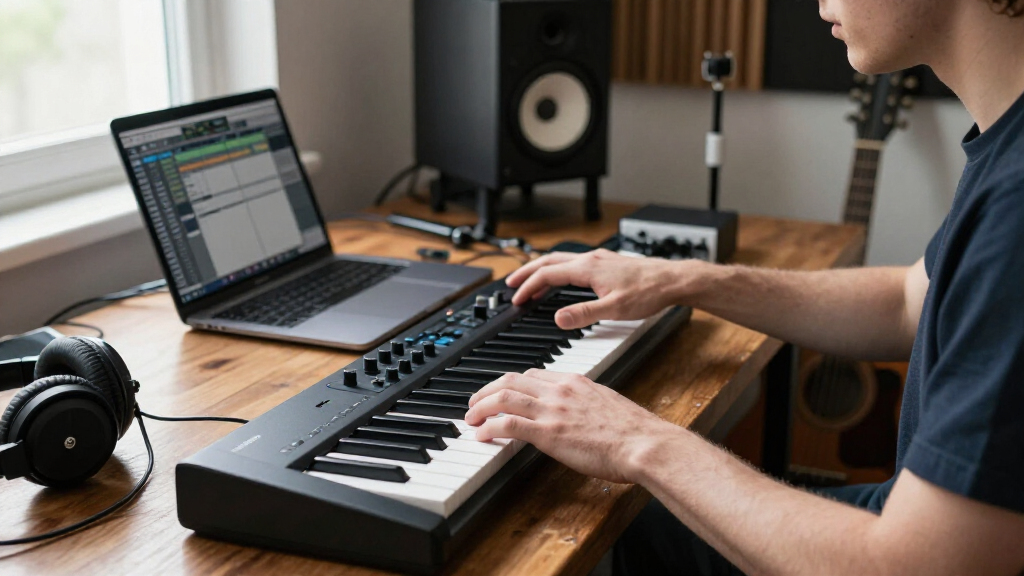
I compared these 15 MIDI keyboards for music production around the decisions that shape everyday studio use: key count and portability, control access, DAW integration, connection options, and how much each model supports different production tasks. I also looked at whether features such as pads, knobs, transport controls, displays, and bundled software add meaningful workflow value or simply increase complexity. A controller needs to fit the producer’s setup, not just list the longest feature set.
The ranking gives priority to versatility and production workflow, then weighs usability and the audience each controller serves. That puts full-size 61-key models with broad control sets near the top for all-around studio work, while focused options rank well for particular needs such as portability, Ableton Live control, or simple note entry. Smaller controllers are not treated as lesser choices; they rank according to how well their compact design serves the right buyer. I also count a model’s limitations—such as restricted key range, specialized controls, or fewer hands-on features—so the order reflects genuine tradeoffs.
Factors to Consider When Choosing MIDI Keyboards For Music Production
Before choosing a controller, I’d match it to the work you actually do and the space you have. A keyboard built for triggering beats can feel limiting when you need to play chords across several octaves, while a large controller may take up room without improving a laptop-based setup. These factors help narrow the field beyond comparing feature lists.
Choose Key Count Around Your Playing, Not Your Preset Library
Key count affects how comfortably you can perform parts, not which sounds or notes your software can produce. A 25-key controller can be enough for bass lines, drum programming, and short melodic phrases, but octave switching becomes routine when playing wider parts. Thirty-seven keys offer a useful compromise for compact setups, while 49 or 61 keys give both hands more room and reduce interruptions during recording. If you mainly enter notes with a mouse or step sequencer, a larger keyboard may occupy valuable desk space without changing your workflow. A common mistake is buying the smallest option for portability, then finding that frequent octave changes slow down playing. Think about the most demanding part you record, rather than the average note pattern.
Separate Key Feel From Key Count
Two controllers with the same number of keys can feel very different under your fingers, and that affects performance more than a long feature list suggests. Consider whether you mainly tap in short parts, play piano-style passages, or need a light controller that travels easily. Compact keys help reduce the instrument’s footprint, but players accustomed to full-size keys may find fast or expressive playing less comfortable. A larger keybed takes more room and can be less convenient to carry, so the right choice depends on whether the controller is a permanent studio fixture or a portable tool. Check product specifications for key size and velocity response rather than assuming all MIDI keyboards feel alike. If possible, try the keybed before committing, especially if it will be your main instrument for recording performances.
Buy DAW Control for the Software You Actually Use
Transport buttons, faders, knobs, and mapped pads can speed up production when they work smoothly with your DAW. Their value depends on whether the controller’s integration supports the software and tasks you use most; a feature-rich layout is not automatically more efficient. A model oriented toward Ableton Live may be a natural match for clip-based work, while a more general controller may better suit producers who move between applications. Before choosing, check the maker’s current compatibility information and identify which controls are pre-mapped versus manually assignable. One frequent mistake is paying attention to the number of controls without checking how much setup they require. If you prefer a simple record-and-play workflow, fewer controls may mean less time configuring and more space on your desk.
Count the Connections Your Setup Needs
USB connection is central to many modern controller setups, but the right ports depend on how your studio is arranged. Check whether the keyboard connects directly to your computer or requires an adapter, especially if your laptop has limited ports. Bluetooth can reduce cable clutter for some portable workflows, but wireless convenience should not replace checking compatibility and the connection requirements of your DAW. If you plan to connect external MIDI gear, confirm that the specific controller has the MIDI connections your devices need; USB-only models may not suit that role. Also account for power: a compact controller that draws power from its host can be convenient, while a setup with multiple devices may call for a powered hub. Verify the whole signal path before buying, rather than assuming a MIDI keyboard will connect to every instrument in your studio without extra hardware.
Treat Pads, Knobs, and Bundled Software as Workflow Tools
Extra controls are useful when they support a repeatable part of your process, such as finger-drumming, changing synth parameters, or adjusting a mix while recording. Drum pads do not replace a keyboard, and a large control surface can be wasted if you prefer programming everything with a mouse. Bundled instruments and lessons can help a new producer get started, but they should not decide the purchase if you already own a preferred sound library or learning plan. Check what software is included and whether it fits your operating system and production setup. For beginners, a modest bundle may make it easier to start making music; for experienced users, reliable controls and compatibility may matter more. The best extra feature is one you will use regularly, not the one that looks most impressive in a spec sheet.
Plan for Studio Space and Future Use
A MIDI keyboard becomes part of your workspace, so measure the available depth and width before choosing a larger model. Leave room for a computer keyboard, mouse, audio interface, and the cables you need; a controller that crowds the desk can disrupt every session. Portability also means more than low weight: consider how often you will pack it, whether its controls are easy to protect, and whether you can connect it quickly at another location. On the other hand, buying a very compact model solely to save space can lead to an upgrade once you start recording fuller performances. Think about the next likely change in your workflow, such as adding external gear or playing longer parts, without paying for features you have no plan to use. A good fit supports your current setup while leaving a practical path for how you make music.
Frequently Asked Questions
Is a 25-key MIDI keyboard enough for making complete tracks?
Yes, a 25-key controller can handle complete tracks if you mostly program drums, bass, and short melodic parts or use octave shifts and a piano roll. It is less comfortable for playing two-handed chords, broad piano arrangements, or parts that span several registers in one take. In this roundup, compact options such as the Akai MPK Mini models suit limited desk space, while the MPK Mini Plus provides more room with 37 keys. Think about whether you perform parts live or enter them one section at a time. If you expect to record longer keyboard performances, moving up to 49 or 61 keys can save repeated octave changes.
Should I choose the Launchkey 61 MK4 or the Arturia KeyLab Essential mk3?
Both are 61-key choices for producers who want more than basic note entry, so the deciding factor is how you want the controller to support your sessions. The Launchkey 61 MK4 is a strong all-around pick when broad DAW-focused control is a priority. The KeyLab Essential mk3 stands out if its included Analog Lab V software fits your instrument workflow and you value a substantial sound bundle. Check current compatibility and included software terms before deciding, since software needs can change. If you already own a large instrument library, prioritize the control layout and DAW workflow that best matches your habits.
Do I need a MIDI keyboard with drum pads for music production?
No; pads are helpful for finger-drumming, triggering samples, and entering rhythmic ideas, but they are not required to produce music. If you already program drums in your DAW or use a separate pad controller, a simpler keyboard may be a better use of desk space. Compact models in this roundup, including several Akai options and the Donner, combine keys with pads, but their other controls and software differ. Compare pad responsiveness and workflow support rather than treating the pad count as a measure of quality. Choose pads when they make a task you perform often faster or more expressive.
Will any USB MIDI keyboard work with my DAW?
Many USB MIDI controllers can send note data to a range of music applications, but that does not mean every feature will work automatically. Basic key input is often simpler to set up than transport buttons, pads, or pre-mapped controls, which may depend on software support and configuration. Check the manufacturer’s compatibility details for your operating system and DAW, and confirm how the controller connects to your computer. If you use Ableton Live or another DAW with specific integration, controller-focused models may offer a smoother setup than a basic note-entry keyboard. Plan for adapters or a hub if your computer’s ports do not match the controller cable.
Is a 61-key controller worth the extra desk space if I already use a piano roll?
It can be worthwhile if you play parts into the DAW, record two-handed passages, or want fewer octave changes while composing. If you mainly draw notes in the piano roll, use the controller for short riffs, or work in a very compact space, a smaller model may suit you better. A 61-key controller offers more physical range, but it does not improve the software editing workflow by itself. Consider how often you record live keyboard takes and whether the larger footprint will crowd other equipment. The 49-key options can be a practical middle ground when 25 keys feel restrictive but a full 61-key layout is hard to accommodate.
Conclusion
For most producers seeking one controller to handle varied studio work, I recommend the Novation Launchkey 61 MK4 as best overall. The M-AUDIO Keystation 49 MK3 is the straightforward value choice for players who mainly need a larger key range for note entry, while the Arturia KeyLab Essential mk3 is my premium-leaning pick for buyers who want a 61-key setup paired with Analog Lab V. Beginners who want a compact controller with learning-oriented extras can look at the Donner USB-C MIDI Keyboard; those who prefer fewer controls and a simple keyboard layout may favor the Keystation Mini 32 MK3. For specific needs, choose the APC Key 25 MK2 for Ableton-focused control, the MPK Mini Plus for compact beat-making with 37 keys, or the Keystation 49 MK3 for uncomplicated playing. Match the recommendation to your DAW, playing style, and available space, and the right pick becomes much clearer.