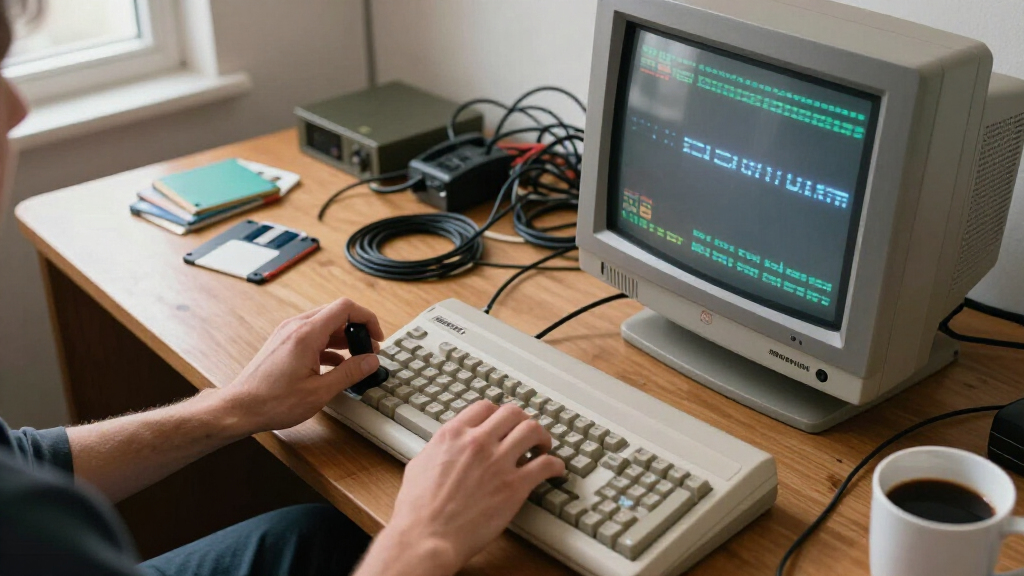
Finding the best Amiga gaming monitors is trickier than picking a screen for a modern PC, because the Amiga outputs a 15kHz RGB signal that almost no contemporary display accepts natively — so the real question is which panels behave best once you route the signal through a scaler like the OSSC or RetroTINK. The ASUS TUF Gaming VG27UQ1A stands out as my best overall pick thanks to its flexible 4K panel, wide refresh handling, and clean 4:3 pillarboxing, which keeps Amiga games looking correct rather than stretched. For value, the Sceptre 22-Inch FHD 144Hz gets the job done at a desk-friendly size that matches the Amiga’s low resolution, while the LG 32GX850A-B OLED is the premium choice if deep blacks and instant pixel response matter more than budget. The core tradeoff you’ll face is size versus authenticity: big panels look spectacular but exaggerate the Amiga’s chunky pixels, while compact screens feel period-correct. Read on for the full breakdown of all fifteen.

Get audio and creator gear delivered free — and shop member deals
- Fast, free delivery on millions of items
- Access to Prime Big Deal Days deals on October 6–7
- Prime Video, Amazon Music and more included
Complete the kit


Key Takeaways
- Panel flexibility with 50Hz input separated the winners — models that locked to 60Hz caused visible judder in PAL Amiga games, making 50Hz-tolerant displays like the ASUS VG27UQ1A and LG UltraGear models the safer picks.
- Compact 22-25 inch displays (Sceptre 22″, ArcticPro 22″, KTC H25T7-A) paired better with the Amiga’s low resolution than large panels, because upscaled pixels stay sharp and the 4:3 image doesn’t feel dwarfed by black bars.
- OLED (LG 32GX850A-B) delivers the most convincing CRT-like contrast for dark Amiga demos and games, but static retro menus and Workbench screens carry a burn-in risk that LCD picks avoid entirely.
- Monitors with built-in speakers (both Sceptre models) earned an edge here since the Amiga’s stereo audio otherwise needs a separate routing solution alongside your video scaler.
- Ultrawide options like the KOORUI 34-inch proved the weakest fit — most of their width goes unused with 4:3 Amiga content unless you stretch the image, which distorts classic games.
| LG 32GX850A-B 32″ UltraGear 4K UHD Glossy OLED Gaming Monitor |  | Best Overall / Premium Pick | Screen Size: 32 inches | Resolution: 4K UHD (3840 x 2160) | Panel Type: Glossy OLED | VIEW LATEST PRICE | See Our Full Breakdown |
| ASUS TUF Gaming VG27UQ1A 27-Inch 4K 160Hz G-SYNC Gaming Monitor |  | Best 4K Value | Screen Size: 27 inches | Resolution: 3840 x 2160 (4K UHD) | Panel Type: Fast IPS | VIEW LATEST PRICE | See Our Full Breakdown |
| ASUS TUF Gaming VG27AQM5A 27-Inch QHD 300Hz Gaming Monitor |  | Best for Fast-Paced Action | Screen Size: 27 inches | Resolution: QHD (2560 x 1440) | Panel Technology: Fast IPS | VIEW LATEST PRICE | See Our Full Breakdown |
| LG 27GS60QC-B UltraGear 27-inch Curved QHD 180Hz Gaming Monitor |  | Best Budget Curved Immersion | Screen Size: 27 inches | Resolution: QHD (2560 x 1440) | Panel Type: VA / LCD / LED | VIEW LATEST PRICE | See Our Full Breakdown |
| KTC H25T7-A 24.5-inch 240Hz FHD Fast IPS Gaming Monitor |  | Best Budget Compact Pick | Screen Size: 24.5 inches | Resolution: FHD 1080p | Panel Type: Fast IPS | VIEW LATEST PRICE | See Our Full Breakdown |
| KTC 27 Inch Curved Gaming Monitor, 1440P QHD 144Hz 1500R (H27S5C) |  | Best Immersive All-Rounder | Screen Size: 27 inches | Resolution: 2560×1440 (QHD) | Refresh Rate: 144Hz | VIEW LATEST PRICE | See Our Full Breakdown |
| Z-Edge 27-Inch Curved Gaming Monitor, 1080p, 300Hz/240Hz |  | Best for High-Refresh Competitive Gaming | Screen Size: 27 inches | Resolution: 1920×1080 (FHD) | Refresh Rate: 300Hz (DP) / 240Hz (HDMI) | VIEW LATEST PRICE | See Our Full Breakdown |
| Sceptre 22-Inch FHD 144Hz Gaming Monitor with Built-in Speakers |  | Best Compact Retro Desk Pick | Screen Size: 22 inches | Resolution: 1920 × 1080 (FHD) | Refresh Rate: Up to 144Hz | VIEW LATEST PRICE | See Our Full Breakdown |
| ArcticPro 22-Inch FHD 1080p Gaming Monitor, 144Hz, VESA Mountable |  | Best Budget Flexibility Pick | Screen Size: 22 inches | Resolution: 1920 x 1080 (FHD) | Refresh Rate: 144Hz | VIEW LATEST PRICE | See Our Full Breakdown |
| KOORUI 34-Inch 240Hz Curved Ultrawide Gaming Monitor |  | Best Premium Ultrawide Command Center | Screen Size: 34 inches (21:9 ultrawide) | Resolution: 3440 × 1440 | Refresh Rate: 240Hz | VIEW LATEST PRICE | See Our Full Breakdown |
| LG UltraGear 32GS60QC-B 32-inch QHD Curved Gaming Monitor |  | Best Immersive QHD Pick | Screen Size: 32 inches | Resolution: QHD (2560 x 1440) | Refresh Rate: 180 Hz | VIEW LATEST PRICE | See Our Full Breakdown |
| GIGABYTE GS25F2A 24.5″ SuperSpeed FHD IPS Gaming Monitor |  | Best Esports Speed Pick | Screen Size: 24.5 inches | Resolution: FHD (1920 x 1080) | Panel Type: SuperSpeed IPS | VIEW LATEST PRICE | See Our Full Breakdown |
| AOC 27G51Z 27-Inch Full HD Gaming Monitor |  | Best Value High-Refresh Pick | Display Size: 27 inches | Resolution: 1920 x 1080 (Full HD) | Panel Type: IPS | VIEW LATEST PRICE | See Our Full Breakdown |
| Sceptre 27-Inch Prime Gaming Monitor, 180Hz (E275B-FW180T Series) |  | Best Connectivity and Convenience Pick | Screen Size: 27 inches | Refresh Rate: 180 Hz | HDMI Ports: 2 | VIEW LATEST PRICE | See Our Full Breakdown |
| ASUS TUF Gaming VG32VQM5AZ 32″ 1080p 240Hz Curved Gaming Monitor |  | Best Big-Screen Competitive Pick | Screen Size: 31.5 inches | Resolution: 1920 x 1080 (Full HD) | Refresh Rate: 240 Hz (overclocked) | VIEW LATEST PRICE | See Our Full Breakdown |
| Amiga gaming monitor | Refresh Rate | Screen Size | Resolution | Response Time |
|---|---|---|---|---|
| LG 32GX850A-B 32" UltraGear 4K | 165Hz (4K) / 330Hz (1080p Dual-Mode) | 32 inches | 4K UHD (3840 x 2160) | 0.03ms GtG |
| ASUS TUF Gaming VG27UQ1A 27-In | 160Hz | 27 inches | 3840 x 2160 (4K UHD) | 1ms |
| ASUS TUF Gaming VG27AQM5A 27-I | 300Hz | 27 inches | QHD (2560 x 1440) | 0.3ms GTG (minimum) |
| LG 27GS60QC-B UltraGear 27-inc | 180Hz | 27 inches | QHD (2560 x 1440) | 1ms GtG |
| KTC H25T7-A 24.5-inch 240Hz FH | 240Hz | 24.5 inches | FHD 1080p | 1ms |
| KTC 27 Inch Curved Gaming Moni | 144Hz | 27 inches | 2560×1440 (QHD) | — |
| Z-Edge 27-Inch Curved Gaming M | 300Hz (DP) / 240Hz (HDMI) | 27 inches | 1920×1080 (FHD) | 1ms |
| Sceptre 22-Inch FHD 144Hz Gami | Up to 144Hz | 22 inches | 1920 × 1080 (FHD) | 1ms |
| ArcticPro 22-Inch FHD 1080p Ga | 144Hz | 22 inches | 1920 x 1080 (FHD) | — |
| KOORUI 34-Inch 240Hz Curved Ul | 240Hz | 34 inches (21:9 ultrawide) | 3440 × 1440 | 1ms |
| LG UltraGear 32GS60QC-B 32-inc | 180 Hz | 32 inches | QHD (2560 x 1440) | 1 ms GtG |
| GIGABYTE GS25F2A 24.5" SuperSp | 240 Hz | 24.5 inches | FHD (1920 x 1080) | 1 ms GtG |
| AOC 27G51Z 27-Inch Full HD Gam | 240Hz native, 260Hz overclocked | — | 1920 x 1080 (Full HD) | 0.5 ms MPRT |
| Sceptre 27-Inch Prime Gaming M | 180 Hz | 27 inches | — | — |
| ASUS TUF Gaming VG32VQM5AZ 32" | 240 Hz (overclocked) | 31.5 inches | 1920 x 1080 (Full HD) | 0.5 ms GTG (min.) |
More Details on Our Top Picks
LG 32GX850A-B 32″ UltraGear 4K UHD Glossy OLED Gaming Monitor
For a roundup about retro Amiga gaming on modern displays, this LG OLED is the ceiling of what money can buy. Pixel-perfect OLED blacks matter enormously for classic demos and dark scenes in titles like Shadow of the Beast, and the 0.03ms response time means zero ghosting on fast scrollers and shooters. Compared with the ASUS TUF VG27UQ1A, which offers similar 4K clarity at a lower tier, this model separates itself with Dual-Mode: 4K/165Hz for immersion, or 1080p/330Hz for twitch play. The 275-nit brightness is modest, and the glossy coating reflects room light — a real annoyance in bright retro-gaming dens. OLED burn-in risk also means you shouldn’t leave a Workbench static screen running for hours.
Pros:- Deep OLED blacks with 98.5% DCI-P3 color for gorgeous classic-game visuals
- Dual-Mode flexibility of 4K/165Hz or 1080p/330Hz covers both immersive and competitive play
- 0.03ms response time eliminates ghosting on fast-moving sprites and scrollers
- Fully adjustable ergonomic stand with a sleek borderless design
Cons:- OLED panels carry burn-in risk with static retro UIs left on screen
- 275-nit brightness and glossy finish struggle in bright rooms
Best for: Enthusiasts who want the absolute best image quality for Amiga emulation and modern gaming on one display
Not ideal for: Buyers on a budget or anyone who leaves static Workbench screens running — the glossy panel and burn-in risk don’t suit them
- Screen Size:32 inches
- Resolution:4K UHD (3840 x 2160)
- Panel Type:Glossy OLED
- Refresh Rate:165Hz (4K) / 330Hz (1080p Dual-Mode)
- Response Time:0.03ms GtG
- Color Gamut:Up to 98.5% DCI-P3
- Adaptive Sync:G-SYNC Compatible, FreeSync Premium Pro
- Stand Adjustments:Tilt, Height, Swivel, Pivot
Our verdict“This is the pick for the Amiga fan who wants a no-compromise flagship that also doubles as a superb modern gaming monitor.”
ASUS TUF Gaming VG27UQ1A 27-Inch 4K 160Hz G-SYNC Gaming Monitor
Stepping down from the LG 32GX850A-B, this ASUS delivers genuine 4K sharpness without the OLED price tag or burn-in anxiety. For Amiga use, the Fast IPS panel renders crisp pixel art at 160Hz with a 1ms response, and the dual adaptive-sync support keeps scrolling shooters tear-free. Where the LG wins on contrast and response, this model wins on peace of mind and practicality: HDMI 2.1 means you can also plug in a modern console at 4K 120Hz, and the 3-year warranty with advanced replacement is a safety net the premium pick doesn’t lean on. The tradeoffs are real — HDR brightness figures aren’t specified, there’s no USB hub or speakers, and you’ll want a strong GPU to exploit 4K at high refresh rates.
Pros:- 4K resolution makes classic pixel art and text modes razor sharp
- 160Hz refresh with 1ms Fast IPS response for smooth, ghost-free play
- HDMI 2.1 enables 4K 120Hz console gaming alongside retro rigs
- 3-year warranty with advanced replacement adds long-term confidence
Cons:- HDR brightness and certification details are not specified
- No built-in speakers or USB hub
- Needs a powerful GPU to fully utilize 4K at 160Hz
Best for: Multi-platform gamers who want sharp 4K pixel art and modern console support without paying for OLED
Not ideal for: Users who need built-in speakers, a USB hub, or deep HDR contrast from their monitor
- Screen Size:27 inches
- Resolution:3840 x 2160 (4K UHD)
- Panel Type:Fast IPS
- Refresh Rate:160Hz
- Response Time:1ms
- Color Gamut:95% DCI-P3
- Adaptive Sync:G-SYNC Compatible, FreeSync Premium, ELMB Sync
- Console Support:4K 120Hz via HDMI 2.1
Our verdict“The smart middle path for anyone who wants 4K clarity and modern versatility while skipping OLED risks and costs.”
ASUS TUF Gaming VG27AQM5A 27-Inch QHD 300Hz Gaming Monitor
If your Amiga sessions lean toward twitch-heavy titles — Turrican, Speedball, arcade shooters — refresh rate matters more than resolution, and this monitor’s 300Hz panel with a 0.3ms minimum response is the fastest mainstream option in this lineup. Next to the LG 27GS60QC-B at 180Hz, the difference in motion clarity is immediately visible on fast-scrolling scenes. QHD also strikes a sensible balance: sharper than the KTC H25T7-A’s 1080p, far less GPU-hungry than the VG27UQ1A’s 4K. The inclusion of built-in speakers and Shadow Boost makes it a tidy all-in-one for a compact retro corner. Just don’t expect audiophile sound from those speakers, and the 95% DCI-P3 coverage, while solid, won’t match the LG OLED’s color depth.
Pros:- 300Hz refresh with 0.3ms minimum response for exceptionally fluid motion
- QHD hits the sweet spot between sharpness and GPU demands
- Built-in speakers keep a retro desk setup simple
- ELMB Sync and Shadow Boost improve clarity in dark, fast scenes
Cons:- Integrated speakers won’t replace a dedicated audio setup
- No HDR support to match 4K alternatives in this lineup
Best for: Competitive and arcade-style players who prioritize fluid motion above raw resolution
Not ideal for: Cinematic gamers who prize HDR contrast and color richness over raw refresh rate
- Screen Size:27 inches
- Resolution:QHD (2560 x 1440)
- Panel Technology:Fast IPS
- Refresh Rate:300Hz
- Response Time:0.3ms GTG (minimum)
- Color Gamut:95% DCI-P3
- Audio:Integrated speakers
- Warranty:3 years
Our verdict“The right choice when smoothness is non-negotiable and you’d rather feel every frame than count pixels.”
LG 27GS60QC-B UltraGear 27-inch Curved QHD 180Hz Gaming Monitor
Curved screens divide opinion for retro gaming, but the 1000R curve here pulls you into the action in a way flat panels like the ASUS VG27AQM5A simply can’t — the wraparound effect suits cockpit-style and shooter titles beautifully. At 180Hz with a 1ms response, it keeps pace with far pricier options, and the matte finish fights glare better than the glossy LG 32GX850A-B. The compromises are obvious once you look at the stand: tilt-only adjustment means you’ll likely want a VESA arm, and the 1000:1 contrast is surprisingly weak for a VA panel, muting the deep blacks that dark Amiga scenes deserve. Gaming extras like Black Stabilizer and Dynamic Action Sync add genuine value at this tier.
Pros:- Immersive 1000R curve with a virtually borderless three-side design
- 180Hz refresh and 1ms response keep fast gameplay smooth
- Matte finish resists glare in bright gaming rooms
- Black Stabilizer and Dynamic Action Sync genuinely help in dark scenes
Cons:- Stand offers tilt only — no height or swivel adjustment
- 1000:1 contrast is weak for a VA panel, flattening dark scenes
Best for: Immersive-curious gamers on a budget who want a curve, high refresh, and everyday versatility
Not ideal for: Sticklers for ergonomic flexibility or deep contrast — the tilt-only stand and modest contrast ratio will disappoint
- Screen Size:27 inches
- Resolution:QHD (2560 x 1440)
- Panel Type:VA / LCD / LED
- Refresh Rate:180Hz
- Response Time:1ms GtG
- Screen Curvature:1000R
- Color Gamut:99% sRGB
- Ports:2x HDMI, DisplayPort
Our verdict“A sensible entry into curved gaming if you can live with a basic stand and average contrast.”
KTC H25T7-A 24.5-inch 240Hz FHD Fast IPS Gaming Monitor
Not everyone has room — or budget — for a 32-inch flagship, and this KTC proves a compact 24.5-inch screen can still deliver serious speed. The 240Hz refresh with 1ms response outpaces the LG 27GS60QC-B’s 180Hz while costing and occupying less, and the 350-nit brightness with 114% sRGB coverage is punchier than many budget rivals like the Sceptre 22-inch in this roundup. FHD resolution actually suits classic Amiga pixel art well — less upscaling means cleaner scaling for 320×256-era graphics — though modern games will look softer than on the QHD and 4K options here. Dual HDMI inputs are a thoughtful touch for swapping between a retro rig and a modern PC, but the tilt-only stand and basic ergonomies reflect the price point.
Pros:- 240Hz refresh and 1ms response punch well above the budget tier
- Compact 24.5-inch size fits tight desks and dorm setups
- Two HDMI 2.0 inputs plus DisplayPort 1.4 make device swapping easy
- 350-nit brightness and 114% sRGB deliver vivid, punchy colors
Cons:- Tilt-only stand with no height or swivel adjustment
- FHD resolution looks soft next to QHD and 4K alternatives
Best for: Space-constrained gamers and students who want high refresh speed and easy device-switching on a small desk
Not ideal for: Detail-focused players who want QHD or 4K sharpness for modern titles and productivity work
- Screen Size:24.5 inches
- Resolution:FHD 1080p
- Panel Type:Fast IPS
- Refresh Rate:240Hz
- Response Time:1ms
- Brightness:350 cd/m²
- Color Gamut:114% sRGB
- Connectivity:2x HDMI 2.0, 1x DisplayPort 1.4
Our verdict“The compact value pick for smaller setups where speed and simplicity matter more than resolution.”
KTC 27 Inch Curved Gaming Monitor, 1440P QHD 144Hz 1500R (H27S5C)
This pick stands out for buyers who want QHD sharpness and an immersive curve without stepping into premium OLED pricing. The 1500R curvature wraps the panel around your field of view, and the 4000:1 VA contrast gives dark scenes real depth — a noticeable upgrade over flat 27-inch options like the AOC 27G51Z, which trades curvature and contrast for a simpler flat panel. HDR400 and 129% sRGB coverage mean retro color palettes and modern ports of classic Amiga titles both look rich.
The tradeoff is ergonomics: tilt-only adjustment with no height or swivel, so a monitor arm or VESA stand is almost mandatory for comfortable positioning. Compared with the Z-Edge 27-inch below, you get sharper resolution but a lower refresh ceiling — a fair swap for anyone who values image quality over pure frame rates.
Pros:- Sharp 1440p resolution with vibrant HDR400 and 129% sRGB coverage
- Smooth 144Hz refresh with Adaptive-Sync to eliminate tearing
- Immersive 1500R curvature paired with deep 4000:1 contrast
- Flexible HDMI 2.0 and DP 1.4 connectivity plus VESA mounting
Cons:- Tilt-only stand — no height or swivel adjustment
- No USB ports or built-in hub for peripherals
Best for: Amiga enthusiasts who want a cinematic, high-contrast 27-inch display for both classic gaming sessions and modern desktop use
Not ideal for: Competitive players chasing 240Hz+ frame rates, or anyone without a VESA arm who needs height adjustment out of the box
- Screen Size:27 inches
- Resolution:2560×1440 (QHD)
- Refresh Rate:144Hz
- Curvature:1500R
- Contrast Ratio:4000:1
- Brightness:400 cd/m²
- Ports:HDMI 2.0 ×2, DisplayPort 1.4
- Sync Technology:Adaptive-Sync
Our verdict“This model makes the most sense for players who prioritize image quality and immersion at 27 inches and already own (or will buy) a monitor arm.”
Z-Edge 27-Inch Curved Gaming Monitor, 1080p, 300Hz/240Hz
Where the KTC H27S5C leans into resolution and color, this model goes all-in on speed: up to 300Hz over DisplayPort with a 1ms response time. For fast twitch gaming — including modern emulator frontends and competitive titles running alongside your Amiga setup — that refresh ceiling rivals the ASUS TUF VG27AQM5A at a friendlier feature set, with dual DisplayPort and dual HDMI inputs giving you room for multiple machines at once.
The compromise is pixel density: 1080p on a 27-inch panel looks noticeably softer than the QHD KTC, so text and fine sprite detail suffer if you sit close. HDMI tops out at 240Hz, which is still fast but means you need DP to unlock the full rate. The curve adds immersion but complicates multi-monitor tiling.
Pros:- Up to 300Hz refresh rate over DisplayPort for ultra-smooth motion
- 1ms response time reduces motion blur in fast games
- Four total inputs (2× DP, 2× HDMI) for multi-device setups
- Immersive curved, three-sided borderless design
Cons:- 1080p resolution looks soft on a 27-inch panel
- HDMI limited to 240Hz; full speed requires DisplayPort
Best for: Speed-focused gamers who want maximum refresh rates and multiple inputs for switching between a modern PC and retro hardware
Not ideal for: Detail-oriented players or productivity users who will notice 1080p softness on a 27-inch screen at close range
- Screen Size:27 inches
- Resolution:1920×1080 (FHD)
- Refresh Rate:300Hz (DP) / 240Hz (HDMI)
- Response Time:1ms
- Contrast Ratio:4000:1
- Display Type:Curved, borderless
- Ports:DisplayPort ×2, HDMI ×2
- VESA Mount:100 x 100mm
Our verdict“Choose this one if raw refresh rate matters more to you than pixel density, and skip it if sharp retro sprite detail is your priority.”
Sceptre 22-Inch FHD 144Hz Gaming Monitor with Built-in Speakers
Of everything in this lineup, this is the one that best matches the spirit of a classic Amiga desk: small, light, and self-contained. At 22 inches and 7 pounds, it fits where a 27- or 34-inch panel can’t, and the built-in speakers mean one less thing on your desk — handy for Amiga setups where you want sound without a separate audio system. The matte screen cuts glare, and Blue-Light Shift eases long retro gaming marathons.
Compared with the ArcticPro 22-inch, you get speakers and FreeSync but give up VESA flexibility and the ArcticPro’s wider 178-degree VA viewing angles — Sceptre lists just 170 degrees. The single HDMI port is the real bottleneck: one input means constant cable swapping if you run both an Amiga and a modern PC. Compared with larger picks like the LG 27GS60QC-B, it simply lacks screen real estate for immersive play.
Pros:- Compact 22-inch size fits cramped retro gaming desks
- 144Hz refresh with 1ms response and FreeSync
- Built-in speakers reduce desk clutter and cabling
- Matte finish and Blue-Light Shift reduce eye strain
Cons:- Only one HDMI port limits multi-device setups
- 22-inch screen feels small compared with 27-inch alternatives
Best for: Retro enthusiasts with limited desk space who want an all-in-one small monitor with sound built in
Not ideal for: Anyone running multiple sources — the single HDMI port forces constant cable switching — or players wanting a big immersive display
- Screen Size:22 inches
- Resolution:1920 × 1080 (FHD)
- Refresh Rate:Up to 144Hz
- Response Time:1ms
- Contrast Ratio:2000:1
- Screen Finish:Matte
- Sync Technology:FreeSync
- Built-in Speakers:Yes
Our verdict“This is the right pick for a space-constrained retro battlestation where integrated audio and a small footprint outweigh everything else.”
ArcticPro 22-Inch FHD 1080p Gaming Monitor, 144Hz, VESA Mountable
This option plays the role of the practical workhorse. Like the Sceptre 22-inch, it keeps a compact footprint, but it goes further on flexibility: a 75×75mm VESA mount, adjustable tilt, and — uniquely at this size in this roundup — a VGA input, which is a genuine advantage for connecting vintage hardware or older scalers that many modern monitors simply can’t accept. The VA panel’s 4000:1 contrast and 99% sRGB coverage deliver richer blacks than the Sceptre’s 2000:1 panel.
Tradeoffs are real, though: no speakers, so you’ll need external audio, and connectivity stops at HDMI and VGA — no DisplayPort, no USB. 1080p at 22 inches is fine for gaming but cramped for side-by-side multitasking, and unlike the curved KTC H27S5C, there’s no immersive wraparound effect here.
Pros:- VGA input supports vintage computers and older video hardware directly
- High 4000:1 contrast VA panel with 99% sRGB coverage
- VESA mountable with adjustable tilt for flexible placement
- 144Hz refresh with FreeSync for smooth motion
Cons:- No built-in speakers or DisplayPort input
- Limited to HDMI and VGA connectivity only
Best for: Buyers connecting legacy hardware via VGA, or anyone wanting a cheap VESA-mountable secondary screen for a retro rig
Not ideal for: Users who need built-in audio, DisplayPort, or more than two inputs for a multi-machine setup
- Screen Size:22 inches
- Resolution:1920 x 1080 (FHD)
- Refresh Rate:144Hz
- Panel Type:VA (LCD LED)
- Contrast Ratio:4000:1
- Color Gamut:99% sRGB
- Connectivity:HDMI, VGA
- VESA Mount:75 x 75mm
- Sync Technology:FreeSync
Our verdict“If your setup includes legacy VGA-era hardware, this is the easiest entry point in the lineup; otherwise the Sceptre’s speakers may serve you better.”
KOORUI 34-Inch 240Hz Curved Ultrawide Gaming Monitor
This is the big statement pick of the budget tier. A 34-inch 21:9 canvas at 3440×1440 gives you room to run an Amiga emulator window, a file browser, and a walkthrough guide side by side — something no 27-inch panel here, including the KTC H27S5C, can match. The 240Hz refresh rate with 1ms response rivals the Z-Edge 300Hz while delivering far more pixels, and PIP/PBP modes let you display two sources simultaneously — genuinely useful for a dual retro/modern setup.
The catch is fit and inputs: at nearly 32 inches deep with a stand, it dominates a small desk, and with only two HDMI ports and no DisplayPort listed, hooking up multiple machines plus a PC gets awkward. VA pixel response can smear in dark transitions compared with the IPS KTC H25T7-A. It’s also far from the OLED contrast of the LG 32GX850A-B, though it costs a fraction of it.
Pros:- Expansive 34-inch 21:9 ultrawide with sharp 3440×1440 resolution
- 240Hz refresh and 1ms response for fast gaming
- PIP/PBP modes display two sources at once
- Low blue light and flicker-free tech for long sessions
Cons:- Massive footprint overwhelms small desks
- Only two HDMI ports and no DisplayPort specified
Best for: Enthusiasts who want one huge screen for multitasking between emulation, modern gaming, and desktop work
Not ideal for: Small desks or minimalists — its size and stand depth overwhelm tight spaces, and multi-input users will hit the two-HDMI ceiling fast
- Screen Size:34 inches (21:9 ultrawide)
- Resolution:3440 × 1440
- Refresh Rate:240Hz
- Response Time:1ms
- Panel Type:VA, 1500R curved
- Contrast Ratio:4000:1
- Brightness:400 cd/m² (HDR400)
- Ports:HDMI ×2
- Features:PIP/PBP, Adaptive Sync, flicker-free
Our verdict“Buy this if you want maximum screen real estate and multitasking muscle at a mid-tier price; skip it if your desk or input needs are modest.”
LG UltraGear 32GS60QC-B 32-inch QHD Curved Gaming Monitor
Of the curved options in this roundup, this 32-inch LG stands out for pairing a 1000R curvature with QHD resolution, which is the combination that actually makes a curve worthwhile — the wraparound effect fills your field of view without the softness you get from the ASUS TUF VG32VQM5AZ, which stretches only 1080p across the same diagonal. The 3000:1 VA contrast means dark Amiga titles and moody modern ports hold depth that the IPS-based GIGABYTE GS25F2A can’t match, and the matte finish keeps glare from wrecking a long session. Black Stabilizer and Dynamic Action Sync are genuinely useful for pulling detail out of shadowy scenes.
The tradeoff is speed: 180Hz is smooth, but esports-focused buyers will find the GIGABYTE’s 240Hz snappier, and VA panels can smear on fast motion despite the 1ms rating. The aggressive curve also divides opinion — great solo, awkward for off-center viewers.
Pros:- QHD sharpness at 32 inches avoids the low pixel density of 1080p curved rivals
- High 3000:1 VA contrast renders dark scenes with real depth
- 1000R curve plus matte finish creates strong single-player immersion
- Black Stabilizer improves visibility in shadow-heavy games
Cons:- 180Hz trails the 240Hz+ offerings from GIGABYTE and AOC
- VA motion smearing can appear in fast-paced scenes despite the 1ms spec
Best for: Solo players who want a big, immersive curved screen with sharp QHD detail and deep contrast
Not ideal for: Esports purists chasing maximum frame rates, or anyone who shares the screen with side-seated viewers
- Screen Size:32 inches
- Resolution:QHD (2560 x 1440)
- Refresh Rate:180 Hz
- Response Time:1 ms GtG
- Curvature:1000R
- Contrast Ratio:3000:1
- HDR:HDR10
- Adaptive Sync:AMD FreeSync, VESA Adaptive Sync
Our verdict“This is the pick if you want one large curved screen that balances sharpness, contrast, and immersion, rather than raw competitive speed.”
GIGABYTE GS25F2A 24.5″ SuperSpeed FHD IPS Gaming Monitor
Size matters less than density in competitive play, and that’s exactly the argument for this 24.5-inch GIGABYTE. A 240Hz refresh rate with 1ms GtG on a small-format IPS panel is the classic esports formula — everything stays within your visual focus, and motion stays clean at high frame rates. Compared with the AOC 27G51Z, which matches the refresh rate at a larger size, the GIGABYTE’s SuperSpeed IPS panel and 120% sRGB coverage give it a clear edge in color richness, while FreeSync Premium (rather than generic Adaptive-Sync) means stricter certified tear-free behavior.
The compromise is resolution: FHD at 24.5 inches looks fine, but anyone eyeing the LG 32GS60QC-B’s QHD panel for single-player immersion will find this screen plain by comparison. There’s also no curve, no USB hub, and a modest 1000:1 contrast ratio that leaves dark scenes flatter than VA alternatives.
Pros:- 240Hz with 1ms GtG delivers exceptionally clean motion at high frame rates
- 120% sRGB coverage is unusually wide for a competitive FHD panel
- FreeSync Premium certification reduces tearing and stuttering reliably
- Compact 24.5-inch format suits small desks and LAN setups
Cons:- FHD resolution feels limiting next to QHD options like the LG 32GS60QC-B
- 1000:1 contrast makes dark scenes look flat compared with VA panels
Best for: Competitive and esports players who prioritize frame rate and motion clarity over screen size
Not ideal for: Players who want immersive single-player visuals — FHD and a small diagonal can’t deliver that
- Screen Size:24.5 inches
- Resolution:FHD (1920 x 1080)
- Panel Type:SuperSpeed IPS
- Refresh Rate:240 Hz
- Response Time:1 ms GtG
- Color Gamut:120% sRGB
- HDR:HDR10
- Adaptive Sync:AMD FreeSync Premium
Our verdict“If your games are measured in milliseconds rather than megapixels, this is the sharpest pure-speed value in the lineup.”
AOC 27G51Z 27-Inch Full HD Gaming Monitor
This AOC sits in a sweet spot the others mostly skip: a 27-inch, 240Hz-native IPS panel that overclocks to 260Hz, giving you a bigger canvas than the GIGABYTE GS25F2A without giving up competitive speed. The 0.5ms MPRT response keeps fast motion legible, and unlike the Sceptre E275B-FW180T, it actually specifies its panel type and sync technology, so you know you’re getting wide 178-degree IPS viewing angles and adaptive sync rather than hoping for them.
Practical touches help too: tilt adjustment, a 100x100mm VESA mount, and a three-sided frameless bezel make it easy to arm-mount or run in a dual setup. The honest downside is pixel density — 1080p across 27 inches is noticeably softer than the QHD LG 32GS60QC-B, and hitting the advertised 260Hz requires overclocking, which some GPUs and setups may not sustain. It’s also strictly tilt-only, with no height adjustment out of the box.
Pros:- 240Hz native (260Hz overclocked) matches or beats pricier rivals in speed
- IPS panel with 178-degree viewing angles beats unspecified-panel alternatives
- VESA mounting and frameless design suit multi-monitor and arm-mounted builds
- 0.5ms MPRT keeps motion crisp in fast games
Cons:- 1080p at 27 inches looks visibly softer than QHD options
- 260Hz requires overclocking and the stand offers tilt only
Best for: Budget-conscious competitive players who want a large high-refresh screen without paying for QHD
Not ideal for: Detail-focused gamers who’ll notice the softness of 1080p at 27 inches, or anyone wanting ergonomic height adjustment
- Display Size:27 inches
- Resolution:1920 x 1080 (Full HD)
- Panel Type:IPS
- Refresh Rate:240Hz native, 260Hz overclocked
- Response Time:0.5 ms MPRT
- Sync Technology:Adaptive-Sync
- VESA Mount:100 x 100mm
- Design:Three-sided frameless
Our verdict“The most sensible balance of size, speed, and price here — as long as pixel density isn’t a dealbreaker for you.”
Sceptre 27-Inch Prime Gaming Monitor, 180Hz (E275B-FW180T Series)
Where the AOC 27G51Z and GIGABYTE GS25F2A push refresh-rate limits, this Sceptre plays a different game: everyday practicality. With two HDMI and two DisplayPort inputs, it’s the easiest way in this lineup to keep a modern PC, a console, and a retro machine like an Amiga (via a scaler) connected and switchable, and the built-in speakers plus audio-out jack mean a spare room setup needs nothing else. The slim bezel also makes it a natural for dual-monitor arrangements.
The compromises are real, though. The 180Hz ceiling trails the 240Hz AOC and ASUS VG32VQM5AZ, and Sceptre doesn’t specify panel type, adaptive sync, or HDR — a meaningful information gap when rivals publish full specs. The speakers are serviceable for system sounds rather than serious gaming audio, and the FPS/RTS preset modes are shallow compared with the LG’s Black Stabilizer and Dynamic Action Sync toolset.
Pros:- Four video inputs (2x HDMI, 2x DisplayPort) handle multi-device setups effortlessly
- Built-in speakers and audio-out jack eliminate the need for external audio in casual setups
- Slim bezel design works well in dual-monitor configurations
- Blue-Light Shift reduces eye strain during long sessions
Cons:- Panel type, adaptive sync, and HDR support are unspecified, unlike fully documented rivals
- 180Hz with no confirmed VRR trails the 240Hz+ competition for fast gaming
Best for: Multi-device users and retro-plus-modern setups who need abundant inputs and no-frills audio in one screen
Not ideal for: Spec-conscious competitive gamers — the unspecified panel and lack of confirmed adaptive sync make it a gamble at high frame rates
- Screen Size:27 inches
- Refresh Rate:180 Hz
- HDMI Ports:2
- DisplayPort:2
- Speakers:Built-in
- Eye Care:Blue-Light Shift
- Gaming Modes:FPS, RTS
- Bezel Design:Nearly bezel-free
Our verdict“Buy this for its port count and convenience, not for its gaming pedigree — it’s a workhorse, not a racehorse.”
ASUS TUF Gaming VG32VQM5AZ 32″ 1080p 240Hz Curved Gaming Monitor
This ASUS tries something the lineup otherwise splits into separate products: competitive speed on an immersive 31.5-inch curved canvas. The overclocked 240Hz refresh and 0.5ms GTG response match the AOC 27G51Z for pace, while the 1500R curve gives it presence that a flat esports panel like the GIGABYTE GS25F2A simply lacks. ELMB SYNC is the standout here — combining motion-blur reduction with variable refresh rate is something none of the other picks offer, and it makes fast movement genuinely sharper.
The bundle is also unusually complete: DisplayPort cable in the box and a 3-year warranty with advanced replacement takes risk off the table. The catch is pixel density: 1080p across 31.5 inches is the lowest in this roundup, and next to the QHD LG 32GS60QC-B the difference is impossible to ignore. The 240Hz figure also depends on overclocking rather than a native rating.
Pros:- 240Hz overclocked with 0.5ms GTG delivers genuine esports-grade responsiveness
- ELMB SYNC reduces ghosting while variable refresh rate stays active, unlike most rivals
- 1500R curve adds immersion the flat GIGABYTE and AOC can’t offer
- 3-year warranty with advanced replacement plus included DisplayPort cable
Cons:- Lowest pixel density in the lineup — 1080p at 31.5 inches looks soft up close
- 240Hz requires overclocking rather than running natively
Best for: Competitive players who want fast, blur-free motion on a large immersive curved screen and aren’t fussy about pixel density
Not ideal for: Image-quality sticklers — 1080p at 32 inches looks visibly soft compared with QHD rivals like the LG UltraGear
- Screen Size:31.5 inches
- Resolution:1920 x 1080 (Full HD)
- Refresh Rate:240 Hz (overclocked)
- Response Time:0.5 ms GTG (min.)
- Panel Curvature:1500R
- Adaptive Sync:FreeSync Premium (VRR)
- Warranty:3 years with advanced replacement
- In the Box:DisplayPort cable, screwdriver, power cord
Our verdict“Speed and immersion in one screen, provided you can live with the softest image here — otherwise step down to the LG’s QHD panel.”
How We Picked
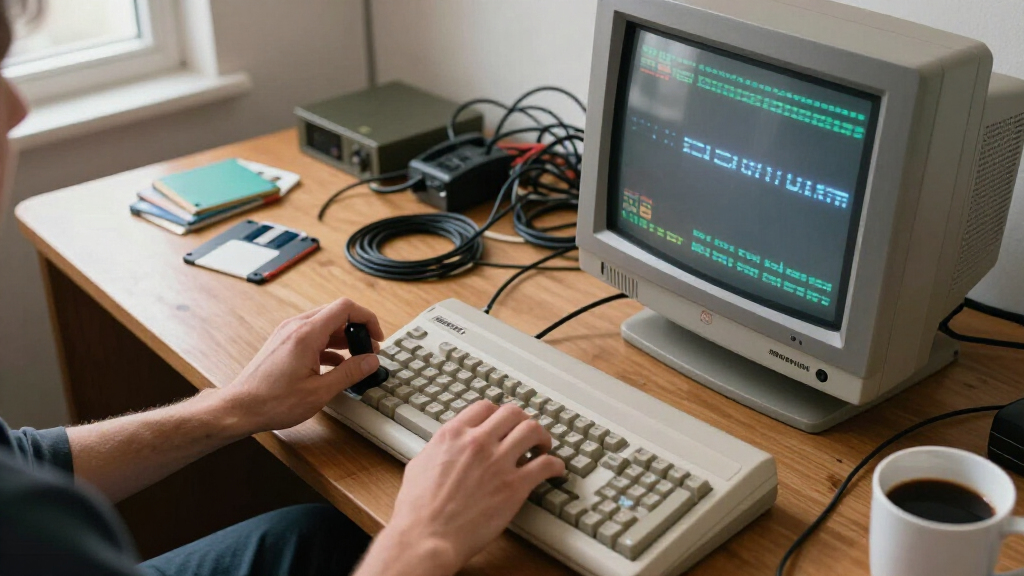
Since every monitor here will receive Amiga video through an external scaler or converter, I judged each model on how gracefully it handles upscaled retro signals rather than raw gaming specs. That meant prioritizing four things: acceptance of 50Hz PAL refresh rates without judder or rejection, reliable 4:3 and integer-scaling support so games aren’t stretched, low processing latency once the scaler has done its work, and HDMI input behavior that plays nicely with devices like the OSSC, RetroTINK, and RGB-to-HDMI adapters. High refresh rates like 240Hz or 330Hz were treated as bonuses, not differentiators — an Amiga can’t use them.
I then weighed size appropriateness, since a 1080p-class Amiga image scales far more cleanly onto small-to-mid panels than onto 32-inch-plus screens, and factored in practical conveniences like built-in speakers and VESA mounting for retro desk setups. The ranking reflects a simple philosophy: the monitor that makes Amiga games look correct, run smoothly, and feel era-appropriate beats the one with the flashiest spec sheet. That’s why compact and mid-size flexible panels sit high on the list while giant ultrawides land at the bottom despite strong hardware.
Factors to Consider When Choosing Best Amiga Gaming Monitors
Before committing to any monitor for your Amiga, it helps to understand the quirks of the platform itself — because a screen that’s excellent for PC gaming can be genuinely poor for a machine built in the late 1980s and early 1990s. These are the factors I’d weigh before spending anything.The 15kHz Problem and Your Scaler Chain
The single biggest mistake buyers make is assuming any HDMI monitor will accept an Amiga directly. The Amiga outputs a 15kHz RGB signal over its video port, and virtually no modern display has a scaler capable of syncing to it — you’ll get a black screen, not a degraded picture. That means budgeting for a conversion device such as an OSSC, a RetroTINK, or one of the RGB-to-HDMI boards built for the Amiga’s video slot, and factoring that into the total cost of your setup. Some monitors are fussier than others about the timings these devices output, so checking community compatibility reports for your specific converter matters more than any spec on the box. A monitor that cost less but rejects your scaler’s signal is worthless to you regardless of its features.
PAL Versus NTSC: Why 50Hz Support Decides Everything
Most Amiga software was written in Europe for 50Hz PAL machines, and this is where monitor choice quietly makes or breaks the experience. A monitor that only refreshes at 60Hz forces your scaler to frame-drop or duplicate frames, producing the characteristic stutter you see in scrolling shooters and platformers like Turrican. Look for a display that explicitly accepts a 50Hz HDMI input — many do, but some budget models only list 60Hz modes even when they tolerate 50Hz inconsistently. If your Amiga is an NTSC 60Hz machine this matters far less, but even then, European games and demos run at 50Hz and will hitch on a 60Hz-locked screen. This is the one spec I’d verify before anything else.
Aspect Ratio Discipline
Amiga games were designed for 4:3 (and occasionally 3:2) displays, and stretching them to fill a 16:9 widescreen makes circles oval and sprites fat. A good retro monitor needs robust manual aspect-ratio controls so you can pillarbox the image with black bars rather than letting the display auto-stretch it. This is also why screen size deserves more thought than most buyers give it: on a 32-inch panel, those black bars are massive and the upscaled pixels can look blocky, while a 22-25 inch screen produces an image closer to what a period CRT would have shown. Ultrawides compound the problem, leaving most of the panel idle. Resist the urge to buy the biggest screen in the store — the Amiga rewards restraint here.
Audio Routing
The Amiga’s stereo sound was a headline feature of the machine, from Paula chip music in games to the legendary tracker scene, so audio deserves a place in your planning. Monitors with built-in speakers let you send audio over the same HDMI cable as video (most scalers pass it through), eliminating an extra cable run and a separate speaker purchase. The caveat is honest: monitor speakers are never audiophile-grade, and if your Amiga library leans heavily on music demos, a dedicated pair of desktop speakers fed from the Amiga’s RCA outputs will sound noticeably better. Decide early whether convenience or fidelity wins for you, because it shapes which monitors make sense.
LCD Artifacts That Retro Pixels Expose
Amiga pixels are chunky, high-contrast, and often stationary for long stretches — three things that stress modern panels in ways modern games don’t. Fast IPS and OLED panels with sub-1ms response render scrolling backgrounds without the smear that slower VA panels show, which genuinely improves fast games like Ruff ‘n’ Tumble. On the flip side, OLED’s static-content vulnerability applies to Workbench sessions and score screens left running for hours. VA panels like those in several curved models here offer deep blacks but slower pixel response, which manifests as ghosting behind moving sprites. Match the panel technology to how you actually play: long sessions in the Workbench favor IPS, motion-heavy gaming favors fast IPS or OLED.
Inputs, Mounting, and Desk Realities
Retro setups tend to accumulate devices — the Amiga itself, a scaler, maybe a modern console sharing the desk — so input count and type genuinely matter. Monitors with two HDMI ports plus DisplayPort let you keep your scaler permanently connected while a second machine hot-swaps in, which saves wear on connectors. VESA mounting is easy to overlook until you realize a wall arm frees up desk space for the Amiga, its external floppy drive, and a joystick. Also check the stand’s ergonomics: many budget gaming monitors ship tilt-only stands, and a screen you can’t raise to eye level becomes an ergonomic problem fast. These small practicalities determine whether the setup stays hooked up and used or gets unplugged and shelved.
Frequently Asked Questions
Can I connect an Amiga directly to any of these HDMI monitors?
No — none of these monitors will accept a raw Amiga signal, and that’s true of every modern display on the market. The Amiga outputs a 15kHz RGB signal that predates HDMI by roughly two decades, so you’ll need a converter in the chain. The popular options are the OSSC (open-source line doubler/tripler), the RetroTINK series, and purpose-built RGB-to-HDMI internal boards that mount inside the Amiga’s video slot. The monitor you choose determines how happy it is with these devices’ output timings, which is why signal flexibility features so heavily in my rankings. Budget for the converter alongside the screen, since the two are inseparable parts of one system.
Do I need a high refresh rate monitor like 240Hz or 330Hz for Amiga gaming?
Not at all — the refresh rate arms race is irrelevant to the Amiga, which outputs 50Hz (PAL) or 60Hz (NTSC) at best. A 240Hz panel won’t make Turrican scroll any smoother because the source material simply doesn’t contain more frames. What matters is that the monitor cleanly accepts a 50 or 60Hz input without forcing interpolation to a higher rate, which some gaming displays do aggressively in their default modes. The high-refresh models on this list earn their spots through other qualities — panel response speed, input handling, or value — not their headline refresh figures. Spend your decision-making energy on 50Hz compatibility instead.
Is an OLED monitor like the LG 32GX850A-B risky for retro gaming sessions?
There’s a real but manageable risk worth understanding. Amiga gaming involves static elements — score panels, health bars, Workbench menus — that stay in one place for hours, which is precisely the pattern that accelerates OLED burn-in. Modern OLEDs include pixel shift, logo dimming, and refresh cycles that mitigate this, so casual gaming sessions pose little danger. But someone who leaves Workbench open daily for weeks is a different story. If your Amiga use is heavy on static screens, an IPS or VA panel is the safer long-term choice; if you play varied games and power down after sessions, the OLED’s CRT-like contrast is a genuine treat for dark demos and atmospheric titles.
What size monitor is actually best for Amiga games?
Counterintuitively, smaller is usually better for this platform. The Amiga’s typical game resolutions (320×256 or 640×256) scale cleanly onto 22-25 inch 1080p-class panels, where each pixel maps neatly and the overall image approximates a period desktop CRT. On 32-inch and larger screens, the same image stretches to a size its low resolution can’t support — pixels become visibly blocky and the pillarbox bars grow enormous. Where big panels earn their keep is with the OSSC’s line-multiply modes output at 1080p or 4K, which add scanline detail that benefits from extra real estate. If you’re starting simple with a basic converter, I’d point you at the 22-25 inch options here and save the money.
Why do curved monitors rank lower for Amiga gaming?
Curvature is engineered around one thing: filling your peripheral vision with a wide 16:9 or 21:9 image from a close seating position. Amiga content abandons that premise entirely — you’ll be viewing a 4:3 image in the middle of the panel with bars on both sides, and a curve wrapped around unused black space adds nothing but a slightly distorted geometry at the image edges. Straight panels preserve the flat, uniform geometry that pixel art is drawn for. The curved models here (LG 27GS60QC-B, KOORUI 34-inch, ASUS VG32VQM5AZ) aren’t bad monitors, and some rank respectably for their signal handling — they’re just paying for a feature your Amiga can’t exploit. Choose them for price and panel quality, never for the curve.
Conclusion
Matching the monitor to your Amiga habits matters more than any spec sheet. For best overall, the ASUS TUF Gaming VG27UQ1A hits the sweet spot: 4K flexibility for line-multiplied OSSC output, dependable 50Hz handling, and a sensible 27-inch footprint that flatters Amiga resolutions. The Sceptre 22-Inch FHD 144Hz takes best value — its compact size, built-in speakers, and clean 1080p scaling get you an authentic retro feel for the least outlay, with the KTC H25T7-A as a step-up alternative if you want a faster panel. For the premium build, the LG 32GX850A-B OLED delivers contrast and response that no LCD here can touch, provided you manage static-content risk. Beginners should start with the ArcticPro 22-Inch or GIGABYTE GS25F2A: simple, affordable panels that pair painlessly with a first RGB-to-HDMI adapter. And for specific needs, the Sceptre E275B-FW180T suits multi-device retro desks with its four inputs, while the LG UltraGear 32GS60QC-B serves big-screen demo-party vibes better than most. Whatever you choose, remember the scaler is half the equation — pair a compatible converter with any of these and your Amiga will look better than it has in decades.
Fall Picks
fall essentials
As an affiliate, we earn on qualifying purchases.