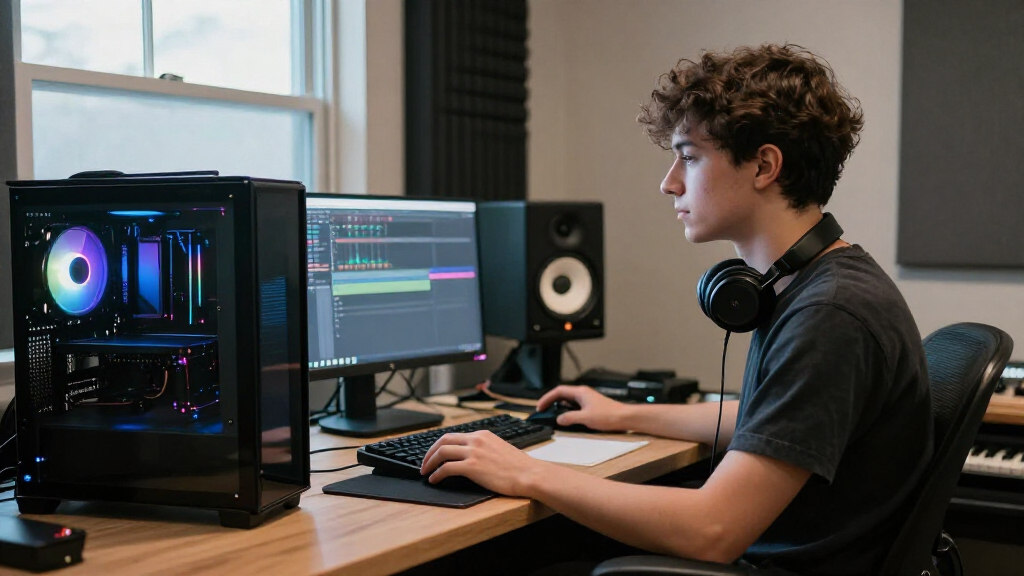

The best prebuilt gaming PCs balance graphics performance, a capable processor, and sensible memory and storage without making setup a project. My best overall pick is the Skytech King 95, pairing a Ryzen 7 9800X3D with an RTX 5070 Ti, 32GB of DDR5, and a 2TB SSD. For a stronger graphics ceiling, the STORMCRAFT Phantom combines an RTX 5080 with the same gaming-focused processor, while the MSI Codex Z2 offers a more balanced RTX 5070 configuration. The main tradeoffs are graphics capability, system balance, storage, and how much room you want for future upgrades. Read on for the full comparison and recommendations by buyer type.

Get audio and creator gear delivered free with Prime
- Fast, free delivery on millions of items
- Prime Video, Amazon Music and more included
- Member-only deals all year
Complete the kit


Key Takeaways
- The Skytech King 95 leads on balance: its Ryzen 7 9800X3D, RTX 5070 Ti, 32GB DDR5, and 2TB SSD make it a strong all-round configuration among these options.
- The STORMCRAFT Phantom prioritizes graphics: its RTX 5080 gives it the lineup’s clearest premium-gaming role, but buyers should decide whether that graphics tier matters more than overall value.
- RTX 5070 systems form a versatile middle: the MSI Codex Z2, MSI Codex R2 AI, and iBUYPOWER Element pair that graphics card with different processors and memory or storage choices.
- Memory and storage separate otherwise similar builds: several RTX 5060 or RTX 5060 Ti PCs come with 16GB of RAM or a 1TB SSD, while their 32GB counterparts offer more breathing room for multitasking and a growing game library.
- GPU generation matters more than a premium CPU name for gaming: the HP OMEN 45L’s older GTX 1660 SUPER and the RTX 3050 configurations sit well below the RTX 5060-and-up group in graphics hardware.
| Skytech Gaming Desktop PC with Ryzen 7 9850X3D, Radeon RX 9070 XT, 32GB DDR5 RAM, and 2TB SSD |  | Best Overall for High-Performance Gaming | Processor: AMD Ryzen 7 9850X3D, 4.7GHz base, up to 5.6GHz Turbo | Graphics: AMD Radeon RX 9070 XT, 16GB GDDR6; brand may vary | Memory: 32GB DDR5, 5600MHz | VIEW LATEST PRICE | See Our Full Breakdown |
| MSI Codex Z2 Gaming Desktop, AMD Ryzen 7 8700F, GeForce RTX 5070, 32GB DDR5, 2TB SSD |  | Best for NVIDIA-Focused Gaming and Streaming | Processor: AMD Ryzen 7 8700F, 8 cores and 16 threads, up to 5.0GHz | Graphics: NVIDIA GeForce RTX 5070 | Memory: 32GB DDR5, 6000MHz | VIEW LATEST PRICE | See Our Full Breakdown |
| KOTIN Gaming Desktop PC with AMD Ryzen 7 9700X and Radeon RX 9070 XT |  | Best for Feature-Focused Builders | Processor: AMD Ryzen 7 9700X, 3.8GHz, up to 5.5GHz | Graphics: AMD Radeon RX 9070 XT, 16GB GDDR6 | Memory: 32GB DDR5 | VIEW LATEST PRICE | See Our Full Breakdown |
| STORMCRAFT Phantom Gaming PC with AMD Ryzen 7 9800X3D and GeForce RTX 5080 |  | Best Premium Performance | Processor: AMD Ryzen 7 9800X3D, 8 cores and 16 threads, 4.7GHz up to 5.2GHz | Graphics: GeForce RTX 5080, 16GB GDDR7 | Memory: 32GB DDR5-6000 RGB | VIEW LATEST PRICE | See Our Full Breakdown |
| LXZ Gaming Desktop PC with Ryzen 7 4700LE and GeForce RTX 3050 |  | Best Entry-Level Gaming Pick | Processor: AMD Ryzen 7 4700LE, 8 cores and 16 threads, 3.6GHz base, up to 4.2GHz | Graphics: GeForce RTX 3050, 8GB GDDR6 | Memory: 16GB DDR4, 2666MHz | VIEW LATEST PRICE | See Our Full Breakdown |
| HOENGAGER Panorama Prebuilt Gaming PC, AMD Ryzen 7 5700X, GeForce RTX 5060, 32GB RAM, 1TB NVMe SSD, 240mm AIO, Windows 11, White |  | Best for a Showpiece Gaming Setup | Processor: AMD Ryzen 7 5700X, 8 cores / 16 threads | Graphics: GeForce RTX 5060 | Memory: 32GB DDR4 listed (2 × 16GB; listing contains a conflicting DDR5 reference) | VIEW LATEST PRICE | See Our Full Breakdown |
| ZYNEEX S5 Prebuilt Gaming Desktop PC, Ryzen 5 5500, GeForce RTX 3050 6GB, 16GB DDR4 RAM, 1TB NVMe SSD |  | Best Entry-Level 1080p Pick | Processor: AMD Ryzen 5 5500, 6 cores / 12 threads, up to 4.2 GHz | Graphics: GeForce RTX 3050 6GB GDDR6 | Memory: 16GB DDR4-3200 | VIEW LATEST PRICE | See Our Full Breakdown |
| Skytech King 95 Gaming Desktop PC, AMD Ryzen 7 9800X3D, GeForce RTX 5070 Ti, 32GB DDR5 RAM, 2TB NVMe SSD |  | Best for High-End 1440p Gaming | Processor: AMD Ryzen 7 9800X3D, 4.7 GHz base / up to 5.2 GHz Turbo | Graphics: NVIDIA GeForce RTX 5070 Ti, 16GB GDDR7; brand may vary | Memory: 32GB DDR5-6000 RGB | VIEW LATEST PRICE | See Our Full Breakdown |
| MSI Codex R2 AI Gaming Desktop, Intel Core Ultra 7 265F, GeForce RTX 5070 12GB, 32GB DDR5, 2TB PCIe 4.0 SSD |  | Best for Connectivity and a Balanced Feature Set | Processor: Intel Core Ultra 7 265F, 20 cores / 20 threads, up to 5.3 GHz | Graphics: NVIDIA GeForce RTX 5070, 12GB GDDR7 | Memory: 32GB DDR5 listed; listing contains conflicting configuration details | VIEW LATEST PRICE | See Our Full Breakdown |
| CyberPowerPC Gamer Master Gaming Desktop, AMD Ryzen 7 8700F, GeForce RTX 5060 Ti 8GB, 16GB DDR5, 1TB SSD |  | Best for an AM5 Upgrade Path | Processor: AMD Ryzen 7 8700F, 8 cores, 4.1 GHz | Processor socket: AM5 | Chipset: AMD B850 | VIEW LATEST PRICE | See Our Full Breakdown |
| KOTIN Gaming Desktop PC with Ryzen 7 8700F, GeForce RTX 5060 Ti 8GB, 32GB DDR5 RAM, and 1TB SSD |  | Best for Multitasking and Connectivity | Processor: AMD Ryzen 7 8700F | Graphics: GeForce RTX 5060 Ti, 8GB | Memory: 32GB DDR5, 6000 MHz | VIEW LATEST PRICE | See Our Full Breakdown |
| iBUYPOWER Element Gaming Desktop PC, AMD Ryzen 9 7900X, NVIDIA GeForce RTX 5070 12GB, 32GB DDR5 RAM, 1TB NVMe SSD, Windows 11 Home |  | Best for Premium Gaming and Creation | Processor: AMD Ryzen 9 7900X | Graphics: NVIDIA GeForce RTX 5070, 12GB | Memory: 32GB DDR5 RGB, 4800MHz | VIEW LATEST PRICE | See Our Full Breakdown |
| HP OMEN 45L Gaming Desktop, Intel Core i7-12700KF, 32GB RAM, 1TB SSD, GeForce GTX 1660 SUPER |  | Best for CPU-Heavy Multitasking on a Tight Graphics Budget | Processor: Intel Core i7-12700KF, 12 cores and 20 threads, up to 4.90 GHz | Graphics: NVIDIA GeForce GTX 1660 SUPER | Memory: 32GB DDR4 | VIEW LATEST PRICE | See Our Full Breakdown |
| LXZ Gaming Desktop PC with AMD Ryzen 7 8700F and GeForce RTX 5060 |  | Best Entry Point for 1080p Gaming | Processor: AMD Ryzen 7 8700F, up to 5.0 GHz | Graphics: GeForce RTX 5060, 8GB GDDR7 | Memory: 16GB; product listing conflicts on DDR4 or DDR5 | VIEW LATEST PRICE | See Our Full Breakdown |
| CyberPowerPC Gamer Xtreme Gaming Desktop, Intel Core i9-14900KF, GeForce RTX 5070 12GB, 32GB DDR5, 2TB SSD |  | Best for Storage-Heavy Performance | Processor: Intel Core i9-14900KF, 24 cores, 3.2 GHz | Graphics: NVIDIA GeForce RTX 5070, 12GB | Memory: 32GB DDR5, 6000 MHz | VIEW LATEST PRICE | See Our Full Breakdown |
| prebuilt gaming PC | Processor | Graphics | Memory | Storage |
|---|---|---|---|---|
| Skytech Gaming Desktop PC with | AMD Ryzen 7 9850X3D, 4.7GHz base, up to 5.6GHz Turbo | AMD Radeon RX 9070 XT, 16GB GDDR6; brand may vary | 32GB DDR5, 5600MHz | 2TB Gen4 NVMe M.2 SSD |
| MSI Codex Z2 Gaming Desktop | AMD Ryzen 7 8700F, 8 cores and 16 threads, up to 5.0GHz | NVIDIA GeForce RTX 5070 | 32GB DDR5, 6000MHz | 2TB M.2 NVMe SSD |
| KOTIN Gaming Desktop PC with A | AMD Ryzen 7 9700X, 3.8GHz, up to 5.5GHz | AMD Radeon RX 9070 XT, 16GB GDDR6 | 32GB DDR5 | 1TB PCIe 4.0 NVMe SSD |
| STORMCRAFT Phantom Gaming PC w | AMD Ryzen 7 9800X3D, 8 cores and 16 threads, 4.7GHz up to 5.2GHz | GeForce RTX 5080, 16GB GDDR7 | 32GB DDR5-6000 RGB | 2TB NVMe Gen4 SSD |
| LXZ Gaming Desktop PC with Ryz | AMD Ryzen 7 4700LE, 8 cores and 16 threads, 3.6GHz base, up to 4.2GHz | GeForce RTX 3050, 8GB GDDR6 | 16GB DDR4, 2666MHz | 512GB NVMe PCIe SSD |
| HOENGAGER Panorama Prebuilt Ga | AMD Ryzen 7 5700X, 8 cores / 16 threads | GeForce RTX 5060 | 32GB DDR4 listed (2 × 16GB; listing contains a conflicting DDR5 reference) | 1TB NVMe SSD |
| ZYNEEX S5 Prebuilt Gaming Desk | AMD Ryzen 5 5500, 6 cores / 12 threads, up to 4.2 GHz | GeForce RTX 3050 6GB GDDR6 | 16GB DDR4-3200 | 1TB NVMe SSD |
| Skytech King 95 Gaming Desktop | AMD Ryzen 7 9800X3D, 4.7 GHz base / up to 5.2 GHz Turbo | NVIDIA GeForce RTX 5070 Ti, 16GB GDDR7; brand may vary | 32GB DDR5-6000 RGB | 2TB Gen4 NVMe M.2 SSD |
| MSI Codex R2 AI Gaming Desktop | Intel Core Ultra 7 265F, 20 cores / 20 threads, up to 5.3 GHz | NVIDIA GeForce RTX 5070, 12GB GDDR7 | 32GB DDR5 listed; listing contains conflicting configuration details | 2TB PCIe 4.0 NVMe SSD listed; listing contains conflicting configuration details |
| CyberPowerPC Gamer Master Gami | AMD Ryzen 7 8700F, 8 cores, 4.1 GHz | NVIDIA GeForce RTX 5060 Ti, 8GB | 16GB DDR5-4800 | 1TB PCIe 4.0 NVMe SSD |
| KOTIN Gaming Desktop PC with R | AMD Ryzen 7 8700F | GeForce RTX 5060 Ti, 8GB | 32GB DDR5, 6000 MHz | 1TB PCIe Gen4 NVMe SSD |
| iBUYPOWER Element Gaming Deskt | AMD Ryzen 9 7900X | NVIDIA GeForce RTX 5070, 12GB | 32GB DDR5 RGB, 4800MHz | 1TB NVMe SSD |
| HP OMEN 45L Gaming Desktop | Intel Core i7-12700KF, 12 cores and 20 threads, up to 4.90 GHz | NVIDIA GeForce GTX 1660 SUPER | 32GB DDR4 | 1TB PCIe Gen4 NVMe TLC M.2 SSD |
| LXZ Gaming Desktop PC with AMD | AMD Ryzen 7 8700F, up to 5.0 GHz | GeForce RTX 5060, 8GB GDDR7 | 16GB; product listing conflicts on DDR4 or DDR5 | 1TB NVMe SSD |
| CyberPowerPC Gamer Xtreme Gami | Intel Core i9-14900KF, 24 cores, 3.2 GHz | NVIDIA GeForce RTX 5070, 12GB | 32GB DDR5, 6000 MHz | 2TB PCIe 4.0 NVMe SSD |
More Details on Our Top Picks
Skytech Gaming Desktop PC with Ryzen 7 9850X3D, Radeon RX 9070 XT, 32GB DDR5 RAM, and 2TB SSD
I’d put this Skytech near the top for buyers who want a fast gaming-focused processor and strong graphics without stepping up to the STORMCRAFT Phantom’s RTX 5080. The Ryzen 7 9850X3D and Radeon RX 9070 XT with 16GB make a compelling pairing for demanding games, while 32GB of DDR5 and a 2TB Gen4 SSD leave room for a sizable library and multitasking. A 360mm liquid cooler is another substantial inclusion. The tradeoff is less certainty about the graphics card itself: its brand may vary, so buyers cannot select a specific board partner from the supplied details. Compared with the MSI Codex Z2, this Skytech offers liquid rather than air cooling and a larger cooler, but the MSI supplies NVIDIA graphics. I’d choose based on which GPU ecosystem and cooling setup suit your priorities.
Pros:- Ryzen 7 9850X3D and Radeon RX 9070 XT provide a strong gaming-focused CPU and GPU pairing.
- 32GB DDR5 memory supports gaming alongside streaming and other applications.
- 2TB Gen4 NVMe storage offers room for a large game library.
- 360mm liquid cooler, one-year parts-and-labor warranty, and free technical support are included.
Cons:- The RX 9070 XT manufacturer may vary, limiting control over the exact graphics card.
- The listed warranty is one year, shorter than the STORMCRAFT Phantom’s stated parts and labor coverage.
Best for: PC gamers who want a powerful AMD-based system, substantial memory and storage, and liquid cooling for demanding games and creative workloads.
Not ideal for: Buyers who require a specific graphics-card manufacturer or prefer NVIDIA features; the GPU brand may vary, and the MSI Codex Z2 is the NVIDIA option in this group.
- Processor:AMD Ryzen 7 9850X3D, 4.7GHz base, up to 5.6GHz Turbo
- Graphics:AMD Radeon RX 9070 XT, 16GB GDDR6; brand may vary
- Memory:32GB DDR5, 5600MHz
- Storage:2TB Gen4 NVMe M.2 SSD
- Cooling:360mm AIO liquid CPU cooler with ARGB fans
- Operating system:Windows 11 Home
- Case:Skytech Azure, black, tempered glass
- Warranty and support:One year parts and labor; free technical support
Our verdict“Choose this Skytech for a well-equipped AMD gaming PC with 2TB storage and liquid cooling, provided you can accept a variable graphics-card brand.”
MSI Codex Z2 Gaming Desktop, AMD Ryzen 7 8700F, GeForce RTX 5070, 32GB DDR5, 2TB SSD
The MSI Codex Z2 is the clearest fit here for buyers who want an NVIDIA GeForce RTX 5070 in a mainstream, ready-to-use gaming tower. Its 32GB of DDR5-6000 and 2TB NVMe SSD match the core capacity of the Skytech 9850X3D system, while Wi-Fi 6, Bluetooth, and a range of USB and display connections make it practical beyond gaming. Four system fans provide airflow and customizable RGB, but this is an air-cooled build, unlike the Skytech and STORMCRAFT models with 360mm liquid coolers. That difference matters to buyers who expect long, demanding sessions or prefer liquid cooling. The Ryzen 7 8700F is also less specialized for gaming than the higher-end X3D processors in this roundup. I’d pick the Codex Z2 for its NVIDIA graphics and balanced everyday setup, not for premium cooling.
Pros:- GeForce RTX 5070 provides NVIDIA graphics for gaming and ray tracing.
- 32GB DDR5-6000 and a 2TB NVMe SSD offer ample working memory and storage.
- Wi-Fi 6, Bluetooth, USB-C, HDMI, and DisplayPort support a range of setups.
- Four system fans and customizable RGB lighting are included.
Cons:- Air cooling differs from the 360mm liquid cooling supplied with several higher-end alternatives.
- Ryzen 7 8700F is less gaming-specialized than the X3D processors in the Skytech and STORMCRAFT systems.
Best for: Gamers and streamers who want an RTX 5070, 32GB memory, 2TB storage, and built-in wireless connectivity in an air-cooled tower.
Not ideal for: Buyers who prioritize a top-tier gaming CPU or liquid cooling; the Skytech 9850X3D and STORMCRAFT Phantom offer 360mm AIO coolers.
- Processor:AMD Ryzen 7 8700F, 8 cores and 16 threads, up to 5.0GHz
- Graphics:NVIDIA GeForce RTX 5070
- Memory:32GB DDR5, 6000MHz
- Maximum memory:96GB
- Storage:2TB M.2 NVMe SSD
- Cooling:Air cooling with four system fans
- Connectivity:Wi-Fi 6, Bluetooth, Ethernet
- Dimensions:16 × 8.38 × 19 inches
Our verdict“Pick the MSI Codex Z2 if you want an RTX 5070-based PC with generous memory and storage and do not need liquid cooling.”
KOTIN Gaming Desktop PC with AMD Ryzen 7 9700X and Radeon RX 9070 XT
KOTIN’s system differentiates itself with a built-in 11.3-inch status display, rather than relying only on lighting to make the case stand out. It pairs a Ryzen 7 9700X and Radeon RX 9070 XT with 32GB DDR5, 360mm liquid cooling, and an 850W 80 PLUS Gold power supply. Wi-Fi 7 adds a newer wireless standard than the Wi-Fi 6 on the MSI Codex Z2. The main compromise is its 1TB SSD: that is half the listed capacity of the Skytech 9850X3D and STORMCRAFT Phantom, so a large game collection may call for extra storage. The processor and graphics combination still makes this a capable-looking gaming and multitasking package on paper, but buyers should note the monitor must connect to the graphics card, not the motherboard. I’d choose it for its display and connectivity, not maximum out-of-box storage.
Pros:- Built-in 11.3-inch display offers a dedicated way to view system status.
- Radeon RX 9070 XT, Ryzen 7 9700X, and 32GB DDR5 provide a strong core configuration.
- 360mm liquid cooling and an 850W 80 PLUS Gold power supply are included.
- Wi-Fi 7, Bluetooth, and lifetime technical support are specified.
Cons:- The 1TB SSD provides less room for games than the 2TB drives in the Skytech and STORMCRAFT.
- Displays must connect to the graphics card; older VGA or DVI monitors need an adapter.
Best for: Gamers who want an integrated system-status screen, Wi-Fi 7, liquid cooling, and an 850W Gold-rated power supply.
Not ideal for: Players with a large installed game library who want more than 1TB of storage without adding another drive; the Skytech and STORMCRAFT offer 2TB.
- Processor:AMD Ryzen 7 9700X, 3.8GHz, up to 5.5GHz
- Graphics:AMD Radeon RX 9070 XT, 16GB GDDR6
- Memory:32GB DDR5
- Storage:1TB PCIe 4.0 NVMe SSD
- Cooling:360mm liquid cooling
- Display:Built-in 11.3-inch smart display
- Power supply:850W, 80 PLUS Gold certified
- Connectivity and coverage:Wi-Fi 7, Bluetooth, Ethernet; one-year parts and labor warranty and lifetime technical support
Our verdict“Choose the KOTIN if its integrated status display and Wi-Fi 7 appeal more than the extra storage offered by the 2TB alternatives.”
STORMCRAFT Phantom Gaming PC with AMD Ryzen 7 9800X3D and GeForce RTX 5080
This is the performance-first choice in this group: the Ryzen 7 9800X3D is paired with a GeForce RTX 5080 with 16GB GDDR7, putting the Phantom above the RTX 5070-equipped MSI Codex Z2 in the lineup’s stated GPU tier. Its 32GB of DDR5-6000, 2TB Gen4 SSD, 360mm AIO cooler, and 850W Gold-rated power supply round out a high-end configuration. Buyers also get seven ARGB fans and notably broad listed coverage: two years for parts, three for labor, one year for shipping, plus lifetime technical support. The tradeoff is that this setup may be more PC than buyers need if they play less demanding games or care more about practical value than premium components. The supplied details also do not clearly confirm which peripherals are included. I’d choose it for demanding gaming, not as a budget-conscious pick.
Pros:- GeForce RTX 5080 with 16GB GDDR7 is the highest-tier graphics card among these five products.
- Ryzen 7 9800X3D and 32GB DDR5-6000 make a strong gaming-focused combination.
- 2TB Gen4 SSD, 360mm liquid cooling, and an 850W Gold-rated power supply are included.
- Listed coverage includes two years for parts, three years for labor, and lifetime technical support.
Cons:- Its high-end components may be unnecessary for casual gaming or less demanding titles.
- The supplied information does not clearly specify whether a keyboard and mouse are included.
Best for: Enthusiasts seeking a premium gaming tower with an RTX 5080, an X3D processor, 2TB storage, and extended listed labor coverage.
Not ideal for: Casual gamers or buyers who do not need high-end graphics; the MSI Codex Z2 and LXZ RTX 3050 system target less demanding builds.
- Processor:AMD Ryzen 7 9800X3D, 8 cores and 16 threads, 4.7GHz up to 5.2GHz
- Graphics:GeForce RTX 5080, 16GB GDDR7
- Memory:32GB DDR5-6000 RGB
- Storage:2TB NVMe Gen4 SSD
- Motherboard chipset:AMD B850
- Cooling and fans:360mm AIO liquid cooling; seven ARGB fans
- Power supply:850W Gold-certified
- Warranty and support:Two years parts, three years labor, one year shipping coverage, lifetime technical support
Our verdict“Pick the STORMCRAFT Phantom when you want the most premium GPU and gaming-focused processor in this group, rather than a simpler or lower-spec system.”
LXZ Gaming Desktop PC with Ryzen 7 4700LE and GeForce RTX 3050
The LXZ is the entry-level option here, built around an RTX 3050 with 8GB GDDR6 rather than the RX 9070 XT or RTX 5080 cards in the Skytech and STORMCRAFT. That makes its appeal a simpler gaming and everyday-use setup, not a match for the more demanding configurations elsewhere in this roundup. It includes 16GB DDR4-2666, a 512GB NVMe SSD, Wi-Fi 6, Gigabit Ethernet, and HDMI, DisplayPort, and DVI outputs. Those connections may help buyers with older monitors, but the modest 512GB capacity can fill quickly once several large games are installed. Its memory also runs at a lower listed speed and uses DDR4, unlike the 32GB DDR5 in the MSI Codex Z2. I’d consider it for lighter gaming and basic use, while buyers planning a larger game library should look at a system with more storage and memory.
Pros:- GeForce RTX 3050 with 8GB GDDR6 provides dedicated graphics and supports ray tracing and DLSS.
- Wi-Fi 6 and Gigabit Ethernet cover wireless and wired networking.
- HDMI, DisplayPort, and DVI outputs can suit a wider mix of monitors.
- Seven RGB fans are included in the tower.
Cons:- 512GB SSD can be restrictive for a growing game library.
- 16GB DDR4-2666 is a more modest memory configuration than the 32GB DDR5 in the MSI Codex Z2 and other alternatives.
- The RTX 3050 is a lower-tier graphics choice than the RX 9070 XT and RTX 5080 systems in this roundup.
Best for: First-time PC gamers and everyday desktop users seeking a prebuilt tower for lighter gaming, with Wi-Fi 6 and a mix of display outputs.
Not ideal for: Players who want demanding-game performance, a large game library, or newer 32GB DDR5 memory; the Skytech and MSI systems are better equipped.
- Processor:AMD Ryzen 7 4700LE, 8 cores and 16 threads, 3.6GHz base, up to 4.2GHz
- Graphics:GeForce RTX 3050, 8GB GDDR6
- Memory:16GB DDR4, 2666MHz
- Storage:512GB NVMe PCIe SSD
- Wireless and wired networking:Wi-Fi 6 and Gigabit Ethernet
- Cooling:Air cooling with seven RGB fans
- Video outputs:HDMI, DisplayPort, and DVI
- Operating system and form:Windows; white computer tower
Our verdict“Choose the LXZ for lighter gaming and everyday tasks if its compact storage and older, slower memory configuration fit your needs.”
HOENGAGER Panorama Prebuilt Gaming PC, AMD Ryzen 7 5700X, GeForce RTX 5060, 32GB RAM, 1TB NVMe SSD, 240mm AIO, Windows 11, White
The HOENGAGER pairs a Ryzen 7 5700X and GeForce RTX 5060 with 32GB of memory, giving it a better multitasking starting point than the ZYNEEX S5 and its 16GB. The panoramic glass case, seven ARGB fans, and 240mm liquid cooler make its visual presentation a bigger part of the appeal than on the simpler CyberPowerPC Gamer Master. Those extras do not change the graphics card’s performance tier, though, and the older AM4 platform may offer less attractive upgrade prospects than the Gamer Master’s AM5 system. I’d also treat the memory listing cautiously: it identifies DDR4 in the title and primary specs but conflicts elsewhere. This is a distinctive-looking midrange choice, but limited component-brand and upgrade details make it less appealing to buyers who prioritize a clearly documented build.
Pros:- Ryzen 7 5700X and RTX 5060 provide a capable pairing for gaming and multitasking.
- 32GB RAM and a 1TB NVMe SSD offer more memory headroom than the ZYNEEX S5’s 16GB configuration.
- 240mm AIO and seven software-controlled ARGB fans are included.
- Windows 11 is preinstalled, with lifetime US-based technical support listed.
Cons:- The memory type is inconsistent across the listing, which complicates upgrade planning.
- AM4 is an older processor platform than the AM5 system in the CyberPowerPC Gamer Master.
- Component brands and upgrade options are not fully specified.
Best for: Gamers who want a white panoramic-glass tower, built-in RGB lighting, and 32GB of memory for gaming alongside streaming or everyday multitasking.
Not ideal for: Buyers planning substantial future CPU upgrades or anyone who needs unambiguous memory specifications and detailed component-brand information before purchasing.
- Processor:AMD Ryzen 7 5700X, 8 cores / 16 threads
- Graphics:GeForce RTX 5060
- Memory:32GB DDR4 listed (2 × 16GB; listing contains a conflicting DDR5 reference)
- Storage:1TB NVMe SSD
- Cooling:240mm AIO liquid cooler
- Fans:7 software-controlled ARGB fans
- Operating system:Windows 11
- Case:White panoramic tempered-glass tower
- Warranty and support:1-year parts and labor warranty; lifetime US-based technical support
Our verdict“Choose the HOENGAGER if you want a distinctive white RGB build with 32GB of memory, but look elsewhere if platform longevity and clear component documentation matter more.”
ZYNEEX S5 Prebuilt Gaming Desktop PC, Ryzen 5 5500, GeForce RTX 3050 6GB, 16GB DDR4 RAM, 1TB NVMe SSD
The ZYNEEX S5 is the most restrained gaming option in this group: its Ryzen 5 5500, RTX 3050 6GB, and 16GB of DDR4 are aimed at a basic 1080p setup rather than high-resolution or demanding graphics workloads. Built-in Wi-Fi, Windows 11 Home, and a 1TB NVMe SSD make it ready for a straightforward desktop setup, while its three video-output types give owners display flexibility. Compared with the HOENGAGER Panorama, it gives up two CPU cores, half the listed memory, and the more elaborate cooling and case features. It also has less graphics headroom than the CyberPowerPC Gamer Master’s RTX 5060 Ti. The tradeoff is a simpler specification ceiling: the listing caps display resolution at 1920 × 1080, so this is a poor fit for buyers targeting higher-resolution gaming.
Pros:- Dedicated RTX 3050 6GB graphics are suited to entry-level 1080p gaming.
- 1TB NVMe SSD provides room for games and fast everyday loading.
- Built-in Wi-Fi and Windows 11 Home simplify setup.
- DisplayPort, HDMI, and DVI outputs support a range of monitors.
Cons:- The 16GB of DDR4 may constrain demanding games and heavier multitasking.
- The listed maximum display resolution is 1920 × 1080.
- Its Ryzen 5 and RTX 3050 configuration has less performance headroom than the HOENGAGER or CyberPowerPC options.
Best for: First-time PC gamers building a 1080p setup who want a preinstalled operating system, built-in Wi-Fi, and enough storage for a starter game library.
Not ideal for: Players targeting higher-resolution gaming, demanding editing workloads, or extensive multitasking without upgrading beyond the included 16GB of RAM.
- Processor:AMD Ryzen 5 5500, 6 cores / 12 threads, up to 4.2 GHz
- Graphics:GeForce RTX 3050 6GB GDDR6
- Memory:16GB DDR4-3200
- Maximum memory:64GB
- Storage:1TB NVMe SSD
- Operating system:Windows 11 Home
- Cooling:ARGB air cooling
- Connectivity:Wi-Fi and Bluetooth
- Maximum listed display resolution:1920 × 1080
Our verdict“Pick the ZYNEEX S5 for a simple entry-level 1080p gaming desktop, but skip it if you want higher-resolution gaming or room for demanding workloads without upgrades.”
Skytech King 95 Gaming Desktop PC, AMD Ryzen 7 9800X3D, GeForce RTX 5070 Ti, 32GB DDR5 RAM, 2TB NVMe SSD
The Skytech King 95 makes the strongest gaming-focused case in this batch with a Ryzen 7 9800X3D and RTX 5070 Ti with 16GB of GDDR7. That graphics tier, paired with 32GB of DDR5 and a 2TB Gen4 SSD, gives it more room for demanding games and a larger installed library than the CyberPowerPC Gamer Master, which has an RTX 5060 Ti, 16GB of memory, and 1TB of storage. A 360mm AIO cooler suits the powerful processor, and the included keyboard and mouse mean fewer setup purchases. This is a bigger, more ambitious build than the MSI Codex R2 AI’s RTX 5070 system, but it comes with fewer listed connectivity details: the graphics-card brand may vary, and the seller notes that ports may vary. I’d favor it for gaming performance over a precisely specified configuration.
Pros:- Ryzen 7 9800X3D and RTX 5070 Ti 16GB form the strongest gaming-focused pairing among these five PCs.
- 32GB DDR5 and a 2TB Gen4 NVMe SSD provide generous memory and storage.
- 360mm AIO liquid cooler is included.
- Gaming keyboard and mouse, Windows 11 Home, and a one-year parts-and-labor warranty are included.
Cons:- The graphics-card brand may vary between builds.
- Port details may vary, making peripheral planning less certain.
- Its higher-end hardware and 360mm cooling are unnecessary for buyers focused on basic 1080p gaming.
Best for: Gamers targeting demanding 1440p play who want a high-end graphics card, a gaming-focused processor, and 2TB of fast storage in one ready-to-use desktop.
Not ideal for: Buyers who need fixed component brands and port details, or who do not need the performance and cooling capacity of this high-end configuration.
- Processor:AMD Ryzen 7 9800X3D, 4.7 GHz base / up to 5.2 GHz Turbo
- Graphics:NVIDIA GeForce RTX 5070 Ti, 16GB GDDR7; brand may vary
- Memory:32GB DDR5-6000 RGB
- Storage:2TB Gen4 NVMe M.2 SSD
- Cooling:360mm AIO liquid CPU cooler with ARGB fans
- Operating system:Windows 11 Home 64-bit
- Wireless:802.11ac
- Included accessories:Gaming keyboard and mouse
- Warranty:1-year parts and labor
Our verdict“Choose the Skytech King 95 if 1440p gaming performance and generous storage lead your priorities, and accept some uncertainty about component brands and ports.”
MSI Codex R2 AI Gaming Desktop, Intel Core Ultra 7 265F, GeForce RTX 5070 12GB, 32GB DDR5, 2TB PCIe 4.0 SSD
The MSI Codex R2 AI combines an Intel Core Ultra 7 265F with an RTX 5070 12GB, 32GB of DDR5, and a 2TB PCIe 4.0 SSD. Its appeal is the breadth of a clearly named feature set: Wi-Fi 6E, 2.5G LAN, a 750W 80+ Gold power supply, and HDMI 2.1 plus three DisplayPort outputs make it easier to plan a gaming and peripheral setup than with the Skytech King 95, whose port details may vary. The Skytech, however, lists an RTX 5070 Ti with 16GB of graphics memory, giving it the stronger gaming-oriented GPU configuration. MSI’s listing also contains conflicting memory and storage details, so buyers should confirm the delivered configuration. I’d choose this Codex for its connectivity and broad use case, not as the fastest gaming pick here.
Pros:- Core Ultra 7 265F and RTX 5070 12GB support gaming and demanding multitasking.
- 32GB DDR5 and 2TB PCIe 4.0 NVMe storage are listed.
- Wi-Fi 6E and 2.5G LAN provide flexible network connections.
- 750W 80+ Gold power supply and multiple video outputs are specified.
Cons:- Memory and storage configurations conflict across listing sections.
- The RTX 5070 is a lower graphics tier than the Skytech King 95’s RTX 5070 Ti.
- The motherboard is listed as H810M-B, with no additional upgrade details provided.
Best for: Gamers and creative users who want an Intel-based system with Wi-Fi 6E, wired 2.5G networking, multiple display outputs, and 2TB of storage.
Not ideal for: Buyers seeking the strongest gaming graphics option in this group, or anyone unwilling to confirm conflicting memory and storage details before ordering.
- Processor:Intel Core Ultra 7 265F, 20 cores / 20 threads, up to 5.3 GHz
- Graphics:NVIDIA GeForce RTX 5070, 12GB GDDR7
- Memory:32GB DDR5 listed; listing contains conflicting configuration details
- Storage:2TB PCIe 4.0 NVMe SSD listed; listing contains conflicting configuration details
- Motherboard:H810M-B
- Power supply:750W 80+ Gold
- Connectivity:Wi-Fi 6E and 2.5G LAN
- Video outputs:HDMI 2.1 and 3 × DisplayPort 1.4a
- Included accessories:MSI gaming keyboard and mouse
Our verdict“Pick the MSI Codex R2 AI for its specified networking and balanced gaming-and-work setup, after confirming the memory and storage configuration.”
CyberPowerPC Gamer Master Gaming Desktop, AMD Ryzen 7 8700F, GeForce RTX 5060 Ti 8GB, 16GB DDR5, 1TB SSD
The CyberPowerPC Gamer Master stands apart from the HOENGAGER by using a newer AM5 platform and DDR5 memory, making it the more appealing starting point for buyers thinking about future component changes. Its Ryzen 7 8700F and RTX 5060 Ti 8GB offer a step up from the ZYNEEX S5’s Ryzen 5 5500 and RTX 3050, while Wi-Fi 6, Bluetooth 5.3, and a useful selection of USB ports add everyday flexibility. The compromise is 16GB of RAM, half the memory listed in the HOENGAGER and the two higher-end systems here. That can mean an early memory upgrade for demanding games or heavy multitasking. The 1TB SSD is also less generous than the 2TB drives in the Skytech and MSI builds. I see this as an adaptable midrange base, not a fully loaded configuration.
Pros:- Ryzen 7 8700F and RTX 5060 Ti 8GB outclass the ZYNEEX S5’s entry-level processor and graphics pairing.
- AM5 socket and B850 chipset provide a newer platform than the HOENGAGER’s AM4 build.
- PCIe 4.0 NVMe SSD and Wi-Fi 6 with Bluetooth 5.3 are included.
- A useful mix of USB-C, USB-A, HDMI, and DisplayPort connections is listed.
Cons:- 16GB DDR5 may be limiting for demanding games and multitasking compared with the 32GB systems.
- The 1TB SSD provides less capacity than the 2TB Skytech and MSI configurations.
- The listing does not specify the graphics card’s VRAM configuration beyond its 8GB capacity.
Best for: PC gamers who want an AM5-based desktop with an RTX 5060 Ti and are comfortable adding memory later as their games and workload demand more.
Not ideal for: Buyers who want 32GB of memory and 2TB of storage out of the box, or who do not want to plan for a potential RAM upgrade.
- Processor:AMD Ryzen 7 8700F, 8 cores, 4.1 GHz
- Processor socket:AM5
- Chipset:AMD B850
- Graphics:NVIDIA GeForce RTX 5060 Ti, 8GB
- Memory:16GB DDR5-4800
- Maximum memory:192GB
- Storage:1TB PCIe 4.0 NVMe SSD
- Wireless:Wi-Fi 6 and Bluetooth 5.3
- Warranty and support:1-year parts and labor; lifetime technical support
Our verdict“Choose the Gamer Master if you want an AM5-based RTX 5060 Ti desktop and can accept 16GB of RAM and 1TB of storage as a starting configuration.”
KOTIN Gaming Desktop PC with Ryzen 7 8700F, GeForce RTX 5060 Ti 8GB, 32GB DDR5 RAM, and 1TB SSD
I’d put this KOTIN ahead of the LXZ Ryzen 7 8700F and RTX 5060 for buyers who want more memory headroom and a stronger graphics tier without moving to a large, heavy tower. Its RTX 5060 Ti 8GB and Ryzen 7 8700F suit gaming alongside streaming or creative tasks, while 32GB of DDR5 means fewer compromises when several apps are open. The 1TB Gen4 SSD gives a quick starting point, and Wi-Fi 7, a Gold-rated power supply, and three M.2 slots add practical flexibility. The tradeoff is the graphics card’s 8GB of VRAM, which can constrain demanding high-resolution settings. I’d choose a higher-tier RTX 5070 system, such as the iBUYPOWER Element, for more graphics headroom; this KOTIN’s appeal is its balanced feature set and upgrade options.
Pros:- Ryzen 7 8700F and RTX 5060 Ti combine capable gaming with multitasking potential.
- 32GB DDR5 and a 1TB Gen4 NVMe SSD provide useful capacity from the start.
- Wi-Fi 7 and three M.2 slots support modern connectivity and storage expansion.
- 650W 80 PLUS Gold power supply and four memory slots leave room for future upgrades.
Cons:- The RTX 5060 Ti has 8GB of VRAM, limiting headroom for some demanding games and settings.
- Legacy VGA and DVI monitors need an adapter.
- The one-year limited warranty is a relatively short support window.
Best for: Players who stream, multitask, or do occasional creative work and want 32GB memory, current wireless connectivity, and room to expand storage.
Not ideal for: Buyers targeting demanding high-resolution gaming or graphics-heavy workloads who want more than 8GB of graphics memory.
- Processor:AMD Ryzen 7 8700F
- Graphics:GeForce RTX 5060 Ti, 8GB
- Memory:32GB DDR5, 6000 MHz
- Storage:1TB PCIe Gen4 NVMe SSD
- Power supply:650W, 80 PLUS Gold
- Connectivity:Wi-Fi 7, Bluetooth, Ethernet
- Cooling:Air cooling, six-heat-pipe CPU cooler, five 120mm ARGB fans
- Expansion:Four DDR5 DIMM slots; three M.2 slots
Our verdict“Choose this KOTIN for a well-equipped multitasking PC with upgrade room, but pick an RTX 5070 system if graphics headroom matters more.”
iBUYPOWER Element Gaming Desktop PC, AMD Ryzen 9 7900X, NVIDIA GeForce RTX 5070 12GB, 32GB DDR5 RAM, 1TB NVMe SSD, Windows 11 Home
The iBUYPOWER Element earns its place for buyers who want a higher graphics tier and a powerful processor in one ready-to-use system. Its RTX 5070 with 12GB of memory gives it more graphics headroom than the KOTIN RTX 5060 Ti and LXZ RTX 5060, while the Ryzen 9 7900X is well suited to demanding multitasking and content creation alongside gaming. A 240mm liquid cooler, tempered-glass RGB case, and included keyboard and mouse make the setup feel complete. The compromise is that its 32GB DDR5 runs at 4800MHz, a modest listed speed for this performance class, and the 1TB SSD is less spacious than the CyberPowerPC Gamer Xtreme’s 2TB drive. I’d also set aside room for its large, 36-pound tower.
Pros:- RTX 5070 with 12GB of graphics memory offers more headroom than the RTX 5060-class systems here.
- Ryzen 9 7900X suits gaming and demanding productivity workloads.
- 240mm liquid CPU cooling is included.
- Gaming keyboard and RGB mouse come with the desktop.
Cons:- The listed 32GB DDR5 memory runs at 4800MHz.
- The 1TB SSD provides less capacity than the CyberPowerPC Gamer Xtreme’s 2TB drive.
- At 36 pounds and 20 inches tall, the tower takes substantial space.
Best for: Gamers who also render, edit, or run CPU-heavy applications and want an RTX 5070 desktop with accessories included.
Not ideal for: Buyers with limited desk or floor space, or those who prioritize faster listed memory and more built-in storage.
- Processor:AMD Ryzen 9 7900X
- Graphics:NVIDIA GeForce RTX 5070, 12GB
- Memory:32GB DDR5 RGB, 4800MHz
- Maximum memory:128GB
- Storage:1TB NVMe SSD
- Cooling:240mm liquid CPU cooling
- Connectivity:Wi-Fi, Bluetooth, RJ-45 Ethernet
- Case and size:White tempered-glass RGB case; 20 x 9.1 x 17.4 inches; 36 pounds
Our verdict“Pick the iBUYPOWER Element if you want an RTX 5070 and Ryzen 9 for gaming plus creation, and have room for a large tower.”
HP OMEN 45L Gaming Desktop, Intel Core i7-12700KF, 32GB RAM, 1TB SSD, GeForce GTX 1660 SUPER
The HP OMEN 45L is the lineup’s clearest choice for buyers who value a capable processor, ample memory, and a familiar major-brand tower more than current-generation graphics performance. Its 12-core Core i7-12700KF, 32GB of DDR4, and 1TB Gen4 SSD make it a solid foundation for multitasking and everyday use, but the GTX 1660 SUPER is far behind the RTX 5060 and RTX 5070 graphics cards in the LXZ and iBUYPOWER systems. That gap matters most to players seeking newer features or stronger performance in demanding games. The 800W Gold power supply and Z690 chipset offer a substantial base, though the listed details don’t specify a newer GPU. Wireless networking also relies on an included USB adapter, unlike the built-in Wi-Fi on the other options.
Pros:- 12-core, 20-thread Core i7-12700KF supports substantial multitasking.
- 32GB memory and a 1TB Gen4 NVMe SSD provide a useful everyday foundation.
- 800W 80 Plus Gold power supply and Z690 chipset offer a substantial platform base.
- Tempered-glass front panel and customizable RGB lighting.
Cons:- GTX 1660 SUPER is much older than the RTX 5060- and RTX 5070-class GPUs in this roundup.
- Wireless networking uses the included USB Wi-Fi adapter.
- The listed memory is DDR4, rather than the DDR5 found in newer alternatives.
Best for: Buyers who prioritize a strong multitasking CPU and a known desktop platform, and mainly play less demanding games.
Not ideal for: Gamers seeking modern high-detail gaming or built-in wireless connectivity without a USB adapter.
- Processor:Intel Core i7-12700KF, 12 cores and 20 threads, up to 4.90 GHz
- Graphics:NVIDIA GeForce GTX 1660 SUPER
- Memory:32GB DDR4
- Storage:1TB PCIe Gen4 NVMe TLC M.2 SSD
- Chipset:Intel Z690
- Power supply:800W, 80 Plus Gold
- Operating system:Windows 11 Home
- Connectivity:USB-A, USB-C, Gigabit Ethernet; USB Wi-Fi adapter included
Our verdict“Choose the OMEN 45L for its CPU and multitasking foundation, not if modern gaming graphics are your main priority.”
LXZ Gaming Desktop PC with AMD Ryzen 7 8700F and GeForce RTX 5060
The LXZ is the straightforward pick for a buyer who wants a current Ryzen 7 and RTX 5060 pairing for 1080p-focused gaming without starting with the 32GB memory fitted to the KOTIN RTX 5060 Ti. Its 1TB NVMe SSD offers a practical starting capacity, and the white tempered-glass case with six RGB fans gives it a more show-oriented look than the understated HP OMEN 45L. Against the KOTIN, though, it has a less capable graphics card and only 16GB of memory as listed, so heavier multitasking or demanding game settings may call for upgrades sooner. The product data also conflicts over whether its memory is DDR4 or DDR5, and the stated dimensions look unusual. I’d confirm the configuration before buying; buyers who want clearer specs and 32GB included should favor the KOTIN.
Pros:- Ryzen 7 8700F and RTX 5060 are aimed at 1080p gaming and can suit some 1440p play.
- 1TB NVMe SSD provides useful storage capacity at the outset.
- White tempered-glass case and six RGB fans make the system visually distinctive.
- Three DisplayPort outputs and one HDMI output support multiple display connections.
Cons:- The listed 16GB of memory is less than the 32GB supplied with the KOTIN RTX 5060 Ti.
- Product details conflict on whether the memory is DDR4 or DDR5 and on its maximum capacity.
- The stated case dimensions appear incomplete or inaccurate, making placement harder to judge.
Best for: First-time gaming PC buyers focused on 1080p play who want an RTX 5060 system and a 1TB SSD.
Not ideal for: Buyers who need confirmed memory specifications, substantial multitasking capacity, or stronger graphics headroom for demanding games.
- Processor:AMD Ryzen 7 8700F, up to 5.0 GHz
- Graphics:GeForce RTX 5060, 8GB GDDR7
- Memory:16GB; product listing conflicts on DDR4 or DDR5
- Memory speed:4800 MHz listed
- Storage:1TB NVMe SSD
- Cooling:Air cooling with six RGB fans
- Power supply:650W
- Video outputs:Three DisplayPort; one HDMI
Our verdict“Consider the LXZ for a 1080p-focused starter setup, but verify its memory configuration before choosing it over the better-equipped KOTIN.”
CyberPowerPC Gamer Xtreme Gaming Desktop, Intel Core i9-14900KF, GeForce RTX 5070 12GB, 32GB DDR5, 2TB SSD
Among the two RTX 5070 systems here, I’d choose the CyberPowerPC Gamer Xtreme when the bigger SSD and faster listed memory matter more than newer wireless standards. Its Core i9-14900KF, RTX 5070 with 12GB, and 32GB of DDR5 at 6000MHz make a strong combination for gaming and demanding workloads. The 2TB PCIe 4.0 SSD also holds more games and project files than the iBUYPOWER Element’s 1TB drive, reducing the need for immediate storage expansion. Liquid CPU cooling, a keyboard and mouse, and lifetime tech support round out the package. Its main compromise is connectivity: Wi-Fi 5 and Bluetooth 4.2 lag behind the newer Wi-Fi options elsewhere, including the KOTIN’s Wi-Fi 7. This is a performance-and-capacity pick, not the best choice for buyers focused on wireless upgrades.
Pros:- Core i9-14900KF and RTX 5070 with 12GB suit gaming and demanding workloads.
- 32GB DDR5 at 6000MHz is faster on paper than the iBUYPOWER Element’s listed memory speed.
- 2TB PCIe 4.0 NVMe SSD provides twice the listed capacity of the iBUYPOWER Element.
- Liquid CPU cooling, keyboard and mouse, and lifetime tech support are included.
Cons:- Wi-Fi 5 and Bluetooth 4.2 are older standards than the KOTIN’s Wi-Fi 7 connectivity.
- The one-year parts-and-labor warranty is limited, despite lifetime tech support.
- The high-end CPU and liquid cooling may be more than needed for buyers focused on basic gaming.
Best for: Players and creators who want an RTX 5070 system, a strong multitasking processor, and room for a large game library on the included drive.
Not ideal for: Buyers who need newer wireless standards or prioritize wireless connectivity over processor and storage capacity.
- Processor:Intel Core i9-14900KF, 24 cores, 3.2 GHz
- Graphics:NVIDIA GeForce RTX 5070, 12GB
- Memory:32GB DDR5, 6000 MHz
- Maximum memory:192GB
- Storage:2TB PCIe 4.0 NVMe SSD
- Chipset:Intel Z790
- Cooling:Liquid CPU cooling
- Connectivity:Wi-Fi 5, Bluetooth 4.2, 7.1-channel audio
- Warranty and accessories:One-year parts and labor; lifetime tech support; keyboard and mouse included
Our verdict“Choose the Gamer Xtreme for its RTX 5070, faster listed memory, and 2TB drive, unless newer wireless connectivity is a priority.”

How We Picked
I compared these 15 desktops by the parts that shape the day-to-day gaming experience: graphics card, processor, memory capacity and generation, and SSD capacity. I gave more weight to a balanced pairing than to a standout processor on its own, since gaming performance often depends more on the graphics card once a system has a capable CPU. I also separated systems with 32GB of memory and 2TB of storage from otherwise similar configurations with less headroom.
The ranking reflects each PC’s role in the lineup, not a claim that every model suits every buyer. Systems with stronger graphics and gaming-focused processors rank higher for demanding play; midrange configurations follow when they offer a sensible parts mix, while older or entry-level graphics cards rank lower for buyers seeking current gaming performance. Where the supplied specifications do not identify case airflow, power supply, motherboard, or upgrade access, I do not assume those details; check the exact configuration before buying.
Factors to Consider When Choosing Best Prebuilt Gaming PCs
Use the listed components as a starting point, then check the exact configuration and how it fits your games, monitor, and plans. A component name alone cannot tell you how a prebuilt will perform in every game or how easy it will be to service.
Match the graphics card to your monitor
The GPU usually sets the ceiling for gaming detail and resolution, so start with the display you own or plan to buy. A system intended for high-refresh 1080p play has different needs from one meant to run demanding games at higher resolutions. Avoid choosing a PC by processor model alone: a powerful CPU cannot make an older graphics card perform like a newer one. Also check the specific GPU memory capacity, since the RTX 5060 Ti configurations listed here have 8GB while the RTX 5070 models list 12GB. If your intended games use high-resolution textures or you plan to keep the PC for years, that difference may affect which configuration feels like the safer fit.
Look for balance between CPU and GPU
A high-end processor can help with CPU-heavy games, high frame rates, streaming, and other demanding tasks, but it may not be the best use of a gaming budget if the graphics card is modest. Judge the complete pairing rather than buying the biggest CPU label available. The lineup illustrates this well: a Ryzen 9 7900X or Core i9-14900KF paired with an RTX 5070 offers different strengths from a Ryzen 7 9800X3D paired with an RTX 5070 Ti. For mostly gaming, prioritize the graphics card and a capable gaming CPU; for editing, rendering, or heavy multitasking, processor cores may carry more weight. Check independent benchmarks for the games and workloads you care about before treating one pairing as universally faster.
Choose memory for how you use the PC
Memory capacity affects how comfortably a PC can handle a game alongside voice chat, a browser, recording software, or creative apps. In this group, 32GB configurations provide more multitasking room than the listed 16GB systems. That does not mean every player needs 32GB immediately, but buying a 16GB PC can make an upgrade more likely if you keep many applications open or play memory-hungry titles. Check whether the system uses DDR4 or DDR5 and whether its memory slots allow a straightforward upgrade. Do not assume that a prebuilt with the same total capacity uses the same memory speed or layout; those details can vary by exact configuration.
Estimate storage from your game library
Game installs, updates, recordings, and creative projects can fill an SSD faster than expected. The 2TB systems in this roundup give a larger starting library than the 1TB configurations, reducing the need to uninstall games as often. A 1TB SSD can still suit a focused library, especially if the desktop has room for another drive. Before buying, check whether a second M.2 slot or a drive bay is available and whether adding storage affects the warranty. Also confirm that the listed drive is an SSD; its interface and capacity matter more for loading and convenience than a vague promise of fast storage.
Check the parts the headline specs leave out
A processor and graphics card do not reveal the whole quality of a prebuilt. Case airflow, cooler design, power-supply capacity, motherboard features, noise, and access to standard replacement parts can shape daily use and later upgrades. A liquid cooler listed in a product description tells you the cooling style, not how quiet the system will be or how easy the cooler is to maintain. Before choosing, look for the power-supply model and wattage, available fan and drive mounts, and the exact motherboard model. If those details are missing, ask the seller or manufacturer rather than assuming every internal part is easy to replace.
Pay for the performance you will use
Moving up to a stronger GPU can make sense when you play demanding games, use a high-resolution display, or want more graphics headroom over time. It is less compelling if your current monitor and games do not benefit from the extra capability. A premium CPU or a decorative case should not outrank a graphics upgrade when gaming is your main goal. At the other end, an older GTX 1660 SUPER or RTX 3050 system may fit light gaming and less demanding titles, but it is a different class of choice from the RTX 5060, RTX 5070, and RX 9070 XT desktops here. Set your performance target first, then choose the least compromised configuration that meets it.
Frequently Asked Questions
Is a stronger graphics card or a stronger processor the better gaming upgrade?
For most gaming-focused builds, the graphics card is the first part to prioritize, especially when playing at higher resolutions or with demanding visual settings. A faster processor matters more when targeting very high frame rates, playing CPU-heavy games, or using demanding background applications. A balanced system is preferable to pairing a flagship CPU with a graphics card that limits the games you play. Check benchmarks for your specific titles and monitor resolution. If you also edit video or run processor-heavy software, give the CPU more weight than a gaming-only buyer would.
Is 16GB of RAM enough in a prebuilt gaming PC?
It can be enough for a focused gaming setup, but it leaves less room for running a game alongside several applications. Buyers who stream, record gameplay, keep many browser tabs open, or use creative tools may prefer a 32GB configuration. Before choosing a 16GB model, check whether its memory can be upgraded and whether the system has open slots. Also verify the memory type and configuration, since those details affect the upgrade path. A PC that costs less upfront may need a memory addition sooner.
Should I choose a 1TB SSD or wait for a 2TB configuration?
The right capacity depends on how many large games and other files you keep installed at once. A 1TB SSD can work well if you maintain a smaller library or are comfortable uninstalling games, while 2TB gives more room for a changing collection. Check whether the desktop has a spare M.2 slot or drive bay before relying on a later upgrade. Confirm that the system’s warranty and installation guidance allow storage expansion. If extra storage is difficult to add, choosing more capacity at purchase can save hassle.
What should I verify before buying a prebuilt if upgradeability matters?
Look beyond the listed CPU and GPU and find the exact motherboard, power supply, case, and cooler specifications. Those parts determine which future graphics cards, drives, memory kits, and cooling options the system can support. Ask whether standard components are used and whether the case has clear access to storage and memory slots. Check the power supply’s wattage and connectors against any GPU upgrade you might plan. If a listing omits these details, treat upgradeability as unknown rather than assuming it will be simple.
Can an older GTX 1660 SUPER or RTX 3050 desktop still make sense?
Yes, if your games are relatively undemanding, your display has modest performance demands, or you mainly want a desktop for everyday tasks and casual play. Those graphics cards should not be treated as equivalent to the RTX 5060-and-up options in this roundup. Consider the age and capacity of the system’s other parts, plus whether the graphics card can be upgraded later. For a PC meant to handle demanding new games for several years, a newer and stronger GPU is a safer starting point. Match the hardware to your actual games rather than buying based only on the word “gaming.”
Conclusion
For the strongest all-round fit, I recommend the Skytech King 95: its Ryzen 7 9800X3D, RTX 5070 Ti, 32GB DDR5, and 2TB SSD form the most complete gaming-focused package in this lineup. For a premium graphics choice, look at the STORMCRAFT Phantom and its RTX 5080, while accepting that the premium GPU is only worthwhile if your games and display can use it. The MSI Codex Z2 is my balanced value-minded pick for buyers who want an RTX 5070, 32GB of DDR5, and 2TB of storage without stepping up to the higher GPU tier. For beginners, the MSI Codex R2 AI offers a clear starting point with 32GB of memory, 2TB of storage, and an RTX 5070; check its case and upgrade details before purchase. If your needs are specific, choose the HP OMEN 45L or an RTX 3050 model only for lighter gaming, and favor the RX 9070 XT or RTX 5070 Ti systems when graphics performance is the priority. My final advice is to match the GPU to your monitor, then confirm the power supply, cooling, and upgrade options for the exact configuration.
Black Friday Picks

Kindle Paperwhite Signature Edition (2024), 32 GB, Metallic Black
As an affiliate, we earn on qualifying purchases.