Choosing the right USB microphone for streaming can feel overwhelming given the sheer volume of options available. My analysis identifies the Logitech G Yeti 2 as the best overall choice for most streamers, offering a perfect balance of studio-grade audio and plug-and-play simplicity. For those prioritizing budget without sacrificing clarity, the FIFINE AmpliGame AM8T stands out as a robust dynamic option that handles noisy environments well. The main tradeoff you will face is between the ease of use found in condenser mics and the noise rejection capabilities of dynamic mics. Continue reading to see how these models stack up against each other in a detailed comparison.

Get audio and creator gear delivered free with Prime
- Fast, free delivery on millions of items
- Prime Video, Amazon Music and more included
- Member-only deals all year
Complete the kit

Key Takeaways
- Dynamic microphones like the FIFINE AM8T and Logitech Yeti GX offer superior background noise rejection compared to traditional condensers, making them ideal for untreated rooms.
- Software integration is a hidden differentiator; models with robust companion apps like the Logitech Blue series allow for real-time EQ and noise suppression that hardware-only mics cannot match.
- Build quality varies drastically in the sub-$100 segment, with the Audio-Technica AT2020USB-X offering significantly better long-term durability than plastic-heavy competitors.
- RGB lighting on mics like the Razer Seiren V3 Mini is often a marketing gimmick that adds weight and heat but does not improve audio performance.
- Cardioid pickup patterns are the industry standard for streaming, but multi-pattern mics offer future-proofing for podcasting or voice-over work that single-pattern mics lack.
| Logitech Blue Yeti Nano USB Condenser Microphone, Blackout |  | Best for Flexible Pickup Patterns | Connectivity: USB | Microphone type: Condenser | Pickup patterns: Cardioid, omnidirectional | VIEW LATEST PRICE | See Our Full Breakdown |
| Razer Seiren V3 Mini USB Condenser Microphone | 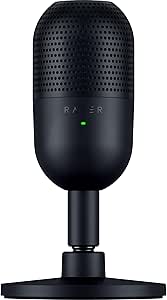 | Best for Noisy Desks | Connectivity: USB Type-A | Microphone type: Condenser | Polar pattern: Supercardioid | VIEW LATEST PRICE | See Our Full Breakdown |
| FIFINE AmpliGame AM8T USB/XLR Dynamic Gaming Microphone Kit with Boom Arm |  | Best for a Growing Streaming Setup | Connectivity: USB, XLR | Microphone type: Dynamic | Polar pattern: Cardioid | VIEW LATEST PRICE | See Our Full Breakdown |
| Audio-Technica AT2020USB-X Cardioid Condenser USB Microphone |  | Best for Fine-Tuning a Voice Mix | Connectivity: USB-C | Microphone type: Large-diaphragm condenser | Polar pattern: Cardioid | VIEW LATEST PRICE | See Our Full Breakdown |
| FIFINE AmpliGame A6V USB Condenser Gaming Microphone with RGB Lighting |  | Best Complete Starter Kit | Connectivity: USB | Microphone type: Condenser | Pickup pattern: Cardioid listed; specifications also state bidirectional | VIEW LATEST PRICE | See Our Full Breakdown |
| FIFINE AmpliGame AM8 USB/XLR Dynamic Microphone |  | Best for a USB-to-XLR Upgrade Path | Connectivity: USB, XLR | Microphone type: Dynamic | Polar pattern: Unidirectional cardioid | VIEW LATEST PRICE | See Our Full Breakdown |
| Logitech G Yeti 2 USB-C Desktop Microphone, Black |  | Best for Automated Voice Adjustments | Connectivity: USB Type-C | Form factor: Desktop | Audio resolution: 24-bit / 48 kHz | VIEW LATEST PRICE | See Our Full Breakdown |
| FIFINE K683A USB Desktop Condenser Microphone |  | Best for Simple Plug-and-Play Streaming | Connectivity: USB-B to USB-A/C | Compatible devices: Windows PC, Mac, PS4/PS5 | Polar pattern: Unidirectional cardioid | VIEW LATEST PRICE | See Our Full Breakdown |
| Logitech Blue Yeti USB Microphone with Blue VO!CE, Four Pickup Patterns, and Adjustable Desktop Stand |  | Best for Flexible Pickup Patterns | Connectivity: USB | Microphone type: Condenser | Capsule array: Three-capsule | VIEW LATEST PRICE | See Our Full Breakdown |
| FIFINE AmpliGame A6T USB Condenser Gaming Microphone Kit |  | Best Complete Boom-Arm Kit | Connectivity: USB | Compatible devices: Desktop, laptop, computer, Mac, PS4, PS5 | Polar pattern: Unidirectional cardioid | VIEW LATEST PRICE | See Our Full Breakdown |
| Sennheiser Profile USB Cardioid Condenser Microphone with Table Stand |  | Best for Straightforward Voice Quality | Connectivity: USB-C | Microphone type: Cardioid condenser | Polar pattern: Unidirectional | VIEW LATEST PRICE | See Our Full Breakdown |
| Logitech G Yeti GX Dynamic RGB USB Gaming Microphone, Black |  | Best for Keyboard-Noise-Conscious Gaming | Connectivity: USB | Connectors: USB Type-A, USB Type-C | Microphone capsule: Custom dynamic | VIEW LATEST PRICE | See Our Full Breakdown |
| FIFINE K690 USB Studio Recording Microphone |  | Best for Flexible Pickup Patterns | Connectivity: USB | Capsule array: Three-capsule | Pickup patterns: Cardioid, omnidirectional, bidirectional, stereo | VIEW LATEST PRICE | See Our Full Breakdown |
| ZealSound K66 USB Podcast Microphone with Noise Reduction, Gain and Echo Controls |  | Best for Cross-Device Streaming | Microphone type: USB condenser | Pickup pattern: Cardioid | Frequency response: 40 Hz–18 kHz | VIEW LATEST PRICE | See Our Full Breakdown |
| COCONISE USB Gaming Microphone with RGB Lighting |  | Best for an Accessory-Rich Desk Setup | Connectivity: USB | Connector types: USB, 3.5 mm jack | Polar pattern: Unidirectional (cardioid) | VIEW LATEST PRICE | See Our Full Breakdown |
| USB microphones for streaming | Connectivity | Microphone type | Signal-to-noise ratio | Polar pattern |
|---|---|---|---|---|
| Logitech Blue Yeti Nano USB Co | USB | Condenser | 80 dB | — |
| Razer Seiren V3 Mini USB Conde | USB Type-A | Condenser | 110 dB | Supercardioid |
| FIFINE AmpliGame AM8T USB/XLR | USB, XLR | Dynamic | 80 dB | Cardioid |
| Audio-Technica AT2020USB-X Car | USB-C | Large-diaphragm condenser | 80 dB | Cardioid |
| FIFINE AmpliGame A6V USB Conde | USB | Condenser | 70 dB | — |
| FIFINE AmpliGame AM8 USB/XLR D | USB, XLR | Dynamic | 80 dB | Unidirectional cardioid |
| Logitech G Yeti 2 USB-C Deskto | USB Type-C | — | — | — |
| FIFINE K683A USB Desktop Conde | USB-B to USB-A/C | — | 75 dB | Unidirectional cardioid |
| Logitech Blue Yeti USB Microph | USB | Condenser | 100 dB | — |
| FIFINE AmpliGame A6T USB Conde | USB | — | — | Unidirectional cardioid |
| Sennheiser Profile USB Cardioi | USB-C | Cardioid condenser | — | Unidirectional |
| Logitech G Yeti GX Dynamic RGB | USB | — | 78 dB | Supercardioid |
| FIFINE K690 USB Studio Recordi | USB | — | — | — |
| ZealSound K66 USB Podcast Micr | — | USB condenser | — | — |
| COCONISE USB Gaming Microphone | USB | — | — | Unidirectional (cardioid) |
More Details on Our Top Picks
Logitech Blue Yeti Nano USB Condenser Microphone, Blackout
The Blue Yeti Nano is a good fit for streamers who want a compact USB mic that can handle more than a solo, face-forward setup. Its cardioid and omnidirectional patterns let you switch between focusing on your voice and capturing sound from around the mic, a flexibility the single-pattern Razer Seiren V3 Mini and AT2020USB-X do not offer. Onboard headphone monitoring, mute, volume, and pattern controls also keep routine adjustments close at hand while you stream.
The tradeoff is that its condenser design can pick up more room sound than a dynamic mic such as the FIFINE AmpliGame AM8T, so a noisy keyboard or untreated room may still enter the mix. Its compact footprint helps on crowded desks, but buyers seeking a boom arm in the box should look to the AM8T instead. The listed frequency-response figure is only 20,000 Hz, which gives limited detail for comparing its range with the other listed specifications.
Pros:- Two pickup patterns support both focused solo streaming and broader room capture.
- Onboard headphone output enables direct, no-latency monitoring.
- Mute, headphone volume, and pattern controls are accessible on the microphone.
- Compact USB design fits smaller streaming desks.
Cons:- Condenser pickup can capture keyboard noise and other room sound more readily than the dynamic FIFINE AM8T.
- USB connection requires a compatible computer or device.
- The listed 20,000 Hz frequency-response figure offers limited information for comparing its tonal range.
Best for: Solo streamers who also record two-person conversations or want the option to capture room sound without changing microphones.
Not ideal for: Streamers in noisy rooms who need stronger background rejection, or buyers who want an included boom arm.
- Connectivity:USB
- Microphone type:Condenser
- Pickup patterns:Cardioid, omnidirectional
- Frequency response:20,000 Hz
- Signal-to-noise ratio:80 dB
- Weight:16 oz
- Dimensions:4.29 × 3.78 × 8.37 in
Our verdict“Choose the Blue Yeti Nano if you want a compact streaming mic with two useful pickup patterns; skip it if room-noise rejection is your main priority.”
Razer Seiren V3 Mini USB Condenser Microphone
The Razer Seiren V3 Mini suits streamers who need a small mic that keeps attention on a close voice. Its supercardioid pattern is more narrowly focused than the cardioid pattern on the FIFINE AmpliGame A6V, which can help reduce sounds arriving from the sides. A tap-to-mute sensor with an LED indicator makes it easy to cut audio quickly and confirm the mic is muted without hunting for a software control.
The built-in shock absorber and tiltable stand add practical help when desk bumps are a concern, though they do not replace careful mic placement. Compared with the FIFINE AM8T, this is a simpler USB-only option: there is no XLR path for later connection to audio equipment, and its stand must be detached for boom-arm use. Basic plug-and-play setup is straightforward; deeper sound adjustments require Razer Synapse, which may not suit streamers who prefer to avoid companion software.
Pros:- Supercardioid pickup helps limit sound from the sides.
- Tap-to-mute sensor and LED provide quick, visible audio control.
- Built-in shock absorber helps reduce noise from accidental bumps.
- Plug-and-play USB setup does not require software or drivers for basic use.
Cons:- USB-only connectivity lacks the XLR expansion option offered by the FIFINE AM8T.
- The stand must be detached before using a boom arm.
- Advanced audio customization requires Razer Synapse.
Best for: PC and laptop streamers with limited desk space who want focused voice pickup and an easy-to-see mute control.
Not ideal for: Creators planning to add an audio interface or XLR workflow, or anyone who wants advanced controls without installing software.
- Connectivity:USB Type-A
- Microphone type:Condenser
- Polar pattern:Supercardioid
- Frequency response:20 Hz–20 kHz
- Signal-to-noise ratio:110 dB
- Channels:1
- Weight:8.32 oz
- Dimensions:3.59 × 3.59 × 6.38 in
Our verdict“Pick the Seiren V3 Mini for focused, compact USB streaming with quick muting, but choose the AM8T if you need XLR flexibility.”
FIFINE AmpliGame AM8T USB/XLR Dynamic Gaming Microphone Kit with Boom Arm
The FIFINE AmpliGame AM8T is the most expandable setup here: its dynamic cardioid microphone connects directly by USB now and can move to XLR equipment later. That makes it a stronger long-term fit than the USB-only Blue Yeti Nano for streamers planning to add a mixer or interface. The included metal boom arm, desk clamp, headphone monitoring, gain control, and mute button also provide a ready-to-position streaming setup rather than just a desktop mic.
Dynamic pickup can be a useful match for a voice close to the mic in a room with keyboard or fan noise, though placement matters and the 50 Hz–16 kHz range is narrower on paper than the AT2020USB-X’s stated 20 Hz–20 kHz response. This kit takes more desk setup than a compact desktop mic, and the clamp only fits desks up to two inches thick. The XLR cable is not included, so moving beyond USB requires another purchase.
Pros:- USB and XLR connectivity support both direct computer use and future audio equipment.
- Included adjustable metal boom arm and clamp position the mic near the speaker.
- On-mic mute, gain, and headphone volume controls support quick stream adjustments.
- Dynamic cardioid design is suited to close voice capture.
Cons:- XLR cable is not included for use with a mixer or audio interface.
- Desk clamp supports desktop thicknesses only up to two inches.
- Boom arm occupies more setup space than the compact Razer Seiren V3 Mini.
Best for: Streamers who want an included boom arm today and a path from simple USB connection to an XLR audio setup later.
Not ideal for: Users with desks thicker than two inches, minimal space for a boom arm, or no interest in XLR expansion.
- Connectivity:USB, XLR
- Microphone type:Dynamic
- Polar pattern:Cardioid
- Frequency range:50 Hz–16 kHz
- Signal-to-noise ratio:80 dB
- Included accessories:Metal boom arm, C-clamp, 8.2 ft USB-to-USB-C cable, windscreen
- Desk clamp capacity:Desktop thickness up to 2 in
- Weight:1 kg
Our verdict“Choose the AM8T if you want a boom-arm kit with USB now and XLR later; pass if you need a small, uncluttered desktop setup.”
Audio-Technica AT2020USB-X Cardioid Condenser USB Microphone
The Audio-Technica AT2020USB-X is the most recording-oriented choice in this group for streamers who want to monitor and shape their voice at the mic. Its 24-bit/96 kHz support, headphone monitoring, mix control, and touch-sensitive mute put more emphasis on managing the signal than the simpler Razer Seiren V3 Mini. The cardioid pattern keeps capture aimed at the speaker, while the included desk stand and USB-C cable with adapter make computer setup flexible.
That focused approach comes with fewer pickup options than the Blue Yeti Nano, which can switch to omnidirectional capture for a group or room. It is also a condenser, so streamers in a noisy room may prefer the closer, dynamic approach of the FIFINE AM8T. The AT2020USB-X is USB-only, and its optional shock mount is sold separately; buyers seeking a boom arm and a more complete physical kit should compare it with the AM8T.
Pros:- 24-bit/96 kHz support suits streaming alongside higher-resolution recording projects.
- Headphone jack and mix control support real-time monitoring and audio blending.
- Touch-sensitive mute offers quick, quiet muting.
- Includes a desk stand, USB-C cable, and USB-A adapter.
Cons:- USB-only connectivity offers less expansion than the XLR-capable FIFINE AM8T.
- Cardioid-only pickup is less adaptable than the Blue Yeti Nano’s two patterns.
- Optional shock mount is sold separately.
Best for: Streamers who want direct headphone monitoring and mix control, with higher-resolution recording capability for voiceover or other projects.
Not ideal for: Creators who need XLR connectivity, multiple pickup patterns, or an included shock mount and boom arm.
- Connectivity:USB-C
- Microphone type:Large-diaphragm condenser
- Polar pattern:Cardioid
- Sampling rate:Up to 96 kHz
- Bit depth:24-bit
- Frequency response:20 Hz–20 kHz
- Signal-to-noise ratio:80 dB
- Included accessories:Custom desk stand, threaded adapter, 6.6 ft USB-C to USB-A cable, USB-A to USB-C adapter
Our verdict“Choose the AT2020USB-X if monitoring and mix control matter more than pattern choice or XLR expansion.”
FIFINE AmpliGame A6V USB Condenser Gaming Microphone with RGB Lighting
The FIFINE AmpliGame A6V makes sense for a first streaming setup because it arrives with a tripod stand, shock mount, pop filter, and detachable USB cable. Its tap-to-mute control and gain knob give beginners useful adjustments without needing a separate mixer, while the included pop filter helps reduce plosive bursts close to the mic. Compared with the Razer Seiren V3 Mini, the A6V includes more accessories and adds RGB lighting, but the Razer’s supercardioid pattern is more specifically aimed at rejecting sound from the sides.
The A6V is a USB condenser with a cardioid pickup listing, so it is better suited to a reasonably quiet desk than a room where keyboard noise is hard to control. Its tripod takes desk space, unlike the boom-arm approach of the FIFINE AM8T, and it lacks the AM8T’s XLR connection. The specifications also list both cardioid and bidirectional pickup, so buyers should verify the available pattern behavior rather than assume a clear pattern-switching option.
Pros:- Bundled tripod, shock mount, and pop filter provide a useful starter setup.
- Tap-to-mute control and gain knob keep basic adjustments on the mic.
- Detachable USB cable makes storage and replacement easier.
- Compatible with PS4, PS5, desktop computers, and laptops.
Cons:- Tripod stand occupies desk space compared with the boom-arm kit included with the FIFINE AM8T.
- USB-only connection does not support an XLR upgrade path.
- Product data lists both cardioid and bidirectional pickup, leaving the pattern options unclear.
Best for: New PC or PlayStation streamers who want a bundled desktop setup with a pop filter, shock mount, and accessible controls.
Not ideal for: Streamers who need a boom arm, XLR expansion, or reliable side-noise rejection in a busy room.
- Connectivity:USB
- Microphone type:Condenser
- Pickup pattern:Cardioid listed; specifications also state bidirectional
- Sampling rate:192 kHz
- Frequency range:60 Hz–18 kHz
- Signal-to-noise ratio:70 dB
- Controls:Tap-to-mute button, gain knob
- Included accessories:Shock mount, pop filter, tripod stand, detachable USB cable
Our verdict“Pick the A6V for a bundled, easy-to-control desktop starter kit, but choose the AM8T for boom-arm positioning or XLR expansion.”
FIFINE AmpliGame AM8 USB/XLR Dynamic Microphone
The FIFINE AmpliGame AM8 suits streamers who want simple USB controls now and the option to move to an audio interface later. In USB mode, tap-to-mute, headphone monitoring, gain control, and RGB lighting keep common adjustments close at hand; its dynamic cardioid design and suggested 2–6-inch speaking distance favor a close desk setup. Unlike the all-USB FIFINE K683A, the AM8 can connect by XLR, so it can fit a more involved audio chain as a channel grows.
That flexibility comes with a catch: the XLR cable is not included, and its lighting and onboard functions are unavailable in XLR mode. Streamers who plan to stay USB-only may prefer a kit with a supplied boom arm, such as the FIFINE A6T. The AM8 makes more sense for buyers who value the connection choice over an all-in-one mounting bundle.
Pros:- USB and XLR connections support both direct computer use and a later interface-based setup.
- USB tap-to-mute, gain control, and headphone monitoring make live adjustments accessible.
- Dynamic cardioid pickup and a close suggested speaking distance suit focused streaming from a desk.
- Built-in 3/8-inch and 5/8-inch threads support common mic mounts.
Cons:- XLR cable is not included.
- RGB lighting and onboard USB functions are inactive in XLR mode.
- A boom arm is not listed among the included accessories.
Best for: Streamers who want USB controls today and a practical option to connect the microphone to an XLR interface or mixer later.
Not ideal for: USB-only buyers who want a complete boom-arm kit, or XLR users who expect the lighting and USB controls to work in XLR mode.
- Connectivity:USB, XLR
- Microphone type:Dynamic
- Polar pattern:Unidirectional cardioid
- Frequency response:50 Hz–16 kHz
- Signal-to-noise ratio:80 dB
- USB-mode features:Tap-to-mute, headphone monitoring, gain and monitoring volume controls, RGB lighting
- Stand threads:3/8-inch and 5/8-inch
- Suggested recording distance:2–6 inches
Our verdict“Choose the AM8 if you want an easy USB streaming mic with an XLR connection available for a future audio setup.”
Logitech G Yeti 2 USB-C Desktop Microphone, Black
The Logitech G Yeti 2 is aimed at streamers who want software-assisted voice control rather than a bare plug-and-play mic. Its voice proximity sensor, AI noise reduction, and automatic gain and EQ adjustments can help keep speech more consistent as a speaker shifts position or room noise varies. A three-capsule array, USB-C connection, and real-time headphone monitoring round out a desktop-focused setup. Compared with the more manually controlled Logitech Blue Yeti, the Yeti 2 puts greater emphasis on automated adjustments and a proximity feature.
That approach also means more reliance on software: G HUB is needed for additional audio customization, and the mic needs a wired power connection. Its 3.5-pound desktop form is less suited to a small, movable setup than a compact USB model such as the FIFINE K683A. I’d pick it for streamers who value on-the-fly processing over a lightweight, software-light microphone.
Pros:- Voice proximity sensing and AI noise reduction add tools for changing speaking distance and room noise.
- Automatic gain and EQ adjustments reduce the need for continual manual tweaking.
- USB-C connection and 3.5 mm headphone monitoring support a straightforward desktop streaming setup.
- Three-capsule array supports the microphone’s voice-processing features.
Cons:- Additional audio customization requires G HUB software.
- Requires a wired power connection.
- At 3.5 pounds, it is less convenient to move than compact desktop options.
Best for: PC and Mac streamers who want proximity-aware voice features, noise reduction, and automatic audio adjustments in a desktop mic.
Not ideal for: Streamers seeking a compact travel mic, XLR connectivity, or extensive customization without installing G HUB.
- Connectivity:USB Type-C
- Form factor:Desktop
- Audio resolution:24-bit / 48 kHz
- Capsule array:Three-capsule
- Voice proximity range:2 meters
- Headphone monitoring:3.5 mm
- Onboard presets:5
- Weight:3.5 pounds
Our verdict“Choose the Yeti 2 if you stream on PC or Mac and want automated voice processing more than a small, software-independent setup.”
FIFINE K683A USB Desktop Condenser Microphone
The FIFINE K683A keeps streaming setup straightforward: connect it over USB, speak toward its cardioid pickup, and use the gain knob, mute button, and headphone jack for basic adjustments. The included pop filter and foldable tripod make it easier to start on a desk without assembling a separate mount. Compared with the FIFINE AmpliGame AM8, it gives up XLR connectivity and RGB lighting, but its simpler USB-only approach fits streamers who do not plan to build an interface-based audio chain.
The tradeoff is limited flexibility: the cardioid pattern favors one speaker facing the logo side, and this model is listed as incompatible with Xbox. Its tripod also keeps the mic on the desktop rather than positioning it on a supplied boom arm, unlike the FIFINE A6T. It makes sense for a solo streamer who wants a direct, easy-to-operate setup, not for multi-person capture or console use on Xbox.
Pros:- Plug-and-play USB connection avoids a separate audio interface or driver setup.
- Gain knob, mute button, and headphone jack provide useful controls at the desk.
- Detachable pop filter helps reduce plosive sounds during close speech.
- Foldable tripod stand and USB cable are included.
Cons:- Not compatible with Xbox.
- Cardioid pickup works best when the speaker faces the logo side.
- Included tripod does not offer the positioning range of a boom arm.
Best for: Solo Windows, Mac, or PS4/PS5 streamers who want a USB mic with physical gain and mute controls, monitoring, and a desk stand included.
Not ideal for: Xbox streamers, multi-speaker setups needing broader pickup, or buyers who want XLR connectivity or a boom arm in the box.
- Connectivity:USB-B to USB-A/C
- Compatible devices:Windows PC, Mac, PS4/PS5
- Polar pattern:Unidirectional cardioid
- Frequency response:17 kHz
- Signal-to-noise ratio:75 dB
- Controls:Gain knob and mute button
- Headphone jack:3.5 mm
- Included accessories:Foldable tripod stand, pop filter, 6.56 ft USB cable, 3/8-inch to 5/8-inch screw adapter
Our verdict“Choose the K683A for a simple solo-streaming desk setup if you do not need Xbox support, XLR, or a boom arm.”
Logitech Blue Yeti USB Microphone with Blue VO!CE, Four Pickup Patterns, and Adjustable Desktop Stand
The Logitech Blue Yeti is the flexible choice for streamers who sometimes record more than a single voice from the front of a mic. Its four pickup patterns—cardioid, omnidirectional, bidirectional, and stereo—can suit solo streams, group conversations, or stereo capture without changing microphones. Onboard pattern, gain, mute, and headphone-volume controls make those changes accessible, while no-latency monitoring helps a speaker hear their voice as it goes live. Compared with the focused cardioid FIFINE K683A, the Blue Yeti offers more recording configurations.
That range may be unnecessary for a solo streamer who leaves the mic in one position, and a condenser with multiple patterns can pick up more of the room when the wrong mode is selected. Blue VO!CE features require G HUB for full functionality, and the USB connection remains wired. I’d choose it for streams that shift between solo and group formats, rather than for a minimal, fixed desk setup.
Pros:- Four pickup patterns adapt to solo, group, bidirectional, and stereo recording needs.
- Onboard controls provide direct access to mute, gain, pattern selection, and headphone volume.
- No-latency headphone monitoring lets streamers hear their voice in real time.
- Included adjustable desktop stand can be replaced with a compatible mic stand or boom arm.
Cons:- G HUB is required for full Blue VO!CE functionality.
- Wired USB connection limits placement to the reach of the cable.
- Multiple pickup patterns add complexity that solo streamers may not need.
Best for: Streamers who alternate between solo commentary, interviews, and group recording and want multiple pickup patterns in one USB microphone.
Not ideal for: Solo streamers who only need front-facing cardioid pickup, or buyers who want a compact mic with no software dependency.
- Connectivity:USB
- Microphone type:Condenser
- Capsule array:Three-capsule
- Pickup patterns:Cardioid, omnidirectional, bidirectional, stereo
- Frequency response:20 Hz–20 kHz
- Signal-to-noise ratio:100 dB
- Channels:2
- Included stand:Adjustable desktop stand
Our verdict“Choose the Blue Yeti if your streaming formats vary and you want pickup-pattern options that a fixed cardioid mic like the K683A does not offer.”
FIFINE AmpliGame A6T USB Condenser Gaming Microphone Kit
The FIFINE AmpliGame A6T stands out for streamers building a desk setup from scratch: the box includes a metal boom arm, shock mount, pop filter, and desk clamp, alongside the USB microphone. That puts the capsule closer to the speaker and frees desk space compared with the desktop stand included with the FIFINE K683A. Touch mute and a gain knob keep basic live adjustments within reach, while cardioid pickup focuses on sound from the front. Its 24-bit, 192 kHz specification also gives creators room for high-resolution recording workflows.
The A6T is less adaptable than the FIFINE AmpliGame AM8: it offers USB rather than USB/XLR and a single pickup pattern. The clamp fits desks up to 2 inches thick, which can rule out some desk edges, and the ABS-and-metal build is not an all-metal mic body. I’d favor it for a compatible desk and a complete streaming mount, not for buyers who need XLR or multiple pickup patterns.
Pros:- Includes a metal boom arm, shock mount, pop filter, and C-clamp for a ready-to-mount desk setup.
- Touch mute and gain knob make key adjustments accessible while streaming.
- Cardioid pickup focuses on sound from the front for solo commentary.
- USB connection works with compatible computers and PS4/PS5 without an audio interface.
Cons:- Desk clamp supports desks only up to 2 inches thick.
- Single-channel cardioid pickup offers less flexibility than multi-pattern microphones.
- USB-only connectivity does not provide an XLR upgrade path.
Best for: New PC, Mac, or PS4/PS5 streamers who want a USB mic and boom-arm mounting accessories in one kit.
Not ideal for: Streamers with desks thicker than 2 inches at the clamp point, Xbox users, or buyers who need XLR or multiple pickup patterns.
- Connectivity:USB
- Compatible devices:Desktop, laptop, computer, Mac, PS4, PS5
- Polar pattern:Unidirectional cardioid
- Sampling rate and bit depth:192 kHz, 24-bit
- Frequency range:60 Hz–18 kHz
- Controls:Touch mute and gain knob
- Included accessories:Metal boom arm, shock mount, pop filter, C-clamp, USB-C to USB-A/C cable
- Desk clamp capacity:Up to 2 inches thick
Our verdict“Choose the A6T if you want a ready-made boom-arm setup and your desk fits the clamp, but skip it if XLR or broader pickup options matter.”
Sennheiser Profile USB Cardioid Condenser Microphone with Table Stand
The Sennheiser Profile suits streamers who want a direct, software-free setup with useful controls close at hand. Its cardioid condenser capsule focuses on one speaker, while the onboard gain, mix, volume, and mute controls make quick adjustments easier than reaching for settings mid-stream. A built-in headphone jack also supports direct monitoring. Compared with the Logitech G Yeti GX, which adds gaming software, RGB lighting, and a dynamic capsule aimed at limiting keyboard noise, the Profile takes a simpler, natural-voice approach. That simplicity is a tradeoff: it offers no described noise-reduction tools, and its included table stand occupies desk space. Its metal body and adjustable tilt give it a sturdy, flexible place on a streaming desk, but the wired USB-C connection limits placement to cable reach.
Pros:- Plug-and-play USB-C setup needs no audio interface or software.
- Onboard gain, mix, volume, and mute controls support quick adjustments while streaming.
- Built-in headphone jack allows direct monitoring.
- Metal construction and adjustable tilt support durable, adaptable placement.
Cons:- The included table stand takes up desk space.
- Wired USB connection limits placement to cable reach.
- The listed feature set does not include dedicated noise-reduction software or controls.
Best for: Solo streamers who want a sturdy USB-C condenser mic with hands-on controls and headphone monitoring, without adding audio software or an interface.
Not ideal for: Streamers with loud keyboards or crowded desks who need stronger stated noise-control features or a smaller mounting footprint.
- Connectivity:USB-C
- Microphone type:Cardioid condenser
- Polar pattern:Unidirectional
- Controls:Gain, mix, volume, mute
- Headphone jack:Built-in
- Included accessories:Table stand, 1.2 m USB-C cable
- Weight:717 g
- Enclosure material:Metal
Our verdict“Choose the Profile for a durable, easy-to-adjust solo streaming setup; pick the Yeti GX instead if keyboard-noise-focused features and gaming software matter more.”
Logitech G Yeti GX Dynamic RGB USB Gaming Microphone, Black
The Logitech G Yeti GX is the gaming-focused pick for streamers who want a mic designed to favor their voice over nearby keyboard clicks. Its supercardioid dynamic capsule narrows pickup toward the speaker, while Smart Audio Lock is intended to help control clipping and ambient noise. Blue VO!CE filters and G HUB add software options, and two LIGHTSYNC RGB zones let the mic match a gaming setup. That makes it more tailored to a streamer’s desk than the simpler Sennheiser Profile, which relies on onboard controls and a condenser capsule rather than gaming software. The Yeti GX’s single-channel design is suited to one-person streams, not multi-source recording. It also needs a wired USB connection and compatible computer setup, so it is less flexible for mobile use than mics with broader device compatibility.
Pros:- Supercardioid dynamic capsule is designed to focus on the speaker and reject key clicks.
- Smart Audio Lock helps manage clipping and ambient noise.
- Blue VO!CE filters and effects add software-based voice shaping.
- Two customizable LIGHTSYNC RGB zones can sync with Logitech G gear.
Cons:- Requires a wired USB connection and corded power.
- Single-channel design is intended for one audio source.
- G HUB and Blue VO!CE features add software dependence compared with the Sennheiser Profile.
Best for: PC and laptop gamers streaming solo from a desk, especially those seeking focused voice pickup, software filters, and customizable RGB.
Not ideal for: Mobile-first creators, multi-channel recording setups, or streamers who prefer a software-free mic with broader device compatibility.
- Connectivity:USB
- Connectors:USB Type-A, USB Type-C
- Microphone capsule:Custom dynamic
- Polar pattern:Supercardioid
- Channels:1
- Signal-to-noise ratio:78 dB
- Features:Dual RGB zones, Blue VO!CE filters and effects, Smart Audio Lock, G HUB control
- Compatible devices:Laptop, personal computer
Our verdict“Pick the Yeti GX for solo gaming streams where focused pickup and Logitech software matter more than a software-free setup or broad device compatibility.”
FIFINE K690 USB Studio Recording Microphone
The FIFINE K690 stands apart for streamers who sometimes need more than a single-speaker setup. Its three-capsule array offers four pickup patterns: cardioid for solo commentary, bidirectional for a two-person conversation, and omnidirectional or stereo for other recording arrangements. That range gives it more setup flexibility than the focused, single-pattern Sennheiser Profile, though it also means more choices to manage. For a straightforward solo stream, cardioid mode and the built-in headphone monitoring, gain, and volume controls cover the basics; the touch mute button helps with quick interruptions. Its metal enclosure adds a substantial desktop feel, but the 1,300 g weight and large footprint make it less suited to compact streaming desks. The corded USB connection also keeps it tied to a computer and cable reach.
Pros:- Four selectable pickup patterns support solo, interview, and broader recording arrangements.
- Headphone monitoring and volume control are built in.
- Gain knob and touch mute button make common adjustments accessible.
- Metal enclosure provides a solid desktop build.
Cons:- At 1,300 g, it is heavier than the Sennheiser Profile and takes up substantial desk space.
- Wired USB connection limits placement to cable reach.
- Its multiple pattern options may be unnecessary for streamers who only record solo.
Best for: Streamers who alternate between solo broadcasts, interviews, and other recording formats and want selectable pickup patterns in one USB mic.
Not ideal for: Creators with limited desk space or anyone who only needs a compact, single-pattern mic for solo gaming streams.
- Connectivity:USB
- Capsule array:Three-capsule
- Pickup patterns:Cardioid, omnidirectional, bidirectional, stereo
- Controls:Headphone volume, mic gain, pickup pattern switch, touch mute
- Compatible devices:Laptop, MacBook, PS4/5
- Enclosure material:Metal
- Weight:1,300 g
- Warranty:1 year
Our verdict“Choose the K690 if your streaming setup changes between solo and multi-person formats; skip it if you want a smaller mic for one-person broadcasts.”
ZealSound K66 USB Podcast Microphone with Noise Reduction, Gain and Echo Controls
The ZealSound K66 makes the most sense for creators who stream from more than a PC. Its stated compatibility includes Windows and Mac computers, PS4 and PS5, tablets, and compatible phones, with USB-C and Lightning adapters included. Separate microphone and monitoring volume controls, zero-latency headphone monitoring, echo control, and a mute indicator give streamers practical adjustments without an elaborate software setup. A noise reduction mode is intended to help with keyboard clicks, fans, and background chatter, though it should not be treated as full isolation. Compared with the Logitech G Yeti GX, the K66 offers broader device compatibility and echo controls, while the Yeti GX has a dynamic capsule and dedicated gaming software features. Phone compatibility depends on the device and adapter, and the K66’s condenser design may be less suited to noisy rooms.
Pros:- Broad stated compatibility includes computers, consoles, tablets, and compatible phones.
- USB-C and Lightning adapters are included.
- Zero-latency headphone monitoring and separate mic and monitoring volume controls aid live adjustment.
- Mute button has an LED indicator, and echo control is built in.
Cons:- Noise reduction is described as helping reduce background sounds, not eliminating them.
- Phone support depends on device compatibility and the included adapters.
- The condenser capsule may be less suitable than the Yeti GX’s dynamic design for a noisy gaming desk.
Best for: Creators who switch between computer, console, tablet, or compatible phone streams and want onboard monitoring, mute, and echo controls.
Not ideal for: Streamers in very noisy rooms who expect noise reduction to eliminate background sound, or buyers who need guaranteed phone compatibility without checking their device.
- Microphone type:USB condenser
- Pickup pattern:Cardioid
- Frequency response:40 Hz–18 kHz
- Sampling rate:46 kHz
- Monitoring:Zero-latency via 3.5 mm headphone jack
- Controls:Microphone volume, monitoring volume, echo, mute
- Compatibility:Windows PC, Mac, PS4, PS5, tablets, compatible iPhone, iPad, and USB-C devices
- Included adapters:USB-C and Lightning
Our verdict“Pick the K66 if you stream across several compatible device types and value onboard controls, but choose a more focused mic if room noise is your main concern.”
COCONISE USB Gaming Microphone with RGB Lighting
The COCONISE USB Gaming Microphone bundles several desk-friendly extras for a solo streamer: a weighted base, shock mount, detachable metal pop filter, headphone monitoring, and touch mute. The base and shock mount can help limit noise from desk movement, while the pop filter addresses plosive bursts; these are useful practical touches that the more minimalist Sennheiser Profile does not list as included accessories. RGB lighting and a mute indicator add visible status cues, and compatibility covers PC, laptops, and PlayStation consoles. The tradeoff is that this is a wired, single-channel condenser mic with no stated software controls or pattern options. Its listed 20–2000 Hz frequency range is unusually limited for a streaming voice mic, so buyers should verify that specification before choosing it for broadcast use. It is less compelling for creators prioritizing stated audio range over bundled accessories.
Pros:- Includes a weighted base, shock mount, and detachable metal pop filter.
- Headphone jack supports real-time voice monitoring.
- Touch mute and RGB lighting provide visible status cues.
- Compatible with PC, laptops, PS4, and PS5.
Cons:- The listed frequency range is limited to 20–2000 Hz and may not suit buyers seeking broader voice capture.
- Wired USB connection restricts placement to cable reach.
- Single-channel cardioid design is limited to one-speaker setups and offers no listed pattern selection.
Best for: Solo PC or PlayStation streamers who want a desk-ready kit with a weighted base, shock mount, pop filter, and visible mute status.
Not ideal for: Voice-focused creators who need a clearly broad frequency range, selectable pickup patterns, or a wireless setup.
- Connectivity:USB
- Connector types:USB, 3.5 mm jack
- Polar pattern:Unidirectional (cardioid)
- Channels:1
- Cable length:180 cm
- Frequency range:20–2000 Hz
- Features:RGB lighting, touch mute, volume control, headphone monitoring
- Compatible devices:PC, laptop, PS4, PS4 Pro, PS5
Our verdict“Choose COCONISE for its bundled desk accessories and visible controls, but verify the listed frequency range before making it your main streaming voice mic.”
How We Picked
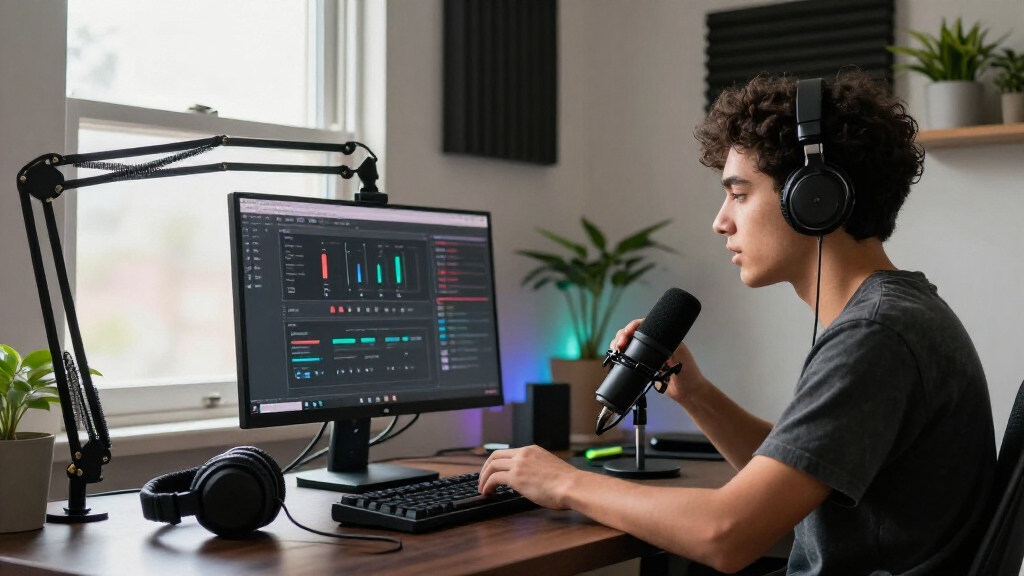
I evaluated these fifteen microphones based on three core pillars: audio fidelity, ease of integration, and environmental adaptability. Audio fidelity was judged not just by frequency response specs, but by how well the mic captured natural voice tones without excessive digital harshness. Ease of integration looked at whether the device worked seamlessly with major streaming software like OBS and Streamlabs without requiring complex driver installations. Environmental adaptability assessed how well each mic handled background noise, keyboard clacking, and room echo, which are common pain points for home streamers.
Ranking logic prioritized value and reliability. Models that required expensive additional equipment to function properly were penalized, while those offering complete kits or built-in shock mounts received higher scores. I also considered brand support and firmware update history, as streaming software changes frequently, and a mic that becomes obsolete due to lack of support is a poor investment. This ensures the list reflects real-world usability rather than just theoretical specifications.
| USB microphones for streaming | Connectivity | Microphone type | Polar pattern |
|---|---|---|---|
| Logitech Blue Yeti Nano USB Co | USB | Condenser | — |
| Razer Seiren V3 Mini USB Conde | USB Type-A | Condenser | Supercardioid |
| FIFINE AmpliGame AM8T USB/XLR | USB, XLR | Dynamic | Cardioid |
| Audio-Technica AT2020USB-X Car | USB-C | Large-diaphragm condenser | Cardioid |
| FIFINE AmpliGame A6V USB Conde | USB | Condenser | — |
| FIFINE AmpliGame AM8 USB/XLR D | USB, XLR | Dynamic | Unidirectional cardioid |
| Logitech G Yeti 2 USB-C Deskto | USB Type-C | — | — |
| FIFINE K683A USB Desktop Conde | USB-B to USB-A/C | — | Unidirectional cardioid |
| Logitech Blue Yeti USB Microph | USB | Condenser | — |
| FIFINE AmpliGame A6T USB Conde | USB | — | Unidirectional cardioid |
| Sennheiser Profile USB Cardioi | USB-C | Cardioid condenser | Unidirectional |
| Logitech G Yeti GX Dynamic RGB | USB | — | Supercardioid |
| FIFINE K690 USB Studio Recordi | USB | — | — |
| ZealSound K66 USB Podcast Micr | — | USB condenser | — |
| COCONISE USB Gaming Microphone | USB | — | Unidirectional (cardioid) |
Factors to Consider When Choosing USB Microphones For Streaming
Selecting a microphone involves more than just picking the one with the highest decibel rating. The following factors will help you navigate the technical specifications to find a device that fits your specific streaming setup and room conditions.
Condenser vs. Dynamic: Matching Mic Type to Room Acoustics
The most common mistake beginners make is choosing a sensitive condenser microphone for a room with hard surfaces and no acoustic treatment. Condenser mics capture a wide frequency range and high detail, which is great for professional studios but problematic in echoey bedrooms where they pick up every HVAC hum and keyboard click. Dynamic microphones are less sensitive to distant sounds and focus primarily on the voice directly in front of them, making them the safer bet for untreated spaces. If your room has soft furnishings and carpets, a condenser will sound richer; if your room is bare, a dynamic mic will save you hours of post-production editing. This choice dictates your entire audio workflow before you even connect the device.
The Hidden Cost of Software Dependency and Driver Issues
Many modern USB microphones rely heavily on proprietary software to unlock their full potential, such as noise gates, compression, and EQ presets. While this can simplify setup, it introduces a layer of complexity; if the software crashes or conflicts with your streaming platform, your audio may cut out mid-stream. Standalone hardware controls, like physical gain knobs and mute buttons found on the Audio-Technica AT2020USB-X, offer a fail-safe mechanism that software-dependent mics lack. I recommend checking if the manufacturer has a history of stable firmware updates for your operating system version. If you prefer a ‘set it and forget it’ approach, prioritize mics that sound good with zero software intervention.
Mounting Systems and Desk Space Considerations
USB microphones are often heavier than they look, and many budget models come with inadequate desktop stands that vibrate easily. A shaky stand transmits every bump on your desk directly into the audio track, creating distracting thuds for your audience. Look for models that include a shock mount or are compatible with standard boom arms, which isolate the mic from desk vibrations. If you have limited desk real estate, a compact mic like the Razer Seiren V3 Mini saves space but may lack the stability of larger models. Investing in a boom arm is often necessary for larger mics to keep them suspended away from keyboard noise, so factor this accessory into your total budget.
Connectivity Standards: USB-C vs. Micro-USB and Latency
While USB-C is becoming the new standard, many affordable mics still use Micro-USB or even USB-A connections. This difference matters for cable management and future-proofing, as USB-C cables are more durable and reversible. More importantly, check the sample rate and bit depth support; while 44.1kHz/16-bit is standard for CD quality, some newer models support 24-bit/96kHz. Although most streaming platforms compress audio down to 16-bit, recording at a higher bit depth provides more headroom for editing without introducing digital noise. Ensure your computer’s USB ports can supply enough power, as some high-end mics with internal amplification may require a powered hub if plugged directly into older laptops.
Aesthetic Integration and RGB Lighting Tradeoffs
RGB lighting on microphones like the FIFINE AmpliGame A6V appeals to gamers who want their setup to match their keyboard and mouse. However, this feature is purely cosmetic and often adds bulk, heat, and potential points of failure to the device. If your primary goal is audio quality, RGB is a distraction that may compromise build integrity or increase the mic’s footprint unnecessarily. Professional streamers often prefer matte black or neutral finishes that blend into the background, keeping the focus on the content rather than the gear. Decide early if you want a ‘gamer aesthetic’ or a ‘pro studio look,’ as this will eliminate half the options on the market immediately.
Frequently Asked Questions
Do I really need a dynamic microphone if I have a quiet room?
Not necessarily. If your room is already treated with carpets, curtains, and acoustic foam, a condenser microphone will likely capture more nuance and high-frequency detail in your voice, resulting in a more ‘broadcast’ quality sound. Dynamic mics are less sensitive, which means they require you to be closer to the mic and speak slightly louder to get a clean signal. In a quiet, treated environment, the background noise rejection of a dynamic mic is less of an advantage, and you might find its tone to be slightly duller or darker compared to the crispness of a condenser. Choose dynamic only if you struggle with controlling external noise sources.
Is a USB microphone worse than an XLR microphone with an interface?
Generally, an XLR setup offers more flexibility and upgrade paths, but modern USB mics have closed the quality gap significantly for streaming purposes. An XLR interface allows you to change pre-amps and add multiple mics later, but it requires more desk space, additional cables, and technical knowledge to configure. For a solo streamer, a high-quality USB mic like the Logitech Blue Yeti or Audio-Technica AT2020USB-X provides ‘good enough’ audio that is indistinguishable from an entry-level XLR setup on platforms like Twitch or YouTube. Unless you plan to record multiple guests simultaneously or want to experiment with high-end analog processing, USB is the more efficient and cost-effective route.
How important is the cardioid pickup pattern for streaming?
The cardioid pattern is critical because it rejects sound from the back and sides of the microphone, focusing only on what is directly in front of it. This is essential for streaming because it prevents your computer fans, keyboard typing, and room echo from bleeding into your voice track. While some mics offer omnidirectional or bidirectional patterns, these are rarely useful for a single-person stream unless you are intentionally recording a co-host sitting behind the mic. If a mic does not have a switchable pattern, ensure it is natively cardioid; an omnidirectional mic in a typical home setup will sound hollow and distant due to the room reverb it captures.
Can I use a gaming headset microphone instead of a dedicated USB mic?
You can, but the audio quality will almost always be inferior. Headset microphones are designed for communication clarity, not broadcast fidelity, resulting in a thin, muffled sound that lacks bass presence and warmth. A dedicated USB microphone, even an entry-level model like the FIFINE K683A, will capture a wider frequency range and provide a more professional-sounding voice profile. Listeners notice the difference immediately, and poor audio quality is one of the fastest ways to lose an audience. If you are serious about streaming, separating your audio input from your audio output is a fundamental step in improving production value.
Why does my USB microphone sound quiet even at maximum gain?
This is often due to operating system settings or the lack of an internal pre-amp in budget models. First, check your Windows or macOS sound settings to ensure the microphone input volume is turned up to 100% and that ‘audio enhancements’ are not inadvertently limiting the volume. Some mics, particularly dynamic ones, have lower output levels by design and may require a cloudlifter or a USB interface with a strong gain boost to sound loud enough without adding hiss. If you are using a condenser, ensure you are not too far away from the mic; speaking at a distance of 6-10 inches is usually the sweet spot for optimal signal strength.
Conclusion
Choosing the right microphone depends heavily on your environment and budget. For the best overall balance of quality and ease, the Logitech G Yeti 2 is my top recommendation for most streamers. If you are on a tight budget but need durability and noise rejection, the FIFINE AmpliGame AM8T dynamic kit is an unbeatable value. For those seeking premium audio fidelity in a treated room, the Audio-Technica AT2020USB-X offers professional-grade clarity. Beginners with noisy setups should lean toward dynamic options like the Logitech G Yeti GX, while those with pristine, quiet studios will appreciate the detail of the Sennheiser Profile USB. Match the mic to your room, not just the price tag, to achieve the best results.