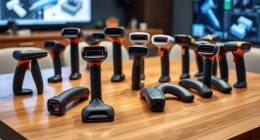
For most creators, I’d start with the Zoom H4essential: its handheld format and multiple recording options make it the most versatile pick across interviews, music, and field work. The Zoom F2 is a stronger fit for hands-free, on-person dialogue, while the TASCAM DR-40XP suits creators who need more input flexibility for location sessions. The main tradeoff is between a compact, simple setup and the extra inputs or controls that support more complex recordings. I compared all six portable audio recorders for creators by their recording roles, workflow demands, and practical limitations. Read on for the full breakdown and a guide to choosing the right setup for your work.

Get audio and creator gear delivered free with Prime
- Fast, free delivery on millions of items
- Prime Video, Amazon Music and more included
- Member-only deals all year
Complete the kit


Key Takeaways
- The Zoom H4essential is the most flexible all-rounder: it suits creators who move between interviews, music, and location recording without wanting a dedicated podcast-only or lav-only tool.
- The Zoom F2 solves a specific problem well: its clip-on lavalier workflow keeps dialogue recording close to the speaker, but it is less suited to group sessions or general-purpose handheld recording.
- Input needs matter more than channel-count headlines: the TASCAM DR-40XP and Zoom PodTrak P2 target different kinds of multi-source work, so choose based on your microphones and recording setup.
- Simple operation can be a real advantage: the Zoom H1 Essential is a more approachable choice for quick clips and basic capture, though it has less room to grow than the H4essential.
- Creator workflows split into distinct categories: on-person dialogue, handheld capture, XLR microphone work, and podcast production each favor different recorders in this lineup.
| Zoom F2 32-Bit Float Lavalier Recorder with Microphone |  | Best for Lavalier Interviews | Recording format: WAV | Recording resolution: 32-bit float | Sample rates: 44.1 kHz or 48 kHz | VIEW LATEST PRICE | See Our Full Breakdown |
| Zoom H1 Essential Recorder for Musicians, Podcasters & Content Creators |  | Best for Beginners | Microphone form factor: Built-in X/Y | Audio format: WAV | Recording: 32-bit float | VIEW LATEST PRICE | See Our Full Breakdown |
| Zoom H1 XLR 2-Channel Handy Recorder with 32-Bit Float |  | Best Compact Recorder for XLR Gear | Channels: 2 | Recording format: WAV | Maximum recording quality: 32-bit / 96 kHz | VIEW LATEST PRICE | See Our Full Breakdown |
| Zoom PodTrak P2 Podcast Recorder Bundle with 64GB microSD Card |  | Best for Two-Person USB Podcasts | Microphone inputs: 2 USB | Headphone outputs: 2 | Audio format: 48 kHz/24-bit WAV | VIEW LATEST PRICE | See Our Full Breakdown |
| TASCAM DR-40XP 4-Channel 32-Bit Float Portable Field Recorder |  | Best for Flexible Field Recording | Channels: 4 | Recording formats: 32-bit float, 24-bit, and 16-bit WAV | Sample rates: 96 kHz, 48 kHz, and 44.1 kHz | VIEW LATEST PRICE | See Our Full Breakdown |
| Zoom H4essential Handheld Recorder |  | Best for Flexible Creator Setups | Recording tracks: 4 | Recording format: WAV | Recording resolution: 32-bit float | VIEW LATEST PRICE | See Our Full Breakdown |
| portable audio recorders for creator | Weight | Recording format | USB interface | Inputs |
|---|---|---|---|---|
| Zoom F2 32-Bit Float Lavalier | 181 g | WAV | USB 3.0 Type-C | — |
| Zoom H1 Essential Recorder for | 92 g | — | USB Type-C | — |
| Zoom H1 XLR 2-Channel Handy Re | 6.4 ounces | WAV | — | 2 locking XLR/TRS combo inputs; 3.5 mm stereo input |
| Zoom PodTrak P2 Podcast Record | — | — | — | — |
| TASCAM DR-40XP 4-Channel 32-Bi | 6.1 ounces | — | 2-in/2-out USB-C | 2 XLR/TRS |
| Zoom H4essential Handheld Reco | — | WAV | — | 2 XLR/TRS |
More Details on Our Top Picks
Zoom F2 32-Bit Float Lavalier Recorder with Microphone
The Zoom F2 is the most focused choice here for creators who want to mic a speaker and keep the recorder clipped out of the way. Its included omnidirectional lavalier and 32-bit float WAV recording make it well suited to interviews and video shoots where speaking levels can change and there is little time to adjust gain. Compared with the Zoom H1 Essential, it prioritizes close-miked voice over convenient stereo capture from built-in X/Y microphones. The tradeoff is flexibility: this body-pack setup is less suited to recording a room, music performance, or multiple sources. It uses two AAA batteries, and the listed operating modes are mono or stereo, so creators should check their intended channel setup before buying. A REC Hold switch helps guard against accidental stops during a take.
Pros:- 32-bit float recording avoids manual gain adjustment for changing speech levels.
- Includes an omnidirectional lavalier microphone with windscreen and lapel clip.
- Supports microSD, microSDHC, and microSDXC cards up to 512 GB.
- REC Hold switch helps prevent accidental recording stops.
Cons:- Requires two AAA batteries rather than built-in rechargeable power.
- A body-pack lavalier setup is less versatile for room tone and music than the H1 Essential’s built-in stereo microphones.
Best for: Video creators and interviewers who need a wearable, included lavalier setup and clip-resistant speech recording.
Not ideal for: Creators who need built-in stereo microphones, multiple external inputs, or a recorder for capturing ensembles and ambient sound.
- Recording format:WAV
- Recording resolution:32-bit float
- Sample rates:44.1 kHz or 48 kHz
- Included microphone:LMF-2 omnidirectional lavalier
- Storage support:microSD, microSDHC, and microSDXC up to 512 GB
- Power and battery life:2 AAA batteries; up to 15 hours
- Weight:181 g
- USB interface:USB 3.0 Type-C
Our verdict“Choose the F2 for wearable, lavalier-led speech recording; pick the H1 Essential if you need fast stereo capture instead.”
Zoom H1 Essential Recorder for Musicians, Podcasters & Content Creators
The Zoom H1 Essential is an approachable starter recorder because its built-in X/Y microphones can capture stereo without a separate mic or setup. 32-bit float recording gives new users room to handle sudden volume changes without setting a precise gain level, while spoken menu guidance makes the basic controls less intimidating. Unlike the Zoom F2, which is designed around a wearable lavalier, the H1 Essential is a grab-and-record option for room sound, rehearsal ideas, and quick creator clips. It can also serve as a USB-C microphone for calls and livestreams. Its compact size and 92 g weight favor portability, but it does not offer the H1 XLR’s dedicated XLR/TRS inputs for external microphones and instruments. It runs on two AAA batteries, so creators should plan for replacements or spares.
Pros:- Built-in X/Y microphones capture a natural stereo image without extra equipment.
- 32-bit float recording reduces the need to set gain precisely.
- USB-C connection allows use as a microphone for streaming and calls.
- Spoken menu guidance makes basic operation more accessible to beginners.
Cons:- Two AAA batteries are required, with no built-in rechargeable battery listed.
- Lacks the dedicated XLR/TRS inputs available on the H1 XLR.
Best for: New podcasters, musicians, and video creators who want one small recorder for stereo capture, calls, and spontaneous recording.
Not ideal for: Creators who need XLR microphones, separate recording channels for multiple sources, or a wearable lavalier recorder.
- Microphone form factor:Built-in X/Y
- Audio format:WAV
- Recording:32-bit float
- USB interface:USB Type-C
- Headphone jack:3.5 mm
- Power:2 AAA batteries
- Digital recording time:10 hours
- Memory storage capacity:Up to 1 TB
- Weight:92 g
Our verdict“Pick the H1 Essential for simple, portable stereo recording; choose the H1 XLR when external microphones are central to your setup.”
Zoom H1 XLR 2-Channel Handy Recorder with 32-Bit Float
The Zoom H1 XLR is the compact pick for creators whose microphones or instruments connect through professional-style inputs. Its two locking XLR/TRS combo inputs provide a more secure connection than a simple plug-in mic setup, and 32-bit float recording up to 96 kHz gives room for demanding location work. That makes it a different tool from the H1 Essential: the Essential is lighter and simpler for built-in stereo recording, while the H1 XLR is built around external sources. An OLED waveform display adds a quick visual check during takes. The limits are its two-channel capacity and two-AA power requirement; creators recording several sources at once may prefer the four-channel TASCAM DR-40XP. Its listed built-in microphone form factor is shotgun, with mono and stereo modes.
Pros:- Two locking XLR/TRS combo inputs accept microphones and instruments.
- 32-bit float recording supports changing source levels without precise gain setting.
- OLED waveform display provides a visual cue while recording.
- SDXC support up to 1 TB leaves room for extended sessions.
Cons:- Two-channel design is less suited to multi-source sessions than the TASCAM DR-40XP.
- Requires two AA batteries, with up to 10 hours of battery life listed.
Best for: Mobile creators recording with one or two XLR microphones, instrument feeds, or other external sources.
Not ideal for: Creators who need four-channel recording, a lavalier included for wearable interviews, or the simplest possible built-in stereo recorder.
- Channels:2
- Recording format:WAV
- Maximum recording quality:32-bit / 96 kHz
- Inputs:2 locking XLR/TRS combo inputs; 3.5 mm stereo input
- Headphone output:3.5 mm
- Memory support:SDXC cards up to 1 TB
- Screen:0.96-inch OLED
- Power and battery life:2 AA batteries; up to 10 hours
- Weight:6.4 ounces
Our verdict“Choose the H1 XLR for a compact recorder built around two external inputs, not for larger multi-track sessions.”
Zoom PodTrak P2 Podcast Recorder Bundle with 64GB microSD Card
The Zoom PodTrak P2 suits a creator workflow built around two USB microphones and two headphone listeners. That direct USB-mic support gives it a clear advantage over the TASCAM DR-40XP for a desk-based two-person podcast, while the DR-40XP is better suited to field recording with built-in microphones and XLR/TRS inputs. The P2 can record to microSD while streaming to a connected computer or mobile device, and mix-minus helps keep a remote guest from hearing their own voice returned through the call. The included 64GB card means the bundle is ready for storage, but microphones are not included, so buyers need compatible USB models already or must add them. Its 48 kHz/24-bit recording also lacks the 32-bit float flexibility offered by several other recorders here.
Pros:- Supports two USB microphones and two headphone outputs for a shared podcast setup.
- Mix-minus helps prevent remote guest audio from being sent back to the guest.
- Can record while streaming to a connected computer or mobile device.
- Bundle includes a 64GB microSD card and SD adapter.
Cons:- Microphones are not included, so the core recording setup requires separate compatible gear.
- Records at 48 kHz/24-bit WAV rather than the 32-bit float offered by the H1 XLR and DR-40XP.
Best for: Two-person podcast hosts who already have, or plan to use, USB microphones and want separate headphone outputs plus remote-guest support.
Not ideal for: Field creators who need built-in microphones, XLR inputs, or 32-bit float recording; also skip it if you need microphones included.
- Microphone inputs:2 USB
- Headphone outputs:2
- Audio format:48 kHz/24-bit WAV
- Included storage:64GB microSD card and SD adapter
- Hardware interface:USB Type-C
- Headphone jack:3.5 mm
- Power options:4 AA batteries, USB bus power, or compatible external USB power supply
- Warranty:1-year limited manufacturer warranty for the Zoom product
Our verdict“Choose the PodTrak P2 for a two-person USB-microphone podcast desk, but look to the DR-40XP for field audio and external XLR sources.”
TASCAM DR-40XP 4-Channel 32-Bit Float Portable Field Recorder
The TASCAM DR-40XP is the most adaptable field recorder in this group for creators who need to capture more than one kind of source at a time. Its adjustable A-B or X-Y microphones handle ambient sound, while two XLR/TRS inputs let you connect external mics; it can record its built-in microphones and external inputs simultaneously. That four-channel flexibility sets it apart from the two-input Zoom H1 XLR, and 32-bit float recording helps protect takes when levels shift unexpectedly. It also works as a 2-in/2-out USB-C audio interface, adding a computer-based role that the standalone H1 Essential does not match in the same way. The compromise is readiness: neither microSD card nor batteries are included, so it needs extra setup before a field session.
Pros:- Four-channel recording can capture built-in microphones and external inputs simultaneously.
- Adjustable A-B or X-Y microphones adapt to different stereo recording needs.
- 32-bit float recording helps manage unpredictable source levels.
- 2-in/2-out USB-C interface supports computer or compatible mobile recording setups.
Cons:- MicroSD card and batteries are not included, so both must be sourced separately.
- Its broader field-recording setup is less direct for two-person USB podcasting than the PodTrak P2.
Best for: Field recordists, documentary creators, and musicians who need onboard stereo microphones plus two external inputs in one portable unit.
Not ideal for: Creators seeking a ready-to-go beginner recorder or a two-person USB podcast hub with dedicated dual headphone outputs.
- Channels:4
- Recording formats:32-bit float, 24-bit, and 16-bit WAV
- Sample rates:96 kHz, 48 kHz, and 44.1 kHz
- Inputs:2 XLR/TRS
- USB interface:2-in/2-out USB-C
- Built-in microphones:Adjustable A-B or X-Y unidirectional condenser microphones
- Maximum SPL:125 dB
- Weight:6.1 ounces
- Included accessories:MicroSD card and batteries not included
Our verdict“Choose the DR-40XP when a single portable recorder must handle onboard stereo and external sources; choose the PodTrak P2 for a USB podcast desk.”
Zoom H4essential Handheld Recorder
The Zoom H4essential suits creators who need one recorder for both ambient capture and external microphones. Its built-in stereo mics handle interviews, field audio, or quick music ideas, while two XLR/TRS inputs let you connect microphones or other sources for a more controlled setup. Compared with the Zoom H1 Essential, it offers more connection options and four-track recording, making it a stronger fit for layered sessions; the H1 is the simpler choice when compactness matters more.
32-bit float recording can help preserve usable audio when levels change unexpectedly, and USB-C supports recording or streaming while audio is also saved to an SD card. The tradeoffs are its 243 g body, reliance on two AA batteries, and the need to supply an SD card and any external mics separately. Spoken menu guidance may help with operation, but this is still more recorder than a creator needs for a single lavalier setup.
Pros:- Built-in stereo microphones support quick recording without an external mic
- Two XLR/TRS inputs accommodate external microphones and other audio sources
- 32-bit float recording helps handle unpredictable changes in sound level
- USB-C recording or streaming can run alongside SD card recording
Cons:- Requires two AA batteries rather than drawing power solely from USB-C
- An SD card and external microphones are not stated as included
- Larger and heavier than simpler handheld options such as the Zoom H1 Essential
Best for: Video creators, podcasters, and musicians who want built-in stereo capture plus two inputs for external microphones or instruments.
Not ideal for: Creators who mainly need a discreet lavalier recorder or the smallest possible setup; the Zoom F2 is more specialized for that use.
- Recording tracks:4
- Recording format:WAV
- Recording resolution:32-bit float
- Maximum sample rate:96 kHz
- Inputs:2 XLR/TRS
- Microphones:Built-in stereo
- Connectivity:USB-C
- Storage:SD card, up to 1 TB
- Power and weight:2 AA batteries; 243 g
Our verdict“Choose the H4essential if you want a versatile handheld recorder that can grow from built-in mic capture to a two-input creator setup.”
How We Picked
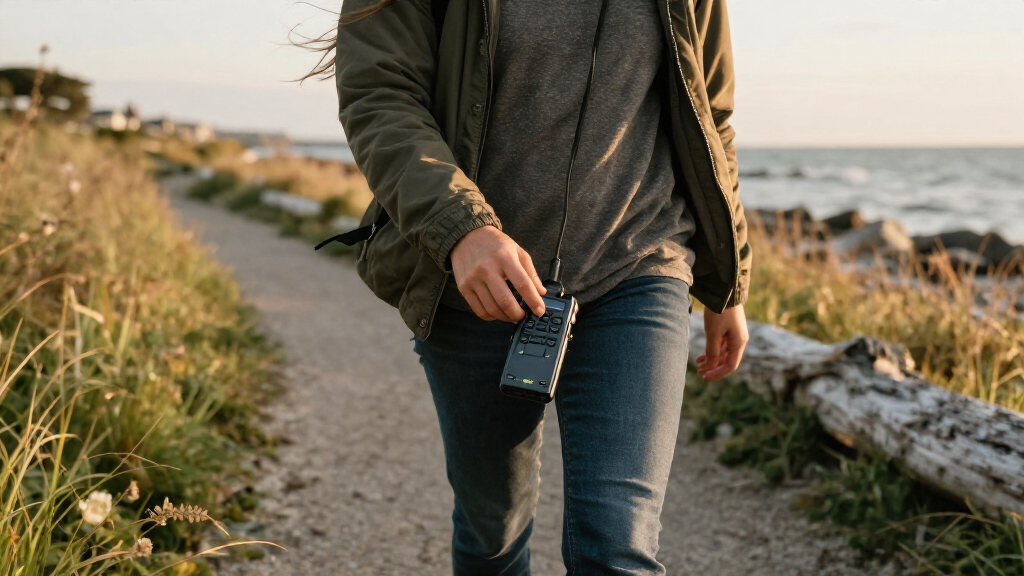
I ranked these recorders around the jobs creators actually need them to do: capture clean dialogue, record more than one source, move easily between locations, and fit into a practical production workflow. I weighed recording format and input flexibility alongside setup complexity, portability, and how much the device’s role limits its usefulness for other work. A feature matters here only when it changes what a creator can record or how much gear the session requires.
The Zoom H4essential leads because its broad use case makes it a strong single-recorder choice. I placed the F2 and DR-40XP high for their distinct strengths—wearable dialogue capture and flexible field recording—while the H1 Essential favors simplicity over expansion. The H1 XLR and PodTrak P2 serve narrower workflows, so their ranking depends more on whether a buyer specifically needs XLR-focused capture or a podcast-centered setup.
Factors to Consider When Choosing Portable Audio Recorders For Creators
Before choosing a recorder, I’d map the device to the recording session rather than to a general label like “content creation.” A solo voiceover, a moving interview, and a small podcast place different demands on inputs, monitoring, handling, and setup time. These broader decisions can prevent buying a capable recorder that does not fit your day-to-day workflow.
Match the Recorder to the Sound Source
Start by listing what you will record most often: a single speaker, a pair of guests, instruments, ambient sound, or a mix. A recorder built around a lavalier makes sense when the speaker moves or needs hands-free capture, while a handheld unit is easier to share between general recording tasks. For microphones that connect by XLR, check the recorder’s input arrangement before assuming a compact device can serve as the hub for a full setup. A common mistake is buying for a rare group session and carrying extra bulk every day. If your work varies, favor a recorder that handles your usual source well and can still accommodate occasional changes.
Plan for Inputs and Future Setups
Count the microphones and instruments you need to record at the same time, then think about what you may add later. More inputs can reduce the need to record separate passes, but they can also make setup and monitoring more involved. Do not treat channel count as a direct measure of quality or usefulness: a dedicated podcast recorder and a field recorder may offer different routing and control choices despite overlapping channel totals. Check whether your microphones need XLR connections, plug-in power, or other support, and confirm the recorder can accommodate them. Paying for unused inputs rarely improves a simple solo workflow, while too few inputs can complicate interviews and ensemble recording.
Choose the Right Safety Net for Unpredictable Audio
Creators recording unscripted speech, events, or changing sound levels should think about how much protection they need from unexpected peaks. A recording format with extra level flexibility can make recovery easier, but it does not replace sensible microphone placement or monitoring. Safety features also cannot fix clipped sound at the microphone itself, wind noise, handling noise, or a distant speaker. For planned voiceovers in a controlled room, a straightforward recording workflow may matter more than extra headroom. Match the recorder’s safeguards to the cost of losing a take, not simply to the longest feature list.
Account for Placement, Handling, and Monitoring
Where the recorder sits during a session can matter as much as what it records. A wearable recorder keeps the microphone close to a moving speaker, while a handheld recorder is convenient for walk-and-talk capture but may pick up handling noise if gripped during a take. A recorder placed on a desk or stand can be easier to monitor, though it may not follow a subject naturally. Think through how you will check levels, confirm recording has started, and hear problems before the session ends. If you record alone, simple controls and clear status feedback can save more time than advanced features you rarely touch.
Consider the Whole Recording Workflow
The recorder is only one part of the process: media, batteries or power, cables, microphones, headphones, and file transfer all affect how quickly you can publish. A compact device may be easier to carry, but a specialized setup can require extra accessories that change its real portability. Check how files fit your editing routine and whether you can move recordings to your computer or mobile device without awkward steps. For podcast production, prioritize a workflow that makes managing multiple voices straightforward; for field work, favor a setup that is ready to record with minimal assembly. Before paying for extra capability, estimate how often it will remove a real bottleneck.
Frequently Asked Questions
Which recorder is the best single device for different kinds of creator work?
I’d choose the Zoom H4essential if one recorder needs to cover interviews, music, and general location capture. Its broader role makes it a more adaptable starting point than the F2, which is built around on-person lavalier recording, or the PodTrak P2, which is aimed at podcast sessions. The tradeoff is that a versatile recorder may involve more setup than a device dedicated to one task. If your work is almost entirely solo dialogue, a simpler or wearable option may be easier to carry and operate. Choose versatility when your recording needs genuinely change from project to project.
Is 32-bit float recording enough reason to choose a recorder?
Not by itself. A format with more room to adjust recording levels later can help when a speaker’s volume is unpredictable, but it cannot repair poor mic placement, room echo, wind, or distortion created before the signal reaches the recorder. Your microphone, recording position, and ability to monitor the session still shape the result. If you work in a controlled setting and set levels carefully, convenient controls or suitable inputs may matter more. I’d treat 32-bit float as a useful safeguard, not a substitute for good recording habits.
Should I choose a lavalier recorder or a handheld recorder for interviews?
Choose a lavalier recorder when the speaker moves, needs both hands free, or should not hold a microphone. A handheld recorder is a better fit when the interviewer can manage mic placement, when you also want to capture surrounding sound, or when you need one device for several recording tasks. For interviews with multiple speakers, plan how each voice will be captured rather than assuming one recorder can cover everyone equally well. The F2 favors a single-person, on-body workflow; the H4essential offers broader handheld use. Your shooting style and mic placement should make the decision, not portability alone.
Do I need a podcast-specific recorder if I already have a handheld recorder?
Not necessarily. A handheld recorder can be enough for a solo show or a simple interview if its inputs and monitoring suit your microphones. A podcast-focused model is more compelling when your regular sessions rely on a dedicated, repeatable setup for several voices. The Zoom PodTrak P2 is aimed at that more specialized workflow, while a general-purpose handheld can cover a wider mix of recording jobs. Before adding a second device, identify the specific podcast task your current setup cannot handle comfortably.
When should I choose the TASCAM DR-40XP over the Zoom H4essential?
I’d favor the TASCAM DR-40XP when its four-channel field-recording approach and input flexibility better match location sessions with several sound sources. The H4essential is the stronger general-purpose recommendation in this roundup, especially for a creator who wants one versatile handheld device. The right choice depends on the microphones and sources you plan to connect at once, not just the maximum channel figure. Write down your likely setup, including any external mics or instruments, before deciding. If you mostly record one or two sources, the added field flexibility may not improve your everyday workflow.
Conclusion
For a single recorder that can cover varied creator work, I recommend the Zoom H4essential as the best overall. The Zoom H1 Essential is my best value-style pick for beginners who want a simpler route into recording, while the H4essential is also the strongest choice here for creators seeking a more capable, premium all-round setup. Choose the Zoom F2 for specific on-person dialogue needs, the TASCAM DR-40XP for flexible field sessions, and the Zoom PodTrak P2 for a podcast-centered workflow. The Zoom H1 XLR is worth a closer look if its XLR-focused format matches your microphone setup. My final advice: choose around your most frequent recording job, then pay for extra flexibility only when it solves a real limitation.