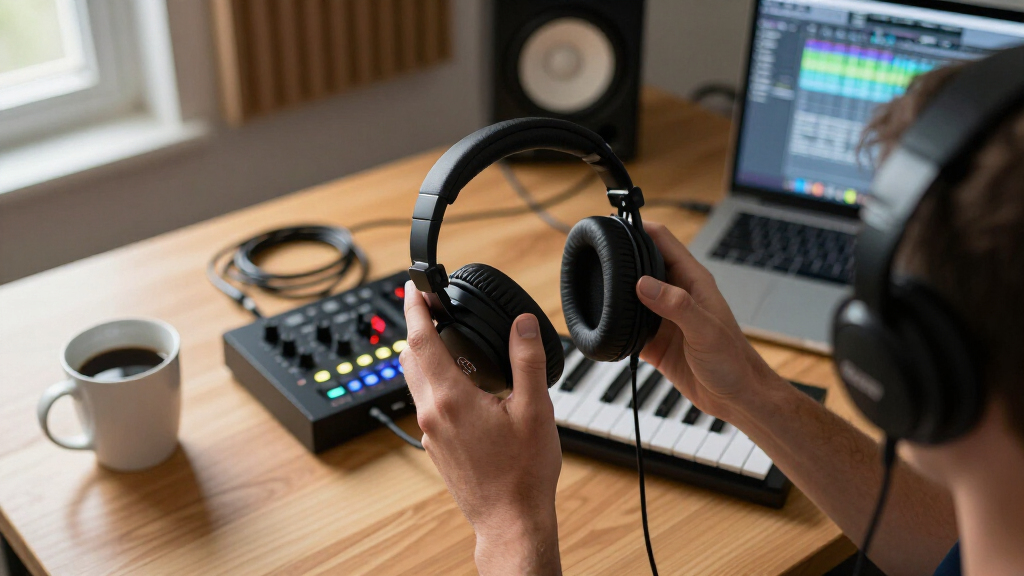
Wireless studio monitor headphones have to solve a problem regular Bluetooth headphones ignore: delivering a flat, accurate reference signal without wires getting in the way of mixing, tracking, or DJ work. After comparing six leading models, the Audio-Technica ATH-M50XBT2 stands out as the best overall pick thanks to its proven M50x tuning, LDAC support, and 45mm drivers that translate mixes reliably. Close behind, the OneOdio Studio Max 2 offers 9ms latency and LDAC at a friendlier price, while the budget-priced Audio-Technica ATH-M20xBT brings honest studio DNA to first-time buyers. The core tradeoff in this category is latency versus convenience: true Bluetooth can lag when monitoring live audio, so several picks here include 2.4GHz wireless or wired fallback modes. Keep reading for the full breakdown, including who each model suits and which ones you should skip.

Get audio and creator gear delivered free with Prime
- Fast, free delivery on millions of items
- Prime Video, Amazon Music and more included
- Member-only deals all year
Complete the kit


Key Takeaways
- The ATH-M50XBT2 won best overall because it’s the only pick with a genuinely proven studio pedigree — its wireless version inherits the same 45mm drivers and tuning that made the wired M50x a mixing staple, so your mixes translate rather than flatter.
- Latency separated the OneOdio lineup from the Audio-Technica models: the Studio Max 2 (9ms) and the PUPGSIS 2.4GHz (20ms) are built for live monitoring and DJ cueing, while the M50XBT2 and M20xBT are better suited to mixing and casual listening where a small delay doesn’t matter.
- Every headphone here except the M20xBT includes a wired mode, and that wired fallback turned out to be the single most useful ‘feature’ — it future-proofs the purchase against battery death and sidesteps Bluetooth latency entirely for critical listening.
- The OneOdio A70 and Studio Max 1 occupy the value tier: both deliver dual-earcup DJ jacks and shareable listening, but their bass response is mildly colored compared with the Audio-Technica pair, which matters if you’re making EQ decisions.
- LDAC support (Studio Max 2 and M50XBT2) made an audible difference in wireless resolution during critical listening — if you mix from a phone or laptop without a dongle DAC, that codec support narrows the gap with wired monitoring.
| PUPGSIS 2.4GHz Wireless DJ Headphones, 20ms Low Latency Studio Headphones, Bluetooth/Wired, Black |  | Best for Flexible Connections | Connectivity: 2.4GHz wireless, Bluetooth 5.3, AUX wired | Drivers: 50mm | Frequency response: 20Hz–40kHz | VIEW LATEST PRICE | See Our Full Breakdown |
| OneOdio Studio Max 2 Wireless DJ Headphones with LDAC and 9ms Latency |  | Best for Low-Latency Wireless Monitoring | Wireless technology: RapidWill+ 3.0 | Connectivity: 2.4G wireless, Bluetooth 6.0, wired | Latency: 9ms | VIEW LATEST PRICE | See Our Full Breakdown |
| Audio-Technica ATH-M50XBT2 Wireless Headphones, Black |  | Best for Bluetooth Listening and Calls | Driver size: 45mm | Battery life: Up to 50 hours | Rapid charge: 10 minutes provides up to 3 hours of use | VIEW LATEST PRICE | See Our Full Breakdown |
| Audio-Technica ATH-M20xBT Wireless Over-Ear Headphones, Black |  | Best for Midrange-Focused Everyday Monitoring | Driver size: 40mm | Driver type: Rare-earth magnets with copper-clad aluminum wire voice coils | Design: Circumaural over-ear | VIEW LATEST PRICE | See Our Full Breakdown |
| OneOdio Studio Max 1 Wireless DJ & Wired Studio Headphones |  | Best for Long Sessions and Wired Backup | Connectivity: Bluetooth 5.3, 2.4GHz dongle, 3.5mm and 6.35mm wired | Latency: 20ms | Battery life: Up to 120 hours Bluetooth; 50 hours dongle mode | VIEW LATEST PRICE | See Our Full Breakdown |
| OneOdio A70 Bluetooth Over-Ear Headphones, Black | 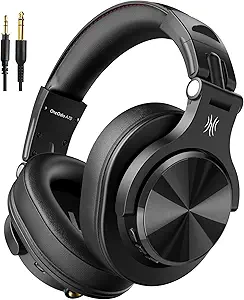 | Best Budget Pick for Long Sessions | Brand: OneOdio | Model: A70 | Headphone Type: Over-Ear | VIEW LATEST PRICE | See Our Full Breakdown |
| wireless studio monitor headphone | Connectivity | Battery life | Drivers | Latency |
|---|---|---|---|---|
| PUPGSIS 2.4GHz Wireless DJ Hea | 2.4GHz wireless, Bluetooth 5.3, AUX wired | Up to 60 hours Bluetooth; 30 hours 2.4GHz | 50mm | 20ms in 2.4GHz mode |
| OneOdio Studio Max 2 Wireless | 2.4G wireless, Bluetooth 6.0, wired | Up to 120 hours | 45mm High-Flux | 9ms |
| Audio-Technica ATH-M50XBT2 Wir | — | Up to 50 hours | — | — |
| Audio-Technica ATH-M20xBT Wire | Wireless | — | — | — |
| OneOdio Studio Max 1 Wireless | Bluetooth 5.3, 2.4GHz dongle, 3.5mm and 6.35mm wired | Up to 120 hours Bluetooth; 50 hours dongle mode | 50mm with oxygen-free copper-clad coils | 20ms |
| OneOdio A70 Bluetooth Over-Ear | Bluetooth, Wired | — | — | — |
More Details on Our Top Picks
PUPGSIS 2.4GHz Wireless DJ Headphones, 20ms Low Latency Studio Headphones, Bluetooth/Wired, Black
Three connection modes make the PUPGSIS a practical pick for a setup that moves between a mixer, computer, and phone. Its 20ms 2.4GHz mode is designed to keep monitoring responsive, while Bluetooth offers longer listening time and the wired inputs provide another option when wireless is unnecessary. Compared with the OneOdio Studio Max 2, its latency is higher and Bluetooth is an older version, but the PUPGSIS has larger 50mm drivers and a foldable build with 180° rotating ear cups for single-ear monitoring. The tradeoff is runtime: it is specified for up to 30 hours on 2.4GHz, versus up to 60 hours on Bluetooth. I’d shortlist it for flexible home DJ and studio use, but buyers who need the quickest wireless response should look at the Studio Max 2.
Pros:- 2.4GHz, Bluetooth 5.3, and wired connectivity cover varied audio setups
- 20ms 2.4GHz latency supports responsive monitoring
- 50mm drivers and 20Hz–40kHz stated frequency response
- Foldable design and 180° rotating ear cups aid portability and single-ear monitoring
Cons:- 2.4GHz battery life is specified at up to 30 hours, half the Bluetooth figure
- Lowest-latency wireless use requires the USB dongle
- Protein-leather cushions may feel warm during extended sessions
Best for: Home DJs and creators who switch between a mixer, laptop, and phone and want both wireless and wired options.
Not ideal for: Buyers who need the lowest listed wireless latency or who monitor for long stretches in warm conditions, since its 2.4GHz latency is 20ms and protein-leather cushions may retain heat.
- Connectivity:2.4GHz wireless, Bluetooth 5.3, AUX wired
- Drivers:50mm
- Frequency response:20Hz–40kHz
- Latency:20ms in 2.4GHz mode
- Battery life:Up to 60 hours Bluetooth; 30 hours 2.4GHz
- Ports:3.5mm and 6.35mm
- Design:Over-ear, foldable, 180° rotating ear cups
Our verdict“Choose the PUPGSIS if connection flexibility and rotating ear cups matter more than the OneOdio Studio Max 2’s lower latency.”
OneOdio Studio Max 2 Wireless DJ Headphones with LDAC and 9ms Latency
The Studio Max 2 has the strongest stated case here for monitoring over a wireless link: its 9ms latency is lower than the 20ms listed for both the PUPGSIS and Studio Max 1. That quicker response can help DJ cueing and video work feel more immediate, while LDAC support offers a high-resolution Bluetooth option when the source device supports it. Its 45mm drivers are smaller than the Studio Max 1’s 50mm units, though driver size alone does not establish which will sound more accurate. The Studio Max 2 also leads on listed battery life, at up to 120 hours, and adds a short-charge claim. I’d favor it over the Audio-Technica ATH-M50XBT2 for wireless DJ work, but its advanced codec benefits depend on device compatibility, and no active noise cancellation is specified.
Pros:- 9ms stated latency is lower than the 20ms figures for the PUPGSIS and Studio Max 1
- LDAC support for compatible Bluetooth sources
- Up to 120 hours of stated battery life
- Includes 3.5mm and 6.35mm jacks plus 180° swivel earcups
Cons:- LDAC and other advanced audio features depend on compatible devices
- No active noise cancellation is specified
- Memory-foam over-ear cushions may feel warm during very long sessions
Best for: DJs, video editors, and gamers who prioritize low wireless delay and have devices that support LDAC.
Not ideal for: Listeners seeking specified active noise cancellation or larger drivers, or those whose equipment cannot use its advanced codec features.
- Wireless technology:RapidWill+ 3.0
- Connectivity:2.4G wireless, Bluetooth 6.0, wired
- Latency:9ms
- Audio codec:LDAC
- Drivers:45mm High-Flux
- Frequency response:20Hz–40kHz
- Battery life:Up to 120 hours
- Audio jacks:3.5mm and 6.35mm
Our verdict“Pick the Studio Max 2 for the lowest stated latency and longest listed battery life, provided your source devices support its audio features.”
Audio-Technica ATH-M50XBT2 Wireless Headphones, Black
The ATH-M50XBT2 is the more straightforward choice for listeners who want wireless headphones with a stated link to a professional studio model’s sound. Its 45mm drivers and dedicated amplifier are described as delivering deep bass and clear detail, while multipoint Bluetooth lets it stay paired with two devices. That makes it better suited to switching between a computer and phone than the DJ-focused OneOdio Studio Max 2, whose standout advantage is its much lower 9ms latency. The Audio-Technica’s up-to-50-hour battery and quick-charge feature suit everyday listening, and its beamforming microphones add a call-focused benefit absent from the PUPGSIS description. The main limitation for a studio roundup is that the supplied product data does not specify wired listening, latency, or DJ-oriented rotating ear cups.
Pros:- 45mm drivers and dedicated amplifier are specified for clear sound with deep bass
- Multipoint pairing connects two Bluetooth devices
- Up to 50 hours of stated battery life
- Dual beamforming microphones support clearer calls
Cons:- No wired-listening option is specified in the supplied product data
- No latency figure is provided for timing-sensitive monitoring
- No rotating ear cups or DJ-specific monitoring features are specified
Best for: Listeners who want Bluetooth headphones for a computer and phone, with multipoint pairing, long battery life, and call microphones.
Not ideal for: DJs or editors who need a specified low-latency wireless mode, wired studio connection, or rotating ear cups for one-ear monitoring.
- Driver size:45mm
- Battery life:Up to 50 hours
- Rapid charge:10 minutes provides up to 3 hours of use
- Bluetooth:Multipoint pairing with 2 devices
- Microphones:Dual mics with beamforming technology
- Color:Black
Our verdict“Choose the ATH-M50XBT2 for multipoint Bluetooth listening and calls, but prefer the Studio Max 2 for specified low-latency DJ monitoring.”
Audio-Technica ATH-M20xBT Wireless Over-Ear Headphones, Black
The ATH-M20xBT stands apart from the DJ-oriented OneOdio Studio Max 1 by focusing on a simpler over-ear wireless design with 40mm drivers and stated midrange definition. That emphasis can suit editing and listening where vocal and instrument presence matters, while the circumaural fit is intended to provide sound isolation in louder surroundings. Its collapsible construction also makes it easier to pack than bulkier feature-rich options such as the Studio Max 1. The limitations are significant for wireless studio monitoring: the supplied specifications list wireless connectivity but no latency, battery life, Bluetooth version, or wired mode. Its single-side cable exit is mentioned, yet the data does not describe a complete wired-use setup. I’d consider it for portable, midrange-focused listening, not for buyers who need clearly documented DJ connectivity.
Pros:- 40mm drivers use rare-earth magnets and copper-clad aluminum wire voice coils
- Circumaural design is intended to isolate sound in louder environments
- Stated strong midrange definition suits vocal and instrument-focused listening
- Collapsible design saves space in a bag
Cons:- No wireless latency or battery-life figure is provided
- No Bluetooth version or confirmed wired listening mode is specified
- Lacks the documented 2.4GHz and dual-jack flexibility of the OneOdio Studio Max 1
Best for: Students and home creators seeking collapsible wireless headphones for editing and listening with a focus on midrange detail.
Not ideal for: DJs and studio users who need documented low-latency wireless, battery runtime, or a confirmed wired monitoring path.
- Driver size:40mm
- Driver type:Rare-earth magnets with copper-clad aluminum wire voice coils
- Design:Circumaural over-ear
- Connectivity:Wireless
- Portability:Collapsible
- Color:Black
Our verdict“Consider the ATH-M20xBT for portable midrange-focused listening, but choose the Studio Max 1 if you need specified DJ connections and latency.”
OneOdio Studio Max 1 Wireless DJ & Wired Studio Headphones
The Studio Max 1 combines 120-hour Bluetooth playback with a separate 2.4GHz dongle mode, making it a strong fit for long work sessions when charging access is limited. Its 20ms latency is higher than the Studio Max 2’s 9ms, so that newer sibling is the better match for buyers who put wireless response first. In return, the Studio Max 1 specifies 50mm drivers, LDAC support, 3.5mm and 6.35mm wired options, and a travel case with an adapter. Those details make it more adaptable when switching from wireless listening to a studio or DJ connection. The tradeoffs are a shorter stated 50-hour runtime in dongle mode and a potentially bulkier carry than the collapsible PUPGSIS. I’d choose it for versatility and backup options rather than the fastest wireless monitoring.
Pros:- Up to 120 hours Bluetooth playback and 50 hours in dongle mode
- 20ms 2.4GHz latency supports responsive monitoring
- 50mm drivers with Hi-Res Audio and LDAC listed
- Includes 3.5mm and 6.35mm wired options, travel case, and screw-in adapter
Cons:- 20ms latency is higher than the Studio Max 2’s stated 9ms
- Dongle-mode battery life is specified as 50 hours, below its Bluetooth figure
- Feature-rich design may be bulkier than simpler portable headphones
Best for: DJs and mobile studio users who want long Bluetooth runtime, wired fallback, dual jack sizes, and a travel case.
Not ideal for: Buyers for whom the lowest available wireless latency is the priority, since the Studio Max 2 lists 9ms compared with this model’s 20ms.
- Connectivity:Bluetooth 5.3, 2.4GHz dongle, 3.5mm and 6.35mm wired
- Latency:20ms
- Battery life:Up to 120 hours Bluetooth; 50 hours dongle mode
- Quick charge:5 minutes provides 5 hours
- Drivers:50mm with oxygen-free copper-clad coils
- Audio formats:Hi-Res Audio, LDAC, LC3 decoding
- Microphone:Dual-mic ENC
- Design:180° rotating ear cups, foldable, adjustable metal headband
Our verdict“Choose the Studio Max 1 for long Bluetooth sessions and a well-equipped wired fallback; choose the Studio Max 2 when lower latency matters more.”
OneOdio A70 Bluetooth Over-Ear Headphones, Black
Massive battery life at an entry-level price is the A70’s whole pitch, and it delivers on it. With up to 72 hours of wireless playtime, this option outlasts everything else in this lineup by a wide margin — even the OneOdio Studio Max 2, which trades endurance for high-end codecs like LDAC. For buyers who monitor for hours without reliable charging access, that stamina matters more than audiophile-grade wireless fidelity.
The 40mm neodymium drivers produce a reasonably flat, honest response for casual reference work, though the Audio-Technica ATH-M50XBT2 is noticeably more resolving if detailed mixing is the goal. What the A70 does that no pricier rival here matches: both a 3.5mm-to-6.35mm cable and a 3.5mm-to-3.5mm cable ship in the box, so connecting to an interface, mixer, or controller takes zero extra spending. Compared with the OneOdio Studio Max 1, this model is lighter, more foldable, and easier to toss in a bag.
Tradeoffs are real: there’s no active noise cancellation, and the audio-sharing feature only works over a wired link with a compatible second headphone. Bluetooth latency is also standard rather than the low-latency wireless you get on the PUPGSIS 2.4GHz model, so gaming and video sync are better handled through the included cables.
Pros:- Up to 72 hours of wireless playtime, plus wired fallback via included cables
- Both 3.5mm-to-6.35mm and 3.5mm-to-3.5mm cables included for interfaces and mixers
- Foldable, rotatable ear cups with soft protein-leather cushions for extended sessions
- Built-in HD microphone and audio-sharing capability for calls and collaboration
Cons:- No active noise cancellation, so loud environments bleed into monitoring
- Audio sharing only works over a wired connection with compatible headphones
- Standard Bluetooth latency makes wireless use unsuitable for tight gaming or video sync
Best for: Beginner producers, students, and content creators who want long wireless battery life, wired interface compatibility, and a foldable design without spending much
Not ideal for: Mixing engineers who need precise detail retrieval and low-latency wireless — the ATH-M50XBT2 and Studio Max 2 serve that job better
- Brand:OneOdio
- Model:A70
- Headphone Type:Over-Ear
- Connectivity:Bluetooth, Wired
- Wireless Playtime:Up to 72 hours
- Driver:40mm neodymium
- Included Cables:3.5mm to 6.35mm, 3.5mm to 3.5mm
- Microphone:Built-in HD microphone
- Design Features:Foldable, rotatable, audio sharing, aux jack lock
Our verdict“Buy the A70 if you want the longest battery and cheapest path into hybrid wireless-plus-wired monitoring; skip it if your mixes depend on high-resolution detail or low-latency wireless.”
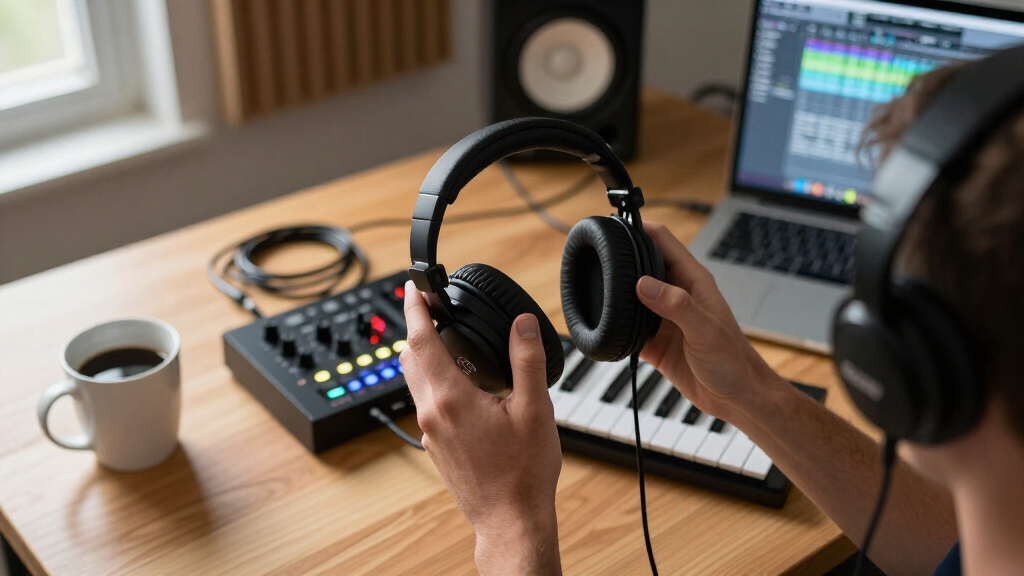
How We Picked
My ranking logic starts with the question that defines this category: can you trust what you hear without a cable? I evaluated each model on tuning accuracy first — a studio monitor headphone with hyped bass or scooped mids will sabotage mix decisions no matter how convenient the wireless connection is. Second, I weighed latency and connection options, because a headphone used for live monitoring or DJ cueing has different demands than one used for mixing on the couch. Models offering 2.4GHz modes or sub-25ms latency scored higher for tracking applications; Bluetooth-only models scored higher on everyday usability.
Beyond sound, I compared build quality, comfort over long sessions, battery life, and the presence of a wired fallback — the safety net that lets a wireless headphone become a true studio tool when the battery dies or latency intrudes. Value was judged relative to the competition here, not in isolation: the M20xBT ranks well not because it beats the M50XBT2 on specs, but because it delivers a disproportionate share of studio-grade performance at an entry-level price point. Where two models tied closely, the one with more versatile connectivity earned the higher slot.
| wireless studio monitor headphone | Battery life |
|---|---|
| PUPGSIS 2.4GHz Wireless DJ Hea | Up to 60 hours Bluetooth; 30 hours 2.4GHz |
| OneOdio Studio Max 2 Wireless | Up to 120 hours |
| Audio-Technica ATH-M50XBT2 Wir | Up to 50 hours |
| Audio-Technica ATH-M20xBT Wire | — |
| OneOdio Studio Max 1 Wireless | Up to 120 hours Bluetooth; 50 hours dongle mode |
| OneOdio A70 Bluetooth Over-Ear | — |
Factors to Consider When Choosing Wireless Studio Monitor Headphones
Before you commit to a pair of wireless studio monitor headphones, it helps to understand the tradeoffs that don’t show up on a spec sheet. These are the factors I’d weigh before buying — and the mistakes that cost buyers the most.Latency Matters More Than Sound Quality for Some Uses
The single most misunderstood spec in this category is latency. Standard Bluetooth can introduce 100–200ms of delay, which is invisible while streaming music but disorienting or unusable when monitoring your own performance — singers hear themselves late, DJs can’t beatmatch, and podcasters stumble over their own words. If live monitoring is your use case, prioritize 2.4GHz wireless or models advertising sub-30ms latency, and treat Bluetooth mode as a convenience feature rather than the main event. A common mistake is buying a headphone marketed as ‘studio’ without checking its latency, then discovering it only works for playback. Also note that latency figures manufacturers advertise usually apply to a specific dongle or app mode — read the fine print on how that number is achieved.
Flat Tuning Is the Point — Don’t Buy a Bass-Boosted ‘Studio’ Headphone
Many headphones borrow studio styling while tuning the sound for consumers: boosted bass, sparkly treble, recessed mids. That flatters pop music but lies to you about your mix balance, leading to thin, dull masters that sound wrong on other systems. A genuine monitor headphone aims for a neutral response so decisions translate. If a model has EQ presets or a bass-emphasis mode, ask whether the flat setting is genuinely flat or just marketing language. One practical test: play a track you know intimately and listen for whether the low end sounds bigger than you remember. If it does, that headphone will push you toward under-mixing bass — a mistake that’s expensive to fix at the mastering stage.
Codec Support Determines Wireless Sound Quality
Bluetooth audio is only as good as the codec both your source and headphone support. Basic SBC compresses audio noticeably on critical material; AAC helps on Apple devices, and LDAC approaches CD-quality bandwidth on Android and compatible dongles. If you mix or evaluate masters from a phone or laptop without external hardware, LDAC support meaningfully narrows the gap with a wired connection. None of this matters if your source doesn’t support the codec, so check your device first — an iPhone user gains nothing from LDAC, which makes codec support a lower priority for them. AptX is a middle ground worth having if it’s available. Buyers who ignore codecs often blame the headphones for a blurry, congested sound that’s actually a transmission limitation.
Wired Fallback Is Your Insurance Policy
Every serious wireless studio headphone should work as a wired one. A 3.5mm or quarter-inch passive mode means a dead battery never ends a session, gives you zero-latency monitoring when you need it, and lets the headphone serve as a backup pair in a professional rig. Some models also pass audio while charging; others lock up entirely, which is worth checking before you buy. For DJs especially, dual-earcup jacks that let a second person plug in remain a genuinely useful feature that most consumer wireless headphones dropped years ago. If you’re choosing between two similar models, the one with the more flexible wired path will age better as your setup evolves.
Comfort and Clamping Force Across Long Sessions
Studio sessions run three, five, eight hours — and a headphone that’s slightly tight at minute ten becomes painful at hour four. Look for generous earcup depth, replaceable pads, and moderate clamping force rather than the aggressive grip DJ headphones use to stay on your head while moving. Weight matters more with wireless models because of the battery: heavier cans cause neck fatigue during long mixing sessions even if the padding is good. Replaceable pads are quietly one of the best long-term value features in this category, since pads flatten and crack long before drivers fail. If you wear glasses, strongly favor deeper, softer pads — this is the most common comfort complaint among buyers who skip this consideration.
When to Spend More — and When Not To
The premium tier in this roundup earns its price through driver refinement, codec support, and proven tuning — differences you’ll hear on finished mixes, not just in marketing copy. But paying more doesn’t help everyone equally. If you’re learning to mix, producing as a hobby, or need a versatile pair for practice and casual listening, a mid-tier model teaches you the same fundamentals for less money, and its limitations will be the least of your problems early on. Spend up when you’re making decisions that get released — client work, distributed music, paid podcasts. The mistake I see most often is a beginner buying flagship headphones expecting them to fix an untreated room or an untrained ear. No headphone does that, including the ones on this list.
Frequently Asked Questions
Can wireless headphones really be used for serious studio monitoring?
Yes, with clear boundaries. For mixing, editing, and reference listening, modern wireless headphones with LDAC or a good AAC connection are close enough to their wired siblings that most listeners can’t reliably tell the difference on finished material. Where wireless still falls short is live monitoring while recording, because even modest latency creates a distracting echo effect when you hear yourself delayed. That’s why the top picks here all include wired modes and why several add low-latency 2.4GHz connections. A practical workflow many engineers use is wireless for editing and arrangement, then plugging in a cable for tracking vocals or instruments. The battery also introduces a reliability variable a cable never has, so keep a charging habit if you depend on wireless daily.
Is the Audio-Technica M50XBT2 worth the upgrade over the M20xBT?
It depends on what you’re doing with them. The M50XBT2 inherits the flagship M50x drivers and tuning, which are trusted enough that thousands of studios use the wired version as a reference — if your mixes need to translate professionally, that pedigree justifies the price. The M20xBT is genuinely competent and shares the family’s neutral-leaning character, but its smaller drivers don’t resolve fine detail the same way, and its Bluetooth feature set is more basic. For a beginner, hobbyist, or someone wanting an honest all-rounder for listening and light production, the M20xBT delivers most of the experience for far less. Spend the difference on the M50XBT2 when mixing decisions you make on these headphones will reach an audience.
What does 9ms or 20ms latency actually mean in practice?
Latency below roughly 30ms is generally perceived as immediate enough for live monitoring — singers and DJs can perform without the distracting slapback delay that standard Bluetooth causes. The OneOdio Studio Max 2 at 9ms and the PUPGSIS at 20ms both sit comfortably inside that window, which is why they rank highly for tracking and DJ cueing. The catch is how that latency is achieved: typically through a 2.4GHz USB dongle or a dedicated app mode, not through ordinary Bluetooth. That means you’ll need the right transmitter hardware, and the low-latency figure may not apply when you connect to a phone via plain Bluetooth. Check what accessories come in the box before assuming you’ll get the advertised number with your specific setup.
Do I need LDAC, or is standard Bluetooth good enough?
If you mostly listen to streaming music or use Apple devices, standard Bluetooth is fine — iPhones don’t support LDAC at all, so paying for it would be wasted. LDAC earns its keep when you evaluate mixes or high-resolution audio from an Android device or compatible dongle, because its higher bandwidth preserves detail that SBC and sometimes AAC smear over. That said, source material matters: a 256kbps stream sounds similar over either codec, so LDAC’s advantage only appears with lossless files. If you already own wired studio headphones and want a wireless pair for convenience, LDAC makes the transition less jarring. If your wireless pair is mainly for practice and casual listening, save the concern for comfort and battery life instead.
Are DJ headphones and studio monitor headphones interchangeable?
They overlap but aren’t the same tool. DJ headphones prioritize isolation, clamping force, durability, and swiveling earcups for one-ear cueing — often with a slightly bass-forward tuning that helps beatmatching in loud booths. Studio monitor headphones aim for neutral accuracy so mixing decisions translate to other systems. Models like the OneOdio Studio Max line and the PUPGSIS blur the line by offering both DJ-style features and low-latency wireless, which makes them flexible but means their tuning may be less strictly neutral than the Audio-Technica pair. If you primarily mix, choose the flatter headphone; if you spin or track live performers, the DJ-oriented features matter more than a perfectly flat response. Buyers who do both are exactly who the hybrid models are built for.
Conclusion
The right pick here depends less on specs and more on what you’ll actually plug into. For the best overall choice, the Audio-Technica ATH-M50XBT2 stands out — it carries trusted studio tuning into a wireless package, and its battery, LDAC support, and wired fallback make it the safest single purchase for anyone mixing seriously. The OneOdio Studio Max 2 takes the best value slot for buyers who need 9ms latency and LDAC without the flagship price, making it the smarter pick for home producers and DJs on a budget. For the best premium-adjacent specialized option, the PUPGSIS 2.4GHz earns its place with dedicated low-latency wireless aimed squarely at live monitoring and DJ cueing.
For beginners, the Audio-Technica ATH-M20xBT makes the most sense: honest studio-family tuning at an entry price, with nothing overwhelming and nothing misleading. The OneOdio Studio Max 1 and A70 round out the list as flexible mid-tier options — ideal if you want shareable dual jacks, wired flexibility, and DJ-friendly design in one package, provided you accept slightly colored bass compared with the Audio-Technica pair. Whatever you choose, prioritize the mode you’ll use most: latency and ruggedness for live work, flat tuning and codec quality for mixing. Get that match right, and any of these six will serve you well.
Halloween Picks
halloween
As an affiliate, we earn on qualifying purchases.