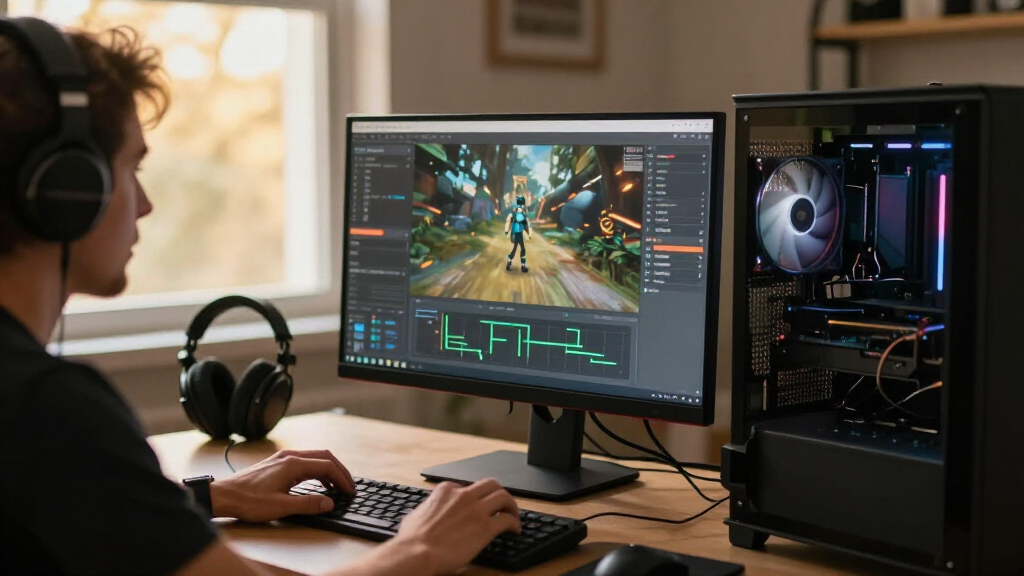
The AMD Ryzen 7 9800X3D is my best overall pick for a gaming-focused PC, while the Ryzen 7 7800X3D remains a compelling option for players building around AM5. For demanding gaming and heavy creative work, the Ryzen 9 9950X3D offers a more capable all-rounder, though its extra cores are unnecessary for many players. The main tradeoffs are gaming speed versus productivity power, platform and memory costs, and whether an upgrade justifies replacing an existing motherboard. Read on for how the nine processors compare and which one best fits your build.

Get audio and creator gear delivered free — and shop member deals
- Fast, free delivery on millions of items
- Access to Prime Big Deal Days deals on October 6–7
- Prime Video, Amazon Music and more included
Complete the kit


Key Takeaways
- The Ryzen 7 9800X3D leads this gaming-focused group because its gaming-oriented design is a stronger fit for high frame rates than paying for extra cores most games will not use.
- The Ryzen 7 7800X3D and 9800X3D serve similar AM5 gaming goals, but buyers should weigh the newer model’s position against the value of a compatible board and memory they already own.
- The Ryzen 9 9950X3D is the clearest gaming-and-work compromise here: its 16 cores suit demanding multitasking, while a dedicated gaming build may get more practical value from an eight-core X3D chip.
- Core count alone does not settle the gaming choice: the 24-core Core Ultra 9 285K and 20-core Core i7-14700K offer more parallel processing than the six-core Ryzen 5 9600X, but that does not automatically make them better gaming picks.
- Platform compatibility can change the best upgrade choice: the Ryzen 7 5800X3D targets existing AM4 systems, while newer AM5 and Intel options may require a motherboard and memory plan.
| Intel Core i9-12900K Gaming Desktop Processor with Integrated Graphics, 16 Cores (8P+8E), up to 5.2 GHz, Unlocked LGA-1700, 600 Series Chipset, 125 W |  | Best for Reusing an LGA-1700 Platform | Cores / threads: 16 (8 performance + 8 efficiency) / 24 | Base clock: 3.2 GHz | Maximum turbo frequency: Up to 5.2 GHz | VIEW LATEST PRICE | See Our Full Breakdown |
| AMD Ryzen 7 9800X3D 8-Core, 16-Thread Desktop Processor |  | Best for Gaming-First Builds | Processor series: Ryzen 7 | Architecture: Zen 5 | Cores / threads: 8 / 16 | VIEW LATEST PRICE | See Our Full Breakdown |
| Intel Core Ultra 9 285K Desktop Processor, 24 Cores, Up to 5.7 GHz |  | Best for Intel-Based Gaming and Creation | Cores / threads: 24 (8 P-cores + 16 E-cores) / 24 | Maximum speed: Up to 5.7 GHz | Cache: 40 MB | VIEW LATEST PRICE | See Our Full Breakdown |
| Intel Core i7-14700K Desktop Processor, 20 Cores, Unlocked |  | Best for Flexible Intel Upgrades | Cores / threads: 20 (8 P-cores + 12 E-cores) / 28 | Maximum frequency: Up to 5.6 GHz | Cache: 33 MB | VIEW LATEST PRICE | See Our Full Breakdown |
| AMD Ryzen 9 9950X3D 16-Core Desktop Processor |  | Best Premium Gaming-and-Creation Pick | Architecture: Zen 5 | Cores: 16 | Base clock: 4.3 GHz | VIEW LATEST PRICE | See Our Full Breakdown |
| AMD Ryzen 7 5800X3D 8-Core, 16-Thread Desktop Processor |  | Best AM4 Gaming Upgrade | Cores / threads: 8 / 16 | Max boost speed: 4.5 GHz | L3 cache: 96 MB | VIEW LATEST PRICE | See Our Full Breakdown |
| AMD Ryzen 7 7800X3D 8-Core, 16-Thread Desktop Processor |  | Best Gaming-Focused AM5 Pick | Cores / threads: 8 / 16 | Processor speed: 4.2 GHz | L2 cache: 8 MB | VIEW LATEST PRICE | See Our Full Breakdown |
| AMD Ryzen 9 9900X 12-Core, 24-Thread Unlocked Desktop Processor |  | Best for Gaming and Creator Workloads | Cores / threads: 12 / 24 | Architecture: AMD Zen 5 | Base processor speed: 4.4 GHz | VIEW LATEST PRICE | See Our Full Breakdown |
| AMD Ryzen 5 9600X 6-Core, 12-Thread Unlocked Desktop Processor |  | Best Lower-Power AM5 Gaming Pick | Cores / threads: 6 / 12 | Architecture: AMD Zen 5 | Base processor speed: 3.9 GHz | VIEW LATEST PRICE | See Our Full Breakdown |
| gaming CPU | Cores / threads | Socket | Cache | Memory support |
|---|---|---|---|---|
| Intel Core i9-12900K Gaming De | 16 (8 performance + 8 efficiency) / 24 | LGA-1700 | — | — |
| AMD Ryzen 7 9800X3D 8-Core | 8 / 16 | AM5 | — | — |
| Intel Core Ultra 9 285K Deskto | 24 (8 P-cores + 16 E-cores) / 24 | LGA 1851 | 40 MB | DDR5 |
| Intel Core i7-14700K Desktop P | 20 (8 P-cores + 12 E-cores) / 28 | — | 33 MB | DDR4 and DDR5 |
| AMD Ryzen 9 9950X3D 16-Core De | — | AM5 | 144 MB | — |
| AMD Ryzen 7 5800X3D 8-Core | 8 / 16 | AM4 | — | DDR4-3200 |
| AMD Ryzen 7 7800X3D 8-Core | 8 / 16 | AM5 | — | — |
| AMD Ryzen 9 9900X 12-Core | 12 / 24 | AM5 | 76 MB | DDR5-5600 |
| AMD Ryzen 5 9600X 6-Core | 6 / 12 | AM5 | 38 MB | DDR5-5600 |
More Details on Our Top Picks
Intel Core i9-12900K Gaming Desktop Processor with Integrated Graphics, 16 Cores (8P+8E), up to 5.2 GHz, Unlocked LGA-1700, 600 Series Chipset, 125 W
The Core i9-12900K is a strong fit for gamers who already own a compatible LGA-1700 motherboard and want substantial multitasking capacity without moving to a newer platform. Its 8 performance and 8 efficiency cores can handle games alongside streaming or background tasks, while the 5.2 GHz boost and 30 MB cache support responsive play. Compared with the newer Core i7-14700K, it has fewer cores and a lower listed maximum frequency, but its integrated graphics can help with basic display output or troubleshooting when a graphics card is unavailable. The tradeoff is platform and cooling planning: its 125 W base power calls for capable cooling, and buyers should check their motherboard and memory compatibility before upgrading. I would skip it for a fresh build if newer CPU options fit the budget.
Pros:- Hybrid 16-core design supports gaming alongside streaming and other threaded tasks.
- Unlocked multiplier allows manual overclocking with suitable cooling and motherboard support.
- Integrated Intel UHD 770 graphics provide basic display output without a discrete GPU.
- 30 MB L3 cache and up to 5.2 GHz turbo support responsive workloads.
Cons:- 125 W base power makes capable cooling important, especially under sustained loads.
- Requires an LGA-1700 motherboard and compatible memory, limiting upgrade flexibility.
- Older platform positioning makes it less compelling for a new build than the Core i7-14700K.
Best for: LGA-1700 PC owners seeking a gaming and multitasking upgrade while keeping a compatible motherboard.
Not ideal for: New-build shoppers who want the newest platform, or compact-system builders without room for robust CPU cooling.
- Cores / threads:16 (8 performance + 8 efficiency) / 24
- Base clock:3.2 GHz
- Maximum turbo frequency:Up to 5.2 GHz
- L3 cache:30 MB
- Processor base power:125 W
- Integrated graphics:Intel UHD 770
- Socket:LGA-1700
- Supported chipsets:Intel 600- and 700-series
Our verdict“Choose the Core i9-12900K for a compatible LGA-1700 upgrade that balances gaming and multitasking, not for a new-platform build.”
AMD Ryzen 7 9800X3D 8-Core, 16-Thread Desktop Processor
The Ryzen 7 9800X3D is the clearest choice here for a gaming-focused AM5 build: its 96 MB of L3 cache with 3D V-Cache is aimed at keeping game data close to the cores, while eight Zen 5 cores and 16 threads remain suited to everyday multitasking. Compared with the 16-core Ryzen 9 9950X3D, it gives up substantial core count for creator workloads, but many gaming-first buyers may prefer to put those extra resources toward the graphics card or other parts of the system. The tradeoff is that no cooler is included, and an AM5 motherboard is required. I would choose the 9950X3D instead when frequent rendering or other heavily threaded work matters as much as gaming; this Ryzen 7 is more focused.
Pros:- 96 MB L3 cache with 3D V-Cache is tailored to gaming workloads.
- Eight cores and 16 threads offer capacity for gaming and common background tasks.
- Zen 5 architecture and boost speeds up to 5.2 GHz suit a modern AM5 build.
Cons:- A compatible cooler must be purchased separately.
- Eight cores are less suited to heavily threaded creator workloads than the Ryzen 9 9950X3D.
- Requires an AM5 motherboard, so it is not a drop-in upgrade for older AMD sockets.
Best for: PC gamers building around an AM5 motherboard who prioritize game performance and only do moderate creator work.
Not ideal for: People who need high core counts for frequent rendering, or builders who need a processor with an included cooler.
- Processor series:Ryzen 7
- Architecture:Zen 5
- Cores / threads:8 / 16
- Processor speed:4.7 GHz
- Maximum clock speed:Up to 5.2 GHz
- L3 cache:96 MB
- Socket:AM5
- Cooler included:No
Our verdict“Pick the Ryzen 7 9800X3D for an AM5 gaming-focused system, and choose the Ryzen 9 9950X3D if demanding multicore work is also a priority.”
Intel Core Ultra 9 285K Desktop Processor, 24 Cores, Up to 5.7 GHz
The Core Ultra 9 285K brings 24 hybrid cores and a boost clock up to 5.7 GHz to an enthusiast build that needs to cover gaming and substantial content-creation work. Its 40 MB cache, DDR5 support and PCIe 5.0 compatibility give the platform room for current high-bandwidth components. Compared with the Core i7-14700K, it has four more total cores and belongs to a newer LGA 1851 platform, but that also means an 800-series motherboard rather than the i7’s 600/700-series options. The listed 24 threads reflect its 8 performance and 16 efficiency cores; buyers should not read its core count as a like-for-like thread-count lead over the i7. No thermal solution is included, so budget space and parts planning around cooling and the new motherboard.
Pros:- 24-core hybrid design pairs 8 performance cores with 16 efficiency cores.
- Boost frequency up to 5.7 GHz supports high-clock workloads.
- Supports DDR5 memory and PCIe 5.0 components.
- Unlocked design allows tuning on a suitable system.
Cons:- Requires an LGA 1851 socket and Intel 800-series motherboard.
- No thermal solution is included.
- Its 24 threads are fewer than the Core i7-14700K’s 28, despite the higher total core count.
Best for: Enthusiasts building an Intel 800-series desktop for gaming, content creation and demanding multitasking.
Not ideal for: Owners of LGA-1700 systems seeking a simple CPU upgrade, or buyers who need an included cooler.
- Cores / threads:24 (8 P-cores + 16 E-cores) / 24
- Maximum speed:Up to 5.7 GHz
- Cache:40 MB
- Processor base power:125 W
- Socket:LGA 1851
- Memory support:DDR5
- PCIe support:PCIe 5.0 and 4.0
- Compatible chipset:Intel 800 series
- Included cooling:No thermal solution
Our verdict“Choose the Core Ultra 9 285K for a new Intel 800-series gaming and creation build, not as an inexpensive upgrade to an older Intel system.”
Intel Core i7-14700K Desktop Processor, 20 Cores, Unlocked
The Core i7-14700K balances gaming with the kind of threaded headroom that helps when a PC also handles streaming, editing or heavy multitasking. Its 20 cores and 28 threads, plus boost speeds up to 5.6 GHz, make it a more capable all-rounder for those jobs than the 8-core Ryzen 7 9800X3D; that AMD chip is the more gaming-focused option, while this Intel model offers broader workload flexibility. The i7’s standout practical advantage is DDR4 or DDR5 support, which can give builders more memory choices, and integrated UHD 770 graphics are useful for basic display output. The tradeoffs are a 125 W base power rating and platform checks: some 600-series boards need a BIOS update, and the listed socket specification should be verified before purchase.
Pros:- 20 cores and 28 threads support gaming alongside threaded productivity work.
- DDR4 and DDR5 support offers flexibility when choosing compatible memory and motherboard combinations.
- Integrated Intel UHD Graphics 770 provides basic graphics output without a discrete card.
- Unlocked multiplier and boost speeds up to 5.6 GHz support performance tuning.
Cons:- Some 600-series motherboards may need a BIOS update.
- 125 W base power calls for appropriate cooling under sustained workloads.
- The listed LGA 771 socket information conflicts with the stated 600/700-series compatibility; verify the exact motherboard and socket before buying.
Best for: Gamers upgrading a compatible Intel 600- or 700-series system who also stream, edit or run demanding background tasks.
Not ideal for: Buyers seeking a gaming-specialist AM5 chip, or anyone unwilling to check motherboard BIOS and socket compatibility.
- Cores / threads:20 (8 P-cores + 12 E-cores) / 28
- Maximum frequency:Up to 5.6 GHz
- Cache:33 MB
- Processor base power:125 W
- Integrated graphics:Intel UHD Graphics 770
- Memory support:DDR4 and DDR5
- Chipset compatibility:Intel 600- and 700-series; some 600-series boards may need a BIOS update
- PCIe support:PCIe 5.0 and 4.0
Our verdict“Choose the Core i7-14700K for a flexible Intel gaming-and-productivity upgrade, after confirming the motherboard and socket details.”
AMD Ryzen 9 9950X3D 16-Core Desktop Processor
The Ryzen 9 9950X3D is the premium choice for buyers who want gaming-focused 3D V-Cache and a substantial 16-core Zen 5 design for demanding work beyond games. Its 144 MB cache and boost clock up to 5.7 GHz set it apart from the 8-core Ryzen 7 9800X3D: the Ryzen 7 is the more focused gaming pick, while the 9950X3D makes a stronger case for a single PC that also handles heavy creator workloads. That added capacity comes with a 170 W TDP and an AM5 motherboard requirement, so cooling and platform compatibility deserve attention before building. I would skip it if the system is mainly for gaming and the extra cores would sit idle; the 9800X3D is a more focused alternative for that use.
Pros:- 16 Zen 5 cores support demanding multitasking and creator workloads alongside gaming.
- Second-generation 3D V-Cache and 144 MB cache target cache-sensitive games.
- Boost clock up to 5.7 GHz supports high-frequency workloads.
- AM5 socket provides compatibility with the AMD platform.
Cons:- 170 W TDP calls for careful cooling and system-power planning.
- Requires an AM5 motherboard.
- Its extra cores may be unnecessary for gaming-focused builds compared with the Ryzen 7 9800X3D.
Best for: Enthusiast gamers who also run demanding creator workloads and want a high-core-count AM5 processor.
Not ideal for: Gaming-only buyers who do not need 16 cores, or builders whose cases and cooling setups cannot accommodate a 170 W processor.
- Architecture:Zen 5
- Cores:16
- Base clock:4.3 GHz
- Maximum boost clock:Up to 5.7 GHz
- Cache:144 MB
- Secondary cache:16 MB
- TDP:170 W
- Socket:AM5
Our verdict“Pick the Ryzen 9 9950X3D when gaming and demanding creation both matter; for a gaming-first AM5 build, the Ryzen 7 9800X3D is the more focused choice.”
AMD Ryzen 7 5800X3D 8-Core, 16-Thread Desktop Processor
I’d shortlist the Ryzen 7 5800X3D for gamers who want to keep an existing AM4 build while gaining a gaming-focused boost from 96 MB of L3 cache. Its eight cores and 16 threads also suit everyday multitasking, but its clearest appeal is avoiding a move to a new platform and DDR5 memory. Compared with the Ryzen 7 7800X3D, it uses AM4 and DDR4 rather than AM5, making it the more natural fit for an older compatible system, not a fresh build aimed at the newest platform. The tradeoff is reduced upgrade runway, and the listed 4.5 GHz max boost is lower than the newer chips’ listed boosts. I’d also budget for a separate cooler: one is not included.
Pros:- 96 MB of L3 cache with AMD 3D V-Cache technology
- Eight cores and 16 threads for gaming and concurrent tasks
- Supports DDR4-3200 memory on the AM4 platform
- A practical platform-preserving option for compatible AM4 systems
Cons:- AM4 platform limits the upgrade path compared with AM5 processors such as the Ryzen 7 7800X3D
- Cooler is not included
- The listed max boost speed is lower than those of the newer Zen 5 options in this roundup
Best for: AM4 desktop owners seeking a gaming-focused processor upgrade while keeping their compatible motherboard and DDR4 memory.
Not ideal for: New PC builders or buyers planning a longer-term AM5 upgrade path; this processor uses AM4 and DDR4-3200, and requires a separately supplied cooler.
- Cores / threads:8 / 16
- Max boost speed:4.5 GHz
- L3 cache:96 MB
- Total cache:100 MB
- Memory support:DDR4-3200
- Socket:AM4
- Power:105 watts
- Cooler included:No
Our verdict“Choose the Ryzen 7 5800X3D if you want a cache-focused gaming upgrade for an existing AM4 system and do not need a newer platform.”
AMD Ryzen 7 7800X3D 8-Core, 16-Thread Desktop Processor
The Ryzen 7 7800X3D is the dedicated gaming choice here for builders who want AMD’s 96 MB of L3 cache on the AM5 platform. Eight cores and 16 threads leave room for background apps and content work, while its included Radeon Graphics controller can provide basic display output without a separate graphics card. Against the older Ryzen 7 5800X3D, this model moves to AM5 and 5 nm process technology, but that means a compatible AM5 motherboard and memory rather than reusing an AM4 setup. The Ryzen 9 9900X offers more cores for heavier creator workloads; I’d favor the 7800X3D when gaming is the priority over extra parallel processing. Its listed 120-watt power and absent cooler add to the build requirements.
Pros:- 96 MB of L3 cache with an eight-core, 16-thread layout
- AM5 socket and 5 nm process technology
- Integrated AMD Radeon Graphics controller
- Eight cores support gaming alongside multitasking and content tasks
Cons:- Requires an AM5 platform rather than an existing AM4 motherboard
- Cooler is not included
- The Ryzen 9 9900X provides more cores for heavily threaded creator workloads
Best for: AM5 builders who prioritize gaming and want eight cores, substantial L3 cache, and basic integrated graphics for setup or troubleshooting.
Not ideal for: AM4 owners who want to reuse their motherboard and DDR4 memory, or workstation-focused buyers who would benefit more from the Ryzen 9 9900X’s 12 cores.
- Cores / threads:8 / 16
- Processor speed:4.2 GHz
- L2 cache:8 MB
- L3 cache:96 MB
- Total cache:104 MB
- Socket:AM5
- Process technology:5 nm
- Wattage:120 watts
- Graphics:AMD Radeon Graphics controller
Our verdict“Pick the Ryzen 7 7800X3D for an AM5 build centered on gaming rather than maximizing core count for creator work.”
AMD Ryzen 9 9900X 12-Core, 24-Thread Unlocked Desktop Processor
I’d choose the Ryzen 9 9900X when a gaming PC also needs to handle demanding creator tasks. Its 12 cores and 24 threads give it more parallel processing capacity than the six-core Ryzen 5 9600X and the eight-core Ryzen 7 7800X3D, while a listed boost of up to 5.6 GHz and unlocked operation add flexibility for tuning. It runs on AM5 with DDR5-5600 support, so it suits a newer build rather than a drop-in AM4 upgrade. The compromise for gaming-first buyers is that its 76 MB of cache is below the 7800X3D’s 104 MB total cache; the 9900X’s case is stronger when games share the system with substantial multithreaded work. A separate cooler is required, and PCIe 5.0 support depends on the motherboard.
Pros:- 12 cores and 24 threads for gaming plus heavily threaded work
- Max boost speed up to 5.6 GHz
- Unlocked for overclocking
- Supports DDR5-5600 memory on AM5
Cons:- Cooler is not included
- PCIe 5.0 support depends on the selected AM5 motherboard
- The Ryzen 7 7800X3D has more listed total cache for a gaming-focused build
Best for: AM5 builders who game while also editing video, rendering, or running other multithreaded creator workloads.
Not ideal for: Gaming-only buyers seeking a cache-focused processor, or budget-conscious builders who do not need 12 cores and 24 threads.
- Cores / threads:12 / 24
- Architecture:AMD Zen 5
- Base processor speed:4.4 GHz
- Max boost speed:5.6 GHz
- Cache:76 MB
- Socket:AM5
- Memory support:DDR5-5600
- Power:120 watts
- Cooler included:No
Our verdict“Choose the Ryzen 9 9900X if your gaming desktop also needs 12-core capacity for demanding creator workloads.”
AMD Ryzen 5 9600X 6-Core, 12-Thread Unlocked Desktop Processor
The Ryzen 5 9600X makes sense for a gaming-focused AM5 build that does not need a high core count. Its six cores and 12 threads cover gaming and lighter creative tasks, while the listed 65-watt power is lower than the 9900X’s 120 watts. That gives this model a distinct role among the two Zen 5 options: it is the more restrained choice for buyers who value a simpler power profile over the 9900X’s extra capacity for heavily threaded work. Its max boost reaches 5.4 GHz, and unlocked operation leaves room for tuning. The tradeoff is limited headroom for demanding creator workloads compared with the 12-core 9900X. It also uses AM5 and DDR5-5600, so it will not preserve an AM4 and DDR4 setup; a cooler is not included.
Pros:- Six cores and 12 threads for gaming and everyday multitasking
- 65-watt listed power, below the Ryzen 9 9900X’s 120 watts
- Max boost speed up to 5.4 GHz
- AM5 socket, DDR5-5600 support, and unlocked operation
Cons:- Six cores offer less capacity for heavily threaded creator workloads than the Ryzen 9 9900X
- Cooler is not included
- Requires an AM5 motherboard and DDR5 memory rather than reusing an AM4 and DDR4 build
Best for: AM5 gaming builders who want a six-core, 12-thread processor for gaming and lighter creative work, with a lower listed power rating than the Ryzen 9 9900X.
Not ideal for: Streamers, editors, or other buyers who regularly run heavily threaded workloads and would benefit from the Ryzen 9 9900X’s 12 cores and 24 threads.
- Cores / threads:6 / 12
- Architecture:AMD Zen 5
- Base processor speed:3.9 GHz
- Max boost speed:5.4 GHz
- Cache:38 MB
- Socket:AM5
- Memory support:DDR5-5600
- Power:65 watts
- Cooler included:No
Our verdict“Choose the Ryzen 5 9600X for a lower-power AM5 gaming build, but step up to the Ryzen 9 9900X if creator workloads are a regular part of your routine.”

How We Picked
I ranked these processors by how well they fit a gaming PC, not by core count or maximum clock speed alone. The main criteria were gaming-oriented design, headroom for modern graphics cards, practical performance for streaming or background tasks, platform and memory requirements, and how many buyers would benefit from the chip’s extra capabilities. I also weighed whether a processor makes sense as a new-build choice or is more compelling as an upgrade to a system the buyer already owns.
That puts the Ryzen 7 9800X3D first as the most focused choice for high-end gaming, followed by other chips whose strengths serve distinct needs: the 7800X3D for AM5 gaming builds, the 9950X3D for gaming plus heavy work, and the Ryzen 5 9600X for a simpler six-core build. Intel’s Core i7-14700K and Core Ultra 9 285K rank as versatile high-core-count alternatives, while the Ryzen 7 5800X3D and Core i9-12900K make the most sense when platform fit or an existing system shapes the decision. The Ryzen 9 9900X rounds out the list for buyers who want substantial general-purpose processing, though its extra cores are not a direct gaming advantage.
| gaming CPU | Socket | Memory support |
|---|---|---|
| Intel Core i9-12900K Gaming De | LGA-1700 | — |
| AMD Ryzen 7 9800X3D 8-Core | AM5 | — |
| Intel Core Ultra 9 285K Deskto | LGA 1851 | DDR5 |
| Intel Core i7-14700K Desktop P | — | DDR4 and DDR5 |
| AMD Ryzen 9 9950X3D 16-Core De | AM5 | — |
| AMD Ryzen 7 5800X3D 8-Core | AM4 | DDR4-3200 |
| AMD Ryzen 7 7800X3D 8-Core | AM5 | — |
| AMD Ryzen 9 9900X 12-Core | AM5 | DDR5-5600 |
| AMD Ryzen 5 9600X 6-Core | AM5 | DDR5-5600 |
Factors to Consider When Choosing Best Gaming CPUs
Choosing among these CPUs starts with the PC you want to build and the games and work you expect it to handle. I would check platform costs and cooling needs before treating a processor’s headline specs as a buying signal.
Match the CPU to Your Graphics Card and Resolution
A processor matters most when the game is asking the CPU to prepare frames faster than the graphics card can render them. That is more likely at lower resolutions, very high refresh rates, and in CPU-heavy games with busy simulations or many players. At higher resolutions, the graphics card often sets the pace, so a premium CPU may bring less visible benefit than a stronger GPU. Avoid choosing a processor from core count alone: games rarely use every available core evenly. Set your target resolution and refresh rate first, then decide how much CPU headroom your build needs.
Count the Full Platform Cost
A processor choice also commits you to a motherboard socket, compatible memory, and sometimes a cooler or other supporting parts. A chip that looks like a straightforward upgrade can become a much larger project if your current board cannot support it. Before buying, check the motherboard maker’s CPU support list and the firmware version needed for the processor. For a new system, compare the cost and features of the complete platform rather than comparing processor specifications alone. For an existing PC, keeping a compatible board and memory can make a less-new processor the more sensible upgrade.
Choose Gaming Focus or More Cores for Work
Extra cores help when gaming is only one part of the workload, such as when you regularly render video, compile software, or run demanding tasks alongside a game. They do not automatically produce smoother gameplay, so a large core count can be wasted in a mostly gaming PC. Ask how often you actually run those workloads, rather than buying for a possible future task. If gaming is the priority, a gaming-focused eight-core option may be a better match than a chip with many cores aimed at broader work. If your desktop doubles as a workstation, paying for more parallel processing can make sense.
Plan for Cooling, Power, and Case Space
The processor is only one part of a stable system: cooling capacity, power delivery, case airflow, and cooler clearance all affect the build. A more demanding CPU can call for a stronger cooler and a motherboard with suitable power delivery, adding cost and complexity beyond the chip itself. Check the processor’s thermal and power guidance alongside the cooler maker’s compatibility details. A compact case may limit cooler size and airflow, making a less demanding processor easier to live with. Leave headroom for sustained workloads instead of assuming a brief boost specification describes everyday operation.
Treat Upgrade Paths as a Bonus, Not a Promise
Motherboard platforms can support several processor generations, but future compatibility depends on the board maker, firmware support, and the processors eventually released. Do not buy a platform solely on an assumed future upgrade unless the manufacturer lists clear support details. For an upgrade, compare the likely gaming benefit with the cost of replacing the board and memory; reusing a working AM4 system, for example, can change the value of a compatible processor. For a new build, prioritize the features and performance you can use now. A flexible platform is useful, but it is not a guarantee that every later chip will work.
Frequently Asked Questions
Should I choose the Ryzen 7 9800X3D or a higher-core-count CPU for gaming?
Choose the Ryzen 7 9800X3D if the PC is mainly for games and you want a processor tailored to that job. A higher-core-count option makes more sense when you also run sustained workloads such as rendering, compiling, or heavy content creation. Those extra cores can improve work throughput, but they do not guarantee better game performance. Check independent benchmarks for the specific games and graphics card you plan to use. If your workload is mostly gaming, paying for cores that sit idle is a poor trade.
Is a Ryzen 7 7800X3D still a sensible choice for a new gaming PC?
It can be, particularly if its overall platform fit works for your build and you do not need the newest available option. Compare it directly with the 9800X3D using benchmarks for your games, resolution, and graphics card rather than assuming the newer model is always worth the difference. Also account for the motherboard and memory, since those can shape the total build more than the processor alone. If you already own a compatible AM5 system, the decision is different from starting from scratch. Buy for the performance you can use, not a model name by itself.
Can I upgrade to the Ryzen 7 5800X3D without replacing my AM4 motherboard?
Possibly, but support depends on the exact motherboard and its firmware. Check the board maker’s CPU support list and update instructions before ordering; do not rely on the socket name alone. A compatible AM4 system can make this processor an appealing way to extend an existing PC without replacing its platform. Confirm that your cooler and power setup are suitable as well. If the motherboard does not support the chip or needs a firmware update you cannot perform with your current CPU, plan for that before starting the upgrade.
Is the Intel Core Ultra 9 285K a better gaming choice than the Core i7-14700K?
Not automatically: both bring high core counts, but a larger number of cores is not a reliable shortcut to better gaming. Compare game benchmarks alongside the cost and requirements of each complete platform, including motherboard, memory, cooling, and power. The Core i7-14700K can appeal to buyers who want a high-core-count Intel desktop for mixed workloads, while the Core Ultra 9 285K is another premium option to evaluate for its specific system fit. Your graphics card and target resolution also affect how much the CPU choice matters. Pick the one that matches your combined gaming and work needs, not the higher-sounding specification.
Is a six-core Ryzen 5 9600X enough for a gaming PC, or should I buy more cores?
A six-core processor can be a reasonable starting point for a gaming-focused build, especially when the budget needs room for a capable graphics card. More cores become useful when you regularly stream, edit video, or run demanding applications while gaming, but they are not a requirement for every player. Check benchmarks for the games you play and the frame rates you want, since some titles benefit more from stronger single-thread performance or a gaming-focused design than from extra cores. Also consider how long you plan to keep the PC and whether you expect your workload to grow. Choose extra cores for a real use, not as a substitute for a balanced build.
Conclusion
For a gaming-first build, I recommend the Ryzen 7 9800X3D as the best overall pick. Buyers building an AM5 gaming system should compare it with the Ryzen 7 7800X3D; the right value depends on platform costs and the performance difference in their games. For a premium gaming-and-work system, the Ryzen 9 9950X3D is the most fitting choice in this group, while the Ryzen 5 9600X is my beginner-friendly option for a simpler build that leaves more room for the graphics card. For a specific upgrade need, consider the Ryzen 7 5800X3D for a compatible AM4 PC, or the Intel Core i7-14700K and Core Ultra 9 285K if their platform and mixed-workload strengths suit your system. I would choose the Ryzen 9 9900X or Core i9-12900K only when their broader processing capability or existing platform fit is more useful than a gaming-focused design.
Halloween Picks
halloween
As an affiliate, we earn on qualifying purchases.