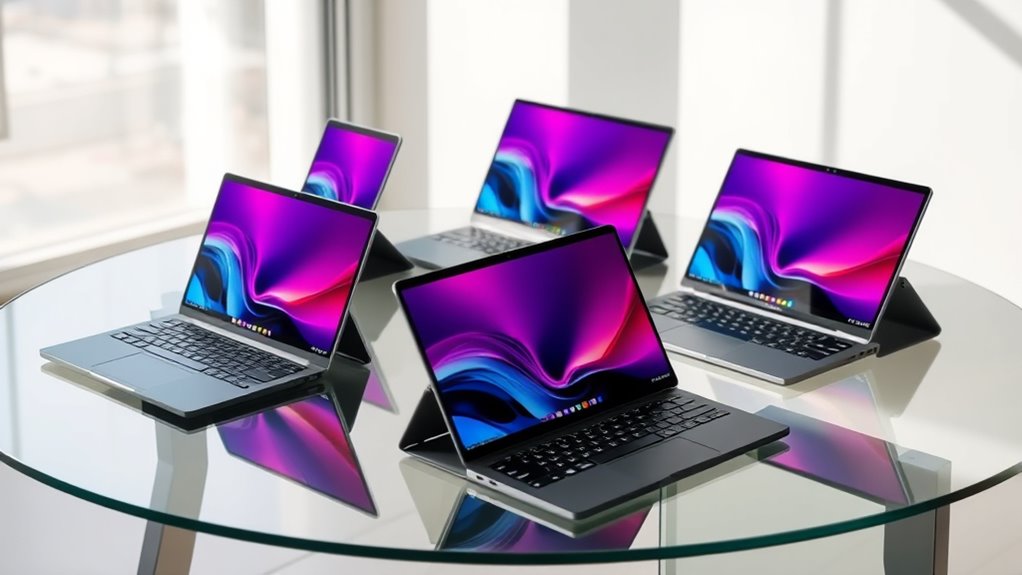

2in1 laptops offer the flexibility of a tablet and the power of a traditional laptop, making them ideal for versatile users. The best overall pick, HP OmniBook X Flip 2-in-1, combines a stunning 2K OLED display with powerful AMD Ryzen AI technology, perfect for multimedia and creative work. For those prioritizing business features, the Dell Latitude 7420 2-in-1 provides robust security and durability. Budget-conscious buyers should consider options like the Lenovo Chromebook 2-in-1 for solid performance at a lower price. Keep reading for a detailed breakdown of each model and advice tailored to your specific needs.
Complete the kit



Key Takeaways
- High-end models like the HP OmniBook X Flip offer premium displays and AI features, but come at a higher price.
- Business-focused options such as the Dell Latitude 7420 excel in security and durability, suitable for professional use.
- Budget-friendly 2-in1s, especially Chromebooks, provide decent versatility with simplified operating systems.
- Display quality, especially OLED screens, significantly impacts user experience in multimedia tasks.
- Processing power varies widely; choose a model aligned with your workload—light browsing vs. intensive creative work.



| 2in1 laptop | Display | Processor | RAM | Storage |
|---|---|---|---|---|
| Dell Latitude 7420 2-in-1 Busi | 14-inch FHD (1920 x 1080) | Intel Core i5-1145G7, 2.6GHz up to 4.4GHz | 16GB DDR4 | 512GB SSD |
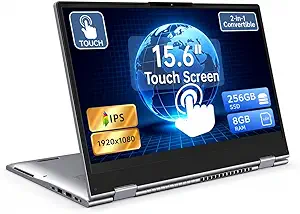
| 15.6" Yoga 2-in-1 Touchscreen | 15.6" Full HD IPS Touchscreen | AMD A9 CPU (up to 3.2GHz) | 8GB | 256GB SSD |
| 15.6-inch 2-in-1 Touchscreen L | 15.6-inch touchscreen | Intel Core i3-10100Y | 16GB | 256GB SSD |
| Lenovo Chromebook 2-in-1 | 14" WUXGA IPS Touchscreen | Intel N150 | 4GB | 128GB UFS |
| HP OmniBook 7 Flip 16 2-in-1 B | 16-inch 3K OLED Touchscreen | Intel Ultra 7 Series 2 258V Octa-core | 32GB | 1TB SSD |
| Lenovo IdeaPad 5 2-in-1 with A | 16" WUXGA Touchscreen | AMD Ryzen 7 8845HS | 16GB LPDDR5X | 1TB SSD |
| HP OmniBook X Flip 2-in-1 AI L | 14" 2K OLED Touchscreen | AMD Ryzen AI 5 | 16GB LPDDR5x | 512GB PCIe Gen4 SSD |
| Dell Latitude 3190 11.6" HD 2- | 11.6-inch HD 2-in-1 Touchscreen | Intel Celeron N5030 | 8GB | 128GB SSD |
| Dell Latitude 5330 13.3-Inch 2 | 13.3-inch FHD Touch Screen | Intel Core i7-1265U | 32GB DDR4 | 512GB SSD |
| Lenovo Yoga 7 2-in-1 with Ryze | 14-inch OLED Touch | AMD Ryzen AI 5 | 16GB | — |
| Lenovo Yoga 7a 2-in-1 Touchscr | 14" OLED Touchscreen, 1920×1200, Dolby Vision | AMD Ryzen AI 5 430 | 16GB LPDDR5X | 512GB PCIe NVMe SSD |
| 2-in-1 Laptop Tablet | 12-inch 2000×1200 FHD IPS touchscreen | Intel Pentium Gold 6500Y | 12GB | 512GB SSD |
More Details on Our Top Picks
Dell Latitude 7420 2-in-1 Business Laptop, 14” FHD Touchscreen, Core i5-1145G7, 16GB RAM, 512GB SSD, Windows 11 Pro (Renewed)
This Dell Latitude 7420 combines a versatile 2-in-1 design with solid performance, making it ideal for busy professionals who need both a laptop and tablet in one device. Its 14-inch FHD touchscreen offers crisp visuals, and the 16GB RAM ensures smooth multitasking—surpassing many basic convertibles like the Lenovo Chromebook 2-in-1, which has only 4GB RAM and a less powerful processor. The 11th Gen Intel Core i5 provides more power than entry-level options, though being a renewed model could raise concerns about longevity. While lacking a dedicated GPU, it is well-suited for productivity, not gaming or heavy creative tasks.
Pros:- Versatile 2-in-1 design for seamless transition between laptop and tablet modes
- Powerful 16GB RAM and fast SSD for efficient multitasking
- High-quality 14-inch FHD touchscreen display
Cons:- Refurbished condition may impact long-term durability
- Battery life details are not specified, which could be a concern for on-the-go use
Best for: Business users needing a reliable, high-performance convertible for daily work and presentations
Not ideal for: Gamer or creative professionals requiring dedicated graphics or high-end rendering capabilities
- Display:14-inch FHD (1920 x 1080)
- Processor:Intel Core i5-1145G7, 2.6GHz up to 4.4GHz
- RAM:16GB DDR4
- Storage:512GB SSD
- Operating System:Windows 11 Pro
- Form Factor:2-in-1 convertible
Our verdict“This pick is best suited for professionals seeking a dependable, high-performance 2-in-1 laptop with a premium feel.”
15.6″ Yoga 2-in-1 Touchscreen Laptop, 8GB RAM, 256GB SSD
This 15.6-inch Yoga offers a flexible 360-degree hinge, making it a good choice for those who want a larger screen on the go. Its Full HD IPS display delivers vibrant visuals, which is a step up from smaller or lower-res screens like the Lenovo Chromebook 2-in-1. The AMD A9 processor and 8GB RAM handle everyday tasks comfortably, but won’t match the performance of higher-end chips like the Core i3 or i5 found in more powerful models. It’s a balanced choice for casual users who prioritize versatility and display quality over raw power, though it might struggle with demanding apps.
Pros:- Flexible 360-degree hinge for multiple modes
- Vibrant, Full HD IPS touchscreen
- Expandable storage via TF card
Cons:- Powered by an AMD A9 CPU, limiting demanding multitasking
- No dedicated graphics card for advanced multimedia tasks
Best for: Students and casual users needing a larger, versatile device for browsing, streaming, and light productivity
Not ideal for: Power users or creative professionals requiring high processing power and dedicated graphics
- Display:15.6″ Full HD IPS Touchscreen
- Processor:AMD A9 CPU (up to 3.2GHz)
- RAM:8GB
- Storage:256GB SSD
- Connectivity:USB-C x 1, USB 3.0 x 2, HDMI, micro TF slot
- Weight:Approximately 3.3 lbs
Our verdict“Ideal for casual users wanting a large, flexible touchscreen device for everyday use without heavy workloads.”
15.6-inch 2-in-1 Touchscreen Laptop with Windows 11, Intel Core i3, 16GB RAM, 256GB SSD
This 15.6-inch device offers a broad, responsive touchscreen and a 360° hinge for versatile use. Its Intel Core i3 processor and 16GB RAM make it capable of handling multiple applications smoothly, outperforming entry-level models like the Chromebook 2-in-1 in multitasking. The expandable storage up to 2TB makes it a practical choice for users needing more space. However, the i3 CPU limits heavy-duty processing, making it less suitable for intensive tasks like video editing or gaming. It strikes a good balance between performance and affordability for everyday productivity.
Pros:- Flexible 360° convertible design for multiple modes
- Bright, responsive 15.6-inch touchscreen
- Ample 16GB RAM for multitasking
Cons:- Processor may be limited for demanding applications
- No dedicated graphics card for high-end multimedia work
Best for: Students and professionals seeking a versatile, budget-friendly 2-in-1 with strong multitasking capacity
Not ideal for: Creative professionals or gamers needing dedicated graphics or high processing power
- Display:15.6-inch touchscreen
- Processor:Intel Core i3-10100Y
- RAM:16GB
- Storage:256GB SSD
- Expandable Storage:Up to 2TB M.2 SSD
- Operating System:Windows 11 Home
Our verdict“This laptop is a smart choice for budget-conscious users who need a capable 2-in-1 for daily multitasking and entertainment.”
Lenovo Chromebook 2-in-1 – 14″ WUXGA IPS Touchscreen, 4GB RAM, 128GB Storage, Intel N150, Google Gemini, Luna Grey
This Lenovo Chromebook offers a lightweight and durable design with a 14-inch WUXGA IPS touchscreen, ideal for users prioritizing portability and long battery life. Its Google ecosystem and Gemini AI enhance productivity for casual tasks, similar to the Chromebook 2-in-1 but with a larger, sharper display compared to smaller models. The modest Intel N150 processor and 4GB RAM limit its ability to handle intensive multitasking or demanding apps, making it less suitable for heavy workloads or creative work. It excels in web-based tasks, media consumption, and quick note-taking.
Pros:- Lightweight, portable design with long battery life
- Vivid WUXGA IPS display with immersive audio
- Built-in Google AI with Gemini for smarter productivity
Cons:- Limited to 4GB RAM, affecting multitasking
- Processor not suited for demanding tasks or heavy multitasking
Best for: Students and light users who need a portable device for browsing, streaming, and basic productivity
Not ideal for: Power users or professionals needing robust processing power or high-end multimedia capabilities
- Display:14″ WUXGA IPS Touchscreen
- Processor:Intel N150
- RAM:4GB
- Storage:128GB UFS
- Weight:3.3 lbs
- Webcam:FHD with shutter
Our verdict“Best suited for users seeking a lightweight, web-focused device for basic tasks and extended portability.”
HP OmniBook 7 Flip 16 2-in-1 Business Laptop with 16-inch 3K OLED Touchscreen
This HP OmniBook 7 Flip stands out for its stunning 3K OLED display, which offers vivid colors and HDR support that surpass the standard screens found on the Lenovo IdeaPad 5 or Dell Latitude 5330. Its octa-core Intel Ultra 7 Series 2 processor combined with 32GB RAM makes multitasking seamless, especially for demanding creative or business tasks. The multiple connectivity options, including Wi-Fi 7 and Thunderbolt 4, provide future-proof versatility. Compared with the Lenovo IdeaPad 5, it delivers higher-end specs but at a significantly higher price, making it less accessible for budget-conscious buyers. The hefty build and lack of specified battery life are tradeoffs for its premium hardware. This pick is best suited for professionals who need a powerful, convertible device for heavy multitasking or creative work, and who prioritize screen quality and connectivity over portability.
Pros:- Stunning 3K OLED display with HDR support
- Powerful octa-core processor and 32GB RAM for demanding multitasking
- Multiple fast connectivity options including Wi-Fi 7 and Thunderbolt 4
- Convertible design with stylus support for creative tasks
Cons:- Premium price might be prohibitive for some users
- Heavy and less portable compared to smaller models
- Battery life details are not provided, which could be a concern for all-day use
Best for: Business professionals and creatives needing a high-resolution display and robust performance in a convertible form.
Not ideal for: Travelers seeking a lightweight, ultraportable device with extended battery life, since this model is heavier and its battery endurance is unclear.
- Display:16-inch 3K OLED Touchscreen
- Processor:Intel Ultra 7 Series 2 258V Octa-core
- RAM:32GB
- Storage:1TB SSD
- Graphics:Intel Arc Integrated
- Connectivity:Wi-Fi 7, Thunderbolt 4, USB-C, USB-A 3.2, HDMI 2.1
Our verdict“This laptop is ideal for professionals who need high-end specs, excellent display quality, and versatile connectivity in a convertible form, accepting some portability tradeoffs.”
Lenovo IdeaPad 5 2-in-1 with AMD Ryzen 7 8845HS Processor, 16″ WUXGA Touchscreen, 16GB RAM, 1TB SSD, Digital Pen, Backlit Keyboard, Fingerprint Reader, Windows 11 Home
The Lenovo IdeaPad 5 2-in-1 strikes a balance between performance and versatility, with a 16-inch WUXGA touchscreen offering sharp visuals that outperform the lower-resolution HD screens like on the Dell Latitude 3190. Its AMD Ryzen 7 8845HS processor paired with 16GB RAM makes it capable of handling demanding productivity and creative software. The inclusion of a digital pen and 360-degree hinge adds creative flexibility, making it ideal for sketching, note-taking, or multimedia. Compared to the HP OmniBook 7 Flip, it offers a more affordable yet still capable option, though it sacrifices some high-end connectivity and premium display features. Its heavy build and lack of detailed battery info mean it’s less suitable for frequent travelers. This model is best for students, artists, or professionals who want a versatile device for creative and work tasks in a portable package.
Pros:- Versatile 360-degree hinge and included digital pen
- High-performance AMD Ryzen 7 processor with 16GB RAM
- Sharp 16-inch WUXGA display with low blue light technology
- Good security features including fingerprint reader
Cons:- Heavier and bulkier than some ultraportables
- Premium price may be out of reach for budget buyers
- Battery life details are not specified, limiting portability expectations
Best for: Students, artists, and professionals seeking a flexible 2-in-1 with strong creative tools and high-resolution touchscreen.
Not ideal for: Travelers requiring all-day battery life and lightweight portability, as this model is relatively heavy and power details are unspecified.
- Display:16″ WUXGA Touchscreen
- Processor:AMD Ryzen 7 8845HS
- RAM:16GB LPDDR5X
- Storage:1TB SSD
- Graphics:AMD Radeon
- Features:Digital Pen, Low Blue Light, Backlit Keyboard
Our verdict“This device suits creative professionals and students who want a flexible, high-resolution convertible with strong processing power, accepting some extra weight and cost.”
HP OmniBook X Flip 2-in-1 AI Laptop, 14″ 2K OLED Touchscreen, AMD Ryzen AI 5, 16GB RAM, 512GB SSD, Wi-Fi 7, Bluetooth 6.0, Windows 11
The HP OmniBook X Flip offers a compelling mix of portability and advanced AI features, with a vibrant 14-inch 2K OLED touchscreen that rivals larger displays in color and clarity. Its AMD Ryzen AI 5 processor, combined with a dedicated neural processing unit (NPU), provides enhanced AI capabilities for smarter tasks like image recognition or voice commands, outperforming standard AMD Ryzen laptops like the Lenovo IdeaPad 5 in AI integration. The 24-hour battery life and lightweight 3.09-pound design make it ideal for those on the go, especially remote workers or mobile professionals. Compared to the HP OmniBook 7 Flip, it sacrifices some screen real estate but gains in portability and battery longevity. Its premium price and limited upgrade options are notable tradeoffs. This model is best for users who prioritize AI features, long battery life, and portability in a sleek convertible.
Pros:- Vivid 14″ 2K OLED touchscreen with rich colors
- Long-lasting battery up to 24 hours
- AI-enhanced processing with AMD Ryzen AI 5 and NPU
- Lightweight and ultraportable at just over 3 pounds
Cons:- Premium price may limit budget options
- Limited upgradeability due to integrated design
- Smaller display may not suit all productivity needs
Best for: Remote workers, students, and mobile professionals who want AI-enhanced features in a slim, lightweight convertible.
Not ideal for: Power users needing extensive upgrade options or larger screens for detailed work, as the 14-inch display may be limiting for some tasks.
- Display:14″ 2K OLED Touchscreen
- Processor:AMD Ryzen AI 5
- RAM:16GB LPDDR5x
- Storage:512GB PCIe Gen4 SSD
- Battery:Up to 24 hours
- Connectivity:Wi-Fi 7, Bluetooth 6.0
Our verdict“Ideal for on-the-go professionals who want AI-driven features and excellent battery life in a sleek, portable convertible, with some display size compromises.”
Dell Latitude 3190 11.6″ HD 2-in-1 Touchscreen Laptop with Intel N5030, 8GB RAM, 128GB SSD, Windows 11 Pro (Renewed)
The Dell Latitude 3190 is a compact, affordable 2-in-1 option that excels in portability, with an 11.6-inch HD display that prioritizes lightweight design over sharp visuals. Its Intel Celeron N5030 processor and 8GB RAM are suitable for basic tasks, but struggle with multitasking or demanding applications, especially compared to the more powerful Ryzen or Core options like on the Lenovo IdeaPad or Dell Latitude 5330. Its renewed status offers reliable performance at a lower cost, making it attractive for students or casual users. However, the limited 128GB storage and lower-resolution display mean it’s less suitable for content creation or intensive work. This model is best for users needing a simple, portable device for light tasks and who are on a tight budget.
Pros:- Ultra-portable and lightweight design
- Renewed product offering reliable performance at lower cost
- Convertible 2-in-1 form factor for versatility
- Affordable for budget-conscious buyers
Cons:- Lower-resolution HD display limits visual quality
- Limited storage capacity of 128GB
- Processor may be sluggish for multitasking or demanding apps
Best for: Students or casual users who prioritize portability and affordability for basic computing needs.
Not ideal for: Power users or creative professionals who require high-resolution displays, more storage, or better multitasking capabilities, as this device is limited in all these areas.
- Display:11.6-inch HD 2-in-1 Touchscreen
- Processor:Intel Celeron N5030
- RAM:8GB
- Storage:128GB SSD
- Operating System:Windows 11 Pro
Our verdict“This laptop is best suited for students or casual users needing a portable, budget-friendly 2-in-1 for simple tasks, with limited performance expectations.”
Dell Latitude 5330 13.3-Inch 2-in-1 Laptop (Renewed)
The Dell Latitude 5330 is a compelling choice for professionals who need serious multitasking power, featuring a 13.3-inch Full HD touchscreen paired with a 12th Gen Intel Core i7-1265U processor and 32GB RAM. Its high-end specs outperform the Dell Latitude 3190 and the Lenovo IdeaPad in processing capacity and memory, making it ideal for demanding work environments. The 512GB SSD offers ample storage, and Windows 11 Pro ensures enterprise-level security and management options. However, as a refurbished product, it may lack original accessories and comes in plain packaging, which could be a concern for some buyers. Its compact size balances portability with high performance, but the premium specs come at a higher cost. This model is best for busy professionals and power users who need a reliable, high-performance 2-in-1 for intense multitasking.
Pros:- Powerful 12th Gen Intel Core i7 with 10 cores
- Large 32GB RAM for smooth multitasking
- High-resolution 13.3-inch touchscreen
- Fast 512GB SSD for storage
Cons:- Refurbished condition may lack original accessories
- Plain packaging might be less appealing
- Higher cost compared to lower-spec models
Best for: Business users and power professionals who require a highly capable, compact 2-in-1 for heavy multitasking and enterprise use.
Not ideal for: Casual users or those seeking budget options, as the high-end specs and refurbishment status increase cost and potential uncertainty about accessories.
- Display:13.3-inch FHD Touch Screen
- Processor:Intel Core i7-1265U
- RAM:32GB DDR4
- Storage:512GB SSD
- Operating System:Windows 11 Pro
Our verdict“This device is best for busy professionals needing a high-performance, portable 2-in-1 with enterprise-level features and multitasking capability, accepting the refurbished condition and higher price.”
Lenovo Yoga 7 2-in-1 with Ryzen AI 5, 14” OLED Touch, 16GB RAM, Yoga Pen
This Lenovo Yoga 7 2-in-1 stands out for its stunning 14-inch OLED display that delivers vibrant colors and deep contrast, making it ideal for creative professionals. Its AMD Ryzen AI 5 processor provides enough power for multitasking and creative tasks, especially when paired with the included Yoga Pen. Compared to the Lenovo Yoga 7a, it emphasizes visual fidelity, though it lacks detailed battery life info, which could be a concern for heavy users. The absence of specific battery data means you might need to keep an eye on charging needs during long sessions. Its primary tradeoff is a higher price point, justified by premium display features.
BestFor: Creators and users who prioritize visual quality and stylus support.
NotIdealFor: Heavy gamers or those needing extended battery life without charging options.
Pros: Stunning OLED display, capable multitasking, includes stylus for creative work, versatile 2-in-1 design.
Cons: No explicit battery life info, premium features come at a higher cost.Pros:- Vivid OLED display with deep contrast
- Powerful AMD Ryzen AI 5 processor
- Includes Yoga Pen for creative tasks
- Versatile 2-in-1 design suitable for drawing and multitasking
Cons:- Lack of detailed battery life information
- Premium features lead to a higher price
Best for: Creative professionals and versatile users who want vibrant visuals and stylus support
Not ideal for: Heavy gamers or users needing all-day battery life without frequent charging
- Display:14-inch OLED Touch
- Processor:AMD Ryzen AI 5
- RAM:16GB
- Camera:5MP IR with privacy features
- Warranty:1 year, extendable up to 5 years
Our verdict“This pick is perfect for creators who value stunning visuals and stylus compatibility, accepting the premium price and uncertain battery life.”
Lenovo Yoga 7a 2-in-1 Touchscreen Laptop with Ryzen 5 430 and 16GB RAM
The Lenovo Yoga 7a 2-in-1 offers a balanced blend of performance, portability, and battery life, making it ideal for professionals on the go. Its 14-inch OLED touchscreen with Dolby Vision provides immersive visuals, while the AMD Ryzen AI 5 430 processor with 4 cores ensures smooth multitasking and productivity. Compared with the Yoga 7 2-in-1, it emphasizes longer battery life—up to 15 hours—though it sacrifices some high-end display features and refresh rate, which may matter to gamers. The non-upgradable RAM limits future expandability, and the lightweight build could restrict port options.
BestFor: Business users and students needing reliable performance with all-day battery life.
NotIdealFor: Hardcore gamers or creative professionals requiring high refresh rates or advanced graphics.
Pros: Long battery life up to 15 hours, versatile 360° hinge, vibrant OLED display, powerful processor with NPU for AI tasks.
Cons: Non-upgradable RAM, limited port selection, 60Hz refresh rate may not satisfy high-end gamers.Pros:- Versatile 360° convertible design
- Vivid OLED touchscreen with Dolby Vision
- Long battery life up to 15 hours
- Powerful AMD Ryzen AI processor with NPU
Cons:- Non-upgradable RAM limits future upgrades
- Limited port options due to lightweight design
- 60Hz refresh rate may be less appealing for gaming
Best for: Business users and students seeking a portable device with excellent battery life and versatile modes
Not ideal for: Gamers or creative professionals needing high refresh rates or upgradability
- Display:14″ OLED Touchscreen, 1920×1200, Dolby Vision
- Processor:AMD Ryzen AI 5 430
- RAM:16GB LPDDR5X
- Storage:512GB PCIe NVMe SSD
- Battery:45.25Wh, up to 15 hours
- Weight:3.04 lbs
Our verdict“This model suits mobile professionals who prioritize all-day battery life and flexible modes, accepting some compromises in graphics refresh rate.”
2-in-1 Laptop Tablet, 12″ 2K Touchscreen, Intel Pentium Gold 6500Y, 12GB RAM, 512GB SSD
This 12-inch 2-in-1 device excels in portability, making it ideal for students and busy professionals who need a lightweight device for basic tasks. Its 2K touchscreen provides sharp visuals in a compact form factor, and the detachable keyboard allows quick switching between tablet and laptop modes. Compared with larger options like the Lenovo Yoga 7 series, it trades off raw power and multitasking capacity for extreme portability. The Intel Pentium Gold 6500Y processor handles everyday tasks but struggles with intensive workloads, and the battery life of up to 8 hours is decent but not exceptional. The limited processing power is a key tradeoff for ultra-lightweight design.
BestFor: Students and commuters requiring a lightweight device for browsing, note-taking, and media consumption.
NotIdealFor: Content creators or users running demanding software or multitasking heavily.
Pros: Ultra-lightweight, high-resolution 2K display, detachable keyboard for versatility, ample 12GB RAM and fast SSD storage.
Cons: Less powerful processor, limited to Windows 11 Home, battery life could be affected by intensive usage.Pros:- Extremely lightweight and portable
- Sharp 2K touchscreen display
- Detachable keyboard for flexible use
- Ample 12GB RAM and fast SSD storage
Cons:- Processor may be underpowered for demanding tasks
- Battery life up to 8 hours may not cover all-day use
- Limited to Windows 11 Home, which may lack advanced enterprise features
Best for: Students and on-the-go users needing a highly portable device for light tasks
Not ideal for: Power users or creative professionals requiring more processing power and battery longevity
- Display:12-inch 2000×1200 FHD IPS touchscreen
- Processor:Intel Pentium Gold 6500Y
- RAM:12GB
- Storage:512GB SSD
- Battery:4300mAh, up to 8 hours
- Weight:0.64kg
Our verdict“This device is perfect for those prioritizing portability over raw power, suitable for light work and media use.”

How We Picked
The selection process for these 2in1 laptops focused on balancing performance, versatility, build quality, and value. We prioritized models with reliable hardware, good battery life, and flexible form factors suited for both tablet and laptop modes. User reviews, brand reputation, and feature sets like touchscreens, stylus support, and durability also influenced our rankings. We aimed to highlight options across different budgets and use cases, from casual browsing to professional and creative work. The models are ordered from most to least suitable based on overall versatility, performance, and value for a broad range of buyers.Factors to Consider When Choosing 2in1 Laptops
Choosing the right 2in1 laptop involves considering several key factors, as these devices vary widely in features and price. Beyond raw specs, you should assess how well a model balances portability, performance, and usability for your specific tasks. Understanding these considerations can prevent costly mistakes and help you prioritize what matters most, whether that’s a vibrant display, long battery life, or a sturdy build.Performance and Processor Power
Performance is critical in a 2in1 laptop, especially if you plan to run demanding applications or multitask extensively. Look for at least an Intel Core i5 or AMD Ryzen 5 processor for smooth everyday use, while creative professionals may prefer higher-tier chips like Intel Core i7 or Ryzen 7. Cheaper models with Pentium or lower-tier processors might be suitable only for light tasks, but they often compromise speed and responsiveness. Always match the processor to your workload to avoid frustration or underperformance.
Display Quality and Touch Support
The display is a defining feature in 2in1 laptops, influencing both usability and enjoyment. OLED screens, like those on the HP OmniBook X Flip, deliver richer colors and deeper blacks, ideal for media consumption and creative work. Touch responsiveness and stylus support add to versatility, especially for artists or note-takers. However, higher-quality displays often come with increased costs and shorter battery life. Consider your primary use—if you need color accuracy or portability, prioritize display quality accordingly.
Build Quality and Flexibility
Durability and design matter when choosing a 2in1. Models with sturdy hinges, premium materials, and compact form factors tend to last longer and feel more premium. Lightness and thinness facilitate portability, but sometimes at the expense of durability or port options. If you plan to carry your device daily, look for reinforced hinges and a lightweight chassis. Conversely, if you’re using the device mainly at a fixed location, you might opt for a slightly heavier but more robust model.
Battery Life and Port Selection
Battery life varies significantly among 2in1s and can determine how well the device fits into your routine. High-resolution OLED screens and powerful processors drain batteries faster, so balance display quality with longevity needs. Port selection is also critical—more ports offer flexibility, but may add bulk. Consider whether you need USB-C, Thunderbolt, or HDMI outputs based on your peripherals. For frequent travelers or remote users, longer battery life and reliable connectivity are key.
Price and Value
Pricing for 2in1 laptops spans from budget Chromebooks to premium convertibles. The most expensive models often offer top-tier displays, processors, and features like stylus support, but may be overkill for casual users. Budget models can provide decent versatility but might lack build quality or performance. Carefully evaluate what features are necessary for your tasks and avoid paying extra for bells and whistles you won’t use. Sometimes, a mid-range model offers the best balance of price and performance.
Frequently Asked Questions
Can I use a 2in1 laptop as a tablet all day?
Yes, many 2in1 laptops are designed with a tablet mode that offers a touchscreen experience suitable for reading, browsing, and note-taking. However, consider the device’s weight and battery life in tablet mode, as some convertibles are heavier and may drain faster without the keyboard attached. Also, ensure that the device’s screen is responsive and supports stylus input if you plan to do more detailed work or drawing. For prolonged tablet use, lightweight models with long battery life are preferable.
Is a higher-resolution display worth the extra cost?
Higher-resolution displays, like OLED or 4K screens, significantly improve visual clarity, color vibrancy, and detail, especially for creative tasks or media consumption. They make text sharper and images more vivid, enhancing overall usability. However, these screens tend to consume more power, reducing battery life, and come at a higher price. If your primary use involves casual browsing or document editing, a Full HD display may suffice, while creative professionals will benefit from investing in a higher-res screen.
Should I prioritize a stylus-compatible 2in1?
If you plan to do note-taking, drawing, or graphic design, a stylus-compatible device can be a game-changer. Look for models with active stylus support and pressure sensitivity, as well as a dedicated stylus that can be stored and charged easily. Keep in mind, stylus support often adds to the cost, and some devices require specific styluses for full functionality. For general use, stylus support may be nice but not essential.
How important is a convertible hinge compared to a detachable tablet?
Convertible hinges allow the screen to flip around and fold back into a laptop mode, offering flexibility while maintaining a laptop-like design. Detachable models, on the other hand, can be completely separated into a tablet, often providing lighter weight and better tablet ergonomics. The choice depends on your preference—if you value a traditional laptop feel with the option to fold into a tablet, a convertible is better. For pure tablet use, detachable models tend to be more portable and easier to handle.
Is it worth paying extra for 2-in-1s with premium features?
Premium features like OLED screens, high-end processors, and advanced stylus support enhance the user experience but come with a higher price tag. If you rely on your device for professional creative work, frequent presentations, or media editing, investing in premium models can pay off in productivity and enjoyment. For casual users or students, mid-range options often deliver sufficient performance without the expense. Carefully consider how much you’ll benefit from these features relative to their cost.
Conclusion
For general users seeking a dependable all-around device, the HP OmniBook X Flip offers a premium display and robust performance. Those on a budget should consider the Lenovo Chromebook 2-in-1 for good versatility at a lower price point. Professionals looking for durability and security may prefer the Dell Latitude 7420. Creative users and tech enthusiasts should explore models like the Lenovo Yoga 7 with OLED screens and stylus support. Ultimately, the best 2in1 laptop depends on your specific needs—whether it’s affordability, power, portability, or premium features.