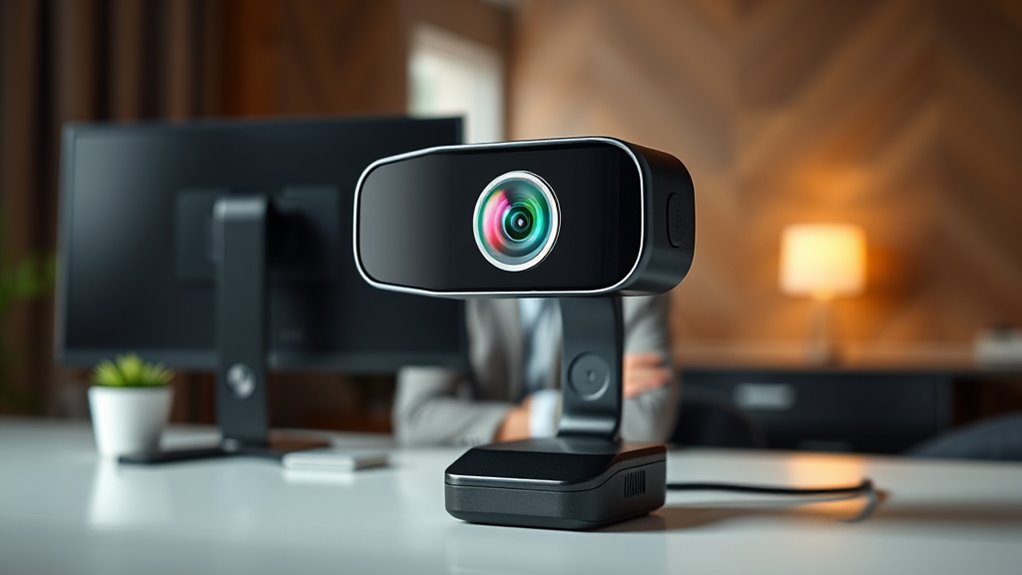

When searching for a 4k webcam with AI framing, you’re looking for a device that combines ultra-high-definition video with intelligent framing technology to keep you perfectly centered. The Insta360 Link 2 Pro stands out as the best overall choice, offering advanced AI tracking and versatile features. The OBSBOT Meet 2 delivers excellent framing at a slightly lower price, making it a strong value pick. However, tradeoffs exist—higher-end models tend to be more expensive and may offer more features than most users need. Continue reading for a detailed breakdown of the top options and what makes each one unique.

Get audio and creator gear delivered free with Prime
- Fast, free delivery on millions of items
- Prime Video, Amazon Music and more included
- Member-only deals all year
Complete the kit


Key Takeaways
- The best webcams balance 4k resolution with reliable AI framing technology for smooth tracking.
- Price varies significantly; premium models offer more advanced features like gesture control and HDR.
- Build quality and ease of setup are critical for seamless integration into professional workflows.
- Many models include noise-canceling microphones, but audio quality still varies greatly.
- Choosing the right webcam depends heavily on your specific use case—streaming, meetings, or professional broadcasting.
| Insta360 Link 2 Pro 4K PTZ Webcam for PC/Mac |  | Best Overall for Versatile Professional Use | Sensor: 1/1.3” | Video Resolution: 4K | Audio: Directional noise-canceling microphones | VIEW ON AMAZON | See Our Full Breakdown |
| Acer A640 4K Webcam with AI Noise Canceling Microphone for Streaming and Meetings |  | Best Value for Clear Video and Privacy Features | Resolution: 4K at 30fps, 2K/1080p at 60fps | Sensor: Sony 1/2.8-inch | Autofocus: Phase Detection Auto Focus (PDAF) | VIEW ON AMAZON | See Our Full Breakdown |
| TOALLIN 4K All-in-One Webcam with Microphones and Speaker, AI Auto Framing |  | Best for All-in-One Meeting Solutions | Resolution: 3840×2160 (4K) at 30fps | Sensor: 1/2.8” CMOS | Auto Framing: Yes | VIEW ON AMAZON | See Our Full Breakdown |
| OBSBOT Meet 2-4K Webcam for PC with AI Framing & Autofocus |  | Best Compact Choice for Portable Professional-Grade Video | Resolution: 4K UHD | Sensor: 1/2″ CMOS | Features: AI Framing, Autofocus, Gesture Control | VIEW ON AMAZON | See Our Full Breakdown |
| NearStream 4K Webcam for PC with AI Auto Framing and Noise-Canceling Mic |  | Best for Detailed Video and Customization | Sensor Type: CMOS | Resolution: 4K | Connectivity Technology: USB | VIEW ON AMAZON | See Our Full Breakdown |
| EMEET C960 4K Webcam for PC, PDAF Auto Focus, Dual Omni Mics, 73° FOV |  | Best Overall for Versatile 4K Video and Audio | Resolution: 4K (switchable to 1080P) | Field of View: 73° | Focus: PDAF auto focus | VIEW ON AMAZON | See Our Full Breakdown |
| Insta360 Link 2 4K Webcam for PC/Mac with AI Tracking, HDR, and Gesture Control |  | Best for AI-Enhanced Professional Streaming | Sensor Type: CMOS 1/2-inch | Resolution: 4K | HDR: Yes | VIEW ON AMAZON | See Our Full Breakdown |
| Insta360 Link 2C 4K Webcam for PC/Mac |  | Best for Compact, High-Quality Versatile Use | Sensor: 1/2″ | Resolution: 4K | HDR: Yes | VIEW ON AMAZON | See Our Full Breakdown |
| OBSBOT Meet 2-4K Webcam for PC with AI Framing & Autofocus |  | Best for Portable AI Framing in a Lightweight Design | Resolution: 4K UHD | Sensor: 1/2″ CMOS | Features: AI Framing, Auto Focus, Gesture Control | VIEW ON AMAZON | See Our Full Breakdown |
| Insta360 Link 2C 4K Webcam for PC/Mac |  | Best for Versatile Streaming and Creative Modes | Sensor: 1/2″ | Resolution: 4K | HDR: Yes | VIEW ON AMAZON | See Our Full Breakdown |
| Dell 4K UHD Webcam WB7022, Sony Sensor, Teams Certified |  | Best Overall for Professional Video Conferencing | Sensor: Sony STARVIS CMOS | Resolution: 4K UHD | Field of View: 65°, 78°, 90° | VIEW ON AMAZON | See Our Full Breakdown |
| WYRESTORM 4K AI-Powered Conference Webcam – Zoom Certified |  | Best for Small Meeting Rooms with AI Room Capture | Resolution: 4K | Field of View: 120° | Microphone Range: Up to 5 meters | VIEW ON AMAZON | See Our Full Breakdown |
| OBSBOT Meet Flip 4K Webcam for Laptop with AI Features |  | Best for Portable and On-the-Go Use | Sensor: 1/2″ CMOS | Resolution: 4K | Weight: 37.7g | VIEW ON AMAZON | See Our Full Breakdown |
| 4k webcam with ai framing | Resolution | Sensor |
|---|---|---|
| Insta360 Link 2 Pro 4K PTZ Web | — | 1/1.3” |
| Acer A640 4K Webcam with AI No | 4K at 30fps, 2K/1080p at 60fps | Sony 1/2.8-inch |
| TOALLIN 4K All-in-One Webcam w | 3840×2160 (4K) at 30fps | 1/2.8” CMOS |
| OBSBOT Meet 2-4K Webcam for PC | 4K UHD | 1/2" CMOS |
| NearStream 4K Webcam for PC wi | 4K | — |
| EMEET C960 4K Webcam for PC | 4K (switchable to 1080P) | — |
| Insta360 Link 2 4K Webcam for | 4K | — |
| Insta360 Link 2C 4K Webcam for | 4K | 1/2" |
| OBSBOT Meet 2-4K Webcam for PC | 4K UHD | 1/2" CMOS |
| Insta360 Link 2C 4K Webcam for | 4K | 1/2" |
| Dell 4K UHD Webcam WB7022 | 4K UHD | Sony STARVIS CMOS |
| WYRESTORM 4K AI-Powered Confer | 4K | — |
| OBSBOT Meet Flip 4K Webcam for | 4K | 1/2" CMOS |
More Details on Our Top Picks
Insta360 Link 2 Pro 4K PTZ Webcam for PC/Mac
The Insta360 Link 2 Pro stands out for combining high-quality 4K video with advanced AI tracking and versatile modes, making it an ideal choice for creators and professionals who need reliable auto-framing and flexible setup options. Its large 1/1.3” sensor delivers exceptional low-light performance and sharp images, outperforming models like the OBSBOT Meet 2 in sensor size and overall picture clarity. The AI tracking, gesture control, and Whiteboard mode make it particularly suitable for presentations and content creation. However, its dependency on USB-C and limited compatibility with ARM-based Windows systems could be a drawback for some users. Compared to the Acer A640, it offers more features but requires a more recent system. This pick makes the most sense for users seeking a professional-grade webcam with robust AI capabilities.
Pros:- Exceptional 4K video quality with large sensor for low-light clarity
- Advanced AI tracking and gesture control for seamless operation
- Multiple modes including Whiteboard and DeskView for diverse uses
- Professional audio with directional microphones
Cons:- Requires USB-C connection, limiting compatibility with some devices
- Not compatible with ARM-based Windows systems or Windows Hello Face Recognition
Best for: Content creators, educators, and professionals who need versatile, high-quality video with advanced AI tracking.
Not ideal for: Users with older systems or those who prefer simple plug-and-play without USB-C requirements.
- Sensor:1/1.3”
- Video Resolution:4K
- Audio:Directional noise-canceling microphones
- Compatibility:Windows, macOS, Chrome OS, Linux
- Features:AI tracking, HDR, gesture control, Stream Deck support, Whiteboard mode
Our verdict“This webcam suits users needing high-end, flexible AI-driven video with professional features, and system compatibility is a key consideration.”
Acer A640 4K Webcam with AI Noise Canceling Microphone for Streaming and Meetings
The Acer A640 provides a solid balance of 4K quality and security-focused features, such as a physical privacy shutter and AI noise cancellation, making it suitable for professional video calls and streaming on a budget. Its Sony sensor ensures crisp visuals comparable to the NearStream, but without the broader platform flexibility or auto-framing capabilities. While it excels in clarity and security, it lacks built-in speakers and requires manual microphone selection, which could be inconvenient during quick meetings. Compared to the Insta360 Link 2 Pro, it loses some advanced AI features but offers easier compatibility and a more straightforward setup. It’s best suited for users prioritizing security and high-quality video without the need for auto-framing or extensive customization.
Pros:- High-quality 4K video with Sony sensor for clarity
- Physical privacy shutter for added security
- AI noise-canceling microphone for clearer audio
- Plug-and-play with universal compatibility
Cons:- No built-in speakers, requiring separate audio setup
- Manual microphone selection needed, which can be less convenient
- Limited advanced features compared to higher-end models
Best for: Professionals and remote workers who want secure, clear 4K video with privacy controls and straightforward operation.
Not ideal for: Content creators or streamers seeking advanced AI auto-framing or versatile modes.
- Resolution:4K at 30fps, 2K/1080p at 60fps
- Sensor:Sony 1/2.8-inch
- Autofocus:Phase Detection Auto Focus (PDAF)
- Microphone:AI Noise Canceling Microphone
- Connectivity:USB-A to C adapter, Plug and Play
- Privacy Shutter:Yes
Our verdict“Ideal for users who prioritize security, straightforward setup, and high-quality video for professional communication.”
TOALLIN 4K All-in-One Webcam with Microphones and Speaker, AI Auto Framing
The TOALLIN 4K All-in-One Webcam offers an integrated approach with 4K video, built-in microphones, and a speaker, designed for those who want an all-in-one conferencing device. Its AI auto-framing keeps participants centered, and the wide 92° angle supports multiple people. Compared to the Insta360 Link 2 Pro, it simplifies setup by including microphones and speakers, but auto-framing requires manual activation, and the audio quality may not match dedicated microphones. Its broad compatibility makes it appealing for casual or small group meetings where convenience outweighs professional audio fidelity. The lack of a privacy shutter might be a concern for privacy-conscious users. This webcam makes sense for users seeking a turnkey, integrated video conferencing solution without needing extra peripherals.
Pros:- 4K video with clear image detail
- AI auto-framing maintains participant focus
- Built-in microphones and speaker for convenience
- Plug-and-play compatibility with multiple platforms
Cons:- Auto-framing needs manual activation and isn’t fully automatic
- Audio quality limited compared to standalone mics
- No privacy shutter for privacy-sensitive environments
Best for: Small teams or educators who want an easy, all-in-one device for casual conferencing and streaming.
Not ideal for: Professional content creators or users requiring high-fidelity audio and privacy features.
- Resolution:3840×2160 (4K) at 30fps
- Sensor:1/2.8” CMOS
- Auto Framing:Yes
- Zoom:5X digital zoom
- Wide Angle:92°
- Compatibility:Windows, macOS, Android
Our verdict“Best suited for casual or small-team users seeking an all-in-one, easy-to-use conferencing device with AI framing.”
OBSBOT Meet 2-4K Webcam for PC with AI Framing & Autofocus
The OBSBOT Meet 2 excels as a compact, lightweight option that packs professional features like AI framing and autofocus into a small form factor, making it ideal for mobile professionals and streamers. Its 4K resolution combined with AI-driven framing results in polished videos, comparable to the Insta360 Link 2 Pro but in a more portable package. The gesture control adds to its ease of use, especially for quick adjustments. However, extended use might cause it to overheat, and full feature access depends on software installation, which might be a hassle for some. Compared with larger models, it sacrifices some flexibility but offers portability and simplicity. This makes it a good choice for users who need high-quality, AI-enhanced video in a small, portable device.
Pros:- High-resolution 4K video with sharp clarity
- AI framing and autofocus for professional appearance
- Small, lightweight, easy to carry
- Gesture control for quick operation
Cons:- May overheat during long sessions
- Requires software for full feature set
- Limited adjustable settings out of the box
Best for: Mobile professionals, content creators, and streamers who need a portable yet powerful AI webcam.
Not ideal for: Desktop-bound users or those needing extensive customization and long-duration streaming without overheating concerns.
- Resolution:4K UHD
- Sensor:1/2″ CMOS
- Features:AI Framing, Autofocus, Gesture Control
- Weight:40.5 grams
- Connectivity:USB-C
Our verdict“Ideal for users who want a portable, high-quality AI webcam with autofocus and framing in a compact design.”
NearStream 4K Webcam for PC with AI Auto Framing and Noise-Canceling Mic
The NearStream 4K Webcam offers detailed visuals with a 1/2.7-inch CMOS sensor and supports multiple resolutions, including full 4K at 30fps. Its AI auto-framing and true autofocus keep shots centered and sharp, similar to the TOALLIN but with a focus on customizable settings and broad platform compatibility. While its advanced features appeal to users who want control over their video, setting up and tweaking the configurations can be complex for beginners. The lack of water resistance limits outdoor usability, but for indoor streaming and professional meetings, it provides excellent clarity and flexibility. This camera is best for those who want high-quality, customizable video and are comfortable with more detailed setup processes.
Pros:- Excellent 4K video with sharp detail
- Auto and fixed focus for clear shots
- Broad compatibility and customizable settings
- Good for detailed, professional-quality streams
Cons:- Requires additional mounting accessories
- Complex setup for optimal configuration
- No water resistance, unsuitable for outdoor use
Best for: Streamers and content creators who value detailed image quality and extensive customization options.
Not ideal for: Beginners or casual users seeking a straightforward setup with minimal configuration.
- Sensor Type:CMOS
- Resolution:4K
- Connectivity Technology:USB
- Focus Type:Auto Focus, Fixed Focus
- Maximum Focal Length:3
- Maximum Aperture:2
Our verdict“This webcam caters to advanced users demanding high-resolution, customizable streaming with detailed control over image settings.”
EMEET C960 4K Webcam for PC, PDAF Auto Focus, Dual Omni Mics, 73° FOV
This webcam stands out for delivering true 4K resolution with reliable autofocus and auto light correction, making it suitable for professional remote meetings and online teaching. Compared to the Insta360 Link 2, the EMEET C960 offers a broader compatibility with Windows, macOS, and Linux, but requires software to switch between 1080P and 4K, which adds a minor setup step. Its dual omnidirectional microphones ensure clear, balanced audio, a step up from basic built-in microphones. The main tradeoff is that video defaults to 1080P unless configured via software, and it lacks built-in Wi-Fi or Bluetooth. This pick makes the most sense for users who need flexibility across platforms and straightforward plug-and-play operation.
Pros:- True 4K resolution with auto light correction
- PDAF autofocus for sharp visuals
- Dual omnidirectional microphones for clear audio
- Easy USB-A plug-and-play setup
Cons:- Video defaults to 1080P and requires software to switch to 4K
- No built-in Wi-Fi or Bluetooth connectivity
- Requires compatible software for full 4K functionality
Best for: Remote professionals and educators needing reliable 4K quality with versatile compatibility
Not ideal for: Streamers seeking seamless 4K auto framing without additional software or setup complexity
- Resolution:4K (switchable to 1080P)
- Field of View:73°
- Focus:PDAF auto focus
- Microphones:Dual omnidirectional
- Connectivity:USB-A
- Compatibility:Windows, macOS, Linux
Our verdict“Ideal for users prioritizing high-quality 4K video and broad platform compatibility, willing to manage software adjustments.”
Insta360 Link 2 4K Webcam for PC/Mac with AI Tracking, HDR, and Gesture Control
Compared with the Insta360 Link 2C, the Link 2 excels with a larger sensor (1/2-inch) and advanced AI tracking, making it ideal for content creators and streamers who want dynamic framing and superior low-light performance. Its HDR support ensures vibrant visuals even in challenging lighting, while the customizable modes like DeskView and Whiteboard expand its creative potential. The main drawback is that it isn’t compatible with ARM-based Windows systems or Windows Hello Face Recognition, which could limit setup options for some users. This model is best suited for those who need professional-level AI tracking and flexible modes, but are willing to handle more complex software calibration.
Pros:- High-quality 4K video with HDR and low-light performance
- Advanced AI tracking and auto focus
- Custom modes including DeskView and Whiteboard
- Gesture control and remote operation
Cons:- Incompatibility with ARM-based Windows systems
- Requires software calibration for full feature access
- Limited compatibility with Windows Hello Face Recognition
Best for: Streamers, content creators, and professionals needing AI tracking and HDR quality
Not ideal for: Users with ARM-based Windows devices or seeking plug-and-play simplicity
- Sensor Type:CMOS 1/2-inch
- Resolution:4K
- HDR:Yes
- Auto Framing:Yes
- AI Microphone:Yes
- Compatibility:Windows, Mac
Our verdict“Best for users who want AI-driven framing and versatile modes, accepting some setup complexity.”
Insta360 Link 2C 4K Webcam for PC/Mac
The Insta360 Link 2C offers a compact design with a 1/2″ sensor, HDR, and auto framing, making it well-suited for users who need a portable yet capable webcam. Its AI noise-canceling microphone and gesture control provide simple, effective operation for streaming and video calls. Compared to the full Insta360 Link 2, the 2C model emphasizes portability and ease of use but lacks some of the advanced modes like Whiteboard or DeskView. Its main limitation is the lack of compatibility with ARM-based Windows systems and Windows Hello Face Recognition, which might restrict some users’ integration options. This webcam is best for those who value a smaller form factor and straightforward setup for versatile applications.
Pros:- High-quality 4K video with HDR
- Auto framing and gesture control
- Compact, portable design
- AI noise-canceling microphone
Cons:- Limited compatibility with ARM-based Windows
- Lacks some advanced modes of the full Link 2
- Requires dedicated software for full features
Best for: Mobile professionals and casual streamers seeking high-quality video in a small package
Not ideal for: Power users requiring advanced modes or dedicated Windows Hello features
- Sensor:1/2″
- Resolution:4K
- HDR:Yes
- Auto Framing:Yes
- AI Microphone:Yes
- Compatibility:Windows, Mac
Our verdict“Great for on-the-go users needing portable 4K quality with AI features, but less suited for complex setups.”
OBSBOT Meet 2-4K Webcam for PC with AI Framing & Autofocus
The OBSBOT Meet 2 offers 4K UHD clarity with AI framing and autofocus, making it a strong choice for mobile professionals and small teams that need reliable auto-tracking in a lightweight package. Its compact design (only 40.5 grams) makes it easier to carry than bulkier options like the Insta360 Link 2. The inclusion of gesture control and noise-canceling microphones helps deliver a smooth, professional experience. However, the lack of detailed software customization options and the potential higher cost due to advanced AI features might be a concern for budget-conscious buyers. This webcam is perfect for those who prioritize portability and AI-driven framing, but are comfortable with limited configuration options.
Pros:- Bright, clear 4K images with AI framing
- Ultra-lightweight and portable
- Auto focus and gesture control
- USB-C plug-and-play
Cons:- Limited details on software customization
- Potentially higher price for features
- Requires compatible software for full functionality
Best for: Mobile professionals and small teams requiring portable AI framing capabilities
Not ideal for: Users seeking extensive software customization or advanced modes
- Resolution:4K UHD
- Sensor:1/2″ CMOS
- Features:AI Framing, Auto Focus, Gesture Control
- Connectivity:USB-C
- Weight:40.5 grams
Our verdict“Ideal for on-the-move users needing AI framing in a compact form, accepting some limitations in software options.”
Insta360 Link 2C 4K Webcam for PC/Mac
Sharing many features with the original Link 2C, this model emphasizes creative versatility with modes like DeskView and Whiteboard, making it especially appealing for educators, presenters, and streamers. The 1/2″ sensor and HDR support ensure crisp visuals in various lighting conditions, while AI noise-canceling microphones deliver clear audio. Its compatibility spans Windows and Mac, but it shares the same limitations as the other Insta360 models regarding ARM-based Windows systems and Windows Hello facial recognition. The main tradeoff is that it might require some software setup for advanced modes, which could be a hurdle for users expecting plug-and-play simplicity. This webcam fits best with creative professionals or educators needing flexible modes for interactive presentations.
Pros:- High-quality 4K video with HDR
- Auto framing and gesture control
- Creative modes like DeskView and Whiteboard
- AI noise-canceling microphone
Cons:- Limited compatibility with ARM Windows systems
- Features may require setup and calibration
- No native Windows Hello support
Best for: Educators and streamers seeking creative modes like Whiteboard and DeskView with high-quality visuals
Not ideal for: Users with ARM-based Windows devices or those seeking straightforward setup without mode customization
- Sensor:1/2″
- Resolution:4K
- HDR:Yes
- Auto Framing:Yes
- AI Microphone:Yes
- Compatibility:Windows, Mac
Our verdict“Excellent for creative presentation and teaching, as long as users are prepared for some setup complexity.”
Dell 4K UHD Webcam WB7022, Sony Sensor, Teams Certified
The Dell WB7022 stands out for delivering crisp 4K resolution paired with a Sony STARVIS CMOS sensor, which results in vibrant, detailed video quality that elevates professional calls. Its AI Auto Framing keeps you centered, even when you shift position, making it a strong competitor to the Insta360 Link 2 Pro, which also offers AI tracking but with a more complex interface. The multiple adjustable views add versatility for different types of meetings, but the premium build and higher price tag may deter budget-conscious users. While it integrates seamlessly with platforms like Teams and Zoom, full feature use depends on compatible software, which could be an extra step for some.
Pros:- Vivid 4K video quality with high detail and color accuracy
- Effective AI auto framing that keeps you centered
- Multiple field of view options for different framing needs
- Certified for major conferencing platforms
Cons:- Higher cost compared to basic webcams
- Requires compatible software to access full features
Best for: Professionals who need a reliable, high-resolution webcam for frequent video conferencing on platforms like Teams and Zoom.
Not ideal for: Casual users or streamers who prioritize affordability over professional-grade features and may find the premium price unjustified.
- Sensor:Sony STARVIS CMOS
- Resolution:4K UHD
- Field of View:65°, 78°, 90°
- Certifications:Microsoft Teams, Zoom
Our verdict“This webcam suits professionals who prioritize top-tier video quality and AI features for serious conferencing needs.”
WYRESTORM 4K AI-Powered Conference Webcam – Zoom Certified
The WYRESTORM webcam is tailored for small conference rooms, offering a broad 120° field of view that captures the entire space—ideal compared with the narrower focus of the Dell WB7022. Its AI auto framing and presenter tracking bring a dynamic element to meetings, making it highly effective for interactive sessions, though it’s less suited for larger spaces where more coverage is necessary. The plug-and-play USB setup simplifies installation, but the device depends on external power and is limited to smaller rooms, which could be a drawback for expanding meeting needs. The noise-canceling microphones improve audio quality, making it a comprehensive solution for remote collaboration.
Pros:- Wide 120° field of view captures entire rooms
- AI auto framing and presenter tracking boost engagement
- High-quality 4K video for professional clarity
- Plug-and-play with major platforms like Zoom and Teams
Cons:- Designed primarily for small rooms, limiting scalability
- Dependent on external power supply
Best for: Small teams or organizations with dedicated meeting rooms seeking AI-enhanced video and room-wide coverage.
Not ideal for: Large conference halls or remote users needing portable solutions, as it’s optimized for fixed, small spaces.
- Resolution:4K
- Field of View:120°
- Microphone Range:Up to 5 meters
- Connectivity:USB
- AI Features:Auto Framing, Presenter Tracking
- Privacy Features:Physical lens cover
Our verdict“Best suited for small meeting spaces where broad room coverage and AI features enhance remote collaboration.”
OBSBOT Meet Flip 4K Webcam for Laptop with AI Features
The OBSBOT Meet Flip offers a compact, foldable design ideal for mobile professionals and casual users wanting high-quality 4K video combined with AI auto framing. Its smart gesture controls and HDR capabilities enable hands-free operation and vibrant colors, making it stand out from bulkier models like the WYRESTORM. However, its limited details on device compatibility and the potential learning curve for advanced AI features might challenge less tech-savvy users. The lightweight design (just 37.7g) makes it highly portable, but this also means it lacks some of the more extensive room coverage or multi-view options of larger webcams.
Pros:- High-quality 4K video with HDR for true-to-life colors
- AI auto framing simplifies framing adjustments
- Gesture control for hands-free operation
- Foldable, lightweight, and portable for travel
Cons:- Limited information on device compatibility
- Potentially steep learning curve for advanced AI features
Best for: Remote workers and travelers who need a portable, easy-to-use 4K webcam with AI auto framing and gesture controls.
Not ideal for: Large conference settings or users seeking detailed room coverage, as this camera focuses on individual framing and portability.
- Sensor:1/2″ CMOS
- Resolution:4K
- Weight:37.7g
- Features:AI auto framing, gesture control, HDR, dual mics
Our verdict“Ideal for mobile professionals who want a compact 4K webcam with smart AI features for personal use or small meetings.”
How We Picked
The products in this roundup were evaluated based on their video quality, AI framing accuracy, usability, build quality, and overall value. Performance was tested across different lighting conditions and movement scenarios to ensure reliable tracking. Usability factors such as setup complexity, software interface, and compatibility with common platforms were also considered. Preference was given to models that balance high-end features with user-friendly design, ensuring broad appeal. The ranking reflects a mix of technical capability and real-world practicality, highlighting options for different budgets and needs.Factors to Consider When Choosing 4k Webcam With Ai Framing
Choosing a 4k webcam with AI framing requires balancing several key factors. First, consider the accuracy and smoothness of AI tracking—this determines how well the camera keeps you centered during movement. Second, evaluate video quality beyond resolution, including color accuracy, HDR support, and low-light performance. Build quality and ease of setup influence how smoothly the device integrates into your environment. Compatibility with your software and platforms is also crucial, especially for professional use. Finally, assess additional features like microphones, gesture controls, and field of view to match your specific needs.AI Framing Accuracy and Performance
AI framing effectiveness is the core feature for many buyers. Look for models with proven tracking algorithms that can handle quick movements without lag or jitter. Some webcams offer adjustable tracking sensitivity, allowing you to customize how aggressively they follow your movements. Be aware that not all AI is created equal—higher-end models tend to provide more reliable and smooth framing, especially during complex gestures or rapid shifts. Choosing a device with a good reputation for AI performance can significantly enhance your video experience.
Video Quality and Resolution
While 4k resolution is a given in this category, other aspects of image quality matter more in real-world use. Features like HDR support can improve dynamic range, making your video look clearer in challenging lighting. Color accuracy and low-light performance are also essential for professional appearances. Keep in mind that higher resolution demands more bandwidth and processing power, so pairing your webcam with a capable computer and stable internet is wise. A webcam that balances resolution with color fidelity often produces more engaging and natural-looking streams or recordings.
Build Quality and Ease of Use
Durability and simple setup are often underestimated but are vital for a seamless experience. Look for webcams with sturdy mounting options and cable management. User-friendly software interfaces that integrate well with popular platforms like Zoom, Teams, or OBS can save time and frustration. Some models offer plug-and-play operation, while others require software installation and calibration. A well-designed webcam minimizes setup hassle and maximizes productivity, especially if you need to switch between different environments quickly.
Compatibility and Additional Features
Ensuring your webcam works smoothly with your preferred software is key. Check for compatibility with your operating system and conferencing tools. Additional features like built-in microphones, gesture control, or customizable framing zones can add value depending on your use case. Consider whether you need privacy shutter, adjustable field of view, or integrated lighting. These extras can boost versatility but might also increase cost, so prioritize features that directly support your workflow.
Price and Value Considerations
Price ranges widely in this category, often reflecting advanced features and build quality. High-end models with HDR, gesture controls, and premium sensors typically cost more but can deliver a more polished experience. Budget options may still offer good AI framing but might lack some refinements or robustness. Think about your actual needs—if you primarily use the webcam for casual meetings, a mid-range model may suffice. For professional streaming or large-scale presentations, investing in a premium device could be worthwhile for reliability and features.
Frequently Asked Questions
Does AI framing work well in low-light conditions?
AI framing performance can vary in low-light environments. Many newer models include HDR support and better sensors that improve tracking accuracy even in dim settings. However, extremely poor lighting can still challenge the camera’s ability to track effectively. For best results, supplement your setup with good lighting—such as ring lights or softboxes—to ensure consistent framing and image quality.
Is 4k resolution necessary for AI framing to work effectively?
While 4k provides crisp image quality, AI framing primarily relies on the camera’s sensors and processing algorithms. Many 1080p or 1440p webcams with good AI tracking can perform adequately. However, 4k cameras future-proof your setup and allow for cropping or zooming without loss of detail. If your main goal is high-quality streaming or recording, investing in 4k makes sense, but for simple video calls, lower resolutions may suffice.
Can I use these webcams with multiple platforms like Zoom, Teams, and OBS?
Most 4k webcams with AI framing are compatible with major platforms such as Zoom, Microsoft Teams, and OBS. The key is ensuring the webcam’s drivers and software are properly installed and that your system meets processing requirements. Some models include dedicated software that improves compatibility and allows for customization. Always check the manufacturer’s specifications to confirm support for your preferred applications before purchasing.
How important is microphone quality in these webcams?
Microphone quality varies significantly across models. While some webcams include noise-canceling microphones suitable for casual conversations, professional-quality audio may require separate microphones. If audio clarity is critical—such as for podcasts or presentations—consider models with high-quality built-in mics or plan to pair your webcam with an external microphone. Remember that good audio quality can make a bigger difference than video resolution alone in professional settings.
Are higher-priced webcams worth the extra investment?
Higher-priced webcams often include advanced features like better sensors, HDR, gesture controls, and more precise AI tracking. If you rely on your webcam for professional broadcasting, high-quality streaming, or frequent presentations, investing in a premium model can pay off through enhanced reliability and features. However, for casual use or basic video calls, mid-range or budget options with decent AI framing will usually meet your needs without overspending. Weigh your specific requirements against the added costs to decide if the investment aligns with your goals.
Conclusion
For most users, the Insta360 Link 2 Pro emerges as the best overall choice, offering a combination of high-quality 4k resolution and advanced AI framing. If you want a reliable, feature-rich webcam without breaking the bank, the OBSBOT Meet 2 provides excellent value. Professionals seeking top-tier performance and additional features like HDR or gesture control should consider premium options like the Insta360 Link 2C or Dell WB7022. Beginners or casual users will find the EMEET C960 straightforward and easy to set up. Ultimately, your decision depends on your specific needs—whether professional streaming, frequent meetings, or high-quality recordings—and your budget.