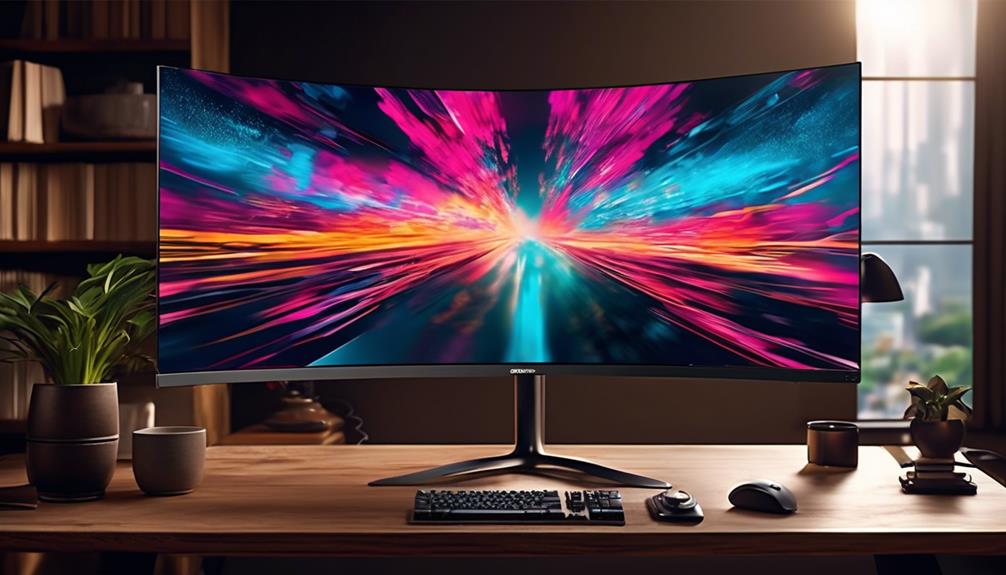

Searching for a 5K monitor in 2026 means balancing resolution, performance, and price. The ASUS ProArt PA27JCV stands out as the best overall for professional use, offering exceptional color accuracy and build quality. For gamers, the Samsung Odyssey G7 provides high refresh rates and curved immersion, while the LG 45GX950A-B offers a stunning OLED experience for high-end gaming. Most buyers face tradeoffs between resolution, refresh rate, connectivity, and cost—higher resolution often means higher price and potentially lower refresh rates. Continue reading for a full breakdown of these options and how to pick the right monitor for your needs.

Get audio and creator gear delivered free with Prime
- Fast, free delivery on millions of items
- Prime Video, Amazon Music and more included
- Member-only deals all year
Complete the kit



Key Takeaways
- The best 5K monitors balance resolution, color accuracy, and refresh rates depending on use case.
- High refresh rates (beyond 144Hz) are rare at 5K and often require compromises in connectivity or size.
- Professional and content creation users prioritize color accuracy and HDR support over gaming features.
- Curved and ultrawide models offer immersive experiences but can be more expensive and complex to calibrate.
- Connectivity options like USB-C, HDMI, and DisplayPort significantly affect compatibility with modern devices.




| 5k monitor | Resolution | Panel Type | Refresh Rate | HDR |
|---|---|---|---|---|
| ASUS ProArt 27-inch 5K HDR Pro | 5120 x 2880 (5K) | IPS | — | HDR |
| Samsung 40” Odyssey G7 | WUHD 5120 x 2160 | LED | 180Hz | VESA DisplayHDR 600 |
| Samsung 27" Odyssey G8 | 5120 x 2880 | Fast IPS | 180Hz / 360Hz | HDR10+ |
| LG 27GM950B-B 27-inch Ultragea | 5120 x 2880 | Mini-LED IPS | 165Hz | DisplayHDR 1000 |
| New! Sceptre Curved 39.7-inch | 5120 x 2160 | LED | 180Hz / 360Hz | HDR |
| KTC 5K Monitor 27 Inch: Dual M | 5120 x 2880 (5K2K) | IPS | 60Hz in 5K mode, 120Hz in 2K mode | HDR 400 |
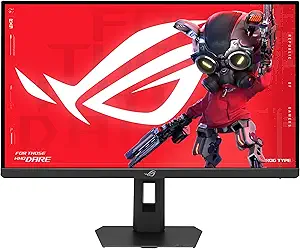
| ASUS ROG Strix 27” 5K HDR Gami | 5120 x 2880 | Fast IPS | 180Hz (native), 330Hz (QHD mode) | VESA DisplayHDR 600 |
| LG 45GX950A-B 45-inch Ultragea | 5120 x 2160 | OLED | 165Hz | — |
| INNOCN 40 Inch 5K 5120 x 2160p | 5120 x 2160 (5K2K) | IPS | 100Hz | HDR 400 |
| KTC 27 Inch 5K Monitor with HD | 5120 x 2880 | IPS | 60Hz in 5K | HDR 400 |
| Samsung 27" ViewFinity S8 | 5120×2880 (5K) | — | 60Hz | — |
More Details on Our Top Picks
ASUS ProArt 27-inch 5K HDR Professional Monitor (PA27JCV)
This monitor stands out for its exceptional color accuracy and factory calibration, making it ideal for professionals who need precise visuals. Compared with the LG 27GM950B, the ASUS offers a wider color gamut with 99% DCI-P3 and 100% sRGB coverage, ensuring accurate color reproduction for photo and video editing. Its 5K resolution delivers incredible detail, though at a premium price that may be out of reach for hobbyists. The inclusion of ambient light sensors helps maintain optimal brightness in different environments, and the 3-year warranty provides peace of mind. However, it lacks built-in speakers and is primarily tailored for creative work, not entertainment or gaming. This pick makes the most sense for designers, photographers, and videographers needing high fidelity visuals with professional-grade calibration.
Pros:- High-resolution 5K display for ultra-detailed visuals
- Excellent color accuracy with 99% DCI-P3 coverage
- Factory calibrated and Calman Verified for professional use
Cons:- Premium price point may be too costly for hobbyists
- Limited to creative applications with no built-in speakers
Best for: Professional creatives who demand precise color and detailed resolution.
Not ideal for: Casual users or gamers who prioritize high refresh rates and gaming-specific features.
- Display Size:27 inches
- Resolution:5120 x 2880 (5K)
- Panel Type:IPS
- HDR:HDR
- Color Gamut:99% DCI-P3, 100% sRGB
- Color Accuracy:Delta E < 2
- Connectivity:USB-C PD 96W
- Warranty:3 years
Our verdict“This monitor is perfect for professionals needing ultimate color precision and detailed display quality, but not for casual or gaming users.”
Samsung 40” Odyssey G7 (G75F) WUHD Resolution, 180Hz, Curved Gaming Monitor, 1ms Response Time (GtG), VESA DisplayHDR™ 600, AMD FreeSync™ Premium Pro, LS40FG75DENXZA, 2025
This 40-inch curved monitor offers an expansive ultrawide experience, wrapping the field of view with a 21:9 aspect ratio, ideal for immersive gaming and multitasking. It features a 180Hz refresh rate and a near-instant 1ms response time, making fast-paced gameplay smooth and tear-free—especially compared to the ASUS ProArt which is more suited for static, detailed visuals. Its VESA DisplayHDR 600 enhances contrast, providing deeper blacks and brighter highlights, perfect for dark scenes. However, its size and curvature might be overwhelming for typical desk setups, and it’s heavily focused on gaming rather than color accuracy or creative work. This monitor suits gamers who want a cinematic experience and broad workspace for multitasking, but not those seeking color-critical tasks or a more traditional monitor shape.
Pros:- Expansive 40-inch curved ultrawide screen
- High 180Hz refresh rate with 1ms response time
- VESA DisplayHDR 600 for vibrant contrast
Cons:- Large size may not fit in all setups
- Focus on gaming limits its use for color-critical tasks
Best for: Gamer enthusiasts wanting an immersive ultrawide experience.
Not ideal for: Creative professionals needing color accuracy or users with limited space.
- Display Size:40 inches
- Resolution:WUHD 5120 x 2160
- Panel Type:LED
- HDR:VESA DisplayHDR 600
- Refresh Rate:180Hz
- Response Time:1ms
Our verdict“This monitor is ideal for gamers seeking a large, immersive display but less suitable for professional creative work.”
Samsung 27″ Odyssey G8 (G80HF) Gaming Monitor – 5K Resolution, Fast IPS, 180Hz, Dual Mode QHD 360Hz, 218 PPI, DP 2.1, HDR10+ Gaming, 1ms, G-Sync Compatible, HAS/Tilt/Swivel/Pivot Stand, LS27HG802EFXZA
This 27-inch monitor excels by offering a dual-mode setup, toggling between 5K at 180Hz and QHD at an ultra-fast 360Hz, making it versatile for both detailed visual work and competitive gaming. It outperforms the LG 45GX950A-B in pixel density with 218 PPI, ensuring sharpness in both modes. The Fast IPS panel offers vivid colors across wide angles, and its G-Sync compatibility reduces tearing during high-speed gameplay. Its ergonomic stand with tilt, swivel, and pivot adds flexibility for user comfort. However, the smaller size and high refresh rate might not be ideal for creators who need broad color gamuts or HDR content. It is better suited for gamers and high-speed enthusiasts who want a monitor capable of switching between detailed and fast action modes without compromise.
Pros:- Dual-mode: 5K at 180Hz and QHD at 360Hz
- Fast IPS with 218 PPI for sharp visuals
- G-Sync and FreeSync Premium support
Cons:- Smaller 27-inch size for some creative workflows
- Limited HDR support compared to HDR1000 monitors
Best for: Gamers and creative users who want flexible resolution and high refresh rates.
Not ideal for: Professionals requiring high color accuracy or extensive HDR support.
- Display Size:27 inches
- Resolution:5120 x 2880
- Panel Type:Fast IPS
- HDR:HDR10+
- Refresh Rate:180Hz / 360Hz
- Response Time:1ms
Our verdict“This monitor offers the best of both worlds with high-speed gaming and detailed resolution, ideal for versatile users but less for color-critical tasks.”
LG 27GM950B-B 27-inch Ultragear evo 5K (5120 x 2880) IPS Mini-LED Gaming Monitor, 165Hz, 1ms, NVIDIA G-Sync, AMD FreeSync Premium, DisplayHDR1000, HDMI, DP, USB-C, Tilt/Height/Swivel/Pivot Stand
This 27-inch monitor combines a 5K resolution with Mini-LED backlighting, reaching up to 1250 nits peak brightness and meeting HDR1000 standards, offering stunning contrast and vibrant highlights. Its 165Hz refresh rate and 1ms response time support smooth gameplay, especially in bright environments, outperforming older IPS panels like the ASUS ProArt in HDR brightness. Its wide color gamut and G-Sync support make it excellent for gaming with vivid visuals. The inclusion of USB-C and extensive ergonomic adjustments enhances usability. Yet, its primary strength in HDR and brightness means it may be less suited for color-accurate tasks like professional editing, and its gaming focus might not appeal to creative professionals who prioritize color fidelity over HDR performance. It’s an ideal choice for gamers seeking high-contrast HDR visuals on a detailed 5K display.
Pros:- Ultra-bright 1250 nits peak brightness with HDR1000
- Mini-LED backlighting for contrast and vivid highlights
- Fast 165Hz refresh rate with 1ms response time
Cons:- Less ideal for color-critical professional editing
- Focus on HDR and brightness may overlook color accuracy
Best for: Gamers wanting high-brightness HDR visuals and fast response times.
Not ideal for: Creative professionals needing strict color accuracy or calibrated color workflows.
- Display Size:27 inches
- Resolution:5120 x 2880
- Panel Type:Mini-LED IPS
- HDR:DisplayHDR 1000
- Refresh Rate:165Hz
- Response Time:1ms
Our verdict“This monitor is perfect for HDR gaming and high contrast visuals, but less suited for precise color workflows.”
New! Sceptre Curved 39.7-inch 5K2K 5120 x 2160 UHD+ Prime Gaming Monitor up to 180Hz 1000R 1ms DisplayPort X2 HDMI X2 Build-in Speakers, Height Adjustable Machine Black 2027
This 39.7-inch ultrawide curved monitor provides a broad panoramic view with a 21:9 aspect ratio and a 1000R curvature, wrapping the action around you. It supports dual modes: 5K at 180Hz for detailed, cinematic visuals, and 1080P at 360Hz for fast-paced gaming—offering versatility for both immersive storytelling and competitive esports. Its HDR support and 1ms response time help deliver vivid, smooth gameplay, outperforming many traditional 16:9 monitors in immersion and speed. Built-in speakers and height adjustment add to its convenience. However, the large ultrawide format may not suit all desk sizes, and its focus on gaming and wide aspect ratio makes it less suitable for detailed creative tasks requiring color precision. This monitor caters to gamers and users seeking a wide, fast, and immersive experience for both entertainment and casual productivity.
Pros:- Expansive 39.7-inch ultrawide curved display
- Dual-mode: 5K at 180Hz and 1080P at 360Hz
- 1000R curvature for immersive viewing
Cons:- Very large footprint may be unsuitable for small desks
- Less ideal for color-critical creative work
Best for: Gamers and multimedia enthusiasts wanting an ultrawide, immersive display.
Not ideal for: Professionals needing strict color calibration or those with limited desk space.
- Display Size:39.7 inches
- Resolution:5120 x 2160
- Panel Type:LED
- HDR:HDR
- Refresh Rate:180Hz / 360Hz
- Response Time:1ms
Our verdict“This monitor excels for ultrawide gaming and multimedia, offering speed and immersion but less for professional color work.”
KTC 5K Monitor 27 Inch: Dual Mode 5K (5120×2880) @60Hz / 2K@160Hz Computer Monitor, 99% DCI-P3, 100% sRGB, ΔE<2, Type-C 65W, HDMI & DP, HDR400, Compatible with Mac mini, H27P3
This 27-inch KTC monitor stands out for its dual-mode capability, offering 5K@60Hz for detailed, color-accurate work and a 2K@120Hz mode for smoother gaming or multitasking. Unlike the ASUS ProArt, which focuses solely on professional color grading, this model balances color fidelity with versatile refresh rates, making it suitable for both creative work and casual gaming. Its 99% DCI-P3 and 100% sRGB coverage with ΔE<2 ensure precise color reproduction, essential for video editing and design. However, the 60Hz limit in 5K mode could be a drawback for gamers seeking ultra-high refresh rates. The HDR400 and 500 cd/m² brightness improve contrast in bright environments, and the USB-C PD65W supports fast charging. Connectivity includes USB-C, HDMI, and DisplayPort, making it adaptable to various setups. Still, the premium price and hardware requirements to run 5K smoothly are considerations for casual users.
Pros:- Exceptional color accuracy with 99% DCI-P3 and 100% sRGB coverage
- Dual-mode display supports professional work and smooth gaming
- Extensive connectivity including USB-C PD65W for fast charging
Cons:- Limited to 60Hz in 5K mode, which may restrict gaming performance
- Higher price point may be prohibitive for casual users
- Requires compatible hardware to fully utilize 5K resolution
Best for: Professional creators and designers needing high color accuracy with occasional gaming or multitasking.
Not ideal for: Casual users or gamers who prioritize high refresh rates over color precision, as 60Hz in 5K mode may feel limiting.
- Screen Size:27 inches
- Resolution:5120 x 2880 (5K2K)
- Refresh Rate:60Hz in 5K mode, 120Hz in 2K mode
- Connectivity:Type-C 65W, HDMI 2.0, DisplayPort 1.4
- Color Gamut:99% DCI-P3, 100% sRGB
- Brightness:500 cd/m²
- HDR:HDR 400
- Panel Type:IPS
Our verdict“This monitor suits creative professionals who need top-tier color fidelity and flexible performance, but it may not be ideal for high-refresh-rate gamers on a budget.”
ASUS ROG Strix 27” 5K HDR Gaming Monitor (XG27JCG) – 5120×2880, 180Hz, 0.3ms, Fast IPS, Dual Mode (180Hz or QHD 330Hz), Extreme Low Motion Blur Sync, G-SYNC Compatible, DisplayWidget, 3 yr Warranty
Compared with the KTC, the ASUS ROG Strix offers significantly higher refresh rates—up to 180Hz in native mode and 330Hz in QHD mode—making it a prime choice for competitive gamers who also need a 5K display for creative tasks. Its response time of 0.3ms and G-SYNC compatibility reduce tearing and motion blur, which the KTC’s 60Hz limit cannot match. While the ASUS excels in gaming performance, its color coverage (97% DCI-P3) is slightly lower than the KTC’s, which might matter for color-critical work. The inclusion of DisplayWidget software and a 3-year warranty adds value for dedicated gamers and professionals. However, the high-performance features come with a premium price and increased power consumption. This monitor is best for those who prioritize ultra-smooth gaming alongside high-resolution productivity.
Pros:- Extremely high refresh rates up to 330Hz in QHD mode
- Fast 0.3ms response time with low motion blur
- G-SYNC compatibility for tear-free gaming
Cons:- Higher price point than typical 5K monitors
- Lower color coverage (97%) compared to some professional displays
- Requires powerful hardware to achieve maximum performance
Best for: High-end gamers who also use their monitor for detailed creative tasks requiring 5K resolution.
Not ideal for: Casual users or those on a strict budget, as the premium features and price may be excessive for basic needs.
- Screen Size:27 inches
- Resolution:5120 x 2880
- Refresh Rate:180Hz (native), 330Hz (QHD mode)
- Response Time:0.3ms
- Connectivity:DisplayPort 1.4, HDMI 2.1, USB-C
- Color Gamut:97% DCI-P3
- HDR:VESA DisplayHDR 600
- Panel Type:Fast IPS
Our verdict“This monitor is ideal for gamers seeking ultra-fast response combined with 5K clarity, but less suitable for those prioritizing color precision over high refresh rates.”
LG 45GX950A-B 45-inch Ultragear 5K2K WUHD (5120 x 2160) OLED Curved Gaming Monitor, Dual-Mode, 165Hz, 0.03ms, NVIDIA G-Sync, AMD FreeSync Premium Pro, HDR True Black 400, USB Type-C 90W, DP2.1
The LG 45GX950A-B pushes the boundaries of gaming displays with its massive 45-inch curved OLED panel, offering a uniquely immersive experience. Its 5K2K resolution on an ultra-wide aspect ratio surpasses traditional 16:9 monitors, creating a panoramic view for gaming and multimedia. While the ASUS and KTC focus on flat screens, LG’s curved OLED delivers stunning contrast (up to 1300 nits peak brightness) with near-instantaneous 0.03ms response time and support for both G-SYNC and FreeSync. Compared to the other options, it excels in cinematic quality and deep blacks, ideal for story-driven games and media. Its steep curvature and wide format may be less practical for detailed creative tasks that benefit from a standard aspect ratio. Plus, its premium price and potential for burn-in are considerations for long-term use.
Pros:- Massive 45-inch curved OLED display for immersive gaming
- Outstanding contrast with deep blacks and high brightness
- Ultra-fast 0.03ms response time and adaptive sync support
Cons:- Very large footprint may not suit all setups
- Premium price and potential burn-in issues with OLED technology
- Less suited for traditional productivity tasks due to aspect ratio
Best for: Gamers and multimedia enthusiasts seeking an expansive, immersive ultra-wide gaming experience.
Not ideal for: Creative professionals requiring standard aspect ratios or those with limited space, due to its size and curvature.
- Screen Size:45 inches
- Resolution:5120 x 2160
- Refresh Rate:165Hz
- Response Time:0.03ms
- Connectivity:DP2.1, HDMI 2.1, USB-C (90W)
- Color & Contrast:Peak brightness 1300 nits, 98.5% DCI-P3, HDR True Black 400
- Curvature:800R
- Panel Type:OLED
Our verdict“This monitor is perfect for gamers craving an ultra-wide, cinematic experience, but less ideal for productivity or space-constrained environments.”
INNOCN 40 Inch 5K 5120 x 2160p Ultrawide Monitor for Laptop, 21:9, 100Hz, IPS, HDMI, DP, FreeSync, HDR400, USB-C, DeltaE<2, Built-in Speakers, Height Adjustable, Black – 40C1U
The INNOCN 40-inch ultrawide offers a compelling blend of high resolution, extensive connectivity, and ergonomic features. Its 21:9 aspect ratio enhances multitasking efficiency, surpassing the more traditional 16:9 formats, similar to the LG 45GX in immersive potential but with a more conventional shape. While it doesn’t match the ASUS or LG’s high refresh rates, the 100Hz refresh provides smooth motion for general use and light gaming. Its IPS panel ensures accurate colors (135% sRGB, delta-E<2) and wide viewing angles, suitable for creative tasks. The inclusion of multiple ports, height adjustment, and built-in speakers adds to its versatility. However, it lacks the extreme gaming features of the ASUS or LG OLEDs, and the 100Hz refresh rate may be less appealing to competitive gamers. It strikes a balance for professionals valuing both productivity and visual quality.
Pros:- High-resolution 5K ultrawide with 135% sRGB coverage
- Ergonomic features including height adjustment and VESA mount
- Multiple connectivity options including USB-C with 65W power delivery
Cons:- Limited to 100Hz, not suitable for high-end competitive gaming
- Larger size may require ample desk space
- Lacks the pixel density and color depth of smaller, more specialized monitors
Best for: Designers, video editors, and multitaskers needing a large, high-quality ultrawide display with ergonomic features.
Not ideal for: Competitive gamers seeking ultra-high refresh rates or users on a tight budget, as premium pricing is involved.
- Screen Size:40 inches
- Resolution:5120 x 2160 (5K2K)
- Refresh Rate:100Hz
- Connectivity:HDMI, DisplayPort, USB-C (65W)
- Color Gamut:135% sRGB
- Panel Type:IPS
- HDR:HDR 400
- Adjustability:Height adjustable, VESA mount
Our verdict“This monitor offers a superb balance of productivity, color accuracy, and ergonomic flexibility for creative professionals and multitaskers.”
KTC 27 Inch 5K Monitor with HDR 400, IPS Panel, and Multiple Connectivity Options
This 27-inch KTC model delivers stunning 5K resolution with vibrant colors and HDR 400 support, making it a solid choice for those new to 5K displays or working within limited space. Compared to the larger 40-inch INNOCN, this monitor is more desk-friendly but still offers excellent color accuracy with 99% DCI-P3 and 100% sRGB, suitable for professional creative work. Its versatile connectivity includes Type-C, HDMI, and DisplayPort, providing flexibility across devices. However, the 60Hz refresh rate in 5K mode limits its appeal for high-end gaming or fast-paced video editing, and the premium price may be a barrier for casual users. The 27-inch size makes it more manageable for smaller setups, but hardware requirements to run 5K smoothly remain a consideration.
Pros:- High-resolution 5K display with excellent color fidelity
- Versatile connectivity options including Type-C, HDMI, and DisplayPort
- HDR 400 support enhances contrast and vibrancy
Cons:- Limited to 60Hz in 5K mode, less suitable for high-performance gaming
- Price may be high for casual users or hobbyists
- Requires compatible hardware to support full 5K resolution
Best for: Enthusiasts and professionals seeking a compact, high-resolution display for creative projects and daily productivity.
Not ideal for: Gamers demanding high refresh rates or users with limited budgets, due to its high price and refresh rate limitations.
- Screen Size:27 inches
- Resolution:5120 x 2880
- Refresh Rate:60Hz in 5K
- Connectivity:Type-C 65W, HDMI 2.0, DisplayPort 1.4
- Color Gamut:99% DCI-P3, 100% sRGB
- Brightness:500 cd/㎡
- HDR:HDR 400
- Panel Type:IPS
Our verdict“A compact, high-resolution 5K monitor ideal for professionals and enthusiasts prioritizing image quality over high refresh rates.”
Samsung 27″ ViewFinity S8 (S80HF) High-Resolution Monitor, 5K (5120×2880), HDR10, Eye Saver Mode, USB-C Port, Display Manager, LS27H800EFAXZA
The Samsung ViewFinity S8 stands out for combining high-resolution clarity with practical features like a built-in KVM switch and multiple connectivity options, making it ideal for creative professionals who need to multitask across devices. Compared to the ASUS ProArt 27-inch 5K, this monitor offers more flexible port options, including USB-C with 90W charging, but it sacrifices some color accuracy and HDR performance, which are stronger points on the ASUS. The S8’s adaptive Eye Saver Mode reduces eye strain during long sessions, while its ergonomic design ensures comfortable viewing angles. However, its 60Hz refresh rate may be limiting for fast-paced editing or multimedia work, and HDR10 support is less advanced than higher-tier displays. Overall, this pick makes the most sense for users prioritizing connectivity and a sharp display for productivity rather than high-end color grading or gaming.
Pros:- High pixel density of 218 PPI ensures sharp, detailed images
- USB-C port delivers 90W power and data transfer, reducing cable clutter
- Built-in KVM switch simplifies device management
Cons:- Limited 60Hz refresh rate not ideal for fast-paced multimedia
- HDR support is basic compared to premium HDR monitors
Best for: Creative professionals, digital artists, and content creators who need a sharp, versatile monitor with strong connectivity options.
Not ideal for: High-end color grading professionals or gamers who require faster refresh rates and more advanced HDR support.
- Resolution:5120×2880 (5K)
- Screen size:27 inches
- Refresh rate:60Hz
- Color support:HDR10
- Connectivity:USB-C with 90W charging, LAN port
- Ergonomics:Adjustable stand, enhanced viewing angles
Our verdict“This monitor makes the most sense for professionals needing a sharp, versatile display with flexible connectivity, rather than for high-speed gaming or advanced HDR workflows.”
How We Picked
I evaluated each monitor based on performance, build quality, connectivity, and value. Priority was given to resolution accuracy, color coverage, and refresh rate, especially for gaming or professional work. Consideration was also given to user ergonomics, build durability, and features like HDR and USB-C ports. Monitors were ranked to reflect a balance of these factors, with top picks excelling in either professional accuracy, gaming performance, or overall versatility. Products with significant tradeoffs—such as lower refresh rates at 5K, limited connectivity, or high price—were positioned accordingly to help buyers find the best fit for their specific needs.| 5k monitor | Panel Type | HDR | Connectivity |
|---|---|---|---|
| ASUS ProArt 27-inch 5K HDR Pro | IPS | HDR | USB-C PD 96W |
| Samsung 40” Odyssey G7 | LED | VESA DisplayHDR 600 | — |
| Samsung 27" Odyssey G8 | Fast IPS | HDR10+ | — |
| LG 27GM950B-B 27-inch Ultragea | Mini-LED IPS | DisplayHDR 1000 | — |
| New! Sceptre Curved 39.7-inch | LED | HDR | — |
| KTC 5K Monitor 27 Inch: Dual M | IPS | HDR 400 | Type-C 65W, HDMI 2.0, DisplayPort 1.4 |
| ASUS ROG Strix 27” 5K HDR Gami | Fast IPS | VESA DisplayHDR 600 | DisplayPort 1.4, HDMI 2.1, USB-C |
| LG 45GX950A-B 45-inch Ultragea | OLED | — | DP2.1, HDMI 2.1, USB-C (90W) |
| INNOCN 40 Inch 5K 5120 x 2160p | IPS | HDR 400 | HDMI, DisplayPort, USB-C (65W) |
| KTC 27 Inch 5K Monitor with HD | IPS | HDR 400 | Type-C 65W, HDMI 2.0, DisplayPort 1.4 |
| Samsung 27" ViewFinity S8 | — | — | USB-C with 90W charging, LAN port |
Factors to Consider When Choosing 5k Monitor
Choosing a 5K monitor involves more than just resolution. To make a smart purchase, you should evaluate several key factors that influence performance, usability, and value. Understanding these will help you avoid common pitfalls like overpaying for features you don’t need or choosing a model incompatible with your device setup. Here are the main considerations to keep in mind:Purpose and Use Case
Identify whether your primary goal is professional content creation, gaming, or general productivity. Professionals working with color-sensitive work need monitors with high color accuracy and wide color gamuts, like AdobeRGB or DCI-P3. Gamers should prioritize high refresh rates and low response times, though true 5K gaming remains rare. Buyers should be aware that combining high refresh rates with 5K resolution often involves compromises in size or connectivity, so clarifying your main use helps narrow the options.
Resolution and Refresh Rate Balance
While 5K (5120×2880) offers incredible detail, not all models support high refresh rates suitable for gaming. Most 5K monitors are limited to 60Hz or 75Hz, which might disappoint gamers expecting smooth motion. Conversely, models optimized for gaming may reduce resolution or use dual-mode setups. Understanding this tradeoff helps align expectations — for professional work, resolution and color accuracy matter most, while gamers should seek models with fast IPS panels and adaptive sync technologies.
Connectivity and Compatibility
Modern devices increasingly rely on USB-C and Thunderbolt for seamless integration, especially for laptops and ultrabooks. Ensuring your monitor has compatible ports prevents frustration and extra adapters. DisplayPort 1.4 or 2.1 support is essential for maintaining high resolutions at high refresh rates. Also, check if the monitor supports HDR standards like HDR10 or Dolby Vision if color accuracy and contrast are priorities. Compatibility issues are common, so verify your device’s output options before purchase.
Size, Ergonomics, and Design
Size matters at 5K, especially when considering desk space and viewing distance. Larger monitors (40 inches and above) provide immersive experiences but may require more powerful hardware. Ergonomic features like height adjustment, tilting, and swivel improve usability for long work sessions. Curved screens enhance immersion but can distort image calibration if not properly configured. Carefully consider your workspace layout and how the monitor’s design will fit into your daily routine.
Price and Future-proofing
At the high end, 5K monitors can be a significant investment. Think about whether the features justify the cost — for example, OLED panels offer superior contrast but come at a premium. Also, consider future compatibility, such as Thunderbolt 4 or USB-C with power delivery, so your monitor remains useful as your hardware evolves. Avoid overspending on unnecessary features; instead, prioritize those that directly enhance your workflow or gaming experience.
Frequently Asked Questions
Can I use a 5K monitor with my laptop?
Yes, many modern laptops support 5K output via USB-C or Thunderbolt 3/4 ports, but compatibility varies. Check your device’s specifications for supported resolutions and required adapters. Also, ensure your graphics hardware can handle 5K resolution smoothly, especially if you plan to use high refresh rates or HDR. Using a monitor with the right connectivity options and ensuring your laptop’s GPU supports 5K output are key steps to a seamless setup.
Is a 5K monitor good for gaming?
While some 5K monitors support high refresh rates, most are optimized for professional work rather than gaming. The limited availability of 5K gaming displays with high refresh rates means you’ll often need to compromise on either resolution or frame rate. For smooth gaming, models like the Samsung Odyssey G7 or ASUS ROG Strix offer better refresh rates but at lower resolutions. If gaming is your priority, consider a high-refresh 4K monitor instead, as true 5K gaming remains rare.
What is the main advantage of a 5K monitor for professionals?
The primary benefit of a 5K monitor for content creators and professionals is the ultra-high resolution, which offers exceptional detail and workspace. This allows for precise editing, large timelines, and better multitasking with multiple windows open simultaneously. Coupled with wide color gamuts and HDR support, these monitors enable more accurate color representation, crucial for photography, video editing, and design work.
Are curved 5K monitors worth it?
Curved 5K monitors enhance immersion and can reduce eye strain by providing a more natural viewing angle. They are especially appealing for gaming and large workspace setups. However, curved screens can sometimes cause calibration issues or distortions in color accuracy if not properly configured. Whether they are worth it depends on your use case — for immersive work or gaming, they can be a significant benefit, but for color-critical tasks, flat screens might be more reliable.
How do I choose the right size for a 5K monitor?
The optimal size depends on your workspace and typical viewing distance. Larger monitors (40 inches and above) offer more immersive experiences but may require a powerful GPU and more desk space. For professional work, 27 to 32 inches often strike a good balance between clarity and manageability. Keep in mind that larger screens can cause scaling issues or require higher GPU performance, so matching size to your hardware capabilities is essential.
Conclusion
For general professional use and content creation, the ASUS ProArt PA27JCV offers the best overall experience thanks to its color accuracy and build quality. Gamers and immersive experience seekers will benefit from the LG 45GX950A-B OLED or the Samsung Odyssey G7 with high refresh rates and curved designs. Budget-conscious buyers should consider the KTC 27 Inch 5K or KTC 5K Monitor for reliable performance at a lower cost. Beginners and casual users will find the simpler models sufficient, while professionals should prioritize color accuracy and HDR capabilities for their workflows.
As an affiliate, we earn on qualifying purchases.Halloween Picks
halloween