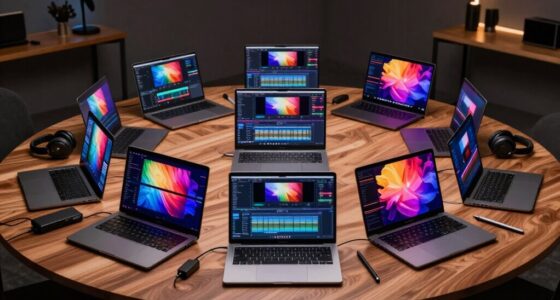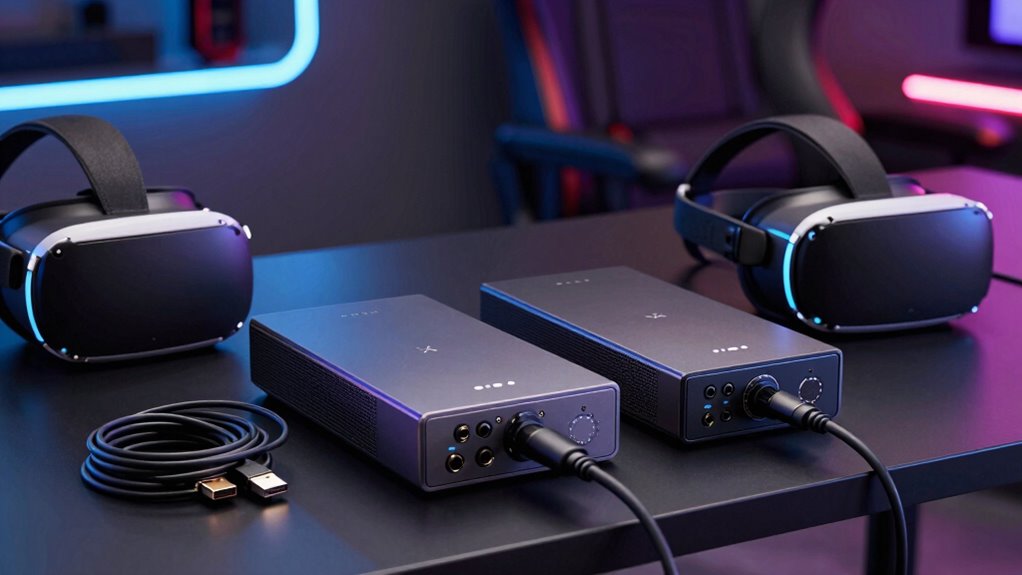

When selecting a capture card for VR streaming, the key factors are compatibility, resolution, latency, and ease of use. The Guermok 4K@60FPS Video Capture Card stands out as the best overall choice for its reliable 4K quality and broad device support. For those on a budget, the Hagibis USB 3.0 Video Capture Card with 1080P 60fps offers solid performance at a lower price. Meanwhile, streamers seeking premium features should consider options like the PORTTA DX20R for its low latency and HDR support. Buyers face tradeoffs between resolution, latency, and compatibility, making it essential to match a capture card’s strengths with your streaming needs. Keep reading for a detailed breakdown of the best options, so you can find the perfect fit for your VR streaming setup.

Get audio and creator gear delivered free with Prime
- Fast, free delivery on millions of items
- Prime Video, Amazon Music and more included
- Member-only deals all year
Complete the kit



Key Takeaways
- High-resolution capture (4K) is available but often comes with increased cost and system demands.
- Compatibility with VR headsets, consoles, and PCs varies; not all cards support all devices equally.
- Latency is a critical factor for live VR streaming; lower latency capture cards improve sync and reduce lag.
- Build quality and cable included can impact ease of setup and long-term durability.
- Price ranges significantly; balancing cost against features like HDR, VRR, and power delivery is essential.
| Guermok 4K@60FPS Video Capture Card with 90° USB-C Cable |  | Best Overall for High-Quality VR Streaming | Video Capture Resolution: 4K | Input/Output: HDMI 4K@60Hz | USB Interface: USB 3.0 | VIEW ON AMAZON | See Our Full Breakdown |
| Guermok Video Capture Card, 4K USB3.0 HDMI to USB C, 1080P 60FPS & 2K 30FPS |  | Best Value for Versatile Device Compatibility | Hardware Interface: HDMI, USB 2.0, USB 3.0, USB 3.0 Type A, USB 3.0 Type C | Video Capture Resolution: 1080p, 4K | Operating System: Mac OS, Windows 10/11 | VIEW ON AMAZON | See Our Full Breakdown |
| FEELWORLD C4K PRO 4K Capture Card for Gaming Streaming, Up to 4K60 Capture |  | Best for High-Quality Gaming and HDR Streaming | Video Capture Resolution: 4K | Hardware Interface: HDMI | Operating System: Windows 7/8/10/11, macOS 10.12, iPadOS 17+ | VIEW ON AMAZON | See Our Full Breakdown |
| Hagibis USB 3.0 Video Capture Card with 100W PD HDMI to USB/USB-C 1080P 60fps for Gaming and Streaming |  | Best for Versatile, Power-Enabled Streaming | Input Resolution: Up to 4K@60Hz | Output Resolution: 1920×1080@60Hz | Video Format: HDMI | VIEW ON AMAZON | See Our Full Breakdown |
| Video Capture Card with PD 100W for Meta Quest 2/3/3s, HDMI to USB C/USB A Adapter 1080P@60FPS Live and Recorder Video Audio for Streaming, Game, HDMI Capture Card for PC, Switch, PS4/5, Xbox, Camera, OBS, VR |  | Best for VR and Multi-Device Streaming with Fast Charging | Compatibility: Meta Quest 2/3/3s, PC, Switch, PS4/5, Xbox | Video Resolution: 1080P@60FPS | Charging Power: PD 100W | VIEW ON AMAZON | See Our Full Breakdown |
| 4K HDMI Video Capture Card, 1080P 60FPS Game Capture Device for Streaming |  | Best Overall for Versatile Streaming and Live Recording | Capture Resolution: 1080p at 60FPS | Input Support: 4K30/60Hz | Output Support: up to 2K30Hz | VIEW ON AMAZON | See Our Full Breakdown |
| Hagibis USB 3.0 Video Capture Card with 100W PD for Switch2, Compatible with Car, PS4/5, VR, Steam Deck |  | Best for Versatile Device Compatibility and Outdoor Use | Compatible Devices: Car, Gaming Console, Smartphone, Switch2, Tablet | Connector Type: USB Type A, USB Type C | Number of Ports: 2 | VIEW ON AMAZON | See Our Full Breakdown |
| Guermok 4K USB 3.0 HDMI Capture Card for Streaming with PD 100W |  | Best for 4K Streaming with Power Passthrough | Video Capture Resolution: 1080p, 4K | Hardware Interface: USB 3.0 | Video Formats: MJPEG, YUY2, NV12, XRGB | VIEW ON AMAZON | See Our Full Breakdown |
| Guermok 4K USB 3.0 HDMI Video Capture Card for Streaming |  | Best for High-Resolution Gaming and Streaming | Video Resolution: 4K@60FPS | Input: HDMI | Output: USB 3.0/USB-C | VIEW ON AMAZON | See Our Full Breakdown |
| Capture Card 4K HDMI Video Streaming to USB 3.0 1080P 60FPS Capture Device |  | Best Portable 4K Capture for On-the-Go Streaming | Video Resolution: 4K@60FPS | Input: HDMI | Output: USB 3.0/USB-C | VIEW ON AMAZON | See Our Full Breakdown |
| 4K Capture Card for Streaming, USB 3.1 Video Capture Device for Streaming and Recording, Support HDR/VRR with Low Latency for PS5, Xbox, Nintendo Switch |  | Best Overall for High-Resolution VR Streaming and Versatile Compatibility | Hardware Interface: USB 3.1 Type C | Video Capture Resolution: 1080p, 4K | Operating System: Windows, macOS | VIEW ON AMAZON | See Our Full Breakdown |
| PORTTA DX20R HDMI Video Capture Card, 4K 60Hz Streaming & Recording, Low Latency, HDR, VRR, USB 3.0, Compatible with PS5, Xbox, OBS |  | Best for High-Frame-Rate 4K Streaming with Advanced Customization | Video Capture Resolution: 4K@60Hz | Passthrough Resolution: 1080p@240Hz, 2K@120Hz | Connectivity: USB 3.0 | VIEW ON AMAZON | See Our Full Breakdown |
| Hagibis USB 3.0 Video Capture Card with 100W PD, HDMI to USB A/USB C, 1080P@60fps, YUY2, MJPEG, for Quest 3/2, VR, Switch, PS4/5, Live Streaming |  | Best for On-the-Go VR and Console Streaming with Fast Charging | Video Resolution: 1920×1080@60Hz | Input: HDMI | Output: USB A/USB C | VIEW ON AMAZON | See Our Full Breakdown |
| capture card for vr streaming | Compatibility |
|---|---|
| Guermok 4K@60FPS Video Capture | — |
| Guermok Video Capture Card | — |
| FEELWORLD C4K PRO 4K Capture C | — |
| Hagibis USB 3.0 Video Capture | Windows 11/10/8.1/7, MacOS, Linux, iOS, Android |
| Video Capture Card with PD 100 | Meta Quest 2/3/3s, PC, Switch, PS4/5, Xbox |
| 4K HDMI Video Capture Card | Windows and Mac OS |
| Hagibis USB 3.0 Video Capture | — |
| Guermok 4K USB 3.0 HDMI Captur | Windows, macOS, Linux, Android, iOS |
| Guermok 4K USB 3.0 HDMI Video | Windows, macOS, Linux, Android, iOS |
| Capture Card 4K HDMI Video Str | Windows, macOS, Linux, Android, iOS |
| 4K Capture Card for Streaming | — |
| PORTTA DX20R HDMI Video Captur | Windows, macOS, Linux, PS5, Xbox |
| Hagibis USB 3.0 Video Capture | Windows, MacOS, Linux, Android |
More Details on Our Top Picks
Guermok 4K@60FPS Video Capture Card with 90° USB-C Cable
This option stands out for delivering ultra-low latency 4K@60Hz input and output, making it ideal for high-motion VR gameplay and content creation. Its plug-and-play design across Windows, macOS, and Linux simplifies setup, and the right-angle USB-C reduces cable stress in tight setups. Compared with the FEELWORLD C4K PRO, it offers similar 4K support but lacks additional features like HDR passthrough, which makes it more streamlined for pure streaming needs. A tradeoff is that signal stability depends heavily on cable management, and it doesn’t support bidirectional HDMI transfer, limiting its versatility.
Pros:- Supports 4K@60Hz input and output for high-quality streaming and recording
- Plug-and-play with no drivers required across multiple OS
- Right-angle USB-C connector reduces cable stress in tight spaces
Cons:- Signal loss may occur if cables or connections are not properly managed
- Limited to one-way HDMI to USB-C transmission, not bidirectional
Best for: VR streamers and content creators who prioritize high-resolution, low-latency capture with plug-and-play ease.
Not ideal for: Streamers requiring multi-directional HDMI support or advanced features like HDR passthrough, as this unit focuses on straightforward 4K capture.
- Video Capture Resolution:4K
- Input/Output:HDMI 4K@60Hz
- USB Interface:USB 3.0
- Cable Length:3.3ft (1M)
- Connector:90° USB-C
- Supported Formats:MJPEG, YUY2, NV12, XRGB
Our verdict“This capture card is best suited for VR streamers who need reliable 4K@60Hz capture without extra frills.”
Guermok Video Capture Card, 4K USB3.0 HDMI to USB C, 1080P 60FPS & 2K 30FPS
This model makes sense for users who need a versatile, portable capture solution, supporting 4K input with up to 1080p@60FPS output and 2K@30FPS. Its compatibility with a wide range of devices, including Android, iOS, and gaming consoles, surpasses many basic HDMI-to-USB-C options like the Hagibis USB 3.0 Video Capture Card. However, it’s limited to HDMI input sources and doesn’t support bidirectional transmission, which could be restrictive for some setups. Its compact design makes it perfect for outdoor streaming or quick setups, but signal loss can happen if cables aren’t managed carefully.
Pros:- Supports 4K input with 1080p@60FPS output for high-quality streams
- Compact and portable for outdoor use
- Wide device compatibility including smartphones and gaming consoles
Cons:- Limited to HDMI input sources, no bidirectional support
- Signal loss possible with certain cable setups or disconnections
Best for: Travel-friendly streamers who need broad device compatibility and portability without sacrificing 1080p quality.
Not ideal for: Streamers seeking 4K output or bidirectional HDMI support, as this device’s focus is on 1080p and simple HDMI capture.
- Hardware Interface:HDMI, USB 2.0, USB 3.0, USB 3.0 Type A, USB 3.0 Type C
- Video Capture Resolution:1080p, 4K
- Operating System:Mac OS, Windows 10/11
- Video Input:HDMI
- Platform Compatibility:Android, Mac, Meta Quest, Nintendo Switch, PS4/5, Steam Deck, Windows, Xbox, iOS
- Tuner Type:ATSC
Our verdict“Best suited for on-the-go streamers needing broad device support and decent quality at 1080p.”
FEELWORLD C4K PRO 4K Capture Card for Gaming Streaming, Up to 4K60 Capture
This pick makes the most sense for gamers and streamers wanting 4K60 capture with HDR and VRR support, providing smooth, high-fidelity visuals. Its plug-and-play design works across Windows, macOS, and iPadOS, with HDR and VRR pass-through enhancing image quality during gameplay. Compared to the Guermok 4K@60FPS Video Capture Card, it offers additional features like HDR passthrough, but its large size and potential fan noise could be drawbacks for portable or quiet environments. The lack of detailed system requirements might cause setup issues for some users.
Pros:- Supports 4K60 gameplay capture and streaming
- Includes HDR and VRR pass-through for enhanced visual quality
- Plug-and-play with broad OS compatibility
Cons:- Large dimensions may hinder portability
- Cooling fan noise could be distracting during quiet gameplay
Best for: Console gamers and streamers who need high-quality 4K capture with advanced visual features like HDR and VRR.
Not ideal for: Streamers prioritizing portability or seeking a compact device, as its dimensions are somewhat cumbersome for mobile use.
- Video Capture Resolution:4K
- Hardware Interface:HDMI
- Operating System:Windows 7/8/10/11, macOS 10.12, iPadOS 17+
- Dimensions:10 x 2 x 50 inches
- Special Features:4K HDR/VRR Pass-Through
Our verdict“Ideal for high-end gaming streams needing 4K60 with HDR and VRR support, but less suited for mobile or quiet environments.”
Hagibis USB 3.0 Video Capture Card with 100W PD HDMI to USB/USB-C 1080P 60fps for Gaming and Streaming
This capture card excels for users needing a compact, versatile device with fast charging capabilities, supporting 1080P@60FPS for streaming or recording. Its dual USB-C and USB-A interfaces broaden compatibility, especially for newer devices like Meta Quest 3, while the 100W PD charging allows simultaneous play and charge, a significant convenience. Compared with the Video Capture Card with PD 100W, it offers similar features but with a more straightforward design, though it only supports HDMI sources and requires updates for iPad compatibility. Setup can sometimes involve troubleshooting, which could frustrate beginners.
Pros:- Supports 1080P@60FPS for high-quality streaming
- Dual USB-C and USB-A for broad device compatibility
- Supports 100W PD fast charging while streaming
Cons:- Limited to HDMI input sources, no bidirectional feature
- Requires troubleshooting for some software setups
Best for: Streamers and gamers who need a compact, power-boosted capture device compatible with a wide range of devices including VR headsets.
Not ideal for: Users needing 4K capture or bidirectional HDMI support, as this device focuses solely on 1080p streaming with power delivery.
- Input Resolution:Up to 4K@60Hz
- Output Resolution:1920×1080@60Hz
- Video Format:HDMI
- Interface:USB 3.0, USB-C, USB-A
- Charging Support:100W PD
- Compatibility:Windows 11/10/8.1/7, MacOS, Linux, iOS, Android
Our verdict“Best for users seeking a reliable, portable device with fast charging for 1080p streaming and gaming, especially on newer devices.”
Video Capture Card with PD 100W for Meta Quest 2/3/3s, HDMI to USB C/USB A Adapter 1080P@60FPS Live and Recorder Video Audio for Streaming, Game, HDMI Capture Card for PC, Switch, PS4/5, Xbox, Camera, OBS, VR
This capture device makes sense for dedicated VR streaming and gaming, supporting 1080P@60FPS with a durable aluminum shell and PD 100W fast charging to keep devices powered during long sessions. Its compatibility with Meta Quest, PC, and gaming consoles broadens its appeal, and the plug-and-play setup reduces complexity. Compared with the Guermok 4K USB3.0 HDMI Capture Card, it emphasizes durability and power delivery, but it only captures at 1080P, limiting resolution for high-end streaming. Some users report setup issues with streaming software like OBS, which may require troubleshooting.
Pros:- Supports 1080P@60FPS recording and streaming
- Includes PD 100W fast charging for continuous use
- Durable aluminum case for longevity and style
Cons:- Limited to 1080P resolution, not 4K
- Setup may require troubleshooting with streaming software
Best for: VR enthusiasts and gamers needing reliable, high-power, portable capture for live streaming or recording.
Not ideal for: Streamers aiming for 4K resolution or advanced features like HDR, as this device focuses on 1080P and durability.
- Compatibility:Meta Quest 2/3/3s, PC, Switch, PS4/5, Xbox
- Video Resolution:1080P@60FPS
- Charging Power:PD 100W
- Cable Length:2 meters / 79 inches
- Material:Aluminum
- Input/Output:HDMI to USB C/USB A
Our verdict“Ideal for VR and console players needing a durable, power-supported capture device at 1080P for streaming and recording.”
4K HDMI Video Capture Card, 1080P 60FPS Game Capture Device for Streaming
This capture card stands out for its straightforward setup and reliable 1080p 60FPS output, making it a versatile choice for streamers who need high-quality footage without complex configurations. Compared with the Guermok 4K USB 3.0 HDMI Capture Card, it offers slightly lower resolution support (no 4K capture), but its plug-and-play design and HDMI loop-out make it ideal for seamless gaming streams. The inclusion of a microphone input adds to its appeal for content creators wanting integrated commentary. However, it doesn’t support higher refresh rates like 120Hz or 144Hz input, which could be limiting for competitive gamers. Also, it requires a USB 3.0 port for optimal performance, and the microphone input only accepts 3.5mm TRS headsets — a potential downside for more advanced audio setups.
Pros:- High-quality 1080p 60FPS video capture
- Plug-and-play with no driver installation needed
- Supports HDMI loop-out for smooth gaming experience
- Built-in microphone input for commentary
Cons:- Does not support 4K or high refresh rates like 120Hz
- Requires USB 3.0 for stable performance
- Microphone input only accepts 3.5mm TRS headsets
Best for: Gamers and streamers who prioritize reliable 1080p 60FPS capture with simple setup and integrated microphone support.
Not ideal for: Users needing 4K recording or higher refresh rate support, or those with USB 2.0 ports, which may affect performance.
- Capture Resolution:1080p at 60FPS
- Input Support:4K30/60Hz
- Output Support:up to 2K30Hz
- Connection:USB 3.0
- Compatibility:Windows and Mac OS
- Microphone Input:3.5mm TRS
Our verdict“This pick is best suited for streamers seeking dependable 1080p recording with easy setup and basic audio integration.”
Hagibis USB 3.0 Video Capture Card with 100W PD for Switch2, Compatible with Car, PS4/5, VR, Steam Deck
This capture card excels at supporting a wide range of devices, including gaming consoles, smartphones, and cars, thanks to its dual USB A and USB C interfaces. Unlike the Guermok model, which is also versatile but often faces connectivity issues, the Hagibis unit offers reliable plug-and-play operation and broad compatibility. Its support for 1080p@60Hz and 2K@30Hz makes it suitable for casual streaming and recording, especially for mobile and portable setups. The limited support for resolutions beyond 2K and occasional user reports of connectivity hiccups mean it’s less suited for high-end streaming. Additionally, it lacks an external power supply option, which can sometimes impact performance with certain devices or extended use.
Pros:- Supports 1080p@60Hz and 2K@30Hz recording
- Dual USB A and C interfaces for broad compatibility
- Plug-and-play, no external power needed
- Compact design ideal for outdoor and mobile use
Cons:- Limited to 2K resolution support for high-end streaming
- Some users experience connectivity issues
- No external power option for additional stability
Best for: Content creators needing flexible device compatibility, especially for mobile streaming or outdoor setups with consoles and VR gear.
Not ideal for: High-end streamers requiring 4K or high refresh rate capture, or users who prefer external power options for stability.
- Compatible Devices:Car, Gaming Console, Smartphone, Switch2, Tablet
- Connector Type:USB Type A, USB Type C
- Number of Ports:2
- Power Plug Type:No Plug
- Warranty:1 Year
Our verdict“This device is best for streamers who value compatibility across multiple devices and portability over ultra-high resolutions.”
Guermok 4K USB 3.0 HDMI Capture Card for Streaming with PD 100W
This model supports 4K Ultra HD at 60FPS, making it suitable for high-quality content creation, especially when paired with powerful PCs or consoles. Unlike the Hagibis model, which emphasizes device compatibility, the Guermok 4K supports higher resolutions and frame rates, ideal for professional streams. Its PD 100W USB-C passthrough allows continuous power, a significant advantage for long streaming sessions with high-end equipment. However, it requires specific capture software to operate, and its signal quality can sometimes suffer if cables or HDCP settings are misconfigured, which can be frustrating for beginners. Its design is largely for streaming and recording, not for direct display or gaming use.
Pros:- Supports 4K at 60FPS for ultra-high-quality streams
- Includes PD 100W USB-C charging passthrough for continuous power
- Broad device compatibility, including PCs and consoles
- Supports multiple video formats
Cons:- Requires dedicated capture software, not for direct display
- Potential signal loss if cables or HDCP settings are misconfigured
- Some mild heat during prolonged use
Best for: High-end content creators and streamers who prioritize 4K quality and uninterrupted power during extended sessions.
Not ideal for: Casual streamers or those who prefer plug-and-play simplicity, as it demands software configuration and careful setup.
- Video Capture Resolution:1080p, 4K
- Hardware Interface:USB 3.0
- Video Formats:MJPEG, YUY2, NV12, XRGB
- Power Input:PD 100W USB-C
- Compatibility:Windows, macOS, Linux, Android, iOS
- Features:Plug and Play, HDMI input, USB-C passthrough
Our verdict“Ideal for professional streamers needing 4K quality and reliable power, accepting some complexity in setup.”
Guermok 4K USB 3.0 HDMI Video Capture Card for Streaming
This capture card offers 4K@60FPS capture, making it suitable for gamers and streamers who demand crisp visuals. Its support for 1080p and 2K at high frame rates provides flexibility, though it’s primarily aimed at users who want to push resolution boundaries. Compared to the B097DKNS1M model, it excels in resolution support but may require more careful setup due to its focus on higher resolutions. The inclusion of PD 100W USB-C charging passthrough is a plus for uninterrupted use with power-hungry devices. Nevertheless, it shares the common caveat of requiring software for operation and can experience signal loss if cables or HDCP settings are not aligned, making it less straightforward for complete beginners.
Pros:- Supports 4K at 60FPS for high-resolution streaming
- Includes PD 100W USB-C charging passthrough
- Supports multiple resolutions and high frame rates
- Good for high-end gaming content
Cons:- Requires capture software, not for direct display
- Setup complexity can be a hurdle for beginners
- Signal loss if cables or HDCP are misconfigured
Best for: Gaming streamers who prioritize 4K or high-res capture, and are comfortable with software setup and configuration.
Not ideal for: Streamers seeking plug-and-play simplicity or those primarily recording at 1080p with minimal fuss.
- Video Resolution:4K@60FPS
- Input:HDMI
- Output:USB 3.0/USB-C
- Charging:PD 100W USB-C
- Supported Formats:MJPEG, YUY2, NV12, XRGB
- Compatibility:Windows, macOS, Linux, Android, iOS
Our verdict“Best suited for gamers demanding high-resolution capture and capable of handling a more involved setup process.”
Capture Card 4K HDMI Video Streaming to USB 3.0 1080P 60FPS Capture Device
This compact capture device provides 4K HDMI input with 1080p 60FPS output, making it a reliable option for streamers who need portability without sacrificing quality. Its straightforward plug-and-play design allows quick setup across a variety of devices like PS5, Xbox, and Switch, similar to the B097DKNS1M but with an emphasis on mobility. The inclusion of PD 100W USB-C passthrough helps maintain device power, making it suitable for mobile streaming setups. However, it doesn’t support direct screen casting, requiring third-party software for recording or streaming. Also, signal quality can be compromised if cables or HDCP settings are not properly configured, which can impact live streams or recordings.
Pros:- Supports 4K@60FPS input with 1080p output
- Compact and lightweight for portability
- Includes PD 100W USB-C charging passthrough
- Plug-and-play for quick setup
Cons:- Requires software for streaming and recording
- Not for direct display or capture without third-party tools
- Possible signal loss if cables or HDCP are misconfigured
Best for: Travel-friendly streamers and gamers who need a compact, high-quality capture solution for various devices.
Not ideal for: Users who require 4K recording or higher resolutions, or those who prefer direct hardware connections without software dependencies.
- Video Resolution:4K@60FPS
- Input:HDMI
- Output:USB 3.0/USB-C
- Charging:PD 100W USB-C
- Cable Length:3.3 ft
- Compatibility:Windows, macOS, Linux, Android, iOS
Our verdict“Ideal for mobile content creators seeking a compact, high-quality capture tool compatible with multiple platforms.”
4K Capture Card for Streaming, USB 3.1 Video Capture Device for Streaming and Recording, Support HDR/VRR with Low Latency for PS5, Xbox, Nintendo Switch
This 4K capture card stands out for its support of 4K HDR passthrough and high-resolution recording, making it ideal for streamers who prioritize visual quality. Unlike the PORTTA DX20R, which emphasizes ultra-low latency at 60Hz, this model offers full 4K HDR capabilities, giving content a richer appearance. However, it is limited to devices with USB 3.1 Type C ports and cannot record protected HDCP content, which could be a drawback for some users. Its external audio input is helpful for live commentary, but the need to disable HDCP on PlayStation devices adds an extra step. Overall, this pick is best suited for streamers seeking high-fidelity output and broad console compatibility, though it isn’t ideal for those on older hardware or seeking easy plug-and-play setup without disabling protections.
Pros:- Supports 4K HDR passthrough and high-resolution recording
- Low latency for smooth gameplay and streaming
- Compatible with multiple consoles and computers
- External audio input for live commentary
Cons:- Cannot record protected HDCP content
- Requires disabling HDCP on PlayStation devices
- Limited to devices with USB 3.1 Type C port
Best for: Content creators and streamers who need high-quality 4K HDR passthrough and compatibility with multiple consoles and PCs.
Not ideal for: Users with older or limited hardware that lacks USB 3.1 Type C ports or those who want a simple, no-setup streaming device without dealing with HDCP restrictions.
- Hardware Interface:USB 3.1 Type C
- Video Capture Resolution:1080p, 4K
- Operating System:Windows, macOS
- Platform:Nintendo Switch, Xbox
- AV Output:HDMI 2.0
- Special Features:4K HDR Recording, VRR Passthrough, External Audio Support
- Minimum System Requirements:Device capable of running streaming and recording software
Our verdict“This is a solid choice for high-resolution VR streaming, especially if you need broad console compatibility and can handle HDCP adjustments.”
PORTTA DX20R HDMI Video Capture Card, 4K 60Hz Streaming & Recording, Low Latency, HDR, VRR, USB 3.0, Compatible with PS5, Xbox, OBS
The PORTTA DX20R excels at delivering 4K@60Hz streaming and recording, making it a prime choice for gamers who prioritize high frame rates and visual clarity. Its support for HDR and VRR alongside real-time control software enables a more tailored streaming experience, unlike the more straightforward 4K Capture Card for Streaming, which lacks software customization. That said, it requires some setup and familiarity with streaming software, which could be intimidating for beginners. The broad compatibility with Windows, macOS, Linux, and multiple consoles makes it versatile, but the absence of bundled accessories and the need for software configuration might be a hurdle for less tech-savvy users. This card is best suited for experienced streamers seeking maximum control and high-frame-rate 4K output, not for those seeking a plug-and-play option.
Pros:- Supports 4K@60Hz streaming and recording
- Includes utility software for advanced customization
- Broad OS and console compatibility
- Supports HDR and VRR for enhanced visuals
Cons:- Requires software setup for full features
- No bundled accessories or cables
- Potentially complex for newcomers
Best for: Advanced streamers and gamers who want high-quality 4K@60Hz output with extensive customization options.
Not ideal for: Beginners or casual streamers who prefer simple, one-click setup without software configuration or advanced features.
- Video Capture Resolution:4K@60Hz
- Passthrough Resolution:1080p@240Hz, 2K@120Hz
- Connectivity:USB 3.0
- Supported Technologies:HDR, VRR
- Compatibility:Windows, macOS, Linux, PS5, Xbox
- Special Features:Utility software for customization
Our verdict“This card is perfect for experienced streamers needing high-frame-rate 4K output with deep control, but less suited for casual or beginner users.”
Hagibis USB 3.0 Video Capture Card with 100W PD, HDMI to USB A/USB C, 1080P@60fps, YUY2, MJPEG, for Quest 3/2, VR, Switch, PS4/5, Live Streaming
The Hagibis USB 3.0 Video Capture Card offers a compelling balance of portability and functionality, supporting 1080p@60fps for streaming and recording. Its dual USB interfaces expand device compatibility beyond dedicated capture cards, making it suitable for VR headsets like Quest 3/2 and gaming consoles, similar to the Hagibis USB 3.0 with 100W PD but with added versatility. The inclusion of 100W fast charging support makes it ideal for mobile streaming setups, unlike bulkier options that lack power delivery. However, it only supports HDMI input sources, limiting its flexibility compared to the other two picks, and HDCP restrictions on some consoles like Switch and PS5 require disabling protections. Its plug-and-play design is a major plus for quick setup, but the need to disable HDCP for some sources might be inconvenient for some users.
Pros:- Supports 1080p@60fps recording and streaming
- Dual USB interfaces for broad device compatibility
- Supports 100W fast charging during use
- Plug-and-play setup with no external power needed
Cons:- Limited to HDMI input sources only
- Requires HDCP disabling for some consoles
- Supports only 1080p resolution, not 4K
Best for: Mobile gamers and streamers who want a compact, easy-to-use capture device with fast charging capabilities for VR and console setups.
Not ideal for: Users seeking 4K resolution or broader input options, as this device only supports 1080p and HDMI sources.
- Video Resolution:1920×1080@60Hz
- Input:HDMI
- Output:USB A/USB C
- Power:Supports 100W PD fast charging
- Supported Devices:Gaming consoles, VR, smartphones
- Compatibility:Windows, MacOS, Linux, Android
Our verdict“This capture card is ideal for mobile VR and console streamers needing quick setup and fast charging, but it’s less suitable for those requiring 4K output or multiple input types.”
How We Picked
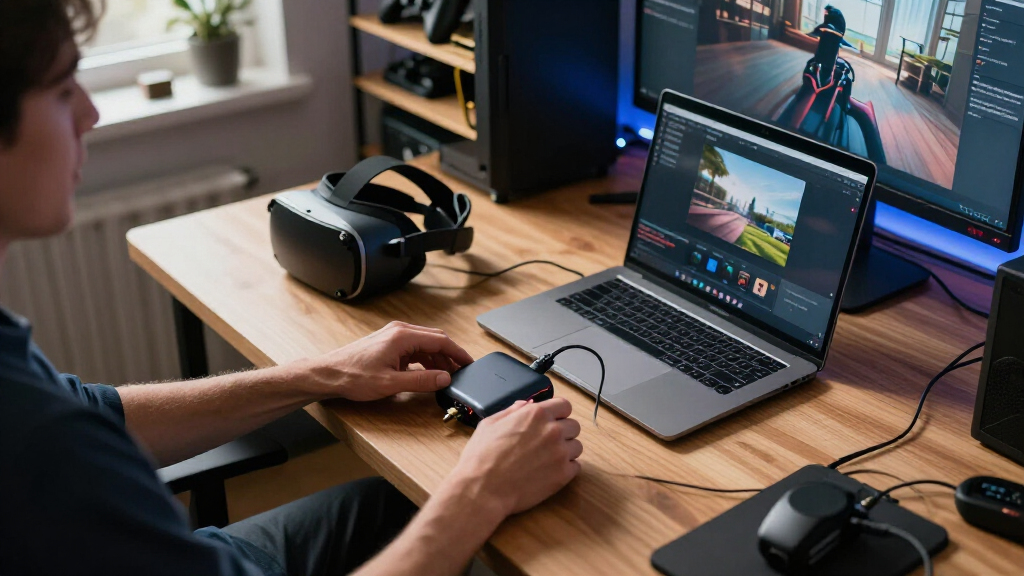
The evaluation focused on performance, compatibility, latency, build quality, and value. Each capture card was assessed for its ability to handle high-resolution VR content without introducing lag or artifacts. Ease of setup and reliability over longer use also played a role, especially for streamers who need a consistent experience. Products were ranked based on how well they balance these factors, with special attention to those supporting VR-specific features like low latency and high refresh rates. This approach ensures the picks are practical, versatile, and suitable for serious VR streamers as well as casual users.| capture card for vr streaming | Compatibility |
|---|---|
| Guermok 4K@60FPS Video Capture | — |
| Guermok Video Capture Card | — |
| FEELWORLD C4K PRO 4K Capture C | — |
| Hagibis USB 3.0 Video Capture | Windows 11/10/8.1/7, MacOS, Linux, iOS, Android |
| Video Capture Card with PD 100 | Meta Quest 2/3/3s, PC, Switch, PS4/5, Xbox |
| 4K HDMI Video Capture Card | Windows and Mac OS |
| Hagibis USB 3.0 Video Capture | — |
| Guermok 4K USB 3.0 HDMI Captur | Windows, macOS, Linux, Android, iOS |
| Guermok 4K USB 3.0 HDMI Video | Windows, macOS, Linux, Android, iOS |
| Capture Card 4K HDMI Video Str | Windows, macOS, Linux, Android, iOS |
| 4K Capture Card for Streaming | — |
| PORTTA DX20R HDMI Video Captur | Windows, macOS, Linux, PS5, Xbox |
| Hagibis USB 3.0 Video Capture | Windows, MacOS, Linux, Android |
Factors to Consider When Choosing Capture Card For Vr Streaming
Choosing the right capture card for VR streaming involves several key considerations beyond raw specs. Understanding these factors helps avoid common pitfalls such as buying a card that doesn’t support your device or has higher latency than acceptable. It’s also important to match your streaming goals with the capture card’s features, whether you prioritize 4K resolution, low latency, or compatibility with specific VR headsets and consoles. The right choice depends on your setup, budget, and quality expectations, so weigh each factor carefully.Compatibility with Devices and VR Headsets
Before purchasing, verify whether the capture card supports your VR headset, gaming console, or PC. Some cards are optimized for PC and may not work seamlessly with standalone VR devices like Quest 2 or Quest 3, while others offer multi-device compatibility. Compatibility issues can cause frustration or require additional adapters, so matching the card to your hardware is essential for smooth streaming. Also, check for driver support and whether the card is compatible with your streaming software like OBS or Streamlabs.
Resolution and Frame Rate Support
High resolution and frame rate support are key for crisp VR streams, especially at 4K60FPS or higher. However, higher specs demand more from your system, which can introduce lag or require more powerful hardware. For VR, lower latency is critical, so consider whether the capture card supports VR-specific refresh rates and VRR technology. If your VR setup includes high-refresh-rate headsets, ensure the card can keep up without dropping frames or adding delay.
Latency and Real-Time Performance
Minimizing latency is vital for live VR streaming, where even slight delays can break immersion or cause sync issues. Look for capture cards that advertise low latency and support features like ultra-fast processing or hardware encoding. External factors such as cable quality and connection type (USB 3.0 vs. USB-C) also influence latency. A card with built-in hardware encoding can help reduce processing time and keep your stream smooth and responsive.
Build Quality and Ease of Setup
Durability and straightforward setup are often overlooked but impact long-term usability. Look for sturdy construction, reliable connectors, and included cables that match your system’s ports. Cards with plug-and-play design save setup time, while those requiring additional drivers or configuration may be better suited for experienced users. Portability and size matter if you plan to stream on the go or switch setups frequently.
Value and Future-Proofing
Cost should align with your streaming ambitions, but investing in a slightly more expensive, feature-rich card can pay off over time. Consider whether the card supports upcoming VR hardware, higher resolutions, or new streaming standards like HDR or VRR. Balance your current needs with potential upgrades, ensuring that your purchase remains useful as your setup evolves. Cheaper cards might suffice initially but could limit future performance or compatibility.
Frequently Asked Questions
Can a capture card handle 4K VR streaming without lag?
Yes, many modern capture cards support 4K streaming at 60FPS, which can handle VR content effectively if paired with a capable system. However, achieving lag-free performance depends on your hardware, connection quality, and whether the card has hardware encoding features. For the smoothest experience, look for a card specifically designed for low latency, ensuring it can process high-res VR streams without introducing noticeable delay.
Will a cheaper capture card work for my standalone VR headset?
Cheaper capture cards may work with standalone VR headsets like Quest 2 or Quest 3, but compatibility and performance can vary. Some low-cost options might lack support for the resolution or refresh rates needed, or introduce latency that affects stream quality. Always verify device compatibility and check user reviews to confirm whether a budget option can handle your specific VR hardware reliably.
Is HDMI input necessary for VR streaming capture cards?
Most VR capture cards use HDMI input to connect with consoles or PC-based VR hardware. If you are streaming from a PC, HDMI is typically required, but some cards also support USB connections for easier setup. For standalone VR headsets, an HDMI connection may be needed if you’re capturing output from a PC or console. Always check the input options to match your VR hardware’s output ports.
How important is low latency for live VR streaming?
Low latency is critical for live VR streaming because it ensures the video feed stays in sync with the VR experience, preventing lag or motion sickness. A capture card with hardware acceleration and fast processing reduces delay, making streams more real-time and immersive. If latency exceeds a few milliseconds, you risk disrupting the viewer’s experience or creating a disconnect between what you see and what the audience receives.
Should I prioritize 4K support or low latency for VR streaming?
The choice depends on your primary goal. If you aim for the highest visual fidelity and your hardware can handle it, go for 4K support. However, for most live VR streams, low latency and smooth performance are more important to maintain immersion and sync. Often, a balance is best: select a card that supports at least 1080p60 or 4K at lower frame rates, ensuring crisp visuals without sacrificing real-time responsiveness.
Conclusion
For general streamers seeking reliability and versatility, the Guermok 4K@60FPS Video Capture Card offers an excellent mix of quality and compatibility. Budget-conscious users will find the Hagibis USB 3.0 Video Capture Card sufficient for casual VR streaming. Those wanting the highest fidelity and future-proofing should consider the PORTTA DX20R for its advanced features like HDR and VRR. Beginners should prioritize ease of setup with plug-and-play options, while experienced streamers aiming for professional-grade performance might opt for premium models supporting 4K60 and ultra-low latency. Matching your specific VR hardware and streaming goals will guide you to the best choice.
As an affiliate, we earn on qualifying purchases.Fall Picks
fall essentials