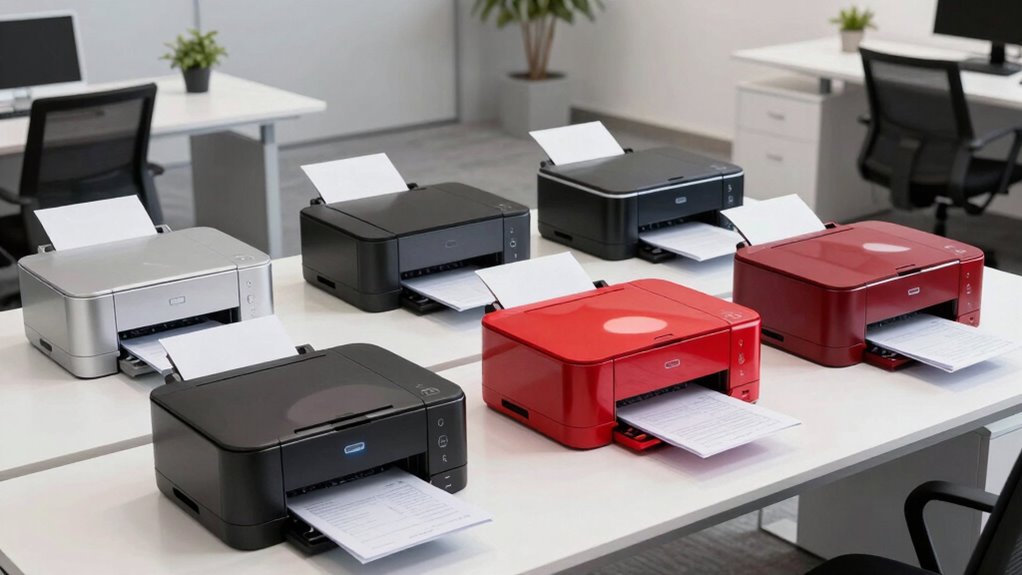

When selecting a color laser printer for a small business, speed, multifunctionality, and ease of use are key. The Brother MFC-L8930CDW stands out for its high speeds and secure features, ideal for busy offices needing robust performance. The HP Color LaserJet Pro 3301sdw offers a balanced mix of printing, copying, and scanning with reliable wireless connectivity, making it perfect for small teams. Meanwhile, the Canon LBP646Cdw excels in high-quality, fast single-function printing with excellent energy efficiency. Each of these options showcases tradeoffs: the Brother has a complex setup and higher toner costs; the HP requires original cartridges and firmware updates; the Canon is limited to print-only tasks. This guide helps narrow down your choice based on specific business needs.

Get audio and creator gear delivered free with Prime
- Fast, free delivery on millions of items
- Prime Video, Amazon Music and more included
- Member-only deals all year
Complete the kit



Key Takeaways
- Speed and multifunctionality vary significantly; choose based on your daily volume and task needs.
- Wireless connectivity is standard but may come with restrictions or extra costs, especially for third-party cartridges.
- Single-function printers like the Canon can save money but lack scanning or copying features needed by some businesses.
- High-yield toner options influence long-term costs—more pages per cartridge reduce ongoing expenses.
- Ease of setup and security features differentiate models designed for professional environments.
| Brother MFC-L8930CDW Business Color Laser All-in-One Printer |  | Best Overall for Performance and Security | Print Speed: up to 33 ppm | Scan Speed: up to 104 ipm | Auto Document Feeder: 80 pages | VIEW ON AMAZON | See Our Full Breakdown |
| HP Color LaserJet Pro MFP 3301sdw Wireless All-in-One Color Laser Printer |  | Best for Small Office All-in-One Versatility | Print Speed: up to 26 ppm | Functions: Print, Scan, Copy | Input Tray Capacity: 250 sheets | VIEW ON AMAZON | See Our Full Breakdown |
| Canon Color imageCLASS LBP646Cdw Wireless Laser Printer, Duplex, 26 PPM, Print Only, White |  | Best for High-Quality, Fast Single-Function Printing | Print Speed: 26 pages per minute | Print Technology: Laser | Connectivity: Wireless | VIEW ON AMAZON | See Our Full Breakdown |
| Xerox C235dni Wireless Color Laser All-in-One Printer |  | Best for Easy Setup and Small Office Use | Print Speed: 24 ppm | Monthly Duty Cycle: 1,500 pages | Touchscreen: 2.8-inch color | VIEW ON AMAZON | See Our Full Breakdown |
| Canon Color imageCLASS MF753Cdw II – All-in-One Color Duplex Laser Printer |  | Best for Versatile Office Functionality | Color: Color | Wireless: Yes | Duplex: Yes | VIEW ON AMAZON | See Our Full Breakdown |
| color laser printer for small business | Print Speed | Connectivity |
|---|---|---|
| Brother MFC-L8930CDW Business | up to 33 ppm | Wi-Fi, Ethernet |
| HP Color LaserJet Pro MFP 3301 | up to 26 ppm | Wireless |
| Canon Color imageCLASS LBP646C | 26 pages per minute | Wireless |
| Xerox C235dni Wireless Color L | 24 ppm | Wi-Fi, Wi-Fi Direct, USB |
| Canon Color imageCLASS MF753Cd | — | — |
More Details on Our Top Picks
Brother MFC-L8930CDW Business Color Laser All-in-One Printer
The Brother MFC-L8930CDW shines as a comprehensive all-in-one solution for small businesses needing fast, high-quality color printing, scanning, and secure connectivity. Its rapid print speed of up to 33 ppm and 80-page automatic document feeder make it suitable for high-volume environments. Compared to other models, it offers advanced security features like NFC card reading and triple-layer network protection, making it a top pick for businesses prioritizing data safety. However, its setup can be complex, and high-yield toner cartridges come at a premium—costs that can add up over time. Its touchscreen, while feature-rich, may sometimes respond slowly, which could frustrate users in a hurry.
Pros:- High-speed printing and scanning
- Secure access with NFC and network protection
- Compact design saves space
- Advanced scanning features
Cons:- Complex setup process
- Expensive high-yield toner
- Slow touchscreen responsiveness
Best for: Small businesses needing multifunctionality, speed, and security
Not ideal for: Owners seeking a simple, plug-and-play device or with tight budgets for toner
- Print Speed:up to 33 ppm
- Scan Speed:up to 104 ipm
- Auto Document Feeder:80 pages
- Connectivity:Wi-Fi, Ethernet
- Security:Triple Layer Security, NFC
- Toner Yield:Black: 7,500 pages, Color: 6,500 pages
Our verdict“A robust, security-focused all-in-one suitable for busy offices that need speed and multifunctionality.”
HP Color LaserJet Pro MFP 3301sdw Wireless All-in-One Color Laser Printer
The HP Color LaserJet Pro 3301sdw offers a well-rounded package for small teams that need printing, copying, and scanning without fuss. Its fast print speeds of up to 26 ppm, combined with a 250-sheet input tray, make it reliable for daily output. Its wireless capabilities simplify setup for collaborative environments. Compared to the Brother, it lacks some security features but compensates with straightforward operation and automatic duplexing. A notable drawback is its dependence on original HP cartridges with embedded chips, which can restrict third-party options and increase ongoing costs. Firmware updates may also limit third-party cartridge use, impacting long-term expenses.
Pros:- Fast printing for its class
- All-in-one functionality
- Automatic duplex printing
- Reliable wireless connectivity
Cons:- Requires original HP cartridges
- Firmware may restrict third-party cartridges
Best for: Small office teams needing reliable multifunctionality with wireless setup
Not ideal for: Businesses prioritizing advanced security or very high-volume printing
- Print Speed:up to 26 ppm
- Functions:Print, Scan, Copy
- Input Tray Capacity:250 sheets
- Connectivity:Wireless
- Duplex:Automatic
- Cartridges:HP 218A, 218X
Our verdict“A dependable, versatile all-in-one suited for small teams that value simplicity and wireless flexibility.”
Canon Color imageCLASS LBP646Cdw Wireless Laser Printer, Duplex, 26 PPM, Print Only, White
The Canon LBP646Cdw excels in delivering high-quality color prints quickly, making it ideal for businesses that primarily need fast, professional-looking output. Its 26 ppm speed and high-capacity toner support high-volume tasks efficiently. The wireless setup is straightforward, and automatic duplex printing helps save paper costs. However, as a print-only device, it lacks scanning and copying, which limits its usefulness for offices needing a multifunction printer. It also only supports Canon toner, which could be more expensive over time compared to compatible third-party options.
Pros:- Fast, high-quality color printing
- Wireless setup and mobile printing support
- Energy-efficient with ENERGY STAR
- Automatic duplex printing
Cons:- Print-only functionality
- Limited to Canon toner cartridges
- No scanning or copying features
Best for: Businesses focused solely on fast, high-quality printing with minimal multifunction needs
Not ideal for: Offices requiring scanning, copying, or faxing functions
- Print Speed:26 pages per minute
- Print Technology:Laser
- Connectivity:Wireless
- Duplex Printing:Automatic
- Paper Capacity:250 sheets
- Energy Efficiency:ENERGY STAR, EPEAT Silver
Our verdict“A strong choice for high-volume, fast printing where multifunctionality is not a priority.”
Xerox C235dni Wireless Color Laser All-in-One Printer
The Xerox C235dni offers a straightforward all-in-one experience with reliable color printing, scanning, and copying. Its 2.8-inch touchscreen simplifies operation, and its support for automatic duplexing and Wi-Fi Direct makes it easy to connect multiple devices without hassle. Compared to the Brother or HP, it has a lower monthly duty cycle of 1,500 pages, making it better suited for light to moderate workloads. Its starter toner yields just 500 pages, which could mean more frequent replacements at higher costs. Still, for small offices needing a simple, reliable device, it hits the right notes.
Pros:- Simple setup with a color touchscreen
- Wireless and Wi-Fi Direct support
- Automatic duplex printing
- Reliable performance
Cons:- Limited monthly page capacity
- Starter toner yields are low
- No mention of higher-yield toner options
Best for: Small offices needing easy-to-use, reliable multifunction printing
Not ideal for: High-volume environments or offices requiring extensive monthly duty cycles
- Print Speed:24 ppm
- Monthly Duty Cycle:1,500 pages
- Touchscreen:2.8-inch color
- Auto Document Feeder:50 sheets
- Connectivity:Wi-Fi, Wi-Fi Direct, USB
- Processor:1 GHz dual-core
Our verdict“A user-friendly, dependable multifunction printer suitable for small offices with moderate needs.”
Canon Color imageCLASS MF753Cdw II – All-in-One Color Duplex Laser Printer
The Canon MF753Cdw II offers a comprehensive set of features for small to medium offices, combining color printing, scanning, copying, and faxing in one device. Its wireless connectivity and duplex printing capabilities support productivity and sustainability. While no specific drawbacks are detailed, the multifunctionality and high-quality output make it a versatile choice for offices needing more than just printing. The main consideration is that this model may be more expensive upfront, but its all-in-one nature might offset costs by replacing multiple devices.
Pros:- Wireless connectivity
- Supports duplex printing and scanning
- Versatile functions: print, scan, copy, fax
Cons:- Potentially higher initial cost
Best for: Offices requiring multifunction capabilities, including faxing
Not ideal for: Single-purpose users or very tight budgets
- Color:Color
- Wireless:Yes
- Duplex:Yes
- Functions:Print, Scan, Copy, Fax
Our verdict“A comprehensive, multifunction device suited for offices that need flexibility and high-quality color output.”

How We Picked
Our selection process focused on printers that balance speed, multifunctionality, cost-efficiency, and ease of use for small business environments. We prioritized models that offer reliable color quality, fast printing speeds, and secure connectivity options. Each product was evaluated against real-world considerations such as toner yield, user interface, and setup complexity. Tradeoffs were considered carefully—some models favor speed over multifunctionality, while others excel in security or energy efficiency. We aimed to present options that suit different types of small businesses, from startups to more established offices.
| color laser printer for small business | Connectivity |
|---|---|
| Brother MFC-L8930CDW Business | Wi-Fi, Ethernet |
| HP Color LaserJet Pro MFP 3301 | Wireless |
| Canon Color imageCLASS LBP646C | Wireless |
| Xerox C235dni Wireless Color L | Wi-Fi, Wi-Fi Direct, USB |
| Canon Color imageCLASS MF753Cd | — |
Factors to Consider When Choosing Color Laser Printer For Small Business
Choosing the right color laser printer for your small business involves balancing speed, multifunctionality, and cost. The first step is to determine whether you need a multifunction device that can print, scan, copy, and fax, or if a dedicated printer suffices. Consider your monthly volume to select a model with appropriate toner yield and duty cycle. Wireless connectivity and security features are also important if you work in a shared environment. Lastly, evaluate ongoing costs, especially toner expenses, as they significantly impact total ownership costs.
Functionality and Speed
Determine whether you need a multifunction device or a single-function printer. Multifunction printers like the Brother MFC-L8930CDW and HP 3301sdw offer versatility but often come with higher initial costs and complexity. Speed matters if your business prints large volumes daily; models with speeds over 26 ppm can handle busy workflows efficiently. For light workloads, slower but simpler printers might be more cost-effective.
Connectivity and Security
Wireless connectivity facilitates flexible placement and mobile printing, but some models may restrict third-party cartridges or require firmware updates, impacting long-term costs. Security features like NFC access and encrypted network connections are key for sensitive business data. Assess your security needs and whether the device’s security features align with your policies.
Cost of Ownership
High-yield toner cartridges reduce ongoing expenses and downtime, especially for high-volume printing. However, the initial purchase price can vary widely. Consider the total cost over the device’s lifespan, including toner, maintenance, and potential replacement parts. Choosing a printer with compatible third-party toner options can also save money but might affect warranty or security.
Frequently Asked Questions
Do all color laser printers support wireless connectivity?
Most modern color laser printers for small business include wireless connectivity to support flexible placement and mobile printing. However, some dedicated or single-function models may rely on wired Ethernet or USB connections. Always verify the connectivity options before purchasing to ensure compatibility with your office setup.
How important is toner yield when choosing a color laser printer?
Toner yield directly impacts ongoing costs and the frequency of cartridge replacements. High-yield toner cartridges provide more pages per cartridge, reducing per-page costs and downtime. For high-volume printing, prioritizing models with larger toner capacity can lead to significant savings over time, though they may come with a higher upfront price.
Are multifunction printers more expensive than single-function printers?
Generally, multifunction printers cost more initially because they combine several features—printing, scanning, copying, and sometimes faxing—into one device. However, they can be more cost-effective over time by reducing the need for multiple devices and streamlining workflows. If your business only needs printing, a dedicated printer might save money upfront.
What should I consider regarding security features in a small business printer?
Security features like NFC badge access, encrypted network connections, and user authentication help protect sensitive data. If your business handles confidential information, choosing a model with advanced security options is advisable. For less sensitive environments, basic security features might suffice, but it’s important to ensure your network remains protected overall.
Is it worth investing in a high-speed color laser printer for a small business?
If your daily print volume is high, investing in a faster printer—above 26 ppm—can significantly improve productivity and reduce wait times. For smaller volumes, a slower, less expensive model may be adequate. Always match your printer’s speed to your typical workload to avoid overspending or underperforming.
Conclusion
For small business owners with high-volume needs and security concerns, the Brother MFC-L8930CDW offers a comprehensive, secure, and fast solution. Those who prioritize all-in-one functionality and ease of use might find the HP Color LaserJet Pro 3301sdw ideal. For businesses focused on high-quality, fast single-function printing, the Canon LBP646Cdw provides excellent speed and color accuracy. Meanwhile, small offices seeking simplicity and reliability with moderate workloads will benefit from the Xerox C235dni. Finally, offices needing multifunction and fax capability should consider the Canon MF753Cdw II. Your choice depends on your specific volume, multifunction needs, and budget constraints.
Fall Picks
fall essentials
As an affiliate, we earn on qualifying purchases.