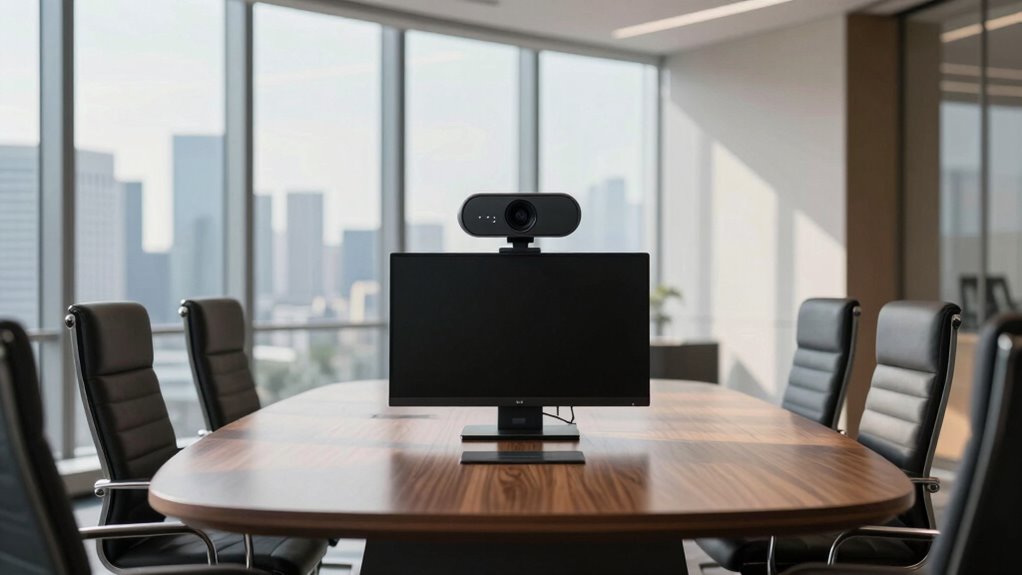

Finding the right conference room webcam can significantly improve your video meetings, whether for team collaboration or client presentations. The Logitech Brio stands out as the best overall choice thanks to its 4K quality and advanced features, while the Logitech MeetUp offers a compact, all-in-one solution ideal for smaller spaces. For those prioritizing affordability, the j5create 360 Degree All Around Meeting Webcam delivers versatile coverage at a lower price point. The main tradeoffs involve balancing video quality, field of view, ease of use, and price. Keep reading for a detailed breakdown of these options and what to consider in your decision.

Get audio and creator gear delivered free with Prime
- Fast, free delivery on millions of items
- Prime Video, Amazon Music and more included
- Member-only deals all year
Complete the kit


Key Takeaways
- Top-performing webcams like the Logitech Brio excel in video quality and advanced features, justifying higher prices.
- Field of view varies greatly; larger rooms benefit from models with wider coverage, while smaller spaces need more focused cameras.
- Ease of setup and integration with conferencing platforms is a common factor influencing user satisfaction.
- AI-powered features such as auto-tracking and gesture control are increasingly valuable for dynamic presentations.
- Price ranges from budget-friendly options to premium choices, with tradeoffs mainly around quality and flexibility.
| Logitech BCC950 Desktop Video Conferencing Webcam & Speakerphone – Black |  | Best Overall for Small to Medium Conference Rooms | Video Resolution: 1080p HD | Frame Rate: 30 fps | Lens: Carl Zeiss | VIEW ON AMAZON | See Our Full Breakdown |
| j5create 360 Degree All Around Meeting Webcam |  | Best for Versatile, Wide-Angle Coverage | Video Resolution: 1080p @ 30 Hz | Display Modes: Six modes | Microphone: Omnidirectional | VIEW ON AMAZON | See Our Full Breakdown |
| Logitech C920x HD Pro PC Webcam 1080p/30fps with Autofocus and Lighting Adjustment |  | Best for Content Creators and Detailed Video Calls | Resolution: 1080p/30fps | Autofocus: Yes | Lighting Adjustment: Yes | VIEW ON AMAZON | See Our Full Breakdown |
| Logitech Brio Ultra 4K HD Webcam for Streaming and Meetings |  | Best Premium for Ultra-High-Resolution and Security | Resolution: 4K at 30 fps | Field of View: 65°, 78°, 90° | Zoom: 5x digital | VIEW ON AMAZON | See Our Full Breakdown |
| WYRESTORM 4K AI-Powered Conference Webcam – Zoom Certified |  | Best for Small Conference Rooms with AI Auto Framing | Resolution: 4K | Field of View: 120° | Microphone Range: Up to 5 meters | VIEW ON AMAZON | See Our Full Breakdown |
| AV Access 4K Conference Room Camera with Gesture Control |  | Best for High-Quality Video and Intelligent Features | Sensor: 1/1.8″ CMOS | Video Resolution: 4K Ultra HD at 30fps | Compatibility: Windows, macOS, Zoom, Teams, OBS, Webex | VIEW ON AMAZON | See Our Full Breakdown |
| Logitech MX Brio Ultra HD 4K Webcam – Graphite |  | Best for Versatile, High-Quality Streaming and Meetings | Resolution: 4K at 30fps, 1080p at 60fps | Sensor: Advanced webcam sensor with 70% larger pixels | Microphones: Dual beamforming noise-reducing microphones | VIEW ON AMAZON | See Our Full Breakdown |
| TONGVEO 3-in-1 4K Webcam with Microphones and Speaker, AI Auto-Tracking, 5X Digital Zoom, Adjustable Field of View, Remote Control |  | Best for All-in-One Versatile Video Capture | Resolution: 3840×2160 at 30fps | Sensor: 1/2.8 inch 8.29 Megapixel Ultra HD | Zoom: 5x digital zoom | VIEW ON AMAZON | See Our Full Breakdown |
| Logitech MeetUp Video Conferencing System 4K 3 Microphones – Black |  | Best for Small and Huddle Rooms | Resolution: 4K | Field of View: 120° (expandable to 170° with pan/tilt) | Microphones: 3 beamforming microphones | VIEW ON AMAZON | See Our Full Breakdown |
| conference room webcam | Resolution | Connectivity | Compatibility | Microphones |
|---|---|---|---|---|
| Logitech BCC950 Desktop Video | — | USB plug-and-play | — | — |
| j5create 360 Degree All Around | — | USB UVC/UAC | Zoom, Teams, Meet, others | — |
| Logitech C920x HD Pro PC Webca | 1080p/30fps | — | Windows 11 | Stereo dual |
| Logitech Brio Ultra 4K HD Webc | 4K at 30 fps | — | Windows, Mac, ChromeOS | Dual noise-canceling |
| WYRESTORM 4K AI-Powered Confer | 4K | USB | — | — |
| AV Access 4K Conference Room C | — | — | Windows, macOS, Zoom, Teams, OBS, Webex | — |
| Logitech MX Brio Ultra HD 4K W | 4K at 30fps, 1080p at 60fps | — | Windows, macOS, Chrome OS, Linux | Dual beamforming noise-reducing microphones |
| TONGVEO 3-in-1 4K Webcam with | 3840×2160 at 30fps | USB 2.0/3.0 | — | Dual omnidirectional with noise cancellation |
| Logitech MeetUp Video Conferen | 4K | USB | — | 3 beamforming microphones |
More Details on Our Top Picks
Logitech BCC950 Desktop Video Conferencing Webcam & Speakerphone – Black
The Logitech BCC950 stands out for combining high-quality 1080p HD video with professional-grade audio, making it ideal for small to medium conference rooms. Its Carl Zeiss lens ensures crisp visuals, and the full duplex speakerphone with noise-cancelling mic provides clear communication. Compared to the j5create 360 Degree model, it offers focused, high-resolution video rather than 360° coverage, which benefits meetings needing clarity over wide angles. The tradeoff is that its microphone range is limited to 8 feet, which may restrict larger rooms. Its plug-and-play USB setup and remote control make it easy to operate, but it lacks wireless or battery options for flexibility. Overall, this pick suits teams prioritizing quality and reliability over room size flexibility.
Pros:- 1080p HD video with Carl Zeiss lens for sharp visuals
- Full duplex noise-cancelling microphone and speakerphone for clear audio
- Remote control for easy camera and audio adjustments
- Plug-and-play USB connectivity with broad platform compatibility
Cons:- Limited microphone range of 8 feet, not suitable for larger rooms
- No built-in battery or wireless option, reducing mobility
Best for: Teams in small to medium-sized conference rooms seeking high-quality audio and video.
Not ideal for: Large conference rooms or spaces needing wireless or portable solutions, due to its limited microphone range and wired power.
- Video Resolution:1080p HD
- Frame Rate:30 fps
- Lens:Carl Zeiss
- Microphone:Noise-cancelling, full duplex
- Speakerphone:Built-in, full duplex
- Connectivity:USB plug-and-play
Our verdict“This webcam is best suited for small to medium rooms where high-quality video and audio are priorities.”
j5create 360 Degree All Around Meeting Webcam
The j5create 360 Degree Webcam offers comprehensive coverage with its full HD 1080p resolution and six display modes, making it ideal for dynamic, collaborative meetings. Its omnidirectional microphone captures sound from all directions, unlike the directional mic of the Logitech C920x, making it perfect for larger or more interactive settings. However, it requires firmware updates and app permissions to optimize performance, which could be a hassle for less tech-savvy users. Its broad field of view and multiple modes provide flexibility, but it doesn’t include advanced features like autofocus or built-in lighting. This choice fits teams needing expansive room coverage rather than high-detail close-up visuals.
Pros:- Provides 360-degree video coverage with six display modes
- Full HD 1080p resolution ensures clear visuals from all angles
- Plug-and-play USB with broad app compatibility for quick setup
- Omnidirectional microphone captures sound from all directions
Cons:- Requires firmware updates and permissions, which may complicate setup
- No advanced features like autofocus or integrated lighting
Best for: Organizations needing 360° room coverage for interactive or large group meetings.
Not ideal for: Teams requiring high-detail close-up video or professional streaming, due to its wide-angle focus and lack of autofocus.
- Video Resolution:1080p @ 30 Hz
- Display Modes:Six modes
- Microphone:Omnidirectional
- Connectivity:USB UVC/UAC
- Compatibility:Zoom, Teams, Meet, others
Our verdict“This webcam excels for teams needing wide-angle, flexible room coverage over detailed close-up visuals.”
Logitech C920x HD Pro PC Webcam 1080p/30fps with Autofocus and Lighting Adjustment
The Logitech C920x is tailored for those who need sharp 1080p video with autofocus and automatic lighting adjustments, making it ideal for content creators and professional video calls. Its stereo dual microphones deliver natural sound, and the included background editing software adds extra versatility. Compared to the Brio, it offers similar resolution but without 4K capabilities or Windows Hello login, which could be limiting for high-end streaming. The absence of a privacy shutter might concern users worried about security. This webcam offers excellent image quality and user-friendly features but is less suited for high-end streaming or environments requiring ultra-precise lighting control.
Pros:- Full 1080p resolution with autofocus for crisp images
- Automatic lighting adjustment for variable environments
- Stereo microphones for clear, natural audio
- Includes background editing software
Cons:- No privacy shutter for security concerns
- Limited to 30fps at 1080p, less ideal for fast-paced streaming
Best for: Professional users and streamers who prioritize autofocus and easy lighting correction over ultra-high resolution.
Not ideal for: Larger broadcast studios or high-security environments, due to lack of privacy shutter and limited to 30fps at 1080p.
- Resolution:1080p/30fps
- Autofocus:Yes
- Lighting Adjustment:Yes
- Microphones:Stereo dual
- Includes:3-month XSplit VCam license
- Compatibility:Windows 11
Our verdict“This webcam suits professional and streaming users who want reliable auto-focus and lighting correction without the need for 4K resolution.”
Logitech Brio Ultra 4K HD Webcam for Streaming and Meetings
The Logitech Brio delivers stunning 4K resolution with adjustable fields of view, making it ideal for high-end streaming and professional meetings. Its autofocus, digital zoom, and RightLight 3 technology ensure crisp, clear images even in challenging lighting. The dual noise-canceling microphones and Windows Hello facial recognition add security and convenience. Compared to the WYRESTORM, it offers broader compatibility and more advanced features, but at a higher price point. Its setup might be complex for some, and the hardware requirements for 4K streaming are higher. This model suits organizations or individuals seeking top-tier image quality and security features in a webcam.
Pros:- Stunning 4K resolution with adjustable FOV options
- Supports Windows Hello facial recognition for secure login
- Dual noise-canceling microphones for clear audio
- Includes privacy shutter for security
Cons:- Requires powerful hardware for 4K streaming
- Setup can be complex for less tech-savvy users
Best for: High-end streamers, executive-level meetings, and security-conscious users needing 4K clarity and facial recognition.
Not ideal for: Budget-conscious buyers or those with limited hardware capabilities, due to its higher price and hardware demands.
- Resolution:4K at 30 fps
- Field of View:65°, 78°, 90°
- Zoom:5x digital
- Microphones:Dual noise-canceling
- Windows Hello:Yes
- Compatibility:Windows, Mac, ChromeOS
Our verdict“This webcam is ideal for users who need the highest resolution and security features, willing to invest in premium quality.”
WYRESTORM 4K AI-Powered Conference Webcam – Zoom Certified
The WYRESTORM 4K AI-Powered Conference Webcam specializes in small room setups, featuring AI auto framing and presenter tracking to keep participants in focus. Its 120° wide-angle lens captures the entire room without repositioning, making it excellent for smaller spaces where dynamic framing enhances engagement. Its plug-and-play USB design ensures smooth integration with platforms like Zoom and Teams. However, it’s primarily intended for smaller rooms, so large conference spaces might find it insufficient. The lack of built-in speakers means additional audio equipment is necessary. Compared to other webcams like the Brio, it emphasizes AI features over ultra-high resolution, providing a more automated meeting experience for smaller teams.
Pros:- AI auto framing and presenter tracking for engaging meetings
- Wide 120° field of view captures entire room
- Easy plug-and-play setup compatible with major platforms
- High-quality 4K video for professional presentation
Cons:- Designed mainly for small rooms, limiting scalability
- No built-in speakers, requiring external audio setup
- USB connection may limit mobility
Best for: Small conference rooms where AI auto framing and presenter tracking improve meeting interaction.
Not ideal for: Large or auditorium-style rooms, as its 120° view and AI tracking are optimized for compact spaces.
- Resolution:4K
- Field of View:120°
- Microphone Range:Up to 5 meters
- Connectivity:USB
- Privacy Feature:Physical lens cover
Our verdict“This webcam offers intelligent framing and high resolution tailored to small meeting spaces focused on engagement.”
AV Access 4K Conference Room Camera with Gesture Control
This camera stands out for delivering crisp 4K video with detailed clarity, especially in varied lighting conditions. Its AI auto framing and gesture control elevate hands-free operation, making it ideal for dynamic, professional meetings. Compared with the Logitech MeetUp, it offers more advanced AI-driven framing but requires a firmware update to unlock gesture features, which could be a hurdle for less tech-savvy users. Its wide 120° field of view captures more participants, yet the price isn’t specified, which may deter budget-conscious buyers. This pick makes the most sense for teams seeking a flexible, feature-rich camera that can adapt to different meeting styles and content creation needs.
Pros:- High-resolution 4K video with excellent detail and low-light performance
- AI auto framing and gesture control for hands-free, dynamic operation
- Wide 120° field of view captures multiple participants comfortably
Cons:- Requires firmware update for gesture control, adding setup complexity
- Price not specified, which may impact budget considerations
Best for: Tech-savvy professionals or content creators who prioritize high-resolution video and advanced AI features in a versatile setup
Not ideal for: Users seeking a simple plug-and-play solution or those with limited technical knowledge, due to the need for firmware updates and potential complexity
- Sensor:1/1.8″ CMOS
- Video Resolution:4K Ultra HD at 30fps
- Compatibility:Windows, macOS, Zoom, Teams, OBS, Webex
- Field of View:120°
- Zoom:5X digital zoom
- Microphone:Built-in noise-reducing microphone
Our verdict“This camera is best suited for professionals who want high-quality, intelligent features and are comfortable handling some setup complexity.”
Logitech MX Brio Ultra HD 4K Webcam – Graphite
The Logitech MX Brio offers robust 4K resolution at 30fps and 1080p at 60fps, making it ideal for detailed streaming and professional video calls. Its AI-enhanced image processing and noise-reducing microphones ensure crisp visuals and clear audio, surpassing many basic webcams like the Logitech C920x. However, its reliance on USB-C can limit compatibility with older devices, and the premium price may be a barrier for some users. Its customizable controls and privacy shutter add convenience, but the extensive features require some learning curve. This webcam makes sense for users who need high-end image quality and are willing to invest in advanced controls and security features.
Pros:- Supports high-quality 4K streaming and recording with detail-rich images
- AI-enhanced features optimize image and audio quality automatically
- Adjustable controls and privacy shutter provide security and customization
Cons:- Requires USB-C, limiting compatibility with some older devices
- Premium price point may be prohibitive for casual users
- Complex set of features might require time to fully optimize
Best for: Content creators, professionals, and streamers who need top-tier image quality and flexible control options
Not ideal for: Users with older computers lacking USB-C ports or those seeking a budget-friendly webcam, due to higher cost and compatibility constraints
- Resolution:4K at 30fps, 1080p at 60fps
- Sensor:Advanced webcam sensor with 70% larger pixels
- Microphones:Dual beamforming noise-reducing microphones
- Compatibility:Windows, macOS, Chrome OS, Linux
- Features:Auto white balance, auto exposure, noise reduction, autofocus, adjustable lighting controls, privacy shutter
Our verdict“This webcam is ideal for professionals and content creators demanding high-quality visuals and flexible controls, provided their setup supports USB-C.”
TONGVEO 3-in-1 4K Webcam with Microphones and Speaker, AI Auto-Tracking, 5X Digital Zoom, Adjustable Field of View, Remote Control
The TONGVEO 4K Webcam combines high-resolution video with integrated audio and remote control, making it a strong choice for multi-purpose uses like professional meetings, live streaming, or online teaching. Its AI auto-framing and voice tracking elevate the experience, comparable to the AV Access 4K Camera, but with the added advantage of built-in microphones and a speaker. The remote control allows easy adjustment of FOV modes and digital zoom, though some users may find setup complex. Limited to USB 2.0/3.0, it’s less flexible with older computers lacking these ports. This model is best for users who want an all-in-one solution without extra equipment but are comfortable with remote management.
Pros:- High-quality 4K video with AI auto-framing and voice tracking
- Built-in dual microphones and speaker simplify setup and reduce clutter
- Remote control with adjustable FOV and digital zoom enhances flexibility
Cons:- Requires USB connection, no wireless option available
- Limited to USB 2.0/3.0 ports, which might not fit older computers
- Remote control setup may be complex for some users
Best for: Educators, streamers, or small teams seeking a comprehensive, easy-to-operate video system with audio included
Not ideal for: Users with older computers or those needing wireless connectivity, because it relies solely on USB connections and may involve complex remote setup
- Resolution:3840×2160 at 30fps
- Sensor:1/2.8 inch 8.29 Megapixel Ultra HD
- Zoom:5x digital zoom
- FOV Modes:118°, 100°, 88°
- Microphones:Dual omnidirectional with noise cancellation
- Connectivity:USB 2.0/3.0
Our verdict“This all-in-one webcam suits users who prioritize convenience and integrated audio with flexible framing, assuming their device supports USB connectivity.”
Logitech MeetUp Video Conferencing System 4K 3 Microphones – Black
The Logitech MeetUp is tailored for small conference rooms, featuring a 4K sensor and a wide 120° field of view that can expand to 170° with pan and tilt. Its motorized pan/tilt offers flexible room coverage, comparable to the AV Access 4K Camera, but with a focus on physical movement rather than AI tracking. The inclusion of three beamforming microphones ensures clear audio, though it lacks a built-in speaker, requiring additional equipment for sound output. Its plug-and-play USB connection makes setup straightforward, but the need for extra components to fully outfit a room could complicate deployment. It’s ideal for small teams seeking a simple, reliable, and expandable video system for huddle spaces.
Pros:- High-quality 4K video with wide 120° field of view
- Motorized pan/tilt for flexible room coverage
- Multiple mounting options for versatile setup
Cons:- Expansion microphone sold separately, adding to total cost
- Requires additional components for complete room audio setup
- No built-in speaker, necessitating external audio solutions
Best for: Small teams or huddle room setups that need a reliable, wide-angle camera with flexible coverage and simple connectivity
Not ideal for: Large conference rooms or users wanting integrated audio output, since it lacks a built-in speaker and requires additional components
- Resolution:4K
- Field of View:120° (expandable to 170° with pan/tilt)
- Microphones:3 beamforming microphones
- Zoom:5x HD zoom
- Mounting options:Wall, credenza, TV mount
- Connectivity:USB
Our verdict“This system offers a straightforward, expandable solution for small rooms needing wide coverage and reliable video quality, with the caveat of added components for full audio setup.”

How We Picked
These products were evaluated based on performance, video quality, ease of setup, build quality, and value. We prioritized webcams that are specifically designed for conference rooms, considering their field of view, microphone quality, and compatibility with popular conferencing platforms. Our ranking emphasizes real-world usability, durability, and how well each model balances features against cost, ensuring options suit a variety of room sizes and budgets.| conference room webcam | Connectivity | Compatibility |
|---|---|---|
| Logitech BCC950 Desktop Video | USB plug-and-play | — |
| j5create 360 Degree All Around | USB UVC/UAC | Zoom, Teams, Meet, others |
| Logitech C920x HD Pro PC Webca | — | Windows 11 |
| Logitech Brio Ultra 4K HD Webc | — | Windows, Mac, ChromeOS |
| WYRESTORM 4K AI-Powered Confer | USB | — |
| AV Access 4K Conference Room C | — | Windows, macOS, Zoom, Teams, OBS, Webex |
| Logitech MX Brio Ultra HD 4K W | — | Windows, macOS, Chrome OS, Linux |
| TONGVEO 3-in-1 4K Webcam with | USB 2.0/3.0 | — |
| Logitech MeetUp Video Conferen | USB | — |
Factors to Consider When Choosing Conference Room Webcam
Choosing the right conference room webcam involves more than just resolution. It’s essential to consider room size, field of view, audio quality, and ease of use. Higher-end models with AI features can automate focus and tracking, but they come at a premium. Conversely, budget options may lack flexibility but still deliver decent video for smaller or less formal settings. Understanding these factors helps prevent common mistakes like underestimating the importance of microphone quality or overpaying for features you won’t use.Room Size and Field of View
Larger conference rooms require webcams with a wider field of view, sometimes 120 degrees or more, to capture everyone comfortably. Smaller rooms benefit from more focused cameras that deliver sharper images without distortion. Choosing a camera with an adjustable field of view can add flexibility, especially if your room size varies or you host different types of meetings. Avoid narrow-angle cameras if you need to include multiple participants or a wide presentation area.
Video Quality and Resolution
Higher resolution webcams, like 4K models, provide sharper images and allow for better cropping or zooming. However, they demand more bandwidth and processing power, which could impact performance on less capable computers. For typical conference calls, 1080p is usually sufficient, but if clarity and detail matter—such as for presentations or product demos—invest in higher resolution options. Balance your need for quality with your network and hardware capabilities to avoid lag or poor performance.
Audio Quality
Clear audio is just as important as good video in conference rooms. Some webcams include built-in microphones with noise cancellation, while others require external audio solutions. Consider models with multiple microphones or beamforming technology that can capture voices from different angles and reduce background noise. Poor microphone quality can lead to frustration and miscommunication, making this a key factor even if video quality is excellent.
Ease of Setup and Compatibility
A webcam that is easy to install and compatible with your conferencing software can save time and reduce technical headaches. Look for plug-and-play devices with universal USB connectivity and straightforward controls. Compatibility with platforms like Zoom, Teams, or Webex ensures seamless integration. Avoid overly complex setups or proprietary systems unless you have dedicated IT support, as this can delay deployment and frustrate users.
Advanced Features and Price
Features like auto-tracking, gesture control, and AI-enhanced framing add convenience and professionalism to meetings but tend to come with a higher price tag. Consider whether these features align with your meeting style and budget. Premium models with auto-tracking are ideal for dynamic environments or presenters who move around, but if your setup is static, a simpler camera may suffice. Weigh the benefits of advanced features against their added costs to find the best value.
Frequently Asked Questions
Can I use a regular webcam for a large conference room?
While a standard webcam can work, it typically lacks the wide field of view needed to cover a large room effectively. For bigger spaces, look for webcams with at least 120-degree coverage and good microphone arrays to capture audio clearly. Otherwise, you risk participants being cut off or having to use multiple cameras, which complicates setup and increases costs.
Is 4K video necessary for conference rooms?
Not always. 4K offers sharper images and more detail, which is beneficial for presentations or high-quality visuals. However, it also requires stronger hardware, faster internet, and more bandwidth. For most standard meetings, 1080p is sufficient, especially if your primary goal is clear communication rather than ultra-high resolution.
Are AI features worth paying extra for?
AI features like auto-tracking and gesture control can enhance meeting dynamics by keeping speakers framed and reducing manual adjustments. If your environment involves frequent movement or presentations, these features add convenience and professionalism. However, if your setup is static or budget-constrained, simpler models without AI may deliver better value.
How important are microphones in a conference webcam?
Microphone quality is critical because poor audio can undermine the entire meeting experience. Look for webcams with noise-canceling microphones and multiple audio channels if you need to capture voices across a large space. Investing in a dedicated microphone system can sometimes outperform built-in options, especially in noisy environments.
Should I prioritize a compact webcam or a dedicated conference system?
Compact webcams are easy to install and suitable for smaller or flexible spaces, but they may lack coverage for larger rooms. Dedicated conference systems like the Logitech MeetUp combine multiple features—wide coverage, integrated audio, and simple controls—ideal for dedicated conference rooms. Consider your room size, mobility needs, and budget when making this choice.
Conclusion
For small to medium-sized rooms where ease of use and good video quality are priorities, the Logitech MeetUp offers a balanced package. Larger or more dynamic environments benefit from the Logitech Brio or WYRESTORM 4K AI-Powered Conference Webcam for their advanced features and coverage. Budget-conscious buyers or those with less complex needs can opt for the j5create 360 Degree All Around Meeting Webcam. For newcomers, simple plug-and-play models will minimize setup headaches, while professionals seeking top-tier quality should consider premium options with AI features. This guide helps you match the right product with your specific conference room requirements.
As an affiliate, we earn on qualifying purchases.Fall Picks
fall essentials