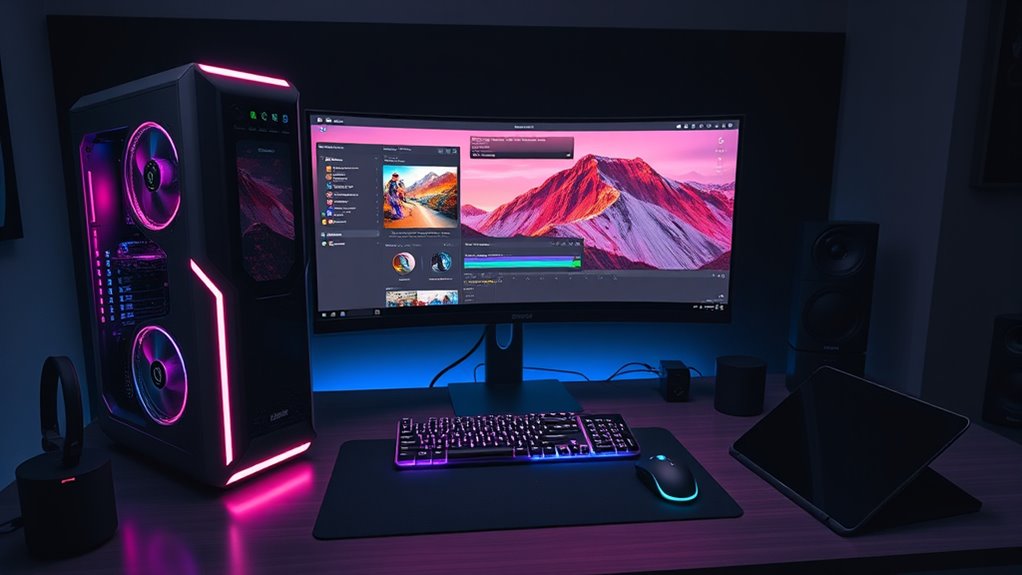

For most editors, I’d start with the Dell Tower with Ultra 7 265F, RTX 5060, and 2TB SSD: it pairs a modern graphics card with ample fast storage and memory. The CPU Solutions Express 4K stands out for demanding CPU-heavy work, while the Dell ECT1250 offers a similar RTX 5060 setup with less SSD capacity. The main tradeoff is whether you need a powerful discrete GPU and room for active projects or can get by with a simpler, older desktop for lighter edits. Read on for how these nine options compare and which best fits your footage, software, and workflow.

Get audio and creator gear delivered free with Prime
- Fast, free delivery on millions of items
- Prime Video, Amazon Music and more included
- Member-only deals all year
Complete the kit



Key Takeaways
- The RTX 5060 towers are the most balanced choices: three Dell configurations pair the GPU with 32GB RAM, but differ in SSD capacity and Windows edition.
- CPU Solutions leads on workstation-class processing: the Express 4K combines a Ryzen 9 9950X, 64GB DDR5, and 2TB NVMe storage for demanding editing workloads.
- The VidCore is a distinct high-core-count alternative: its 24-core Ultra 9 and 64GB RAM favor heavy multitasking, though its Quadro RTX 2000 ADA is a different GPU class from the RTX 5060.
- Renewed and older desktops are entry points, not long-term 4K workhorses: the OptiPlex 3040 and older Dell workstation have less current graphics hardware than the newer towers.
- Storage separates otherwise similar Dell towers: the 2TB SSD model gives active footage more fast local space than the 1TB ECT1250 and other 1TB configuration.
| Dell OptiPlex 3040 Desktop Computer with Intel Core i5-6500, 16GB RAM, 240GB SSD + 2TB HDD, RX-550 4GB Graphics, Windows 11 Pro (Renewed) |  | Best for Budget-Conscious Editors | Processor: Intel Core i5-6500, 3.2 GHz | Memory: 16GB RAM | Storage: 240GB SSD + 2TB HDD | VIEW ON AMAZON | See Our Full Breakdown |
| CPU Solutions Express 4K Video Editing PC – Editing Workstation with Ryzen 9 9950X, 64GB DDR5 RAM, 2TB NVMe SSD, Quadro RTX 2000 ADA 16GB, Windows 11 Pro Mini Tower |  | Best for Professional Editing Workloads | Processor: AMD Ryzen 9 9950X, 16 cores / 32 threads, up to 5.7 GHz | Memory: 64GB DDR5, expandable to 192GB | Storage: 2TB NVMe PCIe 4.0 SSD | VIEW ON AMAZON | See Our Full Breakdown |
| Dell Workstation PC Desktop Computer – Editing and Design – GeForce K1200 4GB GPU – Intel Core i7 – 32GB DDR4 RAM, 500GB NVMe + 1TB SSD – Wi‑Fi & Bluetooth – Windows 11 Pro (Renewed) |  | Best Renewed Workstation Value | Processor: Intel Core i7-8700, 6 cores, 3.4 GHz base / 4.6 GHz maximum | Memory: 32GB DDR4 | Primary storage: 500GB PCIe M.2 NVMe SSD | VIEW ON AMAZON | See Our Full Breakdown |
| Dell Tower Desktop Computer with Intel Ultra 7 265F, RTX 5060, 32GB RAM, 2TB SSD, Windows 11 Pro |  | Best Overall for Most Editors | Processor: Intel Ultra 7 265F, 20 cores, up to 5.3 GHz | Memory: 32GB DDR5 | Storage: 2TB NVMe PCIe SSD | VIEW ON AMAZON | See Our Full Breakdown |
| Dell Tower Desktop, Intel Core Ultra 7-265, 32GB RAM, Windows 11 Home |  | Best for Multi-Monitor Office and Editing Setups | Processor: Intel Core Ultra 7-265 Series 2 with built-in AI | Memory: 32GB RAM | Storage: SSD; capacity not specified | VIEW ON AMAZON | See Our Full Breakdown |
| HP ProDesk 600 Desktop Computer, Intel Core i5, 16GB RAM, 512GB SSD |  | Best for Entry-Level Editing | Processor: Intel Core i5, 6 cores, up to 4.3GHz | Memory: 16GB DDR4 | Storage: 512GB PCIe SSD | VIEW ON AMAZON | See Our Full Breakdown |
| CPU Solutions VidCore Core Ultra 9 Video Editing PC, 24-Core, 64 GB RAM, 2 TB NVMe SSD, Quadro RTX 2000 ADA |  | Best for Professional Workflows | Processor: 15th Gen Intel Core Ultra 9, 24 cores, up to 5.7GHz | Memory: 64GB DDR5 4800MHz; expandable to 192GB | Storage: 2TB NVMe M.2 SSD | VIEW ON AMAZON | See Our Full Breakdown |
| Dell Tower Desktop ECT1250, Ultra 7 265F, RTX 5060, 32GB RAM, 1TB SSD |  | Best for GPU-Accelerated Editing | Processor: Intel Ultra 7 265F, 20 cores and 20 threads, up to 5.3GHz | Memory: 32GB DDR5 | Storage: 1TB PCIe NVMe SSD | VIEW ON AMAZON | See Our Full Breakdown |
| Dell Tower Desktop Computer with NVIDIA RTX 5060, 32GB RAM, 1TB SSD, Windows 11 Pro |  | Best for Expandable Editing Storage | Processor: Intel Core Ultra 7 265F, 20 cores, up to 5.3GHz | Memory: 32GB DDR5 5600MT/s | Storage: 1TB PCIe NVMe SSD; expandable up to 4TB | VIEW ON AMAZON | See Our Full Breakdown |
| deskcomputers for video editing | Processor | Memory | Graphics | Operating system |
|---|---|---|---|---|
| Dell OptiPlex 3040 Desktop Com | Intel Core i5-6500, 3.2 GHz | 16GB RAM | AMD Radeon RX 550, 4GB DDR5 | Windows 11 Pro |
| CPU Solutions Express 4K Video | AMD Ryzen 9 9950X, 16 cores / 32 threads, up to 5.7 GHz | 64GB DDR5, expandable to 192GB | NVIDIA Quadro RTX 2000 ADA, 16GB GDDR6 | Windows 11 Pro |
| Dell Workstation PC Desktop Co | Intel Core i7-8700, 6 cores, 3.4 GHz base / 4.6 GHz maximum | 32GB DDR4 | NVIDIA GeForce K1200, 4GB GDDR5 | Windows 11 Pro |
| Dell Tower Desktop Computer wi | Intel Ultra 7 265F, 20 cores, up to 5.3 GHz | 32GB DDR5 | NVIDIA GeForce RTX 5060, 8GB GDDR7 | Windows 11 Pro |
| Dell Tower Desktop | Intel Core Ultra 7-265 Series 2 with built-in AI | 32GB RAM | Integrated Intel UHD Graphics | Windows 11 Home |
| HP ProDesk 600 Desktop Compute | Intel Core i5, 6 cores, up to 4.3GHz | 16GB DDR4 | Dedicated graphics; model not specified | Windows 11 Pro |
| CPU Solutions VidCore Core Ult | 15th Gen Intel Core Ultra 9, 24 cores, up to 5.7GHz | 64GB DDR5 4800MHz; expandable to 192GB | NVIDIA Quadro RTX 2000 ADA, 16GB VRAM, 2816 CUDA cores | Windows 11 Pro |
| Dell Tower Desktop ECT1250 | Intel Ultra 7 265F, 20 cores and 20 threads, up to 5.3GHz | 32GB DDR5 | GeForce RTX 5060, 8GB GDDR7 | Windows 11 Pro 64-bit |
| Dell Tower Desktop Computer wi | Intel Core Ultra 7 265F, 20 cores, up to 5.3GHz | 32GB DDR5 5600MT/s | NVIDIA GeForce RTX 5060, 8GB GDDR7 | Windows 11 Pro |
More Details on Our Top Picks
Dell OptiPlex 3040 Desktop Computer with Intel Core i5-6500, 16GB RAM, 240GB SSD + 2TB HDD, RX-550 4GB Graphics, Windows 11 Pro (Renewed)
This renewed OptiPlex is the entry point for buyers editing short clips, older footage, or lightweight projects rather than demanding 4K timelines. Its 16GB RAM and RX 550 4GB graphics give it a more capable starting point for editing than a basic office desktop, while the 2TB hard drive provides room for source files and exports. The 240GB SSD is best kept for Windows and active applications, since it can fill quickly with editing media. Compared with the newer Dell workstation with an i7-8700 and 32GB of memory, this model has less headroom for multitasking and heavier edits. Its biggest compromise is age: the i5-6500 and refurbished condition make it a limited choice for current, effects-heavy workflows.
Pros:- 16GB RAM supports basic editing and everyday multitasking.
- Dedicated RX 550 graphics offers more graphics capability than integrated graphics.
- 2TB HDD provides substantial room for footage and completed projects.
- 240GB SSD gives Windows and frequently used applications faster startup and loading.
Cons:- Older i5-6500 processor limits performance in demanding edits and exports.
- 240GB SSD is small for active video projects.
- Renewed condition can include cosmetic wear, and the listing does not specify included peripherals.
Best for: First-time editors working on a tight budget with 1080p projects, modest timelines, and a need for a large archive drive.
Not ideal for: Editors handling demanding 4K footage, complex effects, or large projects who need newer processing power and more memory.
- Processor:Intel Core i5-6500, 3.2 GHz
- Memory:16GB RAM
- Storage:240GB SSD + 2TB HDD
- Graphics:AMD Radeon RX 550, 4GB DDR5
- Operating system:Windows 11 Pro
- Connectivity:Wi-Fi, Ethernet, HDMI, USB
- USB ports:6
- Dimensions:16 x 6 x 20 inches
Our verdict“Choose this renewed OptiPlex for basic editing and generous archive storage, but step up to the Dell i7 workstation for heavier projects.”
CPU Solutions Express 4K Video Editing PC – Editing Workstation with Ryzen 9 9950X, 64GB DDR5 RAM, 2TB NVMe SSD, Quadro RTX 2000 ADA 16GB, Windows 11 Pro Mini Tower
This CPU Solutions workstation is the lineup’s strongest fit for editors who spend long sessions on complex timelines, large source files, and multitasking-heavy projects. The 16-core Ryzen 9 9950X and 64GB DDR5 give it substantially more processing and memory headroom than the Dell i7-8700 workstation, while its 2TB NVMe SSD offers fast working storage without relying on a slower hard drive. The Quadro RTX 2000 ADA’s 16GB of graphics memory and four Mini DisplayPort outputs suit multi-monitor editing setups. Compared with the Dell tower with an RTX 5060, this pick emphasizes professional workstation graphics and abundant memory rather than a gaming-oriented GPU. That strength comes with a practical downside: 45 pounds is cumbersome to move, and its single listed expansion slot leaves less room for adding cards.
Pros:- 16-core, 32-thread Ryzen 9 processor is suited to CPU-intensive editing and rendering tasks.
- 64GB DDR5 memory supports large projects and heavy multitasking, with expansion listed up to 192GB.
- 2TB PCIe 4.0 NVMe SSD combines fast project access with useful working capacity.
- Quadro RTX 2000 ADA includes 16GB GDDR6 and supports four Mini DisplayPort displays.
Cons:- At 45 pounds, the mini tower is difficult to relocate.
- Only one expansion slot is listed, limiting options for adding internal cards.
- Four Mini DisplayPort outputs may require adapters for displays with other inputs.
Best for: Professional editors and production teams working on demanding timelines who need substantial memory, fast local storage, and multiple displays.
Not ideal for: Editors seeking an easy-to-move system, extensive internal expansion, or a compact desktop for a small workspace.
- Processor:AMD Ryzen 9 9950X, 16 cores / 32 threads, up to 5.7 GHz
- Memory:64GB DDR5, expandable to 192GB
- Storage:2TB NVMe PCIe 4.0 SSD
- Graphics:NVIDIA Quadro RTX 2000 ADA, 16GB GDDR6
- Operating system:Windows 11 Pro
- Power supply:650W
- USB ports:10
- Video outputs:4 Mini DisplayPort
- Weight:45 pounds
Our verdict“Pick this workstation for memory-intensive professional editing and multi-display use, provided its weight and limited listed expansion suit your setup.”
Dell Workstation PC Desktop Computer – Editing and Design – GeForce K1200 4GB GPU – Intel Core i7 – 32GB DDR4 RAM, 500GB NVMe + 1TB SSD – Wi‑Fi & Bluetooth – Windows 11 Pro (Renewed)
The renewed Dell workstation offers a useful middle ground for editors who want 32GB of memory and dual SSD storage without stepping up to the newer, more powerful CPU Solutions Express. Its i7-8700 is a hexa-core processor, and the 500GB NVMe drive plus 1TB SATA SSD separate quick system access from additional project storage. That arrangement is more convenient for active editing than the OptiPlex 3040’s small SSD paired with a hard drive. The GeForce K1200 is the main limit: its 4GB graphics memory is modest for demanding effects, modern GPU-accelerated workflows, or heavy 3D work. This makes the Dell a better fit for general editing and design than the OptiPlex, but it cannot match the newer Dell RTX 5060 tower for graphics-heavy tasks. Its renewed status also means buyers should accept possible cosmetic wear.
Pros:- 32GB DDR4 memory offers more multitasking capacity than the OptiPlex 3040.
- 500GB NVMe SSD and 1TB SATA SSD provide fast system storage and separate project space.
- Wi-Fi, Bluetooth, USB-C, and dual DisplayPort support flexible desk setups.
- Compact listed dimensions and 11.6-pound weight make it easier to place than the CPU Solutions tower.
Cons:- GeForce K1200 with 4GB GDDR5 is limited for demanding GPU-accelerated editing.
- Renewed condition may include cosmetic wear.
- The listing does not specify a newer-generation processor or graphics platform.
Best for: Editors who want a refurbished Windows workstation with 32GB RAM, two SSDs, and ample ports for a home studio.
Not ideal for: Creators whose work depends on demanding GPU effects, advanced 3D rendering, or a current high-performance graphics card.
- Processor:Intel Core i7-8700, 6 cores, 3.4 GHz base / 4.6 GHz maximum
- Memory:32GB DDR4
- Primary storage:500GB PCIe M.2 NVMe SSD
- Secondary storage:1TB SATA SSD
- Graphics:NVIDIA GeForce K1200, 4GB GDDR5
- Operating system:Windows 11 Pro
- Wireless:Wi-Fi and Bluetooth
- USB ports:9, including USB Type-C
- Weight:11.6 pounds
Our verdict“Choose this Dell for a refurbished editing setup with 32GB RAM and dual SSDs, but select the RTX 5060 Dell tower for graphics-heavy work.”
Dell Tower Desktop Computer with Intel Ultra 7 265F, RTX 5060, 32GB RAM, 2TB SSD, Windows 11 Pro
This Dell tower earns my best overall spot by pairing a recent 20-core processor with a dedicated RTX 5060, 32GB DDR5, and a 2TB NVMe SSD. That mix gives editors a broad base for timeline work, exports, and GPU-assisted effects, without requiring the larger memory investment of the CPU Solutions Express. Compared with the Dell workstation using a GeForce K1200, the RTX 5060 and newer platform make this a stronger choice for graphics-heavy editing. The CPU Solutions model remains the better fit when 64GB of memory and workstation-class graphics are priorities, but this Dell offers a more balanced setup for a broad range of creative workloads. One specification deserves attention: the 360W power supply is listed alongside the RTX 5060, so buyers planning substantial upgrades should check system power and compatibility first.
Pros:- 20-core Intel Ultra 7 265F provides strong processing capacity for editing and multitasking.
- RTX 5060 with 8GB GDDR7 is a more capable graphics option than the Dell K1200 workstation.
- 32GB DDR5 memory and a 2TB NVMe SSD provide a strong starting configuration for active projects.
- Wi-Fi 6, Bluetooth, HDMI 2.1, and DisplayPort 1.4a support a modern desk setup.
Cons:- The listed 360W power supply may constrain some future component upgrades.
- 32GB RAM is less than the 64GB included with the CPU Solutions Express workstation.
- No optical drive is listed.
Best for: Editors who want a modern all-around desktop for mixed 1080p and 4K projects, multitasking, and GPU-accelerated creative apps.
Not ideal for: Professionals who need 64GB or more of memory immediately, or buyers who plan major internal upgrades without checking power requirements.
- Processor:Intel Ultra 7 265F, 20 cores, up to 5.3 GHz
- Memory:32GB DDR5
- Storage:2TB NVMe PCIe SSD
- Graphics:NVIDIA GeForce RTX 5060, 8GB GDDR7
- Operating system:Windows 11 Pro
- Power supply:360W
- Connectivity:Wi-Fi 6 and Bluetooth
- Video outputs:HDMI 2.1 and DisplayPort 1.4a
- Weight:15.12 pounds
Our verdict“Choose this Dell for a balanced current-generation editing desktop, unless your workflow calls for the CPU Solutions Express’s 64GB memory and workstation GPU.”
Dell Tower Desktop, Intel Core Ultra 7-265, 32GB RAM, Windows 11 Home
This Dell tower is a sensible pick for editors whose day includes organizing footage, writing, reviewing cuts, and keeping several screens open, rather than running demanding GPU effects. Its Core Ultra 7-265 and 32GB of memory provide a capable general-purpose foundation, while the display support—up to four FHD monitors or two 4K displays—can help keep a timeline, bins, and reference material visible. The tool-less side panel also makes routine access and upgrades easier than on a sealed compact desktop. The deciding drawback is its integrated Intel UHD graphics: unlike the RTX 5060 Dell tower, this model lacks a dedicated graphics card for more demanding GPU-accelerated editing. Storage capacity is only identified as SSD, with no size supplied, so buyers should verify that it suits their media library before choosing it as a main editing machine.
Pros:- Core Ultra 7-265 and 32GB RAM provide a capable foundation for general editing and multitasking.
- Supports up to four Full HD monitors or two 4K displays.
- Tool-less access and a removable side panel simplify internal maintenance and upgrades.
- Wi-Fi 802.11ax, Bluetooth, and a hardware TPM chip add practical connectivity and security features.
Cons:- Integrated Intel UHD graphics are less suited to demanding GPU-accelerated editing than the RTX 5060 Dell tower.
- The listed storage type is SSD, but its capacity is not specified.
- Runs Windows 11 Home rather than Windows 11 Pro.
Best for: Editors with lighter workloads who prioritize a multi-monitor workspace, easy access for upgrades, and everyday creative productivity.
Not ideal for: Video editors who rely on GPU-heavy effects, intensive rendering, or a dedicated graphics card for demanding 4K timelines.
- Processor:Intel Core Ultra 7-265 Series 2 with built-in AI
- Memory:32GB RAM
- Storage:SSD; capacity not specified
- Graphics:Integrated Intel UHD Graphics
- Operating system:Windows 11 Home
- Video display support:Up to four FHD monitors or two 4K displays
- Connectivity:Wi-Fi 802.11ax and Bluetooth
- Power consumption:180 watts
- Weight:14.7 pounds
Our verdict“Pick this Dell for a multi-screen editing desk and lighter projects, but choose the RTX 5060 tower if your workflow depends on dedicated graphics.”
HP ProDesk 600 Desktop Computer, Intel Core i5, 16GB RAM, 512GB SSD
The HP ProDesk 600 is the most restrained editing pick here: its six-core Core i5, 16GB of memory, and 512GB PCIe SSD can handle basic 1080p timelines, office work, and occasional editing without the footprint of a high-end workstation. Compared with the Dell Tower ECT1250, it has less memory and no specified graphics-card model, so complex effects, GPU-heavy tools, and smooth 4K workflows are less certain. Its advantage is practical connectivity, including a USB-C port and several USB-A ports, plus Windows 11 Pro for business-oriented setups. I’d choose it for lighter projects and a simpler workload, not as a long-term workstation for demanding footage. The 16GB RAM ceiling as listed and unclear graphics details are the main compromises.
Pros:- Six-core Core i5 supports everyday editing and multitasking.
- 512GB PCIe SSD helps applications and active projects load quickly.
- Multiple USB-A ports and USB-C simplify connecting editing accessories.
- Windows 11 Pro suits business and professional desktop use.
Cons:- Graphics are listed only as dedicated graphics, with no model or capability details.
- 16GB RAM is a tighter starting point for demanding timelines and multitasking.
- The microtower takes more desk or floor space than a compact desktop.
Best for: New editors working mainly with short 1080p projects who also need a Windows 11 Pro desktop for home-office tasks.
Not ideal for: Editors working regularly with 4K footage, layered effects, or GPU-intensive applications who need specified discrete graphics and more memory.
- Processor:Intel Core i5, 6 cores, up to 4.3GHz
- Memory:16GB DDR4
- Storage:512GB PCIe SSD
- Graphics:Dedicated graphics; model not specified
- Operating system:Windows 11 Pro
- Ports:1 USB-C 10Gbps, 6 USB-A 5–10Gbps, 2 USB-A 480Mbps, HDMI, audio-out, headphone/microphone
- Wireless:Wi-Fi adapter
- Dimensions and weight:5.98 x 11.93 x 13.27 inches; 11.02 lbs
Our verdict“Choose the HP ProDesk 600 for light 1080p editing and office work, but pick the Dell Tower ECT1250 for a more clearly specified graphics setup and stronger editing headroom.”
CPU Solutions VidCore Core Ultra 9 Video Editing PC, 24-Core, 64 GB RAM, 2 TB NVMe SSD, Quadro RTX 2000 ADA
The VidCore is the specialist workstation in this group, pairing a 24-core Core Ultra 9 with 64GB DDR5 and a 16GB Quadro RTX 2000 ADA. That combination is aimed at sustained editing, 3D work, and projects where professional graphics support and room for large applications matter more than a small footprint. Compared with the Dell Tower ECT1250, it offers twice the listed memory and a larger SSD, while the Dell’s GeForce RTX 5060 makes it a different kind of graphics-focused choice. The VidCore’s four Mini DisplayPort outputs also suit multi-monitor desks, but may call for adapters. Its 45-pound tower is far less convenient to move, and the one-year parts-and-labor warranty is a finite support window. I’d reserve this premium workstation for demanding workloads that can use its extra capacity.
Pros:- 24-core processor provides substantial capacity for demanding creative workloads.
- 64GB DDR5 memory and 2TB NVMe storage give larger projects more working room.
- Quadro RTX 2000 ADA includes 16GB VRAM for professional graphics workloads.
- Four Mini DisplayPort outputs support up to four monitors.
Cons:- At 45 pounds, the tower is difficult to relocate and needs significant space.
- Mini DisplayPort outputs may require adapters for common monitor connections.
- The one-year parts-and-labor warranty is a limited support period.
Best for: Editors and 3D creators running demanding, sustained projects who need 64GB memory, professional graphics, and multi-monitor support.
Not ideal for: Casual editors, compact-desk users, or anyone who prioritizes easy portability and a straightforward setup without Mini DisplayPort adapters.
- Processor:15th Gen Intel Core Ultra 9, 24 cores, up to 5.7GHz
- Memory:64GB DDR5 4800MHz; expandable to 192GB
- Storage:2TB NVMe M.2 SSD
- Graphics:NVIDIA Quadro RTX 2000 ADA, 16GB VRAM, 2816 CUDA cores
- Cooling and power:All-in-one liquid cooler; 650W power supply
- Video outputs:4 Mini DisplayPort; up to four monitors; up to 7680 × 4320 at 60Hz
- Operating system:Windows 11 Pro
- Dimensions and weight:18.22 x 9.09 x 17.71 inches; 45 pounds
- Warranty:1-year parts and labor
Our verdict“Pick the VidCore for high-demand editing and 3D work that can use its professional GPU and expanded memory, rather than for a portable or compact setup.”
Dell Tower Desktop ECT1250, Ultra 7 265F, RTX 5060, 32GB RAM, 1TB SSD
The Dell ECT1250 balances a 20-core Ultra 7 with 32GB DDR5 and an 8GB GeForce RTX 5060, making it a capable middle ground for editors who use GPU-accelerated effects but do not need a specialist workstation. Against the HP ProDesk 600, it brings a named discrete graphics card, twice the memory, and more SSD capacity—a meaningful step up for heavier timelines. The VidCore goes further with 64GB RAM, a 2TB drive, and a 16GB professional GPU, but it is a much larger, heavier system built for more demanding work. This Dell’s 1TB SSD is a useful starting point, though footage can consume it quickly. Its 360W power supply is also worth checking against future upgrade plans, and the supplied information does not list monitor or peripherals.
Pros:- 20-core Ultra 7 processor supports demanding multitasking and editing workflows.
- RTX 5060 provides specified discrete graphics for GPU-accelerated applications.
- 32GB DDR5 is a stronger editing baseline than the HP ProDesk 600’s 16GB.
- HDMI and three DisplayPort outputs offer flexible monitor connections.
Cons:- The 1TB SSD may fill quickly with high-resolution source footage and project files.
- The 360W power supply may limit some future hardware upgrades.
- No monitor or peripherals are listed as included.
Best for: Independent editors handling mixed 1080p and 4K projects who want a discrete NVIDIA GPU, 32GB RAM, and a standard tower setup.
Not ideal for: Editors with large local media libraries or intensive 3D and effects workloads who need more than 1TB storage, more VRAM, or a higher-capacity workstation configuration.
- Processor:Intel Ultra 7 265F, 20 cores and 20 threads, up to 5.3GHz
- Memory:32GB DDR5
- Storage:1TB PCIe NVMe SSD
- Graphics:GeForce RTX 5060, 8GB GDDR7
- Operating system:Windows 11 Pro 64-bit
- Wireless and network:Wi-Fi 6, Bluetooth 5.4, RJ-45
- Display outputs:HDMI and 3 DisplayPort
- Power supply:360W
- Dimensions and weight:11.5 x 13 x 6.15 inches; 11.5 lbs
Our verdict“Choose the ECT1250 for a balanced editing desktop with discrete RTX graphics, while the VidCore suits heavier professional workloads and the HP is better for lighter projects.”
Dell Tower Desktop Computer with NVIDIA RTX 5060, 32GB RAM, 1TB SSD, Windows 11 Pro
This Dell pairs the same core editing ingredients as the ECT1250—a 20-core Ultra 7 265F, 32GB DDR5, and an 8GB RTX 5060—with a stated advantage for growing project libraries: its 1TB SSD is expandable up to 4TB. That makes it a sensible fit for editors who want to keep more active media on the system rather than depending entirely on external drives. The ECT1250 lists HDMI plus three DisplayPort outputs, while this model’s supplied port details name HDMI 2.1 and DisplayPort 1.4a without a total display-output count. Compared with the VidCore, it has less memory and less graphics VRAM, so it is not the better choice for high-end workstation workloads. The 32GB RAM and 8GB GPU still set a practical ceiling for intensive effects and very large projects; check the expansion details before planning upgrades.
Pros:- 20-core Ultra 7 processor and RTX 5060 suit GPU-accelerated editing.
- 32GB DDR5 memory supports creative multitasking.
- 1TB NVMe SSD is listed as expandable up to 4TB.
- Wi-Fi 6 and Bluetooth 5.4 provide modern wireless connectivity.
Cons:- The 8GB graphics memory and 32GB system memory are less suited to especially demanding projects than the VidCore’s 16GB GPU and 64GB RAM.
- The listed port details do not specify the total number of display outputs.
- Some listed USB connections are USB 2.0, which can be slow for transferring media from compatible devices.
Best for: Editors who want an RTX 5060 desktop with 32GB RAM and the option to expand internal storage as their project library grows.
Not ideal for: Professional editors who need 64GB or more memory, 16GB graphics VRAM, or clearly specified multi-monitor output capacity.
- Processor:Intel Core Ultra 7 265F, 20 cores, up to 5.3GHz
- Memory:32GB DDR5 5600MT/s
- Storage:1TB PCIe NVMe SSD; expandable up to 4TB
- Graphics:NVIDIA GeForce RTX 5060, 8GB GDDR7
- Operating system:Windows 11 Pro
- Wireless:Wi-Fi 6, Bluetooth 5.4
- Ports:HDMI 2.1, DisplayPort 1.4a, USB 3.2 Gen 1, USB 2.0, Ethernet
- Dimensions and weight:11.54 x 6.06 x 12.77 inches; 15.12 pounds
Our verdict“Choose this Dell if internal storage expansion is a priority; choose the VidCore for more memory and workstation graphics, or the ECT1250 if its listed display connections better fit your monitor setup.”

How We Picked
I ranked these desktops by how well their stated components support real editing tasks: timeline playback, effects and GPU acceleration, rendering, multitasking, and keeping active media on fast storage. I gave greater weight to a balanced modern CPU-and-GPU combination than to a single impressive specification, and treated RAM and SSD capacity as practical workflow limits rather than marketing extras.
The RTX 5060 Dell towers lead because they pair current discrete graphics with 32GB RAM; the 2TB version ranks ahead on local project capacity. CPU Solutions’ 64GB systems follow as stronger workstation choices for CPU-heavy workloads, with their Quadro GPUs making them less directly comparable to the RTX 5060 models. Older or renewed systems rank lower because their listed GPUs, processors, and memory are less suited to demanding contemporary editing. The HP and basic Ultra 7 Dell can suit lighter work, but their listed configurations omit a discrete graphics card.
| deskcomputers for video editing | Operating system |
|---|---|
| Dell OptiPlex 3040 Desktop Com | Windows 11 Pro |
| CPU Solutions Express 4K Video | Windows 11 Pro |
| Dell Workstation PC Desktop Co | Windows 11 Pro |
| Dell Tower Desktop Computer wi | Windows 11 Pro |
| Dell Tower Desktop | Windows 11 Home |
| HP ProDesk 600 Desktop Compute | Windows 11 Pro |
| CPU Solutions VidCore Core Ult | Windows 11 Pro |
| Dell Tower Desktop ECT1250 | Windows 11 Pro 64-bit |
| Dell Tower Desktop Computer wi | Windows 11 Pro |
Factors to Consider When Choosing Deskcomputers For Video Editing
I’d choose around the footage and workflow you actually have, not just the highest processor name. These factors can help avoid paying for components that won’t improve your edits—or buying a desktop that becomes a bottleneck as projects grow.
Match the GPU to Your Editing Software
A discrete GPU can speed up effects, color work, and exports when your editing software supports GPU acceleration. Its value varies by program and codec, so check the software’s current hardware guidance before treating a graphics-card model as a universal performance measure. For GPU-heavy workflows, an RTX 5060 tower is a more straightforward fit than the older RX 550 or Quadro K1200 systems listed here. A Quadro RTX 2000 ADA may make sense for specialized professional workflows, but its name alone does not prove it will outperform a GeForce card in your app. If you mostly cut simple clips, prioritize a responsive CPU and sufficient storage before paying for graphics power you may rarely use.
Choose Memory for Your Project Complexity
Memory affects how comfortably an editor can keep footage, effects, and other applications available while working. 32GB is a practical starting point for many video-editing desktops, while 64GB can help with high-resolution footage, complex timelines, and heavy multitasking. More RAM does not automatically fix choppy playback caused by a slow drive, unsupported codec, or graphics limitation. Before buying, check whether the computer has open memory slots and whether its installed RAM can be upgraded; listings do not always make upgrade paths clear. If you are starting with simpler projects, a 16GB desktop may work, but treat it as a configuration that could need an upgrade sooner.
Plan Fast Storage Around Active Projects
SSD capacity affects how much footage and cache can stay readily available, while separate backup storage protects work from drive failure. A 2TB SSD gives more room for active media than a 1TB drive, but even 2TB can fill quickly with high-bitrate footage. Do not mistake a large secondary hard drive for equivalent editing performance: it can serve as an archive, while active projects and cache often benefit from faster storage. Check how many internal drive bays and connections are available if you expect to expand. Keep a separate backup plan rather than relying on the desktop’s main drive as the only copy of important projects.
Look Beyond Core Counts and Processor Labels
Editing speed depends on the combination of processor generation, core behavior, GPU support, memory, and the type of media being edited. A high core count can help with rendering and multitasking, but not every editing operation scales across many cores. For some codecs, playback depends more on hardware decoding support than on the processor’s headline specification. Compare the exact processor model and confirm that your software supports acceleration for the formats you use. A balanced system can feel better in day-to-day timeline work than a machine with an impressive CPU paired with a less suitable graphics setup.
Check Upgrades, Ports, and Practical Fit
A desktop’s usefulness can extend well beyond its initial configuration if memory, storage, and graphics can be upgraded. Check the power supply, case clearance, drive connections, and available slots before assuming a future GPU or storage upgrade will fit. Ports matter too: editors may need multiple displays, fast external drives, card readers, and reliable network connections. Wi-Fi and Bluetooth are conveniences, but they do not replace the fast wired connections some large media workflows benefit from. Renewed systems deserve extra scrutiny around the exact included components, operating system, warranty, and upgrade options.
Frequently Asked Questions
Is an RTX 5060 desktop a better choice than a Quadro RTX 2000 ADA system for editing?
It depends on your editing software and workload, not just the GPU family name. The RTX 5060 Dell towers are appealing general-purpose options with a current discrete GPU, while the Quadro RTX 2000 ADA systems pair workstation graphics with 64GB RAM and stronger listed CPU configurations. Check your application’s supported features and benchmarks for the codecs and effects you use. If your work is more CPU- and memory-heavy, a CPU Solutions system may suit you better; for broadly accelerated editing, the RTX 5060 configurations are compelling. Neither choice removes the need to check storage, ports, and upgrade capacity.
Can a desktop with 16GB of RAM handle video editing?
It can handle lighter projects, especially short edits with modest effects and manageable footage. However, multiple applications, high-resolution media, and complex timelines can consume memory quickly and make the system less comfortable to use. In this roundup, the 16GB OptiPlex and HP ProDesk are better viewed as basic starting points than as the strongest choices for demanding work. Check whether the exact configuration can be upgraded and what memory type and capacity it supports. If you expect projects to grow, 32GB or more gives you more headroom.
Should I choose the Dell tower with a 2TB SSD over a 1TB RTX 5060 model?
Choose the 2TB configuration if you keep active footage, cache, and current projects on the desktop and want more room before moving files elsewhere. A 1TB version can still make sense if you already use fast external storage or regularly archive finished projects. The 2TB SSD does not replace a backup, and large video libraries can fill it quickly. Compare the exact configuration carefully, since the three RTX 5060 Dell listings vary in storage and Windows edition. Your workflow and upgrade plans matter more than assuming the towers are identical.
Are renewed desktops a sensible choice for a first editing computer?
A renewed desktop can be a reasonable entry point for basic editing if the listed components match your footage and software. The OptiPlex 3040’s older processor and RX 550 graphics make it a poor fit for demanding modern effects or heavy 4K work, even with its 2TB hard drive. The renewed Dell i7 workstation has more memory and SSD storage, but its Quadro K1200 is also an older graphics option. Confirm the precise processor, condition, warranty, and upgrade path before buying. If you want a longer runway for more demanding projects, a newer discrete-GPU tower is the safer class of machine.
Do I need 64GB of RAM for 4K video editing?
Not always. Many 4K projects can be edited with 32GB, especially when timelines are straightforward and media formats are manageable. 64GB is more useful when you work with complex effects, multiple streams, large projects, or several creative applications at once. In this lineup, the CPU Solutions Express 4K and VidCore provide 64GB, making them stronger fits for heavier multitasking than the 32GB Dell RTX 5060 towers. Also check codec support, GPU acceleration, and storage speed, since RAM alone cannot guarantee smooth playback.
Conclusion
For the broadest mix of editing performance and local project space, I’d choose the Dell Ultra 7 265F with RTX 5060 and 2TB SSD as the best overall pick. The 1TB Dell ECT1250 is my best value-style choice among the listed modern RTX 5060 towers if you can manage projects on external storage. For a best premium workstation fit, I’d look at the CPU Solutions Express 4K for its Ryzen 9 9950X and 64GB RAM; the VidCore is a strong alternative when its 24-core Ultra 9 better matches your workload. Beginners working on lighter edits can start with the HP ProDesk 600, while the renewed OptiPlex makes sense only for basic tasks and a constrained upgrade plan. For buyers who specifically want a modern discrete GPU, choose among the RTX 5060 Dell towers and decide based on SSD capacity, Windows edition, and the exact configuration.
Fall Picks
fall essentials
As an affiliate, we earn on qualifying purchases.