If you’re looking for the best Thunderbolt 4 docks in 2026, I recommend checking out options like the Plugable Thunderbolt 4 Dock, iVANKY dual docking station, Lenovo ThinkPad Dock, and Microsoft Surface Dock. These docks support high-speed data transfer, multiple 4K or 8K displays, and reliable power delivery, making them perfect for professional and creative work. Keep exploring to find the perfect fit for your setup and guarantee seamless connectivity.
Key Takeaways
- The top Thunderbolt 4 docks offer high-speed data transfer, multiple display support, and extensive port options for versatile connectivity.
- Certified models like Plugable, Lenovo, and Dell ensure reliable power delivery and compatibility with Windows, Mac, and Surface devices.
- Many docks support dual 4K displays, 8K output, and advanced video outputs for professional and creative workflows.
- Design features include compact size, eco-friendly materials, and security enhancements for demanding environments.
- Compatibility considerations involve matching dock ports, power needs, and display capabilities with specific laptops for seamless use.
| Plugable Thunderbolt 4 Dock with 100W Charging | 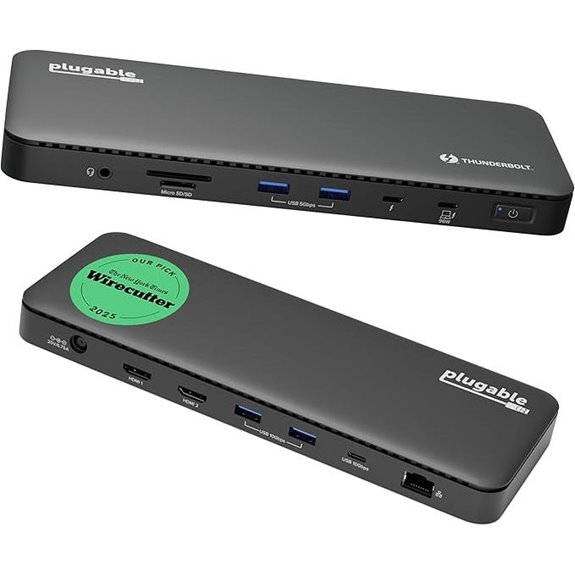 | Best Overall | Number of Ports: 13 ports | Display Support: Dual 4K@60Hz or 8K | Power Delivery (Wattage): 100W | VIEW LATEST PRICE | See Our Full Breakdown |
| iVANKY Dual Thunderbolt 4 Docking Station | 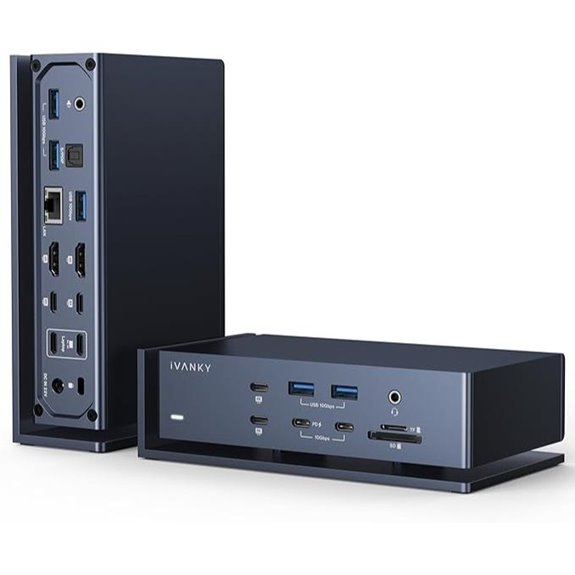 | High-End Performance | Number of Ports: 13 ports | Display Support: Quad 6K@60Hz or dual 6K@60Hz | Power Delivery (Wattage): 180W | VIEW LATEST PRICE | See Our Full Breakdown |
| Lenovo ThinkPad Thunderbolt 4 Dock with 4 Displays |  | Enterprise Ready | Number of Ports: 13 ports | Display Support: 4 x 4K@60Hz or 8K@30Hz | Power Delivery (Wattage): 100W | VIEW LATEST PRICE | See Our Full Breakdown |
| Microsoft Surface Thunderbolt 4 Dock with Dual 4K Support | 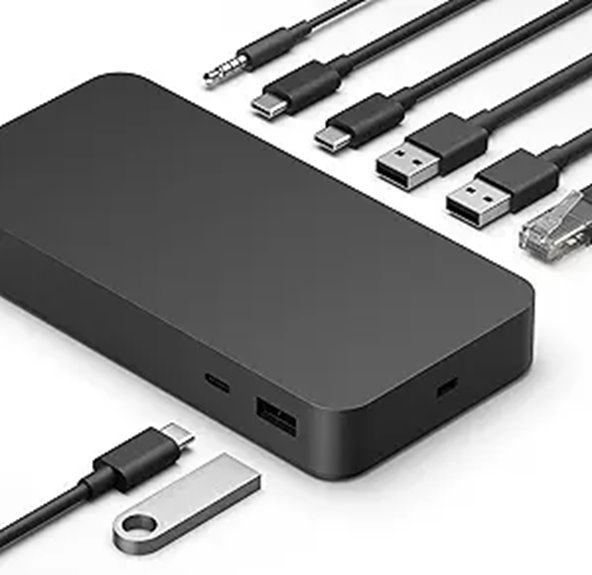 | Surface Optimized | Number of Ports: 10 ports | Display Support: 2 x 4K or 2 x 4K+1 4K | Power Delivery (Wattage): 130W | VIEW LATEST PRICE | See Our Full Breakdown |
| Amazon Basics Thunderbolt4/USB4 Docking Station |  | Budget-Friendly Choice | Number of Ports: 6 ports | Display Support: Dual 4K@60Hz or 8K@30Hz | Power Delivery (Wattage): 96W | VIEW LATEST PRICE | See Our Full Breakdown |
| Thunderbolt 4 Dock with DisplayLink 21-in-1 USB-C |  | Mac-Focused Power | Number of Ports: 21 ports | Display Support: Dual 4K@60Hz or single 8K | Power Delivery (Wattage): 90W | VIEW LATEST PRICE | See Our Full Breakdown |
| Plugable 16-in-1 Thunderbolt 4 Dock with Dual 4K Monitors |  | Dual Monitor Support | Number of Ports: 16 ports | Display Support: Dual 4K@60Hz | Power Delivery (Wattage): 100W | VIEW LATEST PRICE | See Our Full Breakdown |
| Dell Thunderbolt 4 Dock 40Gbps with Dual Monitors | 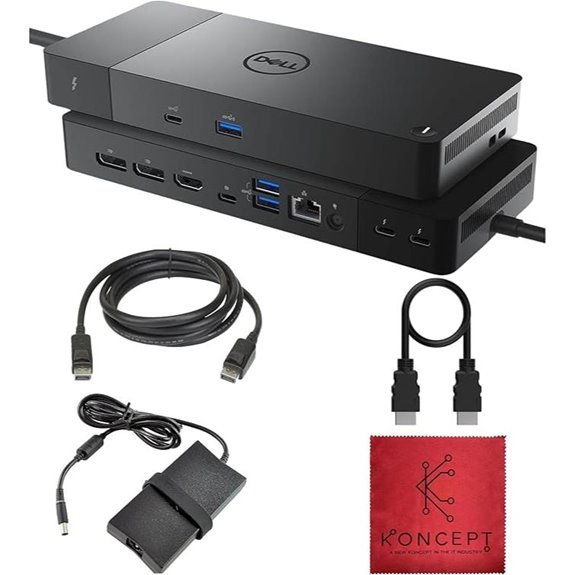 | Business Class | Number of Ports: 13 ports | Display Support: Up to 4 x 4K@60Hz | Power Delivery (Wattage): 130W | VIEW LATEST PRICE | See Our Full Breakdown |
| Lenovo Thunderbolt 4 Docking Station with 135W | 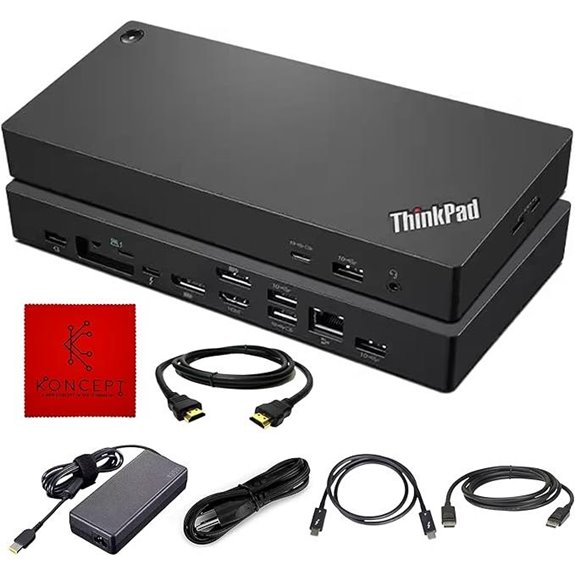 | Versatile Compatibility | Number of Ports: Multiple (various including USB-C, HDMI, Ethernet) | Display Support: Dual 4K@60Hz | Power Delivery (Wattage): 130W | VIEW LATEST PRICE | See Our Full Breakdown |
| Dell Thunderbolt 4 Smart Dock SD25TB4 (130W 4K 2xDP) |  | Security & Management | Number of Ports: 13 ports | Display Support: Up to 4 x 4K@60Hz | Power Delivery (Wattage): 130W | VIEW LATEST PRICE | See Our Full Breakdown |
| UGREEN Thunderbolt 4 Dock 8-in-1 with 8K Display |  | Compact & Powerful | Number of Ports: 8 ports | Display Support: Dual 4K@60Hz or single 8K@30Hz | Power Delivery (Wattage): 85W-140W (depends on setup) | VIEW LATEST PRICE | See Our Full Breakdown |
| CalDigit TS4 Thunderbolt 4 Dock with 18 Ports |  | Multi-Display Master | Number of Ports: 18 ports | Display Support: Dual 4K@60Hz or single 8K | Power Delivery (Wattage): 98W | VIEW LATEST PRICE | See Our Full Breakdown |
| OWC Thunderbolt Hub Docking Station Grey/Black Thunderbolt 4 USB-A | 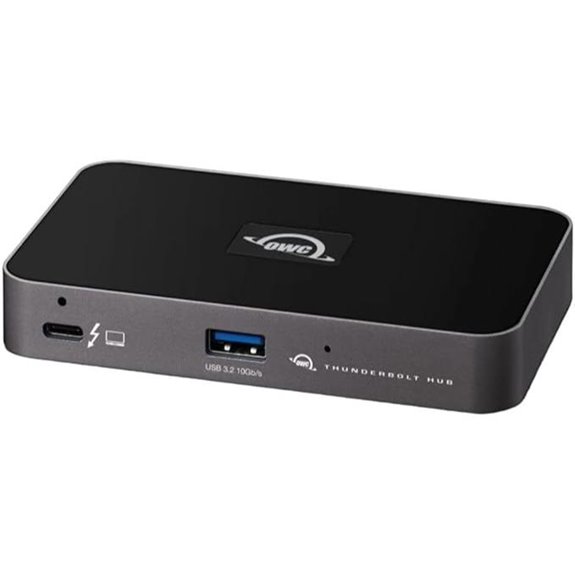 | Affordable Reliability | Number of Ports: Multiple (including Thunderbolt, USB-A, Ethernet) | Display Support: Dual 4K@60Hz or single 8K | Power Delivery (Wattage): 100W | VIEW LATEST PRICE | See Our Full Breakdown |
| UGREEN Thunderbolt 4 13-in-1 Docking Station | 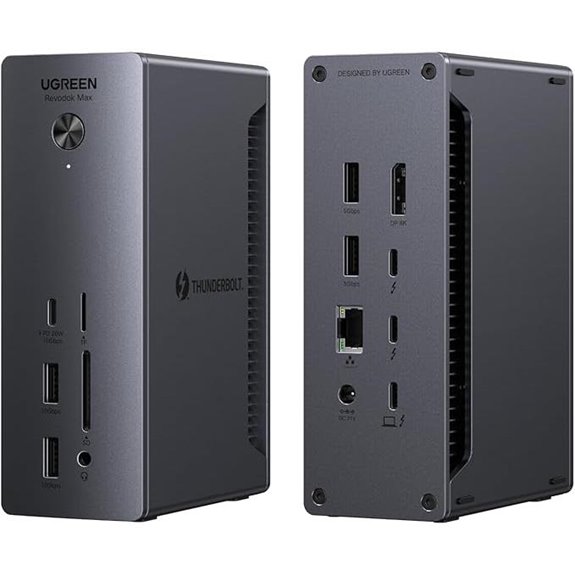 | Eco-Friendly Design | Number of Ports: 13 ports | Display Support: Dual 4K@60Hz or 8K | Power Delivery (Wattage): 180W | VIEW LATEST PRICE | See Our Full Breakdown |
| Plugable Thunderbolt 4 Dock for MacBook Air/Pro | 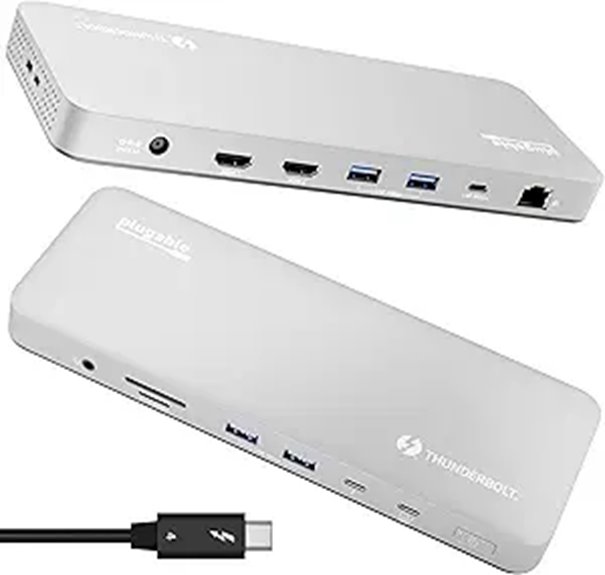 | Mac & Windows Compatible | Number of Ports: 13 ports | Display Support: Dual 4K@60Hz or 8K | Power Delivery (Wattage): 100W | VIEW LATEST PRICE | See Our Full Breakdown |

More Details on Our Top Picks
-

iVANKY Dual Thunderbolt 4 Chips FusionDock Max 1 for Quad 6K@60Hz Display (20-in-1 Dock for M5/M4/M3/M2/M1 Pro/Max Mac) (6 * 40Gbps TB4, 2.5GbE, SD/TF 4.0) Docking Station Hub, Windows Incompatible
【Quad 6K@60Hz Displays】Only MacBook Pro series with M1/M2/M3/M4 Max chips supports quad extended displays. The MacBook Pro series...
As an affiliate, we earn on qualifying purchases.
Plugable Thunderbolt 4 Dock with 100W Charging
If you’re looking for a reliable dock that can handle demanding workloads, the Plugable Thunderbolt 4 Dock with 100W Charging stands out as an excellent choice. It’s Thunderbolt Certified and was named the Best Thunderbolt Dock 2025 by Wirecutter, ensuring top-tier performance. With 40Gbps Thunderbolt 4 speed, 13 versatile ports, and Intel Evo certification, it offers ultra-fast data transfer and seamless connectivity. The dock supports dual 4K 60Hz displays or an 8K display, depending on your setup. Plus, it provides reliable power delivery, certified at 96W, making it perfect for professional and personal use.
- Number of Ports:13 ports
- Display Support:Dual 4K@60Hz or 8K
- Power Delivery (Wattage):100W
- Compatibility (Operating Systems):Windows, macOS
- Connectivity Types:Thunderbolt 4, HDMI, USB, Ethernet
- Build Material:Durable plastic and metal
- Additional Feature:13-port comprehensive design
- Additional Feature:Supports dual 4K or 8K display
- Additional Feature:Certified for Thunderbolt 4
-

Lenovo ThinkPad Universal Thunderbolt 4 Dock, 4 Displays, Dynamic Power Charging up to 100W, Black
One Cable. All Your Needs. - A single Thunderbolt cable is all you need to take your productivity...
As an affiliate, we earn on qualifying purchases.
iVANKY Dual Thunderbolt 4 Docking Station
The iVANKY Dual Thunderbolt 4 Docking Station stands out as an ideal choice for MacBook users who require maximum display support and high-speed data transfer. It supports MacBook Pro models with M1 to M5 chips, delivering up to four 6K@60Hz displays, or dual 6K depending on the chip. Equipped with six Thunderbolt 4 ports and seven USB 3.2 ports, it guarantees fast data transfer up to 40Gbps and 10Gbps respectively. The dock also features SD/TF card slots supporting 312MB/s speeds, a 2.5Gbps Ethernet port, and a 180W power adapter for charging up to 96W. It’s designed specifically for MacOS, offering reliable performance and support.
- Number of Ports:13 ports
- Display Support:Quad 6K@60Hz or dual 6K@60Hz
- Power Delivery (Wattage):180W
- Compatibility (Operating Systems):MacBook Pro (M1–M5)
- Connectivity Types:Thunderbolt 4, USB, Ethernet
- Build Material:Aluminum
- Additional Feature:Supports quad 6K displays
- Additional Feature:180W power adapter included
- Additional Feature:MacBook Pro compatibility only
-

Microsoft Surface Thunderbolt 4 Docking Station - Black (T8H-00001)
Lightning-Fast Connectivity: Enjoy the speed and convenience of Thunderbolt 4 ports that let you transfer data, stream media,...
As an affiliate, we earn on qualifying purchases.
Lenovo ThinkPad Thunderbolt 4 Dock with 4 Displays
For professionals who need to maximize productivity with multiple high-resolution displays, the Lenovo ThinkPad Thunderbolt 4 Dock stands out by supporting up to four 4K @ 60 Hz screens or an 8K display. It offers lightning-fast data transfer speeds of 40 Gbps, vPro pass-through support, and dynamic power charging up to 100W, ensuring your devices stay powered. Compatible with Thunderbolt 3, 4, USB 4, and USB-C systems, it simplifies connectivity through a single cable. With multiple video outputs—including DisplayPort, HDMI, and Thunderbolt 4—and extensive USB ports, it provides a flexible, reliable solution for demanding workstations.
- Number of Ports:13 ports
- Display Support:4 x 4K@60Hz or 8K@30Hz
- Power Delivery (Wattage):100W
- Compatibility (Operating Systems):Windows, macOS
- Connectivity Types:Thunderbolt 4, DisplayPort, HDMI, USB, Ethernet
- Build Material:Metal casing
- Additional Feature:Supports 4 displays simultaneously
- Additional Feature:Remote firmware management support
- Additional Feature:VPro pass-through support
Microsoft Surface Thunderbolt 4 Dock with Dual 4K Support
Designed specifically for Surface laptops, the Microsoft Surface Thunderbolt 4 Dock stands out with its ability to support dual 4K monitors, making it an ideal choice for professionals who need crisp visuals and expansive workspace options. It offers high-speed Thunderbolt 4 connectivity for fast data transfer, media streaming, and device charging. The dock includes three USB-C and three USB-A ports, along with a 3.5mm audio jack, 2.5G Ethernet, and a security lock slot for versatile peripheral compatibility. Weighing just 14.4 ounces and measuring 3.15 x 10.94 x 4.19 inches, it’s compact, powerful, and eco-friendly, incorporating 20% recycled ocean-bound plastic.
- Number of Ports:10 ports
- Display Support:2 x 4K or 2 x 4K+1 4K
- Power Delivery (Wattage):130W
- Compatibility (Operating Systems):Windows, Surface (Windows)
- Connectivity Types:Thunderbolt 4, USB-C, USB-A, Ethernet
- Build Material:Plastic and metal
- Additional Feature:Eco-friendly ocean-bound plastic
- Additional Feature:Supports two 4K monitors
- Additional Feature:Tactile port indicators
Amazon Basics Thunderbolt4/USB4 Docking Station
If you need a versatile and travel-friendly docking station that expands your device’s connectivity, the Amazon Basics Thunderbolt4/USB4 Docking Station is a solid choice. It supports Thunderbolt and USB4, compatible with Windows 10+ laptops with Thunderbolt 4 ports and non-M1/M2 MacBooks running macOS 11+. It offers dual 4K@60Hz display support via two Thunderbolt 4 ports and an 8K30Hz HDMI port, though you should avoid connecting HDMI first to prevent resolution issues. With 2 Thunderbolt 4 ports, 3 USB A ports, and a 2.5Gb Ethernet port, it delivers fast data transfer and up to 96W power delivery, making it perfect for on-the-go productivity.
- Number of Ports:6 ports
- Display Support:Dual 4K@60Hz or 8K@30Hz
- Power Delivery (Wattage):96W
- Compatibility (Operating Systems):Windows, macOS (excluding M1 Macs)
- Connectivity Types:Thunderbolt 4, HDMI, USB, Ethernet
- Build Material:Plastic
- Additional Feature:HDMI 8K30Hz support
- Additional Feature:Supports USB4 and Thunderbolt
- Additional Feature:Compact, travel-friendly design
Thunderbolt 4 Dock with DisplayLink 21-in-1 USB-C
The Thunderbolt 4 Dock with DisplayLink, 21-in-1 USB-C stands out as an ideal choice for users who need versatile, multi-monitor setups and extensive peripheral support. It’s compatible with most laptops featuring 8th Gen Intel processors or newer, offering smooth performance and reliable connectivity. With 60W charging—up to 90W for some laptops—it keeps your devices powered, and it supports dual 4K displays or an 8K single display. The dock’s DisplayLink technology enables flexible monitor arrangements, supporting up to five screens simultaneously. Plus, it includes a wide array of USB-C and USB-A ports, making it perfect for expanding your workspace seamlessly.
- Number of Ports:21 ports
- Display Support:Dual 4K@60Hz or single 8K
- Power Delivery (Wattage):90W
- Compatibility (Operating Systems):Windows, macOS (excluding M1 Macs)
- Connectivity Types:Thunderbolt 4, DisplayLink, USB-A, USB-C, Ethernet
- Build Material:Metal and plastic
- Additional Feature:Supports 5 monitor setups
- Additional Feature:60W charging capacity
- Additional Feature:Compatible with 8th Gen+ Intel
Plugable 16-in-1 Thunderbolt 4 Dock with Dual 4K Monitors
For professionals who need to maximize productivity with dual 4K displays, the Plugable 16-in-1 Thunderbolt 4 Dock stands out as an excellent choice. It supports two 4K 60Hz monitors via HDMI or DisplayPort without needing drivers, ensuring a smooth, plug-and-play experience. With 7 USB ports, SD/microSD slots, 2.5Gb Ethernet, audio jacks, and 100W Power Delivery, it covers all connectivity needs. Compatible with Thunderbolt 4, Thunderbolt 5, USB4, and USB-C devices, including Macs and Windows laptops, it transforms any workstation into a powerhouse for multitasking, content creation, and professional workflows.
- Number of Ports:16 ports
- Display Support:Dual 4K@60Hz
- Power Delivery (Wattage):100W
- Compatibility (Operating Systems):Windows, macOS
- Connectivity Types:Thunderbolt 4, HDMI, DisplayPort, USB, Ethernet
- Build Material:Aluminum and plastic
- Additional Feature:Recognized as 2025 Dock of Year
- Additional Feature:Dual 4K 60Hz monitor support
- Additional Feature:7 USB ports for peripherals
Dell Thunderbolt 4 Dock 40Gbps with Dual Monitors
Designed for professionals who need reliable, high-speed connectivity, the Dell Thunderbolt 4 Dock 40Gbps with Dual Monitors offers an impressive array of ports and support for multiple high-resolution displays. It features 13 ports, including Thunderbolt 4, DisplayPort, HDMI, USB-C, USB-A, Ethernet, and audio jacks, compatible with a range of devices like Windows PCs, Macs, and tablets. With up to 130W power delivery, it charges your laptop and peripherals through a single cable. It supports four 4K 60Hz monitors for Windows, while macOS users can connect one natively. This dock is perfect for multitasking and professional workflows requiring high performance and reliable connectivity.
- Number of Ports:13 ports
- Display Support:Up to 4 x 4K@60Hz
- Power Delivery (Wattage):130W
- Compatibility (Operating Systems):Windows, macOS
- Connectivity Types:Thunderbolt 4, HDMI, DisplayPort, USB, Ethernet
- Build Material:Metal and plastic
- Additional Feature:130W power delivery
- Additional Feature:Supports four 4K monitors
- Additional Feature:Enterprise security features
Lenovo Thunderbolt 4 Docking Station with 135W
If you’re seeking a reliable docking station that can power your laptop and peripherals efficiently, the Lenovo Thunderbolt 4 Docking Station with 135W stands out. It offers a variety of ports, including USB-C, HDMI, and DisplayPort, enabling you to connect multiple devices and set up dual monitors for an immersive visual experience. With a 135W power output, it guarantees your laptop and peripherals stay charged and operational throughout the workday. Designed for broad compatibility, it seamlessly integrates with various laptops, promoting a flexible workspace. This dock boosts productivity by supporting multitasking and providing stable, high-speed connectivity.
- Number of Ports:Multiple (various including USB-C, HDMI, Ethernet)
- Display Support:Dual 4K@60Hz
- Power Delivery (Wattage):130W
- Compatibility (Operating Systems):Windows, macOS (Surface)
- Connectivity Types:Thunderbolt 4, HDMI, USB, Ethernet
- Build Material:Plastic with metal accents
- Additional Feature:135W power output
- Additional Feature:Dual monitor support
- Additional Feature:Promotes flexible workspace
Dell Thunderbolt 4 Smart Dock SD25TB4 (130W 4K 2xDP)
The Dell Thunderbolt 4 Smart Dock SD25TB4 stands out as an excellent choice for professionals who need to connect multiple high-resolution displays and peripherals effortlessly. It supports up to four 4K displays through HDMI 2.1, DisplayPort 1.4, USB-C, and Thunderbolt 4, making it perfect for creative or data-intensive tasks. With 130W charging, it delivers fast, cable-free power to Dell devices and others. Dual Thunderbolt 4 ports and 2.5GbE Ethernet ensure high-speed data transfer and reliable networking. Its compact, eco-friendly design uses recycled materials, and security features like WPA3 encryption and DMA protection make it suitable for enterprise environments.
- Number of Ports:13 ports
- Display Support:Up to 4 x 4K@60Hz
- Power Delivery (Wattage):130W
- Compatibility (Operating Systems):Windows, enterprise (various)
- Connectivity Types:Thunderbolt 4, HDMI, DisplayPort, USB, Ethernet
- Build Material:Metal, recycled plastics
- Additional Feature:Sustainable recycled materials
- Additional Feature:Wi-Fi management support
- Additional Feature:Ambidextrous compact design
UGREEN Thunderbolt 4 Dock 8-in-1 with 8K Display
For professionals who need seamless high-resolution connectivity, the UGREEN Thunderbolt 4 Dock 8-in-1 with 8K display stands out as an excellent choice. It’s compatible with Mac M1/M2/M3/M4 Pro/Max, Windows laptops, Mac mini, and tablets with USB-C ports, supporting Thunderbolt 4, Thunderbolt 3, USB4, and USB-C devices. With three Thunderbolt 4 ports, three USB A ports, Ethernet, and a 140W power input, it handles demanding tasks effortlessly. It supports dual 4K@60Hz or a single 8K@30Hz display for Windows, and similar resolutions for Macs. The 140W charger provides fast charging, making this dock perfect for professionals seeking versatile, high-quality connectivity.
- Number of Ports:8 ports
- Display Support:Dual 4K@60Hz or single 8K@30Hz
- Power Delivery (Wattage):85W-140W (depends on setup)
- Compatibility (Operating Systems):Windows, macOS (excluding M1)
- Connectivity Types:Thunderbolt 4, HDMI, USB, Ethernet
- Build Material:Aluminum and plastic
- Additional Feature:Supports dual 4K or 8K
- Additional Feature:140W charging power
- Additional Feature:Compatible with Mac/Windows
CalDigit TS4 Thunderbolt 4 Dock with 18 Ports
With its impressive 18 ports, the CalDigit TS4 Thunderbolt 4 Dock stands out as a top choice for professionals who need extensive connectivity options. It offers 3 Thunderbolt 4 ports, 8 USB-A ports, SD and microSD card readers, a DisplayPort 1.4, audio jacks, a 2.5GbE Ethernet port, and a security slot. It supports up to 8K resolution on Windows or 6K on macOS, with dual 4K displays on Windows and dual 6K on compatible Macs. Delivering 98W power, it simplifies setup with a single cable for power, data, and video. It’s ideal for demanding workflows needing versatile device compatibility.
- Number of Ports:18 ports
- Display Support:Dual 4K@60Hz or single 8K
- Power Delivery (Wattage):98W
- Compatibility (Operating Systems):Windows, macOS
- Connectivity Types:Thunderbolt 4, DisplayPort, HDMI, USB, Ethernet
- Build Material:Metal and plastic
- Additional Feature:18 ports total
- Additional Feature:Supports single 8K display
- Additional Feature:Built-in DisplayPort 1.4
OWC Thunderbolt Hub Docking Station Grey/Black Thunderbolt 4 USB-A
If you need a reliable docking station that offers seamless connectivity across multiple platforms, the OWC Thunderbolt Hub stands out as a top choice. It leverages the full power and performance of your devices, making data transfer quick and efficient. This cost-effective bus hub has limited capabilities but excels in device connectivity. It’s compatible with Thunderbolt 4, Thunderbolt 3, USB-C, and USB4, ensuring 100% compatibility across various systems. Thunderbolt certified and built with OWC’s trusted reliability, it works flawlessly with both Mac and Windows. If you’re after a versatile, dependable hub, this model is definitely worth considering.
- Number of Ports:Multiple (including Thunderbolt, USB-A, Ethernet)
- Display Support:Dual 4K@60Hz or single 8K
- Power Delivery (Wattage):100W
- Compatibility (Operating Systems):Windows, macOS
- Connectivity Types:Thunderbolt 4, USB, Ethernet
- Build Material:Metal and plastic
- Additional Feature:Certified Thunderbolt 4
- Additional Feature:Cost-effective bus hub
- Additional Feature:Reliable Mac/Windows support
UGREEN Thunderbolt 4 13-in-1 Docking Station
The UGREEN Thunderbolt 4 13-in-1 Docking Station stands out as an excellent choice for professionals and power users who need versatile connectivity in one compact solution. It offers 13 ports, including dual Thunderbolt 4, DisplayPort 1.4, Ethernet, SD/TF card readers, and multiple USB-A and USB-C ports, supporting broad device compatibility. It can handle dual 4K@60Hz or single 8K@30Hz displays via Thunderbolt 4 or USB4, making it ideal for creative workflows. With 40Gbps data transfer speeds and a 180W power adapter delivering up to 90W charging, it combines high performance with convenience, perfect for demanding setups.
- Number of Ports:13 ports
- Display Support:Dual 4K@60Hz or 8K
- Power Delivery (Wattage):180W
- Compatibility (Operating Systems):Windows, macOS
- Connectivity Types:Thunderbolt 4, DisplayPort, USB, Ethernet
- Build Material:Metal and plastic
- Additional Feature:Supports dual 4K/8K displays
- Additional Feature:180W DC power input
- Additional Feature:Broad device compatibility
Plugable Thunderbolt 4 Dock for MacBook Air/Pro
For MacBook users seeking a reliable, high-performance docking solution, the Plugable Thunderbolt 4 Dock (TBT-UDM) stands out as an excellent choice. It offers 13 versatile ports, including Thunderbolt 4, USB-C, USB-A, SD/microSD slots, Ethernet, and audio, all in a sleek space gray aluminum design. Supporting dual 4K 60Hz displays on M4/M5 Macs and M3 models in clamshell mode, it’s perfect for demanding workflows. With 100W power delivery, it keeps your MacBook charged during heavy use. Plus, its driverless, plug-and-play setup simplifies connectivity, making it an ideal solution for home offices and professional environments alike.
- Number of Ports:13 ports
- Display Support:Dual 4K@60Hz or 8K
- Power Delivery (Wattage):100W
- Compatibility (Operating Systems):macOS, Windows
- Connectivity Types:Thunderbolt 4, HDMI, USB, Ethernet
- Build Material:Aluminum and plastic
- Additional Feature:Supports dual 4K in clamshell
- Additional Feature:13 ports total
- Additional Feature:Enterprise-quality support
Factors to Consider When Choosing Dock Thunderbolt 4

When choosing a Thunderbolt 4 dock, I always start by checking device compatibility to guarantee it works seamlessly with my gear. I also consider display support, power delivery options, port versatility, and build quality to meet my specific needs. These factors help me find a dock that’s reliable, efficient, and future-proof for my setup.
Compatibility With Devices
Choosing the right Thunderbolt 4 dock depends heavily on confirming it’s compatible with your device’s hardware and software. First, check that your operating system, like Windows 10+ or macOS 11+, is supported for full functionality. Next, verify that your computer has a Thunderbolt 4, Thunderbolt 3, or USB4 port, since compatibility depends on these connections. If you want to charge your device through the dock, make sure it supports Power Delivery (PD) to avoid power issues. Additionally, confirm that your hardware can handle multiple displays if that’s part of your setup. Finally, verify the dock is compatible with your specific device model, whether it’s a MacBook Pro, Surface, or another Windows laptop, for seamless integration.
Display Support Capabilities
Display support capabilities are a crucial factor to consider because they determine how many and what quality of screens your Thunderbolt 4 dock can handle. Some docks support dual 4K@60Hz displays, while others can connect an 8K monitor, depending on hardware and configuration. The number and resolution of supported displays vary based on the video output ports like HDMI, DisplayPort, or Thunderbolt 4, and their bandwidth limits. Compatibility with macOS or Windows also influences display support; for example, dual displays may work on Windows but only a single display on M1 or M2 Macs. The dock’s internal hardware and your device’s graphics capabilities play key roles in handling high-resolution displays, including 6K or 8K monitors. Using DisplayLink technology can expand multi-monitor support but may require extra drivers.
Power Delivery Options
Selecting a Thunderbolt 4 dock with the right Power Delivery (PD) capabilities is essential to keep your laptop and peripherals charged efficiently. Look for a dock offering between 60W and 100W or more, depending on your device’s power needs. Make sure the PD profile matches your laptop’s requirements to prevent under- or over-charging, which can affect performance and battery health. Fast charging support is a plus, reducing downtime when you need a quick power boost. Keep in mind that connecting multiple high-power peripherals might reduce the available power for your laptop, so check how the dock manages power distribution. Also, consider whether the dock has an external power supply, which often delivers higher wattage and better heat management, ensuring steady, reliable charging.
Port Versatility
A versatile Thunderbolt 4 dock can considerably expand your connectivity options, making it easier to work efficiently with multiple peripherals. I look for a variety of ports, including USB-A, USB-C, HDMI, DisplayPort, Ethernet, and audio jacks, to support different devices without hassle. Multiple Thunderbolt 4 ports are vital, as they allow daisy-chaining and connecting multiple high-resolution displays like dual 4K or 8K monitors, boosting productivity. Support for various display outputs ensures seamless multimedia experiences. Additional features like SD card readers, Ethernet ports, and audio jacks add flexibility for diverse workflows. Compatibility with multiple device types and operating systems is essential, so my dock can adapt to different setups. Overall, port versatility directly impacts how smoothly I can connect and manage my peripherals.
Build Quality Standards
Since your Thunderbolt 4 dock will be a essential part of your setup, ensuring it meets high build quality standards is critical for long-term reliability. Look for industry-standard certifications like Thunderbolt Certified, which guarantee safety and ideal performance. High-quality materials and a robust construction are indispensable to withstand daily use and prevent damage over time. Verify that the dock complies with strict manufacturing and quality assurance processes, ensuring durability and consistent performance. Positive user reviews and manufacturer warranties also indicate reliable build quality and ongoing support. Additionally, check that the dock adheres to strict performance standards, such as proper heat dissipation and secure port connections. Prioritizing these factors helps you choose a durable, dependable dock that stands the test of time.
Frequently Asked Questions
How Does Thunderbolt 4 Compatibility Differ From Thunderbolt 3?
Thunderbolt 4 compatibility differs from Thunderbolt 3 mainly in standardization and performance. I’ve found that Thunderbolt 4 guarantees minimum requirements, like 40Gbps speeds and support for dual 4K displays, ensuring greater consistency across devices. It also offers improved security and backward compatibility with Thunderbolt 3. So, I prefer Thunderbolt 4 for its reliability and future-proofing, making my setup more seamless and versatile.
Can Thunderbolt 4 Docks Support Daisy-Chaining Multiple Devices?
Yes, Thunderbolt 4 docks can support daisy-chaining multiple devices. I’ve used them myself, and they make connecting several peripherals straightforward. You simply connect the dock to your computer and then chain additional devices, like external drives or monitors, through the dock’s Thunderbolt ports. This setup keeps my workspace organized and guarantees high-speed data transfer without sacrificing performance. Daisy-chaining with Thunderbolt 4 is reliable and efficient.
What Are the Security Features of Thunderbolt 4 Docks?
Imagine a fortress protecting your digital kingdom—that’s what Thunderbolt 4 docks do with their robust security features. They include hardware-based security like Intel’s VT-d, which shields against malicious attacks, and support for PCIe device validation, preventing unauthorized hardware access. I trust these docks to keep my data safe, knowing they’re built to defend against threats, so I can focus on my work without a worry in the world.
Are Thunderbolt 4 Docks Future-Proof for Upcoming Technology Standards?
I believe Thunderbolt 4 docks are pretty future-proof because they support high data transfer speeds, multiple displays, and power delivery, which align with upcoming tech standards. They’re designed to be versatile and adaptable, so I’d feel confident using them for years to come. Plus, their compatibility with USB4 and other standards guarantees they’ll stay relevant as technology evolves. I’d recommend them for anyone wanting reliable, forward-compatible connectivity.
How Do Thunderbolt 4 Docks Perform With Non-Windows and Non-Mac Systems?
Thunderbolt 4 docks work well with non-Windows and non-Mac systems, but compatibility varies. I’ve found that many Linux devices and some other operating systems support Thunderbolt 4, though you might need specific drivers or firmware updates. It’s best to check your device’s specifications first. Overall, I think Thunderbolt 4 offers versatile connectivity that can enhance various systems beyond just Windows and Mac.
Conclusion
Think of choosing a Thunderbolt 4 dock like picking the perfect bridge across a busy river. It needs to be strong, reliable, and able to handle all your crossings smoothly. With the right dock, your devices flow seamlessly, connecting effortlessly like boats gliding under a sturdy arch. So, pick wisely, and let your tech journey be a smooth voyage—trust me, the right dock makes all the difference in keeping your world connected.